
BTPC-907DC-B - Tablet BRIGMTON - Free user manual and instructions
Find the device manual for free BTPC-907DC-B BRIGMTON in PDF.


| Product Type | Tablet |
| Brand | BRIGMTON |
| Model | BTPC-907DC |
| Screen Size | 9 inches |
| Operating System | Android 4.2 Jelly Bean |
| Processor | Dual Core |
| Wireless Connectivity | Wi-Fi 802.11 b/g/n |
| Camera | Front and rear cameras (switchable) |
| Video Playback | HD video player |
| Audio | Music player with speaker |
| Sensors | G-sensor (accelerometer) |
| Battery | Rechargeable lithium-ion (typical 4000 mAh) |
| Storage Expansion | microSD (TF) card slot |
| Ports | Micro USB, 3.5mm headphone jack |
| Additional Features | Screenshot shortcut, Daydream screen saver, screen adaption for games, sleep timer |
| Language Support | Multiple languages selectable in settings |
| Backup & Reset | Factory reset option in settings |
| Date & Time | Automatic network time or manual setting |
| Included Accessories | USB cable, power adapter |
Frequently Asked Questions - BTPC-907DC-B BRIGMTON
User questions about BTPC-907DC-B BRIGMTON
0 question about this device. Answer the ones you know or ask your own.
Ask a new question about this device
Download the instructions for your Tablet in PDF format for free! Find your manual BTPC-907DC-B - BRIGMTON and take your electronic device back in hand. On this page are published all the documents necessary for the use of your device. BTPC-907DC-B by BRIGMTON.
USER MANUAL BTPC-907DC-B BRIGMTON
BTPC-907DC
TABLET PC 9"-DUAL CORE-WIFI-ANDROID 4.2
natural_image
Digital photo of a fragmented orange geometric shapes with floating effects, displayed within a mobile app interface (no readable text or symbols on the shapes themselves)
Volver

Inicio

En ejecución

Captura de pantalla


men +/-

Menú Opciones

CONFIGURACIÓN
CONEXIONES INALÁMBRICAS Y REDES
Seleccione pi Wi-Fi acceder al menú de WIFI:
After 10 minutes of inactivity
Función Sleep
Calibrate G-sensor
Calibración
Daydream
Used to adjust size of some games display screen
IDIOMA Y ENTRADA
Automatic date & time Use network-provided time
Automatic time zone Use network-provided time zone
Zona automática
Set date 5/9/2012
Select time zone GMT+00:00, GMT+00:00
Establecer la zona
natural_image
Grid of nine video thumbnails showing different scenes: a frog, water, and people in various settings (no text or symbols visible)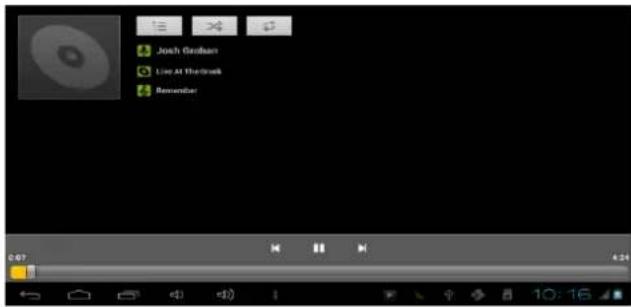
CÁMARA
Seleccione el icono

Camera
natural_image
Potted plant with green leaves and a red flower, displayed in a mobile app interface (no text or symbols on the plant itself)OPERATING INSTRUCTIONS
- INTRODUCTION
- LIST OF APPLICATIONS
CONFIGURATION
- WIRELESS & NETWORKS
- SCREEN AND SOUND
- APPLICATIONS
- LANGUAGE AND ENTRY
- BACKUP AND RESET
- DATE AND TIME
- ON THE DEVICE
HD PLAYER
MUSIC
CAMERA
BROWSER
OPERATION INSTRUCTIONS
INTRODUCTION
natural_image
Digital photo of a shopping app interface with orange geometric shapes and a play button (no readable text or symbols)
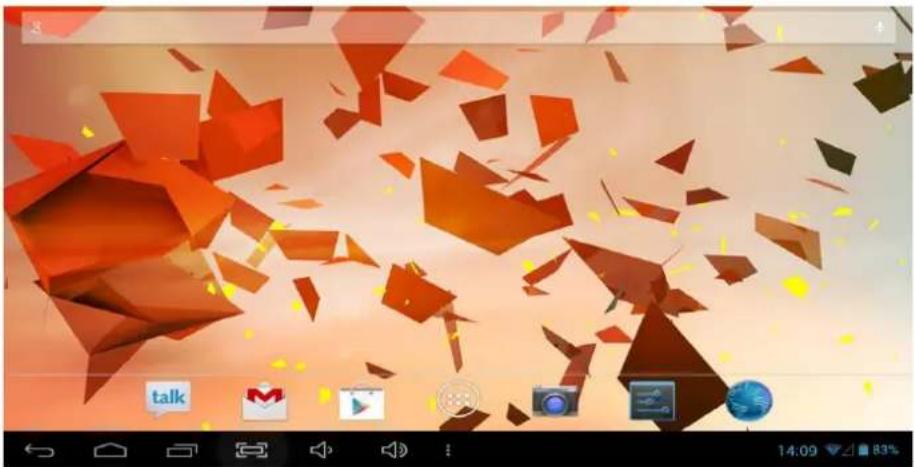
Return

Home

Running Program under background

Screenshot

Voice -

+

Fast enter system settings and Manage apps

Application Menu
USB Connected

Voice input
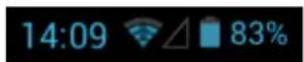
Time / WIFI / External 3G dongle signal / Battery

natural_image
Abstract geometric pattern with red and beige shapes on a gradient background (no text or symbols)Google search
APPLICATION LIST
Click icon into applications menu:
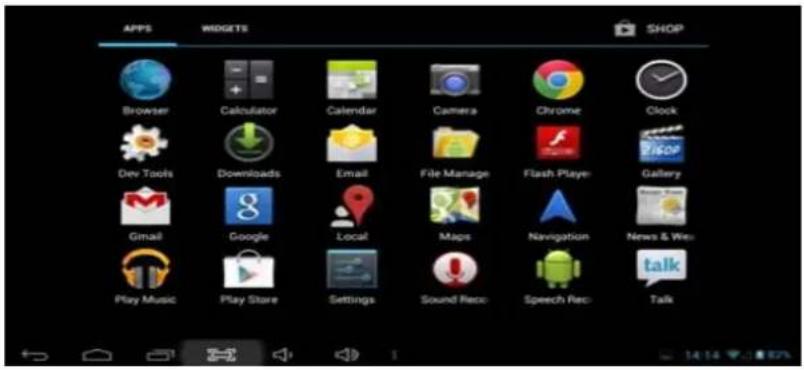
Note: Long pressing an application icon can add shortcut to the desktop automatically
Click WIDGETS view widgets:
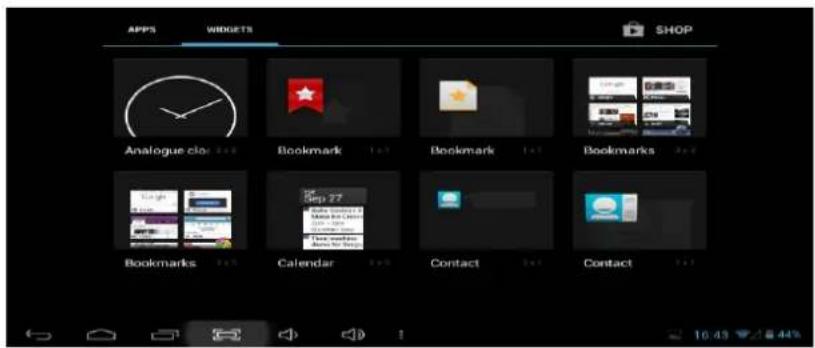
Note: Long pressing any widgets; you can create a shortcut on the desktop
SETTINGS
WIRELESS & NETWORKS
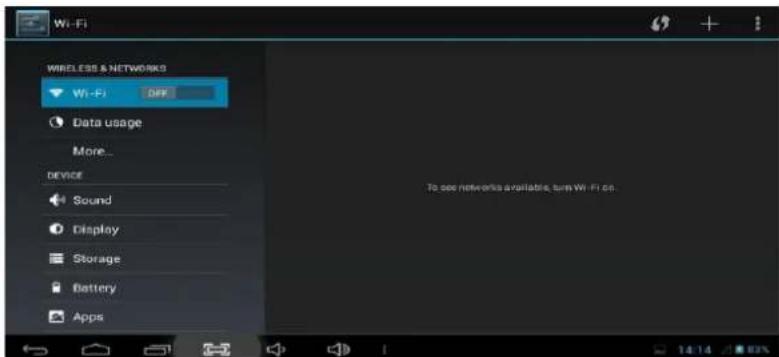
Click icoWi-F when select wireless & network:
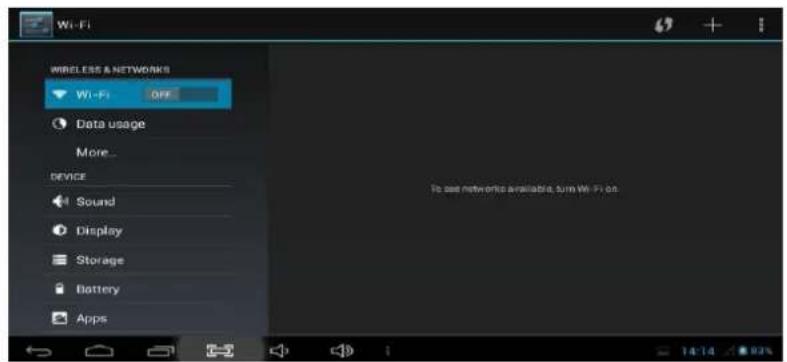
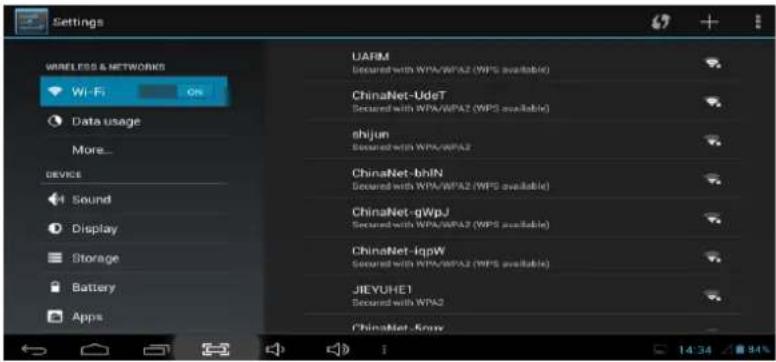
Wi-Fi settings
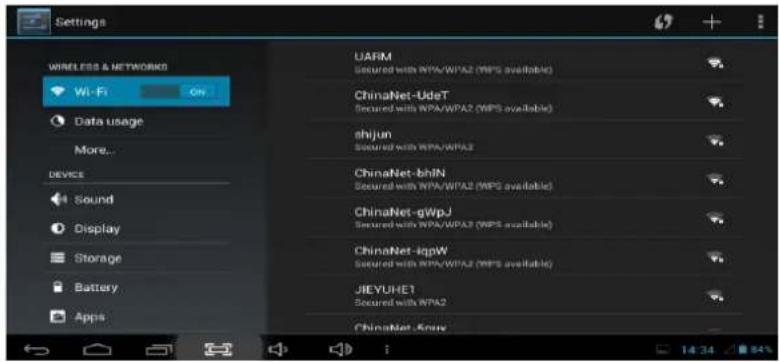
Turn on Wi-Fi, tablet can search for nearby Wi-Fi networks automatically and display related information. Choose WIFI router.
If it displays locked as, you need type password before connection:
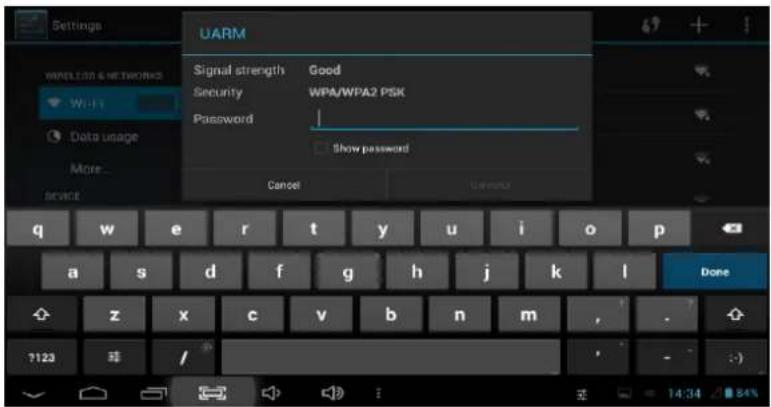
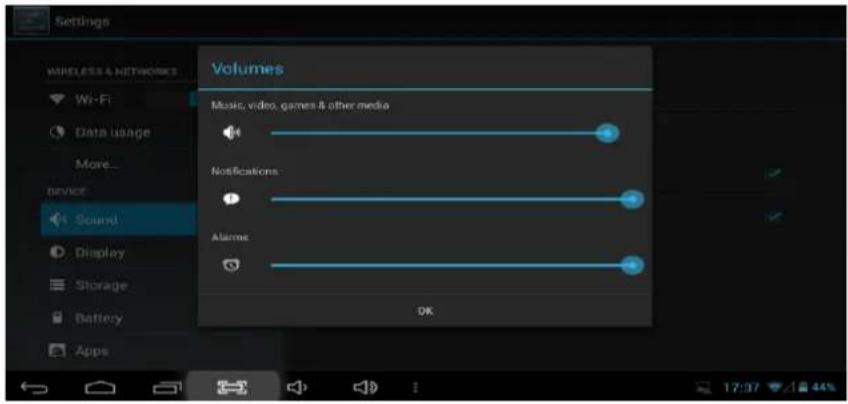
SOUND AND DISPLAY
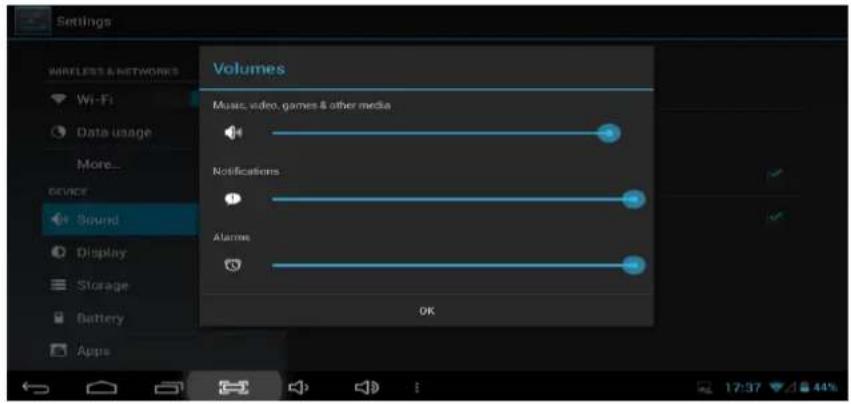
Click Sound lume
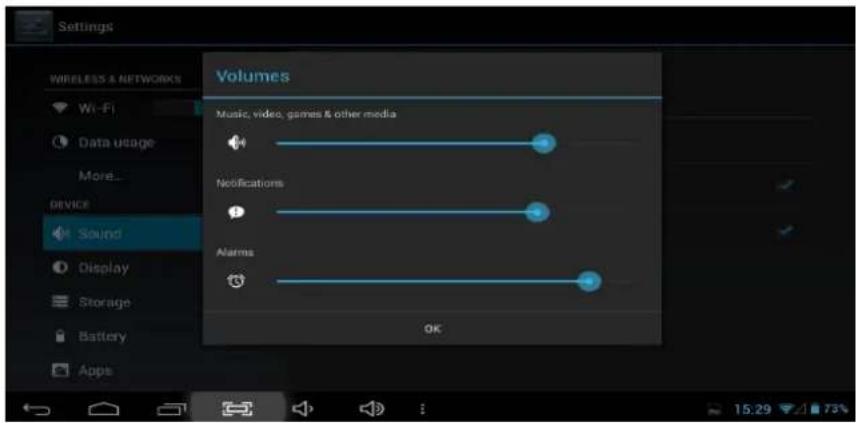
Click Icon to adjust the volume
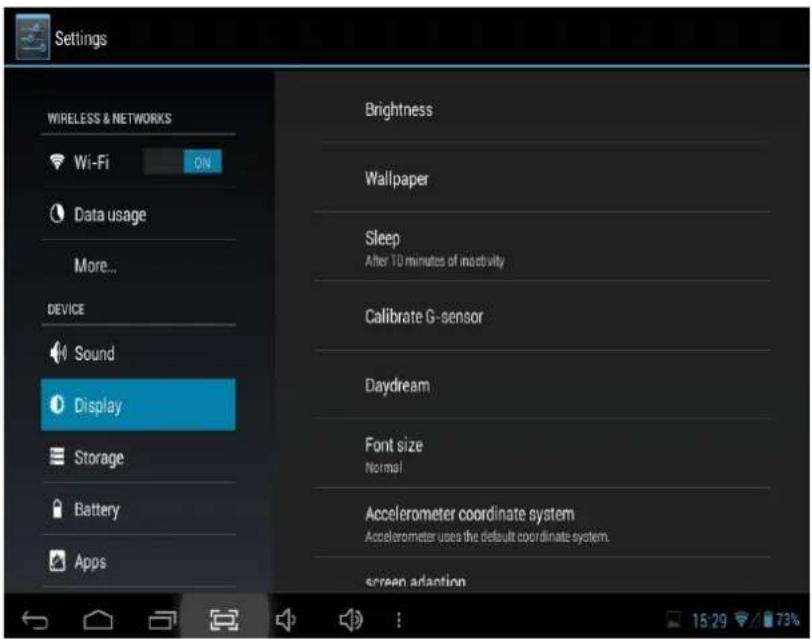
Brightness
Wallpaper
Sleep
After 10 minutes of inactivity
Calibrate G-sensor
Daydream
Font size
Normal
Accelerometer coordinate system
Accelerometer uses the default coordinate system
screen adaption
Used to adjust size of some games display screen
LCD Brightness setting
Set wallpaper
Set sleep interval
Calibrate
Set screen protect
Adjust font size
Select an accelerometer coordinate system Adjust screen adaption
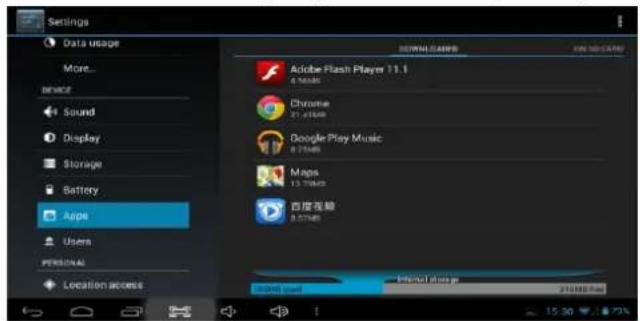
APPS
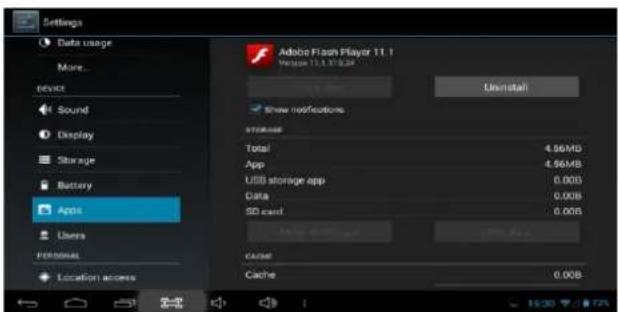
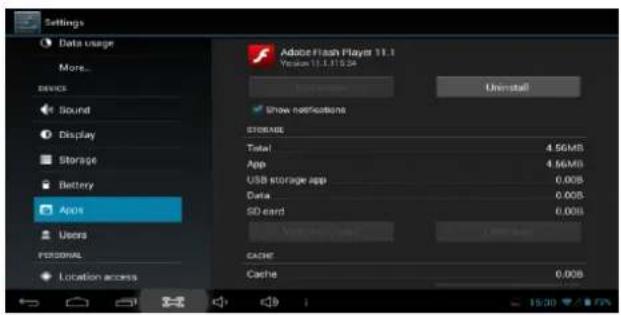
Click Apps application settings interface. You can see all application details and uninstall programs completely.
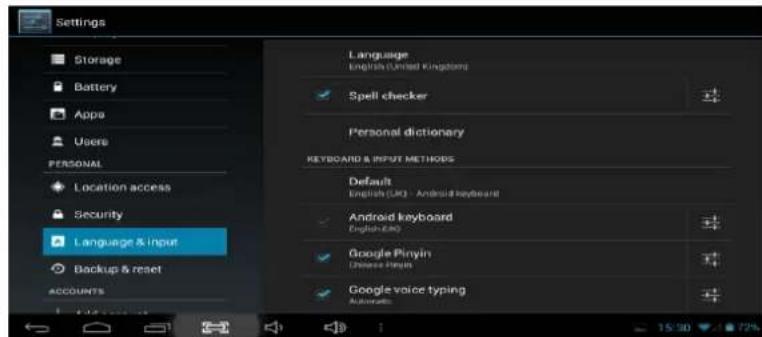
LANGUAGE & INPUT
Click to set native language.
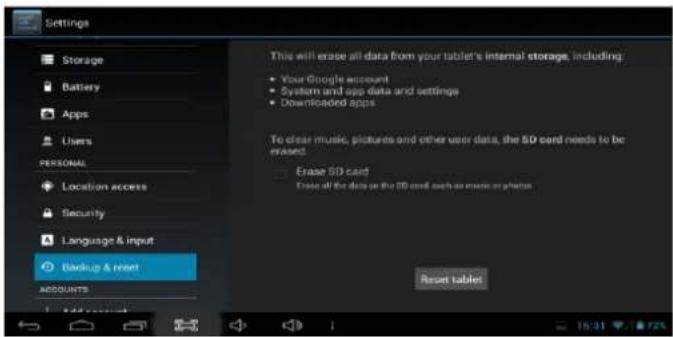
BACKUP & RESET
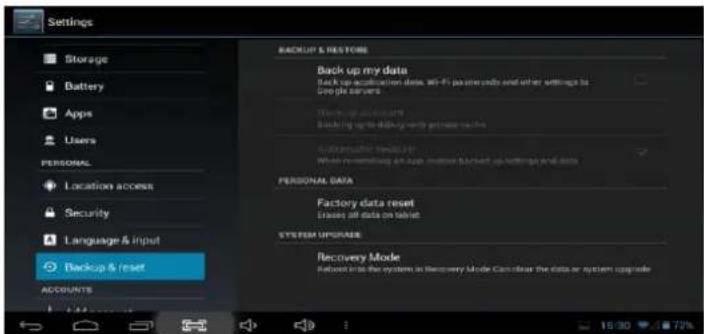
Click

Backup & reset

tablet:
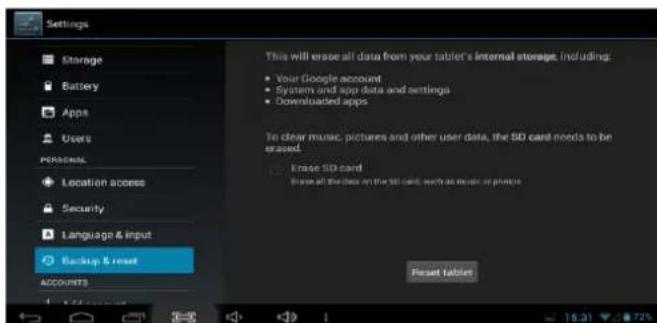
Note: All applications are installed by user will be disappeared.
DATE & TIME
Click Date & time to set date and time:
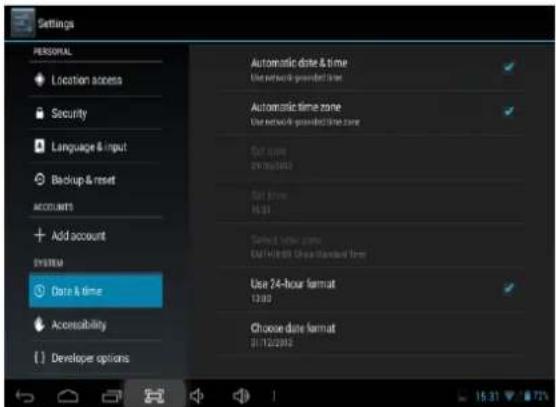
Automatic date & time Use network-provided time
Automatic time zone Use network-provided time zone
Set date 5/9/2012
Set time 06:24
Select time zone GMT+00:00, GMT+00:00
Obtain the time automatically
Obtain the time zone automatically
Set current date
Set current time
Select time zone for your location
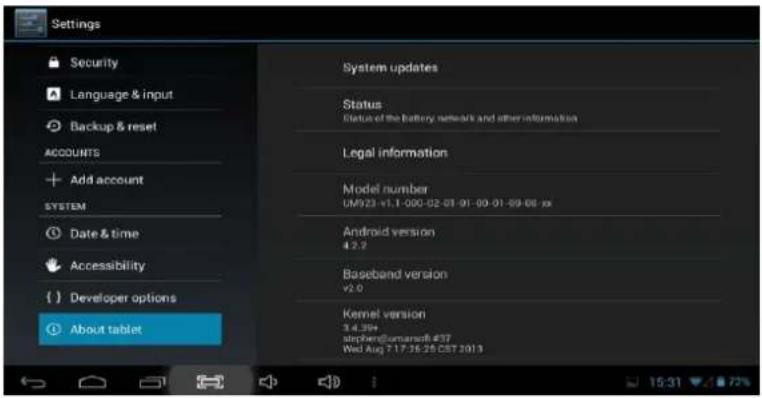
About tablet
You can check the Tablet detail information:
HD PLAYER

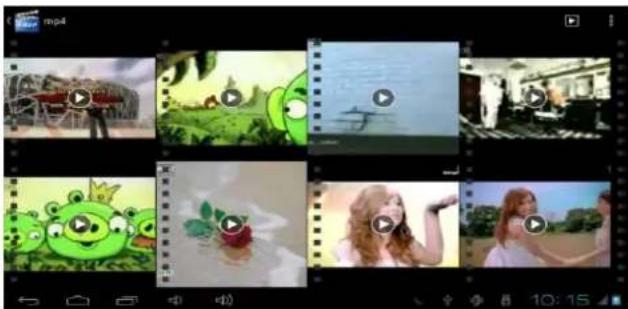
Click to browse picture and video:
natural_image
Collage of nine video thumbnails showing different scenes and content, including animals, a frog, and people in various settings (no text or symbols visible)Note: It needs some time to load all files at first time. Press one file 2S for more advanced operation.
If you want to browse the file from TF card, please make sure

Storage
Enable media scanning on extsd

MUSIC
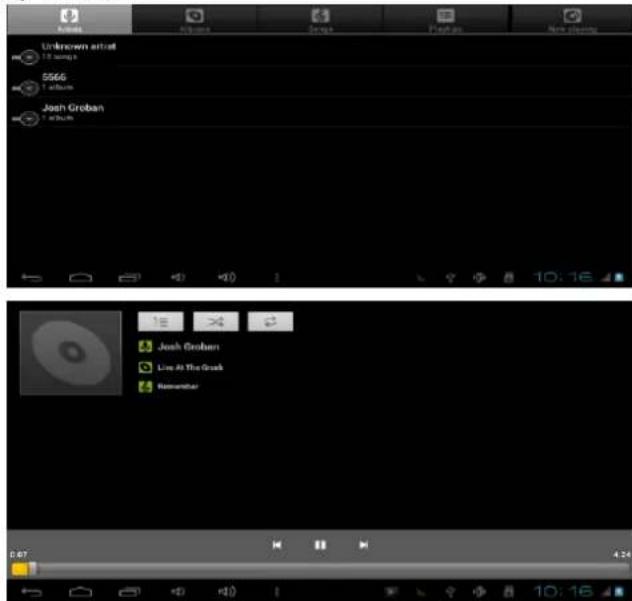
Click

n to play music:
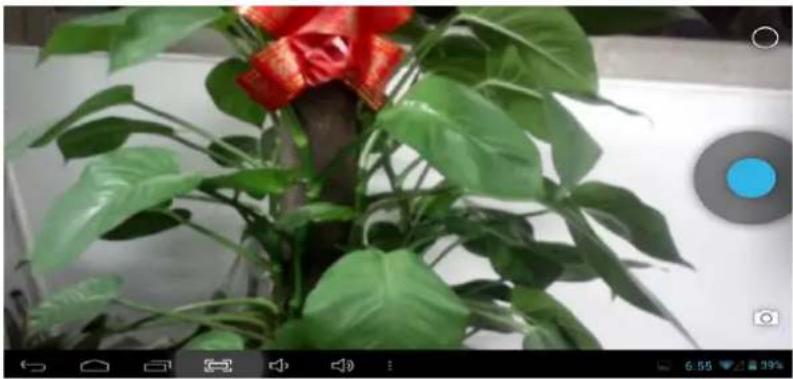
CAMERAS
Click

hto camera interface:
natural_image
Potted green plant with red decorative elements, no visible text or symbols
Take photo

Click this icon you would find

all window

Switch camera/video recorder

Click this icon you would find

Switch front and rear
camera

Exposure

Camera setting

Different mode
BROWSER
Click to browse web page:
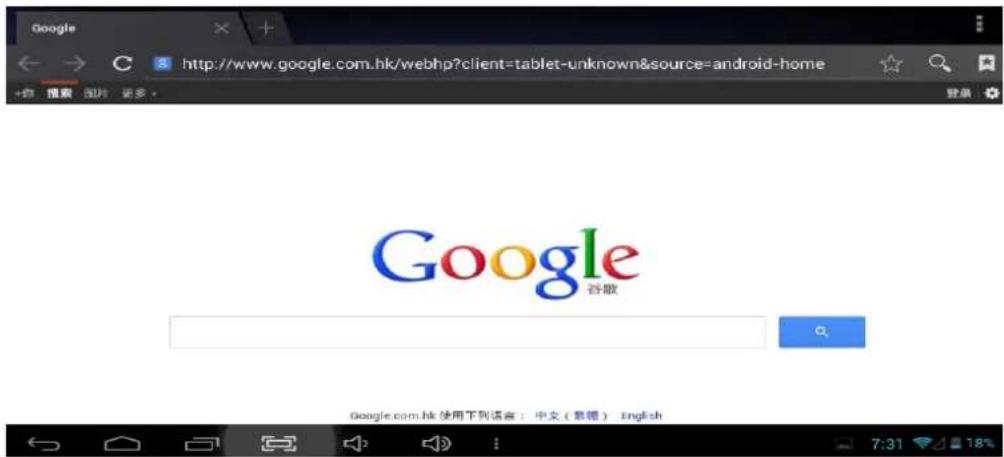
Make sure the internet is connected.
"Features can change without notice"
Imported: I.R.P., S.L.
DECLARATION OF CONFORMITY
I.R.P., SL declare under our responsibility that the equipment meets the requirements indicated in the following directives:
EMC DIRECTIVES
ETSI EN 301 489-1 V1.9.2 (2011)
ETSI EN 301 489-17 V2.1.1 (2009)
ETSI EN 300328 V1.7.1: 2006
EN 62479: 2010
EN60950-1:2006+A11:2009+A1:2010+A12:2011
Description of apparatus:
BRIGMTON Model BTPC-907DC
Movile Internet Device
Importer: I.R.P., SL
Address: Avenida Santa Clara de Cuba 5, 41007, Sevilla.
- BTPC-907DC
- CONFIGURACIÓN
- Calibrate G-sensor
- Daydream
- IDIOMA Y ENTRADA
- CÁMARA
- OPERATING INSTRUCTIONS
- CONFIGURATION
- OPERATION INSTRUCTIONS
- SETTINGS
- Wi-Fi settings
- Brightness
- Wallpaper
- Sleep
- Font size
- Accelerometer coordinate system
- screen adaption
- APPS
- LANGUAGE & INPUT
- BACKUP & RESET
- About tablet
- HD PLAYER
- MUSIC
- CAMERAS
- BROWSER
- DECLARATION OF CONFORMITY
- EMC DIRECTIVES
Brand : BRIGMTON
Model : BTPC-907DC-B
Category : Tablet