
Cheesecake 7” KIDS - Tablet Approx - Free user manual and instructions
Find the device manual for free Cheesecake 7” KIDS Approx in PDF.


| Brand | Approx |
| Model | APPTBKID7 (Cheesecake 7” KIDS) |
| Product Type | Kid's Tablet |
| Display Size | 7 inches capacitive touchscreen |
| Operating System | Android 4.2 Jelly Bean |
| Processor | 1.5 GHz dual-core |
| RAM Memory | 512 MB DDR3 |
| Internal Storage | 8 GB |
| Expandable Storage | MicroSD card slot (up to 32 GB) |
| Camera | Front-facing camera |
| Connectivity | Wi-Fi 802.11 b/g/n, Micro USB 2.0, OTG |
| Audio | 3.5mm headphone jack, built-in speakers |
| Battery | Rechargeable lithium-ion, 5V DC charging (included charger and USB) |
| Charging Time | At least 5 hours for full charge |
| Dimensions (approx) | 190 x 120 x 10 mm (with silicone case) |
| Weight (approx) | 300 g |
| Included Accessories | Silicone protective case, quick installation guide, USB/Micro USB cable, OTG cable, charger |
| Parental Controls | Mofing Kids interface with time limits, app management, web filtering, statistics |
| Special Features | Kid-safe browsing, educational apps, games, e-books, video streaming |
| Safety Compliance | RoHS, RTTE, LVD directives (CE marked) |
| Manufacturer | Approx Iberia S.L., Spain |
Frequently Asked Questions - Cheesecake 7” KIDS Approx
User questions about Cheesecake 7” KIDS Approx
0 question about this device. Answer the ones you know or ask your own.
Ask a new question about this device
Download the instructions for your Tablet in PDF format for free! Find your manual Cheesecake 7” KIDS - Approx and take your electronic device back in hand. On this page are published all the documents necessary for the use of your device. Cheesecake 7” KIDS by Approx.
USER MANUAL Cheesecake 7” KIDS Approx
2. Página Principal
natural_image
Two stylized icons: a blue folder with yellow stars and a blue gift box with yellow stars, both on pink background (no text or symbols)natural_image
Dark scene with a giant, dark, figure in mid-air against a cloudy night sky (no text or symbols visible)MÚSICA

aqprox
bar
Parent Settings | Category | Percentage (%) | | :--- | :--- | | Today | 100 | | Last week | 0 | | All time | 0 | | Game | 0 | | EDUCATION | 0 | | TV | 0 | | NAVIGATE | 0 | | BOOK | 0 | | TEST | 0 | Statistics 22 05 2013- FONDO DE ESCRITORIO

- CÓMO TRANSFERIR DOCUMENTOS A TRAVÉS DE USB?
INTRODUCTION AND PRODUCT DESCRIPTION.
Thank you for choosing the tablet APPTBKID7.
The Cheesecake APPTBKID7 Kids Tablet incorporates capacitive 7" touch screen Android 4.2 Jelly Bean system, 1.5 GHz dual-core processor and 512MB DDR3 RAM memory and 8GB internal memory. With interface and applications exclusive for children and parental control. Ergonomic design with silicone protective case.
Discover a fun, safe and interactive way to learn to write, draw, surf the net with APPTBKID7!
PACKAGE CONTENTS
- APPTBKID7 + SILICON COVER
· Quick installation guide.
- USB / Micro usb Cable
- OTG Cable
- Charger for tablet
Make sure that your package contains the items described above. If you find any items are missing or damaged, please contact your dealer.
SYSTEM REQUIREMENTS
- 1 USB 2.0 port
· OS: Windows 2000/XP/VISTA/7/8 (32 bits and 64 bits).
INSTALLATION AND CONFIGURATION.
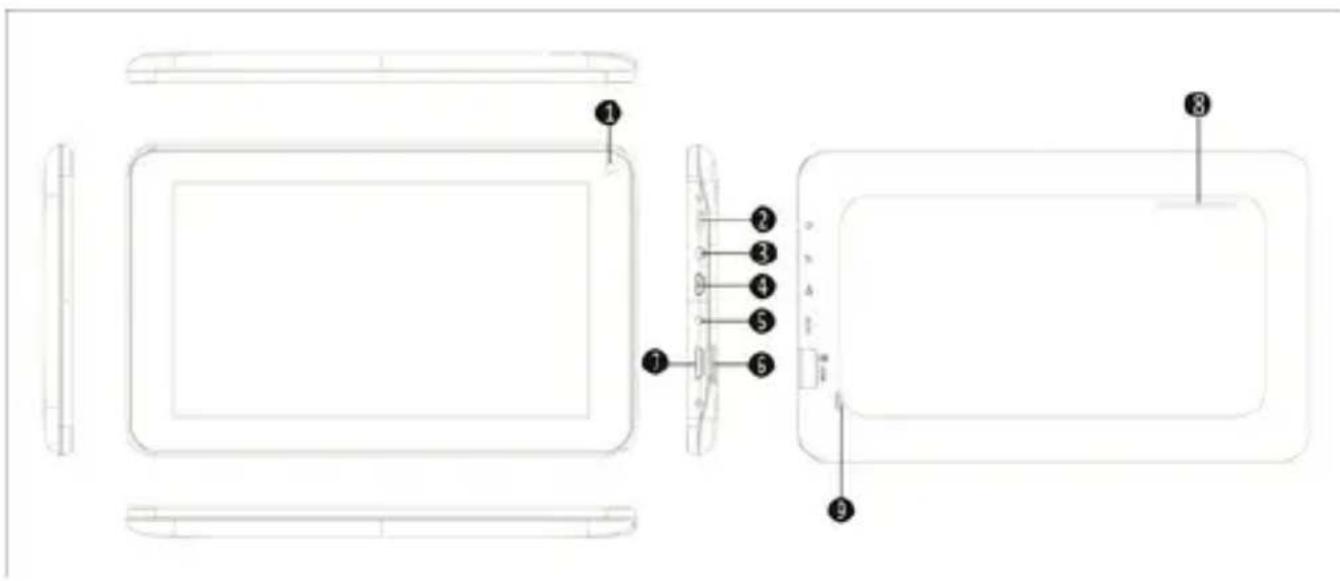
1 Frontal camera
2. On/off button
3. Headset Jack 3.5mm connector
4. Micro Usb port
5. DC Power Port
6. Micro SD card slot
7. Volumen
8. Speakers
9. Reset hole
BEFORE USING THE TABLET, PLEASE READ THE FOLLOWING
Charging the battery
Method 1. Connect the charger provided to a power outlet of your home and
the DC power port on your Tablet. The tablet will start charging.
Method 2. Connect the USB / micro usb cable supplied to the micro usb port of the tablet and with the tablet turned off plug it into a rear USB port of your PC.
You can also purchase usb chargers approved: APPUSBWALLIP or APPUSBWALLV4
The charging and discharging of the battery must be complete, never less than 5 hours. Do not disconnect the charger the full charge of the battery is completed, otherwise it will shorten the battery life.
on/off button
To switch the device on hold the on / off position until the screen comes on.
Once the system loads click on the lock icon and drag it to the right as seen in the following image:
Dragging left displays the camera directly
To switch the device on hold the on / off position until it appears on the screen the message to turn off the device and accept.
Connect the tablet to your PC to transfer files.
Turn on the device and once unlocked connect via the supplied usb cable to the PC, the interface will show “USB Connection”, click on “Turn on USB storage”, it will display the storage medium of the memory of the tablet on your PC. Now you can transfer data between your PC and the tablet.
Wifi connection
Select" Settings", "wireless and network connections", 'WiFi' and activate it. The device will show automatically detected networks, select and enter the desired password if network security is protected. Once connected, the wireless network icon. as connected to the main screen.
Reset button
In case of system crash or no response, enter a click or needle into the reset hole and press for 3 seconds the micro reset switch.
MoFing™ KIDS
Welcome to Mofing Kids!
Parental controls, set the usage time limits, view usage details.
Wish list, you could receive all the service information and view the bought applications.

Mofing Kids, the best platform for education and entertainment!
Welcome to Mofing Kids!
The downloaded and installed applications are displayed in this space,
Delete the installed application
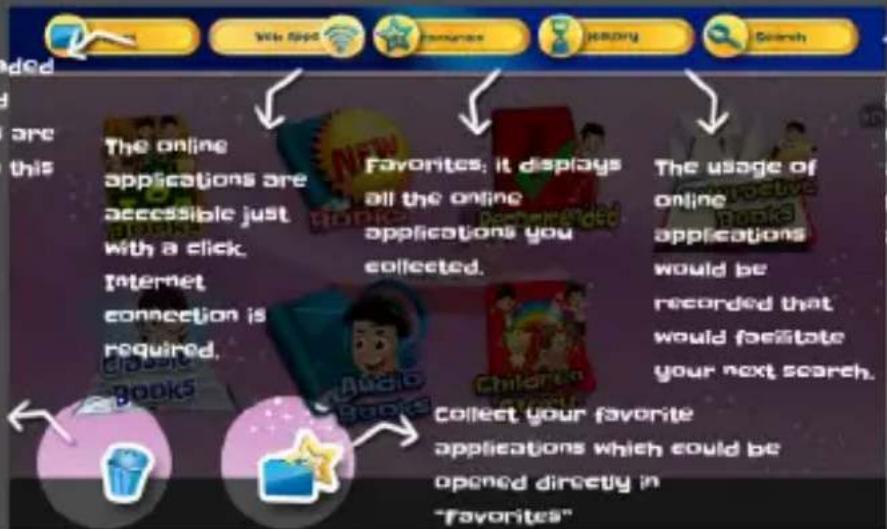

Search (or theonlineapplications(Thelocal applicationsare not included)
Mofing Kids, facilitates the study of your children
Welcome to Mofing Kids!

Mofing Kids, facilitates the study of your children.

flowchart
graph TD
    A["Parents could set the android applications adapted for children."] --> B["Add the links of sites which meet children's needs."]
    B --> C["set usage time limits of Mofing kids in order to protect your children."]
    C --> D["Statistical analysis would help parents know the children's interest."]
    D --> E["Online help"]
    E --> F["Legal notices"]
    F --> G["Back to Android"]
    G --> H["About us"]
    H --> I["Android Settings"]
    I --> J["Password settings: This password is not modifiable, you'd better keep a copy of this!"]
    style A fill:#f9f,stroke:#333
    style B fill:#ccf,stroke:#333
    style C fill:#cfc,stroke:#333
    style D fill:#fcc,stroke:#333
    style E fill:#cff,stroke:#333
    style F fill:#ffc,stroke:#333
    style G fill:#cfc,stroke:#333
    style H fill:#fcc,stroke:#333
    style I fill:#cfc,stroke:#333
    style J fill:#fcc,stroke:#333
1. How to start MoFing™ KIDS
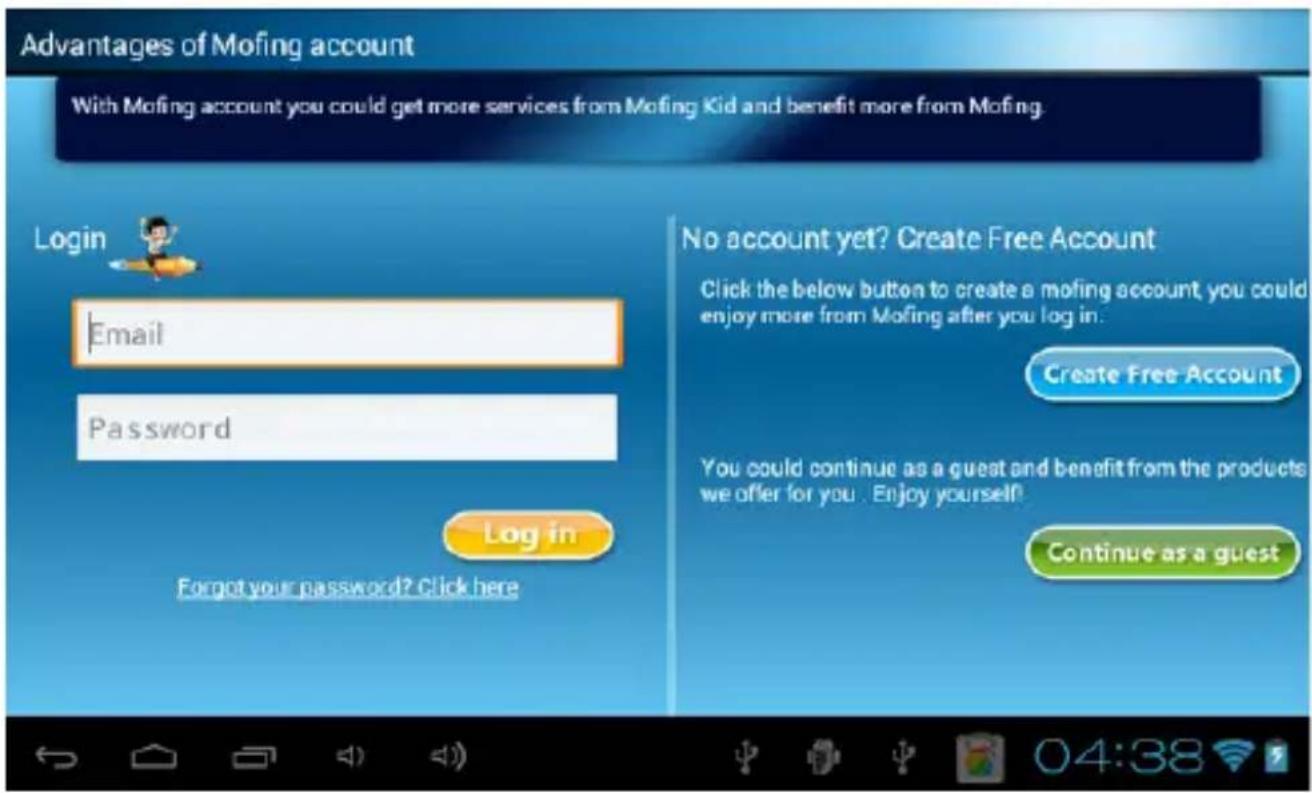
If you do not have a Mofing account, please create an account by clicking on the button "Create Mofing account" and follow the instructions. If you have an existing Mofing account, login with your email address and password. If you forget your password, please insert your email please click on the option "forgot your password click here" and follow the steps, or visit the following address to set up new password.http://market.mofing.com/users/forgot
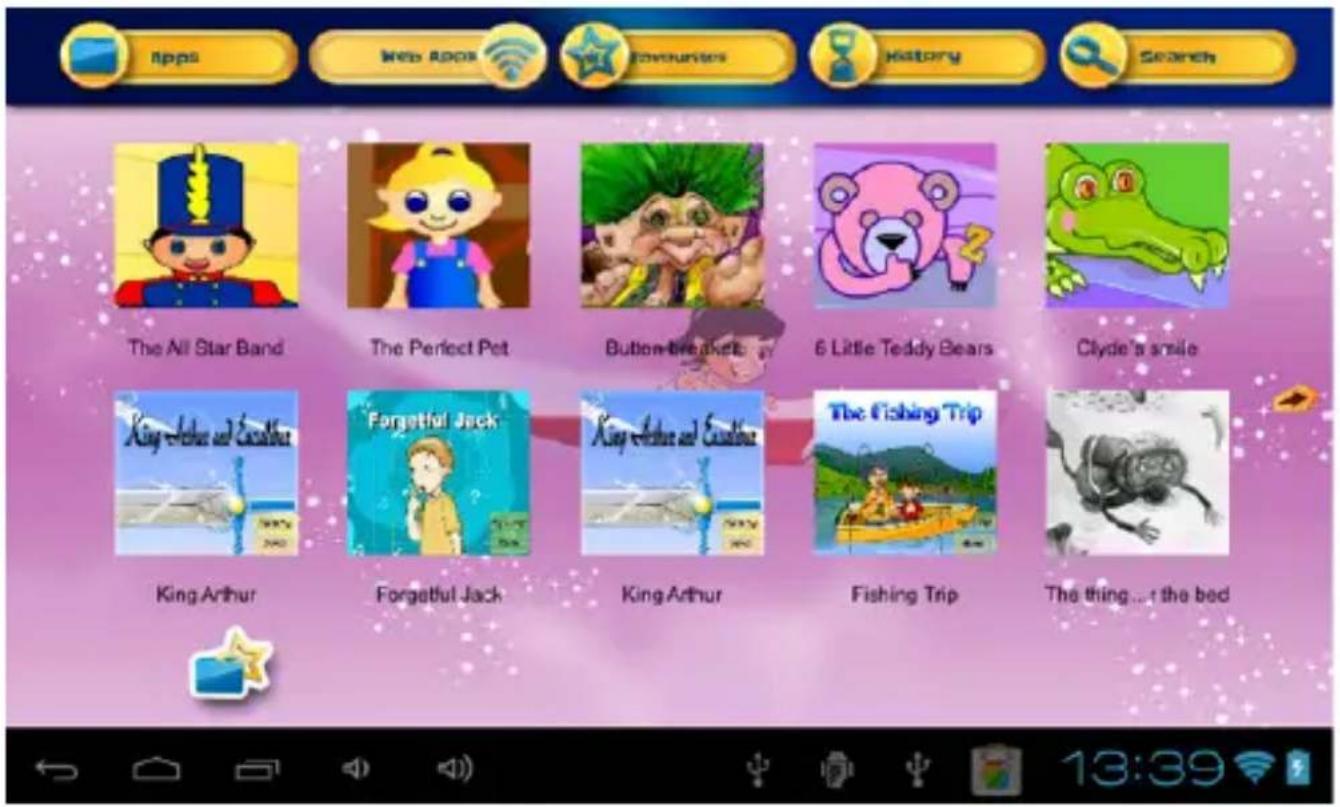
- The Home Page gives you access to 6 mains categories and to 8 other functions:
1-Overview of the 6 main functions and 8 other categories:
a. Game: play fun games
b. E-challenge: testing on line, more than 300 apps.
c. Education: learning with fun (courses sheet, educative games...)
d. TV mofing: hours and hours of kids videos
e. Books: read interactive books, audio books, Spanish books, English books
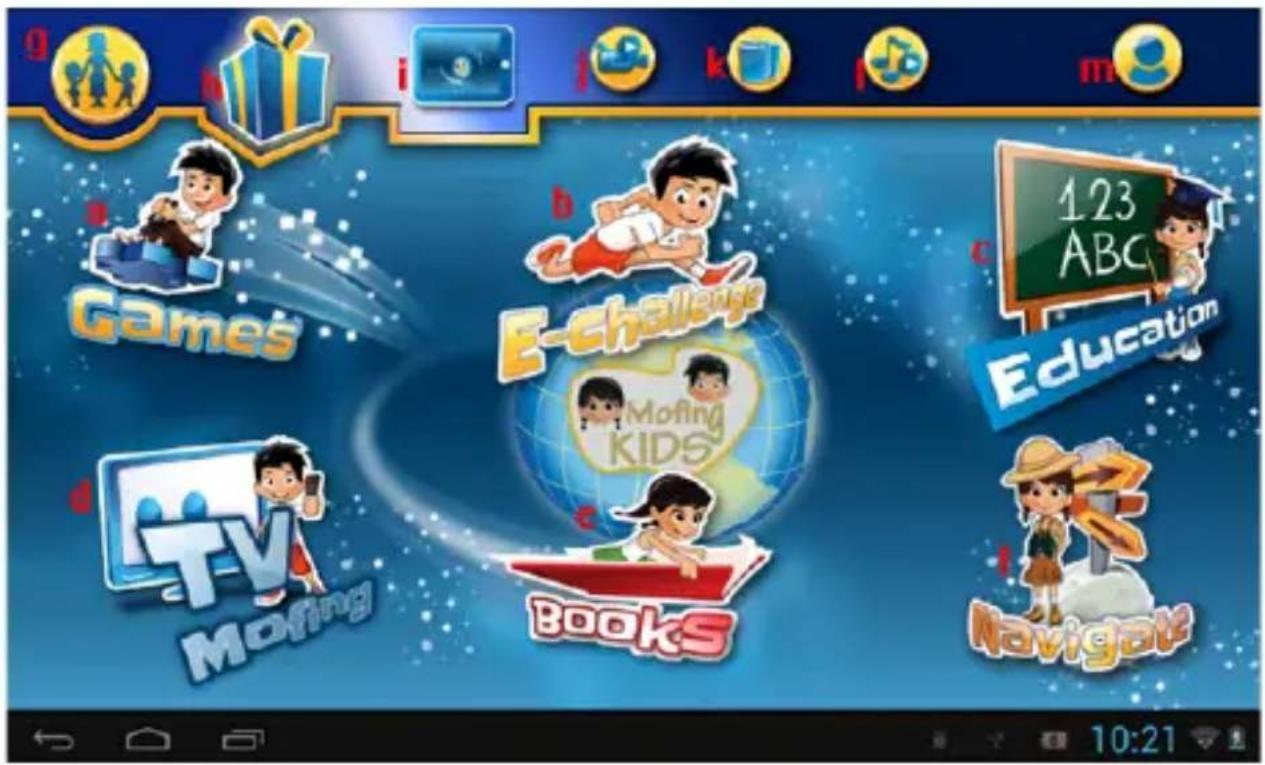
f. Navigate: Watch wider range of cartoons. The parents can add suitable website link for kids in “Parent setting – online content”, and then kids can browse these filtered website.
g. Parental control: Parents can control the use of the tablet
h. Gifts: Mofing release gifts for members, parents buy mofing gifts for kids
i. Wallpaper: Mofing release wallpaper in different series
J. Video: watch all your own videos
k. Photo: find all your pictures
I. Music: listen and enjoy your own music
m. Account: create your account
2- Market, add / delete applications
In the 3 mains categories—Games, Education, Books, you have to download applications from the corresponding market. To access the market, press on the market icon to download and install market base while connected to the internet.

Once in the market, to download an application you will have to be logged in. To do that, press on an application you want to download and this screen will appear:
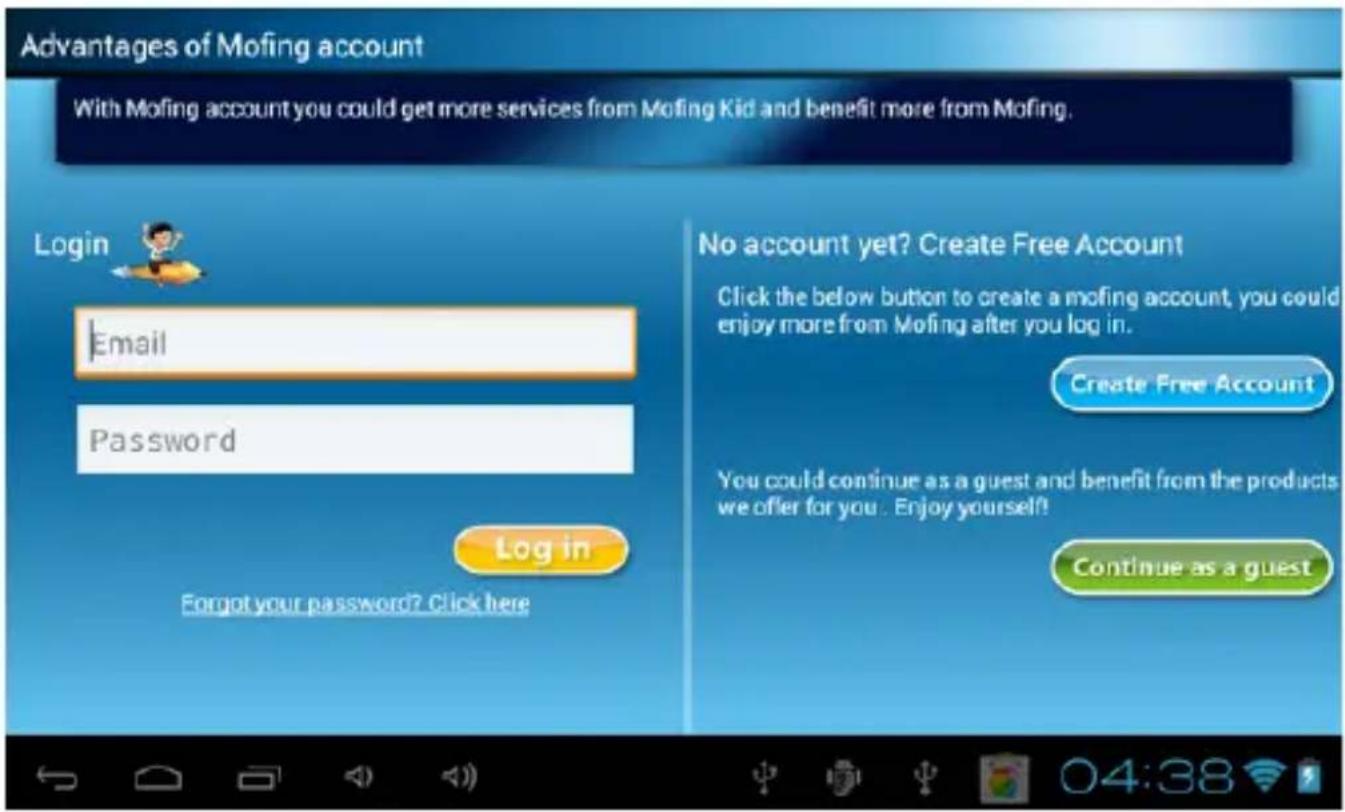
To login, write your email address and password if you already have an account.
Then, in the Game directory in the market, your favorite games will be downloaded automatically.

Same as above, Education category-market, your favorite education app as seen below will be downloaded automatically.

If you want to delete an application, press on the trash which is present in each category:

natural_image
Simple illustration of a blue trash can on a pink background (no text or symbols)A little red cross will appear at the top of each application, select those you want to delete.
The markets of each category are updated automatically. When an update is ready, you just have to confirm this by pressing on the button “update” of the message which will display automatically.
3- Web apps, add to favorites/ delete favorites
a. When you press on "WEB APPS" to check an application, you will see the picture below. If you want to see the apps, please press "Become a member". You will have to be logged in. To do this, press on an application you want to view and this screen will appear:

You will then see the login interface as shown below:
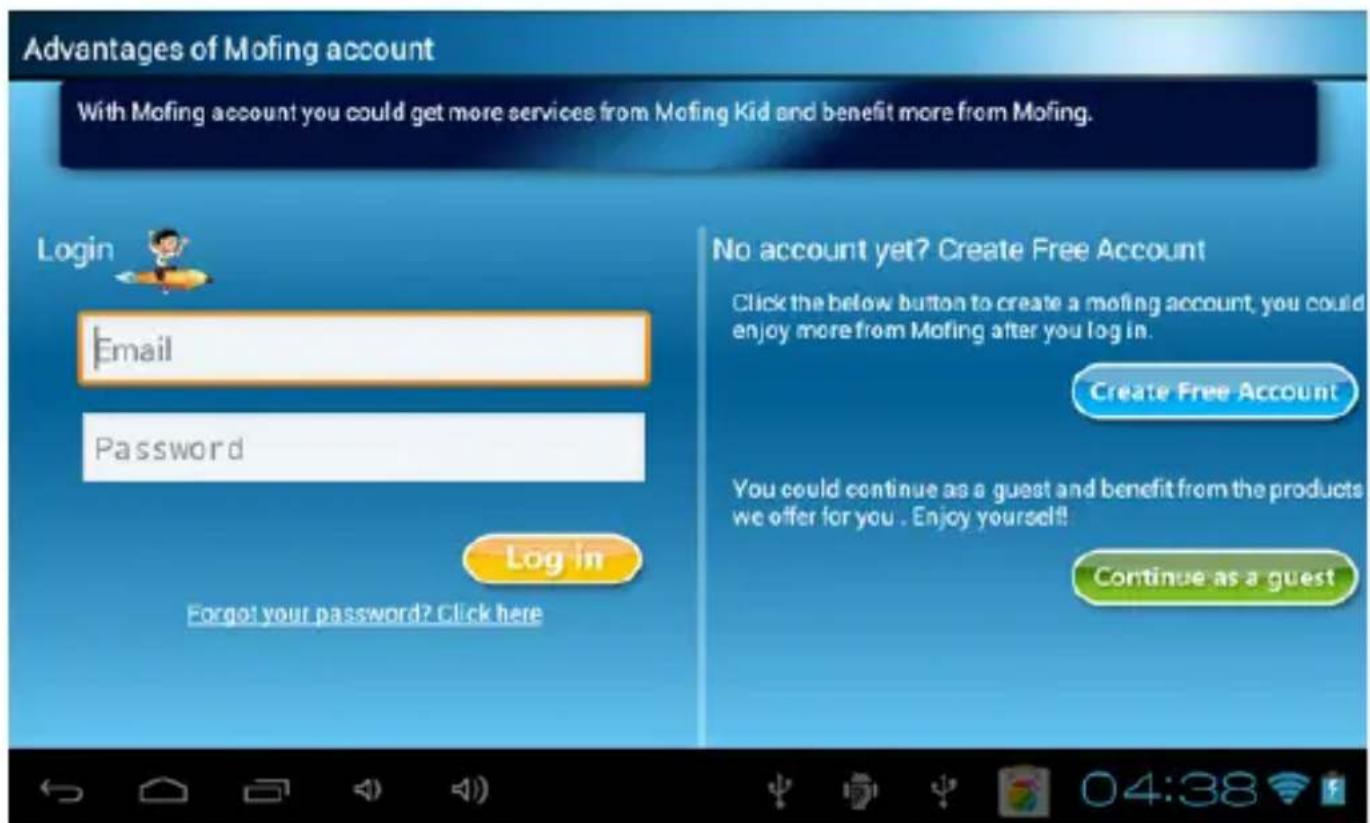
a -1 Game category->web apps, you will see below many web games in different category like science game, math game, cartoon game etc.

Art web games as below

a-2 E-challenge(testing for primary school programme on line)
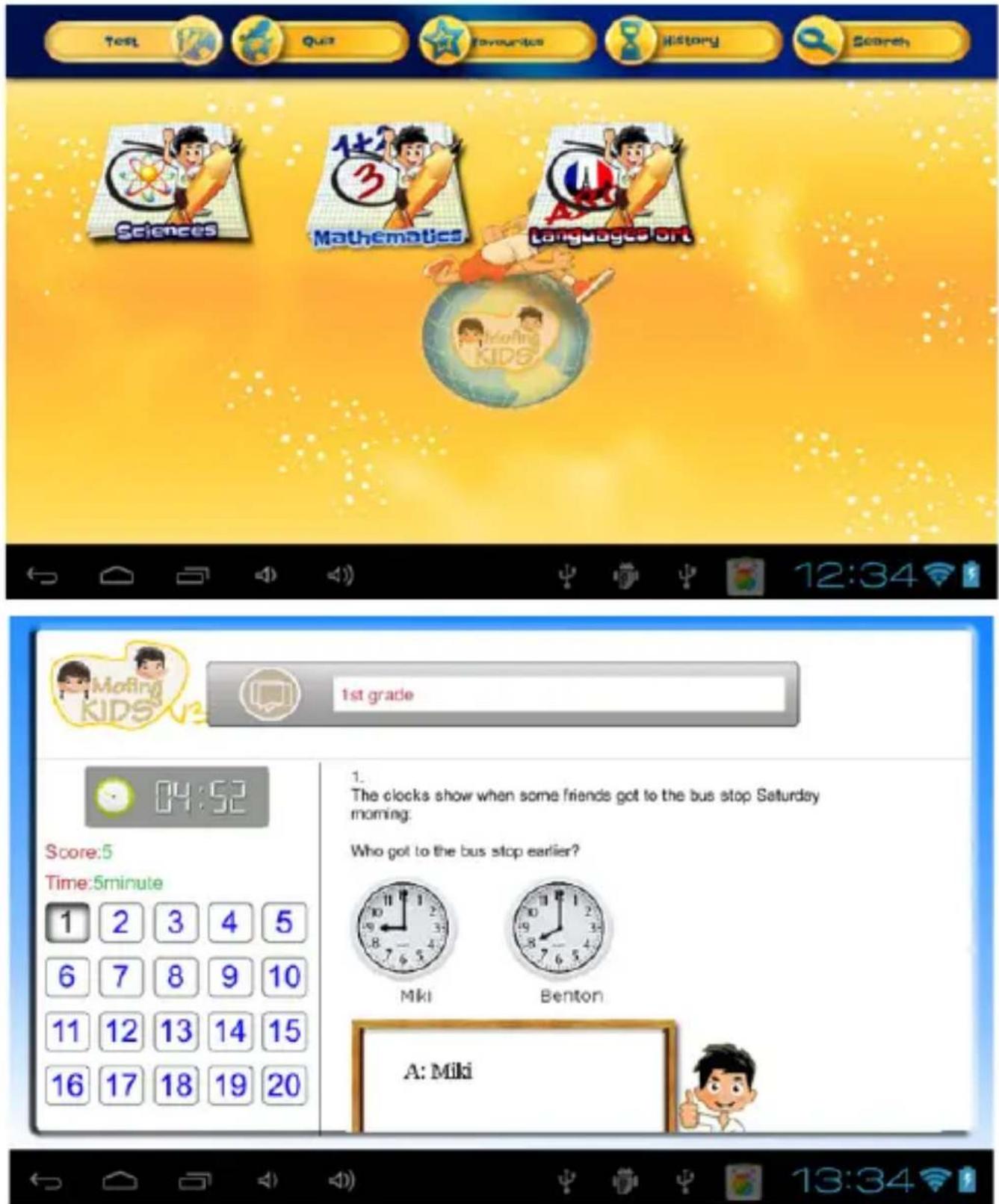
a-3 Books category->web apps, you will see different book categories.

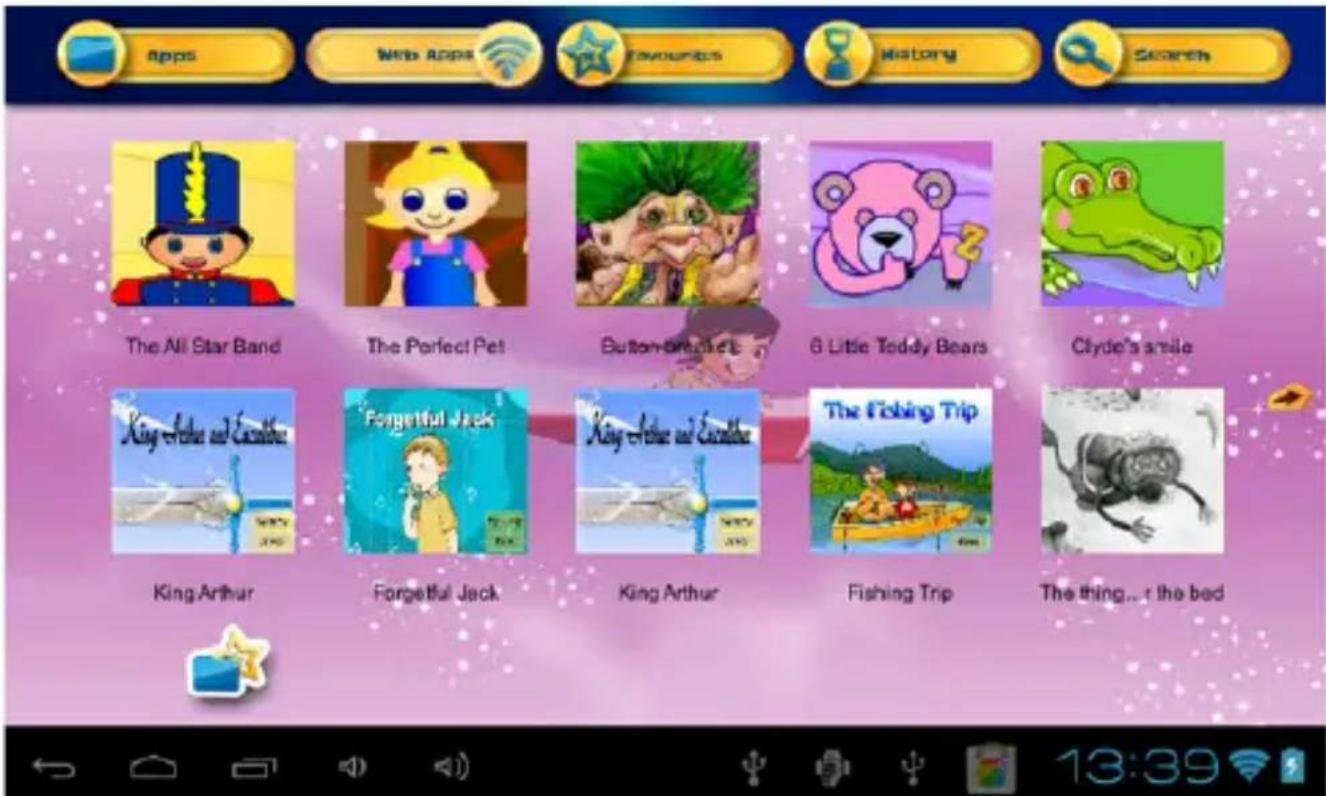
b. If you want to add to favorites, press on the to add. A little pink pentacle will appear at the top of each application, select those you want to add.

natural_image
Icon of a blue folder with a yellow star on a pink background (no text or symbols)c. If you want to delete an application, press on the to delete. A little - will appear at the top of each application, select those you want to delete.

natural_image
Illustration of a blue cup with a yellow star on a pink background (no text or symbols)3-The 8 other basics functions
a-Video
To open the video gallery, press the corresponding cloud button on the top of the home page.
1-How to view all the videos in my gallery?
When in you are the video gallery, simply swipe the screen with your finger from right to left to go forward in the list, or from left to right to go backwards in the list. You can easily navigate through all the different pages of videos that way.
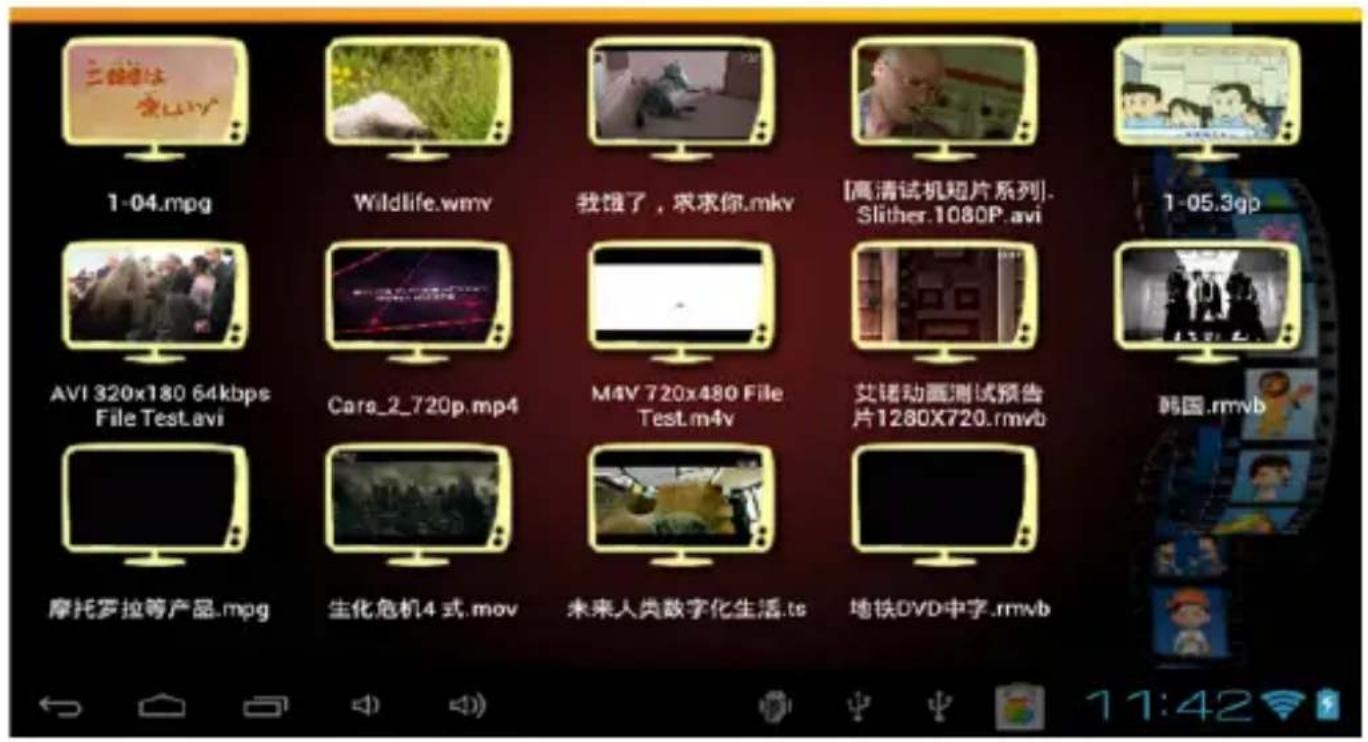
2-How to watch a video?
Press on the video you want to watch, it will launch the video Player. Then you can use the controls of the player.
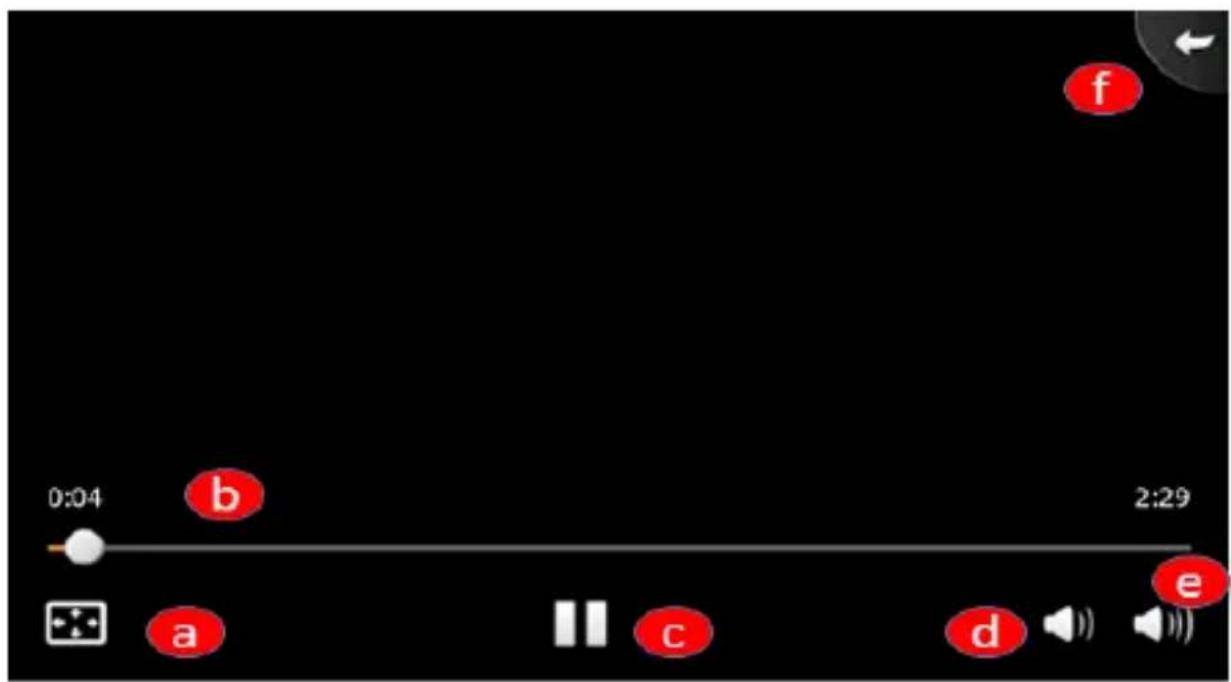
a- Press on this button to watch your video in full screen
b- Press on the small round if you want to go forward in the movie.
c- Play / Pause: When a video is playing, press to pause it. Press again to resume.
d- Volume button : Press it to increase the volume.
e- Volume button: Press it to decrease the volume
f- Press this button to go backwards.
How to upload or delete a video in the software? Refer to page 16 5) "How to transfer documents via USB"
b-Photos
To open the photo section, press the corresponding icon on the top of the home page.
To see your pictures, move your finger on the screen from right to left to go forward in the list of pictures, or from left to right to go backwards in the list of pictures.
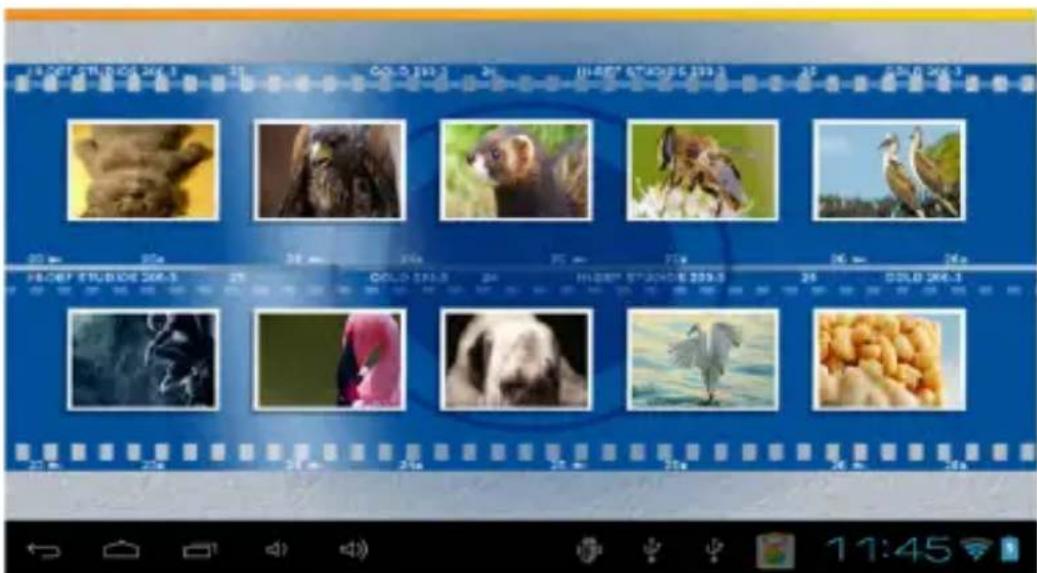
How to upload a picture in the software? Refer to page 18 5)" How to transfer documents via USB"
To delete a picture, press on the picture you want to delete to be on full screen. Then press another time, and a trash will appear.

natural_image
Monochrome action photo of a muscular character in dynamic pose under stormy sky (no text or symbols)c-Music
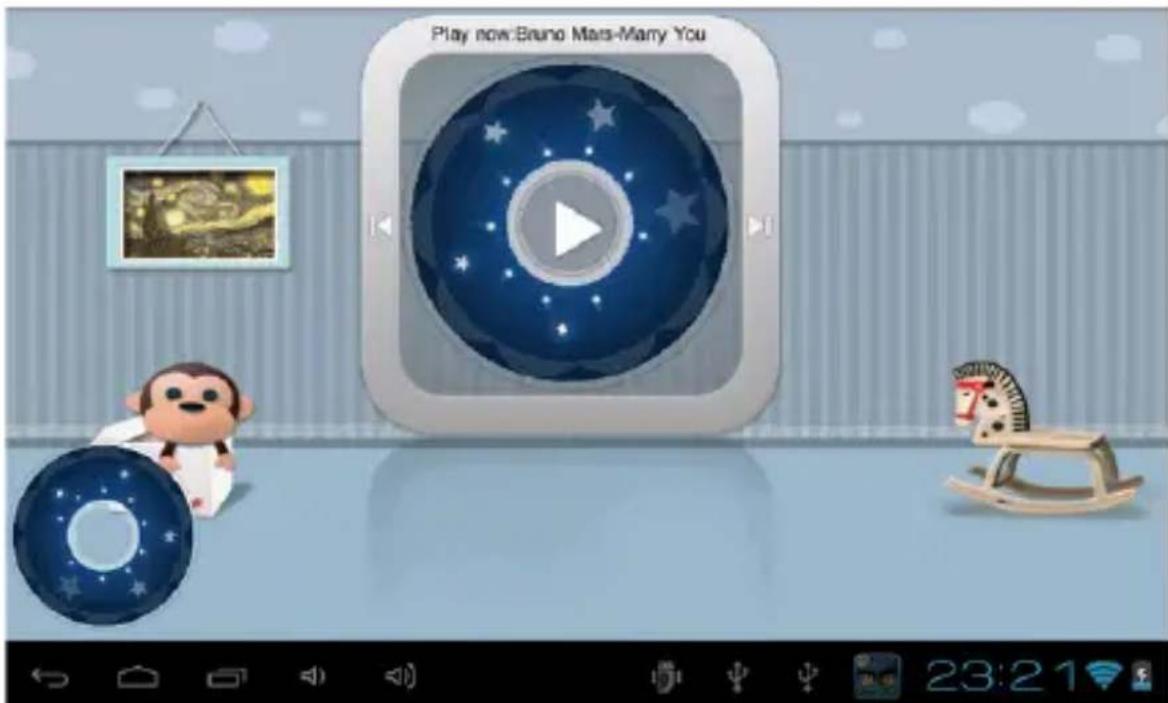
To open the music library, press "play button" to play and pause, the background will change automatically.
How to upload / delete music in the software? Refer to page 18 5) "How to transfer documents via USB"
d- Parental control

After you entered you password, you can access the parental control home page. Just select the option you want to check or modify.
1-Password
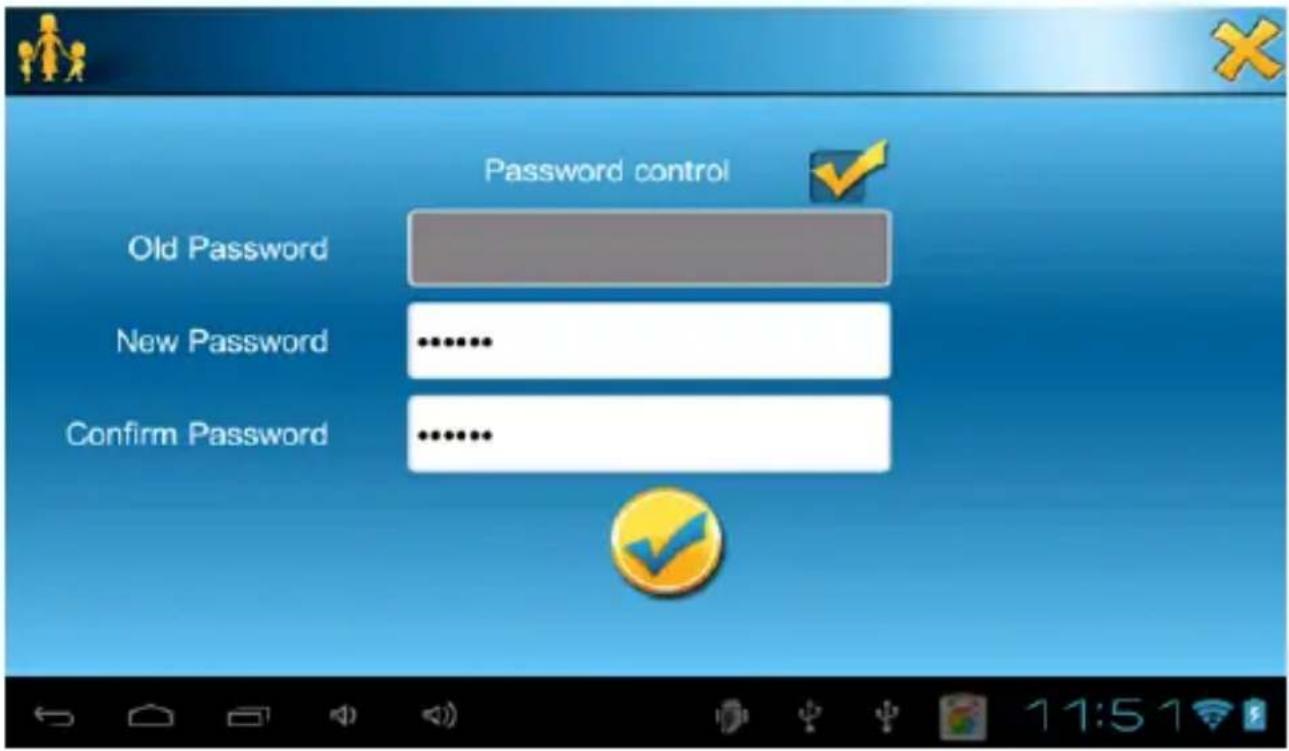
In this section, you can choose to create a password to reach the parental control category. In set password, select "Password control" first, then write your new password and confirm it.
If you want to change your password, just write your old password before your new one.
2-APP manager

in this section, select category(Game, Education, Book) you want, and then select app and press save, finish above, that application will appear in your selected category.

3-Online Navigation
Parents can add suitable website link for kids in “Parent setting – online content”, and then kids can browse these filtered website in “Navigate”.
4- Time management
With this option you can just choose how long you want Mofing Kids to be used per day. First select the maximum hours you want the interface to be active. You can then choose an interval of hours during which the child is able to use Mofing. Finally, press on the last arrow to select the latest hour the program can be used.

5-Statistics
Thanks to this function, you will be able to check with details what the child does with the device. Just select if you want a report from the last week, today or all times.

bar
Parent Settings | Category | Percentage (%) | | :--- | :--- | | Today | 100 | | Last week | 0 | | All time | 0 | | Game | 0 | | EDUCATION | 0 | | TV | 0 | | NAVIGATE | 0 | | BOOK | 0 | | TEST | 0 | 22 05 2013e- Wallpaper. Mofing releases different wallpaper series like cartoon

characters. You will see many cartoon wallpapers. Select your favorite picture and then press "save" to change the background accordingly.
Select your favorite picture as background.

5- How to transfer documents via USB?
In order to do that, first connect your tablet to your computer with the cable provided in the packaging.
Then access the Settings, press on the "USB Connection" icon and press on "connect USB storage".
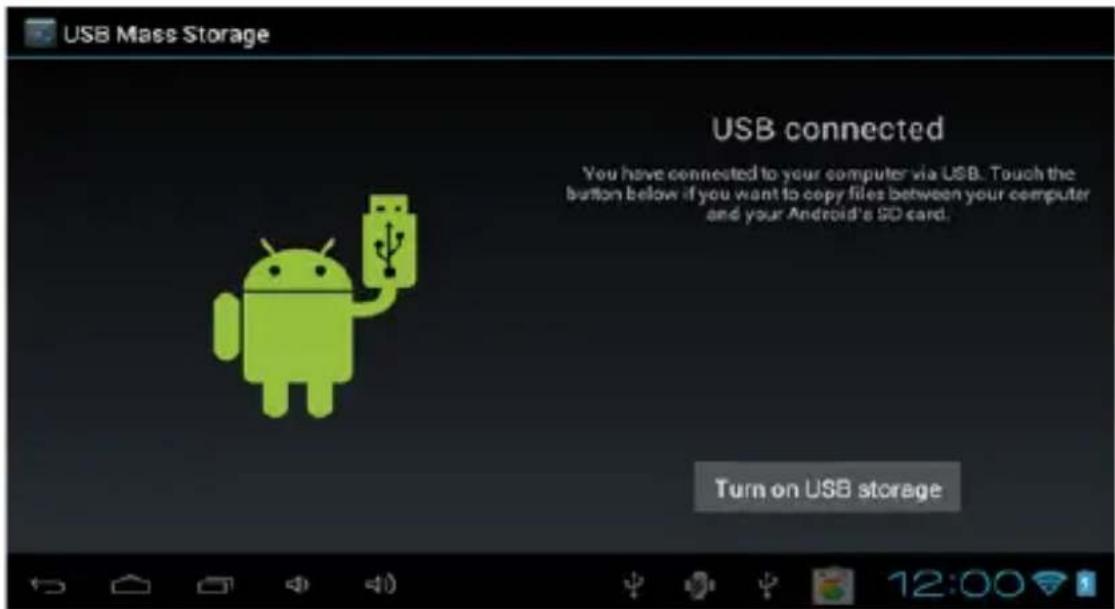
Now your tablet should appear on your computer's list of connected devices. Every different kind of documents can be placed in specific folders.
a) upload music, videos and photos
- Copy music in the folder "music_kids",
- Copy videos in the folder "video_kids"
- Copy photos in the folder "photo_kids".
b) Delete documents.
If you want to delete some documents, proceed the same way and cut the documents you don't want to see any more in the various folders.
With regards to the formats that can be accepted for every kind of documents, it depends on your Android device so please verify this in your manual.
6- More information
Enjoy Mofing Kids experience!
TECHNICAL SUPPORT.
Please for more information on installation and configuration of this product visit the support section of our website www.approx.es or send an email to soporte@approx.es
aqprox
EC DECLARATION OF CONFORMITY
We declare under our sole responsibility that the product:
Brand name: APPROX IBERIA S.L.
Model no: APPTBKID7
Product description: Tablet 7"
The measurements shown in this test report were made in accordance with the procedures given in the:
- RoHS DIRECTIVE: 2011/65/EU
- RTTE DIRECTIVE: 1999/5/EC
- LVD DIRECTIVE: 2006/95/CEE
To which this declaration is based on with full conformance to the following European norms and standards:
- EN 60950-1:2006+A11:2009+A1:2010+A12:2011
- EN 62311:2008
natural_image
Simple line drawing of a curved shape with a diagonal line, no text or symbols presentJose Luis Ruiz Gómez Managing Director
APPROX IBERIA SL.
ADD: Polígono Industrial Guadalquivir
Gelves (Sevilla), Spain.
Website: www.approx.es

Importado por / Imported by:
APPROX IBERIA S. L.
CIF: B-91202499
Soporte técnico / Technical support:
soporte@approx.es
MADE IN PRC
The content of this guide is subject to typographic errors
aqproxKids
www.approx.es


- Página Principal
- INTRODUCTION AND PRODUCT DESCRIPTION.
- PACKAGE CONTENTS
- SYSTEM REQUIREMENTS
- INSTALLATION AND CONFIGURATION.
- BEFORE USING THE TABLET, PLEASE READ THE FOLLOWING
- Charging the battery
- on/off button
- Connect the tablet to your PC to transfer files.
- Wifi connection
- Reset button
- MoFing™ KIDS
- Welcome to Mofing Kids!
- How to start MoFing™ KIDS
- 2- Market, add / delete applications
- 1-Password
- 2-APP manager
- 3-Online Navigation
- 4- Time management
- 5-Statistics
- 6- More information
- TECHNICAL SUPPORT.
- aqprox
- EC DECLARATION OF CONFORMITY
Brand : Approx
Model : Cheesecake 7” KIDS
Category : Tablet