BioWeigh-USB - Scale American Weigh Scales - Free user manual and instructions
Find the device manual for free BioWeigh-USB American Weigh Scales in PDF.


User questions about BioWeigh-USB American Weigh Scales
0 question about this device. Answer the ones you know or ask your own.
Ask a new question about this device
Download the instructions for your Scale in PDF format for free! Find your manual BioWeigh-USB - American Weigh Scales and take your electronic device back in hand. On this page are published all the documents necessary for the use of your device. BioWeigh-USB by American Weigh Scales.
USER MANUAL BioWeigh-USB American Weigh Scales
natural_image
Abstract blue icon with arrow and circular nodes, no text or symbols presentUSB Body Fat Scale
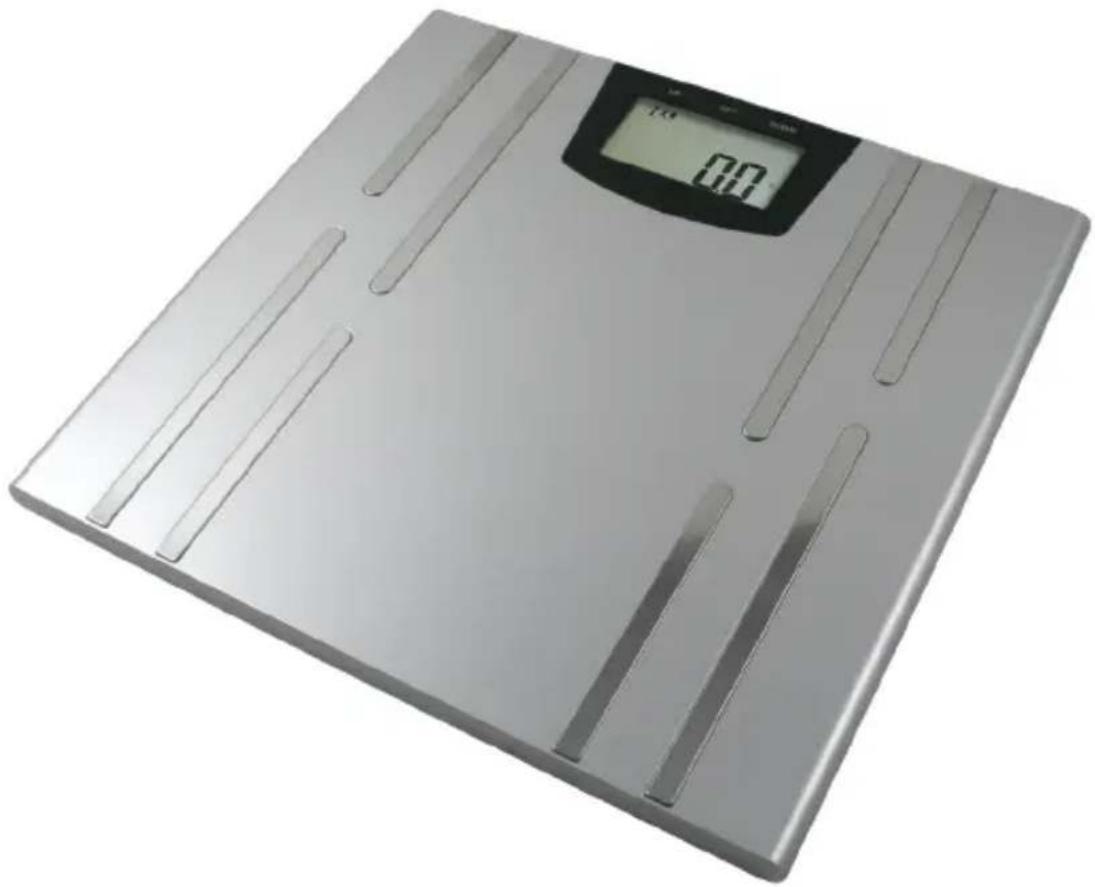
natural_image
Digital kitchen balance scale with a digital display showing 0.0 mm (no text or symbols on the device itself)330lb x 0.2lb
150kg x 0.1kg
BioWeigh-USB Manual
Thank you for purchasing the American Weigh BioWeigh-USB Body Fat Scale. Please read all operating instructions carefully before use. Scales are precision instruments and should always be handled with care.

Special Note on Body Fat Scales
Body fat scales and analyzers use bioelectrical impedance analysis (BIA) technology to calculate body fat %. This technology works by measuring the resistance (impedance) of small electrical currents through your body. When the user's height and body impedance are known, the scale can accurately determine total body water (TBW) and fat-free mass (FFM). Fat-free mass is then subtracted from your total body weight to obtain your body fat mass.
This scale should be used while barefoot. Measurement errors can arise if weighing while wearing socks or pantyhose. To avoid slipping, do not step on the scale with wet feet. Do not use the scale on carpet.
Although BIA method uses a safe, low level of electrical current, users with pacemakers or other electric medical devices or implants should not operate this scale.
I. Display Overview
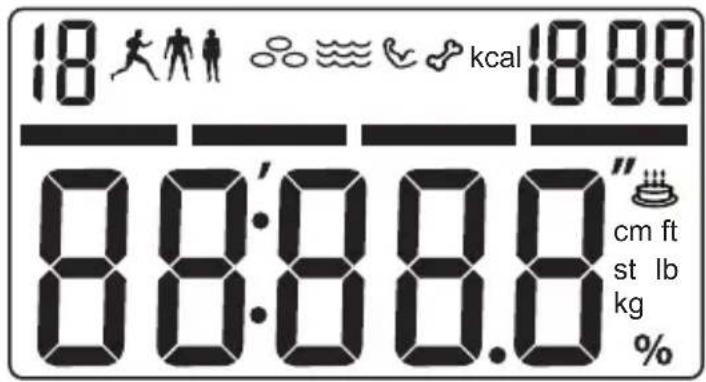
II. Icon Descriptions
| Icon | 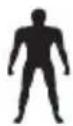 |  | 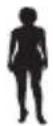 | 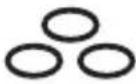 | 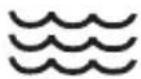 |
| Description Male Athlete Female Body Fat Water | |||||
| Icon | 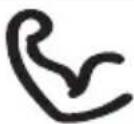 | 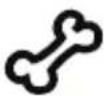 |  |  |
| Description Muscle Bone | Low Batteries | Age |
III. Key Functions
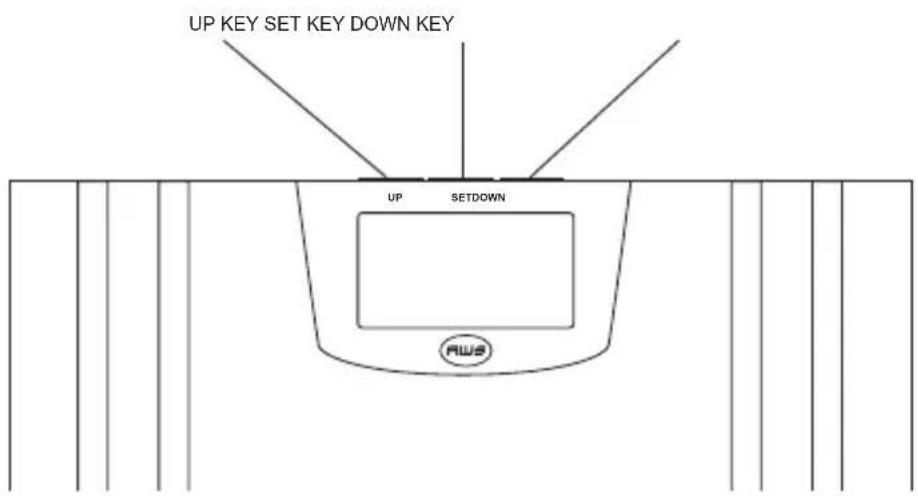
IV. Battery Installation
This scale should come with batteries in the box. To install the batteries, turn the scale over and remove the battery cover. Insert two (2) AAA batteries according to the diagram inside the battery compartment. Replace the battery cover.
V. Turning the Scale On and Off
This scale has a “tap to weigh” function. First tap the scale with your foot to wake it from sleep mode before weighing.
VI. Setting the Weighing Unit
To change the current weighing unit, use the "kg/st/lb" button on the bottom of the scale. The display can change between kg -> lb -> st.
VII. Setting the Clock
Press and hold t• he SET key to enter clock setup. The year will being to flash. Use the UP and DOWN key • to select the current year then press SET to confirm. The month will being to flash. Use the UP and DOWN • key to select the current year then press SET to confirm. The day will being to flash. Use the UP and DOWN key • to select the current year then press SET to confirm. The hour will being to flash. Use the UP and DOWN key • to select the current year then press SET to confirm. The minute will being to flash. Use the UP and DOWN • key to select the current year then press SET to confirm.
VIII. Basic Weighing
Tap the scale with your foot to turn it on.
Wait for "0.0" to be displayed then step on the platform.
Once stable, your weight will be displayed.
IX. Entering Personal Data
Before you can obtain a body fat analysis, you must first enter your user data including sex, height, and age:
Turn the scale on and press the UP or DOWN key on the • scale to enter User Select Mode.
Select the relevant user using the UP and DOWN keys.
The sex, height, and age for the current user will be displayed.
Press SET to edit sex. Use the UP and DOWN keys • change the value.
Press SET to edit height. Use the UP and DOWN keys • change the value.
Press SET to edit age. Use the UP and DOWN keys • change the value.
Press SET to confirm.
You may now stand on the scale's metal contacts • (barefoot).
Your weight will be displayed briefly then the scale will begin body fat analysis. During this time, a floating 0 will be displayed.
If successful, the display will show Body Fat -> Water -> Muscle -> Bone -> Weight. After 3 cycles, the scale will turn itself off.
NOTE: Your user data is automatically saved to the scales internal memory, ready for upload to your computer. The scale can track the weight and body composition of up to 10 users (one daily record per user). Each record includes year, month, day, weight, body fat, water, muscle, and bone.
X. WeightTrak Software Installation
Insert the included CD into your computer and follow • the on-screen instructions to install.
Refer to the WeightTrak_UserGuide.pdf on the CD for • instructions using the WeightTrak software.
XI. Computer Connection Via USB
You can use the included USB cable and WeighTrak software to upload your scale's stored data to a PC. The scale is plug and play compatible with Windows 2000, XP, and Vista 32 bit versions.
Connect the scale to your PC using the included USB cable.
Tap the scale, or press one of the function keys to turn • the scale on.
The display will show "Load" to indicate that it is in computer upload mode.
You are ready to use the WeighTrak software to access • the scale's data.
XII. Body Composition Charts
Body Fat %
| Age | Female Male | |||||||
| Under-weight | Healthy | Over-weight | Obese | Under-weight | Healthy | Over-weight | Obese | |
| 10-12 < 1 | 2 12-22 22 | 30 >30 <8 | 8-18 18-24 | >24 | ||||
| 13-18 < 1 | 5 15-25 25 | 33 >33 <8 | 8-18 18-24 | >24 | ||||
| 19-30 < 20 | 22-31 31 | 38 >38 <8 | 8-18 18-24 | >24 | ||||
| 31-40 < 24 | 24-33 33 | 40 >40 <1 | 11-20 20-26 | >26 | ||||
| 41-50 < 24 | 24-33 33 | 40 >40 <13 | 13-22 22-28 | >28 | ||||
| 51-60 < 26 | 26-35 35 | 42 >42 <15 | 15-24 24-30 | >30 | ||||
| 60+ < 28 | 28-37 37-47 | >47 <17 | 17-25 26-34 | >34 | ||||
Body Water %
| Age | Female Male | |
| Healthy Healthy | ||
| 10-12 >60 >64 | ||
| 13-18 >58.5 >63.5 | ||
| 19-30 >56 >62.5 | ||
| 31-40 >53 >61 | ||
| 41-50 >52 >60 | ||
| 51-60 >51 >59 | ||
| 60+ >50 >58 | ||
Body Muscle %
| Age | Female Male | |
| Healthy Healthy | ||
| 10-99 >34 >40 | ||
Bone Mass
| Female Male | ||||||
| Weight <100lb 100-130lb >130lb <130lb 130-165 >165lb | ||||||
| Bone 4lb 4.8lb 5.5lb 5.5lb 6.4lb 7lb | ||||||
| Model BIOWEIGH-USB | |
| Capacity | 150kg / 330lb / 23st:8lb |
| Resolution | 0.1kg / 0.2lb / 0.2lb |
| Weighing Units | kg, lb, st:lb |
| Memory 10 User Memory;Stores up to 365 records per user.Record includes: year, month, day, weight, fat, water, muscle, and bone | |
| Body Analysis Ranges body fat range: 0~80%body fat graduation: 0.1%water range: 10~80%water graduation: 0.1%muscle range: 13~80%muscle graduation: 0.1%bone range: 0~9kgbone graduation: 0.2lb/0.1kgage range: 10~80 | |
| Temperature Display | range: 14°F ~ 104°F (-10°C ~ 40°C) |
| Scale Dimensions (inches) | 11.8 x 12.2 x 0.7" |
| Power | 2 x AAA Batteries (included) |
| Warranty | 10 Year Warranty |
American Weigh Scales, Inc.
2 Carriage Ln, Suite 2
Charleston, SC 29407
Tel: 866-643-3444 (toll free)
Fax 843-225-7284