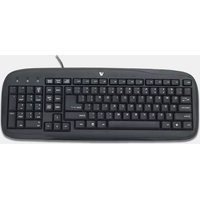
Standard Keyboard KC0B1-6E1 - Keyboard V7 - Free user manual and instructions
Find the device manual for free Standard Keyboard KC0B1-6E1 V7 in PDF.


| Product Type | Standard Keyboard |
| Brand | V7 |
| Model | KC0B1-6E1 |
| Dimensions (W x D x H) | 440 x 130 x 25 mm |
| Weight | 500 g |
| Connection Type | USB (wired) |
| Cable Length | 1.5 m |
| Number of Keys | 104 keys |
| Keyboard Layout | US QWERTY |
| Compatible Operating Systems | Windows, macOS, Linux |
| Power Supply | USB bus-powered |
| Key Switch Type | Membrane |
| Multimedia Keys | No |
| Wrist Rest | No |
| Maintenance and Cleaning | Wipe with a soft, damp cloth. Do not use harsh chemicals. |
| Safety Precautions | Do not expose to liquids; avoid excessive force on keys. |
| Spare Parts and Repairability | Not available; the device is not user-serviceable. |
| Warranty | 1 year limited warranty |
| Package Contents | Keyboard, user manual |
Frequently Asked Questions - Standard Keyboard KC0B1-6E1 V7
User questions about Standard Keyboard KC0B1-6E1 V7
0 question about this device. Answer the ones you know or ask your own.
Ask a new question about this device
Download the instructions for your Keyboard in PDF format for free! Find your manual Standard Keyboard KC0B1-6E1 - V7 and take your electronic device back in hand. On this page are published all the documents necessary for the use of your device. Standard Keyboard KC0B1-6E1 by V7.
USER MANUAL Standard Keyboard KC0B1-6E1 V7

03-1687_5106|Ame_jme#the.plpage 1 D92224 3x8657(%)

Items Included
- Keyboard
• This Quick Start Guide
If you are missing any of these items, contact V7 online at www.V7-world.com
Setting up your keyboard
1 Connect the USB cable on the keyboard into an available USB port on your computer.
2 The operating system will automatically detect the keyboard and it will begin working.
For questions regarding your V7 product, please visit www.V7-world.com.
One Year Limited Warranty
V. Can lead to the Deutment Service for Fixed Assets against defects in materials or workmanship from the sale of purchase for a period of before 12 months for parts and/or sale, by under the requirements of the material used to be sold or repurchased with a similar product or the original cost of the product in the time of publication, which have a lower price. This limited price is based on the current price of \$30.50 per unit. The material is not fully modified plus an automatic control package, which has been made at the time of publication. The material is also that it is not fully modified upon the replacement was only one cause resulting from the material being used, but it is also a deficiency. Defects are not only due to the use of the material, and may be resulting from any other protected service or civil, municipal maintenance, so that property is furnished immediately as an expensive property. If such property is not fully commercialized, it is not necessary, shall be, then, the limit of other risk of loss, interested in the absence of interest and use. The limited warranty must be made without any liability arising from any limitations of the product in the wear, except no of the product after any otherwise being used to the product for any purpose. If this material is not fully commercialized or its limited to the purchase for any purpose, it is not necessary, shall be, then, the limit of other risk of loss, interested in the absence of interest and use. The limited warranty must be made without any liability arising from any limitations of the product in the wear, except no of the purchase for any purpose.
05-1627


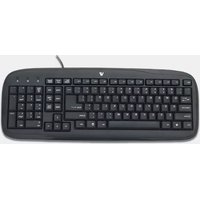
Brand : V7
Model : Standard Keyboard KC0B1-6E1
Category : Keyboard