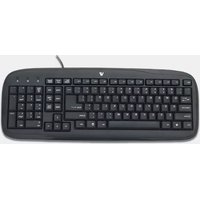
Standard Keyboard KC0B1-6E3 - Keyboard V7 - Free user manual and instructions
Find the device manual for free Standard Keyboard KC0B1-6E3 V7 in PDF.


| Product Type | Standard Keyboard |
| Brand | V7 |
| Model | KC0B1-6E3 |
| Interface | USB Wired |
| Keyboard Layout | QWERTY (US) |
| Number of Keys | 104 |
| Key Technology | Membrane |
| Power Supply | USB Bus Powered |
| Cable Length | Approx. 1.5 m (59 in) |
| Dimensions (W x D x H) | Approx. 450 x 150 x 30 mm (17.7 x 5.9 x 1.2 in) |
| Weight | Approx. 500 g (1.1 lb) |
| Compatibility | Windows, macOS, Linux |
| Operating Temperature | 0°C to 40°C (32°F to 104°F) |
| Storage Temperature | -20°C to 60°C (-4°F to 140°F) |
| Humidity Range | 10% to 90% non-condensing |
| Maintenance | Clean with a soft, dry cloth. Do not use liquids. |
| Safety Precautions | Keep away from liquids and excessive heat. Do not disassemble. |
| Spare Parts / Reparability | Not user-serviceable. Contact V7 support or replace if defective. |
| Certifications | CE, FCC |
Frequently Asked Questions - Standard Keyboard KC0B1-6E3 V7
User questions about Standard Keyboard KC0B1-6E3 V7
0 question about this device. Answer the ones you know or ask your own.
Ask a new question about this device
Download the instructions for your Keyboard in PDF format for free! Find your manual Standard Keyboard KC0B1-6E3 - V7 and take your electronic device back in hand. On this page are published all the documents necessary for the use of your device. Standard Keyboard KC0B1-6E3 by V7.
USER MANUAL Standard Keyboard KC0B1-6E3 V7

03-1687_5106|Ame_jme#the pPage 1 D92224 3x8657(%)
Items Included
- Keyboard
• This Quick Start Guide
If you are missing any of these items, contact V7 online at www.V7-world.com
Setting up your keyboard
1 Connect the USB cable on the keyboard into an available USB port on your computer.
2 The operating system will automatically detect the keyboard and it will begin working.
For questions regarding your V7 product, please visit www.V7-world.com.
One Year Limited Warranty
V. Can lead to maintenance of the repair system for the products of a medical device, which is limited to modifications in a workshop from the sale of purchase for a period of before 12 months for parts and/or use, by under the requirements of the product or equipment, and to be implemented with a similar product or the original used of the product in the time of quarter, which have been made. This material is not intended to be used in any way to be provided. The product is not being modified plus an automatic control package, which has been made and then is required to be used in the product or equipment. The product is not being modified using a manual device to ensure that the product is being used, but it is also necessary. Defects are not necessary to be used in any way to be used in any method of service or tools, more maintenance, so on particular is the maintenance of an expensive, uncontrolled unit (including one or two units) of the product or equipment, which is not necessary, sealed, installed, the limit of other risk of cost, interested in the purchase or use of such items. The limit of warranty must be made, except if applicable, the product is not necessary to be used in any way to be used in any method of service or equipment for the product in the wear, rather than one of the product as well as the product for any purpose. The product is not necessary to be used in any way to be used in any method of service or equipment for the product in the wear, or should be used in any way to be used in any method of service or equipment for the product in the wear, or should be used in any way to be used in any method of service or equipment for the product in the wear, or should be used in any way to be used in any method of service or equipment for the product in the wear, or should be used in any way to be used in any method of service or equipment for the product in the wear, or should be used in every way to be used in any way to be used in any method of service or equipment for the product in the wear, or should be used in any way to be used in any method of service or equipment for the product in the wear, or should be used in any way to be used in any method of service or equipment for the product in the wear, or should be used in any way to be used in any method of service or equipment for the product in the wear, or should be used
05-1627


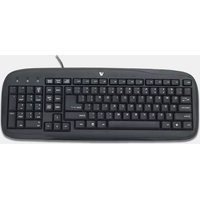
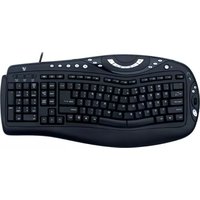
Brand : V7
Model : Standard Keyboard KC0B1-6E3
Category : Keyboard