KM2150 - Office Krüger&Matz - Free user manual and instructions
Find the device manual for free KM2150 Krüger&Matz in PDF.


| Product Type | Office Desk |
| Brand | Krüger&Matz |
| Model | KM2150 |
| Dimensions (L x W x H) | 120 x 60 x 75 cm |
| Weight | 15.5 kg |
| Material | Engineered wood with melamine finish, steel frame |
| Color | Black / Walnut / White (depending on variant) |
| Max Load Capacity | 50 kg |
| Adjustable Height | No (fixed height) |
| Assembly Required | Yes (comes with tools and instructions) |
| Included Components | Desk top, leg frames, screws, Allen key |
| Recommended Use | Home office, study room |
| Cleaning Instructions | Wipe with a damp cloth, avoid abrasive cleaners |
| Warranty | 2 years |
| Certifications | EN 14074 (stability), EN 12520 (strength) |
Frequently Asked Questions - KM2150 Krüger&Matz
User questions about KM2150 Krüger&Matz
0 question about this device. Answer the ones you know or ask your own.
Ask a new question about this device
Download the instructions for your Office in PDF format for free! Find your manual KM2150 - Krüger&Matz and take your electronic device back in hand. On this page are published all the documents necessary for the use of your device. KM2150 by Krüger&Matz.
USER MANUAL KM2150 Krüger&Matz
natural_image
Abstract wavy line pattern with no text or symbolsOWNER'S MANUAL
INSTRUKCJA OBSŁUGI
SAFETY INSTRUCTIONS
Read the instruction manual carefully before first use and keep it for future reference.
-
Protect this product from moisture, humidity, water and any other liquid. Avoid using/storing it in extreme temperatures. Do not expose it to direct sunlight and sources of heat.
-
Do not block any ventilation openings.
-
Install the auxiliary equipment in accordance with the manufacturer's instructions.
-
Avoid using/storing it in the strong magnetic environment.
-
Make sure to locate this product on flat and stable surface. This device may pose risk if falling down.
-
Never use this device if the power adapter or the device itself is damaged.
-
Disconnect the device from the power supply if it is not going to be used for a long time.
-
Use only authorized accessories.
-
Prevent the device from falling on the ground or being strongly impacted.
-
Producer does not claim liability for any data loss, damage caused by inappropriate use and handling or any mechanical damage.
-
Do not attempt to repair/disassemble this device yourself. In case of damage, contact with an authorized service point for check-up/repair.
-
ALWAYS disconnect this device from power supply mains before cleaning. Clean this device with soft, slightly damp cloth. Do not use any abrasives or chemical agents to clean this product.
-
While using the earphone, if the volume is excessively high it may cause hearing damage. So please adjust the volume of the player to a moderate level and balance the time of using.
-
Producer does not claim liability to any damages caused by inappropriate upgrade performed by the user.
PRODUCT OVERVIEW
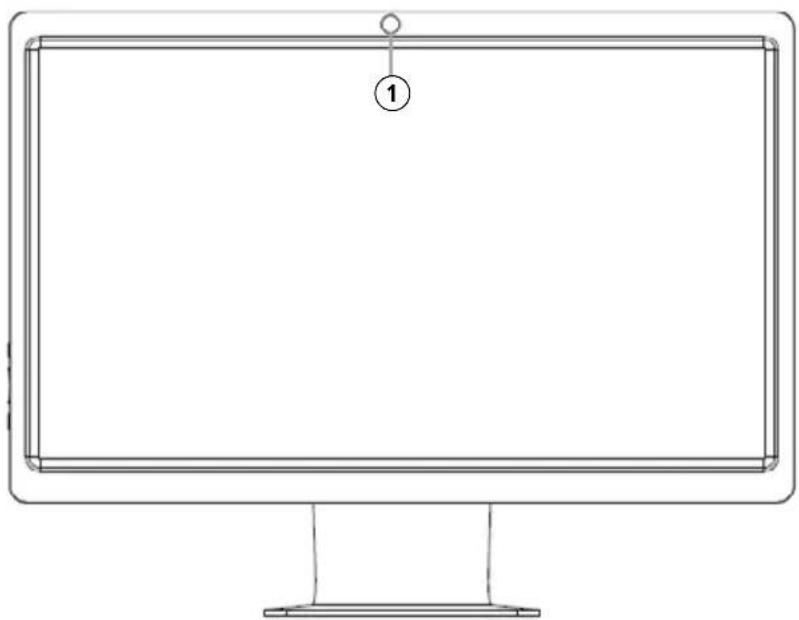
FRONT
- Front camera
natural_image
Line drawing of a computer monitor with a numbered label (1) on the screen, no text or symbols present.REAR
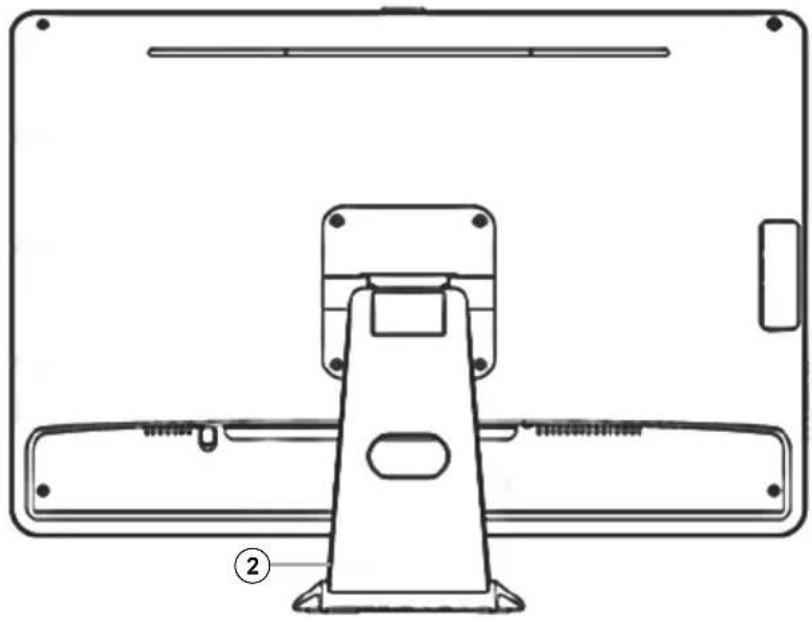
- Stand
- DC input
- USB ports (3.0)
- DVI
- SATA
- HDMI
- RJ45
- USB ports (2.0)
- Headphone/Speaker output
- Microphone input
natural_image
Technical line drawing of a mechanical device with mounting brackets and a central support bracket (no text or symbols)
text_image
Diagram of a computer rear panel with numbered components for identificationSIDE
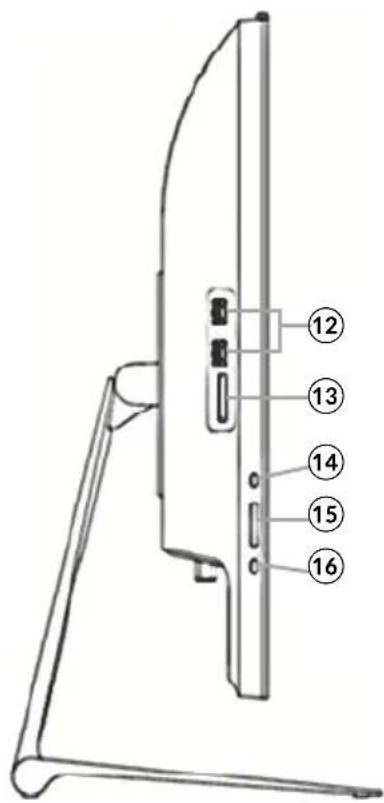
- USB 2.0 ports
- Memory card slot
- Monitor switch
- Brightness +/-
- Power switch
text_image
Technical diagram of a device rear panel with numbered component labelsPOSITIONING
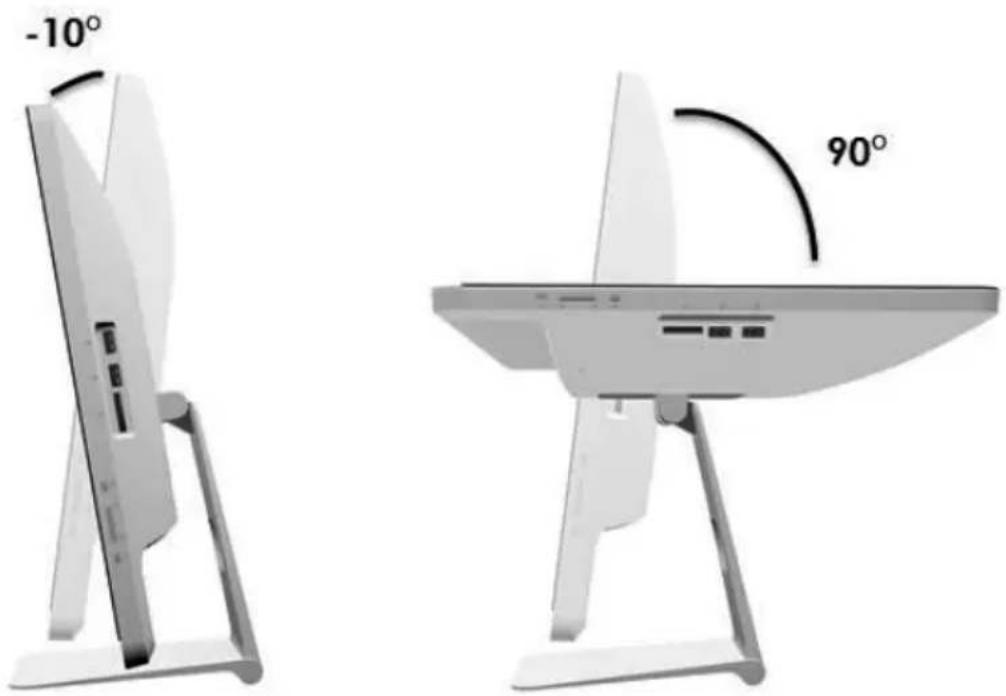
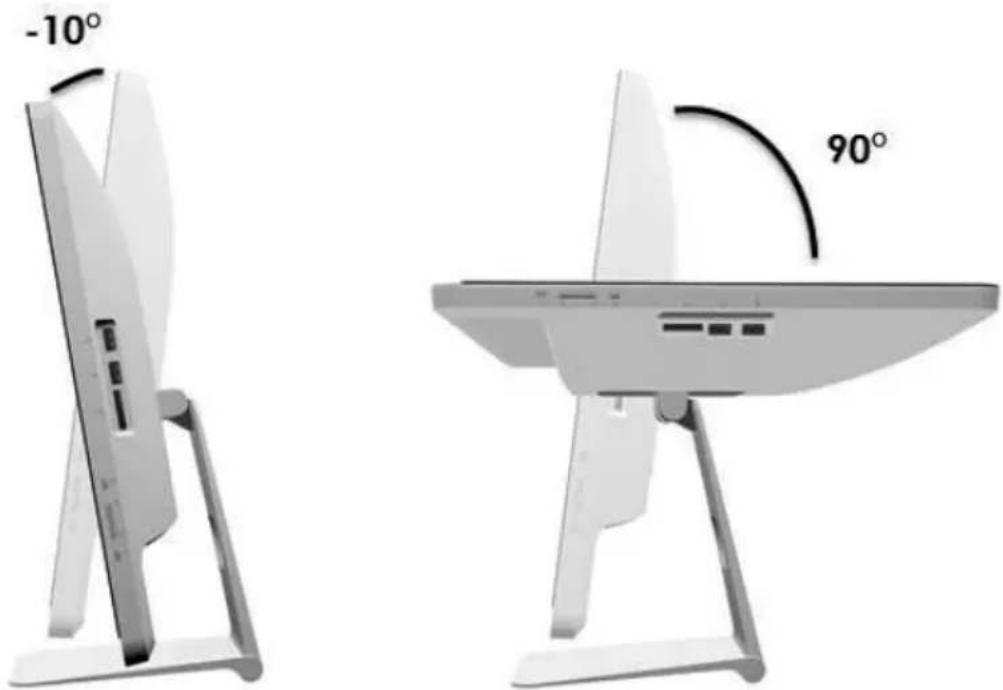
Place your computer on a flat and stable surface. Tilt the display panel to an optimum angle (available range: -10\~90°)
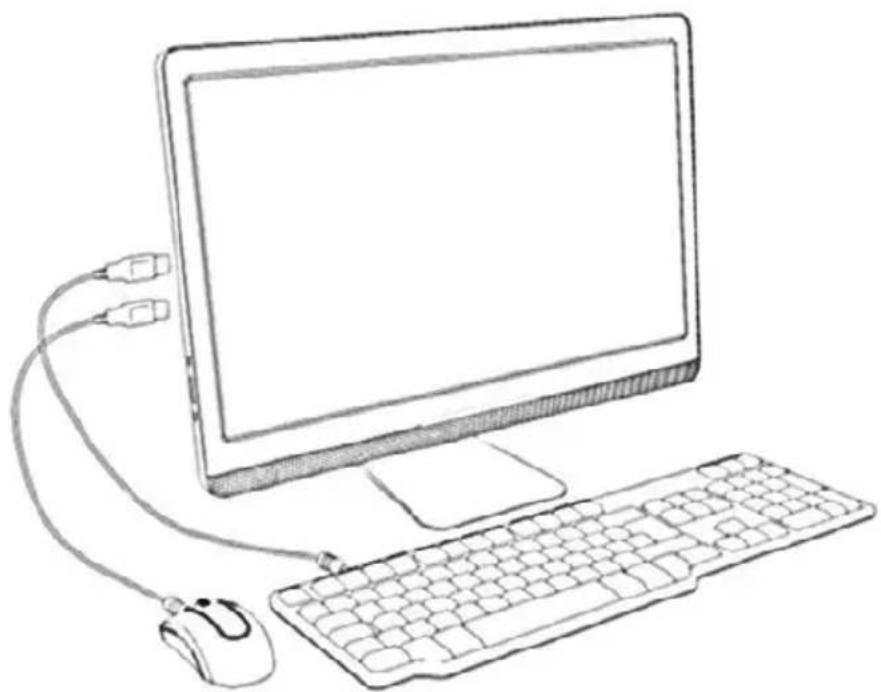
CONNECTING THE KEYBOARD AND MOUSE
natural_image
Line drawing of a desktop computer setup with monitor, keyboard, and mouse (no text or symbols)Connect the keyboard and mouse to the USB ports at the back or side of the device.
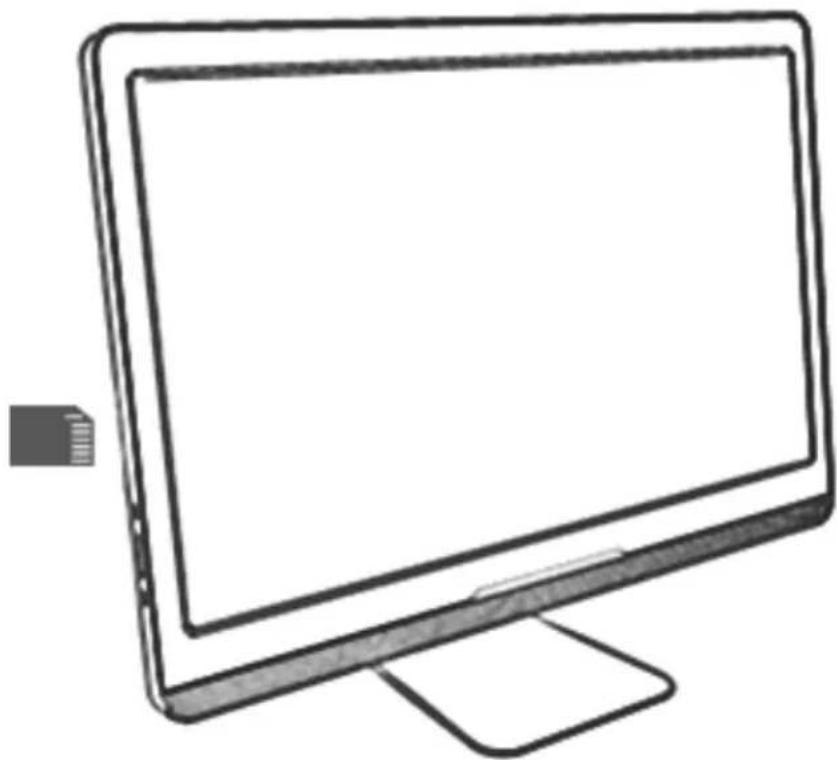
USING THE CARD READER
natural_image
Line drawing of a computer monitor with blank screen and stand (no text or symbols)Insert the card with metallic connectors facing towards you. Push gently until the card clicks into place.
NOTE: Before removing the memory card, use the configuration utility on the task bar to stop the memory card operation. Failure to do so may result in data loss. Then pull the card out from the port.
OPERATING SYSTEM
This device runs pre-installed Remix - Android OS.

text_image
iThe user can change the operating system.
For download and installation 90 days trial version of Windows 10 go to link below:
https://www.microsoft.com/en-us/evalcenter/evaluate-windows-10-enterprise?OCID=WIP_r_Win10_Body_Ent_Eval
Go to www.krugermatz.com for direct hyperlink.
TROUBLESHOOTING
The device does not start
- Check that the PC is connected to an electrical outlet and it is turned on.
- Check that the power cord and all cables are connected firmly.
The LCD does not display anything
- Check that the PC is connected to an electrical outlet and it is turned on.
- Check that the screen is turned on (monitor switch at the side panel)
- The PC may be in standby mode. Press any key to activate the display
SPECIFICATION
• Display: 21,5" (16:9), 1920x1080 px, VA
• CPU: Intel® CoreTM i3-4170
• RAM: 4 GB DDR3
• Storage: 120 GB SSD
• Wi-Fi: 802.11 b/g/n
LEARN MORE
For more information on this product, go to www.krugermatz.com.
Visit www.krugermatz.com website for more products and accessories.
In case of any doubts or questions reach out to our Frequently Asked Questions section.
Specifications are subject of change without prior notice.
The Lechpol company declares that product KM2150 is consistent with the essential requirements and other relevant provisions of directive 1999/5/EC. The proper declaration for download from www.lechpol.eu
English
Correct Disposal of This Product
(Waste Electrical & Electronic Equipment)
(Applicable in the European Union and other European countries with separate collection systems) This marking shown on the product or Its literature, indicates that It should not be disposed with other household wastes at the end of its working life. To prevent possible harm to the environment or human health from uncontrolled waste disposal, please separate this from other types of wastes and recycle it responsibly to promote the sustainable reuse of material resources. Household users should contact either the retailer where they purchased this product, or their local government office, for details of where and how they can take this item for environmentally safe recycling. Business users should contact their supplier and check the terms and conditions of the purchase contract This product should not be mixed with other commercial wastes for disposal.
Made in China for LECHPOL Zbigniew Leszek, Miętne, 1 Garwolińska Street, 08-400 Garwolin.
KWESTIE BEZPIECZEŃSTWA
natural_image
Line drawing of a computer monitor with a labeled point (1) on the screen, no text or symbols present.TYL
natural_image
Technical line drawing of a mechanical device with mounting brackets and a central support bracket (no text or symbols)
text_image
Diagram of an internal computer rear panel with numbered labels pointing to various electronic components.BOK
text_image
Technical diagram of a device rear panel with numbered component labelsREGULACJA KĄTA NACHYLENIA
text_image
-10° 90°natural_image
Line drawing of a desktop computer setup with monitor, keyboard, mouse, and cable (no text or symbols)natural_image
Line drawing of a computer monitor with blank screen and stand (no text or symbols)https://www.microsoft.com/en-us/evalcenter/evaluate-windows-10-enterprise?OCID=WIP_r_Win10_Body_Ent_Eval
natural_image
Completely black image with no visible content or text.
text_image
QR code image containing encoded data, no visible human-readable textwww.krugermatz.com
Krüger&Matz is a registered trademark