Hornet MM202 - CD Player Manta - Free user manual and instructions
Find the device manual for free Hornet MM202 Manta in PDF.


| Brand | Manta |
| Model | Hornet MM202 |
| Product Type | CD Player with Cassette Recorder and AM/FM Radio |
| Power Supply | AC 230V, 50 Hz; DC 12V (8 x UM-1 batteries, not included) |
| Power Output | 2 x 2W |
| Frequency Range (AM) | 530 – 1600 kHz |
| Frequency Range (FM) | 88 – 108 MHz |
| Disc Playback | CD, supports program, repeat (single/all), random playback |
| Cassette Deck | Play, record from radio or CD, fast forward/rewind, pause, stop/eject |
| Radio Bands | AM, FM (with telescopic antenna for FM, built-in ferrite for AM) |
| Sound Enhancement | Bass Boost System (BBS) with ON/OFF switch |
| Headphone Jack | 3.5 mm stereo, 32 Ω impedance (speakers mute when connected) |
| Remote Control | Yes, uses CR 2025 (3V) battery (not included) |
| Display | LED display showing track number and status |
| Disc Care | Handle by edges; clean radially with soft cloth; avoid solvents |
| Cleaning Instructions | Use dry soft cloth for front panel; mild detergent for other parts; avoid evaporative solutions |
| Laser Safety | Class 1 laser product; do not disassemble; refer to qualified service personnel |
| Power Cord Safety | Do not place heavy objects on cord; unplug if not used for long time |
| Operating Humidity | If condensation occurs, turn on for 1-2 hours before use |
Frequently Asked Questions - Hornet MM202 Manta
User questions about Hornet MM202 Manta
0 question about this device. Answer the ones you know or ask your own.
Ask a new question about this device
Download the instructions for your CD Player in PDF format for free! Find your manual Hornet MM202 - Manta and take your electronic device back in hand. On this page are published all the documents necessary for the use of your device. Hornet MM202 by Manta.
USER MANUAL Hornet MM202 Manta
To ensure proper use of this product please read this User Manual carefully and keep for future reference.

TECHNOLOGY ocean
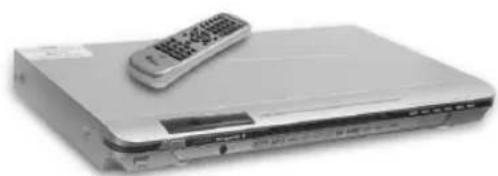
DVD-007 Emperor 2
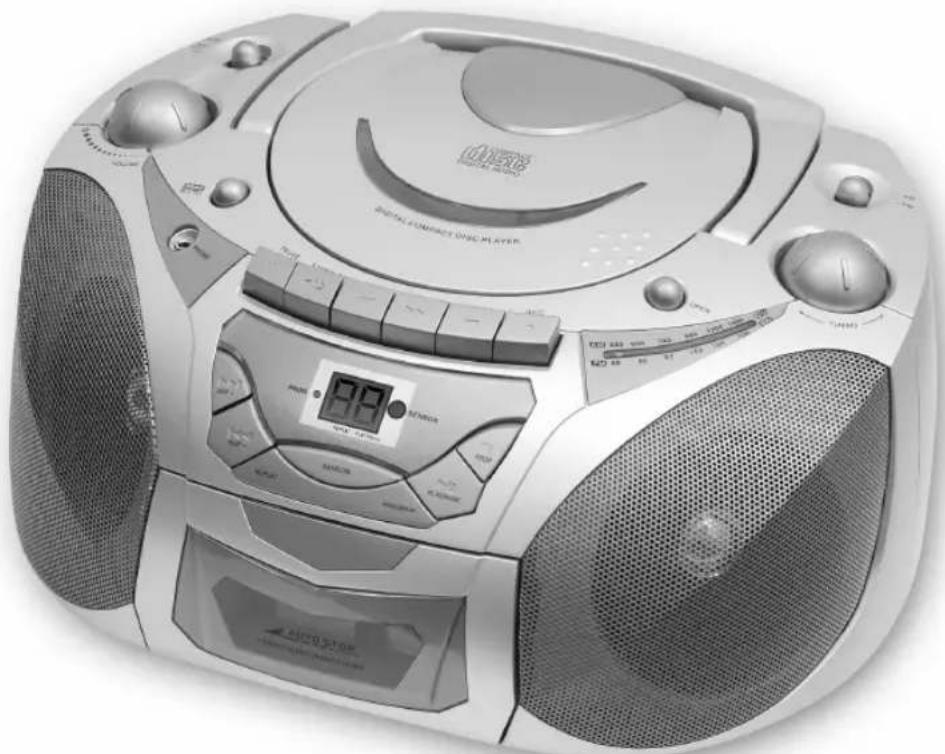
HORNET-MM202
Antena AM
Odtwarzacz CD
To reduce the risk of fire or electric shock, do not expose this appliance to dripping or spashing.
Important!
Since the CD circuitry may cause interference to other radio tunes nearby, switch this unit off when not in use or move it away from the affected radio tuner.
The lighting flash and arrowhead within the triangle is a warning sign alerting you of “dangerous voltage” inside the product.
Warning! To reduce the risk of electric shock, do not remove cover (of back). No user serviceable parts inside. Refer servicing to qualified service personnel.
The exclamation point within the triangle is a warning sing alerting you of important instructions accompanying the product.

Danger!
This product contains a low power laser device.
Laser Safety
This unit employs an optical laser beam system in the CD mechanism, designed with built-in safeguards. Do not attempt to disassemble, refer to qualified service personnel. Exposure to this invisible laser light beam may be harmful to the human eyes.
This is A Class-1 Laser product. Use of controls, or adjustments, or hazardous laser light beam exposure.
PRECAUTIONS
Please read the following carefully to get the best and safest performance from this player.
Power Supply
Make sure to use the correct power outlet as rated on the back of the unit. (AC 230V).
Power Cord
Do not put any heavy objects on top of the power cord to avoid fires or electrical shocks caused by cord damage.
Unplug the power cord if the unit will not be used for a long time.
Usage and Storage
Do not remove the top cover to avoid possible electric shock from touching the inside of this unit.
Do not place any heavy objects on top of this unit.
Condensation
Condensation may result from moving the unit from a cold place to a hot place. Please turn the power on for 1 to 2 hours before using this unit if condensation occurs.
Unit Cleaning
Clean the front panel and the body of the unit with a dry soft cloth. Other areas can be cleaned using a soft cloth moistened with a mild detergent. Do not clean with evaporative solutions to avoid possible damage to the unit.
DISC CARE
Disc Usage
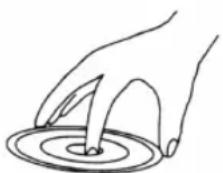
- Please hold all discs by their edges or the center opening as shown below. Do not touch the shiny surface of the discs.
- Do not stick labels or tape on the discs, and do not scratch or damage the discs.
HORNET-MM202
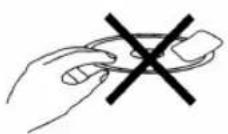
● The disc spins at a high speed during playback. Do not use damaged, cracked, or warped discs because they could damage the unit.


Disc Cleaning
● Fingerprints or dirt on disc surfaces can weaken the light reflected from the disc and directly influence the signal quality. The poorer the signal quality, the poorer the playback performance. Keep the disc clean by wiping it straight out from the center with a dry soft cloth.
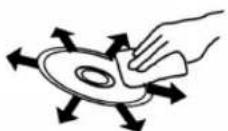
- If the disc is very dirty, wipe with a moist soft cloth, then follow with a dry soft cloth. - Do not use record cleaning sprays, benzene, thinner, anti-static electricity liquids, or any other solvent. These may damage the disc surface.
Disc Storage
- Please keep the discs in their original cases to avoid bending the discs. Do not keep discs in locations with high temperature, high humidity, or direct sunshine. These conditions may also cause damage to the discs. - Carefully read all instructions on the disc label.
Power Suplay
AC power operation
Connect one end of the mains lead to (AC-In) socket and the other end to an AC outlet.
Battery power operation
- Open the battery compartment lid by pushing down on the tabs. - Install 8 x "UM-1" size batteries (not supplied). Refer to the polarity diagram in the battery compartment of the unit. Match the (+) and (−) marks on the diagram to the (+) and (−) marks on the batteries.
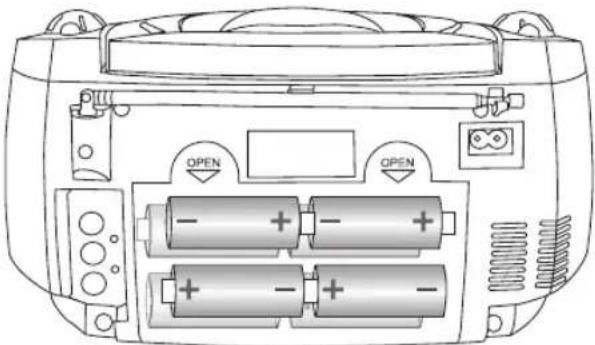
Caution! When installing batteries
To prevent battery electrolyte leakage, which may result in injury and damage to the unit or other objects, observe the following precautions:
● All batteries must be installed with the proper polarity (see diagram in the compartment of the unit).
- Do not mix new with old or used batteries.
● Only use batteries of the same type and brand.
- Remove the batteries when they are not to be used for a long period time.
HORNET-MM202
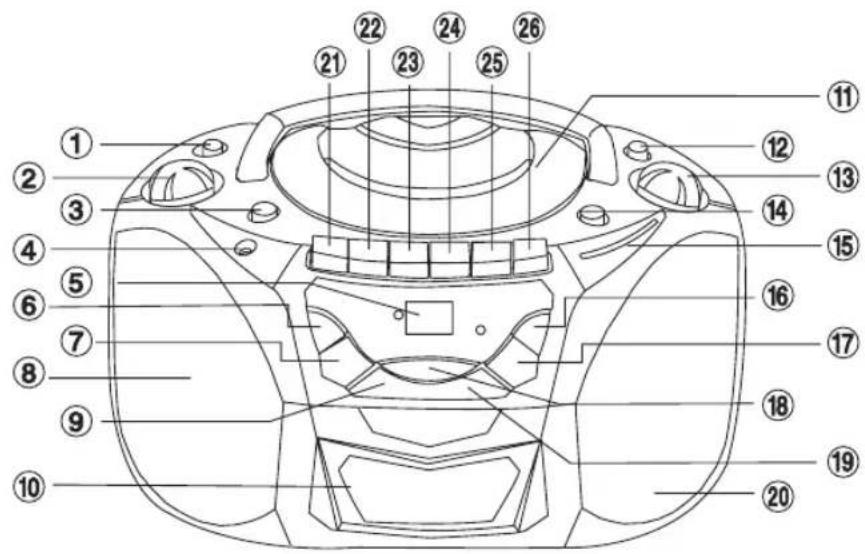
- Function switch (RADIO, TAPE/OFF, CD)
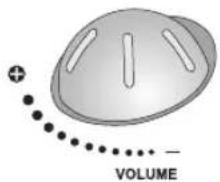
- VOLUME knob
- Bass Boost System button
- Headphone in
- CD LED indicator - CD
- SKIP (next) button - CD
- SKIP (previous) button - CD
- Left speaker
- CD REPEAT button - CD
- Cassette door - RECORDER
- CD door - CD
- Band swich - RADIO
- TUNING knob – RADIO
- CD door open button - CD
- Dial - RADIO
- STOP button - CD
- PLAY/PAUSE button - CD
- RANDOM button - CD
- PROGRAM button - CD
- Right speaker
- PAUSE button - RECORDER
- STOP/EJECT button - RECORDER
- FF (Fast Forward) button - RECORDER
- REW (Fast Rewind) button - RECORDER
- PLAY button - RECORDER
- REC button - RECORDER
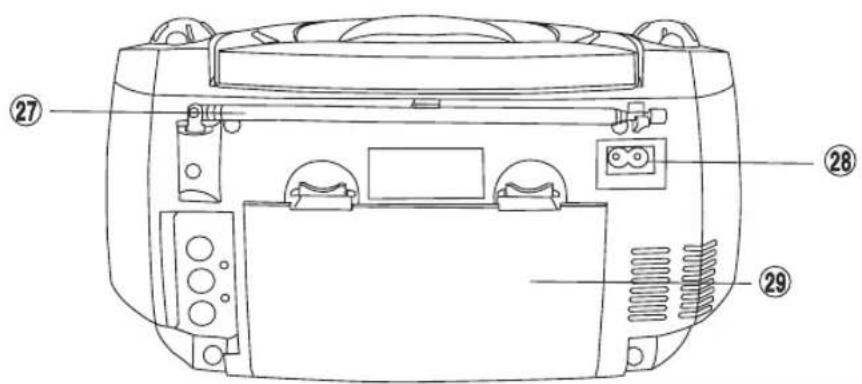
- FM Antenna - RADIO
- AC jack (230V)
- Battery door
HORNET-MM202
General Operation
To the sound control
Bast Boost System
BBS
OFF1 ON
Using headphones
When the headphones are plugged in, the speakers are automatically disconnected.
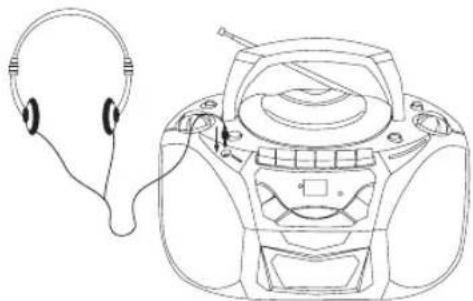
Be sure your headphone has 3.5 mm diameter stereo plug, with an impedance of 32 Ohms. When headphone is connected, the speakers will automatically mute. Adjust the volume control to the desired level.
Preparation to work
- Check that the rated voltage of your unit matches your local voltage.
● Plug the AC power cord into an AC outlet.
Radio Operation
Listening to Radio
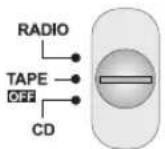
● Set the FUNCTION slider (1) to RADIO.
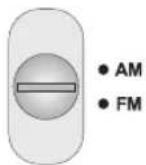
- Select the wave band by using the BAND selector (12).
● Turn to the desired radio station by using the TUNING knob (13).
- Adjust the Volume.
Turn On/Off Radio
Connecting the power, slide the FUNCTION slider (1) to RADIO position, to turn on the radio. When turn off the radio, slide the FUNCTION slider (1) to OFF position.
Selecting the Band
Turn radio on, slide the BAND selector (12) and adjust TURNING controller (13) to receive a desired AM/FM station
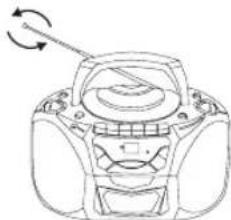
Using the Antenna
FM Antenna
Receiving FM Broadcast Extend the antenna (27) for better reception.
AM Antenna
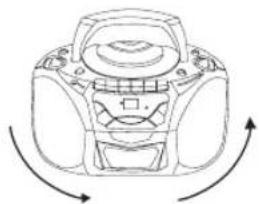
Rotate the unit horizontally for optimum reception, as a ferrite bar antenna is built into the unit.
HORNET-MM202
Compact Disc
Compact Disc Operation
- Set the FUNCTION slider (1) to CD.
- Lift to open the CD door (11), place a disc in the center with the label side up and then close the CD door gently.
● The total number of tracks will be showed in the display
CD Remote Control
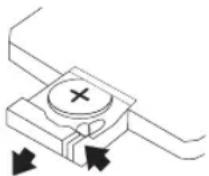
Use for remote control CR 2025 size 3V battery
![graph TD A["MDMA"] --> B["SKIP-"] A --> C["SKIP+"] B --> D["STOP"] C --> E["PLAY/PAUSE"] D --> F["REPEAT"] D --> G["RANDOM"] E --> H["PROGRAM"]](/content/2026/06/1168304/images/c123524656ee7d45a4f22dc43f28c607f80545bcfef3196bba2a2f8aa45387a3.jpg)
SKIP- (previous) – Goes back to the previous track during play.
SKIP+ (next) – Skips to the next track during playback.
STOP – Stops playback.
PLAY/PAUSE – Under stop condition, press PLAY/PAUSE key to play the disc. Use PLAY/PAUSE key to pause playback during the normal play, press again to resume playback.
REPEAT – Shows repeat playback for one title, or all titles on the disc.
RANDOM – Play random track playback.
PROGRAM – Play CD/MP3 track in programmed order.
Play/Pause Mode
- If PLAY/PAUSE button (14) is pressed during Stop mode, the first track will be playing and the PLAY/PAUSE LED will be on.
- If PLAY/PAUSE button (14) is pressed during Play mode, the PAY/PAUSE LED will flash.
Stop Mode (CD player and remote control)
The STOP button (16) or STOP on remote control is pressed during play or pause mode, the CD will stop.
Selecting a desired track (CD player and remote control)
Selecting a desired track in Stop mode.
- Press SKIP (previous - 7) or SKIP (next - 6) button until the desired track appears on the LED display.
- Press PLAY/PAUSE button (17) to start play. The selected track number appears on the LED display.
Searching for a particular passage during play (CD player and remote control).
Press and hold SKIP (previous - 7) or SKIP (next - 6) button until the desired passage is located. During the search the sound is played faster than normal at a reduced volume. Play returns to normal when SKIP (previous - 7) or SKIP (next - 6) button is released.
Programmed Disc Play
- Set the FUNCTION switch (1) to CD.
- Press the PROGRAM button (19).
- Press the SKIP (previous - 7) or SKIP (next - 6) button to select the track number.
- Press the PROGRAM button (19) when the desired track number is displayed.
- Repeat step 3 and 4 to program more tracks.
- Press the PLAY/PAUSE button (17) to start programmed play. Disc play will start at the beginning of first programmed track.
To Check the Program
Press the PROGRAM button (17) during stop mode. The track numbers are displayed in programmed order.
To Erase the Program
Press the PROGRAM button (17) and the STOP button (16) at the same during stop mode. Opening the disc compartment also erase the contents of program memory.
Random playback
Use the Randome button (18) for randome track playback.
HORNET-MM202
Repeat Mode (CD player and remote control)
Press the REPEAT button (9) before or during play. A single track or all the tracks can be repeated. Each press switches the repeat mode.
● First press REPEAT button repeat one track.
● Second press REPEAT button repeat all tracks.
● Third press REPEAT button turn off repeat mode.
Cassette Recorder
STOP/EJECT key (22)
Press STOP/EJECT key (22) to stop all deck operations. Press againe to open the cassette door.
FF (Fast Forward) key (23)
Press to start rapid tape winding in either Forward direction.
REW (Fast Rewind) key (24)
Press to start rapid tape winding in either Reverse direction.
PLAY key (25)
Press PLAY key (25) to start play.
PAUSE key (21)
Press to stop tape operation temporarily. Press again to resume tape operation.
REC key (26)
Press together with PLAY key to start recording.
Playback
- Set the Function selector (1) to TAPE/OFF pision.
● Put in your cassette tape with the visible tape facing up.
● Press PLAY key (25) to active playback.
● Adjust the Volume control (2) to the desired level. - Use PAUSE key (21) when you want to stop playback temporarily.
● Press STOP/EJECT key (22) when finished.
Recording
Recording from Radio
- Set the Function selector (1) to RADIO pision.
● Tune in your station and put in your cassette tape. - Press REC key (26) and PLAY key (25) of deck at the same time to start recording.
● Press STOP/EJECT key when finished.
Recording from CD
● Set Function selector (1) to CD position
- Insert a cassette suitable for recording, press PAU-SE key (21) then press REC (26) and PLAY (25) keys. Recording function is now on standby.
● Active the CD player and then press (to release) PAUSE key (21) to start recording.
● To stop recording, first press STOP button (16) on CD, then press the STOP/EJECT key (22) on tape deck.
Specifications
Power supply:
AC 230V - 50 Hz
DC 12V(UM-1 x 8 Pcs batteries)
Power Output: 2x2W
Frequency range:
AM 530 – 1600 kHz
FM 88 - 108MHz
HORNET-MM202
Note:
HORNET-MM202
Note:
HORNET-MM202
Note:
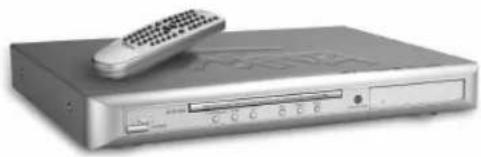
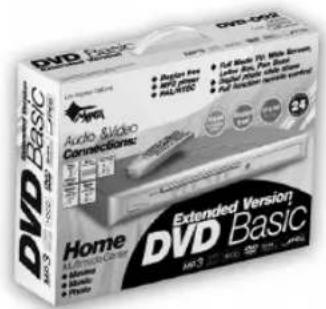
DVD-002 Basic
MM811 Rubber Pad
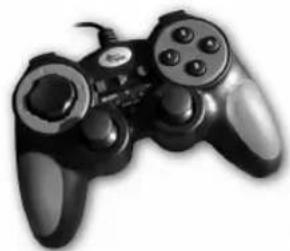
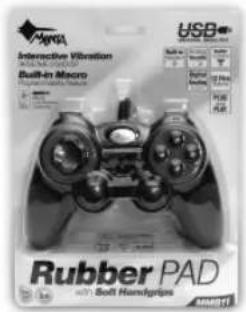
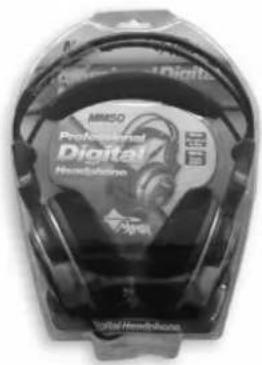
MM50 Headphone
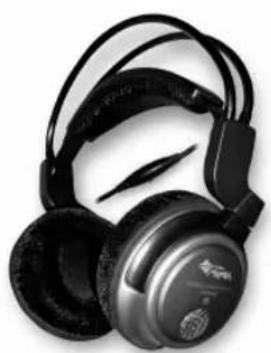
- DVD-007 EMPEROR 2
- HORNET-MM202
- ANTENA AM
- ODTWARZACZ CD
- IMPORTANT
- DANGER
- LASER SAFETY
- PRECAUTIONS
- POWER SUPPLY
- POWER CORD
- USAGE AND STORAGE
- CONDENSATION
- UNIT CLEANING
- DISC CARE
- DISC USAGE
- DISC CLEANING
- DISC STORAGE
- POWER SUPLAY
- AC POWER OPERATION
- BATTERY POWER OPERATION
- GENERAL OPERATION
- TO THE SOUND CONTROL
- BAST BOOST SYSTEM
- USING HEADPHONES
- PREPARATION TO WORK
- RADIO OPERATION
- LISTENING TO RADIO
- TURN ON/OFF RADIO
- SELECTING THE BAND
- USING THE ANTENNA
- FM ANTENNA
- AM ANTENNA
- COMPACT DISC
- COMPACT DISC OPERATION
- CD REMOTE CONTROL
- PLAY/PAUSE MODE
- STOP MODE (CD PLAYER AND REMOTE CONTROL)
- SELECTING A DESIRED TRACK (CD PLAYER AND REMOTE CONTROL)
- SELECTING A DESIRED TRACK IN STOP MODE
- PROGRAMMED DISC PLAY
- TO CHECK THE PROGRAM
- TO ERASE THE PROGRAM
- RANDOM PLAYBACK
- REPEAT MODE (CD PLAYER AND REMOTE CONTROL)
- CASSETTE RECORDER
- STOP/EJECT KEY (22)
- FF (FAST FORWARD) KEY (23)
- REW (FAST REWIND) KEY (24)
- PLAY KEY (25)
- PAUSE KEY (21)
- REC KEY (26)
- PLAYBACK
- RECORDING
- RECORDING FROM RADIO
- RECORDING FROM CD
- SPECIFICATIONS
- NOTE
- DVD-002 BASIC
- MM811 RUBBER PAD
- MM50 HEADPHONE
Brand : Manta
Model : Hornet MM202
Category : CD Player