
001-949 - Hi-Fi System Marquant - Free user manual and instructions
Find the device manual for free 001-949 Marquant in PDF.


| Product Type | Portable CD Player with AUX Input |
| Brand | Marquant |
| Model | 001-949 |
| Power Supply | Mains 230 V ~ 50 Hz or 6 x 1.5 V C (R14) batteries |
| Power Output | 2 x 1 W |
| Safety Class | Class II (Double Insulation) |
| Laser Class | Class 1 |
| Display Type | Digital LED display |
| Playback Media | Audio CDs |
| AUX Input | 3.5 mm stereo jack |
| Repeat Modes | Repeat one track, Repeat all tracks |
| Random Playback | Yes |
| Programmable Tracks | Up to 20 tracks |
| Auto Standby | After 11 minutes of inactivity |
| Dimensions (W x H x D) | 215 x 133 x 215 mm |
| Battery Type | 6 x 1.5 V C (R14) batteries |
| Speaker Configuration | Integrated stereo speakers |
| Controls | Play/Pause, Stop, Skip Up/Down, Repeat/Program, Random, Volume, Mode Selector |
| Included Accessories | Power cord, User manual |
| Cleaning Instructions | Wipe with a soft, dry cloth. Do not use liquids. |
| Safety Precautions | Do not open casing, avoid water and moisture, keep away from heat sources. |
| Disposal Instructions | Do not discard with household waste. Recycle at designated electronic waste collection points. |
| Manufacturer | Jula AB |
Frequently Asked Questions - 001-949 Marquant
User questions about 001-949 Marquant
0 question about this device. Answer the ones you know or ask your own.
Ask a new question about this device
Download the instructions for your Hi-Fi System in PDF format for free! Find your manual 001-949 - Marquant and take your electronic device back in hand. On this page are published all the documents necessary for the use of your device. 001-949 by Marquant.
USER MANUAL 001-949 Marquant
natural_image
Black and silver portable radio with digital display showing 4.8 pW, no visible text or symbols on the device itself.
SE CD-SPELARE
Operating instructions (Translation of the original instructions) Important! Read the user instructions carefully before use. Save them for future reference.
Värna om miljön!
Care for the environment!
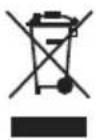
Must not be discarded with household waste! This product contains electrical or electronic components that should be recycled. Leave the product for recycling at the designated station e.g. the local authority's recycling station.
Jula reserves the right to make changes. In the event of problems, please contact our service department.
www.jula.com
Tillverkare/ Produsent/ Produenci/ Manufacturer
Jula AB, Box 363, 532 24 SKARA
Distributör/ Distributør/ Dystrybutor/ Distributor
Jula Poland Sp. z o.o., ul.
LASERPRODUKT KLASS 1.

LASERPRODUKT KLASS 1.
LASERPRODUKT KLASSE 1.

Beskyttelsesklasse II. Dobbeltisolert.

LASERPRODUKT KLASSE 1.
- Failure to follow all the instructions and safety instructions can result in the risk of electric shock, fire and/or serious personal injury.
- Protect the product and the power cord from heat, sunlight, water and sharp edges.
- Do not drop the product or expose it to knocks and blows.
- Never poke any metal objects into the product – risk of short circuiting.
- Do not use the product in extremely dry air – risk of static electricity.
- Do not use the product near water or expose it to rain or moisture.
-
Do not place the product near or above sources of heat, or expose it to direct sunlight.
• Make sure that no objects or liquid can penetrate the openings in the casing. -
Handle the product with care, and do not expose it to knocks.
- Do not block the ventilation openings on the product.
- Do not modify the product – the manufacturer cannot accept liability for any damage caused by unauthorised modifications.
- Do not attempt to repair the product. Any repairs must be carried out by an authorised service centre or other qualified personnel.
- Check the correct polarity when inserting the batteries.
- Clean the product in accordance with the instructions.
- Unplug the power cord if the product is not going to be used for some time.
- Have the product checked and if necessary repaired by a qualified technician if any of the following should occur:
— The power cord or plug is damaged.
– The product has been exposed to liquid, or been banged.
- The product has been exposed to rain or moisture.
- If the product is not working properly.
- Do not attempt to carry out any maintenance or repairs that are not described in these instructions. This will invalidate the warranty.
Symbols
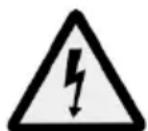
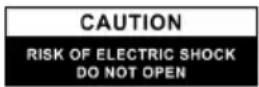

WARNING: ELECTRICAL SAFETY: DO NOT OPEN.
Do not remove the product casing – risk of electric shock. The product does not contain any parts that can be repaired by the user. Service must only be carried out by qualified personnel.

LASER PRODUCT CLASS 1.

Safety class II. Double insulation.
| CE | Approved as per applicable directives. |
| Recycle discarded product in accordance with local regulations. |
Laser
This is a LASER PRODUCT CLASS 1. If you make any modifications or handle the product other than specified you may be exposed to dangerous laser radiation.
WARNING!
LASER PRODUCT CLASS 1.
- Invisible laser radiation from opening the casing.
- Avoid exposure to laser beam.
TECHNICAL DATA
| Rated voltage 230 V | ~ 50 Hz |
| Output 2 x 1 W | |
| Safety class II | |
| Battery 6 x 1,5 V C (R14) | |
| Size 215 x 133 x 215 mm |
DESCRIPTION
- Display
- STOP - Stop
- SKIP DN – Previous track
- RANDOM - Random playback
-
LED indicator programme
-
Speaker
- CD tray
- PLAY/PAUSE - Playback/Pause
- SKIP UP - Next track
- REPEAT/PROG - Repeat/Programme
- LED indicator On/Off
- AUX connection
- Battery compartment
- Handle
- Volume control
- Mode selector CD/AUX or OFF
- Mains plug
- LED PLAY/PAUSE
- LED REPEAT
FIG. 1
USE
Installation
- Unpack the CD player and check that all the parts are included and undamaged.
- Check that the mains voltage corresponds to the rated voltage on the type plate.
- Connect the power cord to the CD player.
- Plug the plug into a power point.
- Place the CD player so that there are a few centimetres of free space behind for ventilation.
On/Off
- Set the CD in on mode by moving the mode selector to CD/AUX.
- Set the CD in off mode by moving the mode selector to OFF.
Battery operation
For battery operation, insert 6 C batteries (R14) in the battery compartment.
FIG. 2
NOTE:
Unplug the CD player from the mains for battery operation.
CD PLAYBACK
Start
- Set the mode selector in CD/AUX mode.
- Open the CD tray.
- Place a CD, with the text up, in the CD player and close the tray.
- The disc is checked and the LED display shows the number of tracks.
NOTE:
In the following situations the CD player switches mode automatically:
- If CD mode is selected but no disc is inserted.
- If CD mode is selected and the playback is paused or stopped.
- If AUX mode is selected but no external unit is connected.
- If AUX mode is selected and the playback is paused or stopped.
Playback/pause (PLAY/PAUSE)
- Start the playback with the button PLAY/PAUSE. The first track starts to play.
- The playback can be paused by pressing the button PLAY/PAUSE. The status lamp flashes. Press again to resume playback. The status lamp stops flashing and stays on.
NOTE:
After about 11 minutes of no playback the CD player automatically goes to standby mode.
Stop (STOP)
- Playback is stopped if the STOP button is pressed in playback or pause mode.
Previous/next track
- If the SKIP UP button is pressed in playback or pause mode the CD player goes to the next track. The track number is shown and the appliance stays in playback or pause mode.
- If the SKIP DN button is pressed in playback or pause mode the CD player goes to the previous track. The track number is shown and the CD player stays in playback or pause mode.
- Press the button SKIP UP or SKIP DN several times to go to the desired track.
Repeat
Press the button REPEAT/PROG during playback to enable repeat.
Repeat can be used for one track or all tracks as follows:
- Repeat one track.
- Repeat all tracks.
- No repeat.
| Playback mode LED indicator | |
| Repeat one track Flashes | |
| Repeat all tracks Steady | |
| Disabled None | |
Random playback
Press the button RANDOM to enable random playback. Press the button RANDOM once again to disable random playback.
Programming a play list
Up to 20 tracks can be programmed to play in an optional order.
- Set the mode selector to CD and stop playback.
- Press the button REPEAT/PROG. The status lamp for PROG flashes.
- Select the required track with the button SKIP UP and SKIP DN.
- Press the button REPEAT/PROG to save the track in the memory.
- Repeat steps 3 and 4 to add more tracks in the memory.
- When all the required tracks are added to the memory, press the button PLAY/PAUSE to play in the given order.
- The playback of the play list can be stopped at any time with the STOP button.
- When the play list is completed, press the button REPEAT/PROG to show the saved tracks.
- Delete the play list by pressing the button STOP when the CD playback is stopped, until the status lamp PROG goes off.
AUX input
NOTE:
When an external unit is connected to the AUX input the CD player automatically goes to AUX mode and the CD playback is stopped. Check that no external unit is connected to the AUX input when a CD disc is played.
Connect a stereo cable with a 3.5 mm connector (sold separately) from an external unit to the AUX input on the back of the CD player to play music from the external unit.
- Set the mode selector in CD/AUX mode.
- Connect the cable from the external unit to the AUX input. The CD player switches automatically to AUX mode.
- Start the playback on the external unit.
- Adjust the required volume with the volume button. Lower the volume on the external unit if there is any distortion.

Brand : Marquant
Model : 001-949
Category : Hi-Fi System