MAS100 - Motion Sensor Brinno - Free user manual and instructions
Find the device manual for free MAS100 Brinno in PDF.


User questions about MAS100 Brinno
0 question about this device. Answer the ones you know or ask your own.
Ask a new question about this device
Download the instructions for your Motion Sensor in PDF format for free! Find your manual MAS100 - Brinno and take your electronic device back in hand. On this page are published all the documents necessary for the use of your device. MAS100 by Brinno.
USER MANUAL MAS100 Brinno
natural_image
Simple line drawing of a smiling stick figure with a key inserted, next to a door (no text or symbols)Motion Activated Sensor MAS 100
Thank you for purchasing Motion Activated Sensor for Brinno PeepHole Viewer!
Brinno MAS100 is an extension accessory for PeepHole Viewer (PHV1330), it allows PHV1330 records images when a visitor come close to your door. So even if you are not at home, you will know who came to your door.

natural_image
Simple line drawing of a smiling stick figure with a padlock attached, next to a door (no text or symbols)WEEE Directive & Product Disposal
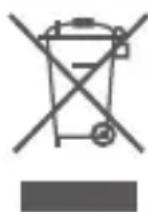
At the end of its serviceable life, this product should not be treated as household or general waste. It should be handed over to the applicable collection point for the recycling of electrical and electronic equipment, or returned to the supplier for disposal.
Internal / Supplied Batteries
This symbol on the battery indicates that the battery is to be collected separately. This battery is designed for separate collection at an appropriate collection point.
Thank you for purchasing Brinno's PeepHole Viewer and accessories!
If you have any questions or problems setting up your Brinno PeepHole Viewer and accessories, please contact the sales staff where you purchased our product or email us at Brinno Incorporated directly
customerservice@brinno.com
Please Visit our website
www.brinno.com
Package Contents
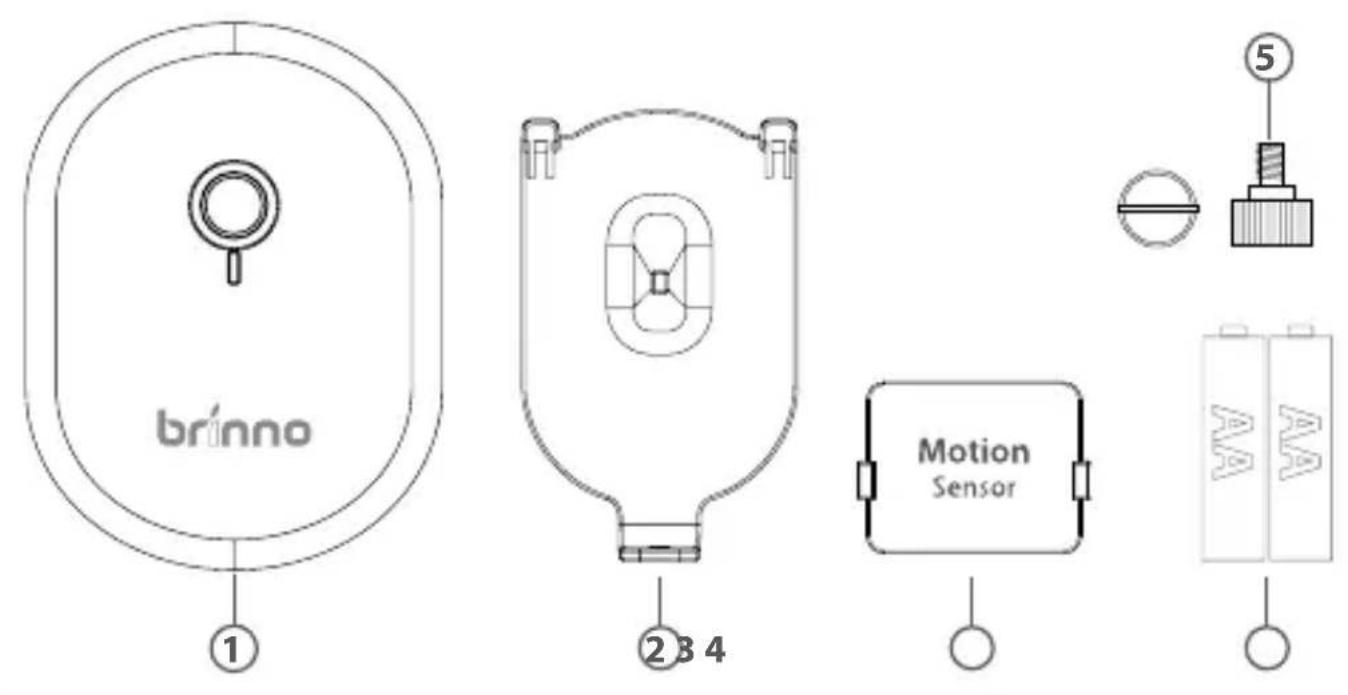
1 Motion Activated Sensor (MAS100)
④ 2 AA Batteries ⑤ Screw
2 Holder
3 Receiver (RFS100)
Before Installation
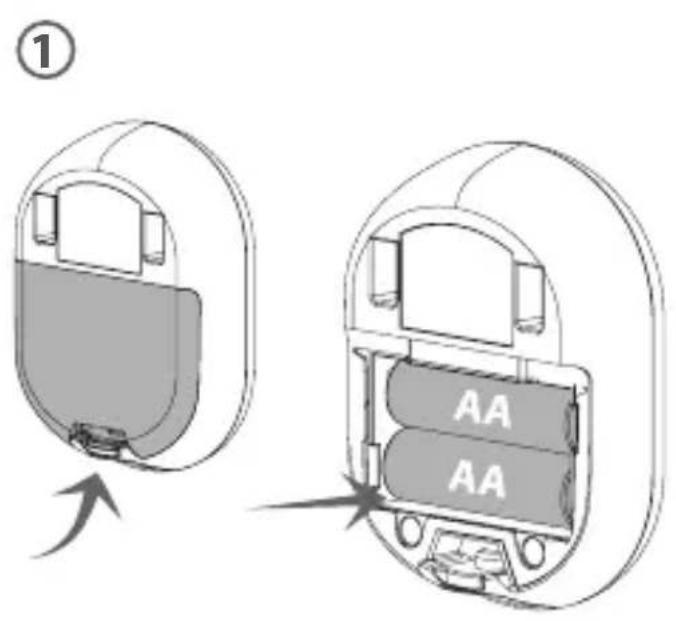
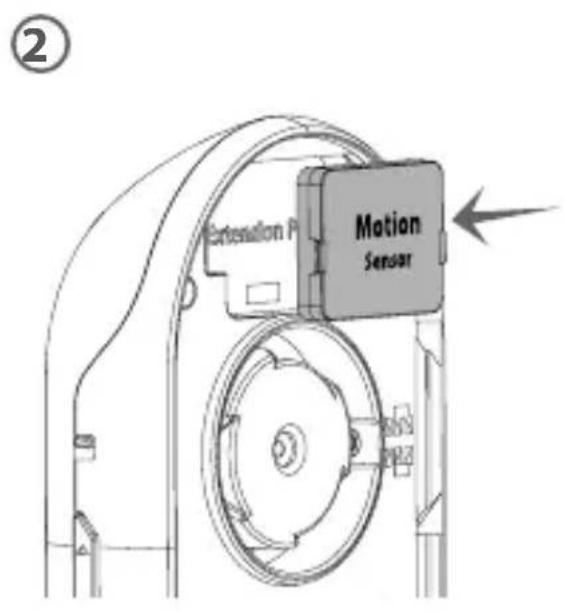
- Install 2 AA batteries on Motion Activated Sensor (MAS100).
- Install receiver(RFS100) into extension port on PeepHole Viewer (PHV1330).
Installation
1
natural_image
Mechanical assembly diagram showing a clamping mechanism with no visible text or symbols2
natural_image
Technical line drawing of a mechanical component with no visible text or symbols③
③ -a -b
Indoor IndoorOutdoor
Outdoor
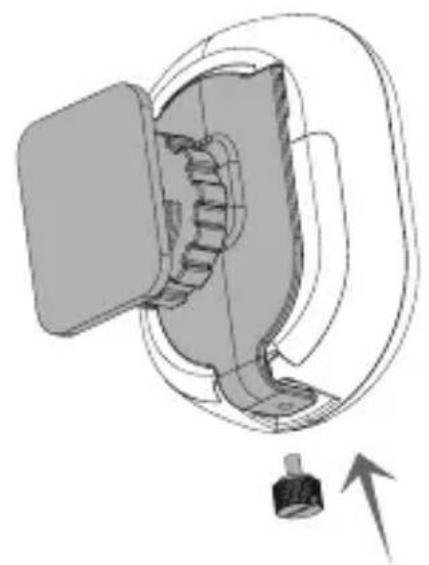
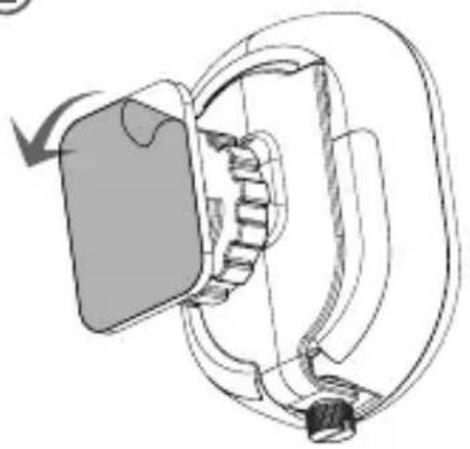
- Install Holder and tightening the screw.
- Tear off the cover of double-sided glue.
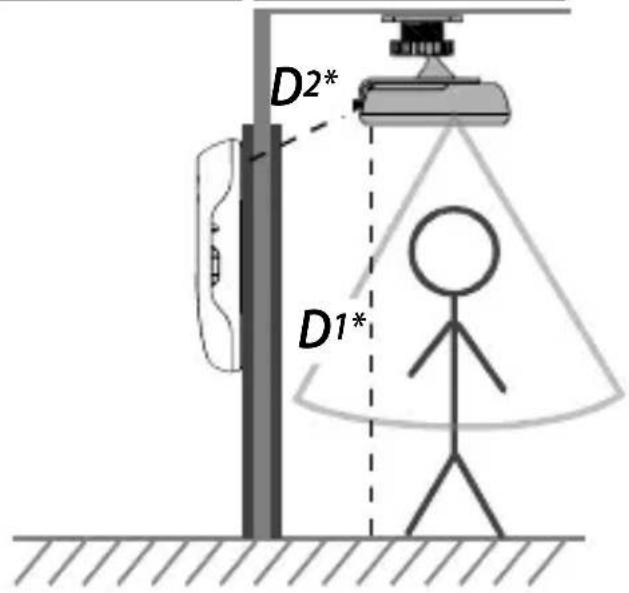
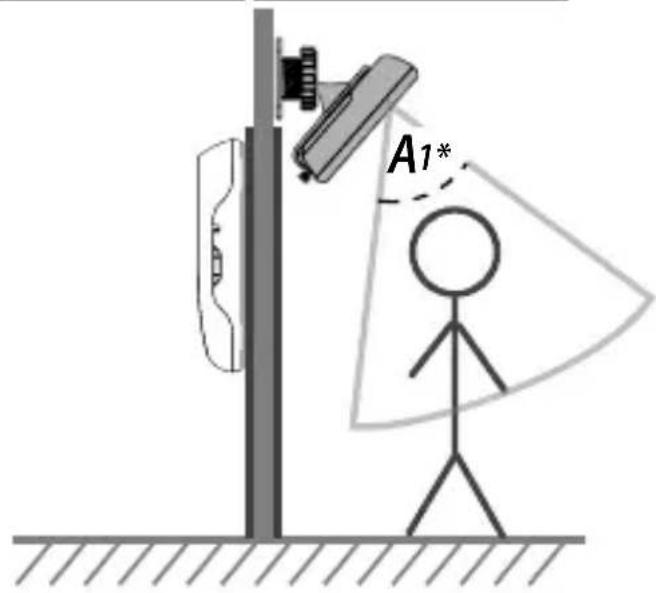
- Place your Motion Activated Sensor(MAS100) on our suggestion location:
a. Place on ceiling above the porch and face to ground.
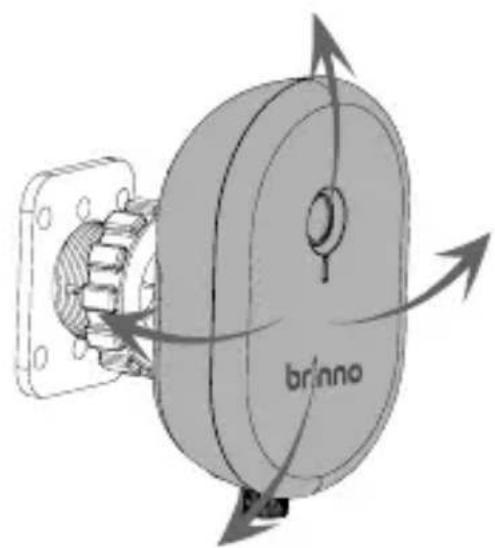
b. Place above door, and adjust the Motion Activated Sensor angle, face to ground.

Note
D1: Detected distance: 5 meters
D2: Signal received distance: 5 meters
A1: Detected angle: 60^
Finished
natural_image
Mechanical assembly diagram showing a rotating component with labeled 'brinno' and directional arrows (no text beyond label)Now, you already finished the installation, for well working we suggest you to test the detect of Motion Activated Sensor, if it works on the location you placed, then you can use screws to fix it on the wall. If it doesn't work, please try to adjust the detect angle or change to the other location.
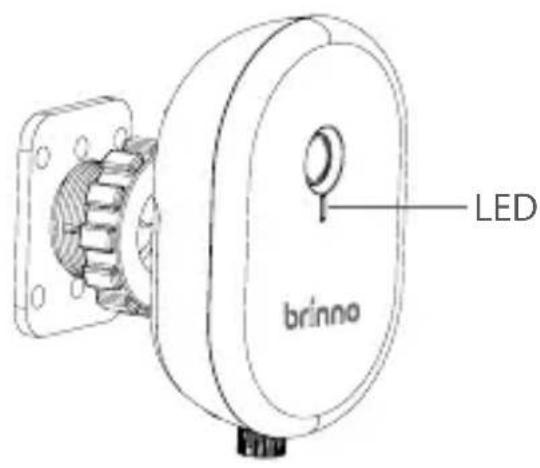
Red LED light: Detecting
Red LED flashing: Battery Low
Specifications
Model | MAS 100
Detect Angle 60^
Detect Distance 3\~5 meters
Receiver Distance | 5 meters
Power Source | 2 AA batteries
Accessories | Holder, Recevier, 2 AA Batteries, User Manual
Size | 66(W) x 90(H) x 24(D) mm
Weight|56 g (without batteries)
Federal Communication Commission Interference Statement
This equipment has been tested and found to comply with the limits for a Class B digital device, pursuant to Part 15 of the FCC Rules. These limits are designed to provide reasonable protection against harmful interference in a residential installation. This equipment generates, uses and can radiate radio frequency energy and, if not installed and used in accordance with the instructions, may cause harmful interference to radio communications. However, there is no guarantee that interference will not occur in a particular installation. If this equipment does cause harmful interference to radio or television reception, which can be determined by turning the equipment off and on, the user is encouraged to try to correct the interference by one of the following measures:
- Reorient or relocate the receiving antenna.
- Increase the separation between the equipment and receiver.
- Connect the equipment into an outlet on a circuit different from that to which the receiver is connected.
- Consult the dealer or an experienced radio/TV technician for help.
FCC Caution: Any changes or modifications not expressly approved by the party responsible for compliance could void the user's authority to operate this equipment.
This device complies with Part 15 of the FCC Rules. Operation is subject to the following two conditions: (1) This device may not cause harmful interference, and (2) this device must accept any interference received, including interference that may cause undesired operation.
This device complies with Part 15 of the FCC Rules. Operation is subject to the following two conditions:
(1) This device may not cause harmful interference, and
(2) this device must accept any interference received, including
interference that may cause undesired operation.
FCC ID: ZDX-MAS100