LUX160 - Lighting Yongnuo - Free user manual and instructions
Find the device manual for free LUX160 Yongnuo in PDF.


User questions about LUX160 Yongnuo
0 question about this device. Answer the ones you know or ask your own.
Ask a new question about this device
Download the instructions for your Lighting in PDF format for free! Find your manual LUX160 - Yongnuo and take your electronic device back in hand. On this page are published all the documents necessary for the use of your device. LUX160 by Yongnuo.
USER MANUAL LUX160 Yongnuo
natural_image
Black and white photo of a YONGNUO 400 R82 radar light with adjustable lens (no visible text or symbols on body)使用说明书
User Manual
前言
-4-
5、切换频道。
-5-

闪电
电影荧幕反光
狗仔队
频闪

SOS

白灯 呼吸

爆炸

烟花

坏灯泡

日出

黄灯 呼吸

色温循环
7、选择工作模式。
natural_image
Black and white striped bandage with 'YONGNU3' branding, no visible text or symbols on the device itself9、设置显示屏自动锁定时间。

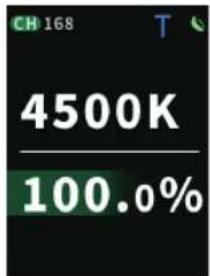
开启数字显示模式
11、手机APP与遥控器无线控制使用。
Thank you for using LUX160 LED video light. Please read the manual carefully before you use it.
Precautions
- Do not put the product close to or throw it into the re source to avoid the danger of re and explosion.
- Do not disassemble the product, maintenance or repair of this product should be handled by technical maintenance personal of our company or authorized technical maintenance personal.
- When the product is running, please do not look directly at the COB lamp beads, do not cover the heat emission hole, and do not touch the COB lamp beads; When the device is running, do not look directly at the light.
- Do not use this product in ammable and explosive place, or where it can be exposed to moisture.
Product speci cation
| Color temperature version | One COB lamp bead | |||
| Light Source | Bi-color: 3200k-5600k; White: 5600k | |||
| Output power | LED: 180W | |||
| 100% illumination | Distance | 1M | 2M | 3M |
| COB | 35100Lux | 6830Lux | 2820Lux | |
| Weight | Approx 5310g | |||
| Compatible batteries | 26V/7A ; 14.8V/6A (V-lock battery interface ) | |||
| External power source | DC 24V/7.5A | |||
| Size | 590*240*250MM | |||
| Control distance | <50M | |||
| Average Service Life | 50000H | |||
| Luminance Angle | 110° | |||
| Contents:Video light*1,Power adapter (1), standard cover (1), storage bag (1), V-port battery handbag(1), ), softbox (1 V-port battery patch cord (1), lanyard (1)、Softgrid (1). Note: Please contact your dealer if anything missing. | ||||
Note: When using V-lock battery with 14.8V, the peak-power limitation is 80W. When using V-lock battery with 26V, the peak-power limitation is 180W.
Product structure
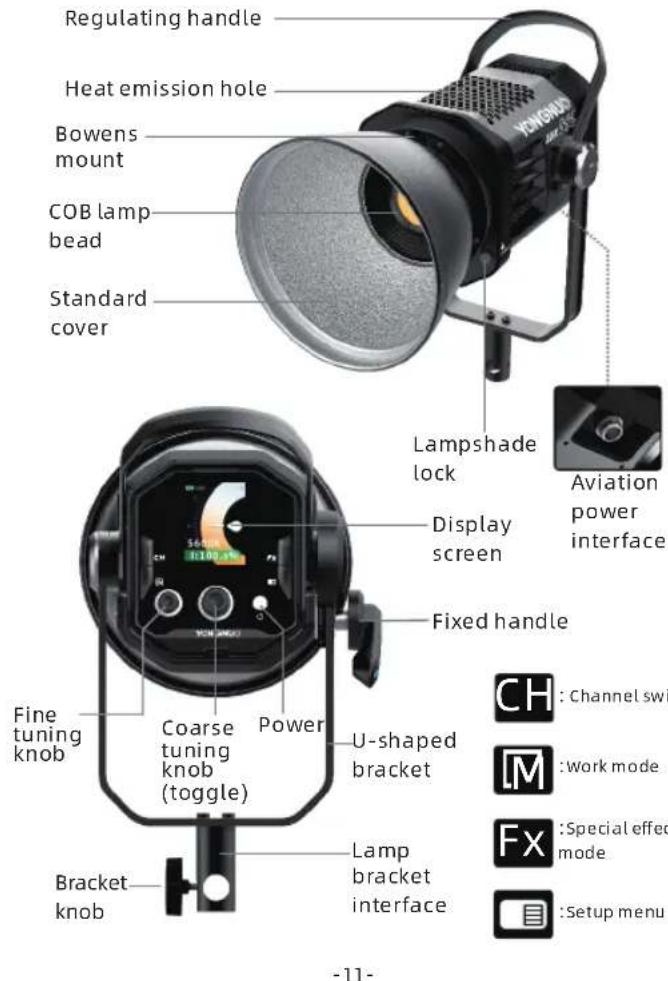
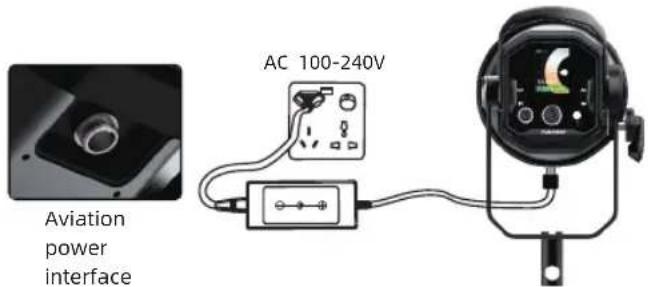
Installation and use
- Use the configured power adapter for power supply.
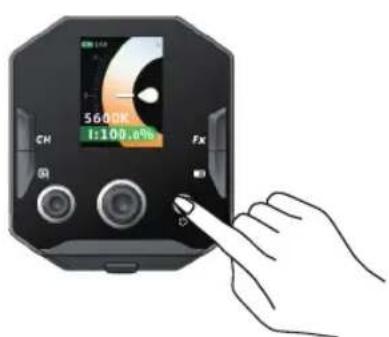
2、Power on and o
Toggle the Power ON&OFF button to switch the product on and o .
-12-
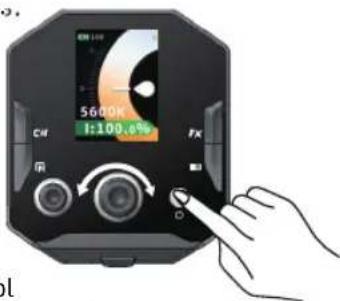
3.Color temperature and brightness adjustment Press the power button to turn on the light, and press the knob to switch the color temperature and brightness options, rotate the knob to adjust the parameters.
4.Remote control
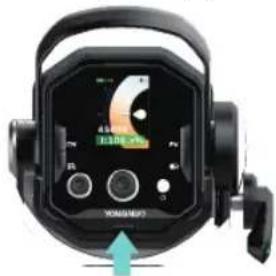
Press the lock button of the remote control to remove the remote control. After installing the battery, you can remotely control the video light. Long press the shutdown button to turn o the remote control. (Note: When using the remote control, two AA (No. 5) batteries should be installed on the remote control. The batteries need to be purchased separately.)
-13-
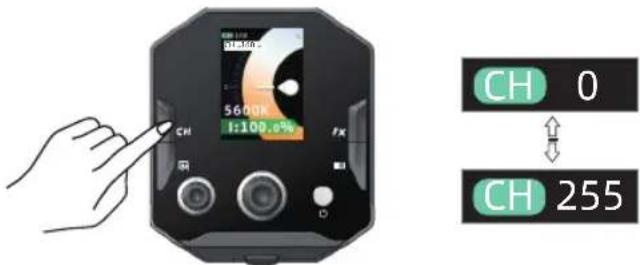
5、Switch channels
Press the button
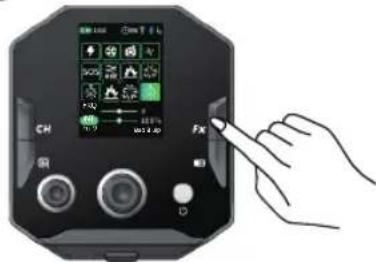
6、Special scene modes
Press the button
(Note: press < ☐ >, select
-14-

Simulated lightning

SOS

The bad light bulb

Film screen re ection

White breathing light

Sunrise

Paparazzi

The explosion

Yellow breathing light

Strobe

Fireworks

Temperature cycle
7. Choose working mode.
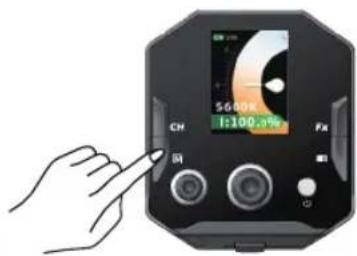
Press the < IM> button, select the OK button to select mode, and press the OK buttonSelect the working mode.

Standard mode

Silent mode

Performance model
-15-
-
Use of softbox
-
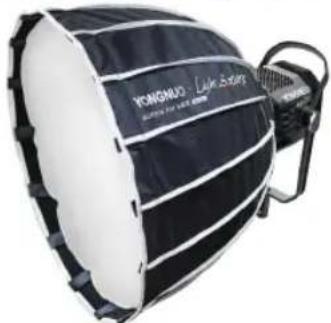
Use the supporting rod to insert into the softbox, and then put in the rotary table to hold up the softbox.
- Connect the mount of the softbox to the Bowens mount of the camera light, and then tighten to the right to complete the installation. And the soft light cloth is adhered with magic sticker.
natural_image
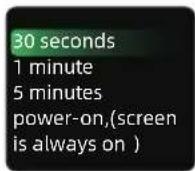
Black and white striped bandage with 'KONGRAO' branding, no visible text or symbols on the band itself- Set the automatic locking time of the display. Press the <☐> button to rotate the confirm key and select [☐] menu, rotate the confirm key to select time, and press the confirm key to complete setting.
- Digital display mode
Press the button < ≡ > and toggle the OK button to select the [T] menu, press OK button to complete the switch, and the display enters digital display mode.



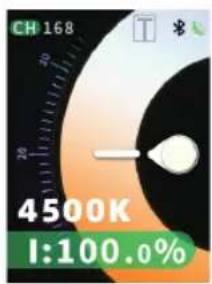

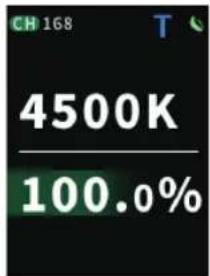
Turn on digital display mode
- Use via mobile APP and remote control for wireless control
1) Press the <■> button <*> and toggle the OK button to select bluetooth, press OK button to turn on bluetooth; open the mobile APP, at this time the video light is connected automatically to realize wireless control.
2) You can purchase YONGNUO L01 touch remote to realize wireless control.
(ON or OFF of 2.4G Wireless Control Mode.)
3) The APP can be downloaded from the YONGNUO
o cial website or scanning the QR code on the gift box.

Bluetooth off

Bluetooth on

Bluetooth
connected
The functions in this manual are based on the test conditions our company. Further notice will not be given if the design and specifications change.