
MHG1 - Browser Marquant - Free user manual and instructions
Find the device manual for free MHG1 Marquant in PDF.


| Product Type | GPS Navigation Device |
| Brand | Marquant |
| Model | MHG1 |
| Display Size | 5.0 inches |
| Resolution | 480 x 272 pixels |
| Dimensions | 137 x 84 x 18 mm |
| Weight | 180 g |
| Power Source | Rechargeable Li-Ion battery, 1100 mAh |
| Battery Life | Up to 4 hours |
| Main Functions | GPS navigation, route planning, voice guidance, points of interest, speed camera alerts |
| Maps | Preloaded with maps of Europe (depending on region) |
| Connectivity | USB 2.0, microSD card slot (up to 32GB) |
| Audio | Built-in speaker, 3.5mm headphone jack |
| Maintenance & Cleaning | Clean with a soft, dry cloth. Avoid liquids. Do not use abrasive cleaners. |
| Safety | Designed for windshield mounting. Do not obstruct driver's view. Use only the provided charger. |
| Spare Parts & Repairability | Spare parts available from authorized service centers. Repairs should be done by qualified personnel. |
| Warranty | 2 years (check local regulations) |
| Operation Temperature | 0°C to 45°C |
| Storage Temperature | -10°C to 60°C |
| Package Contents | Navigation device, car charger, USB cable, suction mount, user manual |
Frequently Asked Questions - MHG1 Marquant
User questions about MHG1 Marquant
0 question about this device. Answer the ones you know or ask your own.
Ask a new question about this device
Download the instructions for your Browser in PDF format for free! Find your manual MHG1 - Marquant and take your electronic device back in hand. On this page are published all the documents necessary for the use of your device. MHG1 by Marquant.
USER MANUAL MHG1 Marquant
Some certain knowledge is required to be well known by the user for proper and safe use of GPS handheld receiver. Please read this User's Manual first before operation.
This product can help the user to find out his way and orient him in travelling, BUT it can not totally replace the user's own personal judgement. Never lose your own reasonable judgement and solely rely on one device.
Because it is an assistant device, it will NOT undertake any legal responsibility for any accident or damage caused by the user's wrong operation and/or wrong judgement in navigating with the product.
CAUTION
The Global Positioning System(GPS) is a system of 24 satellites which circle the earth twice a day in a very precise orbit and transmit information to earth. The unit must continuously find at least three of these satellites to calculate your position and your movement.
This GPS system is operated by the government of the United States, which is solely responsible for its accuracy and maintenance. Any changes of the system could affect the accuracy and performance of all GPS equipment.
natural_image
Silhouette of two hikers on a mountain peak, one carrying a backpack and the other waving (no text or symbols)INHOUD
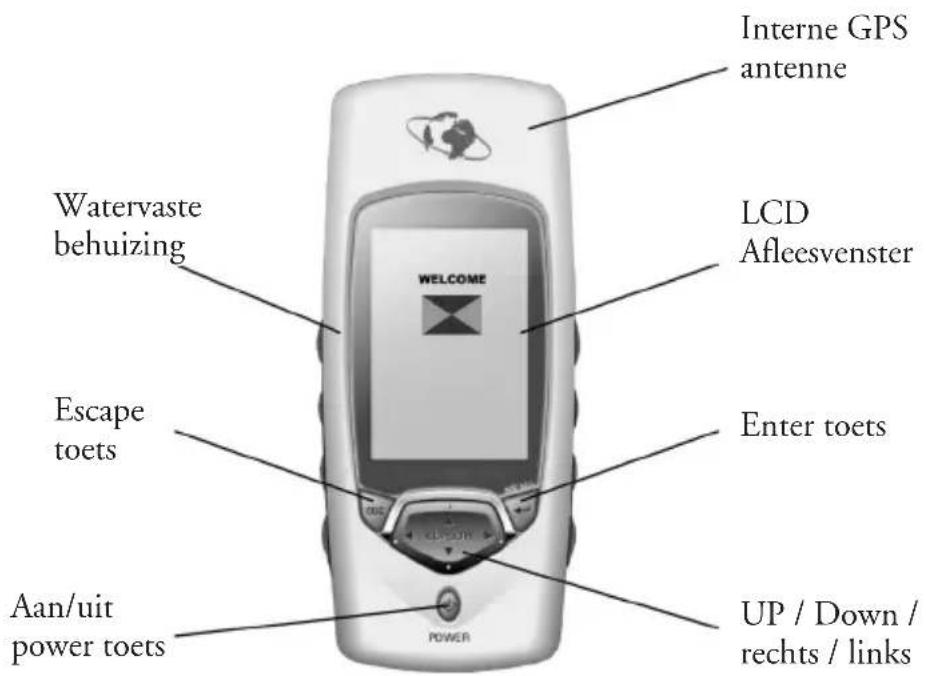
- Unit Features
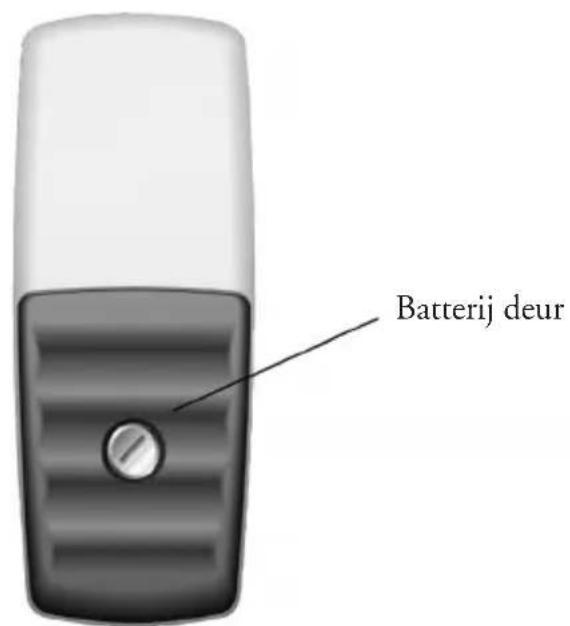
- Battery installation & Keypad
- Start up the unit
• Operation Structure - Main pages
natural_image
Line drawing of a mobile phone case with battery pack and casing (no text or symbols)natural_image
Silhouette of a person using a telescope on a rock (no text or symbols)flowchart
graph TD
    A["Tracking"] --> B["Position 30"]
    B --> C["Escape"]
    C --> D["Navigation"]
    D --> E["State"]
    E --> F["Time: 27-NAR-01, 83:87:320N, 34°14.400N, 108°54.600E, 0567.0m, SDG:000.001s/h, COG:000.0°"]
    C --> G["Route: Route1 HouseBI (BI)"]
    G --> H["N, S, M"]
    H --> I["DRG:267.7°, SDG:913.36m/s"]
Een waypont zoeken
natural_image
Silhouette of a person standing beside a golf club with a flag, no text or symbols presentSpoor opnemen
Een spoor opnemen
Let op
flowchart
graph LR
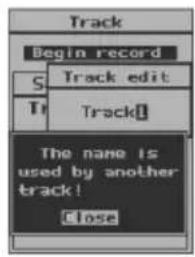
    A["Track"] --> B["Begin record"]
    B --> C["Saved track"]
    C --> D["Track 01"]
    D --> E["Backtrack"]
    E --> F["Rename"]
    F --> G["About..."]
    G --> H["Delete"]
    I["Time"] --> J["00:00-00:00"]
    J --> K["01:09:22AM"]
    K --> L["00:00-00:00"]
    L --> M["01:09:38AM"]
    M --> N["Distance"]
    N --> O["00:00, 33 Mile"]
    O --> P["Status"]
    P --> Q["No used"]
    Q --> R["Close"]
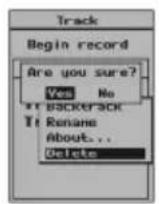
flowchart
graph LR
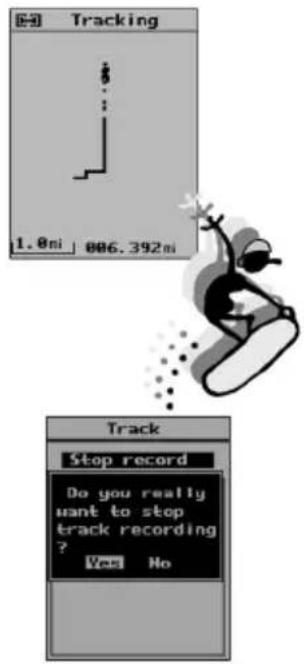
    A["Track"] --> B["Track"]
    B --> C["Tracking"]
    A --> D["Begin record\nSaved track\nTrack1\nTo end\nat to start\nDelete"]
    B --> E["Begin record\nSaved track\nHINDO1 文\nStop back\nRename\nAbout..."]
    C --> F["Output: 1.0m"]

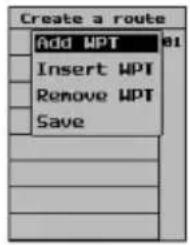
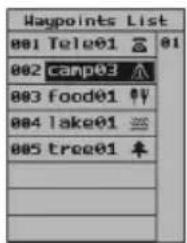
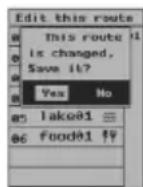
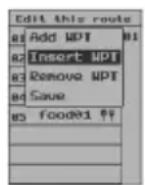
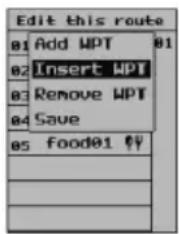
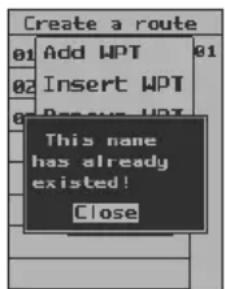
Route bewerken
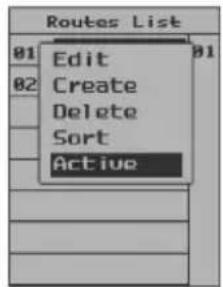

flowchart
graph TD
    A["Current Position"] --> B["(Backwards)"]
    A --> C["(Forwards)"]
    A --> D["C"]
    D --> E["D"]
Tijd

natural_image
Illustration of a chess knight on a board with pawns (no text or symbols)Let op:
XTC: Cross-Track Error???
Troubleshooting
1. The screen is blank after you press the POWER keypad.
- Wrong batteries installation or no enough power. Check to insure that the batteries are installed correctly and that the battery terminals are clean. Or replace the batteries.
- It may because you did not make valid operation (press is too light to start). Please press POWER key again till the unit responses and hear a sound “B” and see the welcome page.
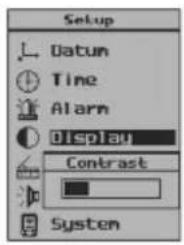
- If you hear a sound “B”, then the unit is already turned on. You need to adjust screen contrast until you can recognize the words on the screen. Please take a reference in page 37 on “Turning on”.
2. Battery choices
You can use alkaline battery or rechargeable battery. But if you use rechargeable battery, the unit can not show you the correct information on the batteries condition.
3. Unavailability of satellite signals for long time
- Make sure you are operating outdoors, not in a house or building.
- See if the sky is clear and open, it will influence the satellite signals reception.
- Check your surroundings, there may be some electric or magnetic field around you or the unit which can interfere the normal work, such as wireless radio station, radio tower or high-voltage wires and cables, and etc.
4. GPS handheld receiver has water outside and inside
Wipe down the water outside of the unit with clean clothing. Put it in a windy place without direct sunshine and dry the inside. Then try to turn it on again to see if it works well. If it is still not good, please contact local maintenance agency. Never try to open the unit by yourself.
5. Though in open area with clear sky, GPS handheld receiver can not track satellite.
- It may because GPS handheld receiver had worked indoor for long time and been brought outdoor directly. Please turn off out door and restart it.
- The GPS handheld receiver is damaged. Please contact local dealer or supplier.
6. Fell down or collided
Check the appearance completeness. Contact the local maintenance agency if you find the unit does not work well.
Specifications
- Navigation Features
Waypoints:
Total: 500 with name and symbol
Routes: 30 Reversible routes with up to 50
waypoints
Tracks: Total: 10 tracks with name and symbol
- Performance
Receiver: Twelve parallel channel receiver
continuously tracks and uses up to twelve Satellites
Frequency: L1,1575.42MHz,C/A code
Sensitivity: -140 dbm
Acquisition Times:
Hot : Approximately 10 seconds
Warm: Approximately 40 seconds
Cold: Approximately 60 seconds
Re-acquisition: Approximately less than 1 second
Update Rate: 2-seconds, continuous
Accuracy:
Position: 25 meters 2DRMS
Velocity: 0.1 knot RMS steady state
Dynamics:
2g's
Max.Height:
18000 meters
Max.Velocity:
100 m/s
Antenna:
Built-in porcelain antenna
• Physical
Size: 141x60x28mm
Weight: 170g with no batteries
Display: 120x160 pixel, high-contrast LCD, electro-luminescent
Memory: Internal lithium battery backup lasts up to 10 years
• Power
Source: 2 AA batteries, 1.5V each
Battery Life: Up to 7 hours
- Temperature
Operation: -10\~70°C
Storage: -20\~80°C
Symbols & Prompts
Symbols
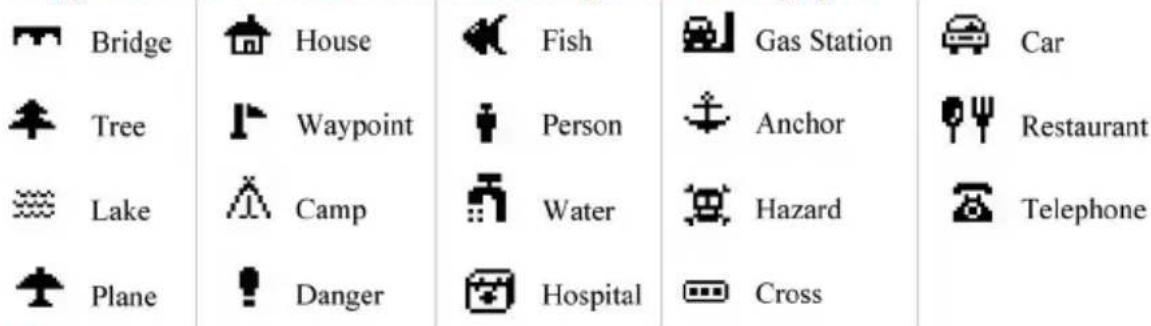
In the GPS handheld receiver, you can use 19 symbols to name your waypoints (see them in the under part of the page).
Prompts
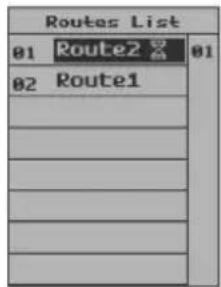
• Maximum 30 routes can be saved!
Can memorize maximum 30 routes, 10 tracks and 500 waypoints. If you want to save more, you must delete some and spare space in the unit.
- Deletion is invalid!
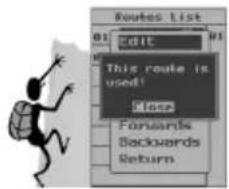
When a waypoint or a track or a route is in navigation, you can not delete them.
• No route can be used!
There is no route in the memory at all.
- Fail to delete waypoint, it is used by goto!
When a waypoint is used in Goto navigation, you can not delete or edit it.
- Fail to edit waypoint, it is in use!
The same as above.
- Waypoint is wrong, it can not be saved!
For a valid waypoint, its longitude covers from 0^ to 180^ , and latitude from 0^ to 90^ . Any waypoint defined out of this range is wrong or invalid.
- Low Battery! It will shutdown automatically later.
When the batteries are too enough to support operation, the unit will pop up this prompt.
• In dangerous zone!
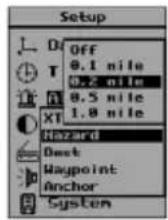
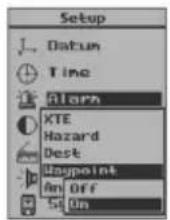
Once you get into the area you set up as dangerous place, the unit will alarm you as soon as possible.
• The track is unable to navigate.
For GPS receiver, it can only identify position changes of more than 25 meters. Otherwise, your track is invalid.
Datum Index
Adindan-Mean Adindan-Regional Mean
Ala,Can,Conus North American 1983-Alaska,Canada,Conus
Alaska North American 1927-Alaska
Aleutian IsdE North American 1927-Alaska(Aleutian Islands E)
Aleutian IsdW North American 1927-Alaska(Aleutian Islands W)
Aleutian Isds North American 1983-Aleutian Islands
Antarctica Camp Area Astro-Antarctica
Arc-Mean Arc 1950-Regional Mean
Argentina South American 1969-Argentina
Argentina Campo Inchauspe-Argentina
Australian 66 Australian Geodetic 1966
Australian 84 Australian Geodetic 1984
Bahama, Florid Cape Canaveral-Bahamas, Florida
Bolivia 56 Provisional S.American 1956-Bolivia
Bolivia 69 South American 1969-Bolivia
Brazil Corrego Alegre-Brazil
Brazil 69 South American 1969-Brazil
Brune,E.Malay Timbalai 1948-Brunei,East Malaysia
C.America North American 1927-Central America
C.Amer, Mexico North American 1983-Central America, Mexico
C.Canada North American 1927-Central Canada
Canada Mean North American 1927-Mean for Canada
Canada yukon North American 1927-Canada(Yukon)
Chile 63 Provisional S. Chilean 1963-Chile
Chile 69 South American 1969-Chile
Colombia 56 Provisional S.American 1956-Colombia
Colombia 69 South American 1969-Colombia
Conus Mean North American 1927-Mean for Conus
Cuba North American 1927-Cuba
Czechoslova42 S-42(Pulkovo 1942)-Czechoslovakia
Czechoslova93 S-JTSK-Czechoslovakia(prior to Jan 1993)
E.Canada North American 1927-East Canada
E.Mississippi North American 1927-East of Mississippi
Egypt 07 Old Egyptian 1907-Egypt
Egypt 50 European 1950-Egypt
England Ord. Survey G. Britain 1936-England
Eur.C.Reg.M European 1979-Central Regional Mean
Eur.E Reg.M European 1950-Eastern Regional Mean
Eur.N.Reg.M European 1950-Northern Regional Mean
Datum Index
Eur.S.Reg.M European 1950-Southern Regional Mean
Eur.W.Reg.M European 1950-Western Regional Mean
Finland Norway European 1950-Finland, Norway
G.Britain M Ord. Survey G. Britain 1936-Regional Mean
Greece European 1950-Greece
Greenland North American 1927-Greenland
Guam Guam1963-Guam
Guyana South American 1969-Guyana
Hawaii Old Hawaiin-Hawaii
Hawaii 83 North American 1983-Hawaii
Hawaii Mean Old Hawaiin-Regional Mean
Hong Kong Hong Kong 1963-Hong Kong
Hungary S-42(Pulkovo 1942)-Hungary
Iceland Hjorsey 1955-Iceland
Indian 60 Indian 1960
India,Nepal Indian-India,Nepal
Italy Sicily European 1950-Italy(Sicily)
Japan Tokyo-Japan
Kauai Old Hawaiin-Kauai
Kazakhstan S-42(Pulkovo 1942)-Kazakhstan
Latvia S-42(Pulkovo 1942)-Latvia
Maderia Isds Porto Santo 1936-Maderia Islands
Malta European 1950-Malta
Marshall Wake-Eniwetok 1960-Marshall Islands
Maui Old Hawaiin-Maui
Mexico Gulf North American 1927-Gulf of Mexico
Mexico North American 1927-Mexico
Midway Isds Midway Astro 1961-Midway Islands
Mindanao Luzon-Philippines(Mindanao)
Montserrat Isd Montserrat Island Astro 1958
Morocco Merchich-Morocco
N.Chile Provisional S.American 1956-Chile(Northern)
New Zealand49 Geodetic Datum 1949-New Zealand
New Georg Isd DOS 1968-New Georgia Islands
New Zealand71 Chatham Island Astro 1971-New Zealand
Nw.Canada North American 1927-Northwest Canada
Oahu Old Hawaiin-Oahu
Datum Index
Okinawa Tokyo-Okinawa
Oman Oman-Oman
Pakistan Indian-Pakistan
Philippines Luzon-Philippines
Paraguay South American 1969-Paraguay
Peru 56 Provisional S.American 1956-Peru
Peru 69 South American 1969-Peru
Porland S-42(Pulkovo 1942)-Poland
Romania S-42(Pulkovo 1942)-Romania
Russia Pulkovo 1942-Russia
S.Africa Cap-South Africa
S.America M56 Provisional S.American 1956-Regional Mean
S.America M69 South American 1969-Regional Mean
S.Chile Provisional S.American 1956-Chile(Southern)
S. Georgia Isd ISTS 061 Astro 1968-South Georgia Islands
S.Greenland Qornoq-Greenland(South)
S.Korea K Korean Geodetic System-South Korea
Salvage Isds Sevagem Grande-Salvage Islands
Sardinia 40 Rome 1940-Italy(Sardinia)
Sardinia 50 European 1950-Italy(Sardinia)
Saudi Arabia Nahrwan-Saudi Arabia
Scotld,Shetld Ord. Survey G. Britain 1936-Scotland,Shetland
South Korea T Tokyo-South Korea
Soviet Sys.85 SGS 85-Soviet Geodetic system 1985
Taiwan Hu-Tsu-Shan-Taiwan
Thai, Vietnam Indian 1954-Thailand, Vietnam
Thailand 75 Indian 1975-Thailand
Toky-Mean Tokyo-Regional Mean
United Arab Nahrwan-United Arab Emirates
Uruguay Yacare-Uruguay
Venezuela Provisional S. American 1956-Venezuela
W. Canada North American 1927-West Canada
W.Malay&Singa Kertau 1948-West Malaysia & Singapore
W.Mississippi North American 1927-West of Mississippi
Wales Ord. Survey G. Britain 1936-Wales
WGS 72 WGS 1972-Global Definition
WGS 84 WGS 1984-Global DefinitionBolivia 56
- CAUTION
- INHOUD
- Een waypont zoeken
- Spoor opnemen
- Een spoor opnemen
- Let op
- Route bewerken
- Tijd
- Let op:
- Troubleshooting
- The screen is blank after you press the POWER keypad.
- Battery choices
- Unavailability of satellite signals for long time
- GPS handheld receiver has water outside and inside
- Though in open area with clear sky, GPS handheld receiver can not track satellite.
- Fell down or collided
- Specifications
- - Navigation Features
- - Performance
- • Physical
- • Power
- - Temperature
- Symbols & Prompts
- Symbols
- Prompts
- Datum Index
Brand : Marquant
Model : MHG1
Category : Browser