ManualGo.com
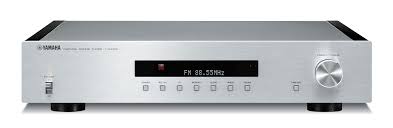
T-3N - Audio Receiver YAMAHA - Free user manual and instructions
Find the device manual for free T-3N YAMAHA in PDF.


Download the instructions for your Audio Receiver in PDF format for free! Find your manual T-3N - YAMAHA and take your electronic device back in hand. On this page are published all the documents necessary for the use of your device. T-3N by YAMAHA.
USER MANUAL T-3N YAMAHA
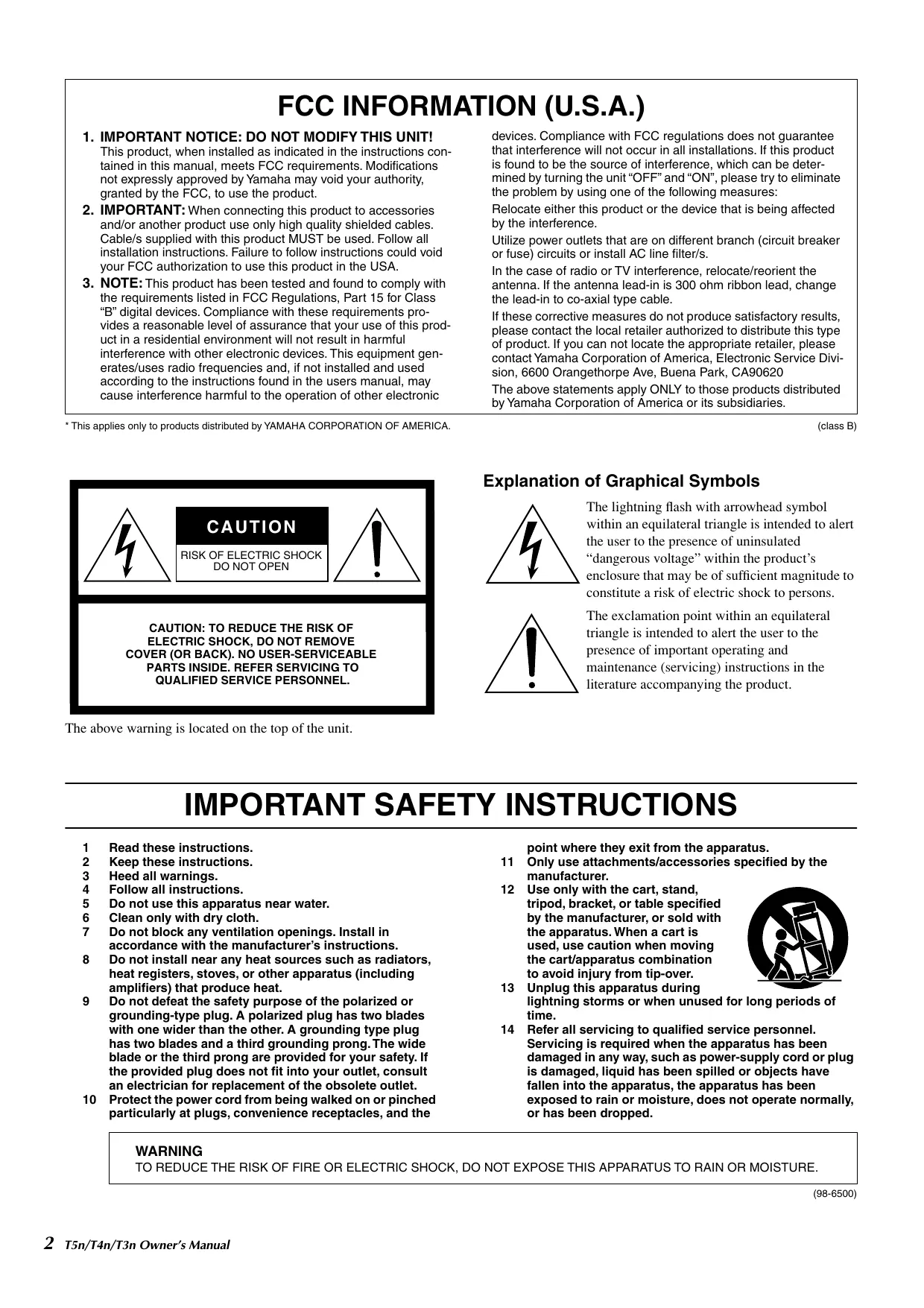
This product, when installed as indicated in the instructions con- tained in this manual, meets FCC requirements. Modifications not expressly approved by Yamaha may void your authority, granted by the FCC, to use the product
2. IMPORTANT: When connecting this product to accessories
and/or another product use only high quality shielded cables. Cable/s supplied with this product MUST be used. Follow all installation instructions. Failure to follow instructions could void your FCC authorization to use this product in the USA.
3. NOTE: This product has been tested and found to comply with
the requirements listed in FCC Regulations, Part 15 for Class “B" digital devices. Compliance with these requirements pro- vides à reasonable level of assurance that your use of this prod- uct in a residential environment will not result in harmful interference with other electronic devices. This equipment gen- erates/uses radio frequencies and, if not installed and used according to the instructions found in the users manual, may cause interference harmful to the operation of other electronic: devices. Compliance with FCC regulations does not guarantee that interference will not occur in all installations. If this product is found to be the source of interference, which can be deter- mined by turning the unit “OFF” and “ON”, please try to eliminate the problem by using one of the following measures: Relocate either this product or the device that is being affected by the interference. Utilize power outlets that are on different branch (circuit breaker or fuse) circuits or install AC line filter/s. In the case of radio or TV interference, relocate/reorient the antenna. If the antenna lead-in is 300 ohm ribbon lead, change the lead-in to co-axial type cable. If these corrective measures do not produce satisfactory results, please contact the local retailer authorized to distribute this type of product. If you can not locate the appropriate retailer, please contact Yamaha Corporation of America, Electronic Service Divi- sion, 6600 Orangethorpe Ave, Buena Park, CA90620 The above statements apply ONLY to those products distributed by Yamaha Corporation of America or its subsidiaries.
- This applies only to products distributed by YAMAHA CORPORATION OF AMERICA.
RISK OF ELECTRIC SHOCK
(class B) Explanation of Graphical Symbols The lightning flash with arrowhead symbol within an equilateral triangle is intended to alert the user to the presence of uninsulated “dangerous voltage” within the product's enclosure that may be of sufficient magnitude to
QUALIFIED SERVICE PERSONNEL. The above warning is located on the top of the unit. constitute a risk of electric shock to persons. The exclamation point within an equilateral triangle is intended to alert the user to the presence of important operating and maintenance (servicing) instructions in the literature accompanying the product.
IMPORTANT SAFETY INSTRUCTIONS
Read these instructions. Keep these instructions. Heed all warnings. Follow all instructions. Do not use this apparatus near water. Clean only with dry cloth. Do not block any ventilation openings. Install in accordance with the manufacturer’s instructions. 8 Do not install near any heat sources such as radiators, heat registers, stoves, or other apparatus (including amplifiers) that produce heat. 9 Do not defeat the safety purpose of the polarized or grounding-type plug. À polarized plug has two blades with one wider than the other. À grounding type plug has two blades and a third grounding prong. The wide blade or the third prong are provided for your safety. If the provided plug does not fit into your outlet, consult an electrician for replacement of the obsolete outlet. 10 Protect the power cord from being walked on or pinched particularly at plugs, convenience receptacles, and the NOuR&N = point where they exit from the apparatus. 11 Only use attachments/accessories specified by the manufacturer. 12 Use only with the cart, stand, tripod, bracket, or table specified by the manufacturer, or sold with the apparatus. When a cart is e used, use caution when moving the cart/apparatus combination to avoid injury from tip-over. es
13. Unplug this apparatus during
lightning storms or when unused for long periods of time. 14 Refer all servicing to qualified service personnel. Servicing is required when the apparatus has been damaged in any way, such as power-supply cord or plug is damaged, liquid has been spilled or objects have fallen into the apparatus, the apparatus has been exposed to rain or moisture, does not operate normally, or has been dropped. WARNING TO REDUCE THE RISK OF FIRE OR ELECTRIC SHOCK, DO NOT EXPOSE THIS APPARATUS TO RAIN OR MOISTURE. 2° T5n/T4n/T3n Owner's Manual (98-6500)
- Please keep this manual in a safe place for future reference. À WARNING Always follow the basic precautions listed below to avoid the possibility of serious injury or even death from electrical shock, short-circuiting, damages, fire or other hazards. These precautions include, but are not limited to, the following: Power supply/Power cord + Only use the voltage specified as correct for the device. The required voltage is printed on the name plate of the device. < Do not place the power cord near heat sources such as heaters or radiators, and do not excessively bend or otherwise damage the cord, place heavy objects on it, or place it in a position where anyone could walk on, trip over, or roll anything over it < Be sure to connect to an appropriate outlet with a protective grounding connection. Improper grounding can result in electrical shock. < Do not open the device or attempt to disassemble the internal parts or modify them in any way. The device contains no user-serviceable parts. If it should appear to be malfunctioning, discontinue use immediately and have it inspected by qualified Yamaha service personnel. À cAUTION e Do not expose the device to rain, use it near water or in damp or wet conditions, or place containers on it containing liquids which might spill into any openings. e Never insert or remove an electric plug with wet hands. If you notice any abnormality e_lfthe power cord or plug becomes frayed or damaged, or if there is a sudden loss of sound during use of the device, or if any unusual smells or smoke should appear to be caused by it, immediately turn off the power switch, disconnect the electric plug from the outlet, and have the device inspected by qualified Yamaha service personnel e_lfthis device should be dropped or damaged, immediately turn off the power switch, disconnect the electric plug from the outlet, and have the device inspected by qualified Yamaha service personnel Always follow the basic precautions listed below to avoid the possibility of physical injury to you or others, or damage to the device or other property. These precautions include, but are not limited to, the following: Power supply/Power cord < Remove the electric plug from the outlet when the device is not to be used for extended periods of time, or during electrical storms. e When removing the electric plug from the device or an outlet, always hold the plug itself and not the cord. Pulling by the cord can damage it. Before moving the device, remove all connected cables. When setting up the device, make sure that the AC outlet you are using is easily accessible. If some trouble or malfunction occurs, immediately turn off the power switch and disconnect the plug from the outlet. Even when the power Switch is turned off, electricity is still flowing to the product all the minimum level. When you are not using the product for a long time, make sure to unplug the power cord from the wall AC outlet. Ifthis device is to be mounted in an ElA-standard rack, leave the back of the rack open and make sure that it is at least 10 cm away from walls or surfaces to provide better airflow. In such a situation, these devices can be stacked on top of each other if necessary. Also, if this device is to be mounted with devices that tend to generate heat, such as power amplifiers made by another manufacturer, be sure to keep an adequate gap between this device and the heat-generating devices, or install ventilation panels or forced ventilation fans to prevent high temperatures from developing inside this device. Inadequate ventilation can result in overheating, possibly causing damage to the device(s), or even fire. e Do not use the device in a confined, poorly-ventilated location. If this device is to be used in a small space other than an ElA-standard rack, make sure that there is adequate space between the device and surrounding walls or other devices: at least 10cm at the sides, 30cm behind and 40cm above. Inadequate ventilation can result in overheating, possibly causing damage to the device(s), or even fire. Do not expose the device to excessive dust or vibrations, or extreme cold or heat {such as in direct sunlight, near a heater, or in a car during the day) to prevent the possibility of panel disfiguration or damage to the internal components. Do not place the device in an unstable position where it might accidentally fall over. Do not block the vents. This device has ventilation holes at the front/rear to prevent the internal temperature from becoming too high. In particular, do not place the device on its side or upside down. Inadequate ventilation can result in overheating, possibly causing damage to the device(s), or even fire. Do not use the device in the vicinity of a TV, radio, stereo equipment, mobile phone, or other electric devices. Doing so may result in noise, both in the device itself and in the TV or radio next to it Do not place the device in a location where it may come into contact with corrosive gases or salt air. Doing so may result in malfunction. T5n/T4n/T3n Owner's Manual 3
+ Before connecting the device to other devices, turn off the power for all devices. Before turning the power on or off for all devices, set all volume levels to minimum. < Use only speaker cables for connecting speakers to the speaker jacks. Use of other types of cables may result in fire. Handling caution + When turning on the AC power in your audio system, always turn on the device LAST, to avoid speaker damage. When turning the power off, the device should be turned off FIRST for the same reason. Do not insert your fingers or hands in any gaps or openings on the device (vents). Avoid inserting or dropping foreign objects (paper, plastic, metal, etc.) into any gaps or openings on the device (vents) If this happens, turn off the power immediately and unplug the power cord from the AC outlet. Then have the device inspected by qualified Yamaha service personnel. Do not use the device for a long period of time at a high or uncomfortable volume level, since this can cause permanent hearing loss. If you experience any hearing loss or ringing in the ears, consult a physician. + Inspectthe cooling fan air filter and clean it periodically (see page 11). Dust and dirt can seriously degrade the effectiveness of the cooling fan and result in malfunction or fire. + Remove the power plug from the AC outlet when cleaning the device. Do not rest your weight on the device or place heavy objects on it, and avoid use excessive force on the buttons, switches or connectors Do not use this device for any purpose other than driving loudspeakers. XLR-type connectors are wired as follows (IEC60268 standard): pin 1: ground, pin 2: hot (+), and pin 3: cold (-). Use only Neutrik NLA plugs for connecting Speakon connectors. Yamaha cannot be held responsible for damage caused by improper use or modifications to the device, or data that is lost or destroyed. Always turn the power off when the device is not in use. The performance of components with moving contacts, such as switches, volume controls, and connectors, deteriorates over time. Consult qualified Yamaha service personnel about replacing defective components. Illustrations in this manual are for explanatory purposes only, and may not match the actual appearance of the product during operation. The company names and product names in this Owner's Manual are the trademarks or registered trademarks of their respective companies.
IMPORTANT NOTICE FOR THE UNITED KINGDOM
Connecting the Plug and Cord
WARNING: THIS APPARATUS MUST BE EARTHED
IMPORTANT. The wires in this mains lead are coloured in accordance with the following code: GREEN-AND-YELLOW : EARTH BLUE : NEUTRAL BROWN : LIVE As the colours of the wires in the mains lead of this apparatus may not correspond with the coloured markings identifying the terminals in your plug proceed as follows: The wire which is coloured GREEN-and-YELLOW must be connected to the terminal in the plug which is marked by the letter E or by the safety earth symbol © or colored GREEN or GREEN- and-YELLOW. The wire which is coloured BLUE must be connected to the terminal which is marked with the letter N or coloured BLACK. The wire which is coloured BROWN must be connected to the terminal which is marked with the letter L'or coloured RED. «This applies only to products distributed by Yamaha-Kemble Music (U.K.) Ltd. (3 wires) duo" Hopetkens# own This 4 mark indicates a dangerous electrically live terminal. When connecting an external wire to this terminal, it is necessary either to have “a person who have received appropriate guidance on handling” make the connection or to use leads or a cord that have been manufactured in such a way that the connection can be made simply and without problem. 4 T5n/T4n/T3n Owner's Manual
- Introduction Thank you for your purchase of the YAMAHA TSn, T4n, T3n Series Power Amplifier. This series of power amplifiers was developed from Yamaha’ s wealth of experience in building PA equipment and its tradition of careful attention to every detail of circuit design. These power amplifiers feature high power — thanks to EEEngine (Energy Efficient Engine) technology — and superb quality together with superior reliability and stability, guaranteeing the highest possible audio performance. Features: Three modes are provided to support a broad range of applications: STEREO mode which can be driven by two independent sources, PARALLEL mode in which a monaural source drives both channels, and BRIDGE mode in which the two internal amps function as a single high-power mono amp. Balanced XLR connector and Euroblock connector inputs, and Speakon connector and five-way binding post outputs are provided. SIGNAL indicator, CLIP indicator and MUTE indicator and sophisticated dB step Volume control are provided for each channel. PROTECTION indicator that shows the state of various protection systems (power OnlOff detection, output protection, DC detection), a TEMP indicator that indicates heat sink overheating, and a POWER/STANBY indi- cator that indicates the power status are provided. Variable-speed low-noise fans ensure high reliability. The T5n enables parallel connection of multiple high-impedance speakers that support 100 V line output. The T3n enables parallel connection of multiple high-impedance speakers that support 70 V line output. An optional external amp control device, such as the ACDI or ACU16-C, enables you to monitor or control the amplifier via a network. For the latest information about amp control units, please visit our website: http:lhwww.yamahaproaudio.coml This Owner's Manual applies to the three models: TSn, T4n and T3n power amplifiers. Please read through this manual carefully before beginning use, so that you will be able to take full advantage of your power amp's superlative features and enjoy trouble-free operation for years to come. - Index Accessories [ Owner's Manual Controls and Functions. 6 [1 Two handles Front Panel 6 D Four flat-head screws Rear Panel 7 [ Two Euroblock connectors Speaker Connections ss. 8 STEREO Mode … .8 PARALLEL Mode 8 BRIDGE Mode Using a Euroblock connector .9 Speaker Connection 10 Filter Element Cleaning.……
- Troubleshooting p. 11
- Specifications p. 12
- Block Diagram.…….… DIMENSIONS p. 71
- nnn nn nrnnrnrnrsrsnrsrssrsnnses 72 Performance Graph . 73 Current Draw T5n/T4n/T3n Owner's Manual 5 p. 73
Controls and Functions x Front Panel SYAMAHA
Ormrern. rever Qrommsmeer POWER switch and indicator Press to toggle the power on or off. The POWER indicator lights up green when the power is ON. If the amplifier is connected to an amp control device such as the ACDI or ACU16-C and the amplifier has been com- manded to enter STANDBY mode, this indicator will light orange. @) TEMP indicator Lights up red if the heat sink temperature exceeds 85°C (185°F). G@) PROTECTION indicator When the protection system is active, the indicator lights in red. No sound will be output from the speakers, since the speakers are automatically disconnected from the ampli- fier’s outputs. The protection system actives in the following situations: + When the amplifier is turned on The protection system actives for approximately 10 seconds when the amplifier is turned on. After 10 sec- onds, the protection system deactivates automatically and the amplifier is ready for normal operation. If the amplifier overheats The protection system activates if the heat sink tem- perature exceeds 85°C (185°F). The amplifier is muted if the heat sink temperature exceeds 90°C (194 °F). The amplifier operates normally after the ampli- fier cools down. @ REMOTE indicator This indicator will light green if the amplifier is being con- trolled by an amp control device such as the ACDI or ACU16-C. () CLIP indicator Lights up red when the output signal distortion on the corre- sponding channel rises above 1% — indicating that “clip- ping” has occurred because the signal level is too high. (6) SIGNAL indicator Lights up green when the corresponding channel’s output level exceeds 1 Vrms (equivalent to 0.2 W into an 8 ohms load, 0.4 W into a 4 ohms load or 0.8 W into a 2 ohms load). 6 T5n/T4n/T3n Owner's Manual @ MUTE indicator This indicator will light red if the amplifier is muted by an amp control device such as the ACDI or ACU16-C. This indicator will also light red while the PROTECTION indi- cator is ON. Volume control knobs Each control knob adjusts the volume of the corresponding channel, in 31 steps from -> dB to 0 dB. Note: Screw holes for security cover These four screw holes are for attaching a security cover to protect the volume setting. Since a secu- rity cover and screws are not included in the ampli- fier, please prepare a security cover the same size as indicated below and four M3 screws.
mire, OumOQ site #S Çe © ur © = Ca | |E 3 Ée PE Se | |E #2 FE #9 SRE «7 dE 48 50 SE La 108 mm 7 ir intakes The amplifier uses forced-air cooling. The variable speed cooling fan draws air in from the front and exhausts it through the rear. The cooling fan speed varies depending on the heat sink temperature: It operates at low speed when it is below 40 °C (104 °F), increases in speed according to increases in temperature, and operates at high speed when temperature exceeds 60 °C (140 °F). Please be sure that you do not block the air intakes or exhaust vents. Also, clean the filter elements regularly. If the air intakes are clogged with dust or debris, the amplifier will overheat, which may result in the amplifier to shutting down. Front Rear A ® Q o 7 Ü CL c — ||: x a LL d Air Û ® ê ô,.|e Air intake 2 2 2 ©] exhaust @À Screw holes for handles These four screw holes are for the included handles. Fix the handles to the amplifier, using the included flat-head screws.
Controls and Functions m Rear Panel INPUT Pen Hopenkens #7" ouubn DATA PORT AC IN
@ Input connectors + XLR3-31 type input connectors The pins are wired as shown below (IEC 60268). Ground - Euroblock input connectors These are balanced input connectors. The included Euroblock connectors can be used to make connec- tions here. Note: In PARALLEL and BRIDGE mode, only the channel A connector is active. Make sure not to input an audio signal to an inactive input terminal (channel B). @) Mode switch + STEREO mode In STEREO mode, channels A and B are completely independent. + PARALLEL mode In PARALLEL mode, the channel A input signal is sent both to the channel A power amp and the channel B amp. The Channel B input connector does not function. + BRIDGE mode In BRIDGE mode, channels A and B operates simul- taneously, functioning single mono amplifier. () GAIN switch This switch is used when changing the Gain of the A and B channels simultaneously. 32 dB: Setting of 32 dB 26 dB: Setting of 26 dB When monitoring or controlling from an amplifier control device such as the ACDI or ACU16-C, set the GAIN switch to [26 dB] to avoid clipping if you plan to input sig- nals with a maximum input level of +24 dBu. When the power amplifier is connected to the ACDI or ACU16-C, the electronic volume control inside the ampli- fier will become effective, and the maximum input level will become +18 dBu if the GAIN switch has been set to [32 dB]. (@) DATA PORT jacks An amp control device, such as the ACDI or ACU16-C, can be connected to the DATA PORT jack for monitoring or controlling the amplifier from the external device. @ AMP ID switch When an amp control device, such as the ACD1 or ACU16- C, is connected to the DATA PORT jack (4), the AMP ID can be used to set the amplifier's ID. (@) SPEAKERS jacks + 5-way binding post output jacks + Speakon type output jacks Speakon type cable plugs (Neutrik NLA) can be con- nected here. ® Ground screw If you are having a problem with hum or noise, use this ter- minal to connect to ground or connect to the chassis of the mixer, preamp, or other device in your system. AC IN connector Amplifiers purchased in the United States of America and Canada. This amplifier uses a NEMA L5-30 outlet. Connect the 30 A twist-lock connectors by orienting the locking L-shaped prong with the corresponding connector entry, then fully insert the three prongs. Twist the plug about 1/8 of a turn clockwise to lock the connector and plug. A caurioN The amplifier requires very high-power so that it can demand high current from the AC service. Connections must be properly rated for reliable operation. À cAuTION If this device is to be rack mounted and trans- ported frequently, be sure to support the rear end of the unit with mounting hardware that matches the size of the rack used. T5n/T4n/T3n Owner’s Manual 7
Speaker Connections Speakers can be connected to the amplifier as shown below. Note that actual speaker impedance varies according to the con- nection method and the number of speakers. Please be sure that your speakers’ impedance is not less than the relevant mini- mum value indicated below. # STEREO Mode Set the MODE switch on the rear panel to “STEREO” to use the unit as a stereo amplifier. The volume controls on the front panel (A and B) let you control the volume of each channel independently. © 5-way binding post © Speakon connector BRIDGE STEREO | PARALLEL
Total speaker Total speaker Total speaker Total speaker impedance: | impedance: impedance: impedance: 20 (minimum) _ 2 Q (minimum) 2Q (minimum) 2@ (minimum) # PARALLEL Mode Set the MODE switch on the rear panel to “PARALLEL” to use the unit as a two-channel mono amplifier. The volume con- trols on the front panel (A and B) let you control the volume of each channel independently. © 5-way binding post © Speakon connector Era cree Pan.
à œ Où _ 5 — æ] (sal À a = sa ai C) © Total speaker Total speaker Total speaker Total speaker impedance: | impedance: impedance: impedance: 29 (minimum) 2 @ (minimum) 2 Q (minimum) 2 Q (minimum) 8 T5n/T4n/T3n Owner's Manual
Speaker Connections # BRIDGE Mode (use as high-power mono amplifier) Set the MODE switch on the rear panel to “BRIDGE” to use the unit as a high-power mono amplifier. The volume control A on the front panel lets you control the volume. © 5-way binding post © Speakon connector PRIE] 0000: 000000000000 À Total speaker impedance: 4 Q (minimum) Total speaker impedance: 4 Q (minimum) Wiring Turn off the POWER switch before connecting external devices to the amplifier. # Using a Euroblock connector © Cable preparation + To prepare the cable for attachment to a Euroblock connector, strip the wire as shown in the illustration, and use stranded wire to make connections. With a Euroblock connection, the stranded wire may be prone to breakage because of metal fatigue due to the weight of the cable or due to vibration. When rack-mounting your equipment, use a lacing bar when possible to bundle and fasten the cables. approx. 7 mm If cables will be frequently connected and disconnected, as in the case of a portable installation, we recommend that you use ferrules with insulation sleeves. Use a ferrule whose conductor portion has an external diameter of 1.6 mm or less, and a length of approxi- mately 7 mm (such as the AIO, 5-6WH made by the Phoenix Contact corporation). 16mm approx. orless 7mm 1 j À CAUTION If you use stranded wire, do not tin (plate with solder) the exposed end. T5n/T4n/T3n Owner's Manual 9
1. Ifthe wire insertion ports are closed, turn the screws on
top of the connector counterclockwise to open the ports.
2. Insert the wires into the appropriate ports, following the
indication of the pole on the input terminal, and turn the screws on top of the connector clockwise to fix the Use a screwdriver to fix the wires. wires.
3. Attach the Euroblock connector to the input terminal on
the amplifier. # Speaker Connection © 5-way binding post
1. Remove the cover attachment screws and remove the
protective cover from the speaker terminals. Screw
2. Remove about 15mm of insulation from the end of each
speaker cable, and pass the bare wire through the holes in the appropriate speaker terminals. Tighten the termi- nals to securely clamp the wires. Refer to page 8 for speaker polarities. Be sure that the bare wire ends do not jut out from the ter- Speaker minals and touch the chassis. The illustration on the right able shows how the cable should look when correctly attached. 15mm
3. Reattach the protective cover over the speaker termi- Chassis
nals. Bare wire © Speakon connector Neutrik NLA plugs Insert the Neutrik NLA plugs into the Speakon connector on the rear of the amplifier, and turn clockwise to lock. Ex Ter: CHANNEL [A] -lTeei STEREO or PARALLEL BRIDGE - © Neutrik | Amplifier Neutrik er AK rs " CHANNEL [B] T- A | — Neutrik | Amplifier 2+ B+ 2+ _- 1+ B+
10 T5n/T4n/T3n Owner's Manual
Filter Element Cleaning To ensure adequate cooling air intake, the filter elements must be cleaned when they have become clogged. Follow the description below to clean the filter elements.
1. Make sure that the power to the amplifier is turned off.
2. Disconnect the power plug from the AC outlet.
3. Remove the two screws that secure the front filter grilles
4. Remove the filter elements, and wash them in plain
water. If the filter elements are exceptionally dirty, mild detergent may be used.
5. Dry the filter elements completely.
À cauTIoN Never replace the filter elements while they are still wet.
6. Replace the filter elements on the air intakes, hook the
front filter grilles on the amplifier, and secure them using the screws. (The replacement part number of the filter element is WH66270.) Troubleshooting Front filter grille Filter element The following table lists the main causes of abnormal operation and the corrective measures required, as well as the protec- tive circuit operation in each case. Indicator(s) Possible Cause Remedy Protection Circuit There is a short at a speaker ter- etes SPERRET ET | Locate and correct the cause of minal, amplifier terminal, or : the short. wire. CLIP indicator The PC limiter circuit operates to lights. Use a speaker system with an protect the power trans The amplifier load is excessive. impedance of at least 2 ohms (STEREO/PARALLEL mode) or 4 ohms (BRIDGE mode). TEMP indica- | The heat sink temperature has Check the ventilation slots and clean the filter elements to pro- The TEMP indicator lights up to tor lights. exceeded 85°C. vide better airflow around the indicate temperature warning. amplifier. Check the amplifier ventilation conditions and take appropriate : os : : Prop The thermal protection circuit The heat sink temperature has measures to improve the airflow operates to protect the powel « : erates to protect the power PROTEC- exceeded 85°C. around the amplifier. on dors P P Les ansistors. TION indica- Also, clean the filter elements to tor lights. ensure proper airflow. A DC voltage is detected at the amplifier’s output. Consult your dealer or the near- est Yamaha service center. The power supply shuts down to protect the speaker system. MUTE indica- tor lights. There is a short at a speaker ter- minal. Locate and correct the cause of the short. The MUTE circuit operates to protect the power transis T5n/T4n/T3n Owner's Manual _ 11
Specifications All Models THD+N 20 Hz-20 kHz, Half power, RL = 4 Q, 8 max [ot% Intermodulation Distortion 60 Hz:7 kHz, 4:1, Half power max [ot% Frequency Response RL=80,Po=1W max [odB 20 Hz-20 kHz TP lou MIN |-0.5 dB Channel Separation FT one AL = 2 axe mn le7d Damping Factor RL=80, 1 kHz MIN | 800 Voltage Gain At. Max TYP | 32 48/26 dB Maximum Input Voltage MIN |+24dBu Input Impedance TYP | 20 KQ (balanced) 10 Ka (unbalanced) Controls Front Panel POWER switch (ON/OFF) Attenuator (31position) x 2 Rear Panel MODE switch (STEREO/BRIDGE/PARALLEL) x 1 GAIN switch (32 dB/26 dB) x 1 AMP ID switch (6P DIP) x 1 Connectors Input XLR-3-31 type x 2 Euroblock connector (balanced) x 2 Output Speakon x 2, 5-way binding post x 2 pairs DATA PORT RJ45 x 2 Indicators POWER/STANDEY x 1 (Green/Orange) REMOTE x 1 (Green) PROTECTION x 1 (Red) TEMP x 1 (Red) heatsink temp > 85 °C SIGNAL x2 (Green) MUTE x2 (Red) CUP x2 (Red) Load Protection POWER switch ON/OFF mute DC-fault: Amplifier shuts down automatically. Clip limiting: THD > 0.5 % ‘Amplifier Protection Thermal: Mute the output (heatsink temp > 90 °C) {return automatically.) VI limiter (RL < 1 Q): Limit the output: Power Supply Protection Thermal: Amplifier shuts down automatically. {heatsink temp 2 100 °C) Cooling Continuousiy variable-speed fan x 2 Power Requirements US: 120 V/60 Hz EU: 230 V/50 Hz A: 240 V/50 Hz Power Cord Length 15m Dimensions (W x H x D) 480 x 88 x 447 mm Weight 14.0 kg included Accessories Handie x 2 (with flat-head screw x 4), Euroblock connector x 2, Owners Manual These specifications apply to rated power supplies of 120 V, 230 V and 240 V. Half Power = 3 dB below rated power 1/8 Power = 9 dB below rated power 0 dBu = 0.775 Vrms Specifications and descriptions in this owners manual are for information purposes only. Yamaha Corp. reserves the right to change or modify products of specifications at any time without prior notice. Since specifications, equipment or options may not be the same in every locale, please check with your Yamaha dealer. European models Purchaser/User Information specified in ENS5103-1 and ENS5103-2. Inrush Current: 14A Conforms to Environments: El, E2, E3, E4 T5n/T4n/T3n Owner's Manual 13