ManualGo.com
DD-45 - Musical instrument YAMAHA - Free user manual and instructions
Find the device manual for free DD-45 YAMAHA in PDF.


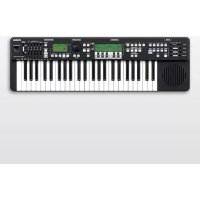
Download the instructions for your Musical instrument in PDF format for free! Find your manual DD-45 - YAMAHA and take your electronic device back in hand. On this page are published all the documents necessary for the use of your device. DD-45 by YAMAHA.
USER MANUAL DD-45 YAMAHA
This product utilizes batteries or an external power supply (adapter). DO NOT connect this product to any power supply or adapter other than one described in the manual, on the name plate, or specifically recommended by Yamaha. This product should be used only with the components supplied or; a cart, rack, or stand that is recommended by Yamaha. If a cart, etc., is used, please observe all safety markings and instructions that accom- pany the accessory product.
SPECIFICATIONS SUBJECT TO CHANGI
The information contained in this manual is believed to be correct at the time of printing. However, Yamaha reserves the right to change or modify any ofthe specifications without notice or obligation to update existing units. This product, either alone or in combination with an amplifier and head- phones or speaker!s, may be capable of producing sound levels that could cause permanent hearing loss. DO NOT operate for long periods of time at a high volume level or at a level that is uncomfortable. If you experience any hearing loss or ringing in the ears, you should consult an audiologist. IMPORTANT: The louder the sound, the shorter the time period before damage ocours. NOTICI Service charges incurred due to a lack of knowledge relating to how a function or effect works (when the unit is operating as designed) are not covered by the manufacturers warranty, and are therefore the owners responsibility. Please study this manual carefully and consult your dealer before réquesting service. ENVIRONMENTAL ISSUES: Yamaha strives to produce products that are both user safe and envi- ronmentally friendly. We sincerely believe that our products and the production methods used to produce them, meet these goals. In keep- ing with both the letter and the spirit of the law, we want you to be aware of the following: Battery Notice: This product MAY contain a small non-rechargeable battery which (if applicable) is soldered in place. The average life span of this type of bat- 92-BP (bottom)
SPECIAL MESSAGE SECTION
tery is approximately five years. When replacement becomes necessary, contact a qualiied service representative to perform the replacement. This product may also use “household” type batteries. Some of these may be rechargeable. Make sure that the battery being charged is a rechargeable type and that the charger is intended for the battery being charged. When installing batteries, never mix old batteries with new ones, and never mix different types of batteries. Batteries MUST be installed cor- reclly. Mismatches or incorrect installation may result in overheating and battery case rupture.
Do not attempt to disassemble, or ininerate any battery. Keep all bat- teries away from children. Dispose of used batteries promptly and as regulated by the laws in your area. Note: Check with any retailer of household type batteries in your area for battery disposal information Disposal Notice: Should this product become damaged beyond repair, or for some rea- son its useful lie is considered to be at an end, please observe all local, state, and federal regulations that relate to the disposal of prod- ucts that contain lead, batieries, plastics, etc. If your dealer is unable to assist you, please contact Yamaha directly. NAME PLATE LOCATION: The name plate is located on the bottom of the product. The model number, serial number, power requirements, etc, are located on this plate. You should record the model number, serial number, and the date of purchase in the spaces provided below and retain this manual as a permanent record of your purchase. Model Serial No. Purchase Date
PLEASE KEEP THIS MANUAL
1. IMPORTANT NOTICE: DO NOT MODIFY THIS UNIT!
This product, when installed as indicated in the instructions con- tained in this manual, meets FCC requirements. Modifications not expressly approved by Yamaha may Void your authority, granted by the FCC, to use the product.
2. IMPORTANT: When connecting this product to accessories and/
or another product use only high quality shielded cables. Cable/s supplied with this product MUST be used. Follow all installation instructions. Failure to follow instructions could void your FCC authorization to use this product in the USA.
8. NOTE: This product has been tested and found to comply with the
requirements listed in FCC Regulations, Part 15 for Class *B" digital devices. Compliance with these requirements provides a reason- able level of assurance that your use of this product in a residential environment will not result in harmful interference with other elec- tronic devices. This equipment generates/uses radio frequencies and, if not installed and used according to the instructions found in the users manual, may cause interference harmful to the operation of other electronic devices. Compliance with FCC regulations does FCC INFORMATION (U.S.A.) not guarantee that interference will not occur in all installations. If this product is found to be the source of interference, which can be determined by turning the unit “OFF” and “ON' please try to elimi- nate the problem by using one of the following measures: Relocate either this product or the device that is being affected by the interference. Utilize power outlets that are on different branch (circuit breaker or fuse) circuits or install AC line filter/s. In the case of radio or TV interference, relocate/reorient the antenna. If the antenna lead-in is 300 ohm ribbon lead, change the lead-in to co-axial type cable. Ifthese corrective measures do not produce satisfactory results, please contact the local retailer authorized to distribute this type of product. If you can not locate the appropriate retaller, please con- tact Yamaha Corporation of America, Electronic Service Division, 6600 Orangethorpe Ave, Buena Park, CA90620 The above statements apply ONLY to those products distributed by Yamaha Corporation of America or its subsidiaries.
- Please keep this manual in a safe place for future reference. \ WARNING Always follow the basic precautions listed below to avoid the possibility of serious injury or even death from electrical shock, short- circuiting, damages, fire or other hazards. These precautions include, but are not limited to, the following: Power supply/AC power adaptor Do not place Ine power cord near heat sources such as heaters or radars, and do not excessively bend ar othernise damage the cord, place heavy objects on it or place it in a position where anyone could walk on, trip over, or roll anything over it. Only use he voltage specified as correct for the instrument. The required valtage is printed on the name plate of the instrument. Use the specified adaptor (page 31) only. Using he wrong adaptor can resul in damage to the instrument or overheating. Check he electric plug periodically and remove any dir or dust which may have accumulated on it This instrument contains no user-serviceable parts. Do not open the instrument or altempt to disassemble or modify te internal components in any we. it should appear to be maliunctioning, discontinue use immediately and have it inspected by qualifed Yamaha service personne! Water warning Do not expose the instrument to rain, use it near water or in damp or wet conditions, or place containers on it containing liquids which might spl into any apenings. any liquid such as water seeps into the instrument, turn off the power immediately and unplug te power cord from the AC autel. Then have the instrument inspected by qualifed Yamaha service personne! Never insert or remove an electric plug with wet hands + Do not put buming items, such as candes, on the uni. A burning item may fall over and cause a ire. À CAUTION Battery + Always replace all batteries at the same time. Do not use new batteries together with old ones. Do not mix battery types, such as alkaline batteries with manganese batteries, or baïeres from différent makers, or different types of batteries rom the same maker, Since this can cause overheating, fire, or bllery fluid akage. Do not tamper with ar disassemble bateries. Do not dispose of batteries in fire Do not attempt to recharge batteries that are not intended to be charged. Keap batteries away from children Hfthe batteries do leak, avoid contact wilh {he leaked fluid. the battery fluid Should come in contact with your eyes, mouth, or skin, wash immediately with water and consult a doctor. Battery fluid is corrosive and may possibiy cause loss of sight or chemical burns Aays make sure all batteries are inserted in conformity with the +/- polar markings. Failure to do so might result in overhealing, fire, or battery fiuid Iekage When te batteries run out, or i the instrument is not to be used for long time, remove te bts from ie instant 1 prevent possible leaage he try
If you notice any abnormality When one of he following problems occur, immediately turn off the power suitch and disconnect he electric plug from he outlet. (I you are using baies, remove all bateries from the instrument.) Then have the device inspected by Yamaha service personnel + The power cord or plug becomes frayed or damaged + terits unusual smels or smoke + Some object has been dropped into the instrument. There is a suddn loss of sound during use of the instrument Always follow the basic precautions listed below to avoid the possibility of physical injury to you or others, or damage to the instrument or other property. These precautions include, but are not limited to, the following: Power supply/AC power adaptor + Do notconnectihe instrument to an electrical outlet using a multiple-connector Doing so can result in lower sound qualit, or possibly cause overheating in the outet When removing the lectri plug from he instrument oran outlet, always hold tne plug itself and not te cord. Pulling by the cord can damage it Remove the electric plug from Îhe outlet when he instrument is not to be used for extended periods of time, or during electrical storms, Do not place over. Before moving te instrument, remove all connected cables. When seting up te product, make sure hat the AC outlet you are using is easily accessible. some trouble or malfuncton occurs, immediatey tu of tne power switch and disconnect he plug from fe out. Even when he power svitch is tumed of electrciy is still flowing to the product at the minimum level. When you are not using he product for a long time, make sure to unplug the power cord from the wall AC outlet Use only he stand specified forte instrument. When ataching tne stand or rack, use the provided screws only. Failure to do so could cause damage to te internal components or result in the instrument falling over. the instrument in an unstable position where it might accidentall fall + Before connecting te instrument to other electronic components, tur off he power for ll companents. Before turning he power an or ff for ll components, et all value levels to minimum «Be sure to set the volumes of al components at their minimum levels and gradually raise the volume controls while playing tne instrument lo set le desired listening level Handling caution + Do not insert a finger or hand in any gaps on the instrument. + Never insert or drop paper, metllo, or oler objects inta ne gaps on ne panel + Do not rest your weight on, or place heawy objects on the instrument, and do not use excessive force on the buttons, switches or connectors. Do not use the instrument/device or headphones for a long period of time at a high or uncomfortabe volume lewl, since his can cause permanent hearing loss. you experience any hearing loss or ringing in {ne ears, consul à physician. Yamaha cannot be held responsible for damage caused by improper use or modifications to he instrument, o data tt lost or destroyed Always turn the power offwhen the instrument is not in use. Even when the [ d) ] (Standby/On) switch is tumed off, electricity is still flowing to the instrument at the minimum level. When you are not using the instrument for a long time, make sure you unplug the power cord from te wal AC out. Make sure to discard used bateries according to local regulations. 1 1/1 DD-45/YDD-40 Owner's Manual
NOTICE To avoid the possibility of damage to the product, data or other property, follow the notices below. = Handling and Maintainance + Do not use the instrument in the vicinity of à TV, radio, stereo equipment, mobile phone, or other electric devices. Otherwise, the instrument, TV, or radio may generale noise: + Do not expose the instrument to excessive dust or vibrations, or extreme cold or heat (such as in direct sunlight, near a heate, or in a car during the day) to prevent the possibility of panel disfiguration or damage t the internal components + Do not place vinyl plastic or rubber objects on the instrument, since this might discolor the panel or keyboard. + When cleaning the instrument, use à so cloth. Do not use paint thinners, solvents, cleaning fluids, or chemical-impregnated wiping cloths: Information = About copyrights « Copying of the commercially available musical data including but not limited to MIDI data and/or audio data is strctly prohibited except for your personal use. « This product incorporates and bundles computer programs and contents in which Yamaha owns copyrights or with respect to which it has license to use others” copyrights. Such copyrighted materials include, without limitation, all computer software, style files, MIDI files, WAVE data, musical scores and sound recordings. Any unauthorized use of such programs and contents outside of personal use is not permitted under relevant laws. Any violation of copyright has legal consequences. DON'T MAKE, DISTRIBUTE OR USE ILLEGAL COPIES. # About this manual + The illustrations and LED displays as shown in this manual are for instructional purposes only, and may appear somewhat different from those on your instrument + The company names and product names in this manual are the trademarks or registered trademarks of their respective companies. The serial number of this product may be found on the bottom of the unit. You should note this serial number in the space provided below and retain this manual as a permanent record of your purchase to aid identification in the event of theft. Model No. Serial No. (bottom) Information for Users on Collection and Disposal of Old Equipment and used Batteries These symbols on the products, packaging, and/or accompanying documents mean that used electrical and electronic products and batteries should not be mixed with general household waste. For proper treatment, recovery and recycling of old products and used batteries, please take them to applicable collec- tion points, in accordance with our national legislation and the Directives 2002/96/EC and 2006/66/EC. | By disposing of these products and batteries correctly, you will help to save valuable resources and prevent any potential negative effects on human health and the environment which could otherwise arise from inappropriate waste handling For more information about collection and recycling of old products and batteries, please contact your local municipality, your waste disposal service or the point of sale where you purchased the items. [For business users in the European Union] If you wish to discard electrical and electronic equipment, please contact your dealer or supplier for further information. information on Disposal in other Countries outside the European Union] These symbols are only valid in the European Union. lf you wish to discard these items, please contact your local author- Y ities or dealer and ask for the correct method of disposal.
Note for the battery symbol (bottom two symbol examples): This symbol might be used in combination with a chemical symbol. In this case it complies with the requirement set by the Directive for the chemical involved. (wece_battery_eu) 4 DD-45/YDD-40 Owner's Manual
Congratulations! Thank you for purchasing the Yamaha DD-45/YDD-40. The DD-45/YDD-40 has been developed to respond and play like a drum set—but with greater ease, flexibility and sophisticated functions. Before you use the instrument, we recommend that you carefully read through this manual. Contents Panel Controls… Setting Up... Listening to the Demo Songs ……. Playing the Pads Setting the Hand Percussion On/Off Locking the Panel Buttons Selecting and Playing a Drum Kit... Assigning Voices to Individual Pads and Saving to a Custom Kit. Adding a Fill-in (MAGIC TOM Setting the Click On/Off Setting the Time Signature of the Click … Play Along with a Pattern … Selecting and Playing a Pattern Adjusting the Tempo... Tap Start. Muting Parts Troubleshooting … Voice List... Pattern List... Drum Kit List Drum Score Specifications... SS © N © Accessories + Owner’s Manual + AC Power Adaptor
- May not be included depending on your particular area. Please check with your Yamaha dealer. + Drum Stick (x2) + My Yamaha Product User Registration
- The PRODUCT ID on the sheet will be needed when you fill out the User Registration form. DD-45/YDD-40 Owner's Manual
Panel Controls Front Panel Pad 2 sound can be switched between a Hi-Hat sound and a Bass Drum sound (see “Assign- ing Bass Drum to Pad 2” on page 11). (page 13). Pad 3 features a Magic Tom function which allows you to add a fil-in
© Display. @ LAIT VI buttons © [KIT] button … © [MAGIC TOM] button © [PATTERN] button. © [TEMPO/TAP] button. @ [ASSIGN] button … Rear Panel
mr MASF ParrenN EME ASSION LOTDVO
Pedal (optional) (Bass Drum) Drum Sticks DD-45/YDD-40 Owner's Manual & [PEDAL] jack. © [AUX IN] jack . © IPHONES/OUTPUT] jack ©® DCIN jack … page 8 page 8 À CAUTION + Since a speaker is built into this instrument, you should be careful to never leave any video tapes, cassette tapes, floppy disks or any kind of magnetic storage media on the panel—doing so may result in data loss or damage to the items. Also avoid using the instrument near a television or computer monitor, since interference may result. Use the sticks with caution. Do not use them for anything other than playing the instrument. Also, to avoid damage or injury, refrain from waving them recklessly or throwing them.
Make all necessary settings below BEFORE turning the power on (page 9). À cauTION + Before conne g the instrument to other electronic components, turn off the power of all the components. Also, before turning any components on or off, make sure to set all volume levels to minimum (0). Otherwise, electrical shock or damage to the components may occur. Power Requirements Although the instrument will run either from an AC power adaptor or batteries, Yamaha recommends use of an AC adaptor whenever possible. An AC adaptor is more environmentally friendly than batteries and does not deplete resources. © Using an AC Power Adaptor @ Connect the AC adaptor to the power supply jack. À\ WARNING + Use the specified adaptor (page 31) only. The use of other adaptors may result in irreparable damage to both the adap- or and the instrument. @ Plug the AC adaptor into an AC outlet.
Ces Apor | AC outiet À cauTION Unplug the AC power adaptor when not using the instru- ment, or during electrical storms. Even when the instrument is turned off, electricity is still flowing to the instrument at the minimum level. When you are not using the instrument for a long time, make sure you unplug the AC power adaptor from the wall AC outlet. FNOTE + Connecting the AC power adaptor automatically supplies power from the adaptor and overrides battery power, even when batter- ies are installed. e Using Batteries @ Open the battery compartment cover located on the instrument's bottom panel. @ Insert six ‘AA size, LRG or equivalent batteries, being careful to follow the polarity markings on the side of the compartment. @ Replace the compartment cover, making sure that it locks firmly in place.
Fttttt dünotl When battery power becomes too low for proper operation, the volume may be reduced, the sound may be distorted, and other problems may occur. When this happens, make sure to replace all batter- ies, following the precautions listed below. À CAUTION + Use alkaline batteries for this instrument. Other types of batteries (including rechargeable batteries) may have sud- den drops of power when battery power becomes low. + Make sure to install the batteries with the proper orienta- tion, maintaining the correct polarity (as shown). Incorrect battery installation may result in heat, fire and/or leaking of corrosive chemicals. When the batteries run down, replace them with a complete set of six new batteries. NEVER mix old and new batteries. Do not use different kinds of batteries (e.g. alkaline and manganese) at the same time. If the instrument is not to be in use for a long time, remove the batteries from it, in order to prevent possible fluid leak- age from the battery. DD-45/YDD-40 Owner's Manual
An optional stand Yamaha SS662 is available for installing this instrument. Fix the instrument on the stand's arms, aligning the stand position marks on the bottom of the instrument. [NOTE + Do not tighten the arms more than necessary. Over tightening may result in bending the instrument. À cauTION Do not place the instrument in an unstable position where it may overturn; doing so can result in damage to the instru- ment or personal injury. Before moving the instrument, remove the stand from the instrument. Otherwise it may fall off. Connecting Headphones (IPHONES/OUTPUT] jack) Connect a set of headphones to the [PHONES/OUT- PUT] jack. The speaker of this instrument is automat- ically shut off when a plug is inserted into this jack. The [PHONES/OUTPUT] jack also functions as an external output. You can connect the [PHONES/ OUTPUT] jack to a keyboard amplifier, stereo system, mixer, or other line-level audio device to send the instrument's output signal to that device. À WARNING + Avoid listening with the headphones at high volume for long periods of time; doing so may not only result in ear fatigue, it may be damaging to your hearing. À CAUTION + When the instruments sound is output to an external device, first turn on the power to the instrument, then to the external device. Reverse this order when you turn the power off. DD-45/YDD-40 Owner's Manual Connecting an Audio Source ([AUX IN] jack) This jack is for connection to an external audio source such as an MP3 player. You can play the instrument with backing music and accompani- ment, like playing with a full band. Adjust the input level from the volume control of the external audio source for optimum balance. À CAUTION + When the sound of an external device is output to the instrument, first tum on the power to the external device, then to the instrument. Reverse this order when you tu the power off. [NOTE + Any audio signal input to the [AUX IN] jack is processed in mono. Connecting a Pedal ([PEDAL] jack) This jack is for connection of an optional pedal FC4 or FC5. The pedal can be used to play the Drum Kits bass drum Voices—or can also be assigned to play other Voices as well. À cAUTION + Make sure that the pedal plug is properly connected to the {PEDAL] jack before tuning on the power. + Do not press the pedal while turning the power on. Doing this changes the recognized polarity of the pedal, resulting in reversed pedal operation. + Protect the floor by placing a mat or area rug underneath the pedal. The pedal may damage the floor after an extended period of time. + Avoid getting caught in or tripping over the pedal cords: this may cause the instrument to fall and result in damage or injury. [NOTE + Voice: In this manual, a voice means an instrument sound or “one!
Listening to the Demo Songs This instrument features three demonstration Songs (4 ! - 42), specially created to show- case the dynamic possil T. Turn on the power. MASTER VOLUME Turn down the volume by turning the [MASTER VOLUME] control to the left and press the [()] (Standby/On) switch to turn on the power. A Drum Kit number is displayed after the “4” indi- cation, as the power is turned on. Press the [ «b] (Standby/On) switch again to turn the power off. À cauTION + Even when the instrument is turned off, electricity is still flowing to the instrument at the minimum level. When you are not using the instrument for a long time, make sure you unplug the AC power adaptor from the wall AC outlet, and/ or remove the batteries from the instrument. Auto Power Off function To prevent unnecessary power consumption, this instrument features an Auto Power Off function that automatically turns the power off if the instrument is not used—i.e., no buttons or pads are pressed—for approximately 10 minutes. [NOTE + Any settings, such as the Custom Kit (page 12), will be restored to the factory default settings when the power is tumed off. The Auto Power Of function can be disabled if you tu the power on by holding the [ €) ] (Standby/On) switch for more than 3 seconds; the indication “4” blinks for a while. es of the instrument.
2. Press the [DEMO] button to start a
The indication “4 !” appears on the display and the provided Demo Songs start playing in succession until you stop them. While the Demo Songis playing, you can change to the next or previous Demo Song by using the [A] and [7] buttons. Pressing the [A] and [7] but- tons simultaneously calls up the “{ !” Song. Adjusting the volume MASTER VOLUME Decreases the \ Increases the overall volume. overall volume. n 7) (| NOTE + While a Demo Song is playing, available operations are limited to adjusting the volume, changing the Demo Songs, and stop- ping the demo.
3. Press the [DEMO] button again to
stop the Demo Song. DEMO
You can also stop the Demo Song by pressing the [START/STOP] button. DD-45/YDD-40 Owner's Manual
Playing the Pads Strike the pad with the supplied drum sticks or your hands to play the Drum Voices. When playing the pads with your hands, make sure to turn the Hand Percussion feature on by pressing the [HAND PERC.] button. The volume of the pads’ sounds respondés to your playing; when you play soft the volume is soft, and when you play strongly the volume is loud. The actual loudness of the sound may vary according to which part of the pad is struck. Setting the Hand Percus- sion On/Off You can play the pads of the instrument either with the supplied sticks or with your hands. Press and set the following button when you play the instru- ment with your hands. T. Press the [HAND PERC.] button to turn Hand Percussion on. HAND PERC. Q On The indication “on” appears on the display, and the pad sensitivity is automatically adjusted for opti- mum playing by hand. To turn Hand Percussion off, press the [HAND PERC.] button again; “oF” appears on the display. [NOTE + Be sure to strike the pads only with your hands when Hand Per- cussion is on, since the sensitivity is automatically set to appro- priate level for hand playing. 10 DD-45/YDD-40 Owner's Manual Locking the Panel But- tons If you perform on the instrument solely with your hands, we recommend that you use this operation to lock the panel buttons. This protects the instru- ment from being inadvertently changed during your performance. T1. Turn on Hand Percussion (see the left column).
2. Press and hold the [HAND PERC.]
button until “! : ” appears on the display. HAND PERC. @ Le Hold All buttons other than the [HAND PERC.] button are disabled. To unlock the panel buttons, press and hold the [HAND PERC.] button until the “L <” is no longer shown on the display. [NOTE +_ The panel buttons cannot be locked when a Pattern or Demo Song is playing
Playing the Pads Selecting and Playing a Drum Kit The instrument allows you to choose from 50 different Drum Kits (see the “Drum Kit List” on page 20) quickly and easily. 50 of the kits have preset Voice combinations that will be set to the pads and the pedal when the kit is selected. Select some different kits and try playing them. The instrument also has a Custom Kit allowing you to assign the desired Voices to the four pads and the pedal (see “Assigning Voices to Individual Pads and Saving to a Custom Kit” on page 12). T. Press the [KIT] button. Assigning Bass Drum to Pad 2 KIT The Drum Kits Bass Drum Voice is normally assigned to the pedal, but it can also be assigned to Pad 2 (À le number allowing you to play it without a pedal While holding down the [KIT] button, striking Pad 2 tog- gles between “bd” and “#H" The Bass Drum Voice (Pedal Voice) is assigned to Pad 2 when “bd” is dis- played, and the Hi-Hat Voice (original Pad 2 Voice) is assigned when “HH" is displayed. Releasing the [KIT] button determines the setting. The currently selected Drum Kit number appears on the display.
2. Use the LA] and [7] buttons to
select a Drum Kit number. KIT LL 1 —> LIL LD) <— Ni Drum Kit numbers increase as the [1] button is Bass Drum HiHet pressed, and decrease as the [T7] is pressed. Pressing the [.\] and [7] buttons simultaneously calls up kit number “ {” [NOTE Drum Kit number “ !" is selected when the power is tumed on. +_ The “CU” Drum Kit is the Custom Kit. The Custom Kit is the one for which you've assigned desired Voices to each pad and pedal, then saved the entire assignments as a kit (see “Assign- ing Voices to Individual Pads and Saving to a Custom Kit” on page 12) If an optional pedal is connected to the instrument, the Bass Drum Voice is assigned to the pedal. The Bass Drum Voice can also be assigned to Pad 2 (see the right column). DD-45/YDD-40 Owner's Manual 11
Playing the Pads Assigning Voices to Individual Pads and Saving to a Custom Kit The instrument contains a total of 99 high quality drum Voices (see the “Voice List” on page 19)}—and you can assign these freely to each of the four pads and a pedal. Try assigning some different Voices and save your own “£ L” Custom Drum Kits. [NOTE + Any data assigned to the Custom Kit will be replaced by factory default values (* ) when the power is turned off. + Custom Kit "CL" and Drum Kit ! contents are the same until modified (see the “Drum Kit List” on page 20). + Any changes made to one of the preset Drum Kits will automatically be saved in the “£ L” Custom Drum Kit. T1. Press and hold the [ASSIGN] but- ton. ASSIGN
(Hi Keep holding down the [ASSIGN] button through steps 2 and 3.
2. Strike any pad one time (or press a
pedal) to enable it to be assigned. T1 voice 221 née The currently assigned Voice number for that pad/ pedal appears on the display.
3. Select a Voice Number.
You can select the Voice by repeatedly striking the pad or repeatedly pressing the pedal (while listen- ing to the Voice), or by using the [A] and [7] but- tons. 12 DD-45/YDD-40 Owner's Manual © Striking the pad or pressing the pedal to select a Voice. Every time the pad is struck or a pedal is pressed, Voice numbers will increase by a value of 1. In this method, you can hear and select an assigned Voice. © Using the [\] and [7] buttons to select a Voice. Voice numbers increase as the [/\] button is pressed, and decrease as the [7] button is pressed. Pressing the [A] and [7] buttons simultaneously restores the original Voice. N 2.98 39 (2:98 + 98
Repeat the previous steps 2 and 3 for any or all of the pads and the pedal.
4. Release the [ASSIGN] button to
execute the assignment. ASSIGN
The instrument will automatically be saved to the Custom Kit “LL You can now play the Voice you have assigned to the pad/pedal.
Adding a F Playing the Pads in (MAGIC TOM) The instrument features a Magic Tom function which lets you add variations in the rhythm to make your per- formance sound more professional. Adding a fill-in requires several pads on an acoustic drum kit; however, the Magic Tom function allows you to add a fill-in easily just by hitting a single pad. T. Press the [MAGIC TOM] button. MAGIC TOM LC | nage ren @ Ÿ CE The currently selected Magic Tom number appears on the display.
2. Use the [A] and [7] buttons to
select a Magic Tom number. Ten patterns ( ! !£) are provided. The indication “aF” can be selected to turn the Magic Tom function off.
You can add a fill-in by striking Pad 3 repeatedly. [NOTE + Magic Tom does not function when the Custom Kit “LL is selected Fill-in Rhythm Examples The rhythm examples for each of the Magic Toms are provided here. These help you practice adding fill-ins using the Magic Tom function. Try beating out these rhythms! Drum Kit number 16 is recommended for practice. For Magic Tom number 8, playing with Drum Kit number 35 gives you a Latin flavor. The Magic Tom sounds differ- ently depending on the combination of the Drum Kit number and Magic Tom number. Try various combina- tions and discover your favorite. Magic Magie Tan Tom # Mai Ton rare Magie Tom Sir Magic Tom rare Magie Tom Snare Magie Tom Sare Magie Tom Magie Tom Magie Tom Magie Tam re, Ni I | srare DD-45/YDD-40 Owner's Manual
Playing the Pads Setting the Click On/Off The instrument includes a click sound with adjust- able tempo and time signature. T. Press the [CLICK] button to turn the click on. CLICK
The click sounds in rhythm at the current tempo (see “Adjusting the Tempo” on page 16). To turn the click off, press the [CLICK] button once again. 14 DD-45/YDD-40 Owner's Manual Setting the Time Signa- ture of the Click The time signature (beat) of the click can be set to 0, 2, 3, 4 or 6. The first beat is accented with a bell sound and the rest with clicks. “0” actually repre- sents a beat of 1 (time signature 1/1), and the click sounds all beats without a bell accent. T1. Press and hold the [CLICK] button. CLICK BP U À Beat Hold The current setting value appears on the display.
2. Use the [A] and [7] buttons to
set the value of the time signature.
3. Release the [CLICK] button to exe-
cute the change. CLICK
FNOTE + While a Pattern is played back, the time signature of the click synchronizes to the Pattern. +_ The time signature cannot be set during Patte playback.
Play Along with a Pattern This instrument features 50 different rhythm patterns that can be used to provide accompa- niment (see the “Pattern List” on page 19). Play the pads (and the pedal) along with the rhythm accompaniment. Selecting and Playing a Pattern T. Press the [PATTERN] button. PATTERN 1 Pattern
S LI 1! number The current Pattern number appears on the display.
2. Use the [A] and [7] buttons to
A two-measure count-in plays, and the Pattern starts playing. Try playing the pads (and pedal) along with the Pattern. To stop playback of the Pattern, press the [START/ STOP] button once again. [NOTE +_ You can also use the Tap Start function to start Patterns (page 16). Pattern numbers increase as the [/\] button is pressed, and decrease as the [7] button is pressed. Pressing the [A] and [7] buttons simul-
taneously calls up Pattern number “£ !! [NOTE +_ Pattern number ‘£ !” is automatically selected whenever the power is turned on. + When Click (page 14) is on, the Click stops as the Pattern is changed About the Beat Indicator During Pattern playback, the beat lamps in the display will flash in a specific pattern to help you keep the beat. 1st beat 2nd beat and later ni ni LR CN [NOTE +_ The beat lamps do not appear when Tempo setting value is Show in the display. DD-45/YDD-40 Owner's Manual 15
Play Along with a Pattern Adjusting the Tempo The Pattern tempo and Click tempo can be set any- where from 11 to 280 beats per minute. The higher the tempo value, the faster the tempo. T. Press the [TEMPO/TAP] button. TEMPO/ TAP @ Lt
! value The current tempo value appears in the display. Tempo | Display Comment 40 CA — 120 “sn | Values of 100 and over are indi- cu cated by a single dot. Values of 200 and over are indi- 240 #0 cated by two dots.
2. Use the [2] and [7] buttons to
set the tempo. Press the [.\] button to increase the Tempo value, and press the [T7] button to decrease the value. Pressing the [/\] and [7] buttons simultaneously restores the preset tempo of the currently selected Pattern. [NOTE +_ The tempo value cannot be changed while the Demo Song is playing. 16 DD-45/YDD-40 Owner's Manual Tap Start The Tap Start function allows you to set the Pat- tern's overall tempo as well as start the accompani- ment—simply by tapping out the rhythm. The accompaniment plays back at the tempo with which the pads are struck or the pedal is pressed.
1. Tap the [TEMPO/TAP] button four
times at the desired tempo. TEMPO/ TAP
The current tempo value appears on the display, and the Pattern playback starts automatically at the tempo you tapped. The tempo can also be changed during Pattern playback by tapping the button twice at the desired tempo. [NOTE + For a 6/8 measure, the [TEMPO/TAP] button needs to be tapped six times in order for the tempo to be detected. +_ The detected tempo range is 32-280. To stop playback of the Pattern, press the [START/ STOP] button.
Play Along with a Pattern Muting Parts Each Pattern consists of a drum part and a backing part. Either the drum part or the backing part can be indi- vidually muted, letting you play along with the Pattern and practice the missing part. T1. Press the [MUTE] button to select the part to be muted. MUTE (Cm ne: Ÿ | Each time the [MUTE] button is pressed the setting changes between “ {> “2 “3” and “of” Mutes all drum part sounds with the excep- , tion of the bass drum (Exceptions to this may be other sounds in certain Patterns.) e Mutes all drum part sounds. Mutes all backing parts and plays only the drum part sounds. of | Tums the mute function off. DD-45/YDD-40 Owner's Manual 17
Troubleshooting Problem Possible Cause and Solution When the instrument is turned on or off, a popping sound is temporarily produced. This is normal and indicates that the instrument is receiving electri- cal power. The LED display is dark. The volume is too low. The Custom Kit Voice assignments have disap- peared or been reset to their default settings. The batteries are low or dead. Replace all six batteries with com- pletely new ones, or use an AC adaptor. When using a mobile phone, noise is produced. Using a mobile phone in close proximity to the instrument may pro- duce interference. To prevent this, turn off the mobile phone or use it further away from the instrument. No sound comes from the speakers. The volume is set too low. Adjust the volume (page 9). Check that nothing is connected to the [PHONES/OUTPUT] jack on the rear panel. When a plug is inserted into this jack, no sound is output. None of the buttons work. The panel buttons have been locked. Turn off Panel Button Lock (page 10). The power was turned off suddenly. The Auto Power Off function (page 9) is active. When the instrument is not in use for about ten minutes, power is turned off automatically. 18 DD-45/YDD-40 Owner's Manual
Drum Score There are many different types of drum score commercially available, but we've chosen the following common format for the examples below. Hi-Hat Cymbals (H.H ee) Snare D i-Hat Cymbals (H.H. nare Drum Ride Cymbal DE open ses Crash Cymbal Snare D (Side Stick/ High Tom big Tom n 5 + 4 are Drum Rim Shot) ( TT L j Lou Tom SY- L = » À e ji F l } High Low HiHat Cymbals (PEDAL) Bass Drum JA : Repeatthe previous measure. A7. : Repeat the previous two measures. J3-J'} : Eighih notes are 10 be played with a trplet feel. In this manual some notes appear in parentheses. This indicates that the note is played by the instrument and you do not need to play it. The following are drum scores for each Pattern, with the Pattern number, Pattern name and the recommended Drum Kit number indicated. (Some of the scores also include the recommended Magic Tom number indicat- ing the space for a fill-in.) Refer to the “Drum Kit List” (page 20) to see the voice assignments to pads and pedal for each Drum Kit. Try and play along with these Patterns! [_o1_[ 8 Beat 1 (Drum kit 1) Hu. “non titi A typical rhythm pattern in rock and pop music based on eighth notes. [_02_] 8 Beat 2 (Drum kit 2) | Hu. "TRE GC tit
Drum Score [_03 | 8 Beat 3 (Drum Kit2) | “OUR OUR Ts Peas se ge [_04 | 8 Beat 4 (Drum kit 3) | “UD EE. Ds, RER TE Ti L [_05 | 8 Beat 5 (Drum kit 4) | CODE SRE SUN 3 ) RTE = [_06 | 8 Beat 6 (Drum kit 1) | ORDER OO SRE EN em TE D Ut tt DT L [07 | Rock 1 (Drum kit 14) | ben TER rt + TT + 22 DD-45/YDD-40 Owners Manual
[13 | Blues (Drum kit 23) | CRASH HU. J=65 ririirinrz rar ir HU DAT RTE M 3 Blues is a genre created by African-Americans in the U.S. and is the musical root for both jazz and rock. [14] Soul (Drum kit 24) |
"F5 [15 | 16 Beat 1 (brum kits) |
FOX OT + A rhythm developed in dance music and jazz fusion, based on sixteenth notes.
Drum Score [_21 | 6/8 Ballad (Drum kit 25) | d=4 CRASH Hi 5-5 [D nr r [_22 | House (Drum Kit 19) | CRASH EH 9 + 0 + 0 +0 +o +o +o+o . Lidil dhkgtohkohk name: This music genre originated in Chicago in 1977 and is characterized by drum machine sounds and rhythms. [23 | Drum’n Bass (Drum kit 20) | CRASH HLH.
SE SE Éd SE A dance music genre characterized by complicated and fast rhythms, with heavy bass lines.
Hip Hop dates back to the 1970, with the emerging Rap music from the Bronx in New York City. 26 DD-45/YDD-40 Owner's Manual
Drum Score [_25 | Technical Funk (Drum kit 17) | CRASH RIDE RLRRLRLLRLRRLRLL—
re Mr LT MATTER Played with a single paradiddle rudiment. [26 | 70's Funk (Drum kit 18) | CRASH EH. ae: IT ARE ] On OU AND vemies jeun [_27 | 4 Beat (Drum kit 26) T KE T q Z Z T q € q Basic legato cymbal playing for jazz drumming. [28 | Big Band (Drum kit 27) | d=168 ADP on, Sn, & LE € KE € Ÿ € q T LE € KE E q € u gp * DD-45/YDD-40 Owner's Manual 27
A broad music genre created and popularized in the south in the U.S.
| x [31 | Second Line Beat (Drum Kit 26) |
Highly popular, funky rhythm born from traditional parades in New Orleans. [_32 | Paso Doble (Drum kit 12) J=us DRUMS > = > = I! a | I! | = Z | Î 7 43 | F : F x | CASTANET 7e 7 > = ri Hg Ji Ji Ji + u ° î 28 DD-45/YDD-40 Owner's Manual
Drum Score [_33 | Samba (Drum kit 35) | d=1 32 es eh Low AGOGO | + À . à) J | SURDO Open | LI, J # # ! 2 Hd J | 4 Popular Brazilian music style. Played with agogo and surdo as shown in this example, as well as other percussion instruments such as pandeiro and tamborim. [_34_] Bossa Nova (Drum kit 29) | n Ann AN N ha Brazilian rhythm born in Rio de Janeiro in the late 1950's, popularized by artists such as Antônio Carlos Jobim and Joäo Gilberto. [_35 | Calypso (Drum kit 13) TIMBALES High _ L D L n | ù . FL Low
ad ni [ L L a Co LT mr | This rhythm style emerged from Jamaica in the 1960's. The example here is of the “one drop” playing style where the first beat is left empty. [_37 | Chacha (Drum kit 32) | d=10 Leone Short auro Led [2 | I . I : | l ° l " l riMBaLEs 1_e | | l'> DRUMS Ty r r r ac ! ; ! > ! — + = + = + One of the major Cuban rhythms, along with Mambo and Rumba. Now that you have played through the scores above, continue to play and enjoy the rest of the Patterns in your favorite styles! 30 DD-45/YDD-40 Owner's Manual
Specifications SizeWeïght Dimensions With 343 mm (13-12) Height 146.1 mm (5-34) Depth 325.9 mm (12-13/16°) Weight 15 kg (Ibs. 502.) Control Interface | Pad Number of Pads 4 Touch Sensitivity Yes (Hand Percussion On/Off) Pedal Number of Pedals 1 (optional) Display Type LED (7:segment, 2-digil) Panel Language English Voices Polyphony Number of Pelyphony (Max) | 32 Voices Number of Voices 99 Drum Kits Number of Drum Kits 50 Preset + 1 Custom Magic Toms Number of Magic Tom Patems | 10 Songs Demo Songs Number of Demo Songs 3 Patterns Number of Paterns 50 Functions Overall Contrels | Click Yes Tempo Range n-280 Miscellaneous Auto Power Off, Tap Start, Part Mute Connectivity Connectors DCIN mv AUXIN 1 (Mini, Mono) PHONESIOUTPUT. T (Mono) PEDAL Ê Ampliiers and | Ampliers sw Speakers Speakers 12cm Power Supply [Power Supply | Adaplor PA-130, PA-3C, or an equivalent recommended by Yamaha Bateries Six AA size, LRG Power Consumption GW (PA:130)EW (PA-3C) Accessories Incluided Accessories + Ouners Manual + AC Power Adaptor + Drum Stick (x2) + My Yamaha Product User Registration Optional Accessories + AC Power Adaptor PA-130, PA-3C, or an equivalent + Footswitch FC4/FC5 + Headphones HPE-150, HPE-30 + Snare Stand SS662 Specifications and descriptions in this owners manual are for information purposes only. Yamaha Corp. reserves the right to change or mod- ify products or specifications at any time without prior notice. Since specifications, equipment or options may not be the same in every locale, please check with your Yamaha dealer. DD-45/YDD-40 Owner's Manual
(DD AND YDD SERIES) Thank you for selecting a Yamaha product. Yamaha products are designed and manufactured to provide a high level of defect-free per- formance. Yamaha Corporation of America (“Yamaha'”) is proud of the experience and crafsmanship that goes into each and every Yamaha product. Yamaha sells its products through a network of reputable, specially authorized dealers and is pleased to offer you, the Original Owner, the following Limited Warranty, which applies only to products that have been (1) directly purchased from Yamaha's authorized dealers in the fity states of the USA and District of Columbia (the “Warranted Area”) and (2) used exclusively in the Warranted Area. Yamaha suggests that you read the Limited Warranty thoroughly, and invites you to contact your authorized Yamaha dealer or Yamaha Customer Service if you have any questions. Coverage: Yamaha will, at its option, repair or replace the product covered by this warranty if it becomes defective, malfunctions or otherwise fails to conform with this warranty under normal use and service during the term of this warranty, without charge for labor or materials. Repairs may be performed using new or refurbished parts that meet or exceed Yamaha speciications for new parts. lf Yamaha elects to replace the product, the replacement may be a reconditioned unit. You will be responsible for any installation or removal charges and for any initial shipping charges if the product(s) must be shipped for warranty service. However, Yamaha ill pay the return shipping charges to any destination within the USA if the repairs are covered by the warranty. This warranty does not cover {a) damage, deterioration or malfunction resulting from accident, negligence, misuse, abuse, improper installation or operation or fail- ure to follow instructions according to the Owners Manual for this product; any shipment of the product (claims must be presented to the carrier); repair or attempted repair by anyone other than Yamaha or an authorized Yamaha Service Center; (b) any unit which has been altered or on which the serial number has been defaced, modified or removed (c) normal wear and any periodic maintenance; {d) deterioration due to perspiration, corrosive atmosphere or other extenal causes such as extremes in temperature or humidity: (e) damages attributable to power line surge or related electrical abnormalities, lightning damage or acts of God: or (f) RFI/EMI (Interfer- ence/noise) caused by improper grounding or the improper use of either certified or uncertified equipment, if applicable. Any evidence of alteration, erasing or forgery of proof-of-purchase documents will cause this warranty to be void. This warranty covers only the Original Owner and is not transferable. In Order to Obtain Warranty Service: Warranty service will only be provided for defective products within the Warranted Area. Contact your local authorized Yamaha dealer who will advise you of the procedures to be followed. If this is not successful, con- tact Yamaha at the address, telephone number or website shown below. Yamaha may request that you send the defective product to a local authorized Yamaha Servicer or authorize return of the defective product to Yamaha for repair. lf you are uncertain as to whether a dealer has been authorized by Yamaha, please contact Yamaha's Service Department at the number shown below, or check Yamaha's website at www.Yamaha.com. Product(s) shipped for service should be packed securely and must be accompanied by a detailed explanation of the problem(s) requiring service, together with the original or a machine reproduction of the bill of sale or other dated, proof-of-purchase document describing the product, as evidence of warranty coverage. Should any product submitted for war- ranty service be found ineligible therefore, an estimate of repair cost will be furnished and the repair will be accomplished only if requested by you and upon receipt of payment or acceptable arrangement for payment. Limitation of Implied Warranties and Exclusion of Damages: ANY IMPLIED WARRANTIES, INCLUDING WARRANTIES OF MERCHANTABILITY AND FITNESS FOR À PARTICULAR PURPOSE SHALL BE LIMITED IN DURATION TO THE APPLICABLE PERIOD OF TIME SET FORTH ABOVE. YAMAHA SHALL NOT BE RESPONSIBLE FOR INCIDENTAL OR CON- SEQUENTIAL DAMAGES OR FOR DAMAGES BASED UPON INCONVENIENCE, LOSS OF USE, DAMAGE TO ANY OTHER EQUIPMENT OR OTHER ITEMS AT THE SITE OF USE OR INTERRUPTION OF PERFORMANCES OR ANY CONSEQUENCES. YAMAHAS LIABILITY FOR ANY DEFECTIVE PRODUCT IS LIMITED TO REPAIR OR REPLACEMENT OF THE PRODUCT, AT YAMAHAS OPTION. SOME STATES DO NOT ALLOW LIMITATIONS ON HOW LONG AN IMPLIED WARRANTY LASTS OR THE EXCLUSION OR LIMITATION OF INCIDENTAL OR CONSEQUENTIAL DAMAGES, SO THE ABOVE LIMITATION OR EXCLUSION MAY NOT APPLY TO YOU. This Warranty gives you specific legal nights, and you may also have other rights which vary from state to state. This is the only express warranty applicable to the product specified herein; Yamaha neither assumes nor authorizes anyone to assume for it any other express warranty. If you have any questions about service received or if you need assistance in locating an authorized Yamaha Servicer, please contact: YAMAHA CUSTOMER SERVICE Yamaha Corporation of America: 6600 Orangethorpe Avenue, Buena Park, California 90620-13738 Telephone: 800-854-1569 Wwa.yamaha.com Do not return any product to the above address without a written Return Authorization issued by Yamaha. (2009 Yamaha Corporation of America. Efective: 11/01/09 32 DD-45/YDD-40 Owner's Manual