46211 - Toaster DUALIT - Free user manual and instructions
Find the device manual for free 46211 DUALIT in PDF.


| Product type | 2-Slice Toaster |
| Brand | Dualit |
| Model | 46211 |
| Colour | Stainless Steel |
| Dimensions (H x W x D) | 20 cm x 30 cm x 20 cm |
| Weight | 2.5 kg |
| Power supply | 220-240 V, 50/60 Hz |
| Power consumption | 1400 W |
| Toast slots | 2 slots, 3 cm wide |
| Browning control | Manual timer with variable heat setting |
| Functions | Manual lever, reheat, defrost, bagel mode |
| Heating technology | ProHeat element system for even toasting |
| Crumb tray | Removable crumb tray, easy to clean |
| Cord storage | Yes, retractable cord |
| Housing material | Brushed stainless steel |
| Safety features | Cool-touch exterior, automatic shut-off if jammed |
| Cleaning | Wipe with damp cloth; do not immerse in water |
| Repairability | Replaceable heating elements and parts |
| Warranty | 2 years limited warranty |
| Country of origin | United Kingdom |
Frequently Asked Questions - 46211 DUALIT
User questions about 46211 DUALIT
0 question about this device. Answer the ones you know or ask your own.
Ask a new question about this device
Download the instructions for your Toaster in PDF format for free! Find your manual 46211 - DUALIT and take your electronic device back in hand. On this page are published all the documents necessary for the use of your device. 46211 by DUALIT.
USER MANUAL 46211 DUALIT
Instruction Manual & Guarantee
Dualit®
Since 1945
natural_image
Line drawing of a Dualit brand electric shaver with no text or symbols on the body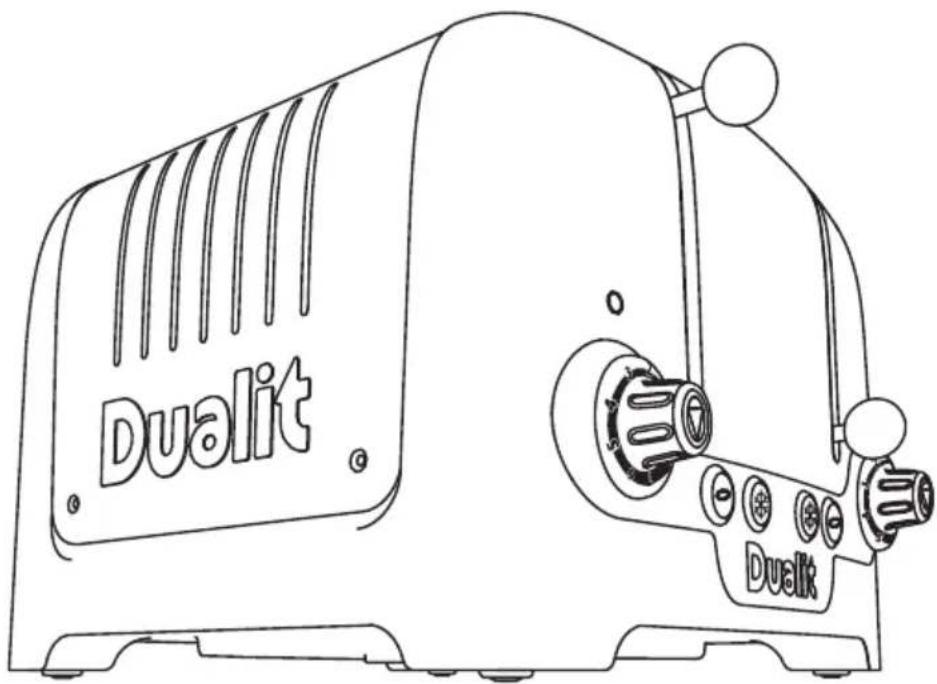
text_image
Dualit DualitYOUR LITE TOASTER
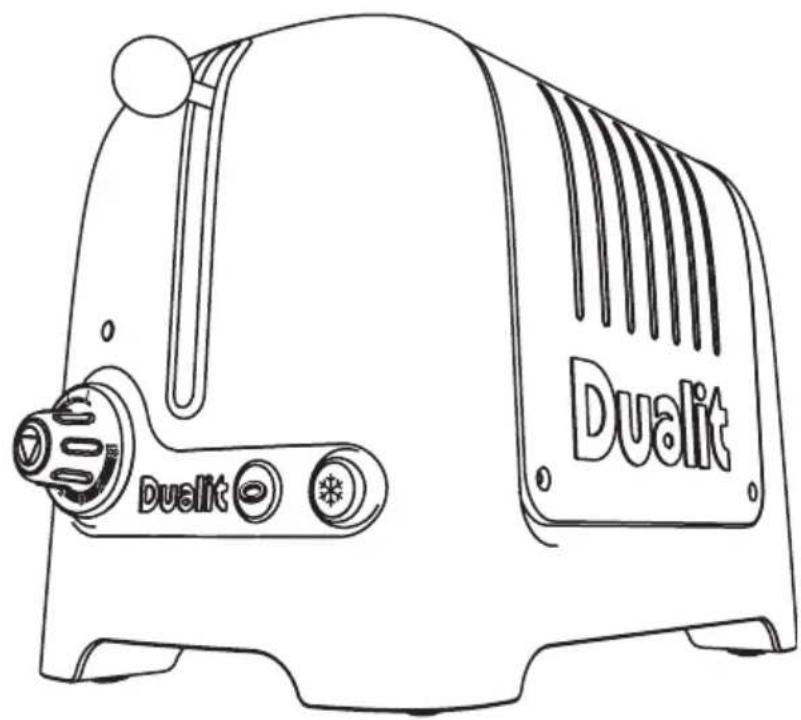
Featuring Dualit's patented Perfect Toast Technology, the Lite Toaster calculates the temperature of your toaster and surroundings to derive the precise toasting time. With the Peek and Pop® facility that allows you to check your toast mid-cycle without interrupting the timer, extra high toast lift, removable crumb tray, defrost function and a setting especially for buns and bagels; the Lite Toaster has been designed with Dualit's trademark functionality.
The Lite Toaster has extra-wide 36mm slots to accommodate chunkier slices of bread. A Lite sandwich cage is also available, allowing you to create your own delicious, deep filled toasties.
text_image
DON'T FORGET TO REGISTER YOUR TOASTER WWW.DUALIT.COM/REGISTER OR BY POST Register my applianceUnpack the box with care, keeping all the packaging materials until you are satisfied everything is present and in working order. Once satisfied remove any tags from the toaster body and recycle the packaging appropriately. Do not remove tags from the cord where appropriate.
You may wish to keep the box to store your toaster.
All illustrations are for representation only; your model may vary from illustrations shown.
CONTENTS
Safety precautions 04
Know your Toaster 06
Setting up 08
Toasting tips 09
Toasting bread 10
Bagel & bun toasting ____ 11
Toasting frozen bread 12
4 slot toasting 13
Stop toasting 14
Sandwich cage 15
Cleaning & care 16
Troubleshooting 17
Guarantee 18
READ ALL INSTRUCTIONS
BEFORE USING THE TOASTER KEEP THESE INSTRUCTIONS FOR FUTURE REFERENCE
IMPORTANT SAFEGUARDS
- THIS IS AN ATTENDED APPLIANCE. Do not leave unattended during use, unplug after each use (risk of fire if an unattended appliance is left operating).
- This appliance must not be used by children younger than 8 years old and persons with very extensive and complex disabilities. Children aged 8-14 years and persons with reduced physical, sensory or mental capabilities or lack of experience and knowledge shall not use this appliance, unless they are supervised and have been given instruction concerning the use of the appliance in a safe way and understand the hazards involved. Children shall not play with the appliance. Cleaning and user maintenance shall not be made by children.
- This appliance is intended for indoor household use only. If the appliance is used improperly or for professional or semi-professional purposes or if it is not used according to these instructions the Guarantee becomes invalid and Dualit refuses any liability for damage caused.
Electrical safety
- Before plugging in, check that the voltage on the rating label is the same as the mains supply.
-
We recommend that the toaster is plugged into a socket that has no other appliance connected to it. Failure to do this may cause an overload, trip a circuit breaker or blow a fuse. Preferably the socket outlet should be protected by a Residual Current device (RCD).
-
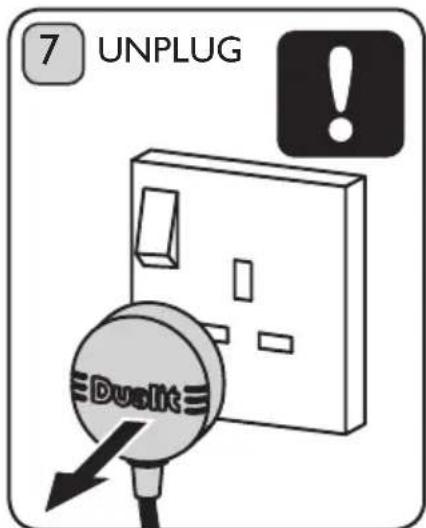
Unplug from outlet when not in use and before cleaning. Allow to cool before putting on or taking off parts.
- Should the neon light remain illuminated after using appliance immediately unplug the toaster and call service centre.
- The toaster is not intended to be operated by means of an external timer or separate remote-control system.
- To protect against electric shock, do not immerse any part of this product in water or other liquid.
- NOTE: Any plug cut from power supply cord should be disposed of immediately. Inserting any cut off plug into a 13A socket-outlet is hazardous.
- Do not operate any appliance with a damaged lead or plug, or after the appliance malfunctions, or has been damaged in any manner.
- If the supply cord is damaged, it must be replaced by the manufacturer, its service agent or similarly qualified persons in order to avoid a hazard.
- Never use the plug without the fuse cover fitted. Ensure replacement fuse is the same current value as original.
- Replacement fuses should be ASTA approved to BS 1362.
- WARNING: This appliance must be earthed.
General safety
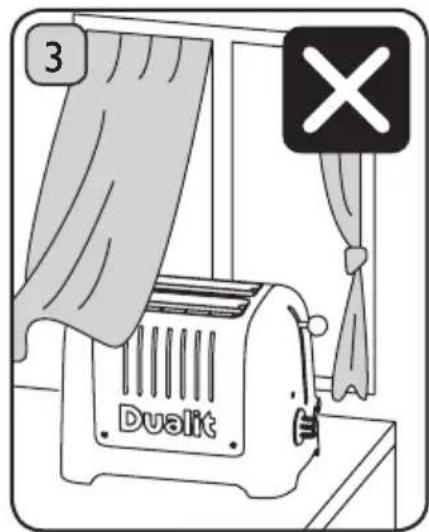
- Bread may burn. Therefore toasters must not be used near or below curtains and other combustible materials.
- When in use a fire may occur if the toaster is covered or touching flammable material.
- Do not place on or near a hot gas or electric burner, or in a heated oven.
-
Do not attempt to dislodge bread when the toaster is plugged in.
-
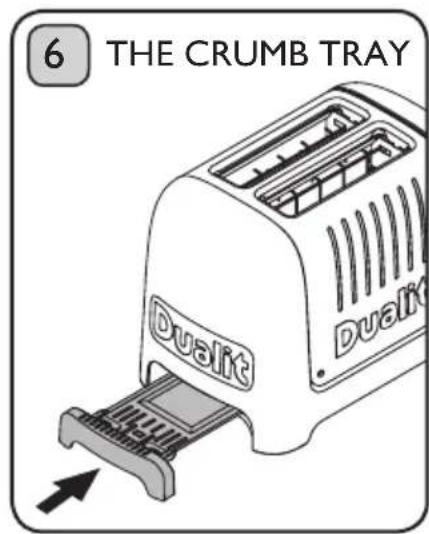
Crumb tray must be in place during toasting.
- Crumb tray should be regularly cleaned.
- Do not allow cable to touch hot surfaces, or to hang over edge of a table or counter top.
- Keep the appliance and its cord out of reach of children.
- Do not use appliance for any purpose other than the intended use.
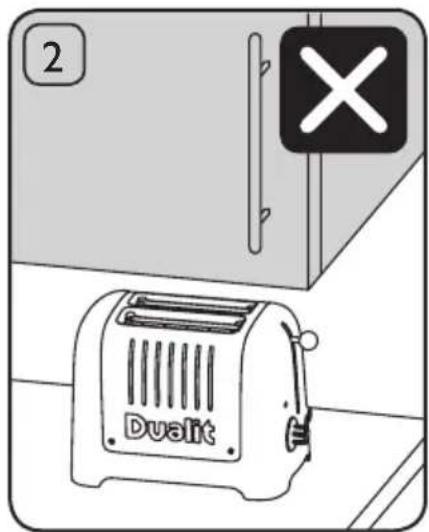
- Do not store or use toaster in an appliance garage or under cupboards.
- Do not put a pan on top of the toaster or warming rack.
- Do not use if dropped, cracked or damaged.
- Accessible surfaces of the toaster may get hot during use. Therefore use handles or knobs.
- Do not use scouring pad or abrasive cleaner on the toaster body.
• The use of accessory attachments not recommended by Dualit may result in fire, electric shock or injury to persons. - Never use the toaster without the interchangeable panels correctly assembled. CAT2 & CAT4 Architect toasters only.
SAVE THESE INSTRUCTIONS
In the interest of improving products, Dualit Ltd. reserves the right to change the product specification without prior notice.
All illustrations are for representation only, your model may vary from illustrations shown.
INSTRUCTIONS ON ENVIRONMENT PROTECTION
Do not dispose this product in the usual household garbage at the end of its life cycle. Please hand it over to a collection point for the
recycling of electrical and electronic appliances. The symbol on the product, the instruction of use or the packaging will inform you about the methods of disposal. The materials are recyclable as mentioned on its marking. By recycling, material recycling or other forms of re-utilization of old appliances you are making an important contribution to protect our environment. Please enquire at the community administration for the authorised disposal location.
IMPORTANT: BEFORE FIRST USE
- Read this instruction manual before you start using the toaster. It gives you important safety information and will ensure you get the most out of your Dualit toaster.
- Keep this manual and your proof of purchase in a safe place.
- Before you use your toaster for the first time, clean all parts according to the cleaning instructions.
- Position the toaster according to the safety precautions.
• Make sure the toasting lever is in the raised position when you put the plug into the wall socket. - The toasting lever will only engage when the toaster is plugged in with the power on.
- The cancel button will illuminate to show that the toaster is heating.
- To condition the elements for use, let the toaster complete the first cycle without slices of bread in it.
- When you turn the toaster on for the first time, a “new” smell/or smoke may be given off, this will dissipate after a few uses. Clean all parts in contact with food before using for the first time.
KNOW YOUR TOASTER
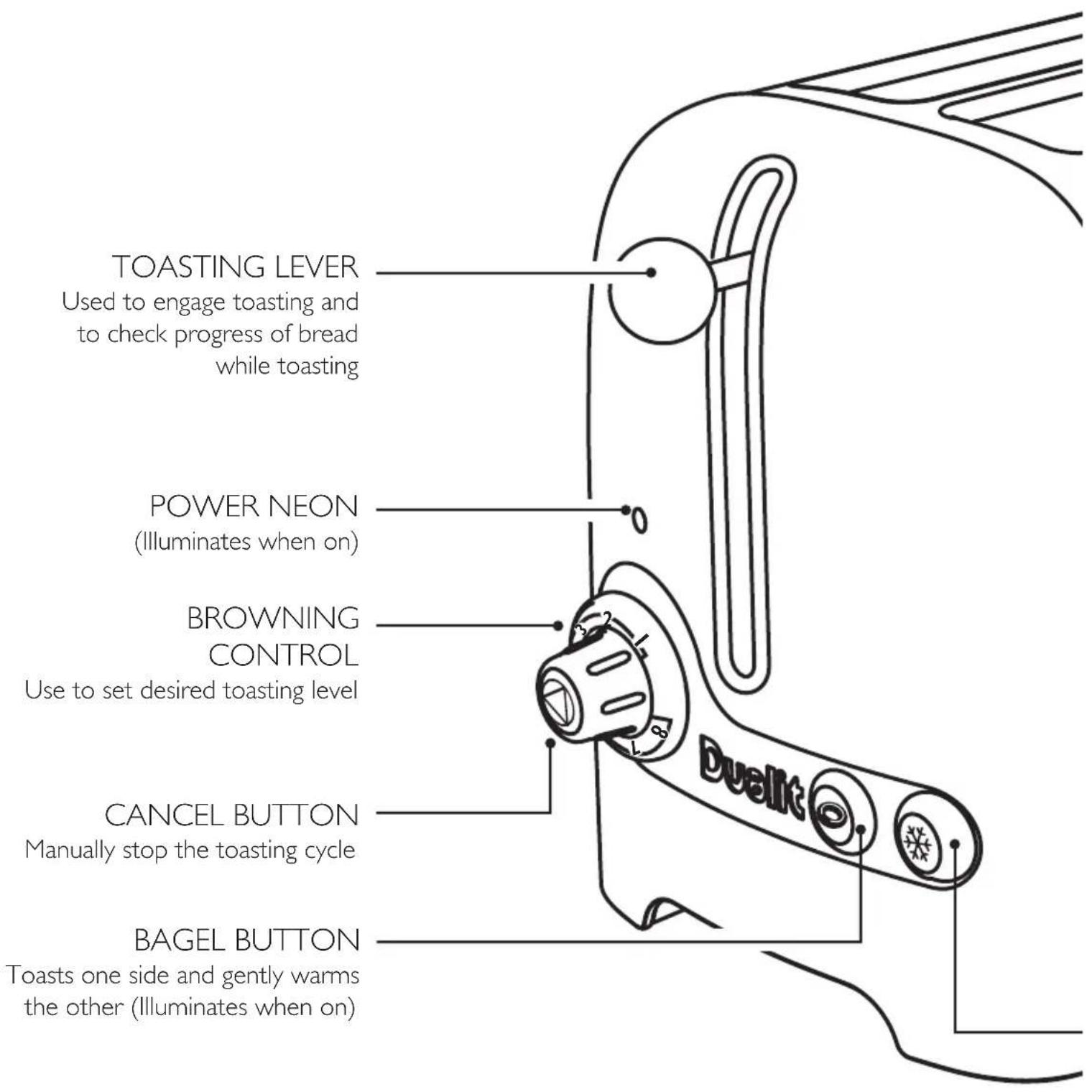
text_image
TOASTING LEVER Used to engage toasting and to check progress of bread while toasting POWER NEON (Illuminates when on) BROWNING CONTROL Use to set desired toasting level CANCEL BUTTON Manually stop the toasting cycle BAGEL BUTTON Toasts one side and gently warms the other (Illuminates when on)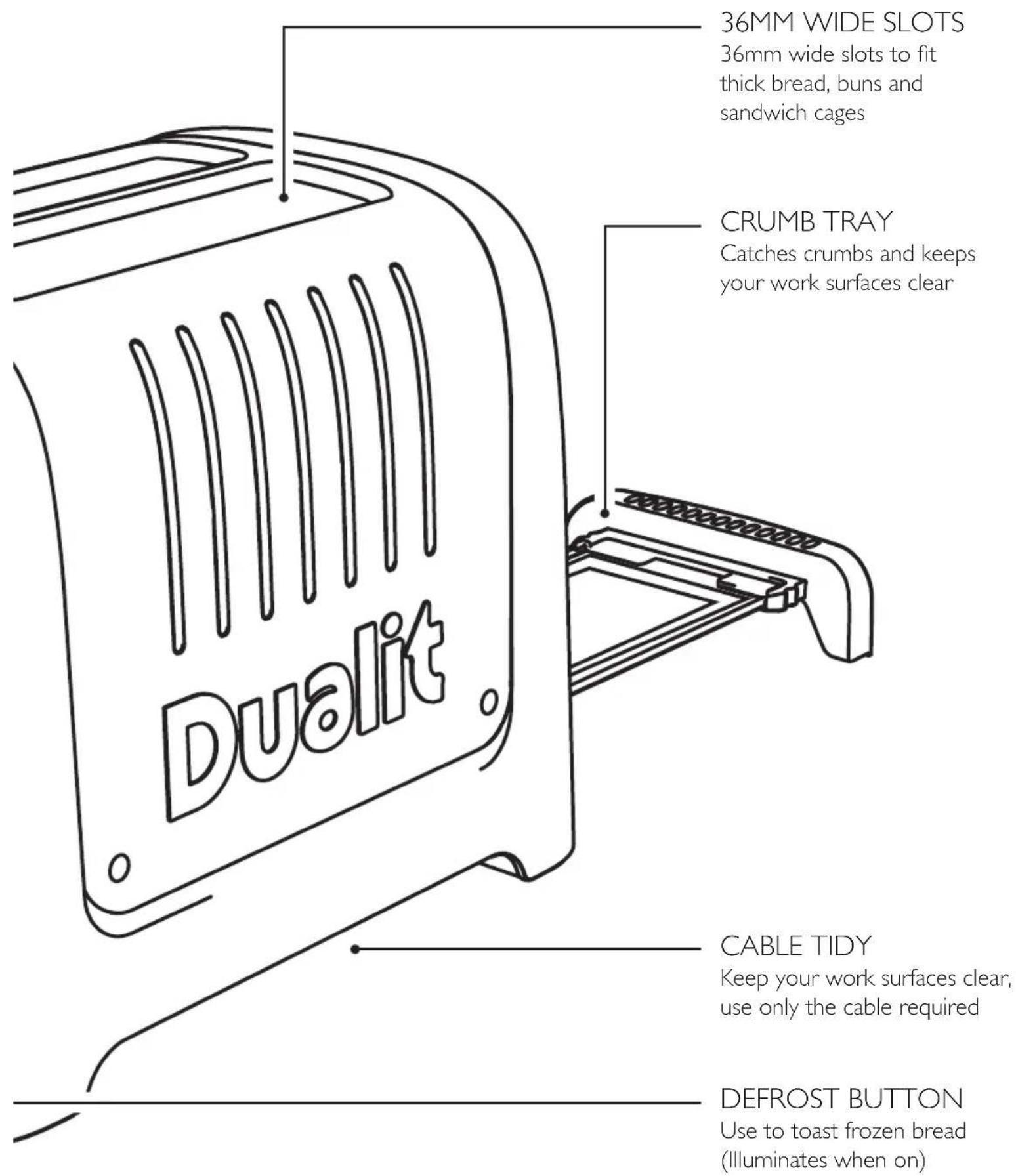
text_image
36MM WIDE SLOTS 36mm wide slots to fit thick bread, buns and sandwich cages CRUMB TRAY Catches crumbs and keeps your work surfaces clear CABLE TIDY Keep your work surfaces clear, use only the cable required DEFROST BUTTON Use to toast frozen bread (Illuminates when on)SETTING UP
Read and follow these instructions before using your toaster.
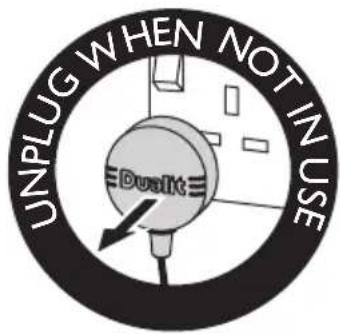
text_image
UNPLUG WHEN NOT IN USE Dualit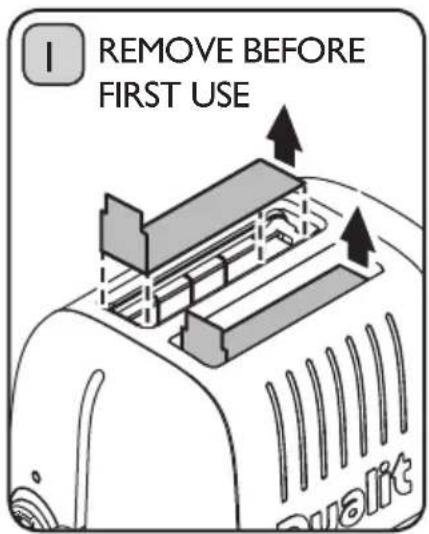
text_image
I REMOVE BEFORE FIRST USEEnsure your toaster is unplugged and cool. REMOVE CARDBOARD INSERTS FROM THE SLOTS BEFORE FIRST USE. A fire may occur if incorrectly positioned.
text_image
2 DualitDO NOT STORE OR USE YOUR TOASTER IN AN APPLIANCE GARAGE OR UNDER CUPBOARDS. A fire may occur if incorrectly positioned.
text_image
3 DualitDO NOT STORE OR USE YOUR TOASTER CLOSE TO CURTAINS OR FLAMMABLE MATERIAL.
A fire may occur if incorrectly positioned.
text_image
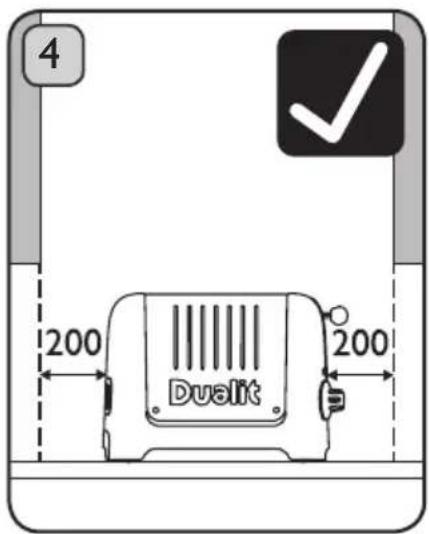
4 200 200 DualitPlace the toaster on an open level surface. Ensure the toaster is positioned at least 200mm CLEAR FROM ANY OVERHANGING CUPBOARDS.
text_image
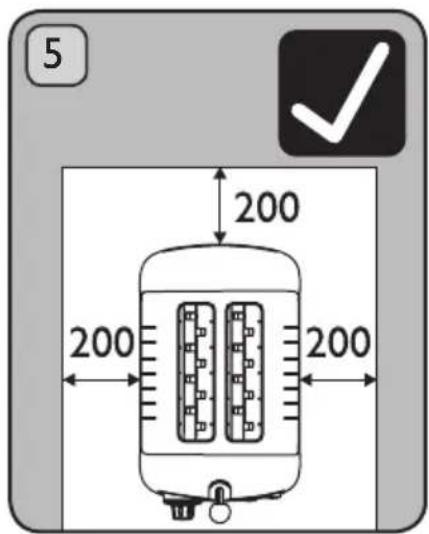
5 200 200 200Ensure the toaster is positioned at least 200mm CLEAR FROM WALLS.
text_image
6 THE CRUMB TRAY Dualit DualitCRUMB TRAY MUST BE IN PLACE DURING TOASTING.
text_image
7 UNPLUG DuslitUNPLUG WHEN NOT IN USE.
text_image
Register my appliance WWW.DUALIT.COM/REGISTERDON'T FORGET TO REGISTER YOUR TOASTER AT WWW.DUALIT.COM/REGISTER OR BY POST
TOASTING TIPS
Here are a few tips to help get the best out of your toaster.
- Different breads will toast at different rates, wholemeal bread takes longer than white bread, fresh bread will take longer than day old bread. Remember to adjust your browning control to allow for your particular type of bread.
- Your toaster is fitted with patented Perfect Toast Technology which calculates the temperature of your toaster and surroundings to derive the precise toasting time. After the first round of toast, the elements and toaster body will be heated up, subsequent rounds will take less time to toast. You do not need to adjust your Browning Control.
- At any time during the toasting cycle you can lift the toasting lever and check the progress of the toasting.
- Use the bagel setting to toast burger buns, bagels, muffins or tea cakes, this setting toasts one side whilst gently warming the other.
- The thickest slice of bread that will fit in your toaster is 36mm thick. Forcing bread which is too thick or too long into the slots will be difficult to eject once toasted and could cause burning. If jammed, unplug and allow to cool before removing the bread.
- You may find it easier to use a 'sandwich cage' to toast smaller items. Inserting and removing items will be easier (sold separately).
- You may need to reduce the Browning Control time (see page 6) when toasting one slice. There may be a slight variation in colour between each side. Equal size, thickness and freshness are recommended when toasting two slices. When hand cutting a fresh loaf, cut the slices as evenly as possible. Uneven slices will toast unevenly.
- Keep elements free from breadcrumbs and broken pieces of bread. If left these may burn out the elements (see page 16 for Cleaning & Care).
• To reheat recently made toast set the browning control to 1.
- Cancel toasting manually at any time by pressing the cancel button on the browning control knob.
TOASTING BREAD
text_image
UNPLUG WHEN NOT IN USE DualitTHIS IS AN ATTENDED APPLIANCE. Do not leave unattended during use, unplug after each use (risk of fire if an unattended appliance is left operating).
text_image
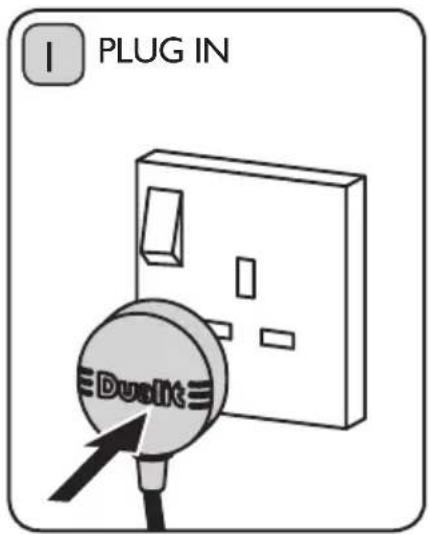
I PLUG IN DualitThe toaster will only engage when the power is switched on. Plug the toaster into the wall power socket and turn power on at socket.
flowchart
graph TD
    A["2 SET"] --> B["5"]
    B --> C["4"]
    C --> D["3"]
    D --> E["2"]
    E --> F["1"]
    F --> G["8"]
    G --> H["Next Step"]
    style A fill:#f9f,stroke:#333
    style H fill:#ccf,stroke:#333
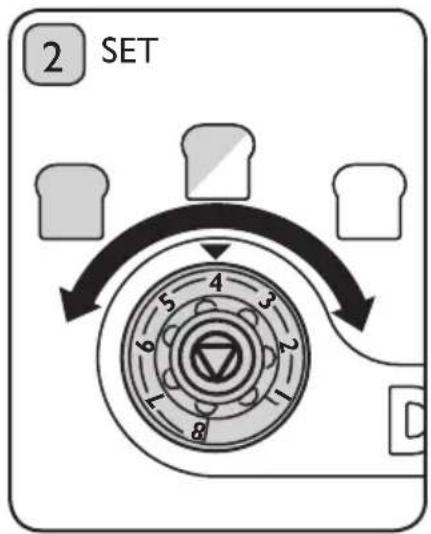
To toast, set the desired browning level by means of the browning control (1 is the lightest and 8 is the darkest setting).
text_image
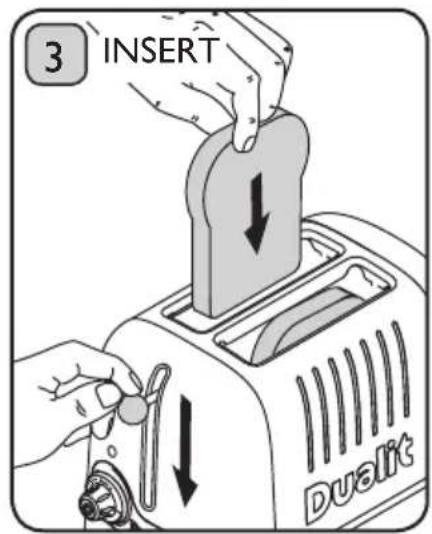
3 INSERT DualitPlace the bread into the slots and press the toasting lever down until it engages. The power neon will be illuminated for the duration of the toasting.
text_image
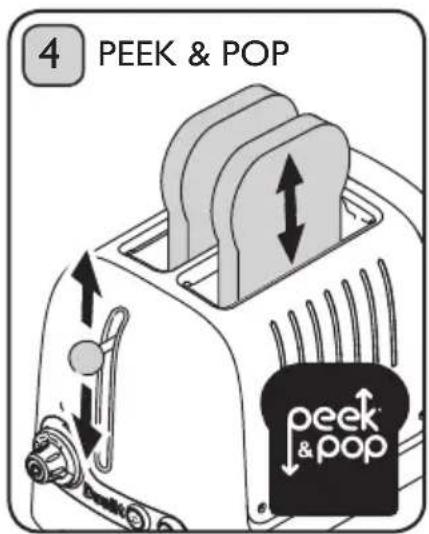
4 PEEK & POP peek & popAt any time during the toasting cycle you can lift the toasting lever and check the progress of the bread. If you remove the toast before the cycle is complete, press the cancel button and unplug.
text_image
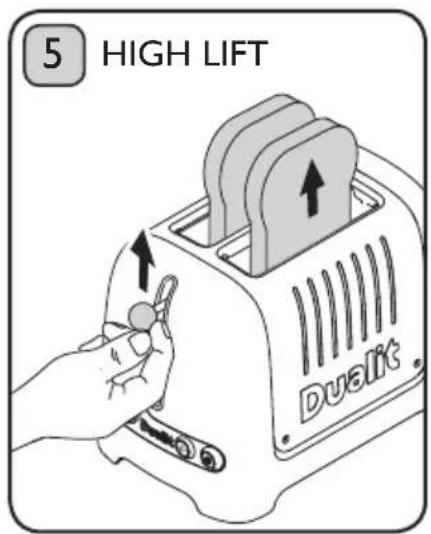
5 HIGH LIFT DuallitWhen toasted the toast will pop up automatically. If the slices are difficult to remove safely, lift the toasting lever up manually for extra high lift.
text_image
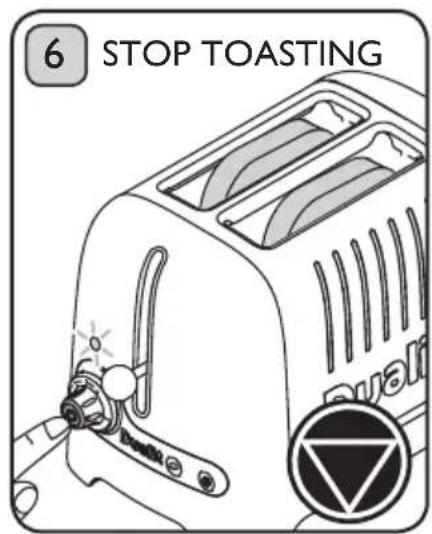
6 STOP TOASTING Qualif Qualif eTo immediately stop toasting, press the cancel button. After cancelling if power neon light remains illuminated after use immediately unplug the toaster & call service centre.
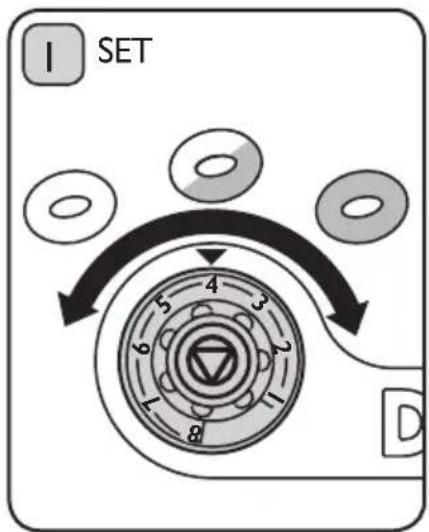
Perfectly toast bagels or other bread products such as buns, English muffins or teacakes. This feature gently warms the outside of the item and toasts the inside to perfection. To cancel toasting see page 13.
flowchart
graph TD
    A["1 SET"] --> B["2"]
    B --> C["3"]
    C --> D["4"]
    D --> E["5"]
    E --> F["6"]
    F --> G["7"]
    G --> H["8"]
    H --> I["D"]
Select the desired browning level. (1 is the lightest and 8 is the darkest setting).
text_image
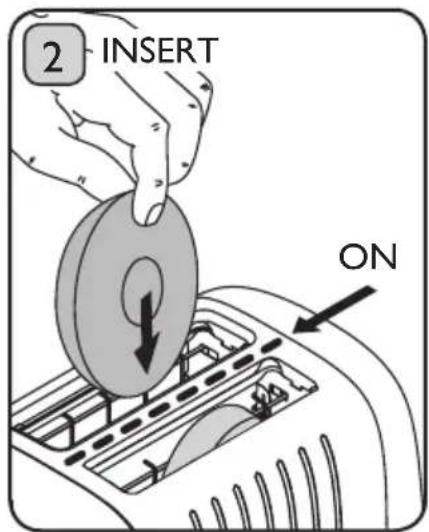
2 INSERT ONSlice bagel into two equal halves before toasting. Insert bagel so both 'cut' sides are facing inwards to the centre element.
text_image
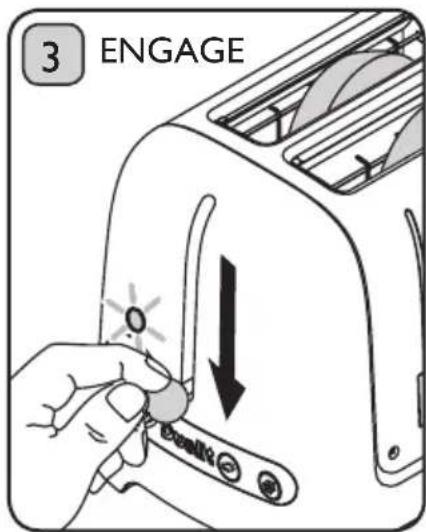
3 ENGAGEPress the toasting lever down until it engages. The power neon will be illuminated for the duration of the toasting.
text_image
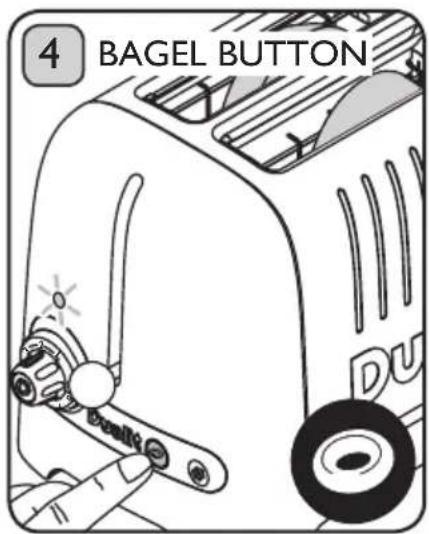
4 BAGEL BUTTON DUAs soon as the bagel is lowered, immediately press the bagel button. The button will be illuminated and only the centre element will heat up.
TOASTING FROZEN BREAD
text_image
UNPLUG WHEN NOT IN USE DualKitWhen 'defrost' is activated, the toaster automatically adjusts the settings to defrost and then toast frozen bread.
To cancel toasting see page 13.
text_image
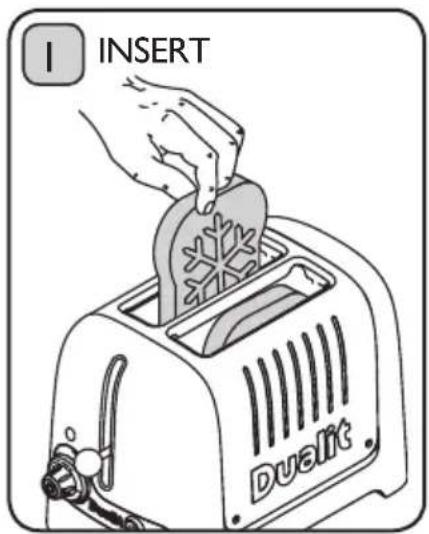
I INSERT DualitTo toast frozen bread, place the bread into the slots.
text_image
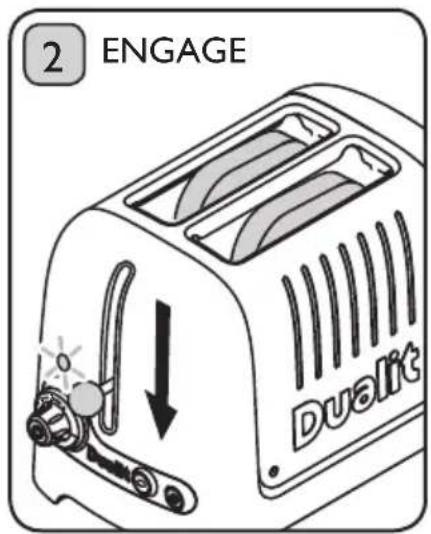
2 ENGAGE DualitPress the toasting lever down until it engages.
text_image
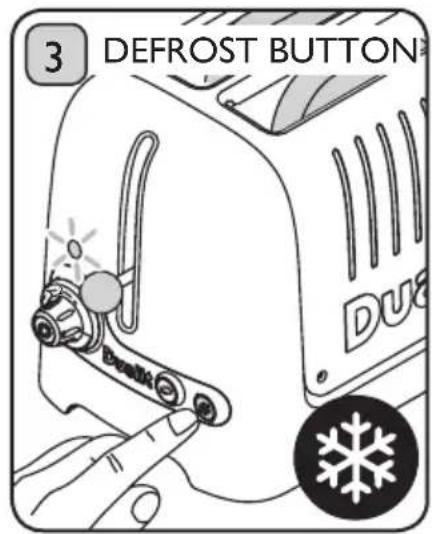
3 DEFROST BUTTON DuaImmediately press the defrost button. The button will be illuminated.
To toast frozen bagels or buns, engage the toasting lever then press both defrost and bagel buttons.
4 SLOT TOASTING
To cancel toasting see page 13.
text_image
UNPLUG WHEN NOT IN USE Duslit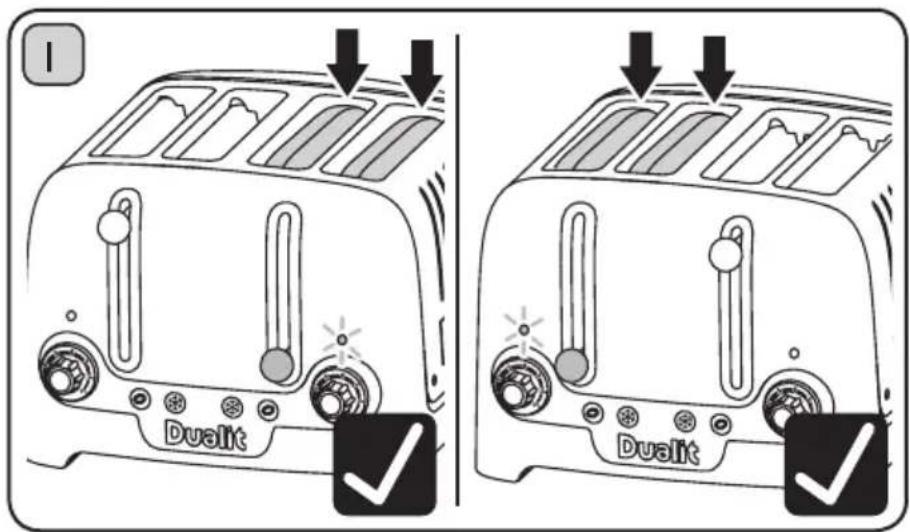
text_image
Dualit DualitIf you want to toast 2 pieces of bread only LOAD AND ENGAGE one side of the toaster.
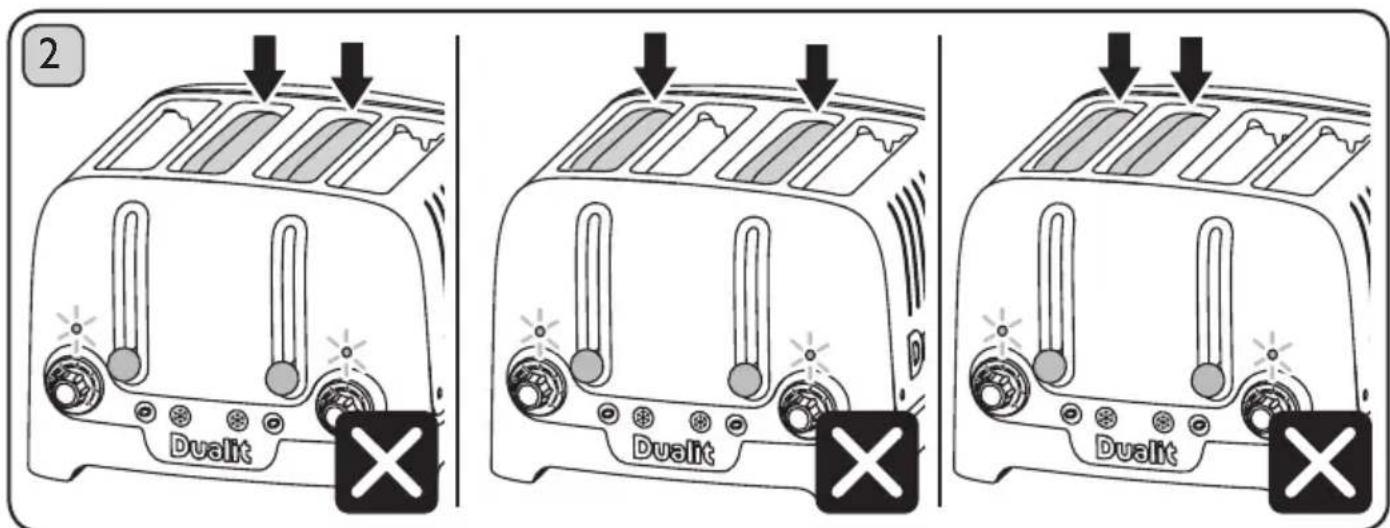
text_image
2 Dualit Dualit DualitDO NOT LOAD AND ENGAGE BOTH SIDES OF THE TOASTER TO TOAST 2 PIECES OF BREAD.
STOP TOASTING
The toasting cycle will automatically stop and the toast will pop up, but if required you can cancel at any time.
text_image
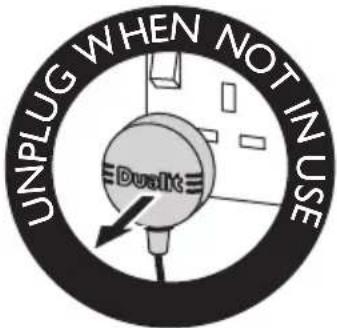
UNPLUG WHEN NOT IN USE DualIt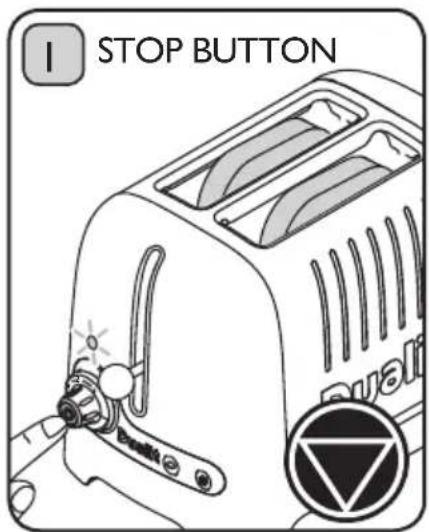
text_image
I STOP BUTTON BuatedPress the cancel button located on the end of the browning control.

text_image
2 POP UP DualitThe toaster will immediately stop and the items being toasted will pop up.
The power neon will go out. After cancelling if power neon light remains illuminated after use immediately unplug the toaster & call service centre.
text_image
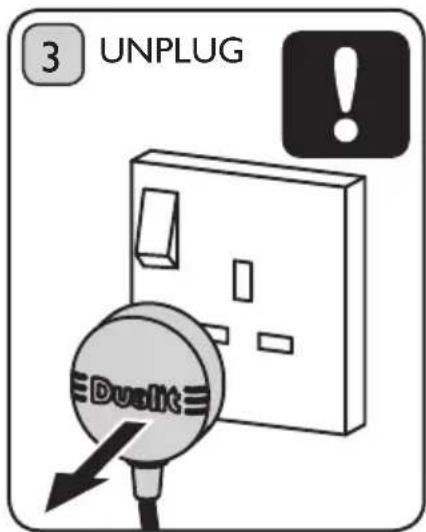
3 UNPLUG DualitTHIS IS AN ATTENDED APPLIANCE. Do not leave unattended during use, unplug after each use (risk of fire if an unattended appliance is left operating).
SANDWICH CAGE OPTIONAL EXTRA
natural_image
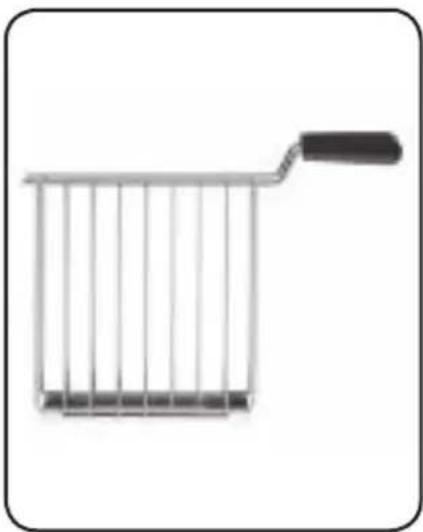
Simple line drawing of a shopping cart with a handle (no text or symbols)The sandwich cage provides you with the option of making toasted sandwiches in your Lite toaster. It is also useful for toasting smaller items like buns, bagels and teacakes. Each pack includes a free cookbook with a range of ideas for deep filled toasted sandwiches that make good use of the extra-wide slots of your Lite toaster.
AVAILABLE AT: WWW.DUALIT.COM/LITE-TOASTERS
RECIPE IDEA
SIGNATURE TOASTIE
• Medium sliced bread
• 2 Slices of Cheese (thinly cut)
- Sliced Tomato (thinly sliced) seasoned with Salt, Pepper and Oregano
- Rocket Leaves
- Spreadable Butter
natural_image
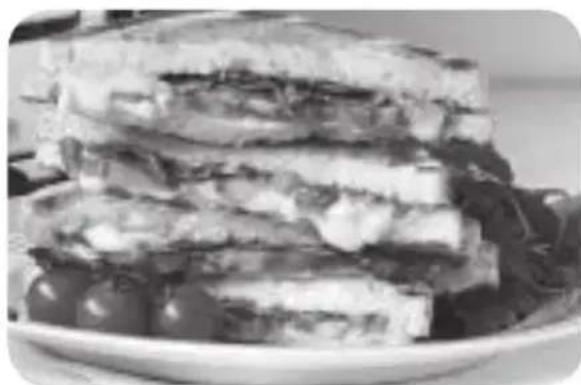
Stacked sandwich with cheese and lettuce on a plate (no text or symbols visible)I. Butter the outside of two slices of bread and place one buttered side down on the cage.
2. Place one slice of cheese on the unbuttered side of the bread. Cover with a layer of seasoned tomatoes. Add a few leaves of rocket. Top with a second slice of cheese.
3. Place the other side of bread on top, buttered side facing out.
4. Toast for 2 minutes or until golden brown. Leave sandwich in the toaster for a further minute after toasting to allow cheese to melt fully.
5. Enjoy your delicious toastie.
NOTE: Ensure the buttered side is on the outside against the sandwich cage. This slows down the toasting, allowing all the filling to heat and gives a delicious golden finish.
CLEANING & CARE
text_image
UNPLUG WHEN NOT IN USE Duslit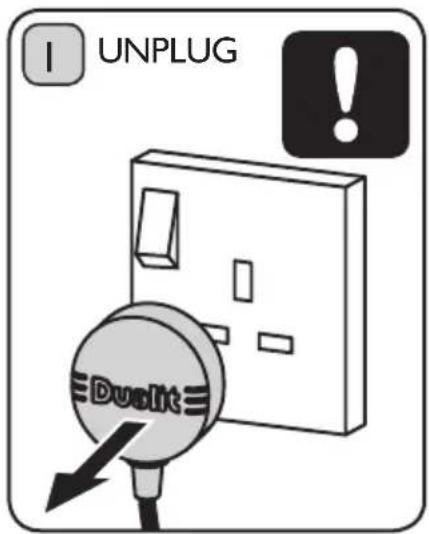
text_image
I UNPLUG DualitSwitch toaster off, remove the plug from the wall socket and let the toaster cool down before you start cleaning it.
text_image
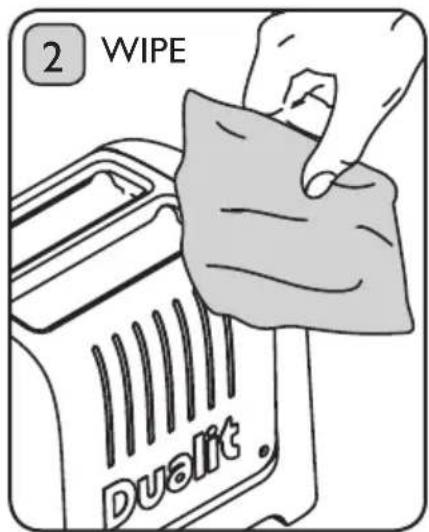
2 WIPE Duallit.Wipe the outside of the toaster with a moist cloth and dry it with another cloth. Do not use a scouring pad or abrasive cleaner.
text_image
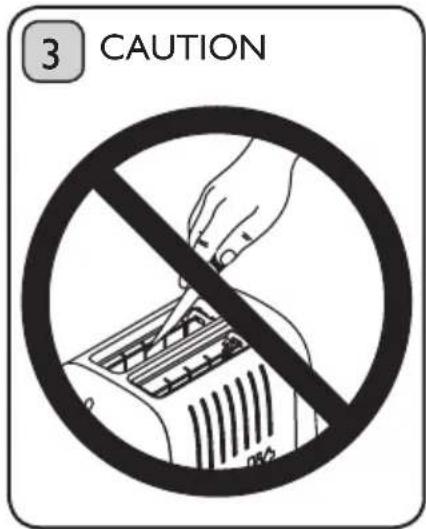
3 CAUTIONUse a soft brush to clean inside your toaster.
Do not insert any metallic or sharp utensils in to the toaster.
text_image
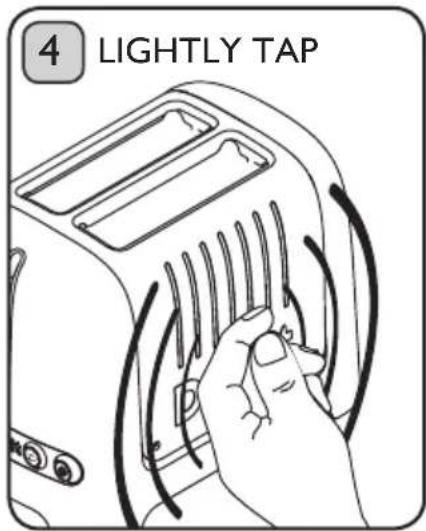
4 LIGHTLY TAPWhen the toaster has cooled completely, tap the sides of the toaster lightly to dislodge any crumbs caught in the toasting chamber.
text_image
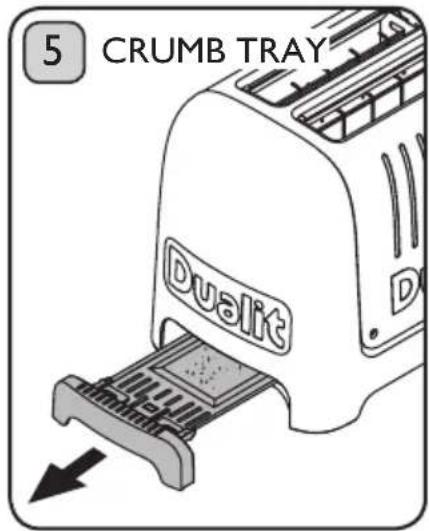
5 CRUMB TRAY DualitCrumbs will accumulate in the crumb tray and could catch fire if the tray is not emptied frequently. Pull out the crumb tray and wipe clean using a damp cloth.
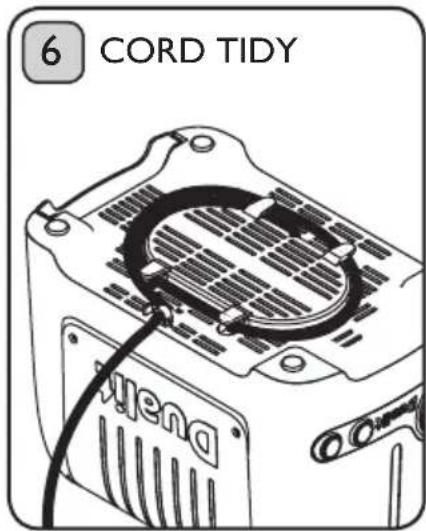
text_image
6 CORD TIDY MienaStore the cleaned toaster unplugged with the cord wrapped round the cord tidy on the base of the toaster.
TROUBLESHOOTING
| POSSIBLE CAUSE(S) SOLUTION(S) | |
| MY TOASTER IS NOT WORKING: | |
| 1. The toaster may not be properly connected to the power supply. | 1. Check the plug is in the socket and the switch is turned on. |
| 2. If your lever is not staying down. 2. Check if the power neon is illuminated.If yes, unplug the toaster and call service centreIf no, your plug fuse may have blown. | |
| 3. The toaster may have tripped the Residual-Current Device (RCD). Some crumbs or pieces of bread may be stuck in the toaster. | 3. Unplug, and allow to cool. Remove the crumb tray then turn the toaster upside down over a bin and gently shake the crumbs out. |
| I GET UNEVEN TOASTING: | |
| 1. Different bread types and sizes have been used at the same time. | 1. Ensure size and type of bread being toasted is the same. |
| 2. End elements take a little longer to warm up than centre elements. | 2. Once toaster is at optimum operating temperature this will no longer occur. |
| MY TOAST DOESN'T POP UP WHEN THE TOASTER HAS FINISHED: | |
| 1. There may be a fault with the toaster. 1. | f the power neon remains illuminated,immediately unplug the toaster and call service centre. |
| 2. Your bread may be too thick 2.1 Slices th | thicker than 36mm will get stuck. |
| 2.2 Hand cut slice must be cut evenly. | |
| 2.3 Using a ‘sandwich cage’ can make toasting thicker items easier. | |
| ONE SIDE OF MY BREAD IS NOT TOASTING | |
| 1. If set to Bagel setting only one side will toast. | 1. Press the bagel button to cancel the setting.Remember to insert bread from the very left hand slot. |
| SMOKE COMING OUT OF THE SLOTS | |
| 1. If this is the first time using your toaster,this is normal, your elements are being conditioned. | 1. This will dissipate after a few uses. |
| 2. The crumb tray might be full. A build up of crumbs can burn or cause a fire. | 2. Empty the crumb tray. |
| 3. Some crumbs or pieces of bread may be stuck in the toaster. | 3. Unplug, remove the crumb tray then turn the toaster upside down over a sink or bin and gently shake the crumbs out. |
Please note: The heating elements in this toaster are non replaceable.
GUARANTEE
This appliance is of excellent quality and construction. However, if any defects in materials or workmanship do appear during the relevant guarantee period, we will, at our discretion, either repair or replace the defective parts, free of charge, subject to the terms and conditions of our Guarantee shown below.
This Guarantee covers both parts and labour. Carriage is not included.
Your Guarantee period is as follows:
- 1 year
This Guarantee provides benefits which are additional to, and do not affect, your statutory rights. This Guarantee does not cover the cost of returning the product to the dealer from whom it was purchased or to ourselves. This Guarantee applies only to products sold and located in mainland Great Britain. It does not cover liability in respect of or replacement of plugs, cables or fuses and also does not cover defects due to:
- Failure to use or maintain product in accordance with Dualit's instructions.
- The product being connected to an unsuitable electricity supply.
- Accidental damage to or abuse or misuse of the product.
- Product modification, except by Dualit or approved agent.
- Dismantling of or interference with the product.
- Theft or attempted theft of the product.
Before returning any product under this Guarantee, please check that:
- You have followed the product instructions correctly.
- Your mains electricity supply is functional.
- The defect is not due to a blown fuse.
If you wish to claim under this guarantee you should:
- Send the product, postage or carriage paid, to the dealer from whom it was purchased or to Dualit direct.
- Ensure that the product is clean and packed carefully (preferably in its original carton).
- Enclose details of your name, address and telephone number and when and where the product was purchased, together with proof of purchase (e.g. a till receipt).
- Give exact details of the nature of the defect.
This Guarantee does not cover any other claims whatsoever, including, without limitation, any liability for incidental, indirect or consequential damage, nor does it cover any claims for conversion or modification or for the costs of repair carried out by any third party without the prior consent of Dualit. If replacement parts are fitted to the product this will not extend the period of the Guarantee.
For further advice contact the Dualit customer helpline on +44 (0)1293 652 500 (09:00 to 17:00 Monday to Friday).
Alternatively, email Dualit at info@dualit.com or visit www.dualit.com
Do not throw away the appliance with the normal household waste at the end of its life, but hand it in to an official collection point for recycling. By doing this you help preserve the environment.
Dualit®
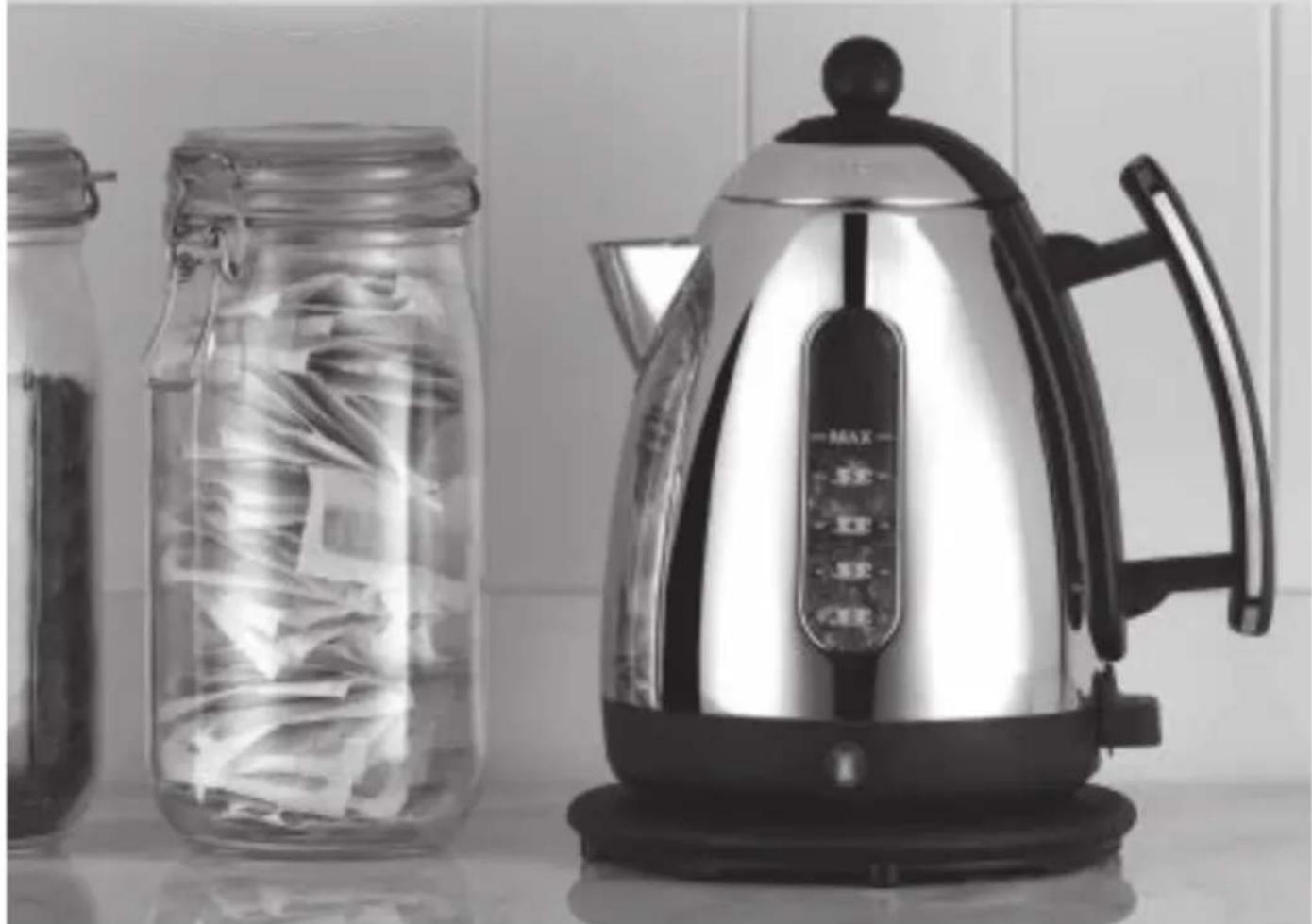
JUG KETTLE
Dualit's Jug Kettle is the perfect partner to your new Lite toaster. As stylish as it is functional, with a smooth pouring action. The super-fast element delivers your morning brew with no delay.
DUALIT.COM/JUG-KETTLE
natural_image
Black-and-white photo of a modern kettle and jar with plastic wrap, no visible text or symbols on the main objects.
text_image
Symbolic image showing a recycling symbol crossed out by a crossed-out box and a stylized 'CE' with a horizontal line beneath it.Dualit Limited County Oak Way Crawley West Sussex RH11 7ST t: +44(0)1293 652 500 f: +44(0)1293 652 555 e: info@dualit.com