RSA357 - Uncategorized Chief - Free user manual and instructions
Find the device manual for free RSA357 Chief in PDF.


| Product Type | Projector Mount |
| Model | RSA357 |
| Brand | Chief (Milestone AV Technologies) |
| Weight Capacity | 25 lbs (11.37 kg) |
| Mounting Options | 1-1/2" NPT/NPSM threaded pipe, double 2x4 wood stud cross bracing, solid concrete (min 8" thick, max 5/8" drywall), suspended from four 1/4" threaded rods |
| Adjustments | Yaw (on threaded pipe), Pitch, Roll |
| Compatibility | Chief SSB Series interface brackets (sold separately); also compatible with WM110S, WM120S, WM130S, WM210S, WM220S, WM230S, WM240S, WM210SI, WM220SI, WM230SI, WM240SI models |
| Dimensions | Not specified in manual; typical projector mount dimensions vary by model |
| Weight | Not specified in manual; estimated 2-5 lbs depending on configuration |
| Material | Aluminum (mount), steel (pipe, hardware) |
| Color | Not specified; likely black or silver |
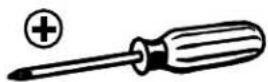
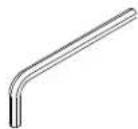
| Installation Tools | #2 Phillips screwdriver, 7/16" open-end wrench, 7/32" (6mm) drill bit, 5/32" hex key, hammer, pipe wrench (for threaded pipe) |
| Safety | Structure must support 5x equipment weight; max load 25 lbs; minimum 4 thread engagement on pipe; do not use outdoors |
| Maintenance | Periodically check screws and bolts for tightness; clean with dry cloth |
| Spare Parts | Optional All-Points Security Kit available; replacement hardware via manufacturer |
| Repairability | Return to service center for examination/repair if damaged |
| Warranty | Refer to manufacturer; improper installation voids warranty |
Frequently Asked Questions - RSA357 Chief
User questions about RSA357 Chief
0 question about this device. Answer the ones you know or ask your own.
Ask a new question about this device
Download the instructions for your Uncategorized in PDF format for free! Find your manual RSA357 - Chief and take your electronic device back in hand. On this page are published all the documents necessary for the use of your device. RSA357 by Chief.
USER MANUAL RSA357 Chief
INSTALLATION INSTRUCTIONS
natural_image
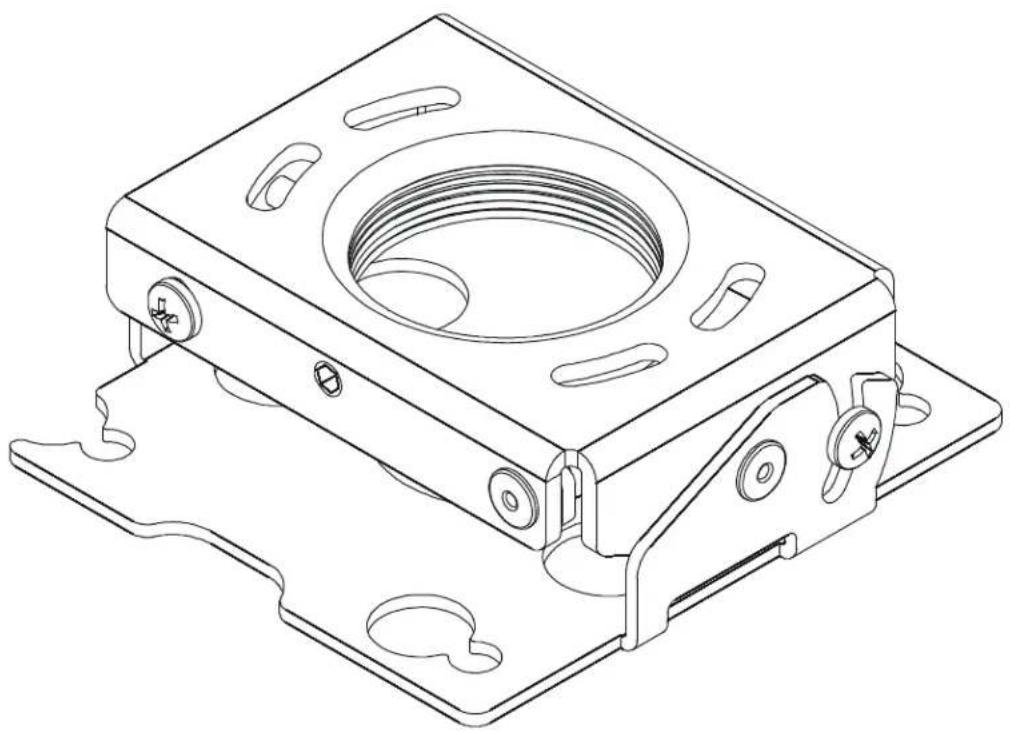
Technical line drawing of a mechanical housing component with mounting flanges and internal cavity (no text or symbols)RSA Projector Mounts
DISCLAIMER
Milestone AV Technologies, and its affiliated corporations and subsidiaries (collectively, "Milestone"), intend to make this manual accurate and complete. However, Milestone makes no claim that the information contained herein covers all details, conditions or variations, nor does it provide for every possible contingency in connection with the installation or use of this product. The information contained in this document is subject to change without notice or obligation of any kind. Milestone makes no representation of warranty, expressed or implied, regarding the information contained herein. Milestone assumes no responsibility for accuracy, completeness or sufficiency of the information contained in this document.
Chief® is a registered trademark of Milestone AV Technologies. All rights reserved.

IMPORTANT SAFETY INSTRUCTIONS!

WARNING: A WARNING alerts you to the possibility of serious injury or death if you do not follow the instructions.

CAUTION: A CAUTION alerts you to the possibility of damage or destruction of equipment if you do not follow the corresponding instructions.

WARNING: Failure to read, thoroughly understand, and follow all instructions can result in serious personal injury, damage to equipment, or voiding of factory warranty! It is the installer's responsibility to make sure all components are properly assembled and installed using the instructions provided.

WARNING: Failure to provide adequate structural strength for this component can result in serious personal injury or damage to equipment! It is the installer's responsibility to make sure the structure to which this component is attached can support five times the combined weight of all equipment. Reinforce the structure as required before installing the component.

WARNING: Exceeding the weight capacity can result in serious personal injury or damage to equipment! It is the installer's responsibility to make sure the combined weight of all components attached to the RSA does not exceed 25 lbs (11.37 kg).
- The weight capacity of the RSA may be LIMITED to the lowest weight capacity of any other components located between the RSA and the supporting structure!

WARNING: Use this mounting system only for its intended use as described in these instructions. Do not use attachments not recommended by the manufacturer.

WARNING: Never operate this mounting system if it is damaged. Return the mounting system to a service center for examination and repair.

WARNING: Do not use this product outdoors.
IMPORTANT ! : The RSA mounts are designed to be:
- mounted to a 1-1/2" NPT or NPSM following ANSI/ASME B1.20.1 (Schedule 40, 0.154" minimum thickness aluminum - ASTM B221) threaded extension column;
- mounted to double 2" x 4" wood stud cross bracing (1-1/2" on center) between two 2" x 4" ceiling joists;
- mounted to a concrete ceiling with a minimum thickness of 8" and a maximum drywall covering of 5/8"; or
- suspended from four 1/4" diameter (minimum) Grade 2 or better threaded rods (not included) which are secured to unistrut, angle or channel assembly overhead structural members (trusses or l-beams) by Grade 2 or better 1/4" channel nuts (not included).
NOTE: RSA Series may be used with Listed Chief models WM110S, WM120S, WM130S, WM210S, WM220S, WM230S, WM240S, WM210SI, WM220SI, WM230SI, and WM240SI (not included).
--SAVE THESE INSTRUCTIONS--
DIMENSIONS
![[5.6] Ø.22 [111.1] 4.38 [73] Ø2.88 BOLT CIRCLE THREADS ONTO 1-1/2' NPT](/content/2026/06/1148087/images/f765bc8aa9733699a5ea5602dc5806d79479a15eb308660d222e081b9de4e690.jpg)
![ROLL ADJUSTMENT [111.6] 4.39](/content/2026/06/1148087/images/f98d6b93454bddbe491f277cdfb6f8bc10a715eef392036a469e5c3bffc4598d.jpg)
![[78.8] 3.10 [36.5] 1.44 +25° PITCH ADJUSTMENT](/content/2026/06/1148087/images/ea05708fc0c77635896f360654f554932f6be5d912958494ab0a242f97f618bb.jpg)
LEGEND
 | Tighten Fastener |
| Serrez les fixations | |
| Serrare il fissaggio | |
| Befestigungsteil festziehen | |
| Apretar elemento de fijación | |
| Bevestiging vastdraaien | |
| Apertar fixador | |
 | Loosen Fastener |
| Desserrez les fixations | |
| Allentare il fissaggio | |
| Befestigungsteil lösen | |
| Aflojar elemento de fijación | |
| Bevestiging losdraaien | |
| Desapertar fixador | |
| [ЭК4Z] | Phillips Screwdriver |
| Tournevis à pointe cruciforme | |
| Cacciavite a stella | |
| Kreuzschlitzschraubendreher | |
| Destornillador Phillips | |
| Kruiskopschroevendraaier | |
| Chave de fendas Phillips | |
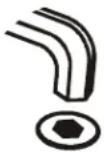 | Hex-Head Wrench |
| Clé à tête hexagonale | |
| Chiave esagonale | |
| Sechskantschlüssel | |
| Llave de cabeza hexagonal | |
| Zeskantsleutel | |
| Chave de cabeça sextavada | |
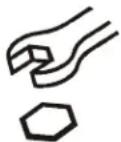 | Open-Ended Wrench |
| Clé à fourche | |
| Chiave a punte aperte | |
| Gabelschlüssel | |
| Llave de boca | |
| Steeksleutel | |
| Chave de bocas | |
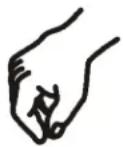 | By Hand |
| À la main | |
| A mano | |
| Von Hand | |
| A mano | |
| Met de hand | |
| Com a mão |





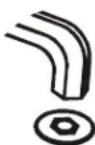
 | Hammer |
| Martillo | |
| Hammer | |
| Martelo | |
| Martello | |
| Hamer | |
| Marteau |
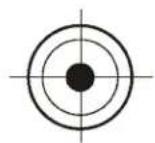 | Target of Projector |
| Punto de enfoque del projector | |
| Ziel des Projektors | |
| Mira do projector | |
| Punto di proiezione | |
| Doel van de projector | |
| Cible du projecteur |
TOOLS REQUIRED FOR INSTALLATION
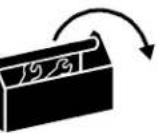 | ||
 #2 #2 | 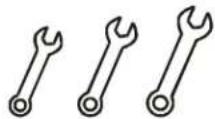 7/16" 7/16" | 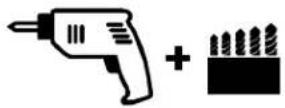 7/32" (6mm) dia. 7/32" (6mm) dia. |
 5/32" 5/32" | 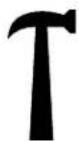 | |
PARTS

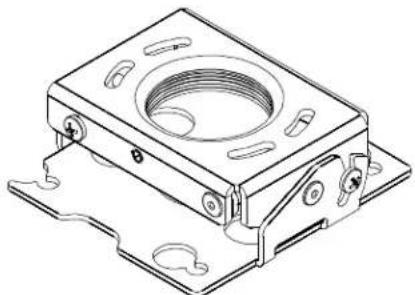
A (1)
natural_image
Technical line drawing of a mechanical housing component with mounting flanges and internal threading (no text or symbols)Example Only (Interface bracket varies dependent on projector model)
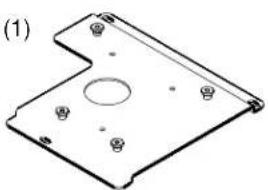
B (1)
natural_image
Technical line drawing of a mechanical component with mounting holes and a central circular feature (no text or symbols)All-Points Security Kit
(Optional)
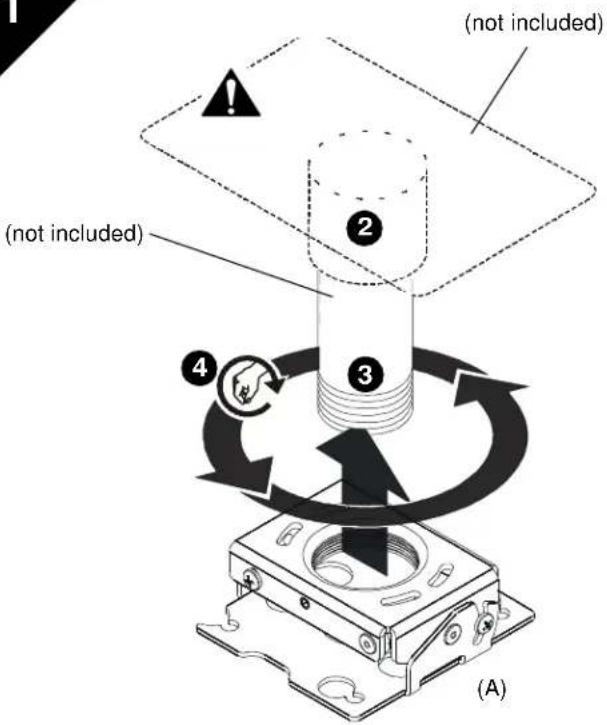 | RSA INSTALLATIONThreaded Pipe Installation1. Carefully determine required mounting location.IMPORTANT ! : This will require knowing the lens to screen distance. See projector specifications for details on determining this distance.2. Using a pipe wrench, install 1-1/2" NPT or NPSM following ANSI/ASME B1.20.1 (Schedule 40, 0.154" minimum thickness steel or aluminum - ASTM B221) threaded extension column (not included) into threaded collar until tight, with a minimum of four threads engaged.WARNING: IMPROPER INSTALLATION CAN RESULT IN SERIOUS PERSONAL INJURY OR DAMAGE TO EQUIPMENT! Structural membersMUST be capable of supporting five times the combined weight of all equipment being mounted.3. Align RSA with end of NPT pipe.4. Thread RSA up onto pipe by turning counter-clockwise until hand tight. |
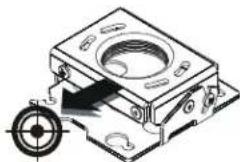
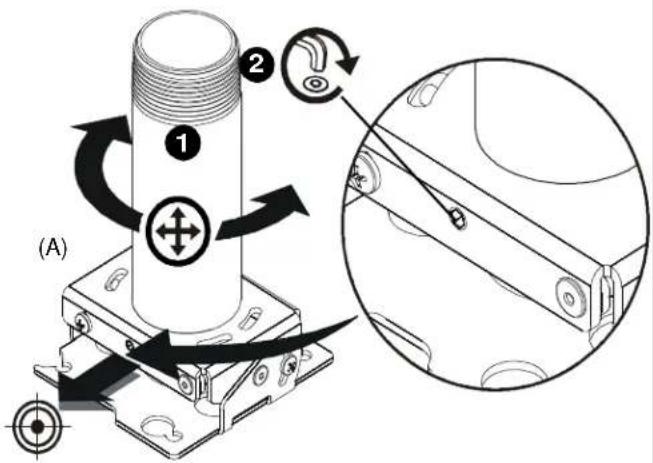 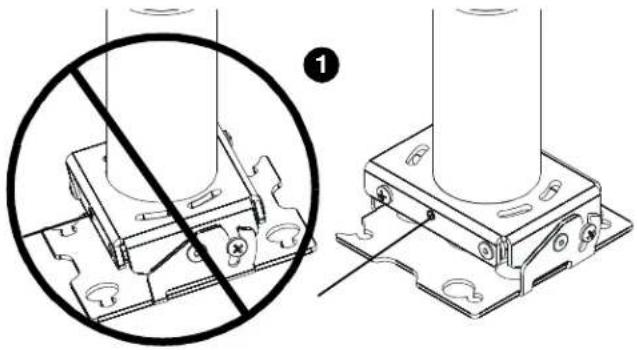 | Rough Alignment of RSA1. Turn RSA clockwise or counter-clockwise until front of mount is facing target.IMPORTANT ! : When RSA is properly positioned, the set screw access hole should be pointing directly at target.(see bottom detail in figure at left)2. Secure RSA to pipe by turning set screw with a 5/32" hex key until tight.CAUTION: DO NOT OVERTIGHTEN! Over tightening of set screw can damage threads on pipe. |
INSTALLATION
Wood Stud Installation
- Carefully determine required mounting location.
IMPORTANT ! : This will require knowing the lens to screen distance. See projector specifications for details on determining this distance.

WARNING: IMPROPER INSTALLATION CAN RESULT IN SERIOUS PERSONAL INJURY OR DAMAGE TO EQUIPMENT! Structural members MUST be capable of supporting five times the combined weight of all equipment being mounted.
IMPORTANT !: The RSA mounts are designed to be mounted to double 2" x 4" wood stud cross bracing (1-1/2" on center) between two ceiling joists.
-
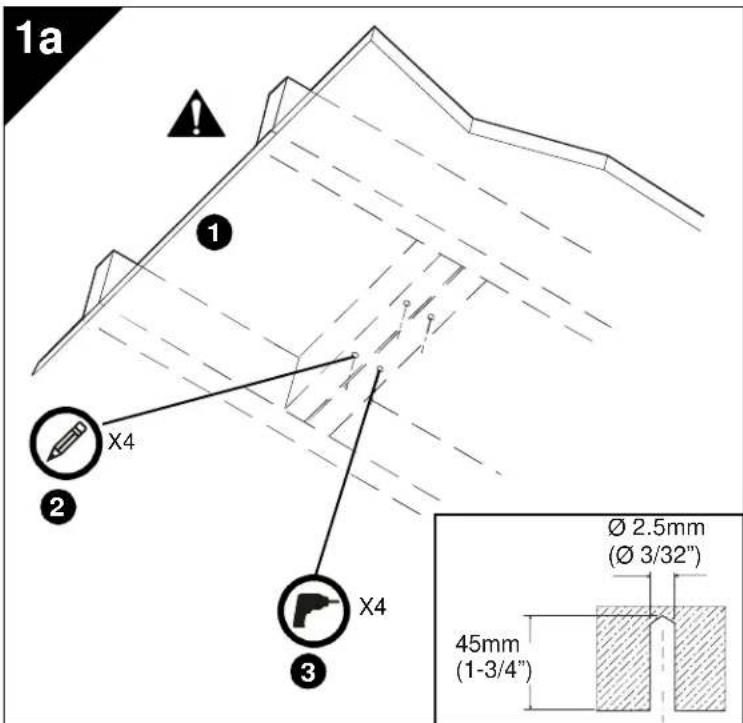
Using the RSA as a guide, mark four mounting hole locations with a pencil or similar tool. Hole locations must be centered on 2" x 4" cross braces.
-
Drill four 3/32" (2.5mm) dia. pilot holes to a depth of 1-3/4" (45mm) deep.
natural_image
Technical line drawing of a mechanical housing component with mounting holes and a circular feature (no text or symbols)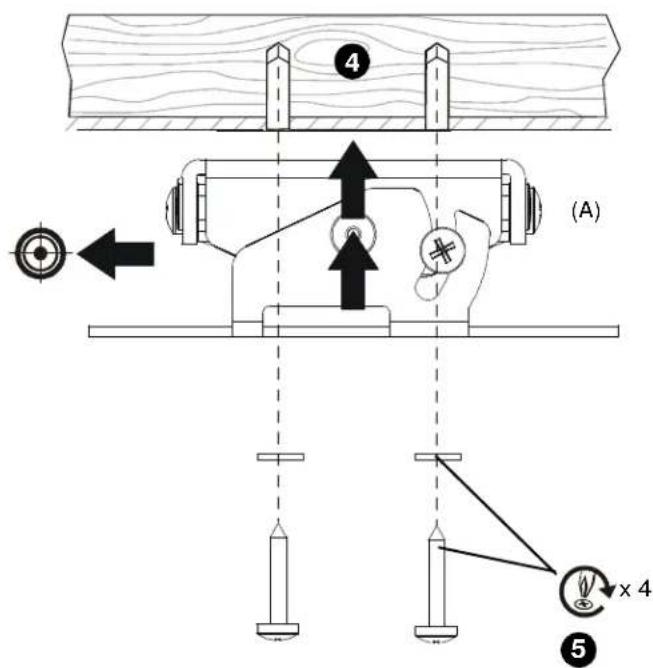
- Align four mounting holes in RSA with four pilot holes.
IMPORTANT ! : Make sure mount is properly oriented towards target before securing to structure.
- Secure RSA to structure using four #10 flat washers and four #10 x 3" Phillips head wood screws (not included).
Solid Concrete Installation
- Determine mounting location.

WARNING: The RSA is designed to be mounted to a concrete ceiling with a minimum thickness of 8" and a maximum drywall covering of 5/8".

WARNING: IMPROPER INSTALLATION CAN RESULT IN SERIOUS PERSONAL INJURY OR DAMAGE TO EQUIPMENT! Structural members MUST be capable of supporting five times the combined weight of all equipment being mounted
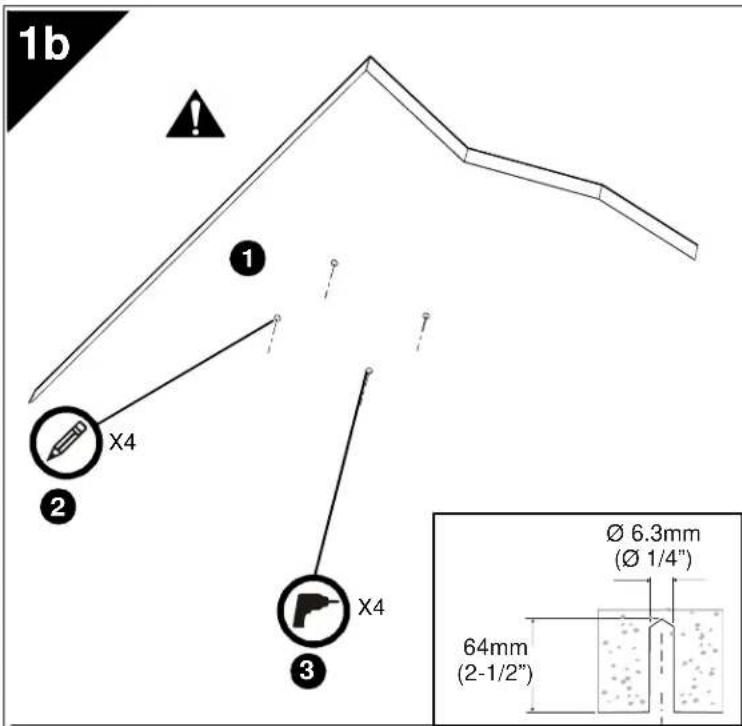
- Using the RSA as a guide, mark four mounting hole locations on ceiling using a pencil or similar tool.
- Drill four 1/4" (6.3mm) diameter pilot holes to a depth of 2-1/2" (64mm) deep.
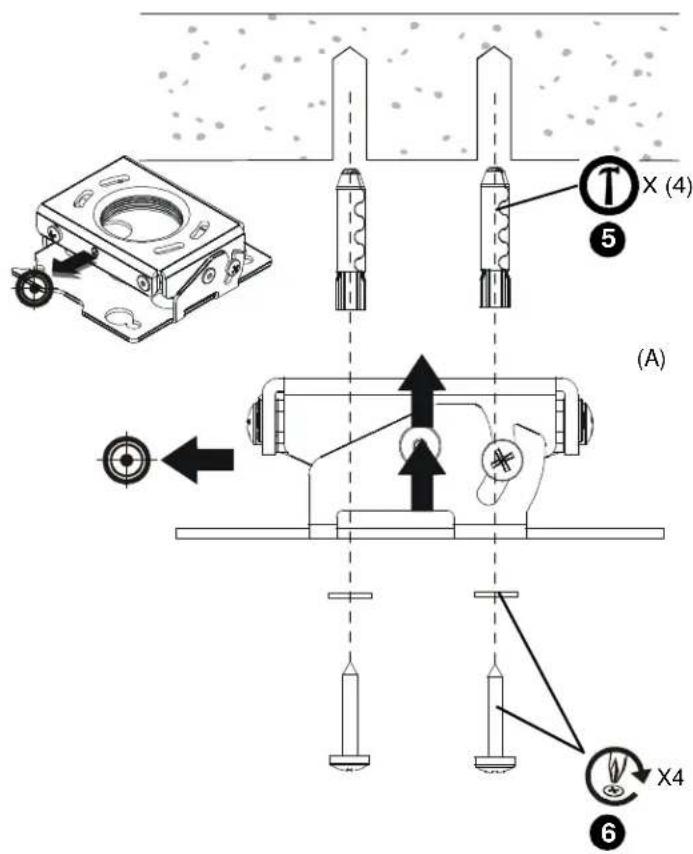
- Align four mounting holes in RSA with four pilot holes.
IMPORTANT ! : Make sure mount is properly oriented towards target before securing to structure.

WARNING: Anchors (not provided) must be installed into structurally sound solid concrete. Installation into hollow concrete block, mortar, or concrete that exhibits cracking, spalling, or other defects may result in failure of anchor and serious personal injury or damage to equipment.
- Install four 3/8" x 2-1/4" Grade 2 concrete anchors (not included) by inserting into pilot holes and pounding in until flush with mounting surface.
- Secure RSA to structure using four #10 flat washers and four #10 x 3" Phillips head wood screws. (not included)
1c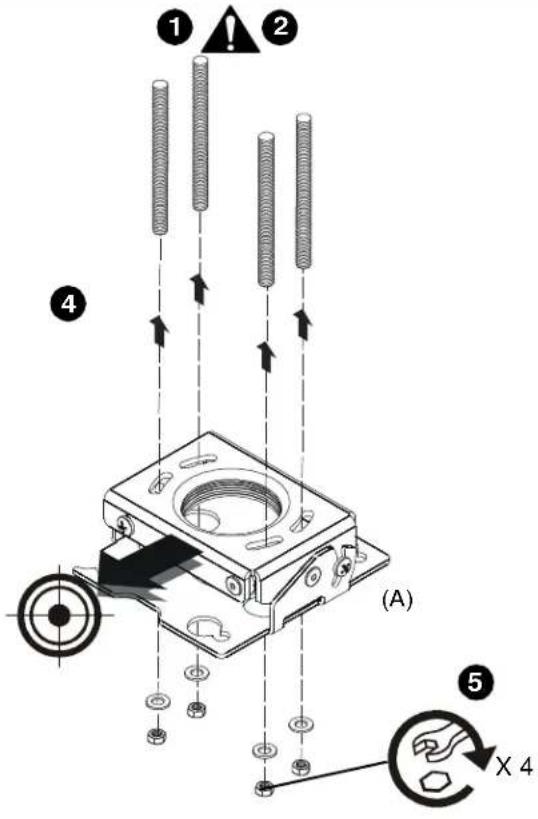 | Threaded Rod InstallationThe RSA must be suspended from four 1/4" diameter (minimum) Grade 2 or better threaded rods (not included) which are secured to unistrut, angle or channel assembly overhead structural members (trusses or I-beams) by Grade 2 or better 1/4" channel nuts (not included).WARNING: IMPROPER INSTALLATION CAN RESULT IN SERIOUS PERSONAL INJURY OR DAMAGE TO EQUIPMENT! Structural membersMUSTbe capable of supporting five times the combined weight of all equipment being mounted.1. Carefully determine required mount position.IMPORTANT ! : This will require knowing the lens to screen distance. See projector specifications for determining this distance.NOTE: Threaded rod and installation hardware not included.2. Secure one end of the threaded rod to the structural member.3. Install four #10-24 jam nuts on each threaded rod.4. Install the RSA on the threaded rod.NOTE: Hole in the RSA allows socket wrench access without unit disassembly.5. Secure the RSA to the threaded rod using four 1/4" channel nuts. |
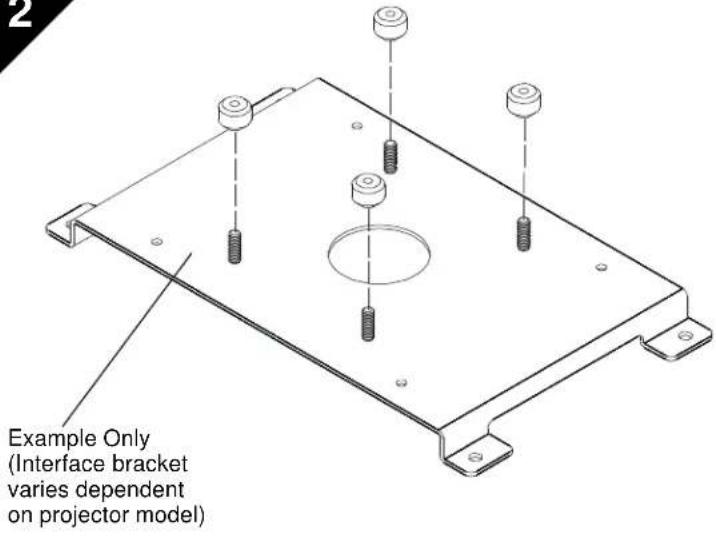 | PROJECTOR INSTALLATIONIMPORTANT ! : Model RSA uses optional Chief "SSB" Series interface brackets. (See Parts drawing.)Install Interface Bracket1. Partially thread thumb nuts onto Phillips screws until screw end is visible in top of thumb screw.IMPORTANT ! : DO NOT fully tighten thumb screws at this time. |
2a
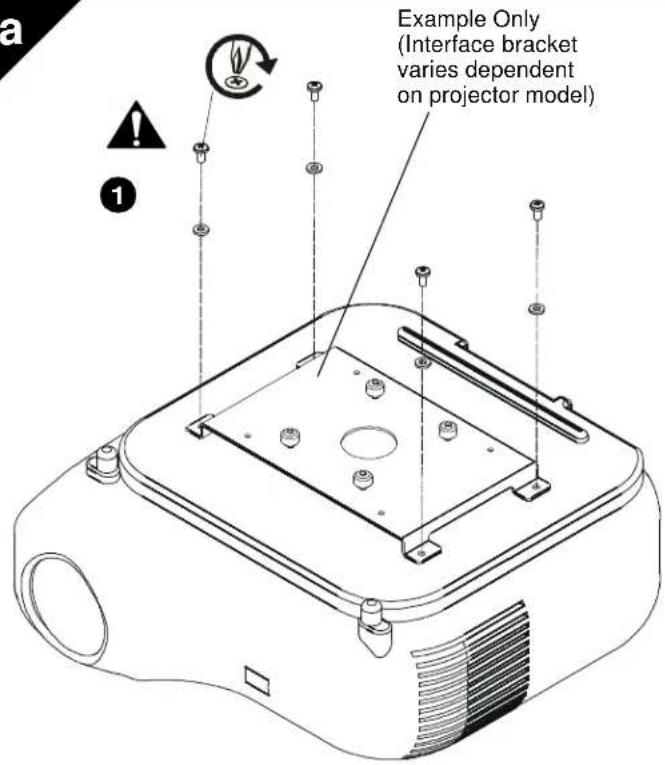

WARNING: IMPROPER INSTALLATION CAN LEAD TO PROJECTOR FALLING RESULTING IN SERIOUS PERSONAL INJURY OR DAMAGE TO EQUIPMENT. DO NOT substitute hardware. Use only the hardware provided by the manufacturer.
- Secure interface bracket to mount using installation instructions and hardware provided with interface bracket.
NOTE: Interface brackets can be installed using the optional All-Points Security Kit included with the SSB mounting solutions.
2b
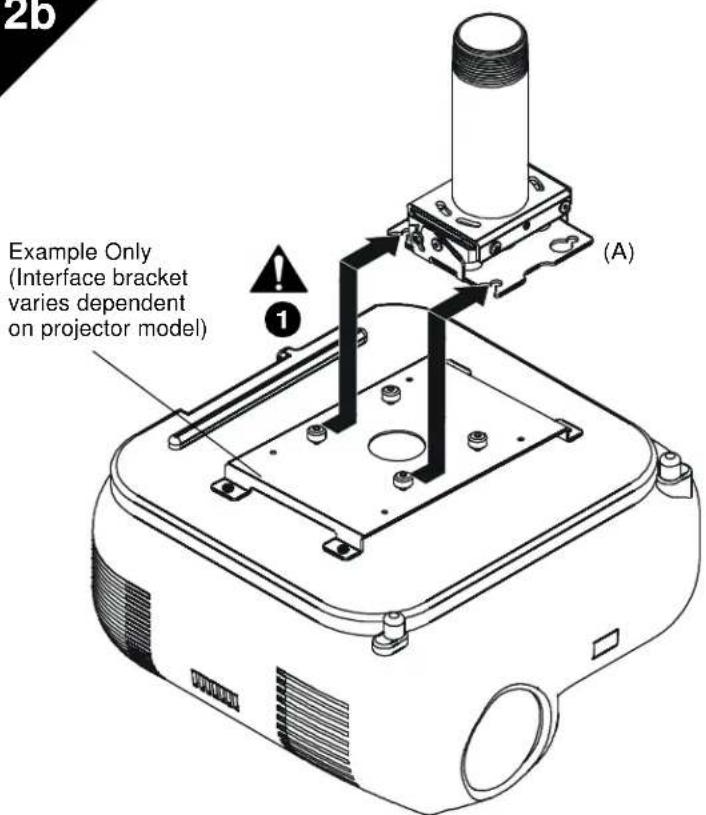
Install Projector With Interface Bracket
-
Orient projector with interface bracket as shown in figure 2b at left.
-
Lift projector so that screws with thumb nuts are aligned with mounting slots in mount base.
-
Slide projector with mounting bracket onto mounting slots in mount base until screws are seated against the back of mounting slots. See figure 2b and 2c.

WARNING: IMPROPER INSTALLATION CAN LEAD TO PROJECTOR FALLING RESULTING IN SERIOUS PERSONAL INJURY OR DAMAGE TO EQUIPMENT. Make certain mounting slots in mount base slide under thumb screws and that screws are seated in the back of slots.
2c
Example Only (Interface bracket varies dependent on projector model)
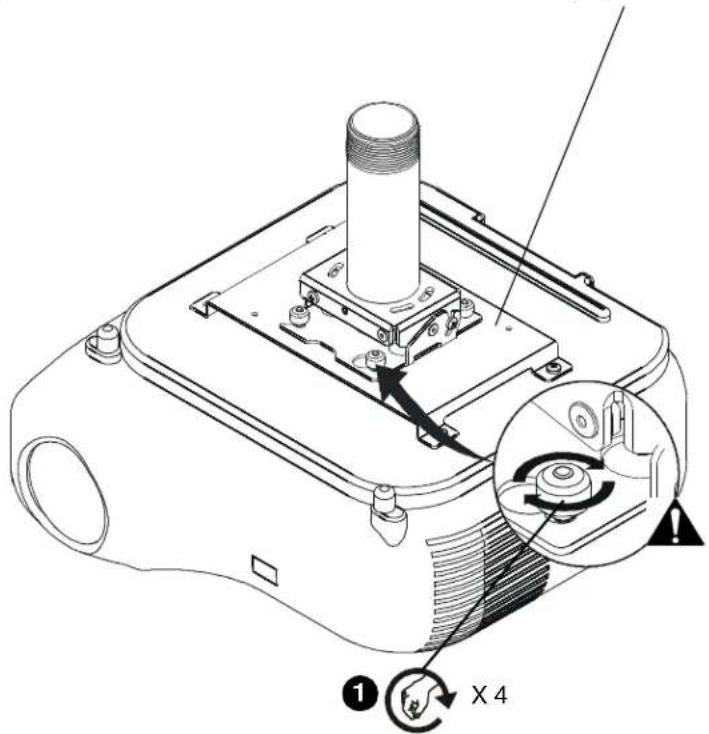
Securing Projector with Interface Bracket to Model RSA Mount.

WARNING: IMPROPER INSTALLATION CAN LEAD TO PROJECTOR FALLING RESULTING IN SERIOUS PERSONAL INJURY OR DAMAGE TO EQUIPMENT. Make certain mounting slots in mount base slide under thumb screws and that screws are seated in the back of slots.
- Turn thumb nuts until tight to secure projector to mount.
3
Example Only (Interface bracket varies dependent on projector model)
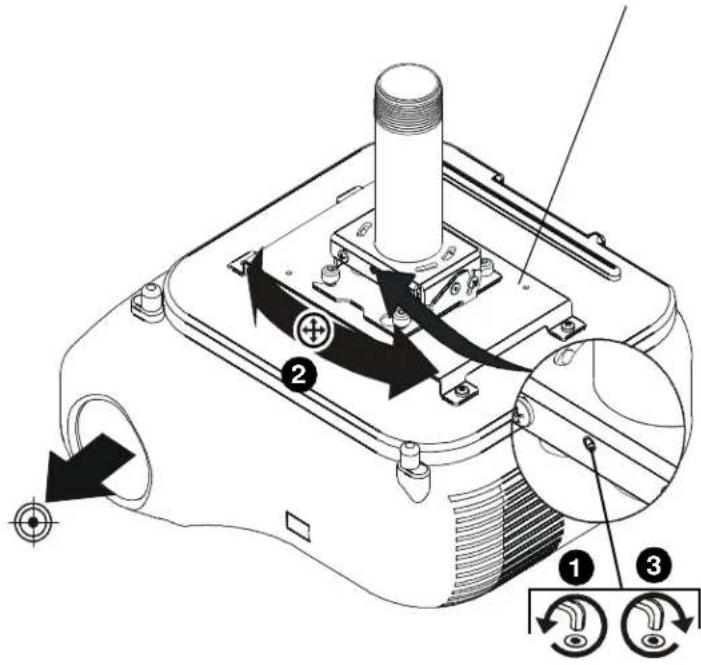
ADJUSTMENTS
YAW Adjustment
- Loosen yaw adjustment screw using a 5/32" hex key.
NOTE: Yaw is only adjustable when attached to a threaded pipe.

WARNING: Do not turn the projector to the end of the pipe threads. The projector, interface plate and projector will fall from the pipe if it is unthreaded too far! A minimum of four threads must be engaged in order to ensure a secure connection!
-
Adjust projector by turning the projector on the pipe to the desired yaw position.
-
Tighten yaw adjustment locking screw using a 5/32" hex key.
3a
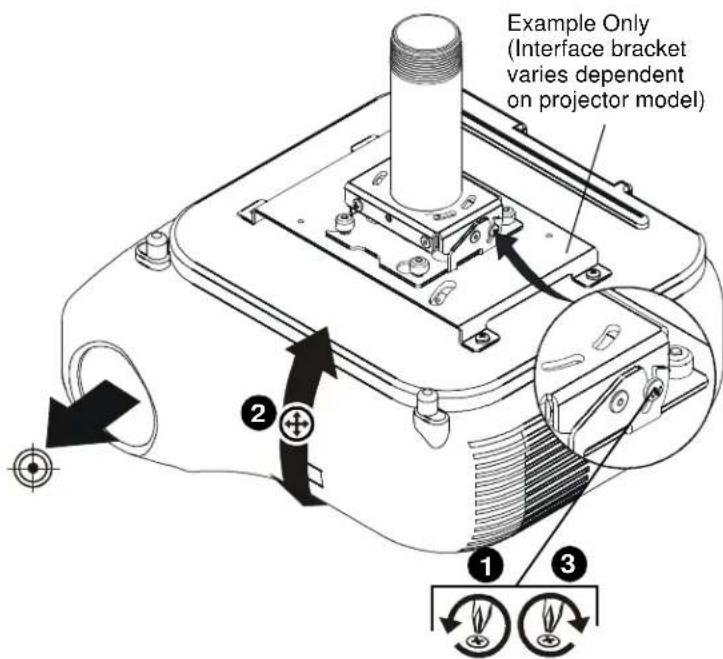
Pitch Adjustment
-
Loosen pitch adjustment locking screw on each end of the RSA projector mount using a #2 Phillips screwdriver.
-
Adjust projector angle to desired pitch.
-
Tighten pitch adjustment locking screw on each end of the RSA projector mount using a #2 Phillips screwdriver.
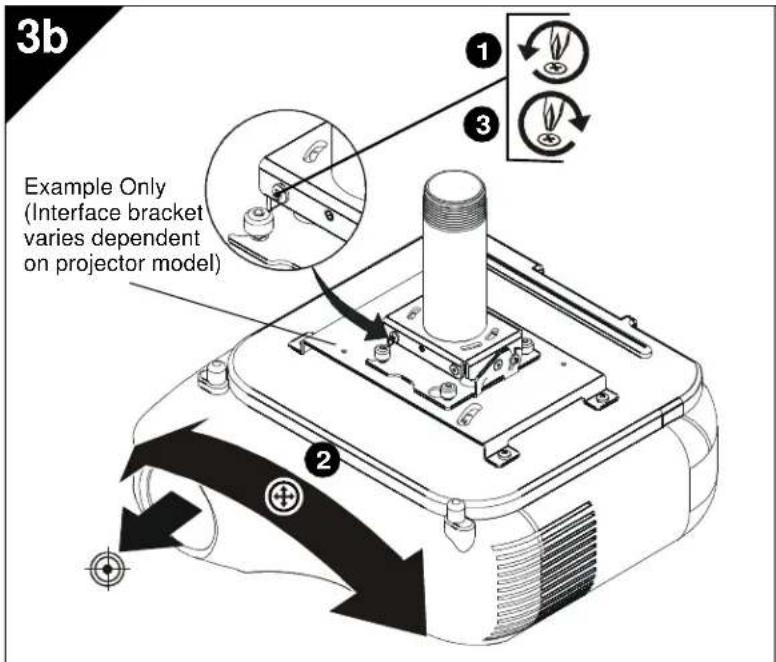
Roll Adjustment
- Loosen roll adjustment locking screw on each side of the RSA projector mount using a #2 Phillips screwdriver.
- Adjust projector to desired roll position.
- Tighten roll adjustment locking screw on each side of the RSA projector mount using a #2 Phillips screwdriver.
RSA Projector Mounts
Installation Instructions
- INSTALLATION INSTRUCTIONS
- RSA Projector Mounts
- DISCLAIMER
- IMPORTANT SAFETY INSTRUCTIONS!
- TOOLS REQUIRED FOR INSTALLATION
- PARTS
- INSTALLATION
- Wood Stud Installation
- Solid Concrete Installation
- Install Projector With Interface Bracket
- 2c
- Securing Projector with Interface Bracket to Model RSA Mount.
- 3
- ADJUSTMENTS
- YAW Adjustment
- 3a
- Pitch Adjustment
- Roll Adjustment
Brand : Chief
Model : RSA357
Category : Uncategorized