AR-EH04T - Remote control SAMSUNG - Free user manual and instructions
Find the device manual for free AR-EH04T SAMSUNG in PDF.


| Product Type | Remote Control for Samsung Air Conditioner |
| Model Number | AR-EH04T |
| Brand | Samsung |
| Dimensions (Approx.) | 4.5 x 1.5 x 0.8 inches (114 x 38 x 20 mm) |
| Weight (Approx.) | 2.1 oz (60 g) including batteries |
| Power Source | 2 x AAA batteries (1.5V, not included) |
| Battery Life | Approximately 12 months under normal use |
| Control Distance | Up to 23 ft (7 m) |
| Compatible Air Conditioner Series | Samsung Wind-Free, Digital Inverter, and other compatible models (check user manual) |
| Key Functions | Power On/Off, Mode (Cool, Heat, Fan, Dry, Auto), Temperature (+/-), Fan Speed, Swing, Timer, Sleep Mode, Turbo, Quiet, 2-Step Cooling, SmartThings (Wi-Fi model dependent) |
| Display Type | LCD screen with temperature and mode icons |
| Low Battery Indicator | Yes (icon on display) |
| Mounting | Handheld, includes wall mount bracket (if provided) |
| Cleaning Instructions | Wipe with a soft, dry cloth. Avoid using water or solvents. |
| Safety Precautions | Do not expose to moisture or extreme temperatures. Remove batteries if not used for long periods. |
| Spare Parts / Repairability | Batteries are user-replaceable. Contact Samsung service for other repairs. |
| Warranty | 1 year limited warranty (check local terms) |
Frequently Asked Questions - AR-EH04T SAMSUNG
User questions about AR-EH04T SAMSUNG
0 question about this device. Answer the ones you know or ask your own.
Ask a new question about this device
Download the instructions for your Remote control in PDF format for free! Find your manual AR-EH04T - SAMSUNG and take your electronic device back in hand. On this page are published all the documents necessary for the use of your device. AR-EH04T by SAMSUNG.
USER MANUAL AR-EH04T SAMSUNG
- Thank you for purchasing this Samsung Product.
- Before operating this unit, please read this manual carefully and retain it for future reference.
Safety Information 3
Safety Information 3
At a Glance 5
Preparation 5
Checking the package contents • Inserting batteries • Installing the remote control holder 5
Remote Control Overview 6
Remote Control Operation 7
Operation modes • Controlling temperature • Controlling fan speed 7
Controlling air flow direction 8
Power Smart Features 9
Cooling Operation 9
Cool mode 9
WindFree Cooling function 10
Dehumidifying Operation 12
Dry mode 12
Air Purifying Operation 13
S-Plasma Ion function 13
Heating Operation 14
Heat mode 14
Quick Smart Features 15
Auto mode • Fan mode 15
Turbo function • Quiet function 16
Long reach function • Beep sound function • Display lighting function 17
Controlling the indoor units individually 18
Clean function 19
Clearing the filter-cleaning reminder • Controlling the air flow direction individually 20
Motion Detection Feature 21
Indirect function with Motion detection feature • Direct function with the Motion detection feature 21
Energy-Saving Operation 22
Timed on/Timed off function 22
good'sleep function 23
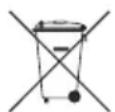
Correct disposal of batteries in this product
This marking on the battery, manual or packaging indicates that the batteries in this product should not be disposed of with other household waste at the end of their working life. Where marked, the chemical symbols Hg, Cd or Pb indicate that the battery contains mercury, cadmium or lead above the reference levels in EC Directive 2006/66.
The lowest set temperature is limited to 20 degree in the UAE according to UAE.S 5010-5:2016.
This content is intended to protect the user's safety and prevent property damage. Please read it carefully for correct use of the product.

WARNING
Hazards or unsafe practices that may result in severe personal injury or death.

CAUTION
Hazards or unsafe practices that may result in minor personal injury or property damage.

Follow directions.

Do NOT attempt.

Make sure the machine is grounded to prevent electric shock.

Unplug the appliance.

Do NOT disassemble.
FOR INSTALLATION

WARNING

The installation of this product must be performed by a qualified technician.
- Failing to do so may result in electric shock, fire, product malfunction, explosion, or injury.

not install this product near a heater, or inflammable material. Do not install this product in a humid, oily or dusty location, in a location exposed to direct sunlight and water (rain drops). Do not install this product in a location where gas may leak.
- Failing to do so may result in electric shock or fire.

CAUTION

Install the product on a hard and level place that can support its weight.
- If the place cannot support its weight, the product may fall down and it may cause product damage.
FOR OPERATION

WARNING

If the product generates a strange noise, a burning smell or smoke, unplug the product immediately and contact your nearest service centre.
- Failing to do so may result in electric shock or fire.

not attempt to repair, disassemble, or modify the product yourself.
- Failing to do so may result in electric shock, fire, product malfunction, or injury.

CAUTION

Do not allow water to enter the product.
- Failing to do so may result in fire or explosion.

not operate the product with wet hands.
- Failing to do so may result in electric shock.
Do not spray volatile material such as insecticide onto the surface of the product.
- As well as being harmful to humans, it may also result in electric shock, fire, or product malfunction.
Do not give a strong impact to the product and do not disassemble the product.
After replacing remote control batteries, make sure to keep the old batteries out of reach of children.
- If your child has swallowed a battery, immediately contact a doctor for assistance.
When replacing batteries, exercise caution to ensure that your skin does not come into contact with battery liquid.
- Battery liquid is harmful to the human body.
Do not use this product for other purposes.
- This product is designed to be used only for a system air conditioner.
Do not press the buttons with any sharp objects.
- Failing to do so may result in electric shock or part damage.
Do not clean the product by spraying water directly onto it. Do not use benzene, thinner, alcohol or acetone to clean the product.
- Failing to do so may result in discoloration, deformation, damage, electric shock, or fire.
Checking the package contents
| Item | Wireless remote control | Battery (AAA 1.5 V) | M4 x L16 screw | Remote control holder | User Manual |
| Quantity 1 | 2 | 2 | 1 | 1 | |
| Shape | 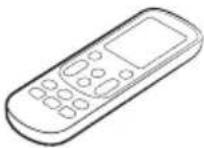 | 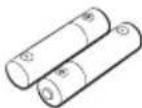 | 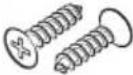 | 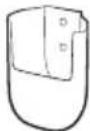 |  |
Inserting batteries
- If the ⚠️ (Low battery) indicator appears on the remote control display, replace the batteries with two new AAA 1.5V batteries.
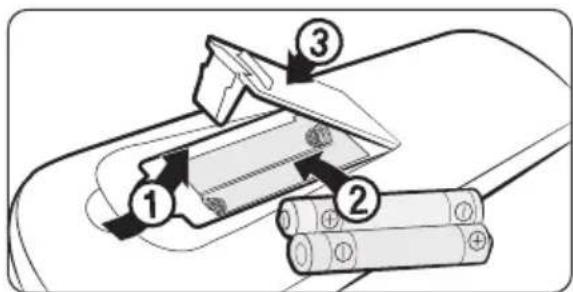
Installing the remote control holder
1 Choose a location on the wall where to install the remote control holder.
2 Mark the two spots for fastening the two M4 x L16 screws. Then drill the two holes.
3 Fasten the screws through the holes to fix the remote control holder in place.

NOTE
• Installation location requirements:
- Avoid locations exposed to direct sunlight.
- Avoid locations where the holder is covered by objects such as curtains.
- Choose a location that is at least 1 m away from a TV or stereo system.
- If the remote control will not be used for an extended period of time remove the batteries and store them separately.
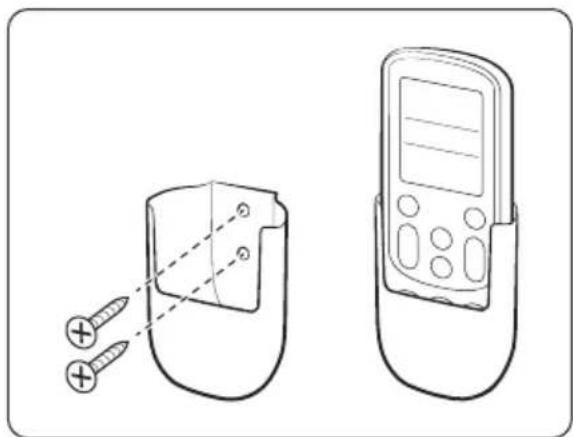
natural_image
Line drawing of a mobile device with two screws inserted into a cup, next to a handheld device (no text or symbols)Remote Control Overview
Some functions may not be available, depending on the indoor unit specifications.
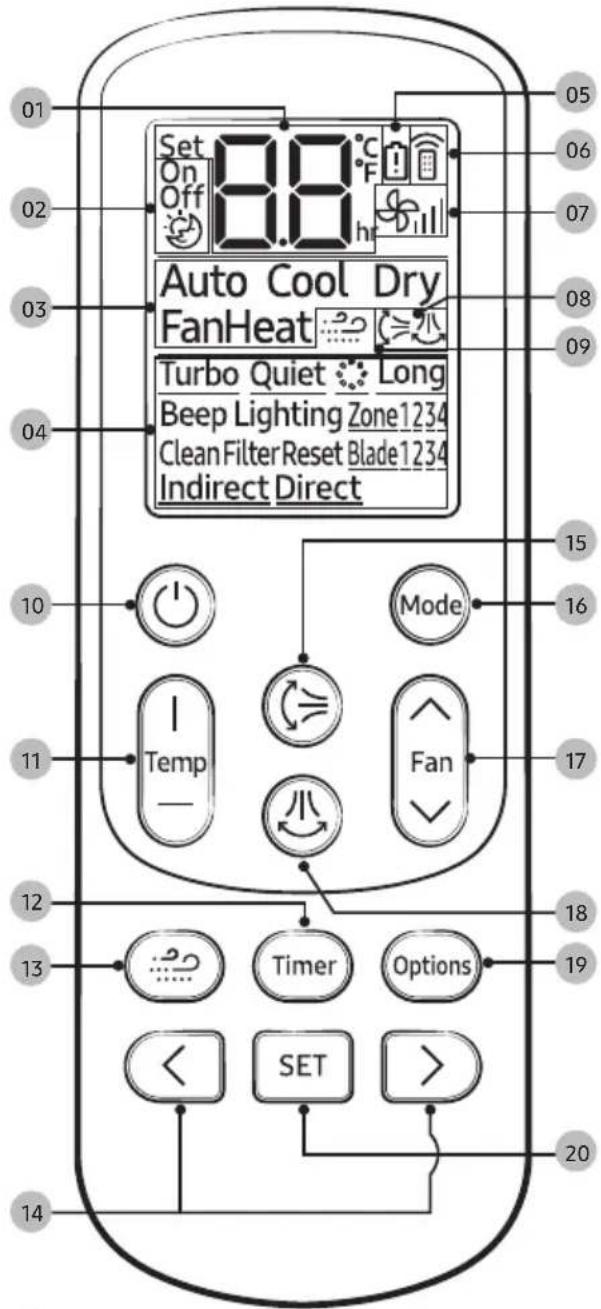

NOTE
- To select a function, point the remote control to the remote control sensor on an indoor unit.
- If you turn off the remote control and then turn it on, the settings of Timed on/off and other options that you set previously are cancelled. Air flow direction setting will not be cancelled.
01 Set temperature / Timer indicator
02 Timer option indicator
03 Operation mode indicator
04 Options indicator
05 Low battery indicator
06 Signal transmission indicator
07 Fan speed indicator
08 Air flow direction indicator
09 WindFree indicator
10 Power button
11 Temperature button
12 Timer button
13 WindFree button
14 Direction button / Selection button
15 Vertical air swing button
16 Mode button
17 Fan speed button
18 Horizontal air swing button
19 Options button
20 SET button
- If the indoor unit number (Zone 1 to Zone 4) that you select on the remote control display does not match the indoor unit (default: Indoor Unit 1) pointed by the remote control, the indoor unit will not operate.
- If you press a button on the remote control near a strong light such as a compact fluorescent lamp or neon sign, the air conditioner may not operate. In this case, move close to the indoor unit, and then operate the remote control.
- If other appliances respond to the remote control, contact a service centre.
Remote Control Operation
You can use the air conditioner easily by selecting a mode and then by controlling the temperature, fan speed, and air flow direction.
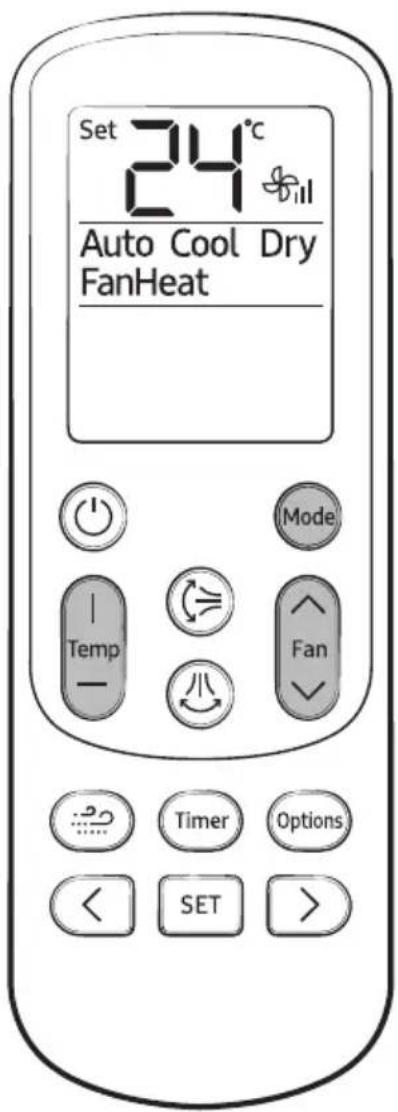
Operation modes
You can change the current mode between Auto, Cool, Dry, Fan, and Heat by pressing the button.
Controlling temperature
You can control the temperature in each mode as follows:
| Mode Temperature control | |
| Auto/Cool/Dry | Adjust by 1 °C between 20 °C and 28 °C. |
| Fan | You cannot control the temperature. |
| Heat | Adjust by 1 °C between 20 °C and 28 °C. |
You can select the following fan speeds in each mode:
| Mode Available fan speeds | |
| Auto/Dry | (Auto) |
| Cool/Heat | (Auto), (low), (Med), (High) |
| Fan | (Low), (Med), (High) |
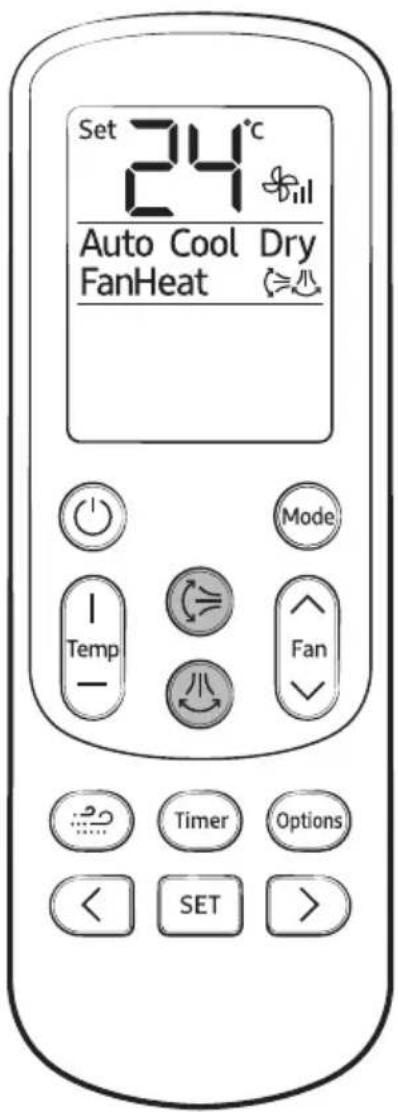
Controlling air flow direction
You can change air flow direction to either vertical or horizontal.
In operation


NOTE
- To lock a specific air flow direction, press either the ➕ or ⏻ button when the air flow blades are in the intended position.
- Duct-type indoor units do not come with a vertical air flow direction.
- If you press 📊nbutton on a 360-cassette indoor unit, the indicator display changes as follows.
| Press count | Controlling air flow direction | Indicator |
| 1 | S | 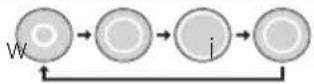 |
| 2 | S | p o |
| 3 | S | 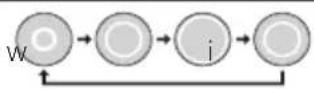 |
| 4 | Mid | |
| 5 | S | 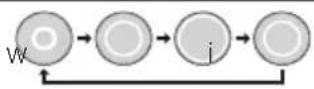 |
| 6 Wide |
※ The indication may vary depending on the previously used mode.
- The individual air flow direction control function, which is available on the 360 cassettes only, can be operated with a 360-cassette wireless remote control (AR-KH00R) only.
Cooling Operation
The smart and powerful cooling functions of the Samsung air conditioner keep an enclosed space cool and comfortable.
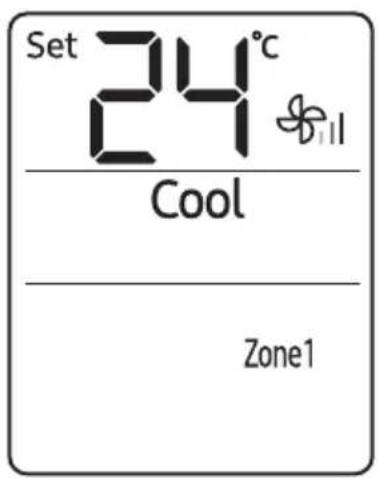
Cool mode
Use the Cool mode to stay cool in hot weather.
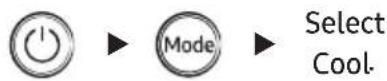
NOTE
- For comfort, keep the temperature difference between the indoor and outdoor air within 5 °C in the Cool mode.
- To cool your room quickly, select a low temperature and a high fan speed.
• To save energy, select a high temperature and a low fan speed. - As the indoor temperature approaches the set temperature, the compressor will operate at a low speed to save energy.
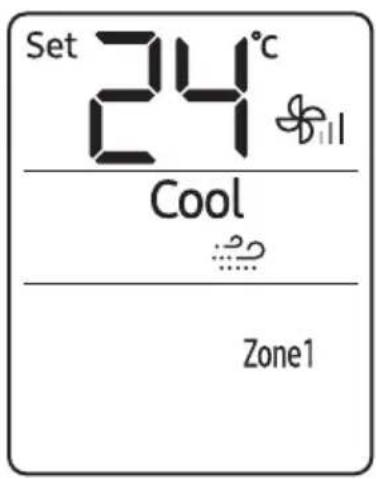
WindFree Cooling function
Use the WindFree Cooling function to enjoy mild cool breeze exuding from fine holes on the WindFree panel with the air flow blade closed, instead of getting cool wind directly. The automated control of the temperature and fan speed according to the indoor temperatures keeps your room cool and pleasant.
In the Cool, Dry, or Fan mode

NOTE
- To cancel this function, press the 📄 button again.
- If the WindFree Cooling function is cancelled, the air conditioner returns to the original fan speed.
- You can adjust the set temperature during the WindFree Cooling function, and recommended set temperatures are 24 to 26 °C. However, you cannot change the set temperature in the Fan mode.
- You can use the WindFree Cooling function when the Cool, Dry, or Fan mode is running.
- If the room temperature goes high because of rise of external temperature, heat from cooking, or other reason, operate the WindFree Cooling function after operating in the Cool mode.
- If you select the WindFree Cooling function in the Fan mode, the compressor stops working so that cool air does not come out. However, mild breeze comes out and starts to clean the air in the room.
- During the WindFree Cooling operation, the cold air may be intermittently weakened depending on the temperature and humidity in the room. But the WindFree air currents are maintained and the weakened cold air is immediately recovered, consequently keeping the room comfortable. (During the WindFree Cooling operation, the air flow blades may open to control the indoor air currents smoothly, depending on the installation settings. In this case, as soon as the indoor temperature and humidity change, the air flow blades are closed and the WindFree Cooling operation restarts. For more information on the installation settings, see "Setting the indoor unit addresses and the installation options" in the installation manual of the indoor unit.)
| Change of the air flow blade by temperature and humidity | |||
| Indoor temperature and humidity | Low | High | |
| Breeze is blown via the micro holes on the air flow blades | Breeze is blown via the micro holes on the air flow blades | Breeze comes from the air flow blade depending on the setting | |
| Air flow blade | Closed | Closed (default) | Opened (according to setting) |
- When the WindFree Cooling function runs while sleeping, you may feel cold air if the air conditioner is installed over the bed. In this case, set the desired temperature higher than the normal setting temperature.
- If you select the WindFree Cooling function while such functions as Turbo, Quiet, Long reach, an Air flow direction (,) or 'good'sleep' are running, these functions are cancelled.
Dehumidifying Operation
The dehumidifying function of the Samsung air conditioner keeps an enclosed space dry and comfortable.
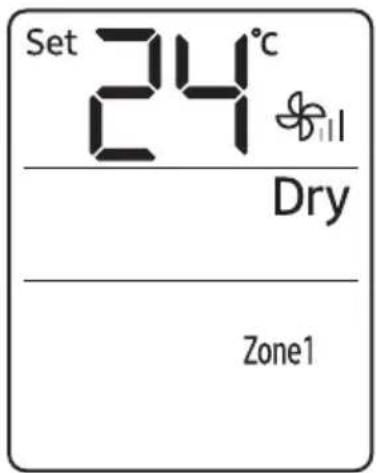
Dry mode
Use the Dry mode in rainy or humid weather.
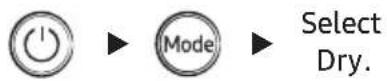
NOTE
- You cannot change fan speed in the Dry mode.
- The greater the difference between the set temperature and the current temperature is, the greater the amount of air that is dehumidified is.
Air Purifying Operation
The air purification function of the Samsung air conditioner keeps the air in an enclosed space purified.
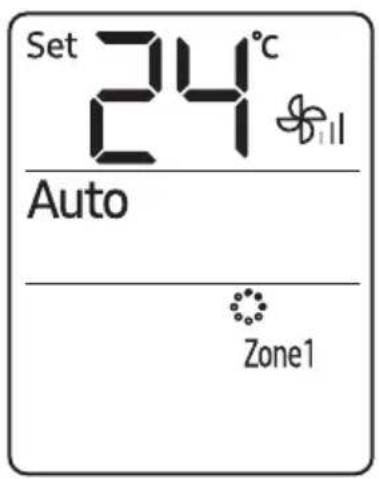
S-Plasma Ion function
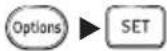
Use the S-Plasma Ion function to purify your room with positive ions produced by the air conditioner. This function is available in the Auto, Cool, Dry, Fan, and Heat modes.
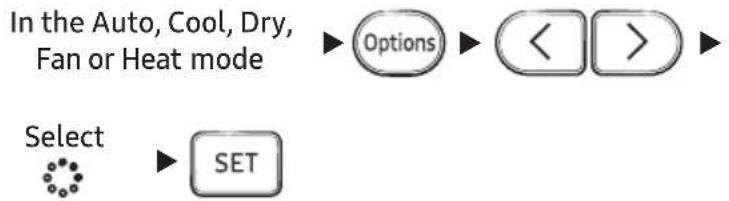
flowchart
graph TD
    A["In the Auto, Cool, Dry, Fan or Heat mode"] --> B["Options"]
    B --> C["<<"]
    C --> D[">"]
    E["Select"] --> F["SET"]
NOTE
- To cancel the S-Plasma Ion function, press the button again.
- When the S-Plasma Ion function is additionally selected in the Fan mode, you cannot change the set temperature.
- If air conditioning and S-Plasma lon functions are on and you want to stop both functions, press ⏻ on the air conditioner.
- When the S-Plasma Ion function is additionally selected while a specific mode is running, there is little difference in electricity consumption and operating noise.
The heating functions of the Samsung air conditioner keep an enclosed space warm and comfortable.
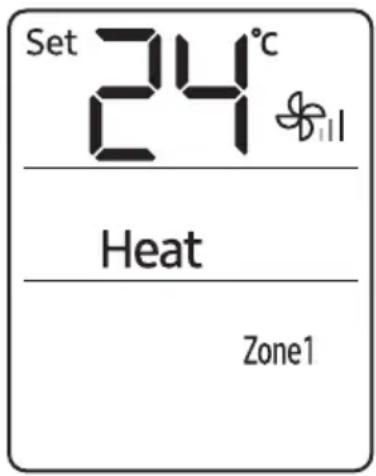
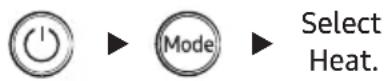
Heat mode
Use the Heat mode to stay warm.
NOTE
- While the air conditioner warms up, the fan may not operate for a while at the beginning to prevent cold wind.
- While the defrost function is running, the indoor unit provides no breeze to prevent cold wind.
- If the outdoor temperature is low and the humidity is high while the Heat mode is running, the heating performance of the air conditioner may decrease due to frost and ice that formed on the outdoor heat exchanger. When this condition happens, the air conditioner runs the defrost function for about 5 to 12 minutes to remove the frost and ice, and water steam is released from the outdoor unit.
- The operation time of the defrost function varies depending on the amount of the frost and ice and the humidity.
- While the defrost function is running, none of other functions will work, even if you select them on the remote control.
Quick Smart Features
There is a variety of useful functionality provided by the Samsung air conditioner.
Auto mode
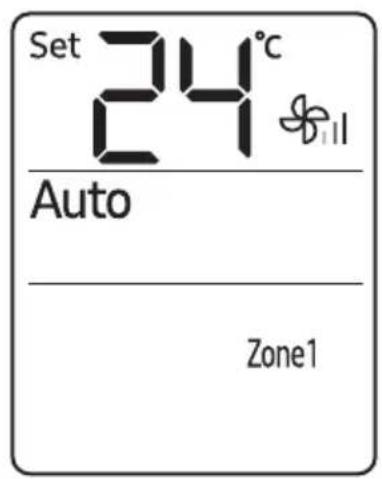
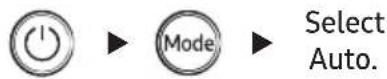
Use the Auto mode when you want the air conditioner to automatically control the mode (Heat or Cool). The air conditioner will provide the most comfortable atmosphere that it can.
NOTE
- You cannot change the fan speed.
- While the Cool mode is running, the air conditioner produces a strong cold air if there is a large difference between the set temperature and the current temperature. When the temperature difference becomes small, the air conditioner automatically changes the air flow direction to Wide and keeps the room at a comfortable temperature.
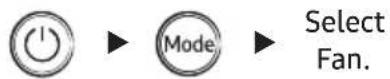
Fan mode
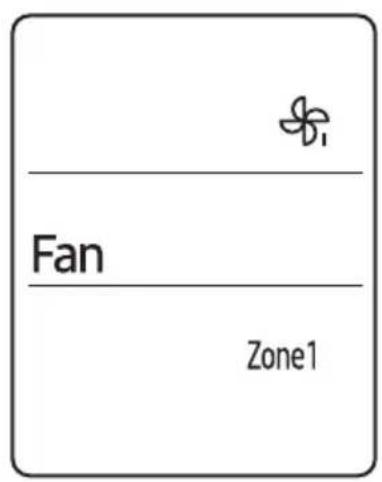
Use the Fan mode to run the air conditioner like a common fan. The air conditioner provides a natural breeze.
NOTE
- If the air conditioner will not be used for an extended period of time, dry the air conditioner by running it in the Fan mode for 3 or 4 hours.
Turbo function
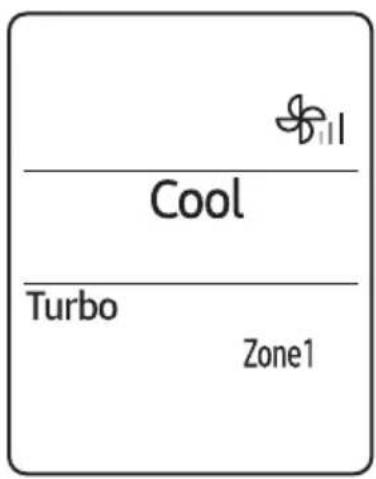
Use the Turbo function to provide intensive cooling or heating to sharply decrease or increase indoor temperature within 30 minutes.
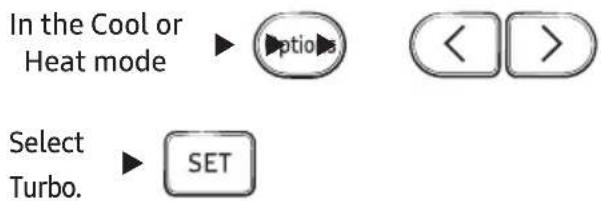
NOTE
• After 30-minute operation, the air conditioner automatically switches to standard the Cool or Heat mode.
- You can change air flow direction.
Duct-type indoor units do not come with a vertical air flow direction.
- You cannot change set temperature or fan speed.
- If you select the Turbo function while such functions as WindFree Cooling, Quiet, Long reach or good'sleep are running, these functions are cancelled.
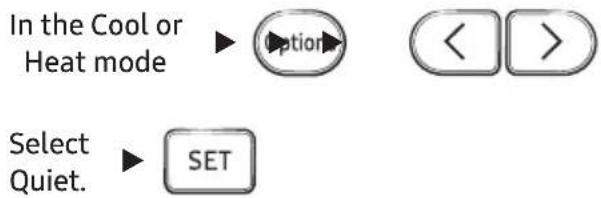
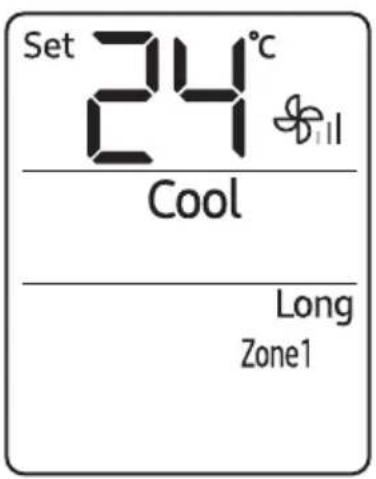
Quiet function
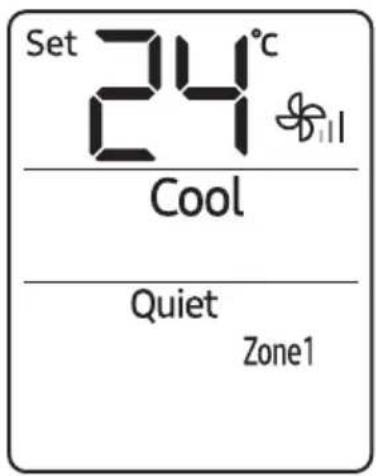
Use the Quiet function to reduce operating noise. You can select this function both in the Cool and Heat modes.
NOTE
- You can change set temperature and air flow direction.
- You cannot change the fan speed.
- If you select the Quiet function while such functions as Turbo, Long reach or good'sleep are running, these functions are cancelled.
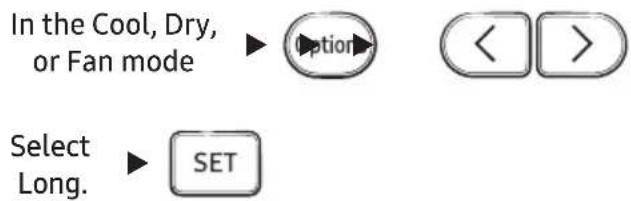
Long reach function
Use the Long reach function to deliver strong air flow that quickly reaches a far distance.
NOTE
- You cannot change the fan speed.
- If you select the Long reach function while such functions as WindFree Cooling, Turbo, Quiet or good'sleep are running, these functions are cancelled.
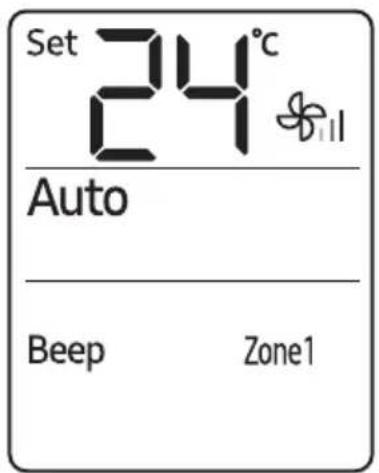
Beep sound function
Use the Beep sound function to turn on or off the beep sound that plays when you press a button on the remote control.

flowchart
graph LR
    A["Options"] --> B["<<"] --> C[">>"] --> D["Select Beep."] --> E["SET"]
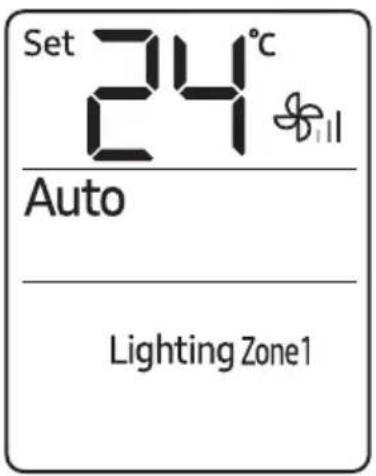
Display lighting function
Use the Display lighting function to turn on or off the Air purity level indicator of the indoor unit.

flowchart
graph LR
    A["Options"] --> B["<<"]
    B --> C["Select Lighting."]
    C --> D["SET"]
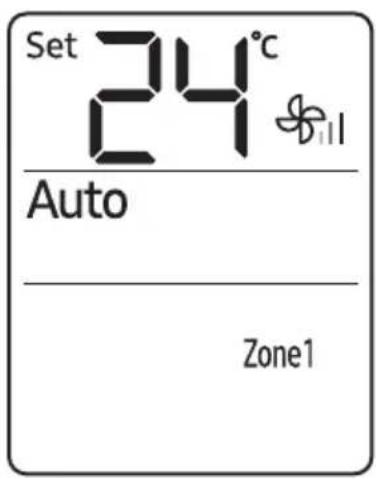
Controlling the indoor units individually
Use the Zone function to choose the indoor unit you want to operate individually. For example, select Zone1 to control only the indoor unit1.

flowchart
graph LR
    A["Options"] --> B["Select one from Zone 1 to Zone 4."]
    B --> C["SET"]
NOTE
- You can select either one or all of Zone 1 to Zone 4.
- The indoor unit numbers must be set by the installer: the installer sets a number on each indoor unit. To change the existing indoor unit numbers, contact a service centre.
- The current Zone function settings persist even if you change the current mode or you turn off and then turn on the remote control. The Zone selection you made using the remote control is reset when the remote control batteries are replaced.
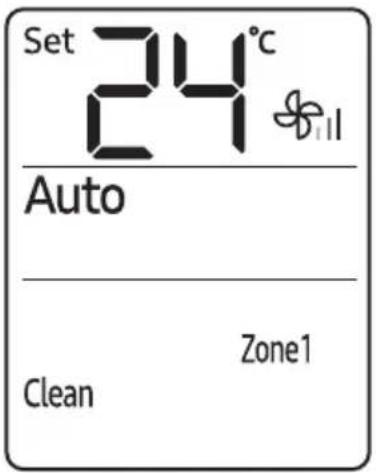
Clean function
Use the Clean function to remove moisture from the inside of the air conditioner for preventing propagation of fungi, bacteria, etc.

flowchart
graph LR
    A["Options"] --> B["<<"] --> C[">>"] --> D["Select Clean."] --> E["SET"]
NOTE
- Depending on the condition of the indoor unit, the Clean operation stops after running for 30 seconds to 20 minutes.
- When the Clean function is set, the Timer LED on the indoor unit blinks 3 times for 3 seconds (OFF → ON → OFF → ON → OFF → ON → OFF → returns to the previous state. When the Clean function is cancelled, the Timer LED on the indoor unit blinks once for 1 second (OFF → ON → OFF → returns to the previous state,
- If you turn on the air conditioner and then turn it off within 20 seconds, the Clean function does not operate.
- When the air conditioner is turned off, the Clean function operates immediately. When it is turned on, the Clean function operates after it is stopped.
- Once the Clean function is started, it automatically continues to operate until it is cancelled.
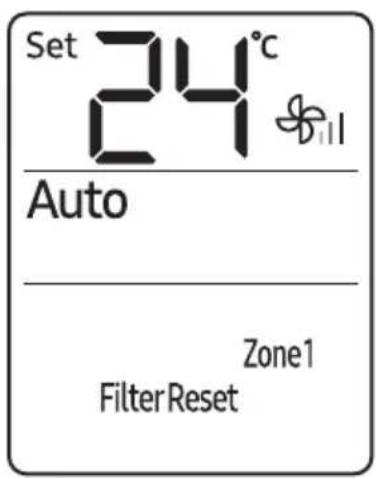
Clearing the filter-cleaning reminder
Use the filter reset function to reset the filter-cleaning reminder after cleaning or replacing the filter.

flowchart
graph LR
    A["Options"] --> B["Select Filter Reset."]
    B --> C["SET"]
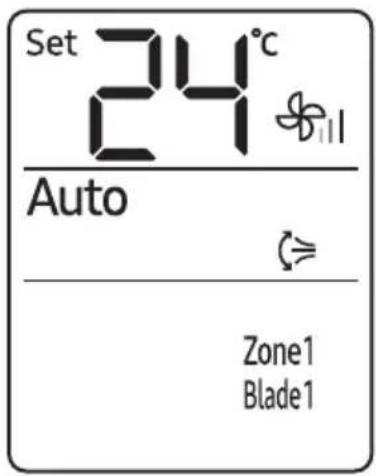
Controlling the air flow direction individually
Use the individual air-flow-direction control function to individually control the air flow directions of the air outlets.
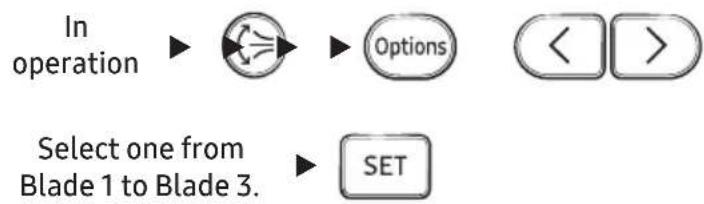
flowchart
graph TD
    A["In operation"] --> B["Process Step"]
    B --> C["Options"]
    C --> D["< >"]
    E["Select one from Blade 1 to Blade 3."] --> F["SET"]
NOTE
- This function is available only on 4-way cassette air conditioners.
- You can select all or specific blades of indoor units 1 through 4.
- To cancel the selected air flow direction, press the button.
- If specific blades are selected, the ⏚ button is disabled.
- The individual air flow direction control function, which is available on the 360 cassettes only, can be operated with a 360-cassette wireless remote control (AR-KH00R) only.
Motion Detection Feature
To use the Motion detection feature, the air conditioner must be equipped with a Motion Detection Kit, which is sold separately. If the Motion Detection Kit is already installed, the motion detection feature must be enabled so that it can operate normally. (For more information, refer to the Motion Detection Kit manual.) When Direct or Indirect is displayed on the remote control display, the Motion detection feature changes the air conditioner to energy-saving mode if there are no people in the room.
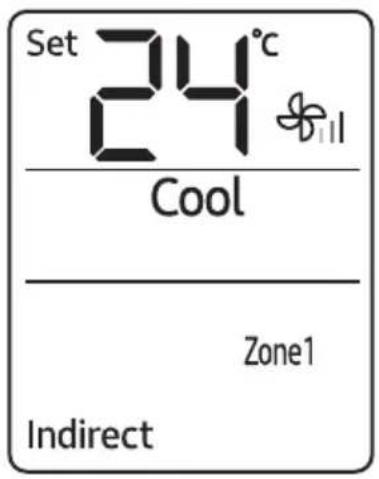
Indirect function with Motion detection feature
Use the Indirect function to get an indirect wind so that you can feel comfortable. When this function is turned on, the air conditioner detects people and blows air indirectly around them.
In the Cool or Heat mode
Select Indirect
NOTE
- When the Indirect function is set simultaneously with the Auto, Dry, Fan, WindFree Cooling, Turbo, Quiet, Long reach, air flow direction or good'sleep function, Indirect is displayed on the remote control display but this function does not operate.
Direct function with the Motion detection feature
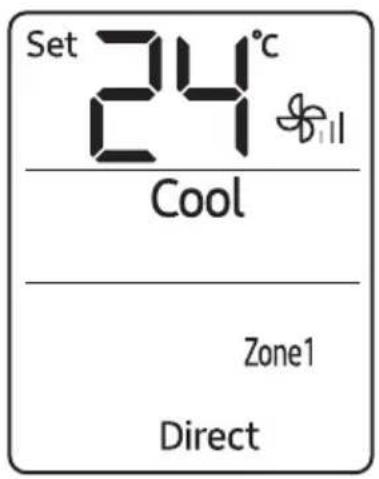
Use the Direct function to get a direct wind so that you can feel comfortable. When this function is turned on, the air conditioner detects people and blows air directly toward them.
In the Cool or Heat mode
Select Direct.
NOTE
- When the Direct function is set simultaneously with the Auto, Dry,
Fan, WindFree Cooling, Turbo, Quiet, Long reach, air flow direction
or good'sleep function, Direct is displayed on the remote control display but this function does not operate. - The Direct function is not supported by MCR-SMA model.
Energy-Saving Operation
The Samsung air conditioner provides functions that allow you to reduce electricity consumption.
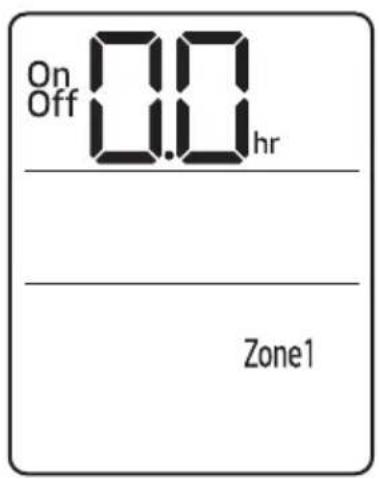
Timed on/Timed off function
Use the Timed on/Timed off to turn on or off the air conditioner after the time that you set.
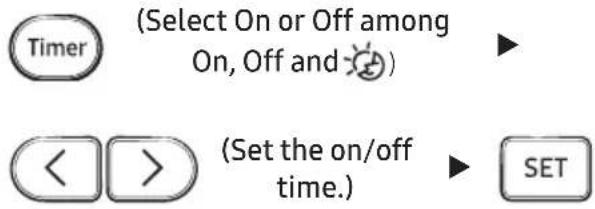
- Press Timer the (Timer) button to change the current function between On, Off, and 🎨 (good'sleep). 🎨 (good'sleep) is displayed in the Cool and Heat mode only.
NOTE
- You can set a time between 0.5 and 24 hours. Set the time interval to 0.0 to cancel the Timed on/off function.
- After starting the Timed on function, you can change the mode and the set temperature. When you apply the Timed on/off function to the Fan mode, you cannot change the set temperature.
- You cannot set the same time for both of the Timed on and Timed off functions.
- If you press the Timer button when the remote control is off, On is displayed fist on the remote control display; if you press the Timer button when the remote control is on, Off is displayed first.
| Combining Timed on and Timed off | |
| When the air conditioner is off | Example) Timed on: 3 hours, Timed off: 5 hours• The air conditioner turns on after 3 hours from the moment you start Timed on/off, remains on for 2 hours, then turns off automatically. |
| When the air conditioner is on | Example) Timed on: 3 hours, Timed off: 1 hours• The air conditioner turns off after 1 hour from the moment you start Timed on/off, then turns on after 2 hours from the moment it is turned off. |
good'sleep function
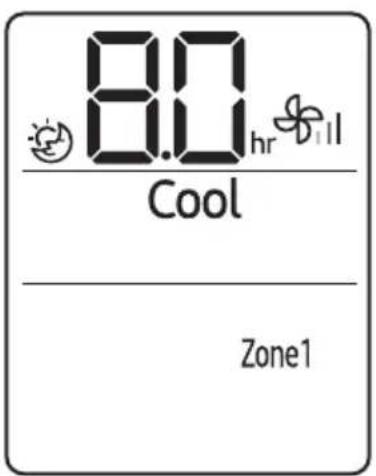
Use the good'sleep function to get a good sleep at night and to save energy. You can select this function in the Cool mode.
In the Cool mode

(Select among On, Off and 📋)


(Set the operation time.) ▶
- Pres the (Timer) button to change the current function between On, Off, and 📋 (good'sleep).
NOTE
- Fan speed and air flow directions are automatically adjusted.
- You can adjust the set temperature by 1 °C between 20 °C and 28 °C.
- The recommended set temperature in good'sleep function is 25 to 27^ C .
- You can set the operation time to between 0.5 and 12 hours. Set the operation time to 0.0 to cancel the good'sleep function.
- The default operation time for the good'sleep function in the Cool mode is 8 hours. If the operation time is set to over 5 hours, the Wake up function begins 1 hour before the set time. The air conditioner stops automatically when the operation time expires.
- When the Timed on, Timed off, and good'sleep functions are overlapped, the air conditioner operates its timer with only the function that you have started most recently.
- If you select the good'sleep function while such functions as WindFree Cooling, Turbo, Quiet, Long reach are running, these functions are cancelled.