VT-81000 - Motion detector V-TAC - Free user manual and instructions
Find the device manual for free VT-81000 V-TAC in PDF.


User questions about VT-81000 V-TAC
0 question about this device. Answer the ones you know or ask your own.
Ask a new question about this device
Download the instructions for your Motion detector in PDF format for free! Find your manual VT-81000 - V-TAC and take your electronic device back in hand. On this page are published all the documents necessary for the use of your device. VT-81000 by V-TAC.
USER MANUAL VT-81000 V-TAC
WEEE Number: 80133970
INSTRUCTION MANUAL
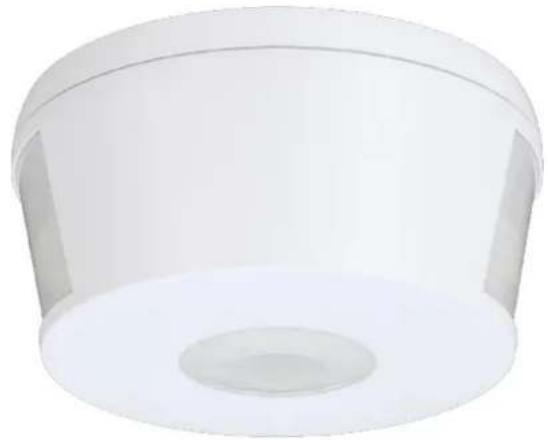
INFRARED MOTION SENSOR
natural_image
White cylindrical object with a central hole and side protrusions, resembling a plastic or industrial component (no text or symbols visible)COMPATIBLE WITH
V-TAC LED
RANGE (UPTO 500W)
05
YEAR
WARRANTY*
TECHNICAL DATA
| MODEL VT-81000 | |
| SKU 23162 | |
| INPUT POWER AC: 220-240V, 50/60 Hz | |
| RATED LOAD | Max. 2000W 1000W +LED |
| TIME DELAY | Min. 10sec ± 3secMax. 15min ± 2min |
| DETECTION RANGE | 360° |
| DETECTION DISTANCE | 30m max (<24°C) |
| DETECTION MOVING SPEED | 0.6-1.5m/s |
| IP RATING IP20 | |
| WORKING TEMPERATURE | -20°C to +40°C |
| WORKING HUMIDITY | <93%RH |
| POWER CONSUMPTION | Approx, 0.9W |
| AMBIENT LIGHT <3-2000 LUX (Adjustable) | |
| INSTALLATION HEIGHT | 2.2 - 4m |
| POWER CONSUMPTION | approx 0.9w |
| DETECTION MOTION SPEED | 0.6-1.5 m/s |
| DIMENSION ∅103x53.5 mm | |
INTRODUCTION & WARRANTY
Thank you for selecting and buying V-TAC product. V-TAC will serve you the best. Please read these instructions carefully before starting the installation and keep this manual handy for future reference. If you have any another query, please contact our dealer or local vendor from whom you have purchased the product. They are trained and ready to serve you at the best. The warranty is valid for 5 years from the date of purchase. The warranty does not apply to damage caused by incorrect installation or abnormal wear and tear. The company gives no warranty against damage to any surface due to incorrect removal and installation of the product.

MULTI-LANGUAGE MANUAL QR CODE
Please scan the QR code to access the manual in multiple languages.
WARNING
-
Please make sure to turn off the power before starting the installation.
-
Installation must be performed by a qualified electrician.
-
For Indoor use only
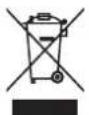
This marking indicates that this product should not be disposed of with other household wastes.
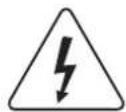
Caution, risk of electric shock.
FUNCTION
-
Can identify day and night: The consumer can adjust working state in different ambient light. It can work in the daytime and at night when it is adjusted on the "sun" position (max). It can work in the ambient light less than 3LUX when it is adjusted on the "3" position (min). As for the adjustment pattern, please refer to the testing pattern.
-
Time-Delay is added continually: When it receives the second induction signals within the first induction, it will restart to time from the moment.

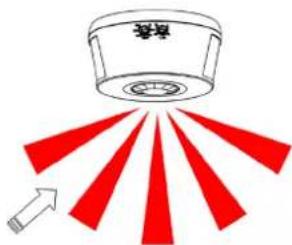
Good Sensitivity Poor Sensitivity
INSTALLATION ADVICE
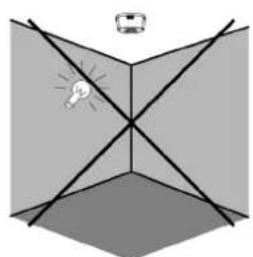
As the detector responds to changes in temperature, avoid the following situations
- Avoid pointing the detector towards objects with highly reflective surfaces, such as mirrors etc.
- Avoid mounting the detector near heat sources, such as heating vents, air conditioning units, light etc.
- Avoid pointing the detector towards objects that may move in the wind, such as curtains, tall plants etc.
natural_image
Diagram showing light rays interacting with a 3D geometric surface, no text or symbols present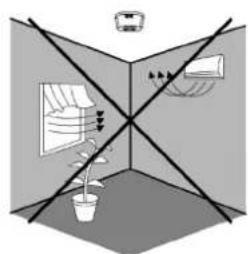
natural_image
Diagram showing a room with furniture and lighting equipment, no text or symbols present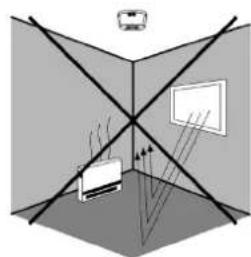
natural_image
Diagram showing light rays interacting with two screens and a car, no text or symbols presentCONNECTION
- Turn the bottom-cover anti-clockwise and unload it.
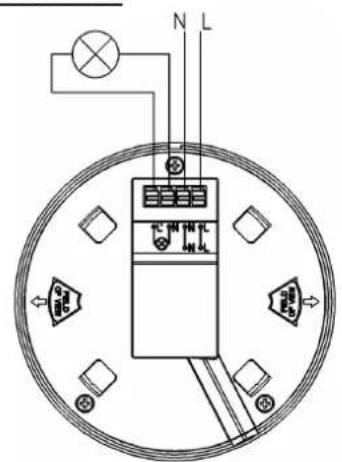
- The power wire goes across the hole in the middle of bottom-stand. Connect the power wire into connection-wire column according to the connection-wire diagram.
- Fix the bottom-stand on the selected position with inflated screw.
- The sensor should be aimed at the mouth of bottom-stand and turned clockwise.
• After finishing installing, turn on the power and then test it.
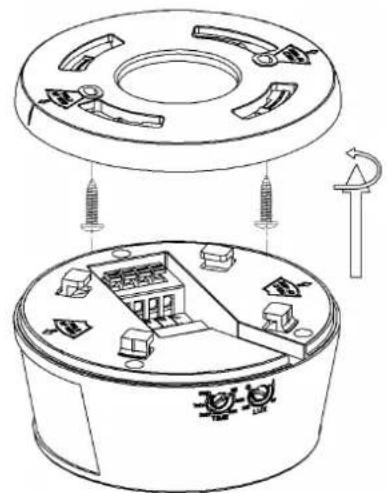
CONNECTION-WIRE DIAGRAM
SENSOR INFORMATION
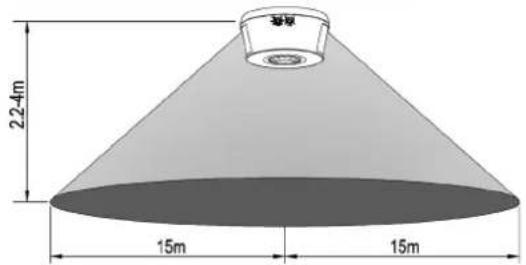
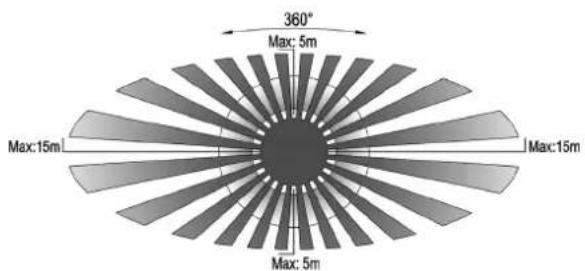
Height of installation:2.2-4m Detection Distance: Max.30m
- Turn the TIME knob anti-clockwise on the minimum (IOs).Turn the LUX knob clockwise on the maximum (sun).
- Switch on the power; the sensor and its connected lamp will have no signal at the beginning. After Warm-up 30sec, the sensor can start work. If the sensor receives the induction signal, the lamp will turn on. While there is no another induction signal any more, the load should stop working within 10sec±3sec and the lamp would turn off.
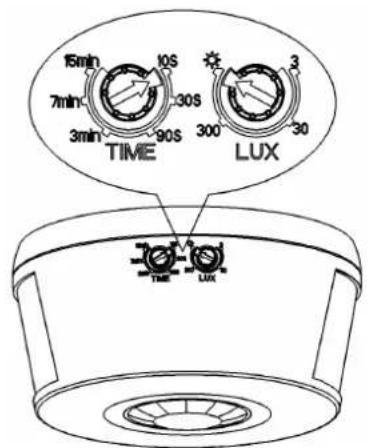
- Turn LUX knob anti-clockwise on the minimum (3). If the ambient light is more than 3LUX, the sensor would not work and the lamp stop working too. If the ambient light is less than 3LUX (darkness), the sensor would work. Under no induction signal condition, the sensor should stop working within 10sec±3sec.
Note: when testing in daylight, please turn LUX knob to ⚙ (SUN) position, otherwise the sensor lamp could not work! If the lamp is more than 60W, the distance between lamp and sensor should be 60cm at least.
SOME PROBLEM AND SOLVED WAY
1. The load does not work:
a. Please check if the connection of power source and load is correct.
b. Please check if the load is good.
c. Please check if the settings of working light correspond to ambient light.
2. The sensitivity is poor:
a. Please check if there is any hindrance in front of the detector to affect it to receive the signals.
b. Please check if the ambient temperature is too high.
c. Please check if the induction signal source is in the detection field.
d. Please check if the installation height corresponds to the height required in the instruction.
e. Please check if the moving orientation is correct.
3. The sensor can not shut off the load automatically:
a. Please check if there is continual signal in the detection field.
b. Please check if the time delay is set to the maximum position.
c. Please check if the power corresponds to the instruction.