
SPF1137B - Digital photo frame PHILIPS - Free user manual and instructions
Find the device manual for free SPF1137B PHILIPS in PDF.


| Product Type | Digital Photo Frame |
| Brand | Philips |
| Model | SPF1137B |
| Display Size | 7 inches |
| Resolution | 800 x 480 pixels |
| Aspect Ratio | 16:9 |
| Brightness | 250 cd/m² |
| Contrast Ratio | 300:1 |
| Viewing Angle | 140° (H) / 120° (V) |
| Supported Memory Cards | SD, SDHC, MMC, MS, MS Pro |
| Power Supply | AC 100-240V, 50/60Hz |
| Power Consumption | 5W (typical) |
| Standby Power | <1W |
| Features | Slideshow, Clock, Calendar, Brightness adjustment, Language selection, Auto on/off, Slideshow speed and transition effects, Firmware upgradeable |
| Security | Kensington lock slot |
| Accessories Included | AC adapter, Stand |
| Care Instructions | Clean with dry cloth, avoid liquids |
| Safety Warnings | Do not open, keep away from moisture |
Frequently Asked Questions - SPF1137B PHILIPS
User questions about SPF1137B PHILIPS
0 question about this device. Answer the ones you know or ask your own.
Ask a new question about this device
Download the instructions for your Digital photo frame in PDF format for free! Find your manual SPF1137B - PHILIPS and take your electronic device back in hand. On this page are published all the documents necessary for the use of your device. SPF1137B by PHILIPS.
USER MANUAL SPF1137B PHILIPS
Register your product and get support at
www.philips.com/welcome
PhotoFrame
SPF1127
SPF1137
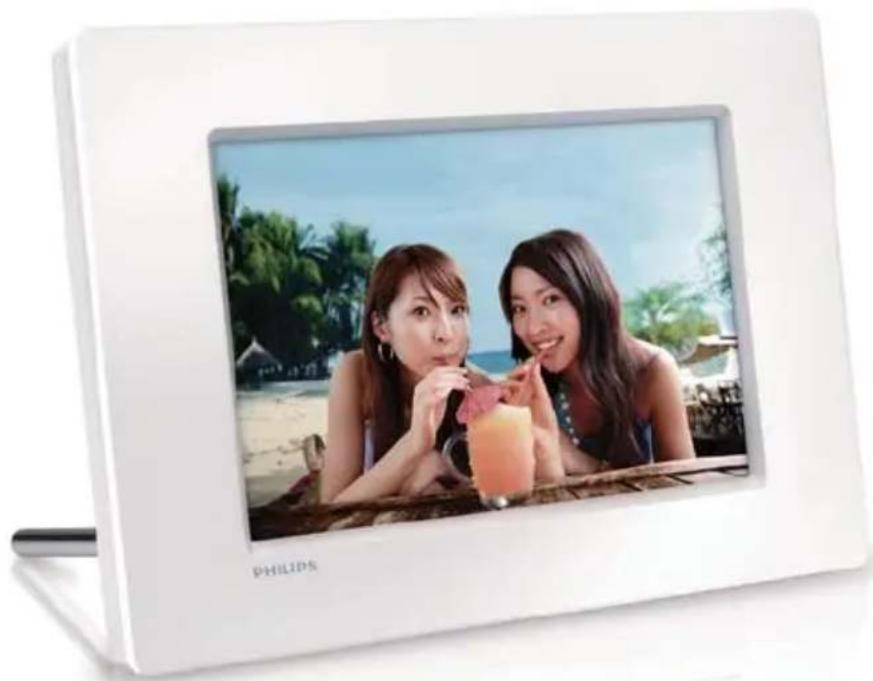
natural_image
White digital photo of two women smiling while holding a drink, with beach and beach background (no text or symbols on the image itself)ZH-CN
用户手册
目录
1 注意事项 2
安全 2
安全注意事项与维护 2
公告 2
废旧产品弃置 2
针对客户的回收信息 2
回收 3
North Europe Information
(Nordic Countries) 3
禁用物质声明 3
2 您的数码相框 5
产品简介 5
包装盒内物品:5
数码相框概述 6
3 使用入门 7
安装支架 7
连接电源 7
启数码相框 8
动 关闭数码相框 8
传输照片 8
4 显示照片 10
管理幻灯片和照片 10
5 浏览和管理照片 11
6 时钟和日历 12
7 设置 13
选择屏幕语言 13
调节显示屏亮度 13
设置时间和日期 13
设置显示自开/关 14
选择幻灯牌放映频率 14
选择幻灯片过渡效果 14
查看数码相框的状态 14
恢复出厂默认设置 15
8 升级数码相框 16
9 产品信息 17
10 常见问题解答 18
11 词汇 19
需要帮助?
Be responsible Respect copyrights
Environmental Information
产品中毒有害物质或元素的名称及含量
Names and Contents of Toxic or Hazardous Substances or Elements
| 部件名称Name of the Parts | 有毒有害物质或元素Hazardous/Toxic Substance | |||||
| 铅(Pb, Lead) | 汞(Hg,Mercury) | 镉(Cd,Cadmium) | 六价铬(Chromium 6+) | 多溴联苯(PBB) | 多溴二苯醚(PBDE) | |
| Housing外壳 | O | O | O | O | ||
| LCD Panel液晶面板 | O | O | O | O | ||
| PWBs电路板组件 | X | O | O | O | ||
| Accessories(Remote control & cables)附件(遥控器,电源线,连接线) | X | O | O | O | ||
O: Indicates that this toxic or hazardous substance contained in all of the homogeneous materials for this part is below the limit requirement in SJ/T11363 – 2006.
X: Indicates that this toxic or hazardous substance contained in at least one of the homogeneous materials used for this part is above the limit requirement in SJ/T11363 - 2006.

环使用期限 Environmental Protection Use Period
This logo refers to the period (10 years) during which the toxic or hazardous substances or elements contained in electronic information products will not leak or mutate so that the use of these [substances or elements] will not result in any severe environmental pollution, any bodily injury or damage to any assets.
2 您的数码相框
① BACK|POWER
按住打开/关闭数码相框·
按下进入主屏幕·
按下返回·
② ▲/▼ ◀◀
按下选择向上/向下/向右/向左选项·
③ OK
按下播放/暂停幻灯片放映·
按下确认选择·
④ MENU
按下进入/退出菜单·
⑤ 🔒 Kensington 防盗锁
⑥ SD/MMC/MS/MS Pro
natural_image
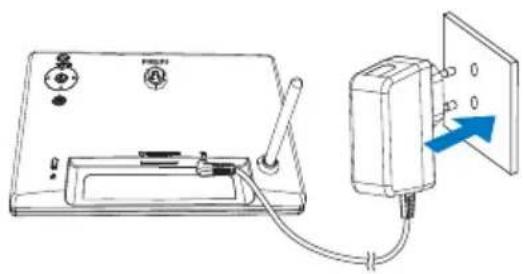
Line drawing of a simple electrical device connected to a wall-mounted power outlet, with no visible text or symbols.几秒钟后,数码相框会自打开。→ 动
启动数码相框

注
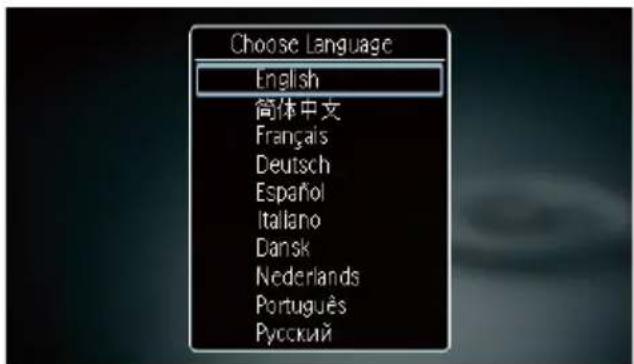
如果是第一次打开数码相框:
- 屏幕会提示您选择语言。
Secure Digital High Capacity (SDHC)• MMC 卡•
Memory Stick (MS)•
要将照片复制到数码相框:
natural_image
Close-up of a person drinking from a cup, wearing a yellow shirt (no visible text or symbols)2 按◀▶选择图标, 然后按 OK。
相册缩略图将显示。
要管理照片:
7 设置
选择屏幕语言
1 选择 [语言], 然后按 OK。
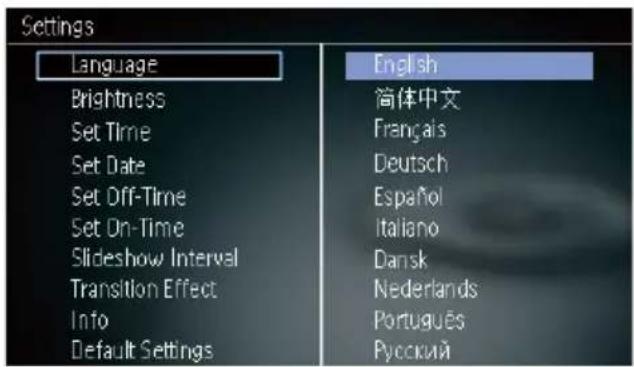
2 选择语言, 然后按 OK。
调节显示屏亮度
1 选择 [亮度], 然后按 OK。
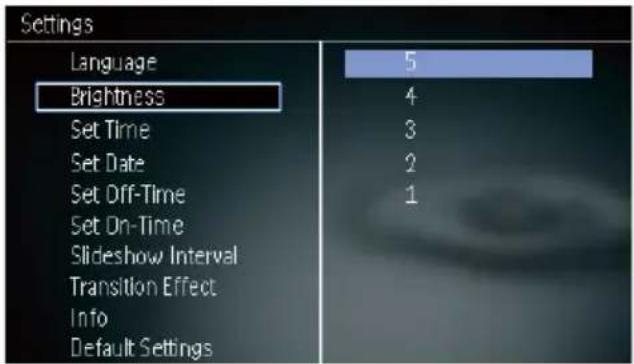
2 选择亮度,然后按 OK。
设置时间和日期

注
断
2 选择一个选项,然后按 OK。
查看数码相框的状态
1 选择 [信息]。
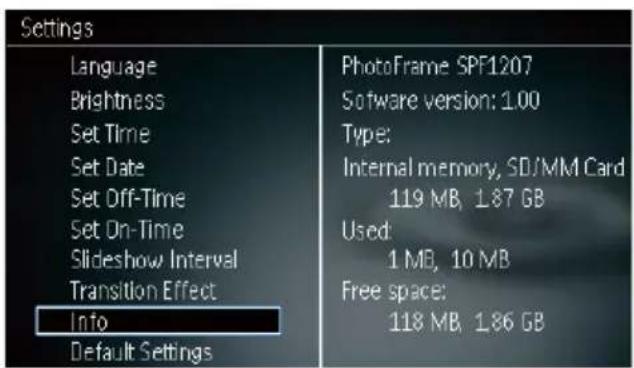
数码相框的信息将显示在屏幕右侧。
恢复出厂默认设置
2 选择 [是], 然后按 OK。
8 升级数码相框

注意
在升级期间,不要关闭数码相框。
如果有可用的软更新,您可从 www.
P, UK, US, UJ, JP, CH, AU, AN
或 AR; xy输=出电压/电流代码)
Brand : PHILIPS
Model : SPF1137B
Category : Digital photo frame