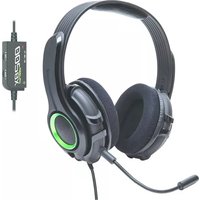
GamesterGear Cruiser XB200 - Loudspeaker Syba - Free user manual and instructions
Find the device manual for free GamesterGear Cruiser XB200 Syba in PDF.


| Product Type | Gaming Speaker |
| Brand | Syba |
| Model | GamesterGear Cruiser XB200 |
| Dimensions (W x H x D) | Approx. 10 x 6 x 6 inches (25 x 15 x 15 cm) |
| Weight | Approx. 2.5 lbs (1.1 kg) |
| Power Source | USB powered (5V, 1A) |
| Connectivity | 3.5mm audio jack, USB power |
| Driver Size | 2 x 2.5" full-range drivers |
| Frequency Response | 80 Hz - 20 kHz |
| Output Power | 5W RMS (total) |
| Impedance | 4 ohms |
| Signal-to-Noise Ratio | >70 dB |
| Features | Built-in volume control, LED indicator, anti-skid base |
| Compatibility | PC, gaming consoles (with 3.5mm output), smartphones, tablets |
| Included Accessories | USB power cable, 3.5mm audio cable, user manual |
| Material | Plastic housing with mesh grille |
| Color | Black with red accents |
| Cleaning | Wipe with a soft dry cloth; do not use liquids or abrasives |
| Safety | Keep away from moisture, excessive heat; use supplied adapter only |
| Spare Parts & Repairability | No user-serviceable parts; contact support for issues |
Frequently Asked Questions - GamesterGear Cruiser XB200 Syba
User questions about GamesterGear Cruiser XB200 Syba
0 question about this device. Answer the ones you know or ask your own.
Ask a new question about this device
Download the instructions for your Loudspeaker in PDF format for free! Find your manual GamesterGear Cruiser XB200 - Syba and take your electronic device back in hand. On this page are published all the documents necessary for the use of your device. GamesterGear Cruiser XB200 by Syba.
USER MANUAL GamesterGear Cruiser XB200 Syba
GAMESTERGEAR
Cruiser XB200
Gaming Headset Manual

TECHNICAL SPECIFICATIONS
Acoustic design:
Frequency response:
Driver:
Sensitivity:
Mic type:
Mic frequency response:
Cable length:
Connector type:
Closed Back
20hz - 20khz
57 mm @ 32 ohms
112dB SPL, 1mW @ 1khz
Detachable Boom Mic
70hz - 15khz
15.7 ft (4.8 m)
Dual RCA for Game Audio
USB for Power
2.5mm for Voice Chat Input
Package Contents
Cruiser XB200
Headset

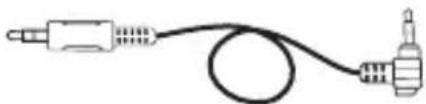
2.5mm Voice Chat Cable


Control Dongle
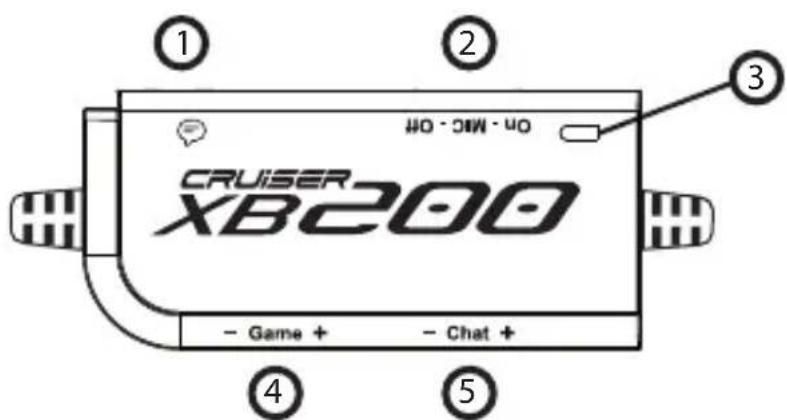
- Chat input
- Mic Mute Switch
-
Mic Mute LED
-
Game Volume
- Chat Volume
Chat Setup
- Connect your voice chat cable to the 360 controller then connect it to the XB200 dongle

- In the XBOX 360 * System Settings, select [Preferences] - [Voice] - [Play Through Headset]

TV HDMI Setup

Monitor HDMI Setup
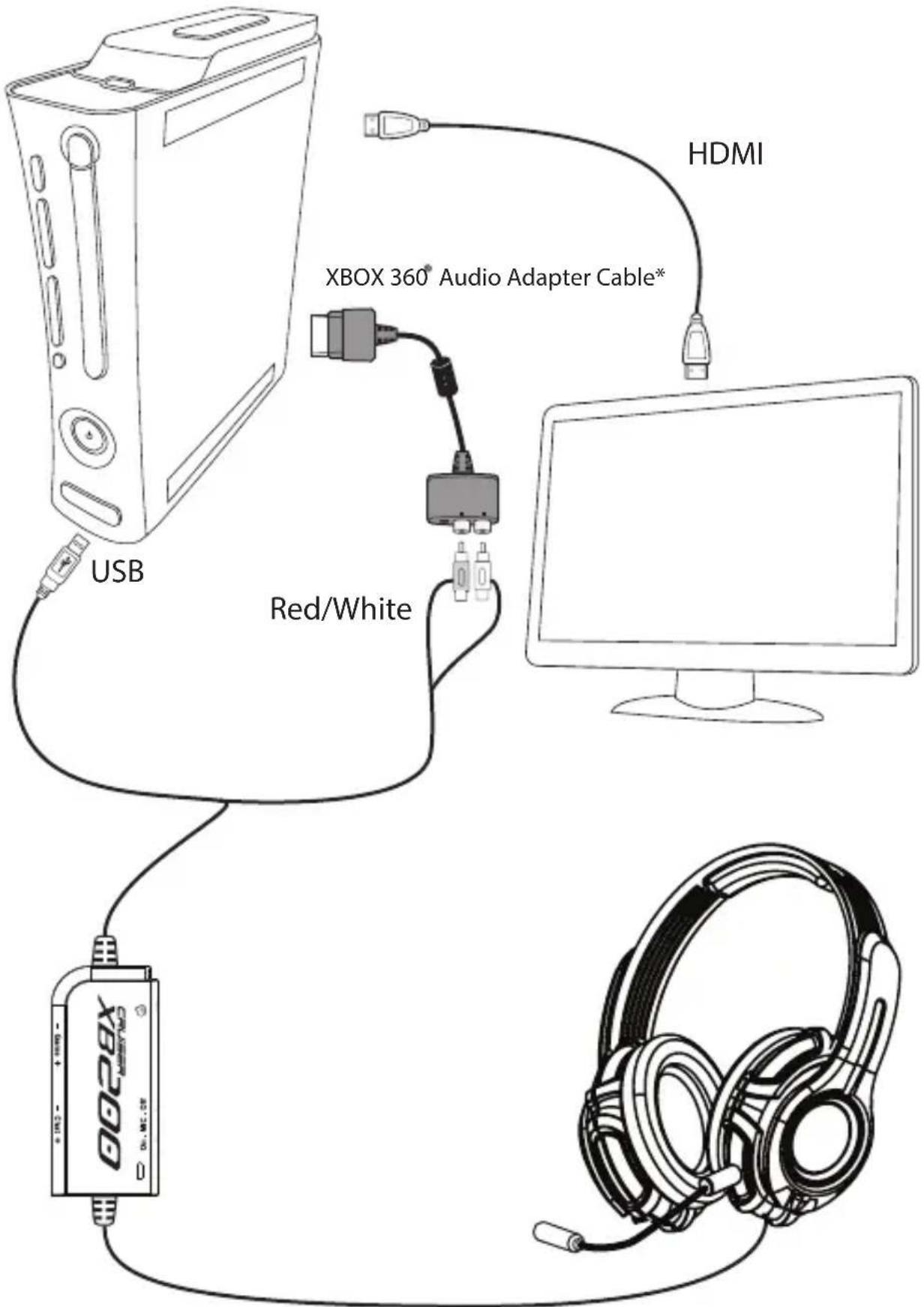
*XBOX 360® AV adapter cable required (sold separately) (Refer to page 7)
RCA Setup

AV Adapter Cable
The AV Xbox ® adapter cable allows you to use the RCA jacks to connect your new Cruiser headset while still providing an HDMI video output to your TV/monitor. Some TV/Monitors are not equipped with RCA audio outputs. Should your TV/monitor not have RCA audio output, and you are using an HDMI cable to connect your Xbox ® to your TV/monitor you will need to use an Xbox AV adapter cable. The Xbox ® AV adapter cable can be purchased at any online retailer, as it may have not been included with your Xbox system.
FAQ
Q: Why do I have no sound coming out of my new Cruiser Headset?
A: Be sure to plug in both the USB and the RCA plugs into the correct slot of your system.
Q: Why is the mic not picking up my voice?
A: Make sure that the microphone has been properly locked into place, as it will not work if it has not been.
Q: I followed the steps required to mic set up, but I still don't have my mic working.
A: Be sure that you don't accidentally have the mic set to Mute on the dongle.
Q: I have misplaced/damaged my detachable microphone how can I request a replacement?
A: Simply visit the GamesterGear website and send us an email request for a new detachable microphone. Please do note that there will be a fee for a replacement microphone.
Maintenance
Do not expose headphones to extreme temperatures. Wipe the headphones and head-band with mild antiseptic to avoid infections. Do not use alcohol-based disinfectants.
Safety Notice
To avoid potential damage to the device, always disconnect all cables before transporting it.
WARNING: Permanent hearing damage can occur if a headset is used at high volumes for extended periods of time, so it is important to keep the volume at a safe level. Over time, your ears adapt to loud volume levels, so a level that may not cause initial discomfort can still damage your hearing. If you experience ringing in your ears after listening with the headset, it means the volume is set too loud. The louder the volume is set the less time it takes to affect your hearing. Sure to listen at moderate levels.
Tips:
- Before placing a headset on your ears, turn the volume down completely, then slowly increase it to a comfortable level.
- Turn down the volume if you can't hear people speaking near you.
- Avoid turning up the volume to block out noisy surroundings.
Cautions
Do not make any modification to the system or accessories. Unauthorized alterations may compromise safety, regulatory compliance, system performance, and may void the warranty
Operate this product within the temperature range of -4°F to 113°F ( -20°C to 45°C ) only. Damage caused by use outside of that range may not be covered by the warranty
Check and follow local laws regarding use of a mobile phone and headset/headphones while operating any vehicle or using equipment that requires your full attention. If you use the headset/headphones while engaging in any such activity, be sure to focus on safety.
Limited 1 Year Warranty
GamesterGear hereby warrants that this product will be free from defects in materials and workmanship for a period of one year from the date of purchase. At its option GamesterGear will repair or replace the defective product and promptly return it to you. You should retain proof of purchase to validate the purchase date and return it with any warranty claim.
If you believe this product is defective within the warranty period, carefully repack the unit, insure it, and return it postage prepaid.
For return RMA and address, please visit www.gamestergear.com.
Certification
This device complies with FCC and industry Canada RF radiation exposure limits set forth for general population. It must not be co-located or be operating in conjunction with any other antenna or transmitter.
Eligible to bear CE marking.
Conforms to European EMC. Tested with standards: EN55022, EN55022,
For additional help in solving problems, please visit www.gamestergear.com for online support.
Copyright © 2013 GamesterGear All Rights Reserved. No part of this document may be reproduced without prior written consent from GamesterGear. The GamesterGear logo, is a registered trademark of GamesterGear, Inc. Xbox and Xbox 360 are a registered trademark of Microsoft Corporation. Windows is a registered trademark of Microsoft Corporation. All other trademarks are properties of their respective owners and are hereby acknowledged. Made in China.


Brand : Syba
Model : GamesterGear Cruiser XB200
Category : Loudspeaker