
SY-AUD23018 - Loudspeaker Syba - Free user manual and instructions
Find the device manual for free SY-AUD23018 Syba in PDF.


| Product Type | Multimedia Speaker System |
| Brand | Syba |
| Model | SY-AUD23018 |
| Dimensions (per speaker) | Approx. 150 x 100 x 120 mm |
| Total Weight | Approx. 1.2 kg |
| Power Supply | USB 5V (or included AC adapter) |
| Audio Input | 3.5mm stereo jack, Bluetooth |
| Output Power | 2 x 5W RMS |
| Frequency Response | 80 Hz – 20 kHz |
| Driver Size | 2.5" full-range |
| Material | Plastic enclosure |
| Color | Black |
| Controls | Volume knob, power switch |
| Included Accessories | Audio cable, power cable, user manual |
| Cleaning Instructions | Wipe with a dry, soft cloth |
| Safety Warning | Do not expose to water or extreme temperatures |
| Repairability | No user-serviceable parts inside; contact support |
Frequently Asked Questions - SY-AUD23018 Syba
User questions about SY-AUD23018 Syba
0 question about this device. Answer the ones you know or ask your own.
Ask a new question about this device
Download the instructions for your Loudspeaker in PDF format for free! Find your manual SY-AUD23018 - Syba and take your electronic device back in hand. On this page are published all the documents necessary for the use of your device. SY-AUD23018 by Syba.
USER MANUAL SY-AUD23018 Syba
A : Control Pad
B : Speakers
C: Head Lamp
D : USB (Charging)
E : Microphone
Control Pad
| Button | Long Press(4 seconds or more) | Click |
 | Power | Phone pick upCall out (double click) |
| [271A] | Head lamp control | |
| [6W151] | Play/Pause | |
 | Next | Volume Up |
 | Back | Volume Down |
Install K220 on Your Bike

natural_image
Technical line drawing of a pipe fitting with a clamp bracket (no text or symbols)Fix the Ring with desired rubber

natural_image
Line drawing of a hand using a pliers to clamp a metal bracket (no text or symbols)Attach adaptor

natural_image
Line drawing of a bicycle brake lever with sensor and lever components (no text or symbols)Docking

natural_image
Line drawing of a handheld device with a scroll and lever (no text or symbols)Securely locked
Getting Started
Pairing K220 with Your Bluetooth® Devices (mobile phones, computers, PDAs, ...)
(1) Set your Bluetooth ^® device to pairing mode or discovering a new device.
(2) Hold the 'P' while K220 is OFF until the Blue and Red lights are blinking.


(3) The pairing code is '0000'.
(4) When pairing light turns to Blue, K220 is ready for your Bluetooth® device.
Play Music from K220
(1) Link K220 with your Bluetooth ^® Device on stereo music mode.
(2) Set audio output in your Bluetooth ^® device to K220.
(3) You may control the volume and select the track if your Bluetooth ^® device is compliant with Bluetooth ^® AVRCP profile.
Phone Answering
(1) Link K220 with your Bluetooth ^® mobile phone.
(2) Click 'P' on the control pad to pick up or hang up the phone call.
(3) Double click 'P' to call out your last calling number.
(4) You may use K220 as your computer wireless microphone and speaker for internet calls.
Head Lamp Control
(1) Press the Head Lamp Control button at the control pad to turn ON the light.
(2) Keep pressing the button, the light will be changed from 'Full Bright mode', 'Power Saving mode', 'Flashing mode' and OFF.
Charging
(1) Connect the USB cable to USB port for charging.
(2) The RED charging light ('+') will turn OFF when the battery is fully charged.
Bag Clip
For your convenience in hiking or any outdoors activities, K220 can be hanged on your bag with Bag Clip.
Note
Do not attempt to service K220 yourself. Never attempt to open nor disassemble your K220. For all service, please contact your local authorized service center.
Changes or modifications not expressly approved by the party responsible for compliance could void the user's authority to operate the equipment. This equipment complies with FCC RF radiation exposure limits set forth for an uncontrolled environment. This device and its antenna must not be co-located or operating in conjunction with any other antenna or transmitter.
This device complies with Part 15 of the FCC Rules. Operation is subject to the following two conditions:
(1) This device may not cause harmful interference, and
(2) This device must accept any interference received, including interference that may cause undesired operation.
Trademarks
As the Bluetooth ^® word mark and logos are registered trademarks owned by Bluetooth ^® SIG, Inc. and any use of such marks in this article is under license.
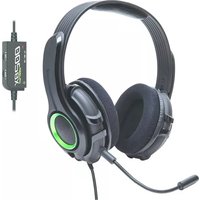

Brand : Syba
Model : SY-AUD23018
Category : Loudspeaker