
Z91H - Computer ASUS - Free user manual and instructions
Find the device manual for free Z91H ASUS in PDF.


| Product type | Laptop |
| Brand | ASUS |
| Model | Z91H |
| Processor | Intel Pentium M or Celeron M (estimated) |
| RAM | 512 MB to 1 GB (estimated) |
| Hard drive | 40 to 80 GB (estimated) |
| Screen | 15 inches (estimated) |
| Screen resolution | 1024 x 768 pixels (estimated) |
| Graphics card | Intel GMA 900 or 950 (estimated) |
| Weight | Approximately 2.5 kg |
| Dimensions | Approximately 33 x 25 x 3 cm (estimated) |
| Power supply | 19V AC adapter, 6-cell lithium-ion battery |
| Battery life | Approximately 2 to 3 hours |
| Connectivity | Wi-Fi 802.11b/g, Ethernet 10/100, USB 2.0, VGA, Headphone/microphone jack |
| Operating system | Windows XP (pre-installed) |
| Pre-installed software | ASUS Live Update, Winflash |
| Main functions | Automatic BIOS and driver updates via Internet |
| Maintenance and cleaning | Clean the screen with a soft cloth, avoid liquids, dust the ventilation grilles |
| Security | Kensington lock, BIOS password, surge protection |
| Spare parts and repairability | Battery, AC adapter, hard drive, RAM accessible |
| General information | ASUS Z91H laptop, 9-page user manual, available in PDF |
Frequently Asked Questions - Z91H ASUS
User questions about Z91H ASUS
0 question about this device. Answer the ones you know or ask your own.
Ask a new question about this device
Download the instructions for your Computer in PDF format for free! Find your manual Z91H - ASUS and take your electronic device back in hand. On this page are published all the documents necessary for the use of your device. Z91H by ASUS.
USER MANUAL Z91H ASUS
Chapter 1 ASUS Live Update ....1
1.1 Introduction....1
1.2 How to update BIOS and Drivers via ASUS Live Update....1
Chapter 1 ASUS Live Update
1.1 Introduction
ASUS Live Update is a useful utility to update BIOS and Drivers of your NB units automatically from the web to the current latest version to avoid any probable bugs.
You may install the program via Driver & Utility CD if you cannot find the program from Start -> All Programs->ASUS Utility.
1.2 How to update BIOS and Drivers via ASUS Live Update
- Click Start \ All Programs \ ASUS Utility \ ASUS Live Update \ ASUS Live Update or click its icon in the toolbar.
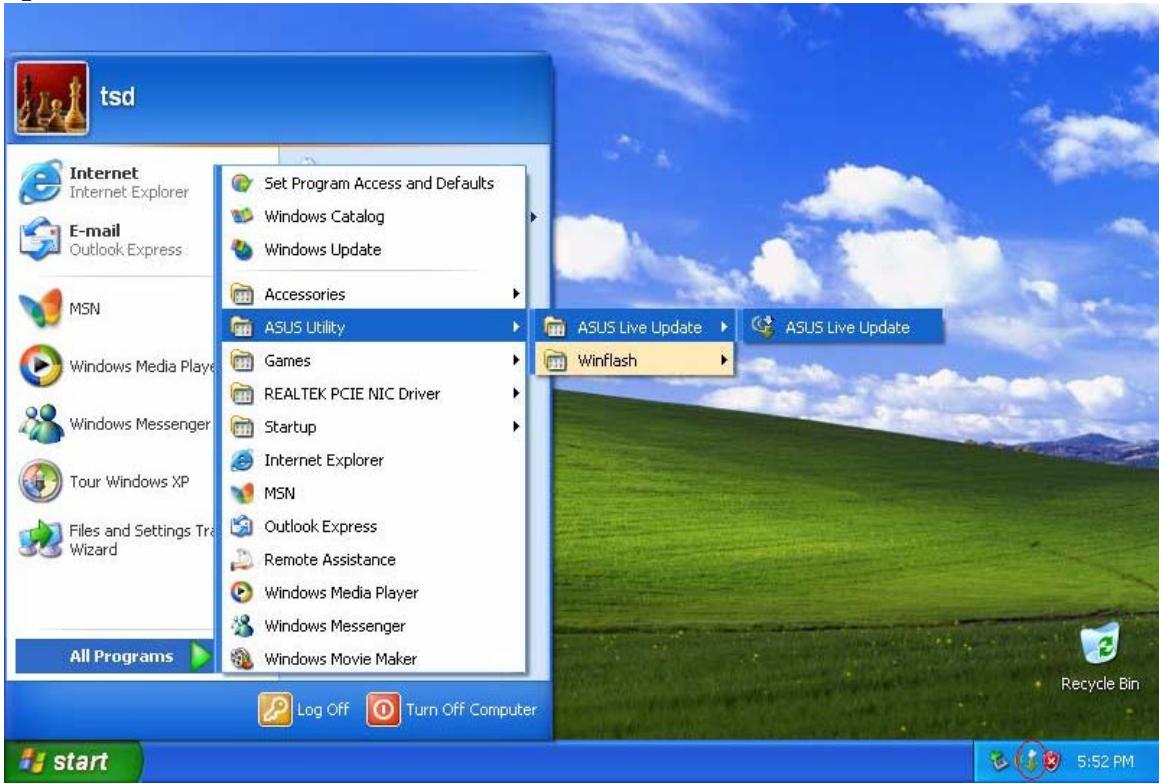
- Then Live Update will detect the current version of BIOS and Drivers of your NB unit and compare them with what we have posted on the web automatically, then list all the BIOS and Drivers newer than your current version.
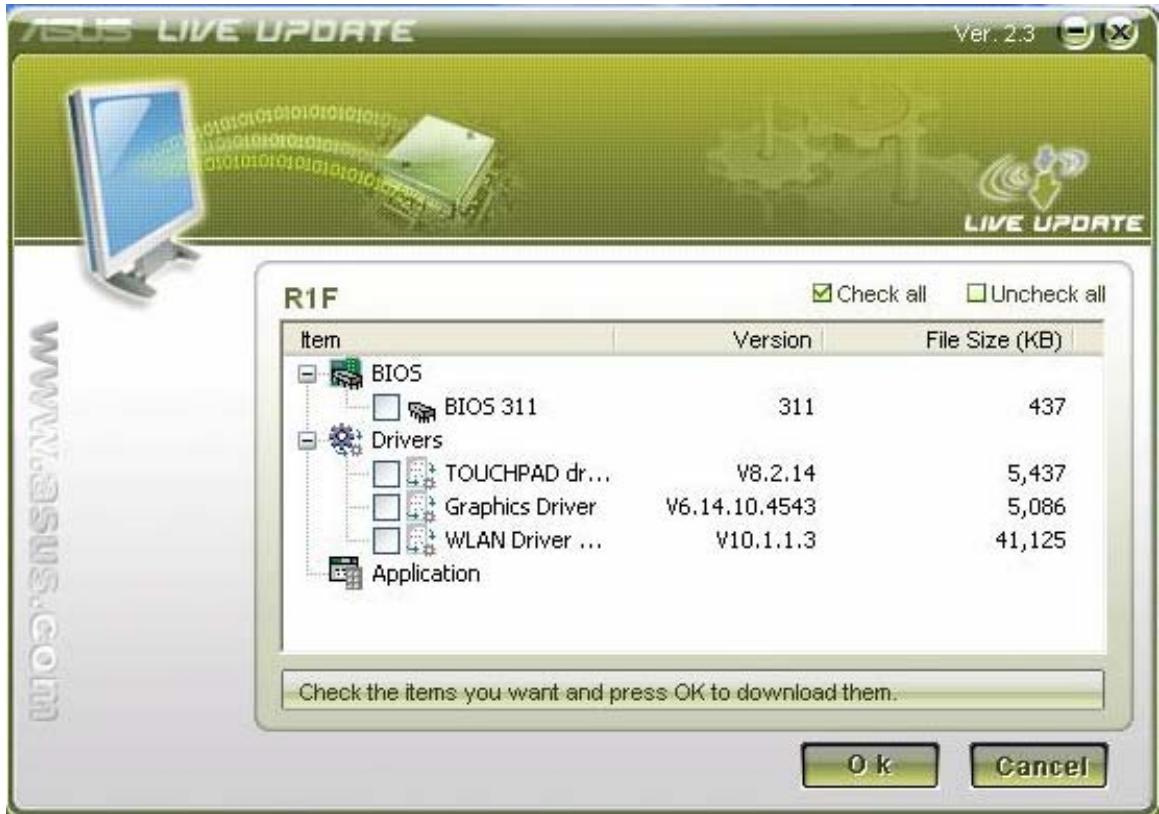
- You could select any BIOS or Drivers and click "OK" to update via Live Update
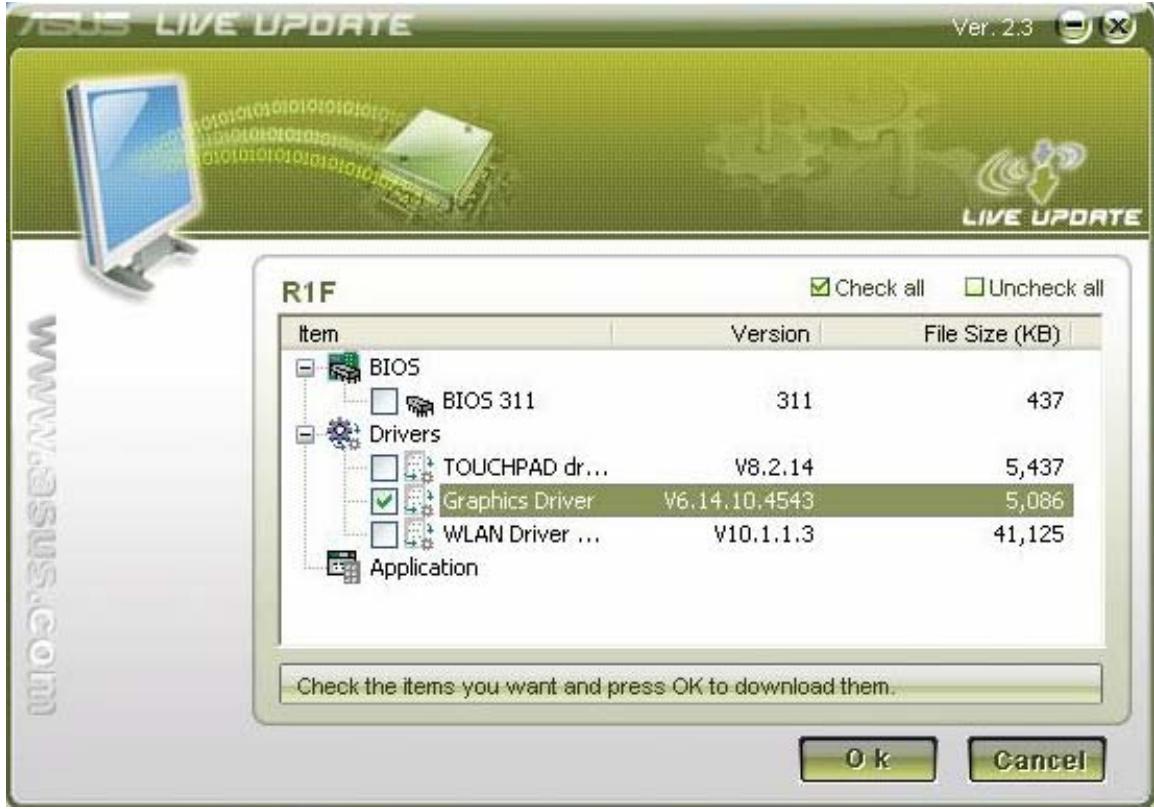
- If you select a Driver, Live Update will download the latest Driver.
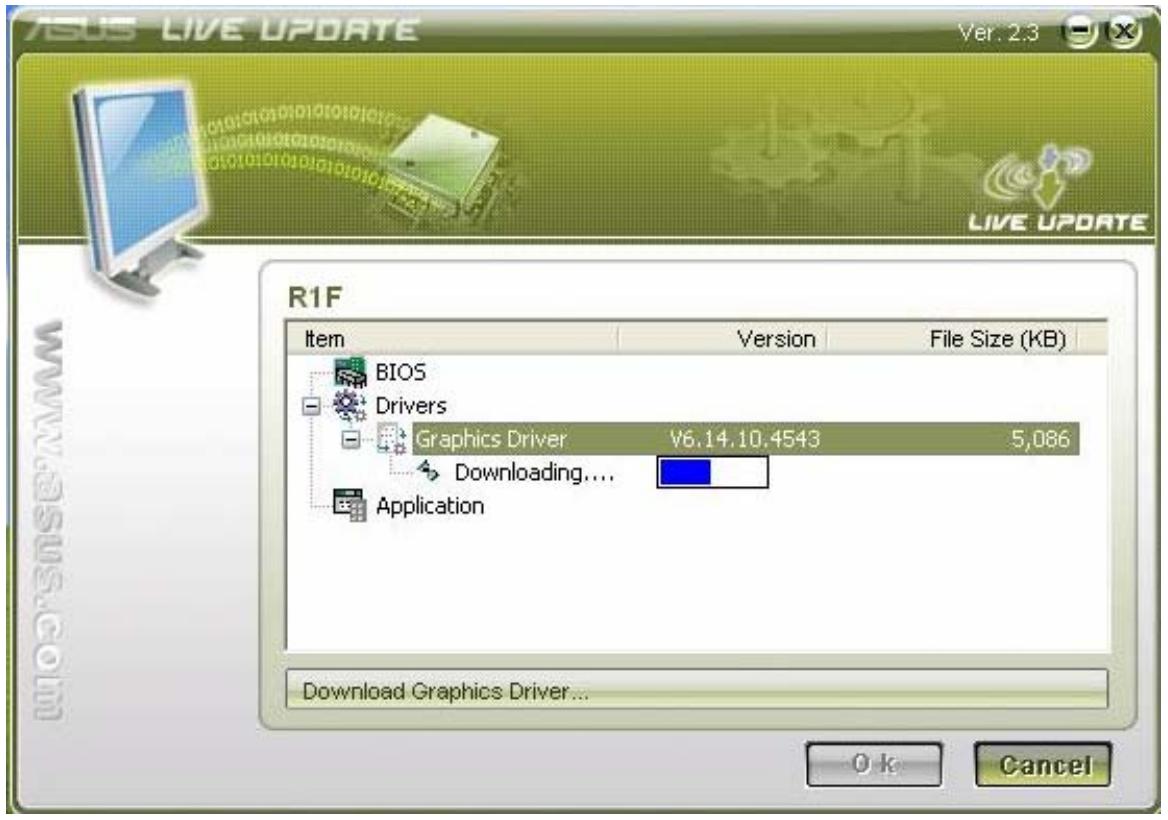
- Then install the Driver automatically
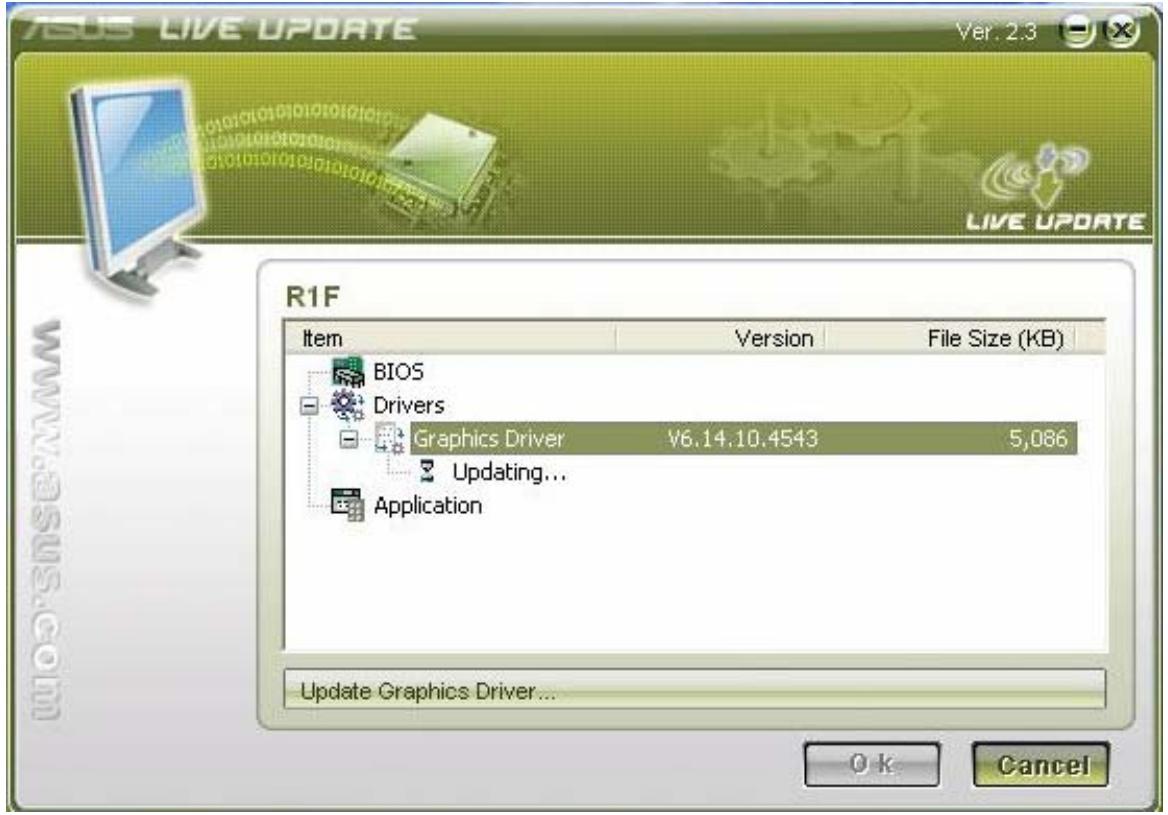
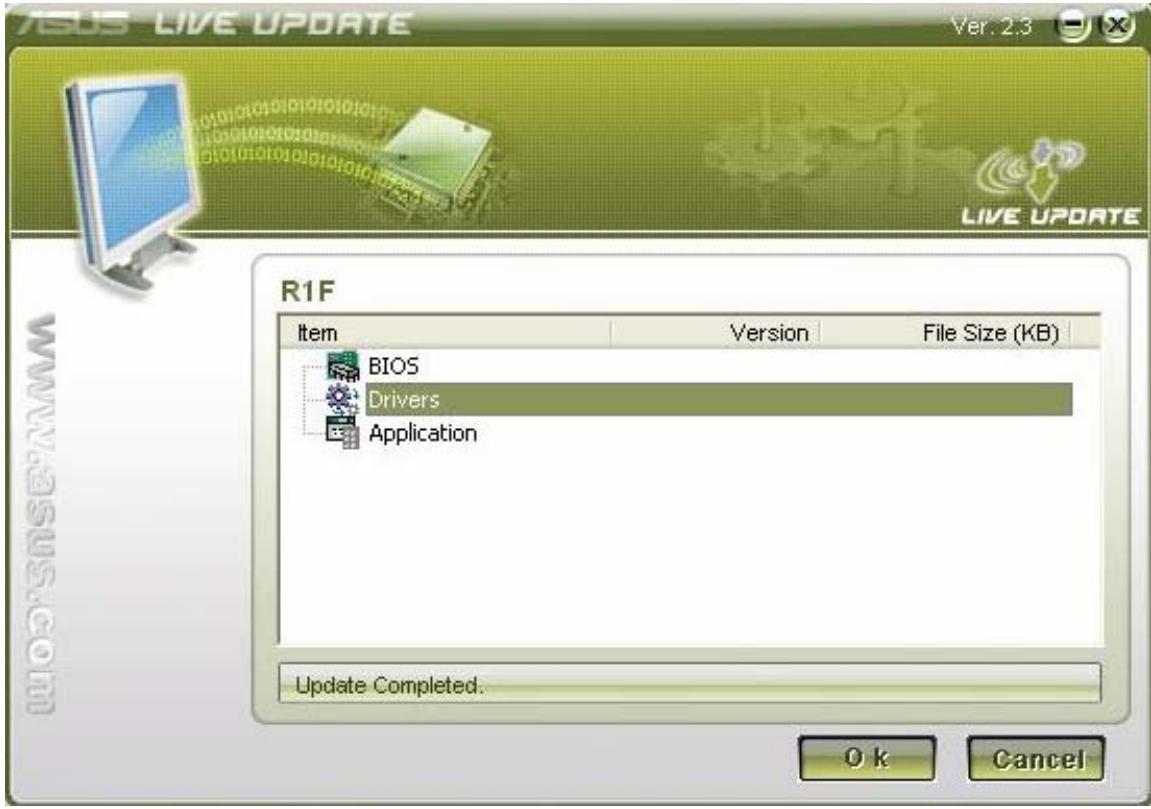
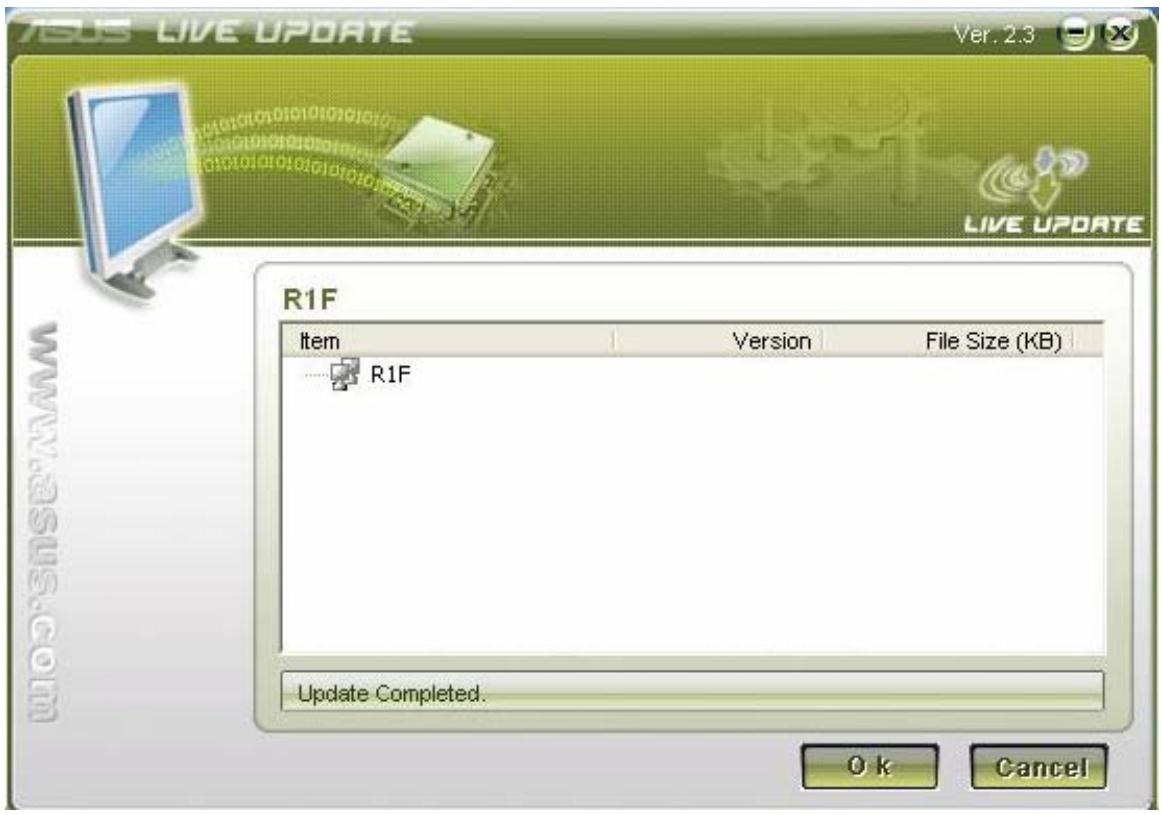
- At last, Live Update will tell you that the Driver live update is completed.
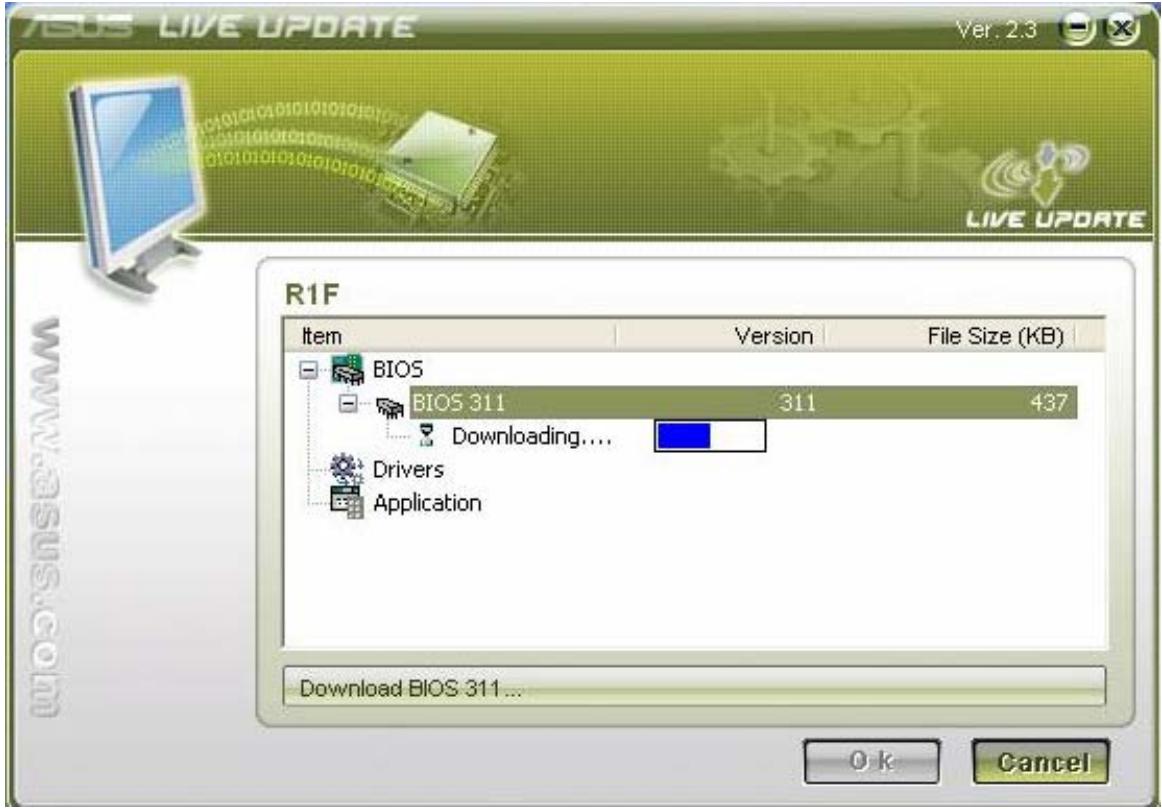
- If you select the BIOS, Live Update will download the latest BIOS as well.
- When the Download is completed, you will receive a message to notice the system will restart and enter BIOS to flash the latest BIOS.
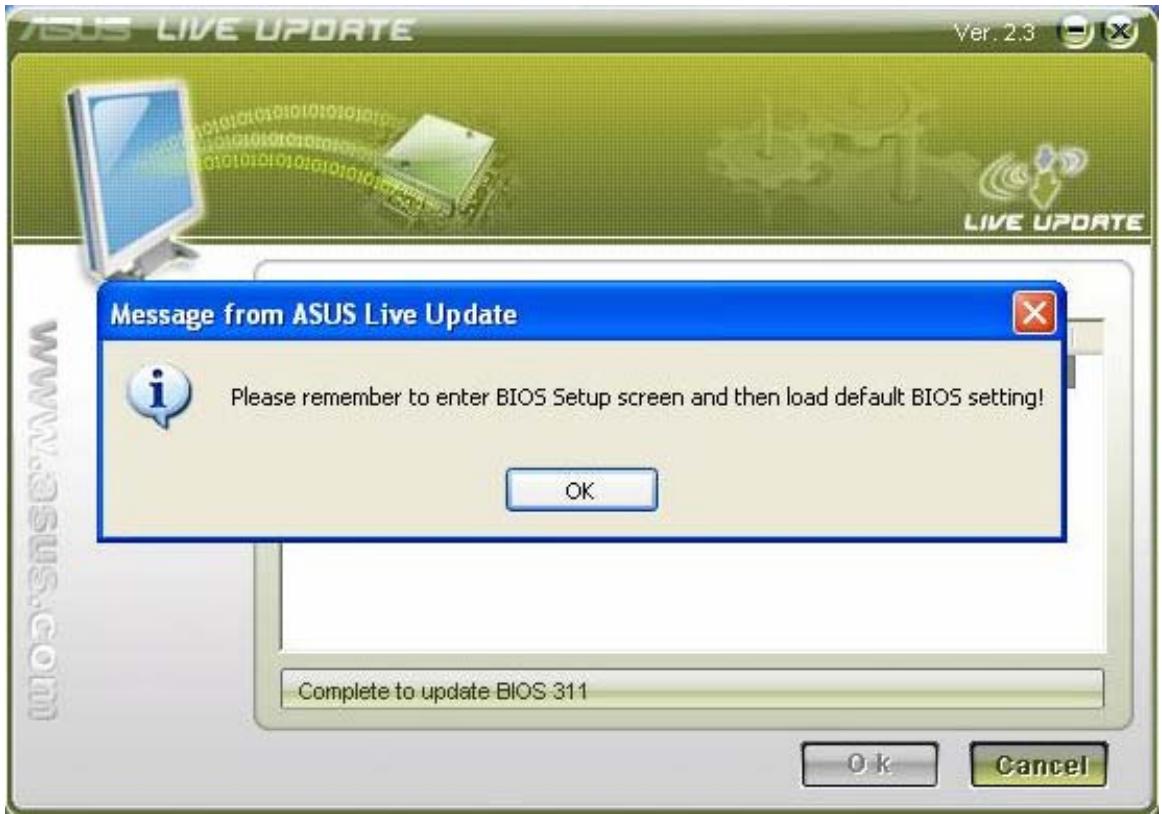
- After the latest BIOS is flashed OK, the system will power off, then you need to power the unit again and press F2 to enter BIOS to "Load Optimal Defaults". Then click "Save and Exit" and reboot system again.
| BIOS SETUP UTILITY | |
| Main Advanced Display Security Power Boot Exit | |
| Exit Options Save Changes and Exit Discard Changes and Exit Discard Changes Load Optimal Defaults Load Failsafe Defaults | Exit system setup after saving the changes. F10 key can be used for this operation. ← Select Screen ↑↓ Select Item Enter Go to Sub Screen F1 General Help F9 Load Defaults F10 Save and Exit ESC Exit |
| v02.33 (C) Copyright 1905-2002, American Megatrends, Inc. | |
- Then you will enter OS and Live Update will tell you the BIOS live update is
completed.
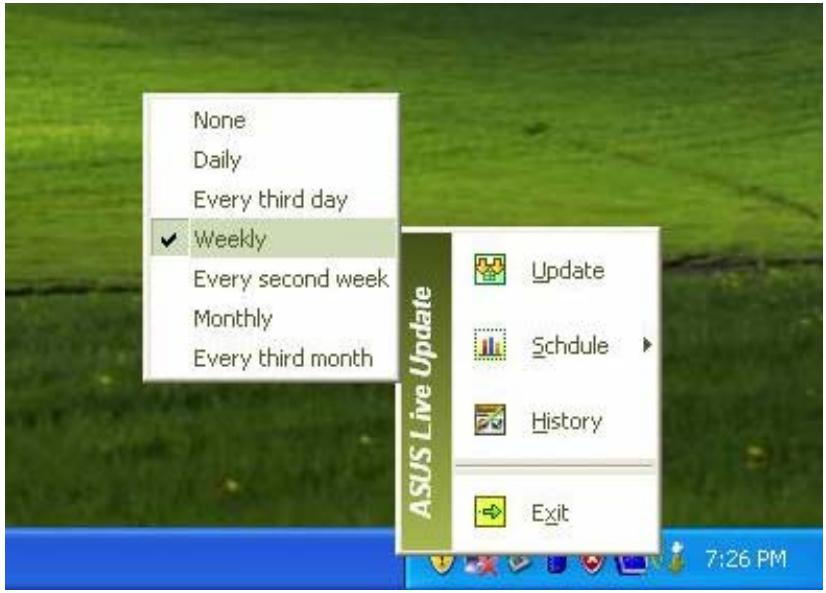
- You could right click the Live Update icon on the toolbar and click the Schedule to arrange the schedule for the live update.
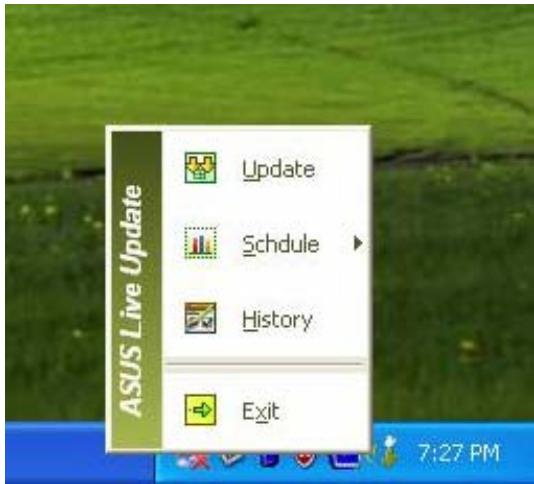
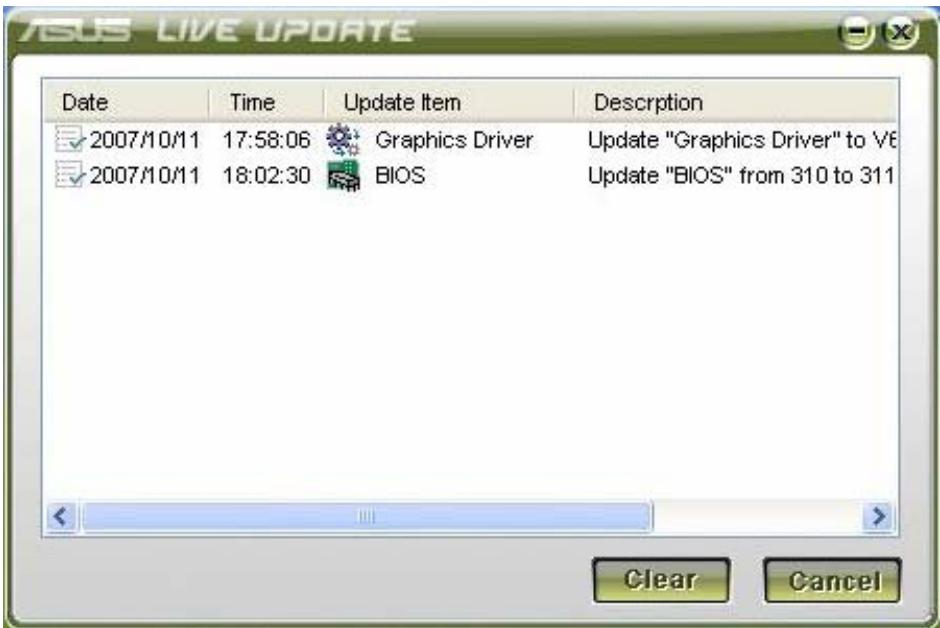
- You could right click the Live Update icon on the toolbar and click the History to check the live update history which registers the live update of the BIOS and Drivers.
Brand : ASUS
Model : Z91H
Category : Computer