Sunny - Stroller Kiddo - Free user manual and instructions
Find the device manual for free Sunny Kiddo in PDF.


Pick your language and provide your email: we'll send you a specifically translated version.
| Product Type | Stroller |
| Brand | Kiddo |
| Model | Sunny |
| Dimensions (Unfolded) | Approx. 100 x 60 x 80 cm |
| Dimensions (Folded) | Approx. 70 x 40 x 30 cm |
| Weight | 8.5 kg |
| Weight Capacity | Up to 15 kg |
| Recommended Age | From birth to 3 years |
| Recline Positions | Multiple, including flat |
| Canopy | Adjustable UPF 50+ |
| Harness | 5-point adjustable |
| Brake | Rear parking brake |
| Wheels | 4 wheels, front swivel with lock |
| Storage Basket | Large under-seat basket |
| Handlebar | Adjustable height |
| Fold | One-hand compact fold |
| Care Instructions | Wipe clean with damp cloth; machine washable seat pad |
| Safety Standards | Complies with ASTM F833 |
| Spare Parts | Available from Kiddo customer service |
| Warranty | 2 years limited |
Frequently Asked Questions - Sunny Kiddo
How do I assemble the Kiddo Sunny stroller?
The stroller comes partially assembled. Attach the wheels, click the canopy into place, and ensure the seat is locked. Refer to the user manual for detailed steps.
What is the weight limit for the stroller?
The maximum weight capacity is 15 kg (33 lbs). Do not exceed this limit to ensure safety.
How do I fold the stroller?
Activate the folding mechanism: push the release button while pulling up the handle. The stroller will fold compactly for storage.
Can the stroller recline flat?
Yes, the seat recline has multiple positions, including a flat position suitable for newborns when used with a proper insert.
How do I clean the stroller?
Wipe the frame with a damp cloth. The seat pad is removable and machine washable on a gentle cycle. Air dry thoroughly.
Is the canopy adjustable?
Yes, the canopy can be adjusted to provide shade and features UPF 50+ sun protection.
How do I lock the front wheels?
For straight-line travel, press the lock tab on the front wheels to prevent swiveling. They unlock automatically for maneuvering.
What type of harness does it have?
The stroller is equipped with a 5-point safety harness that can be adjusted as your child grows.
How do I engage the parking brake?
Press down on the brake lever located on the rear axle to lock both back wheels. A click indicates it is engaged.
Where can I get replacement parts?
Contact Kiddo customer support via their official website. Parts such as wheels, canopy, and seat pad are available.
User questions about Sunny Kiddo
0 question about this device. Answer the ones you know or ask your own.
Ask a new question about this device
No questions yet. Be the first to ask one.
Download the instructions for your Stroller in PDF format for free! Find your manual Sunny - Kiddo and take your electronic device back in hand. On this page are published all the documents necessary for the use of your device. Sunny by Kiddo.
USER MANUAL Sunny Kiddo
natural_image
Illustration of a two-wheeled baby stroller and two children's bight (no text or symbols)


@kiddobrasil
IMPORTANTE LER COM ATENÇÃO E GUARDAR PARA EVENTUAIS CONSULTAS
natural_image
Mechanical component with curved and straight parts, labeled 'fig. 1-B' (no other text or symbols visible)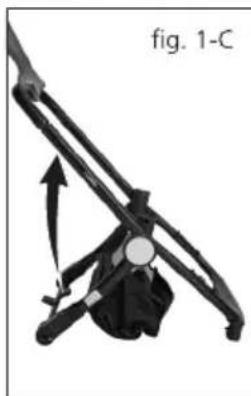
natural_image
Mechanical linkage diagram labeled 'fig. 1-C' showing a lever mechanism with no visible text or symbols beyond the label.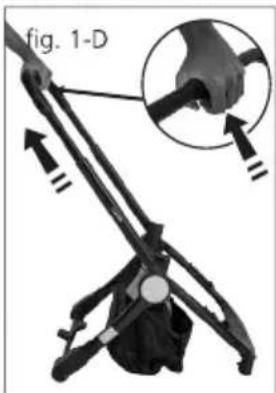
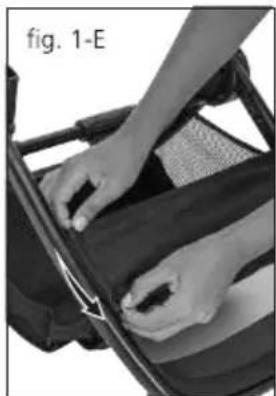
natural_image
Close-up of hands operating a black table tennis paddleboard (no visible text or symbols)2
PARA INSTALAR E RETIRAR AS RODAS TRASEIRAS
natural_image
Close-up of hands holding a scooter tire and connecting a cable, with no visible text or symbolsfig. 2-A
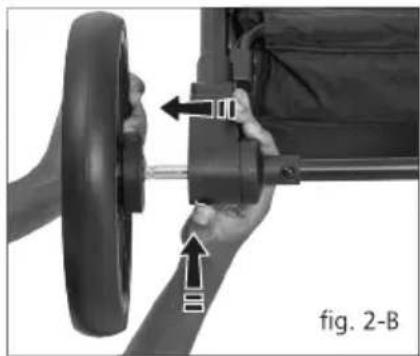
natural_image
Close-up of a hand holding a bicycle steering wheel, showing mechanical components and directional arrows (no text or symbols)3
PARA INSTALAR E RETIRAR AS RODAS DIANTEIRAS
natural_image
Close-up of a hand using a screwdriver to adjust the wheel rim of a stroller (no text or symbols visible)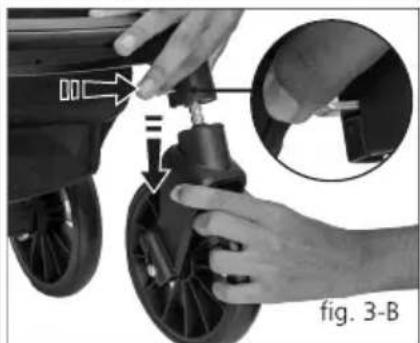
natural_image
Close-up of hands adjusting a bicycle tire with a hand operating the wheel (no text or symbols visible)4
natural_image
Person using a seatbelt device to adjust the seat, showing a hand holding the seatbelt and an arrow indicating motion (no text or symbols)
natural_image
Close-up of a baby stroller with hand adjusting the seat (no text or symbols visible)5 PARA INSTALAR A CAPOTA
natural_image
Close-up of a hand holding a mechanical device with a highlighted section, labeled 'fig. 5-A' (no readable text or symbols on the device itself)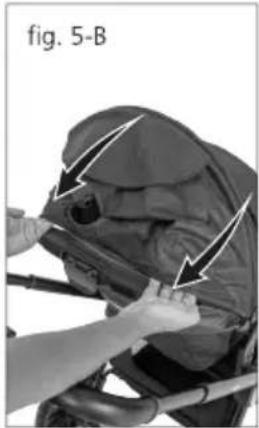
natural_image
Person assembling a mechanical component with arrows indicating assembly direction (no text or symbols)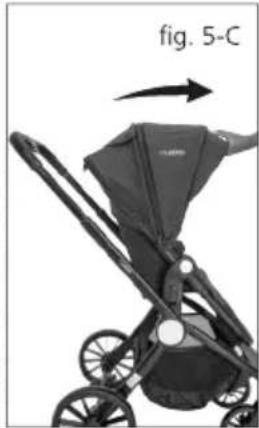
natural_image
Illustration of a baby stroller with a labeled arrow indicating direction (no text or symbols on the diagram itself)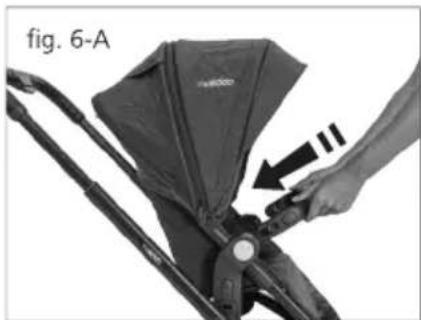
natural_image
Close-up of a hand holding a baby stroller with a bag, showing a black arrow pointing to the handle (no text or symbols visible)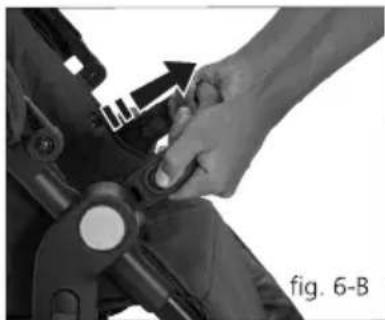
natural_image
Close-up of a hand adjusting a mechanical component with an arrow indicating motion (no text or symbols visible)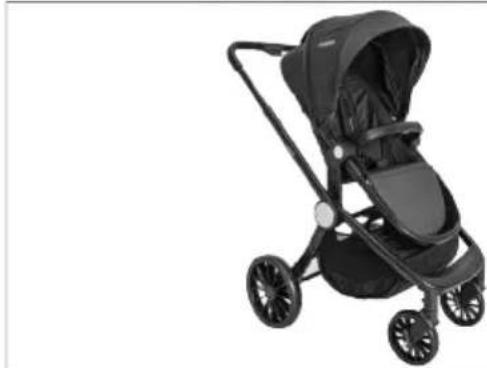
natural_image
Black and white photo of a baby stroller with four wheels and a hooded seat (no text or symbols visible)fig. 6-C
INSTRUÇÕES DE USO
7 PARA TRAVAR A RODA DIANTEIRA
natural_image
Close-up of a hand adjusting a black stroller wheel with a hand holding the button (no text or symbols visible)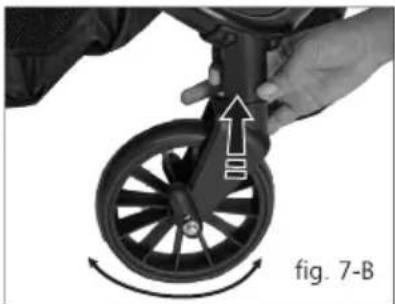
natural_image
Close-up of a hand adjusting a black bicycle wheel with directional arrows indicating motion (no text or symbols)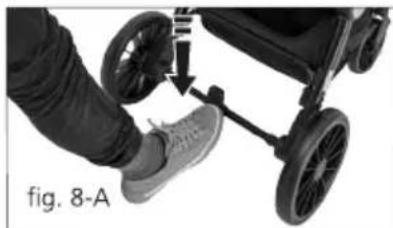
natural_image
Close-up of a person's foot wearing a stroller and shoes, with a hand adjusting the seat (no text or symbols visible)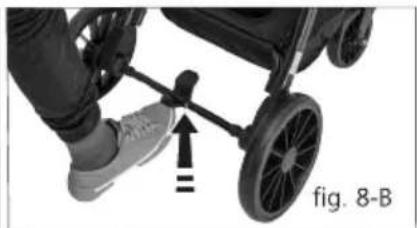
natural_image
Close-up of a person using a stroller with a hand pointing to the wheel (no text or symbols visible)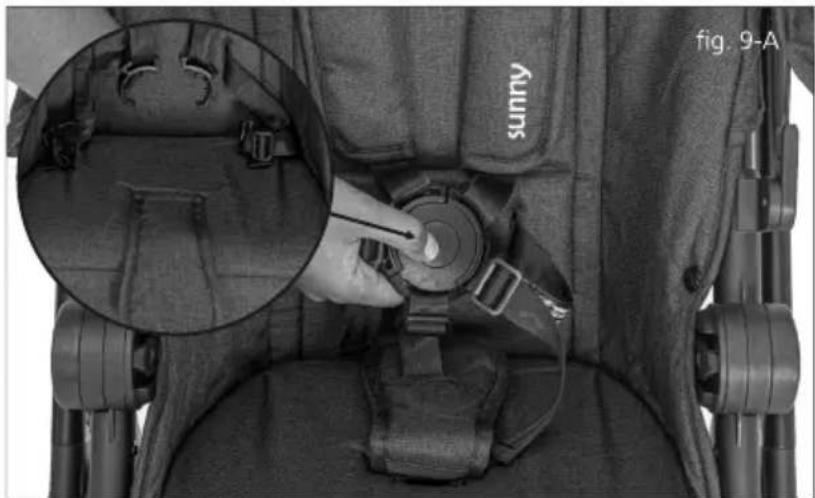
natural_image
Close-up of a sunny car seatbelt with a hand adjusting the seatbelt, showing internal components and a magnified inset (no text or symbols)10 PARA AJUSTAR A MANOPLA
natural_image
Close-up of a hand holding a flexible hose with directional arrows indicating movement or force (no text or symbols visible)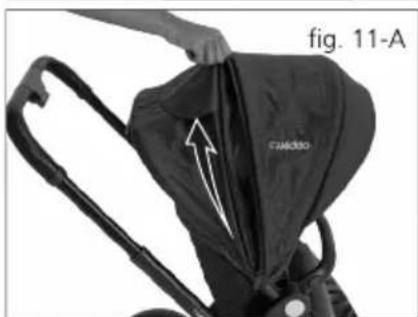
natural_image
Close-up of a person using a black T-Neckiser model to lift a bag, with an arrow indicating the fold (no text or symbols on the bag itself)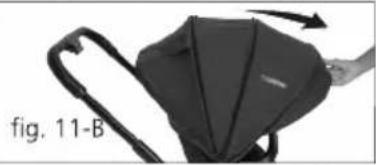
natural_image
Black-and-white photo of a device with curved handle and internal components, labeled 'fig. 11-B' (no readable text or symbols)fig. 11-C
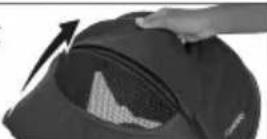
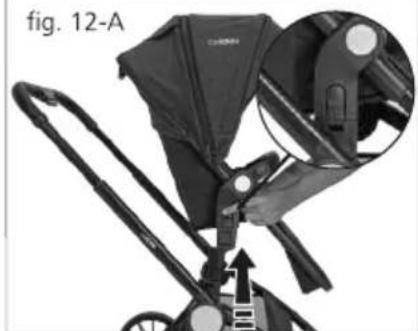
natural_image
Close-up of a baby stroller with a highlighted seatbelt mechanism (no text or symbols visible)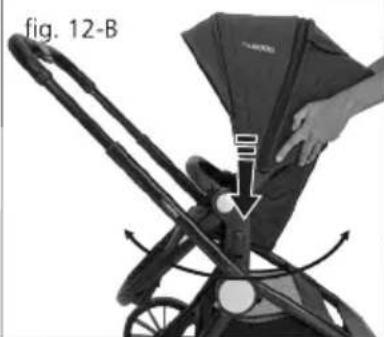
natural_image
Illustration of a person adjusting a bicycle seatbelt, showing hand placement and arrow (no text or symbols)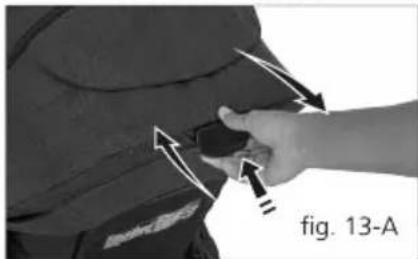
natural_image
Close-up of a hand adjusting a dark object with directional arrows, labeled 'fig. 13-A' (no text or symbols on the object itself)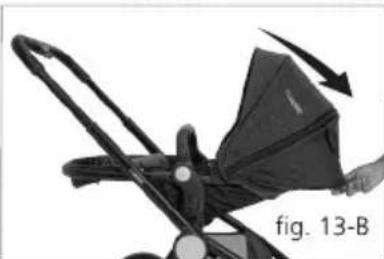
natural_image
Mechanical device with a hand operating it, showing a curved arrow indicating rotation or movement (no text or symbols on the device itself)14
natural_image
Illustration of a baby stroller with wheels and an arrow indicating direction (no text or symbols)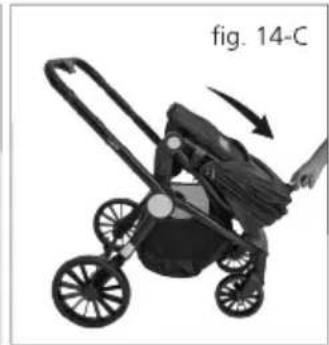
natural_image
Illustration of a stroller with wheels and a hand pulling it, labeled 'fig. 14-C' (no text on the device itself)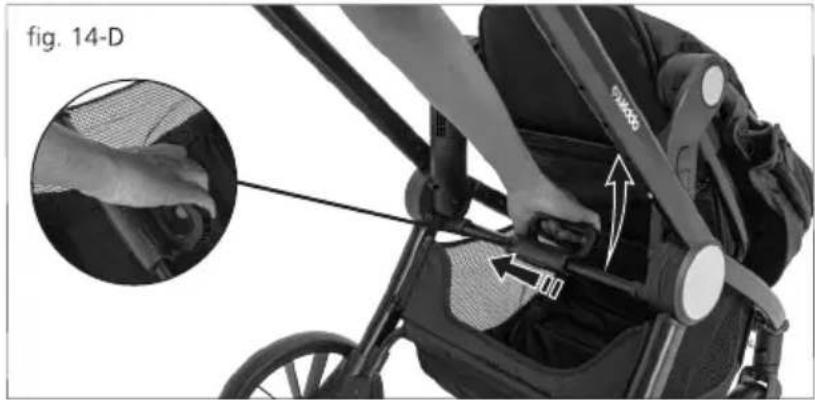
natural_image
Close-up of a stroller with hand fastening cable, showing fabric texture and adjustment arrows (no text or symbols)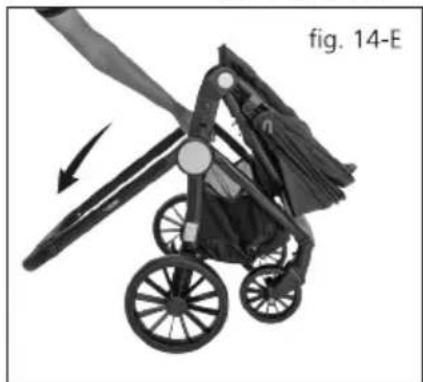
natural_image
Black-and-white illustration of a stroller with wheels and a curved arrow indicating motion (no text or symbols)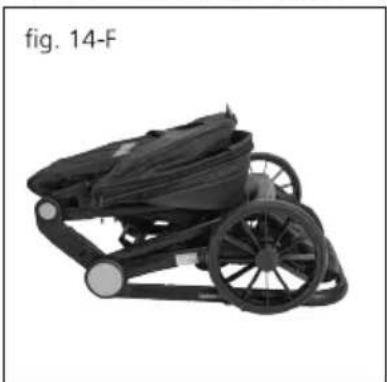
natural_image
Black and white photo of a stroller with wheels and a black body, labeled 'fig. 14-F' (no other text or symbols)INSTRUÇÕES DE MONTAGEM (moisés)
15 PARA INSTALAR O MOISÉS
natural_image
Back view of a dark-colored athletic bag with a tool inserted, labeled 'fig. 15-A' (no other text or symbols visible)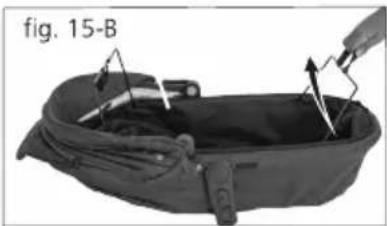
natural_image
Back view of a black athletic bag with attached cable and spring, labeled 'fig. 15-B' (no other text or symbols)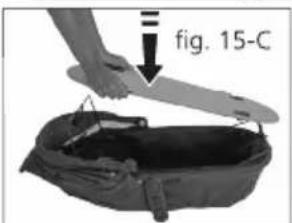
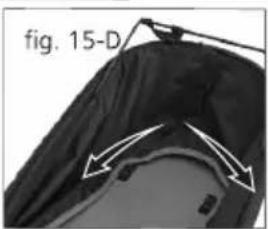
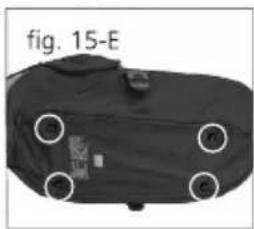
natural_image
Back view of a black athletic bag with four circular opening points, labeled 'fig. 15-E' (no other text or symbols)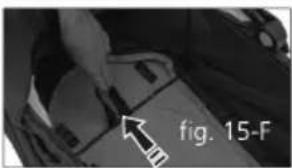
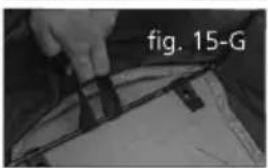
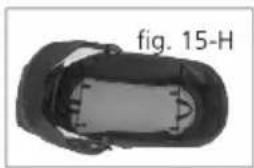
natural_image
Top-down view of a car with no visible text or symbols on the body, labeled 'fig. 15-H' (no other text or symbols)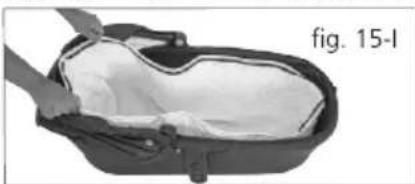
natural_image
Close-up of a black plastic container with a white interior, labeled 'fig. 15-I' (no other text or symbols visible)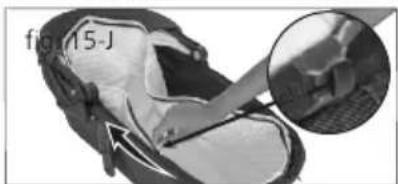
natural_image
Close-up of a sneaker with a close-up inset showing the foot area (no text or symbols visible)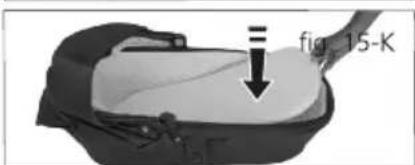
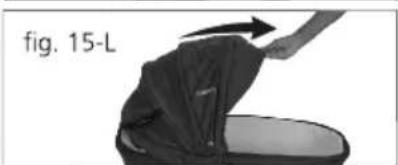
natural_image
Diagram showing a person applying material to a device, labeled 'fig. 15-L' (no other text or symbols)natural_image
Close-up of a bicycle seatbelt mechanism with an inset close-up showing the component (no text or symbols visible)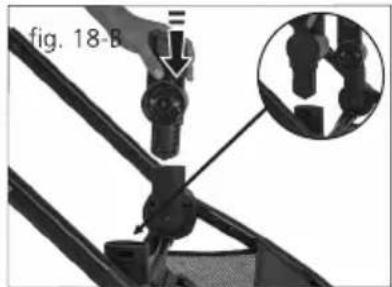
natural_image
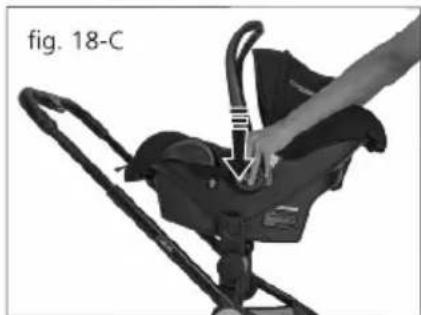
Person using a baby walker device for a photo frame (no text or symbols visible)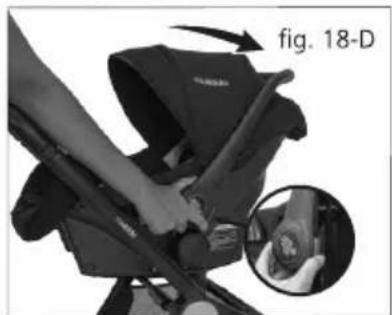
natural_image
Close-up of a person using a backpack for a shoe repair, with an inset showing hand positioning (no text or symbols visible)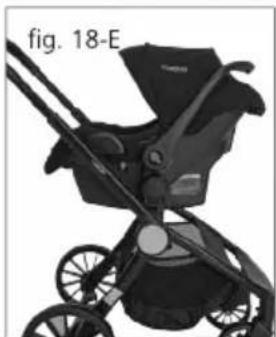
natural_image
Black stroller with black frame and wheels, labeled 'fig. 18-E' (no other text or symbols visible)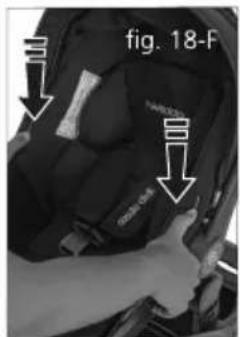
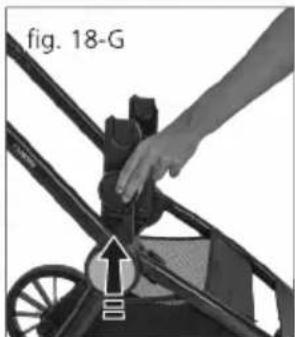
natural_image
Close-up of a hand adjusting a small black object on a wheeled cart, with no visible text or symbols.natural_image
Mechanical component with a black tassel and inset showing a bracket detail (no text or symbols)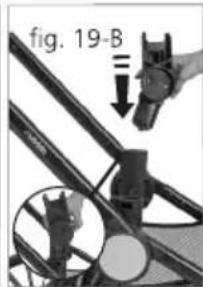
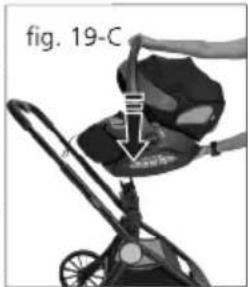
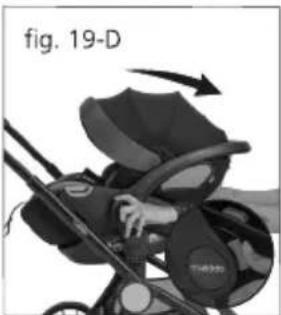
natural_image
Illustration of a baby stroller with hand and arrow indicating motion (no text or symbols)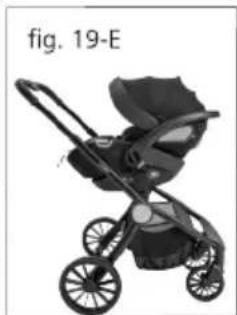
natural_image
Black and white illustration of a stroller with wheels (no text or symbols)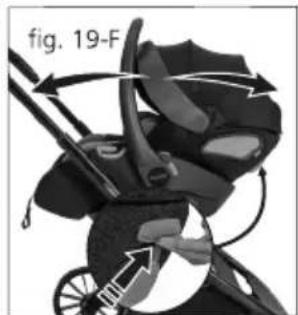
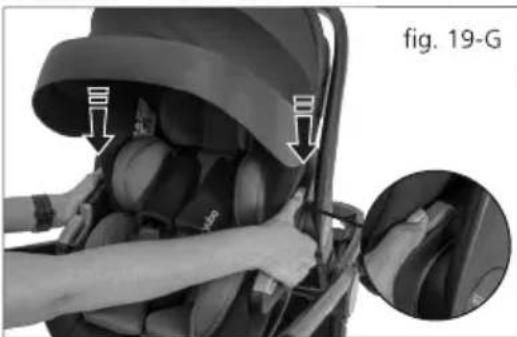
natural_image
Interior view of a baby car seat with hands adjusting the seat area, showing a magnified inset of the seat detail (no text or symbols visible)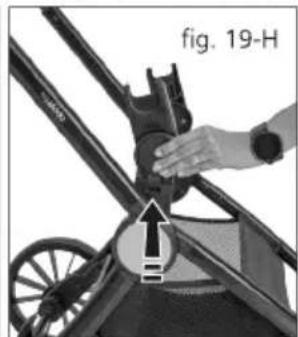
natural_image
Close-up of a hand adjusting a mechanical component with a magnified inset showing an arrow and label 'fig. 19-H' (no readable text or symbols beyond label)componentes | components
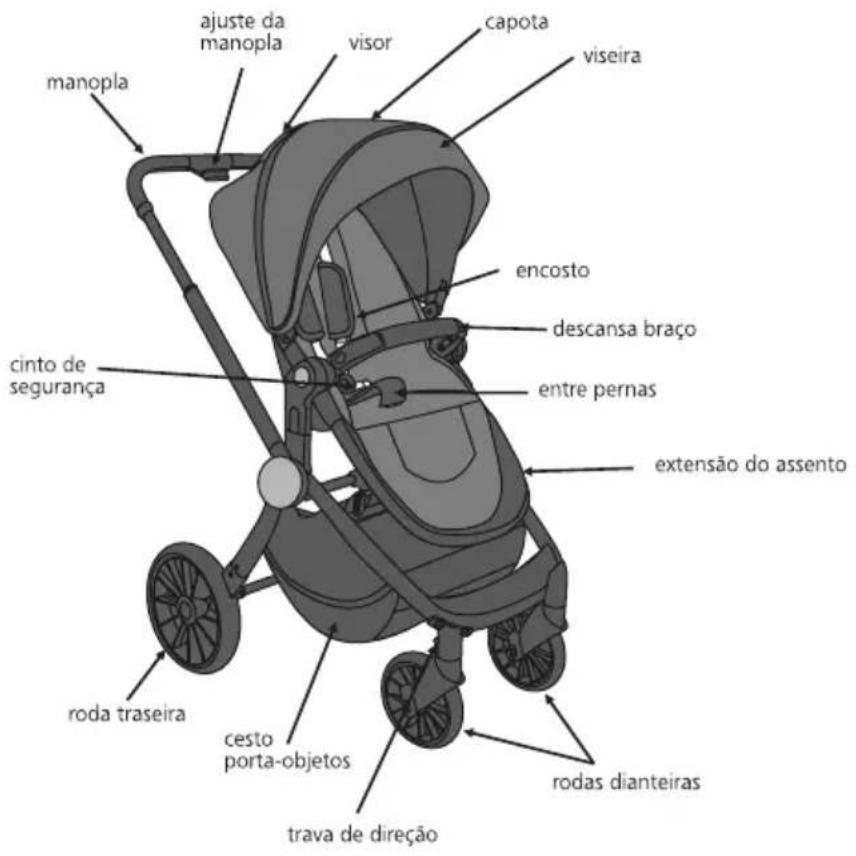
peso | weight: 3,850 kg
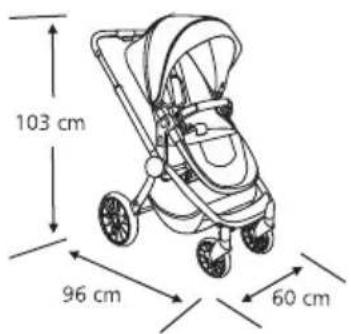
peso | weight: 14,040 kg
carrinho | stroller