Accelerator PX3125X1 - Watch PULSAR - Free user manual and instructions
Find the device manual for free Accelerator PX3125X1 PULSAR in PDF.


| Brand | Pulsar |
| Model | Accelerator PX3125X1 |
| Product Type | Wristwatch |
| Movement | Quartz analog |
| Case Material | Stainless steel |
| Band Material | Stainless steel bracelet |
| Dial Window | Mineral crystal |
| Water Resistance | 50 meters (165 feet) |
| Case Diameter | 42 mm |
| Case Thickness | 11 mm |
| Band Width | 22 mm |
| Weight | Approx. 150 g |
| Battery | SR626SW (one piece) |
| Display | Analog with date window |
| Functions | Hours, minutes, seconds, date |
| Clasp | Fold-over clasp with safety lock |
| Warranty | 2 years manufacturer warranty |
| Care Instructions | Clean with soft cloth; avoid chemicals |
| Spare Parts Availability | Battery and strap replacements available |
| Repairability | Authorized service centers recommended |
Frequently Asked Questions - Accelerator PX3125X1 PULSAR
User questions about Accelerator PX3125X1 PULSAR
0 question about this device. Answer the ones you know or ask your own.
Ask a new question about this device
Download the instructions for your Watch in PDF format for free! Find your manual Accelerator PX3125X1 - PULSAR and take your electronic device back in hand. On this page are published all the documents necessary for the use of your device. Accelerator PX3125X1 by PULSAR.
USER MANUAL Accelerator PX3125X1 PULSAR
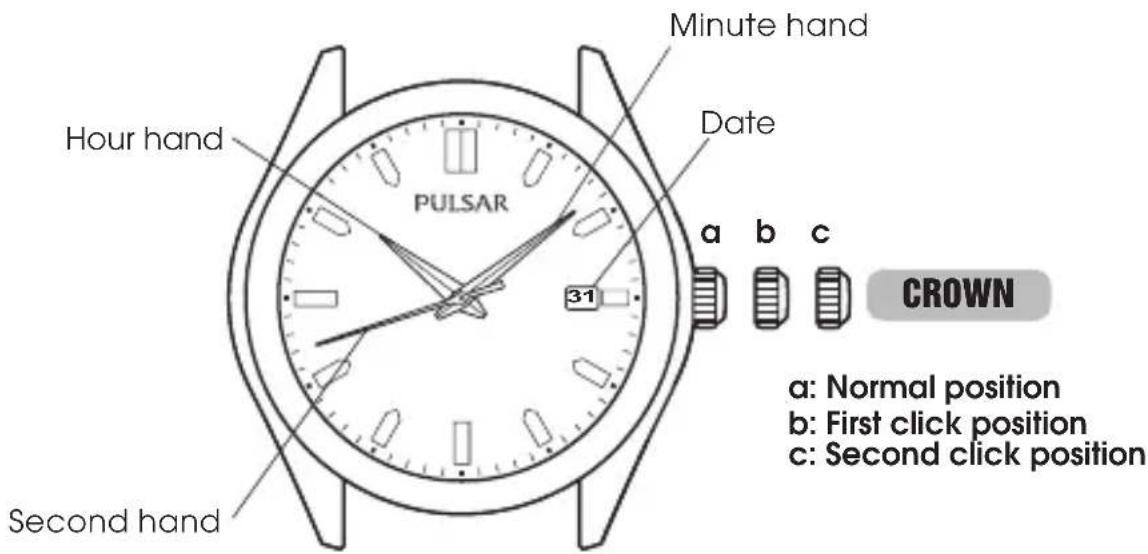
● Hour, minute and second hands
● Date displayed by numerals
● Solar charging function
● Energy depletion forewarning function
DISPLAY AND CROWN
English
text_image
Minute hand Date Hour hand PULSAR 31 a b c CROWN a: Normal position b: First click position c: Second click position Second handSCREW DOWN CROWN
[for models with screw down crown]
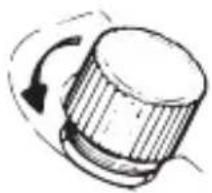
Unlocking the crown
1 Turn Crown counterclockwise until you no longer feel the threads turning.
2 Crown can be pulled out.
Locking the crown
1 Push Crown back in to normal position.
2 Turn Crown clockwise while pressing it lightly until tight.
natural_image
Simple line drawing of a cylindrical object with a curved arrow indicating rotation (no text or symbols)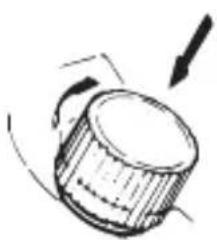
natural_image
Simple line drawing of a cylindrical object with an arrow indicating rotation (no text or symbols)HOW TO CHARGE AND START THE WATCH
English
natural_image
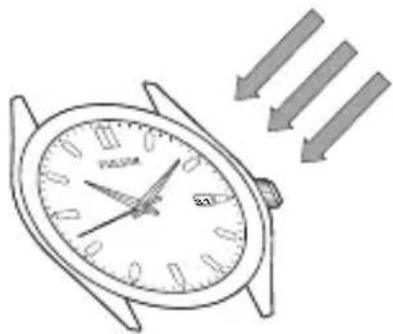
Line drawing of a wristwatch with three arrows pointing downward (no text or symbols)When you start the watch or when the energy in the rechargeable battery is reduced to an extremely low level, charge it sufficiently by exposing the watch to light.
NOTE
- It is not necessary to charge the watch fully. It is important, however, to charge the watch sufficiently, especially in case of initial charge.
GUIDELINES FOR CHARGING TIME
| Time required (approx.) | |||||
| Illumination(Lux) | Light source Environment | A(Hours) | B *(Hours) | C(Minutes) | |
| 700 | Fluorescent lampcm 60 4 25 | Inside office - 35 | 100 | ||
| 3,000 30W 20 | |||||
| 10,000 | Sunlightweather 5 | Cloudy weather | 20 1.5 8 | ||
| 100,000 Fine | 15 minutes | 2 | |||
The above table provides only general guidelines.
Condition B: Time required for steady operation
Condition C: Time required for 1 day's charge
* The values in this column represent the charging times required until the second hand moves constantly at 1-second intervals after the watch starts operating with the second hand moving at 2-second intervals.
- Even if the watch is not charged for the time specified in the column, the second hand may temporarily move at 1-second intervals. But it will soon resume moving at 2-second intervals, and therefore, charge the watch for more than the specified period.
- When the watch is fully charged, it will continue to operate for about 4 months.

CAUTION
- When charging the watch, do not place it too close to a hot light source such as a photoflash light, spotlight or incandescent light as this can greatly raise the watch temperature.
- When charging the watch by sunlight, do not leave it exposed to the sun for a long time, on the dashboard of a car, etc.. as this can greatly raise the watch temperature.
- Make sure the watch temperature does not exceed 50^ C while charging, to avoid damage to the parts inside.
HOW TO SET TIME
text_image
PULSAR 31CROWN
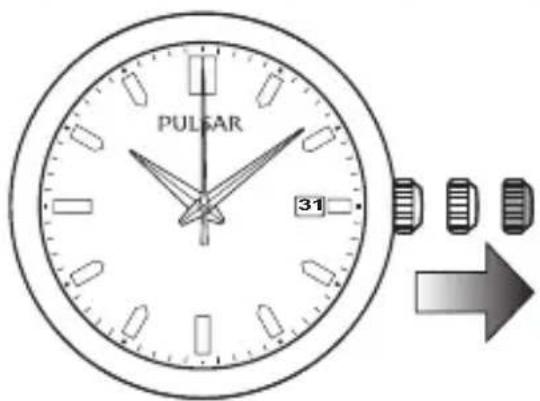
Pull out to the second click position when the second hand is at the 12 o'clock position.
Turn to set the hour and minute hands.
Take AM/PM into consideration when setting the hour and minute hands to the desired time.
When s etting the minute h and, advance it 4 to 5 minutes ahead of the desired time and then turn it back to the exact minute(s).
Push back simultaneously with a time signal.
English
text_image
PULSAR 31HOW TO SET DATE
CROWN
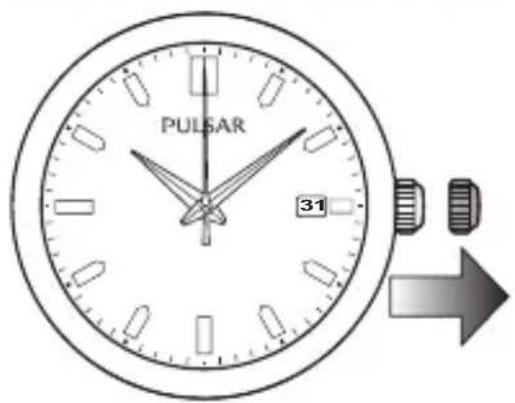
Pull out to the first click position.

Turn counterclockwise to set the date.
Do not set the date between 9:00 P.M. and 1:00 A.M.

Push back to the normal position.
ENERGY DEPLETION FOREWARNING FUNCTION
- When the energy stored in the rechargeable battery is reduced to an extremely low level, the second hand starts moving at 2-second intervals instead of the normal 1-second intervals.
- In that case, recharge the watch as soon as possible by exposing it to light. Otherwise, the watch may stop operating in about 1 day.
◆ To prevent the energy depletion
- When you wear the watch, try not to keep it covered by your clothes.
- When the watch is not in use, leave it in a bright place as long as possible.
* Make sure that the watch temperature does not exceed 50^ C.
NOTES ON POWER SUPPLY
- This watch is provided with a rechargeable battery for exclusive use with the watch. Unlike conventional battery-powered watches, therefore, battery replacement is not necessary.
● The solar cell is a clean energy source, having no adverse effect on the natural environment.

CAUTION
- Never insert a conventional silver oxide battery in your watch as it may explode, generate an intense heat or catch fire. The watch is designed not to operate even if the battery is installed in it.
TO PRESERVE THE QUALITY OF YOUR WATCH
WATER RESISTANCE
● Non-water resistant
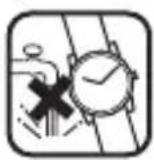
If "WATER RESISTANT" is not inscribed on the case back, your watch is not water resistant, and care should be taken not to get it wet as water may damage the movement. If the watch becomes wet, we suggest that you have it checked by an AUTHORIZED PULSAR DEALER or SERVICE CENTER.
● Water resistance (3 bar)
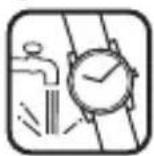
If "WAT ER RESISTANT" is inscribe d on the ca se back, yo ur watch is design e d and manufactured to withstand up to 3 bar, such as acci dental contact with splashes of water or rain, but it is not designed for swimming or diving.
● Water resistance (5 bar)\*

If "WATER RESISTANT 5 BAR" is inscribed on the case back, your watch is designed and manufactured to withstand up to 5 bar and is suitable for swimming, yachting and taking a shower.
● Water resistance (10 bar/15 bar/20 bar)\*

If "WATER RESISTANT 10 BAR", "WATER RESISTANT 15 BAR" or "WATER RESISTANT 20 BAR" is inscribed on the case back, your watch is designed and manufactured to withstand up to 10 bar/15 bar/20 bar and is suitable for taking a bath, shallow diving, but not for scuba diving. We recommend that you wear a PULSAR Diver's watch for scuba diving.
* Before using the water resistance 5, 10, 15 or 20 bar watch in water, be sure the crown is pushed in completely.
Do not operate the crown when the watch is wet or in water. If used in sea water, rinse the watch in fresh water and dry it completely.
* When taking a shower with the water resistance 5 bar watch, or taking a bath with the water resistance 10, 15 or 20 bar watch, be sure to observe the following:
- Do not operate the crown when the watch is wet.
- If the watch is left in warm water, a slight time loss or gain may be caused. This condition, however, will be corrected when the watch returns to normal temperature.
NOTE:
Pressure in bar is a test pressure and should not be considered as corresponding to actual diving depth since swimming movement tends to increase the pressure at a given depth. Care should also be taken on diving into water.
TEMPERATURES

Your watch works with stable accuracy within a temperature range of 5^ C and 35^ C ( 41^ F and 95^ F).
Temperatures over 50°C (122°F) may cause battery leakage or shorten the battery life.
Do not leave your watch in very low temperatures below -5^ C ( +23^ F) for a long time since the cold may cause a slight time loss or gain.
However, the above conditions will be corrected when the watch returns to normal temperature.
MAGNETISM

Your watch will be adversely affected by strong magnetism. Keep it away from close contact with magnetic objects.
SHOCKS & VIBRATION
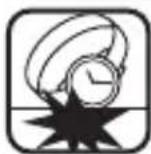
Light activities will not affect your watch, but be careful not to drop your watch or hit it against hard surfaces, as this may cause damage.
CHEMICALS

Be careful not to expose the watch to solvents, mercury, cosmetic spray, detergents, adhesives or paints. Otherwise, the case, bracelet, etc. may become discolored, deteriorated or damaged.
CARE OF CASE AND BRACELET

To prevent possible rusting of the case and bracelet caused by dust, moisture and perspiration, wipe them periodically with a soft dry cloth.
PERIODIC CHECK
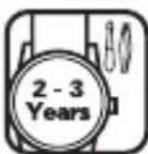
It is recommended that the watch be checked once every 2 to 3 years. Have your watch checked by an AUTHORIZED PULSAR DEALER or SER VICE CENTER to ensure that the case, crown, buttons, gasket and crystal seal remain intact.
PRECAUTION REGARDING CASE BACK PROTECTIVE FILM
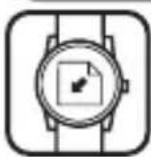
If your watch has a protective film and/or a sticker on the case back, be sure to peel them off before using your watch.