S-1030L - Uncategorized Pearl Sports - Free user manual and instructions
Find the device manual for free S-1030L Pearl Sports in PDF.


| Product Type | Fitness Tracker |
| Brand | Pearl Sports |
| Model | S-1030L |
| Display Type | OLED Touchscreen |
| Screen Size | 1.3 inches |
| Dimensions (Dial) | 45 x 38 x 10 mm |
| Weight (with strap) | 50 g |
| Battery Type | Rechargeable Lithium-Ion |
| Battery Capacity | 200 mAh |
| Charging Time | Approximately 2 hours |
| Battery Life | Up to 7 days (typical use) |
| Water Resistance | IP68 (swim-proof up to 1.5m for 30 min) |
| Connectivity | Bluetooth 5.0 |
| Compatibility | iOS 10+ and Android 6+ |
| Sensors | Accelerometer, Optical Heart Rate Sensor |
| Main Functions | Step counting, heart rate monitor, sleep tracking, call/message notifications, sedentary reminder, alarm, stopwatch, timer |
| Operating Temperature | 0°C to 45°C |
| Material | Silicone strap, polycarbonate case |
| Maintenance | Clean with soft damp cloth, avoid harsh chemicals |
| Safety | Not a medical device; discontinue if skin irritation occurs |
| Spare Parts | Replacement charging cables and straps available |
| Reparability | Battery not user-replaceable; contact service center for repairs |
Frequently Asked Questions - S-1030L Pearl Sports
User questions about S-1030L Pearl Sports
0 question about this device. Answer the ones you know or ask your own.
Ask a new question about this device
Download the instructions for your Uncategorized in PDF format for free! Find your manual S-1030L - Pearl Sports and take your electronic device back in hand. On this page are published all the documents necessary for the use of your device. S-1030L by Pearl Sports.
USER MANUAL S-1030L Pearl Sports
Congratulations on your purchase!
To get optimum performance from your S-1030L / S -1030LS Concert Snare Stand, please read this Instruction Manual before playing.

natural_image
A row of evenly spaced black squares on a white background (no text or symbols)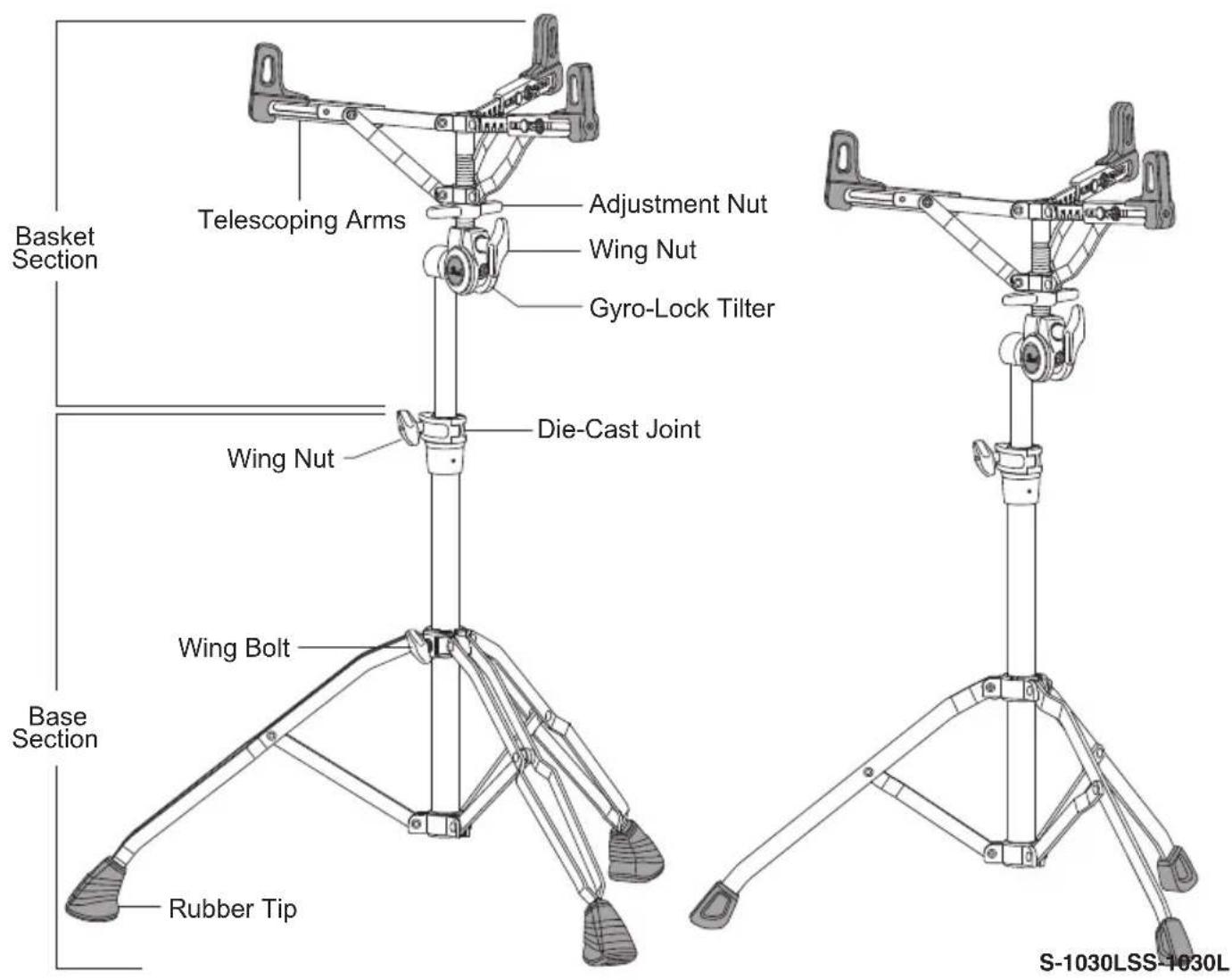
Base Section Assembly
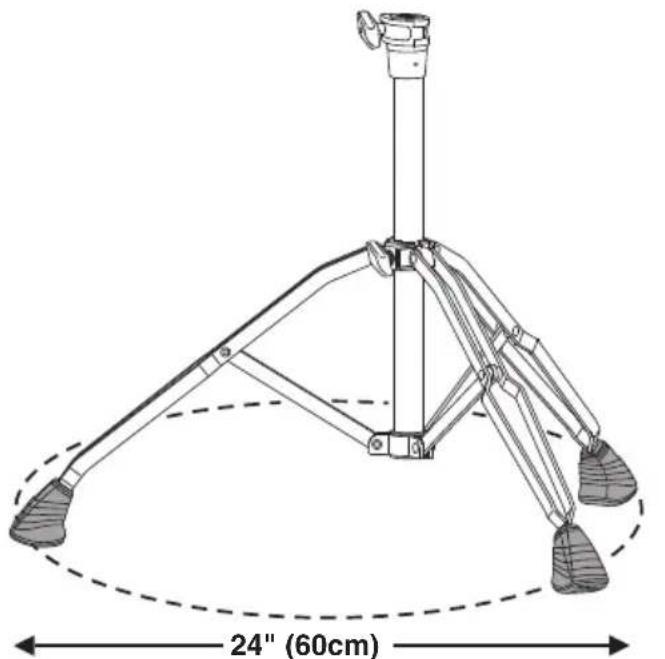
Loosen the Wing Bolt on the Base Section and extend the legs to form a stable tripod (a minimum of 24" (60cm) is recommended for optimum stability). Tighten the Wing Bolt securely when set (Fig.1).
Basket Section Assembly
The Basket Section is packed with the Arms and the Upper Tube folded. Loosen the Wing Nut on the Gyro-Lock Tilter and turn the Upper Tube as shown (Fig.2).
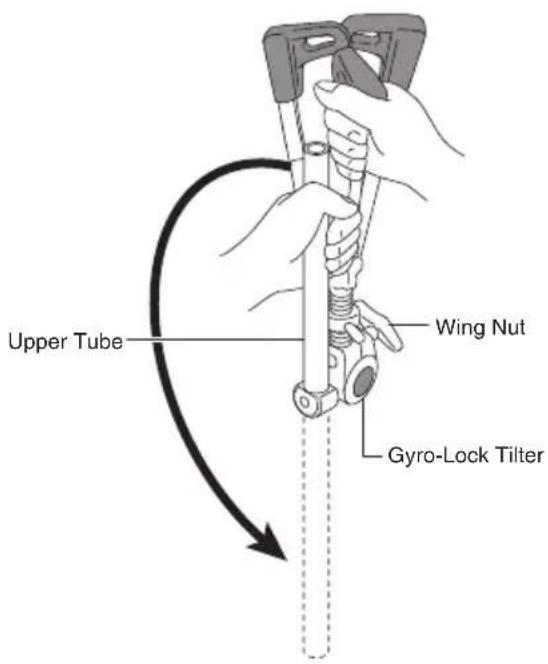
Fig.2
Note
When handling tubular hardware do not put your fingers into the tubes to prevent injury to your fingers.
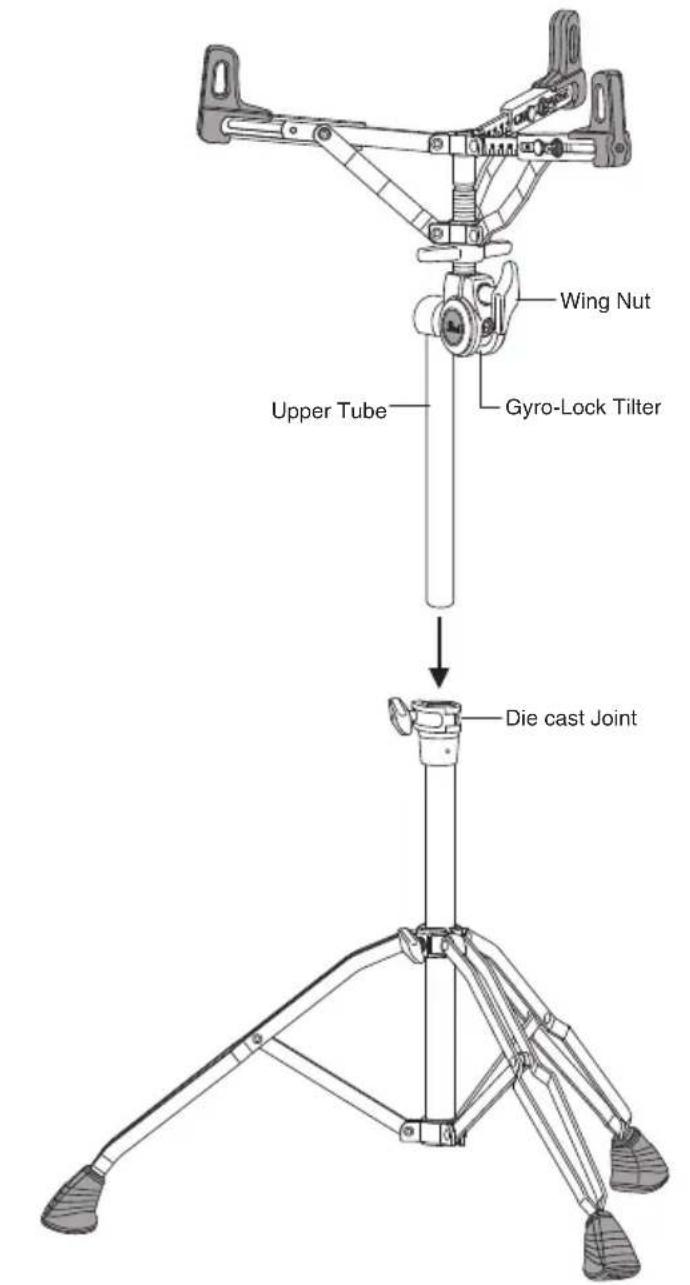
Loosen the Wing Nut on the Die Cast Joint on the Base Section and insert the Upper Tube of the Basket Section as shown. Adjust the height to your preference and tighten the Wing Nut on the Die-Cast Joint securely (Fig.3).
Note
For optimal stability, one leg should be placed in the same direction as the tilt of the drum. (Fig.4)
Fig.4
Telescoping Arms
The S-1030/S-1030LS features telescoping arms that accommodate drums from 10" to 16" in diameter. Loosen the Key Bolts and align the ends of the arms to the Index Marks that correspond to the diameter of your drum. Tighten the Key Bolts when the settings are completed (Fig.5).
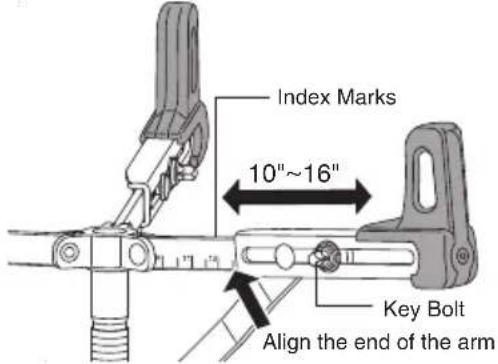
Fig.5Fig.7
Gyro-Lock Tilter
The Gyro-Lock Tilter featured on the S-1030/S-1030LS is infinitely adjustable and allows the drum to be tilted fore/aft and left/right at the same time for precise placement (Fig.7). Loosen the Wing Nut to make tilt adjustments and tighten the Wing Nut securely after the adjustments have been made.
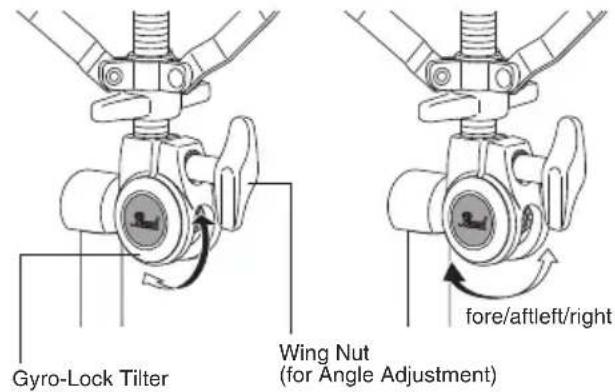
Note
After adjusting the arms tighten the key bolts securely. Failure to do so may cause the drum to fall from the stand.
Note
Use one hand to stabilize the drum while controlling the Wing Nut with your other hand.
Adjustment Nut
Place the Snare Drum into the Basket with the Strainer positioned where it can be conveniently operated with your left hand. Tighten the Adjustment Nut to hold the Snare Drum securely (do not overtighten) (Fig.6).
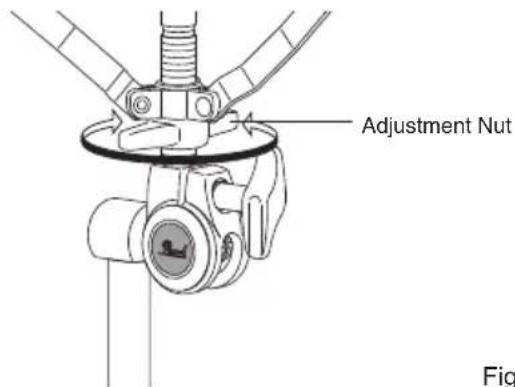
Fig.6
Optional Items (sold separately)
- Convertible Spike / Rubber Tip (CVT-300/3)
The optional CVT-300/3 Convertible Spike/Rubber Tips replace the stock Rubber Tips and give you the choice of Rubber Tips or Spike Tips for greater stability. Push Button "A" to activate the Spike Tip (Fig.8). To retract, push Button "B" (Fig.9)
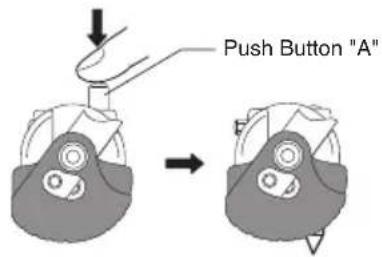
Fig.8
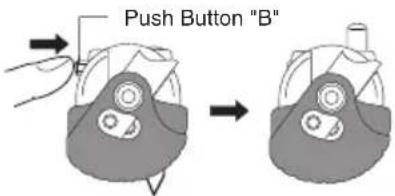
Fig.9
Note
The CVT-300/3 Convertible Spike/Rubber Tip can not be used on S-1030LS stand.

CAUTION
- Use extreme care when handling the Spike Tip. The Spikes are sharp and could cause serious injury.
- When the stand is not is use, retract the Spike to avoid property damage.
- A rug or carpet should be used to protect floor surfaces whenever using the Spikes.

CAUTION
- When adjusting the height and tilt of the drum, support the drum with one hand while slowly making adjustments with your free hand to prevent the stand from falling and pinching fingers that may be in the way.
- When folding the tripod legs, be careful not to pinch your fingers between the legs and the stand.
- When handling tubular hardware, do not put your fingers into the tubes to prevent injury to your fingers.