KBX240 - Cooler CENTURION - Free user manual and instructions
Find the device manual for free KBX240 CENTURION in PDF.


| Product Type | Portable Cooler/Warmer |
| Brand | Centurion |
| Model | KBX240 |
| Volume | 24 Liters |
| Power Supply | 12V DC (car) and 220-240V AC (household) |
| Cooling Power Consumption (12V) | 46W |
| Heating Power Consumption (12V) | 40W |
| Cooling Power Consumption (220-240V) | 54W |
| Heating Power Consumption (220-240V) | 46W |
| Cooling Mode | Green indicator light, switch to COLD |
| Heating Mode | Red indicator light, switch to WARM |
| Switching Modes | Wait 30 minutes in OFF mode before switching |
| Recommended Use | Pre-chilled items for best cooling; heating maintains warm foods, not for cooking |
| Power Cords Included | 12V DC and 220-240V AC |
| Car Use | Requires car engine running, plug DC cord into 12V socket |
| Household Use | Plug AC cord into standard outlet |
| Safety Features | Do not immerse in water; keep away from fire and moisture; do not block fans |
| Maintenance | Wipe with dry cloth; do not rinse with water |
| Environmental Compliance | WEEE Directive 2012/19/EU, RoHS Directive 2011/65/EU |
| Warranty | Standard manufacturer warranty, contact authorized service for repairs |
Frequently Asked Questions - KBX240 CENTURION
User questions about KBX240 CENTURION
0 question about this device. Answer the ones you know or ask your own.
Ask a new question about this device
Download the instructions for your Cooler in PDF format for free! Find your manual KBX240 - CENTURION and take your electronic device back in hand. On this page are published all the documents necessary for the use of your device. KBX240 by CENTURION.
USER MANUAL KBX240 CENTURION
natural_image
Black and white portable air conditioner unit with ventilation slots and a handle (no visible text or symbols)Svenska, sida 3-8
Norsk, side 9-14
English, page 15-20
SÄKERHETSFÖRESKRIFTER
natural_image
Line drawing of a USB cable with connector port (no text or symbols)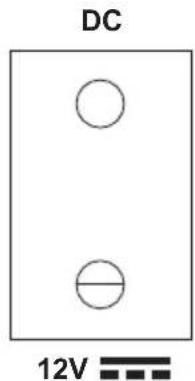
natural_image
Line drawing of two connected electrical connectors (no text or symbols)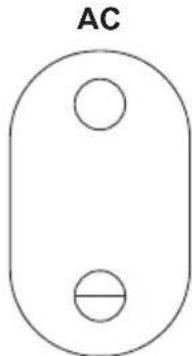
natural_image
Simple diagram of an oval shape with two circular holes, labeled 'AC' at the top (no other text or symbols)220-240V\~
SPECIFIKATIONER
Volym: 24L
Waste of Electrical and Electronic Equipment (WEEE) - WEEE-direktivet 2012/19/EU
natural_image
Line drawing of a USB cable with connector port (no text or symbols)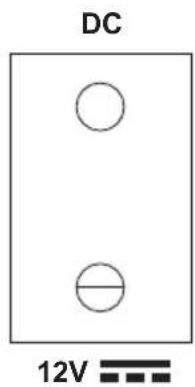
natural_image
Line drawing of two connected electrical connectors (no text or symbols)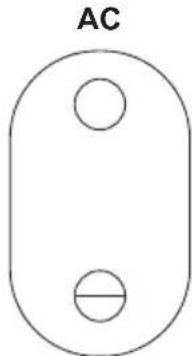
natural_image
Simple diagram of an oval shape with two circular holes, labeled 'AC' at the top (no other text or symbols)220-240V\~
SPESIFIKASJON
Volum: 24L
| Spenning Modus Strøm | ||
| 12V Kjøling 46W | ||
| 12V Oppvarming 40W | ||
| 220-240V Kjøling 54W | ||
| 220-240V Oppvarming 46W |
MILJ∅
Waste of Electrical and Electronic Equipment (WEEE) - WEEE-direktivet 2012/19/EU
- Read the instruction manual carefully before use, and save it for future reference.
- Before you connect the appliance: Ensure the voltage rating on the type plate corresponds to your mains voltage (type plate is located inside the unit).
- Check the appliance and the cable for damage on a regular basis. Do not use the appliance if it is damaged.
- If the supply cord is damaged, it must be replaced by the manufacturer, its service agent or similarly qualified persons in order to avoid a hazard.
- Do not try to repair the appliance on your own. Always contact an authorized technician.
- This appliance is not intended for use by persons (including children) with reduced physical, sensory or mental capabilities, or lack of experience and knowledge, unless they have been given supervision or instruction concerning use of the appliance by a person responsible for their safety.
- In order to ensure your children's safety, please keep all packaging (plastic bags, boxes, polystyrene etc.) out of their reach.
- Caution! Do not allow small children to play with the foil as there is a danger of suffocation!
- Close supervision is necessary when this appliance is used near children. Do not allow small children to play with this appliance.
- The appliance is designed exclusively for private use and for the envisaged purpose. This appliance is not fit for commercial use.
- To prevent the fans from being stuck. If the fans stuck the engine will over heat and cause a fire. Towels, cloths etc. should not be put on it unit.
- Keep the appliance away from fire and moist to prevent explosion and fire.
- Do not dimantle the unit or try to change its components.
- Do not switch of the cool/warm function abruptly.
- Switch the function after 30 minutes of being in the OFF mode.
- Do not rinse the unit with water.
- Do not put the unit upside down.
- Do not drop or shake the unit.
- This unit is not intended for use by children. Children should be supervised to ensure that they do not play with the unit.
- If the supply cord is damaged, it must be replaced by a special cord or assembly available from the manufacturer or its service agent.
BOX CONTENT
- Cooler Box
- AC Power Cord
- DC Power Cord
- Instruction Manual
PARTS
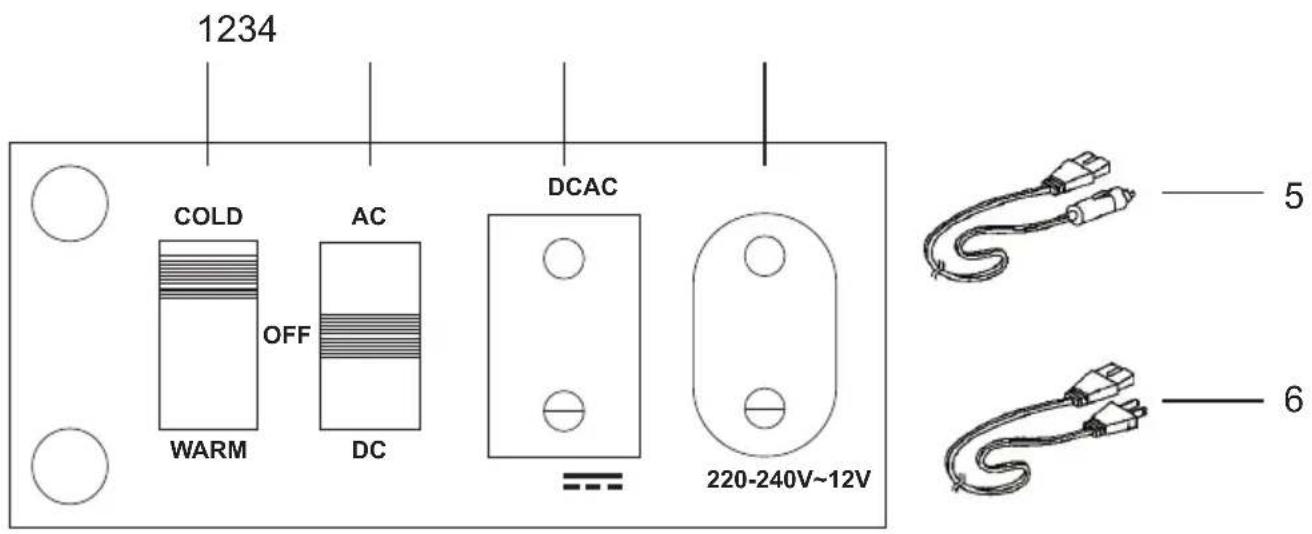
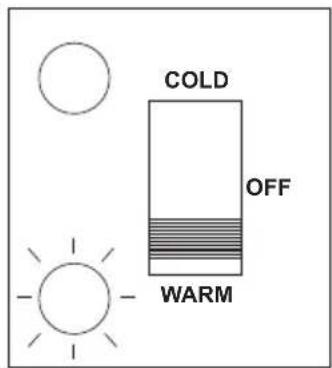
| 1 | COLD/WARM Switch |
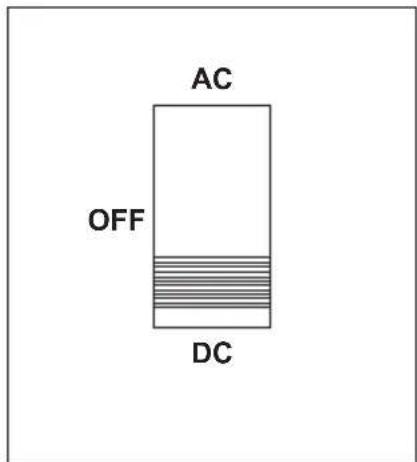
| 2 | Power Switch |
| 3 | Car Power Socket |
| 4 | Household Socket |
| 5 | DC Power Cord (Power Cord for car) |
| 6 | AC power Cord (Household Power Cord) |
OPERATION
Work performance
- To obtain optimized cooling effect, we suggest putting in pre-chilled foods and drinks. It will take 2-3 hours for cooling the unfrozen foods or drinks.
- The cooler and warmer is not designed to heat foods but to preserve hot foods at a warm temperature. If necessary, it can heat the foods after 2 hours.
Shift of Cooling Function and Heating Function
- First make sure the switch at the side of the cooler and warmer is in OFF state, and then insert the plug of the power cord into the socket of the unit. Insert the plug of the cigarette lighter into the cigarette lighter in the car.
Cooling:
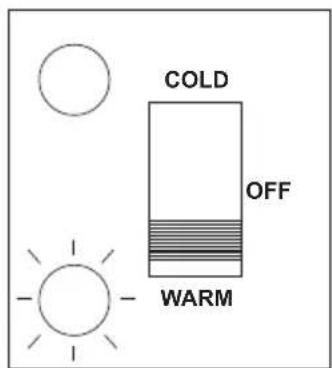
- Set the power switch at the position of COLD. The green indicator will be on indicating the unit is in cooling mode.
Heating:
- Set the switch at the position of WARM. The red indicator will be on indicating the unit is in heating mode.
CoolingHeating
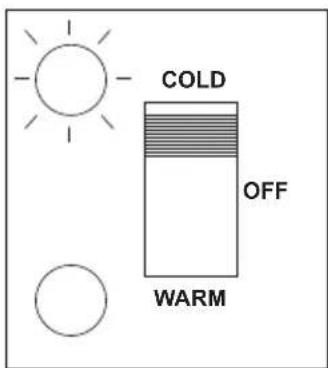
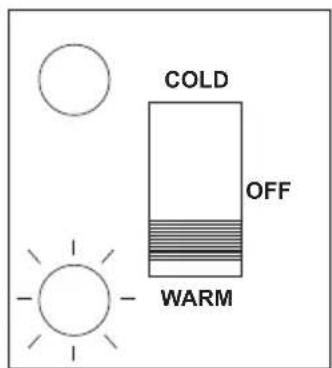
NB! Do not switch of the cool/warm function abruptly. Switch the function after 30 minutes of being in the OFF mode.
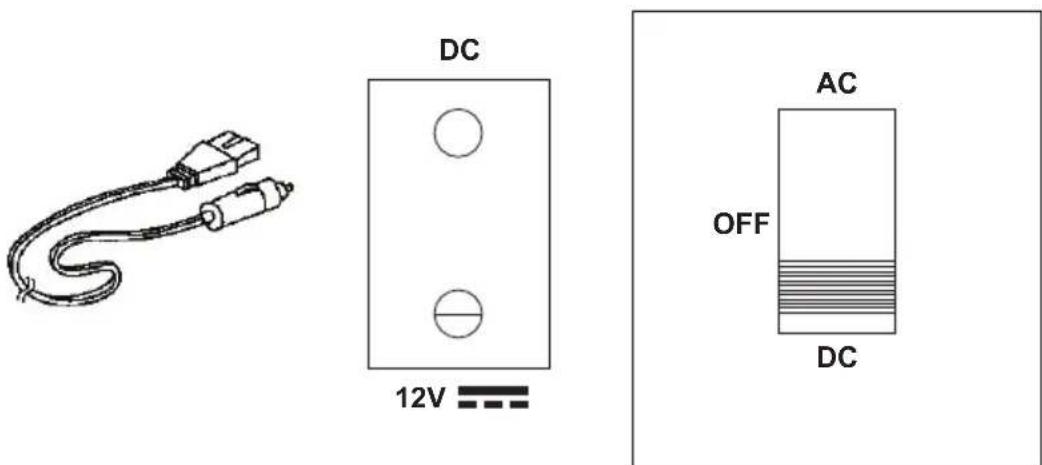
Using Car Power
- The car engine is required.
- Insert the plug of DC power cord into the socket of the lighter in the car.
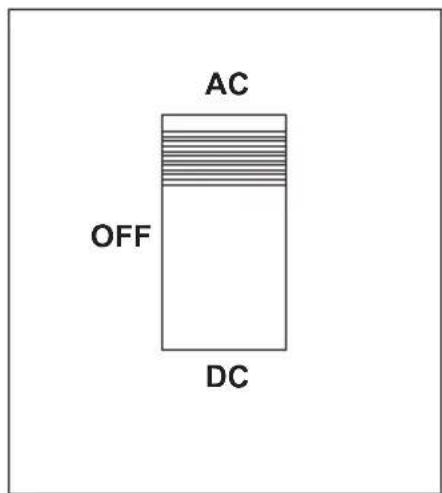
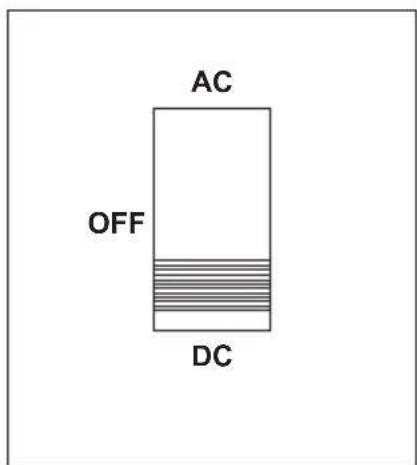
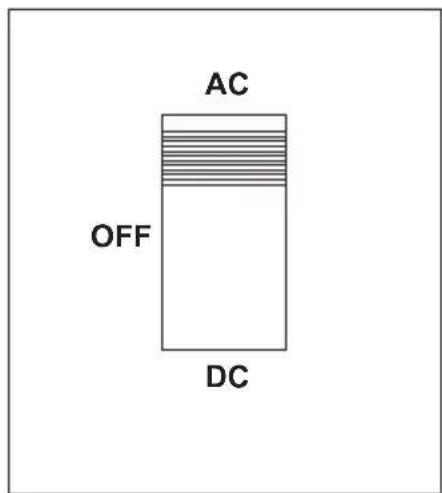
- Shift the power switch to the DC side.
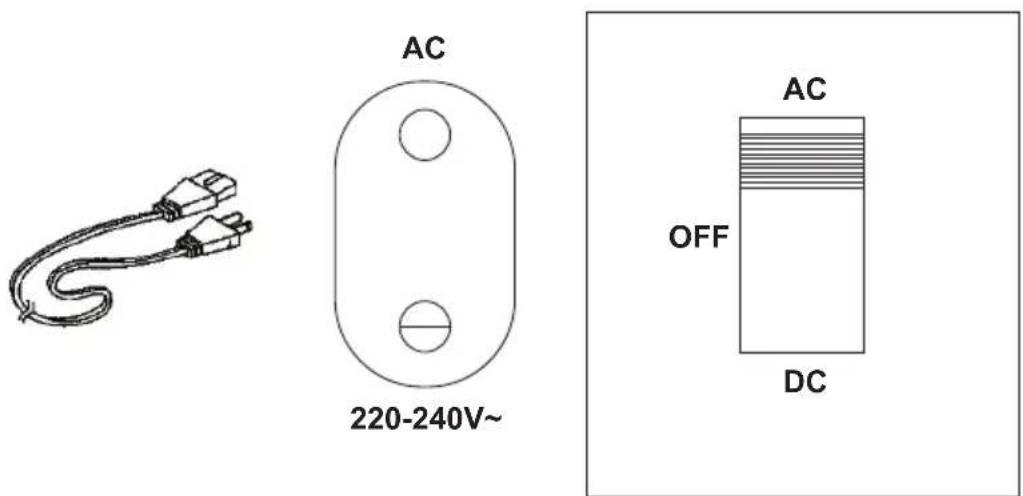
Using Household Power
- Connect the connect of AC power cord (household power cord) with the product.
- Insert the power socket into the connect plug.
- Turn the power switch to the AC side.
SPECIFICATIONS
Volume: 24L
| Voltage Mode Power Consumption | ||
| 12V Cool 46W | ||
| 12V Warm 40W | ||
| 220-240V Cool 54W | ||
| 220-240V Warm 46W | ||
ENVIRONMENT
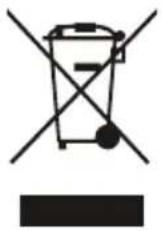
Waste of Electrical and Electronic Equipment (WEEE) - WEEE Directive 2012/19/EU
This symbol on the product or in the instructions means that the electrical and electronic equipment must be disposed of separately from other household waste when it does not work anymore. The EU has separate waste collection systems, contact your local dealer or authority for more information.
LAW AND SAFETY
This product has been manufactured according to current regulations for electromagnetic fields (EMF), which means that it is safe to use if used according to safety instructions.
The product is manufactured according to current regulations within the EU legislation, limiting the use of hazardous substances in electrical and electronic equipment (RoHS Directive 2011/65/EU).

RESERVATIONS
We reserve the right to correct any typographical errors, and reserve the right to make ongoing changes and improvements to the product and related materials.
Brand : CENTURION
Model : KBX240
Category : Cooler