
WIRELESSCAST - Laptop ACER - Free user manual and instructions
Find the device manual for free WIRELESSCAST ACER in PDF.



| Product Type | Wireless Display Adapter |
| Brand | Acer |
| Model | MWA3 (WirelessCast) |
| Connectivity | Wi-Fi, HDMI, MHL |
| Compatible With | Windows 7/8.1, Mac OS 10.9+, iOS 7+, Android 4.0+ |
| Power Supply | 5V/1A via external AC adapter (required for HDMI output) |
| Main Functions | Wireless display, split screen, host control, BYOC applications |
| Associated App | Acer eDisplayPro (free on Google Play and Apple App Store) |
| Display Interface | HDMI and MHL with switch |
| Wireless Connection | Via SSID MWA3_XXXXXX |
| Standards | Compliant with FCC Part 15, Class B |
| Minimum Exposure Distance | 20 cm between radiator and body |
| App Support | iOS 7+, Android 4.0+ |
| Software Support | Drivers and manuals available at www.acer.com |
| Recommended Use | Presentations, education, wireless display |
Frequently Asked Questions - WIRELESSCAST ACER
User questions about WIRELESSCAST ACER
0 question about this device. Answer the ones you know or ask your own.
Ask a new question about this device
Download the instructions for your Laptop in PDF format for free! Find your manual WIRELESSCAST - ACER and take your electronic device back in hand. On this page are published all the documents necessary for the use of your device. WIRELESSCAST by ACER.
USER MANUAL WIRELESSCAST ACER
Quick Start Guide 1
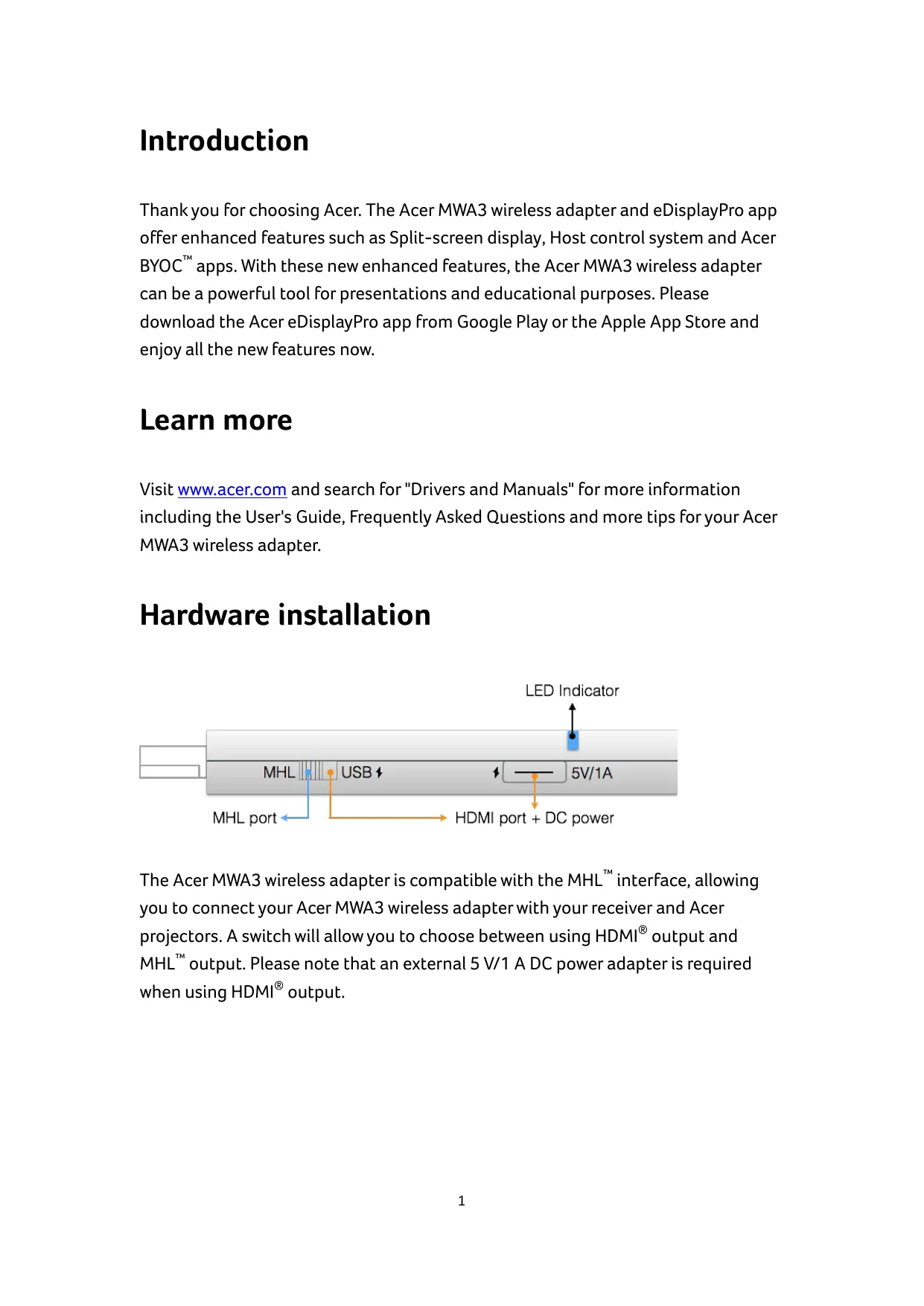
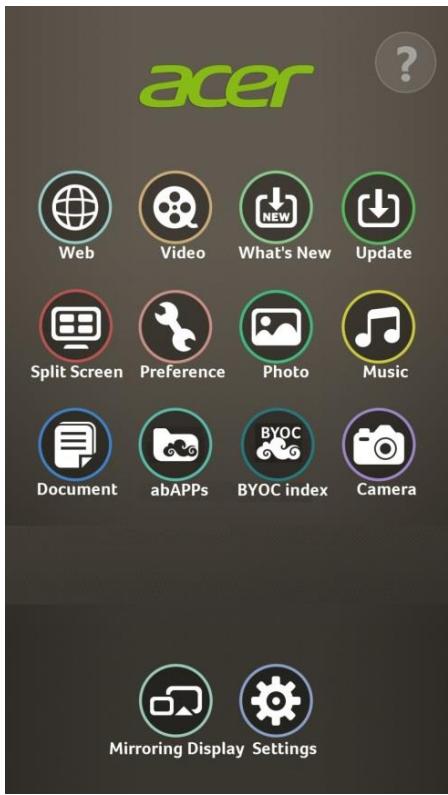
Thank you for choosing Acer. The Acer MWA3 wireless adapter and eDisplayPro app offer enhanced features such as Split-screen display, Host control system and Acer BYOC™ apps. With these new enhanced features, the Acer MWA3 wireless adapter can be a powerful tool for presentations and educational purposes. Please download the Acer eDisplayPro app from Google Play or the Apple App Store and enjoy all the new features now.
Learn more
Visit www.acer.com and search for "Drivers and Manuals" for more information including the User's Guide, Frequently Asked Questions and more tips for your Acer MWA3 wireless adapter.
Hardware installation
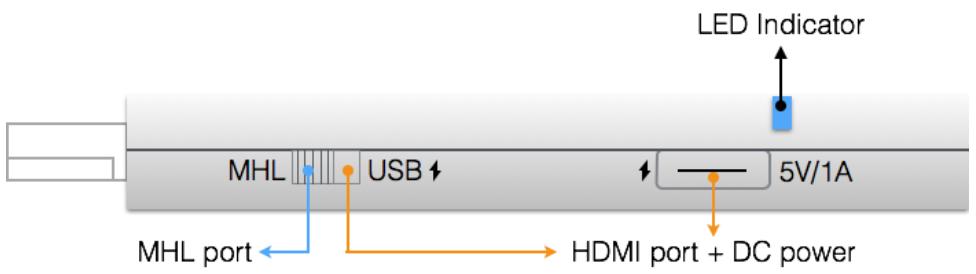
The Acer MWA3 wireless adapter is compatible with the MHL™ interface, allowing you to connect your Acer MWA3 wireless adapter with your receiver and Acer projectors. A switch will allow you to choose between using HDMI® output and MHL™ output. Please note that an external 5 V/1 A DC power adapter is required when using HDMI® output.
App installation
- iOS and Android™ users
- Search for "eDisplayPro" in Google Play or the Apple App Store and install it.
- Or use a QR scanner app to scan the QR code on the eDisplayPro adapter standby page.
* Supports iOS 7 and Android 4.0 and newer versions.
● Windows and Mac OS users
- Please download the software installer from the Acer website: www.acer.com.
* Supports Windows 7 / 8.1 and Mac OS 10.9 and newer versions.
Getting started
- Enter your laptop, PC, smartphone, or tablet's wireless settings.
- Find the SSID (MWA3_XXXXXX) and connect to it.
- Launch the Acer eDisplayPro app on your device.
Now you are ready to enjoy Acer eDisplayPro!
©2014 Acer Incorporated. All rights reserved. Acer MWA3, eDisplayPro and eDisplayPro Management are trademarks of Acer Incorporated, registered in Taiwan and other countries. Other product and company names mentioned herein may be trademarks of other companies.
FCC STATEMENT
- This device complies with Part 15 of the FCC Rules. Operation is subject to the following conditions:
(1) This device may not cause harmful interference. (2) This device must accept any interference received, including interference that may cause undesired operation. 2. Changes or modifications not expressly approved by the party responsible for compliance could void the user's authority to operate the equipment.
NOTE: This equipment has been tested and found to comply with the limits for a Class B digital device, pursuant to Part 15 of the FCC Rules. These limits are designed to provide reasonable protection against harmful interference in a residential installation.
This equipment generates uses and can radiate radio frequency energy and, if not installed and used in accordance with the instructions, may cause harmful interference to radio communications. However, there is no guarantee that interference will not occur in a particular installation. If this equipment does cause harmful interference to radio or television reception, which can be determined by turning the equipment off and on, the user is encouraged to try to correct the interference by one or more of the following measures:
- Reorient or relocate the receiving antenna.
- Increase the separation between the equipment and receiver.
- Connect the equipment into an outlet on a circuit different from that to which the receiver is connected.
- Consult the dealer or an experienced radio/TV technician for help.
FCC radiation exposure statement
This equipment complies with FCC radiation exposure limits set forth for an uncontrolled environment. This equipment should be installed and operated with a minimum distance of 20 cm between the radiator and your body.
Introduction
©2014 Acer Incorporated. All rights reserved. MWA3 Acer, eDisplayPro and eDisplayPro Management are trademarks of Acer Incorporated, registered in Taiwan and other countries. Other product and company names mentioned herein may be trademarks of other companies.
FCC STATEMENT
Without permission, any company, firm or user shall not alter the frequency, increase the power, or change the characteristics and functions of the original design of the certified lower power frequency electric machinery.
Article 14
The application of low power frequency electric machineries shall not affect the Navigation safety nor interfere a legal communication, if an interference is found, the service will be suspended until improvement is made and the interference no longer exists.
FCC Statement
Brand : ACER
Model : WIRELESSCAST
Category : Laptop