USER MANUAL ASPIRE 5610Z ACER
Acer Empowering Technology 1
Mot de passage de Empowering Technology 1
Acer eNet Management 2
Acer ePower Management 4
Acer ePresentation Management 7
Acer eDataSecurity Management 8
Acer eLock Management 9
Acer eRecovery Management 11
Acer eSettings Management 13
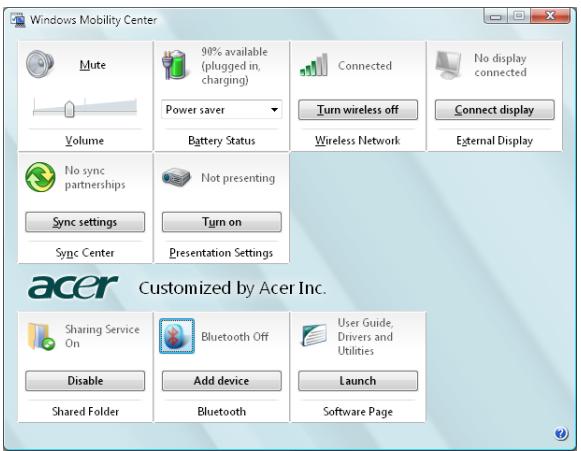
Windows Mobility Center 14
Launch Manager 42
Norton Internet Security 43
Considerations speciales 78
Considerations speciales 79
Considerations speciales 80
Acer Empowering Technology
Acer ePresentation Management
Acer eRecovery Management


Windows Mobility Center
Acer eRecovery Management
This Class B digital apparatus complies with Canadian ICES-003.
"Brevets U.S. Nos. 4,631,603, 4,819,098, 4,907,093, 5,315,448 et 6,516,132."
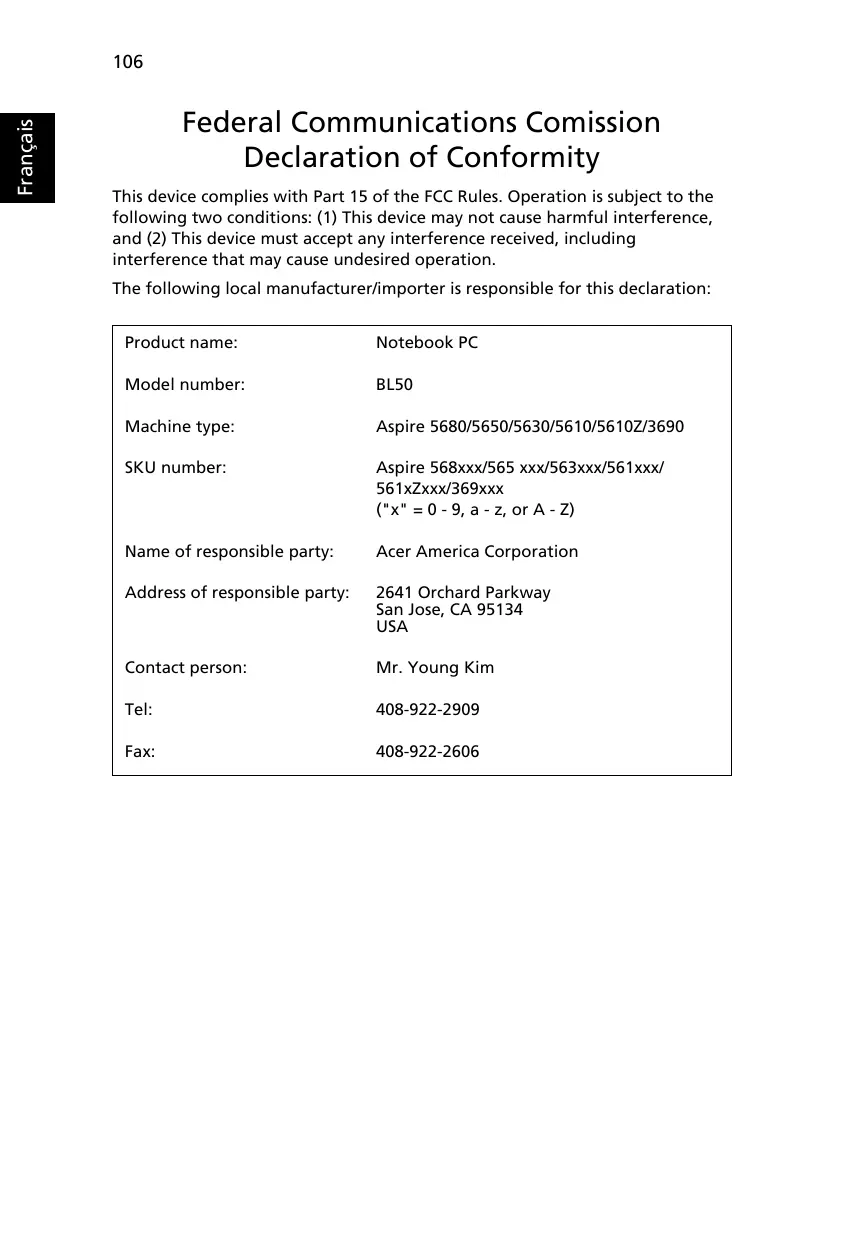
This device complies with Part 15 of the FCC Rules. Operation is subject to the following two conditions: (1) This device may not cause harmful interference, and (2) This device must accept any interference received, including interference that may cause undesired operation.
The following local manufacturer/importer is responsible for this declaration:
| Product name: | Notebook PC |
| Model number: | BL50 |
| Machine type: | Aspire 5680/5650/5630/5610/5610Z/3690 |
| SKU number: | Aspire 568xxx/565 xxx/563xxx/561xxx/561xZxxx/369xxx
("x" = 0 - 9, a - z, or A - Z) |
| Name of responsible party: | Acer America Corporation |
| Address of responsible party: | 2641 Orchard Parkway
San Jose, CA 95134
USA |
| Contact person: | Mr. Young Kim |
| Tel: | 408-922-2909 |
| Fax: | 408-922-2606 |
C E
We,
Acer Computer (Shanghai) Limited
3F, No. 168 Xizang medium road, Huangpu District, Shanghai, China
Contact Person: Mr. Easy Lai
Tel: 886-2-8691-3089 Fax: 886-2-8691-3000
Hereby declare that:
Product: Personal Computer
Trade Name: Acer
Model Number: BL50
Machine Type: Aspire 5680/5650/5630/5610/5610Z/3690
SKU Number: Aspire 568xxx/565 xxx/563xxx/561xxx/561xZxxx/369xxx ("x" = 0~9, a ~ z, or A ~ Z)
Is compliant with the essential requirements and other relevant provisions of the following EC directives, and that all the necessary steps have been taken and are in force to assure that production units of the same product will continue comply with the requirements.
EMC Directive 89/336/EEC as attested by conformity with the following harmonized standards:
EN55022:1998 + A1:2000 + A2:2003, AS/NZS CISPR22:2002, Class B
EN55024:1998 + A1:2001 + A2:2003
EN6100-3-2:2000, Class D
EN61000-3-3:1995 + A1:2001
EN55013:2001 + A1:2003 (applied to models with TV function)
EN55020:2002 + A1:2003 (applied to models with TV function)
Low Voltage Directive 73/23/EEC as attested by conformity with the following harmonized standard:
EN60950-1:2001
EN60065:2002 (applied to models with TV function)
Council Decision 98/482/EC (CTR21) for pan-European single terminal connection to the Public Switched Telephone Network (PSTN).
RoHS Directive 2002/95/EC on the Restriction of the Use of certain Hazardous Substances in Electrical and Electronic Equipment
LCD panel ergonomic specifications
| Design viewing distance | 500 mm |
| Design inclination angle | 0.0° |
| Design azimuth angle | 90.0° |
| Viewing direction range class | Class IV |
| Screen tilt angle | 85.0° |
| Design screen illuminance | • Illuminance level:
[250 + (250cosα)] lx where α = 85°
• Color: Source D65 |
| Reflection class of LCD panel
(positive and negative polarity) | • Ordinary LCD: Class I
• Protective or Acer CrystalBrite™ LCD:
Class III |
| Image polarity | Both |
| Reference white: | • Yn |
| Pre-setting of luminance and
color temperature @ 6500K
(tested under BM7) | • u'n
• v'n |
| Pixel fault class | Class II |
Index
A
Mémoire installation 88
Messages erreur 97