
TRÅDFRI 103.648.01 - Smart Home IKEA - Free user manual and instructions
Find the device manual for free TRÅDFRI 103.648.01 IKEA in PDF.


| Product Type | Wireless ON/OFF Switch |
| Model | TRÅDFRI 103.648.01 / E1743 |
| Power Supply | 3V, CR2032 Battery |
| Battery Life | Approximately 2 years under normal use |
| Operating Range | Up to 10 m in open air |
| Operating Frequency | 2405-2480 MHz |
| Output Power | 3 dBm |
| Functions | ON/OFF, Dim Up/Down, Pairing |
| Pairing Capacity | Up to 10 IKEA Home smart devices per switch |
| Indoor Use Only | Yes |
| Operating Temperature | 0°C to 40°C |
| Care Instructions | Wipe with a soft dry cloth. Do not use abrasive cleaners or solvents. |
| Battery Replacement | CR2032 (replace when red LED flashes) |
| Safety Precautions | Risk of explosion if battery replaced incorrectly. Dispose of used batteries properly. |
| Manufacturer | IKEA of Sweden AB, Box 702, SE-343 81 ÄLMHULT |
| Disposal | Separate from household waste, recycle according to local regulations. |
| Compatibility | IKEA Home smart products (TRÅDFRI series) |
Frequently Asked Questions - TRÅDFRI 103.648.01 IKEA
User questions about TRÅDFRI 103.648.01 IKEA
0 question about this device. Answer the ones you know or ask your own.
Ask a new question about this device
Download the instructions for your Smart Home in PDF format for free! Find your manual TRÅDFRI 103.648.01 - IKEA and take your electronic device back in hand. On this page are published all the documents necessary for the use of your device. TRÅDFRI 103.648.01 by IKEA.
USER MANUAL TRÅDFRI 103.648.01 IKEA
Design and Quality IKEA of Sweden
English
Español
Portugues
中文 13
繁中 16
한국어 19
日本語 22
WIRELESS ON/OFF SWITCH FUNCTIONS
ON - Dim Up
Press to turn your IKEA Home smart product on. Press and hold to dim up.

OFF - Dim Down
Press to turn your IKEA Home smart product off. Press and hold to dim down.

Pairing: Add IKEA Home smart products to your system. See instructions below.
ADDING DEVICES TO YOUR WIRELESS ON/OFF SWITCH
When the wireless ON/OFF switch is sold together with an IKEA Home smart product (in the same package), they are already paired.
To add more products, just repeat the steps below:
Make sure that the main power is turned on.
- Hold the ON/OFF switch close to the IKEA Home smart device you want to add (no more than 5 cm away).
- Press and hold the pairing button for at least 10 seconds, you can find the pairing button under the rear cover.
- A red light will shine steadily on the ON/OFF switch. On your IKEA Home smart device the pairing indicator will begin to dim and flash one time to indicate that it has been successfully paired.
Up to 10 IKEA Home smart devices can be paired with 1 ON/OFF switch.
Make sure to pair them one at a time. If the IKEA Home smart products are close to each other, disconnect those that have already been paired from the main power.
For wireless ON/OFF switch:
Press the pairing button 4 times within 5 seconds.
CHANGING THE BATTERY
When the wireless ON/OFF switch is used regularly and as intended, the battery will last for approximately 2 years.
When it's time to replace the battery, a red LED indicator will flash when you toggle the ON/OFF switch.
Open the rear cover, and replace the battery with a new CR2032 battery.
CAUTION!
Risk of explosion if battery is replaced by an incorrect type. Dispose of used batteries according to the instructions.
IMPORTANT!
- The wireless ON/OFF switch is for indoor use only and can be used in temperatures ranging from 0°C to 40 °C.
- Do not leave the wireless ON/OFF switch in direct sunlight or near any heat source, as it may overheat.
- The range between the wireless ON/OFF switch and the receiver are measured in open air. Different building materials and placement of the units can affect the wireless connectivity range.
CARE INSTRUCTIONS
To clean the wireless ON/OFF switch wipe with a soft dry cloth.
NOTE!
Never use abrasive cleaners or chemical solvents as this can damage the product.
TECHNICAL DATA
Type: E1743wireless ON/OFF button
Input: 3V, CR2032 Battery
Range: 10 m in open air
For indoor use only
Operating frequency: 2405-2480Mhz
Output power: 3 dBm
Manufacturer: IKEA of Sweden AB
Address: Box 702, SE-343 81 ÄLMHULT
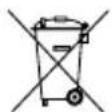
The crossed-out wheeled bin symbol indicates that the item should be disposed of separately from household waste. The item should be handed in for recycling in accordance with local environmental regulations for waste disposal. By separating a marked item from household waste, you will help reduce the volume of waste sent to incinerators or land-fill and minimize any potential negative impact on human health and the environment. For more information, please contact your IKEA store.
委製商:IKEA of Sweden AB
地址:Box 702, SE-343 81 Älmhult
注意!
제조업체: IKEA of Sweden AB
주소: Box 702, SE-343 81 ÄLMHULT

Pabrikan: IKEA of Sweden AB
Alamat: kode pos 702, SE-343 81 ÄLMHULT

© Inter IKEA Systems B.V. 2018 AA-2163742-4
Brand : IKEA
Model : TRÅDFRI 103.648.01
Category : Smart Home