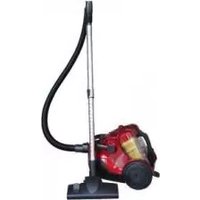
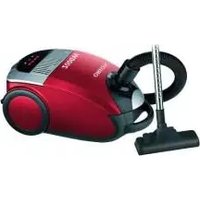
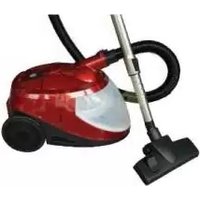
OVC-022 - Vacuum Cleaner ORION - Free user manual and instructions
Find the device manual for free OVC-022 ORION in PDF.


| Product Type | Canister Vacuum Cleaner |
| Brand | Orion |
| Model | OVC-022 |
| Power Consumption | 1200 W |
| Voltage | 220-240 V |
| Frequency | 50/60 Hz |
| Dust Capacity | 1.5 L |
| Filtration System | HEPA 10 |
| Power Cord Length | 5 m |
| Weight | 4.5 kg |
| Dimensions (L x W x H) | 35 x 25 x 20 cm |
| Noise Level | 78 dB(A) |
| Color | White and Blue |
| Housing Material | ABS Plastic |
| Dust Bag Type | Disposable paper bag |
| Filter Type | Washable foam filter |
| Accessories Included | Crevice tool, upholstery nozzle, floor brush |
| Warranty | 2 years |
| Energy Class | A |
| Suction Control | Electronic slider on handle |
| Automatic Cord Rewind | Yes |
Frequently Asked Questions - OVC-022 ORION
User questions about OVC-022 ORION
0 question about this device. Answer the ones you know or ask your own.
Ask a new question about this device
Download the instructions for your Vacuum Cleaner in PDF format for free! Find your manual OVC-022 - ORION and take your electronic device back in hand. On this page are published all the documents necessary for the use of your device. OVC-022 by ORION.
USER MANUAL OVC-022 ORION
natural_image
Line drawing of a vacuum cleaner device with control panel and mesh casing (no text or symbols)The Advantages:

natural_image
Technical line drawing of a mechanical device with internal components and mounting brackets (no text or symbols)- With advanced exclusive Dual-bins plastic centering true multi-cyclone system, no loss of suction.
- Plus air outlet HEPA filter, enabling a highest cleaning efficiency. Good for allergy people and asthmatics.
- Super bigger power upto 2,400W max., 30Kpa max. (at 220-240V).
- Super bigger dust capacity upto 5 L max.
- Double functions with both suction and blowing.
- With remote speed control on handle for easy use.
IMPORTANT SAFEGUARDS
When using an electrical appliance, basic safety precautions should always be observed, including the following.
READ ALL INSTRUCTIONS BEFORE USING YOUR HEAVY DUTY VACUUM.
WARNING: To reduce the risk of fire, electrical shock, or injury:
- Do not leave appliance when plugged in. Unplug from outlet when not in use.
- Do not use outdoors or on wet surfaces.
- Do not allow to be used as a toy. Close attention is necessary when used by or near children.
- Use only as described in this manual. Use only manufacturer's recommended attachments.
- Do not use with damaged cord or plug. Do not use vacuum if it has been dropped, damaged, left outdoors, or dropped in water. Return it to an authorized service center.
- Do not pull or carry by cord, use cord as a handle, close a door on cord, or pull cord around sharp edges or corners.
- Do not run appliance over cord. Keep cord away from heated surfaces.
- Do not unplug by pulling on cord. To unplug, grasp the plug, not the cord.
-
Do not handle plug or appliance with wet hands.
-
Do not put any object into openings. Do not use with any opening blocked; keep free of dust, lint, hair and anything that may reduce air flow.
- Keep hair, loose clothing, fingers, and all parts of body away from openings and moving parts.
- Do not pick up anything that is burning or smoking, such as cigarettes, matches, or got ashes.
- Turn off the control before unplugging.
- Use extra care when cleaning on stairs.
- Do not use to pick up flammable or combustible liquids such as gasoline or use in areas where they may be present.
- Look on your vacuum cleaner and follow all label and marking instructions.
- Keep end of hose, wands and other openings away from your face and body.
- Do not use the vacuum cleaner without dust cup filter in place.
- Always unplug this appliance before connecting or disconnecting hand vacuum hose.
- Store the hand vacuum indoors. Put the hand vacuum away after us to prevent tripping accidents.
- Using improper voltage may result in damage to the motor and possible injury to the user. Correct voltage is listed on the rating label.
- Use only on dry, indoor surfaces.
- Do not use for any purpose other than described in this user's guide.
- If the cleaner is damaged, it must be repaired by the manufacturer or its service agent or a similarly qualified person in order to avoid a hazard.
Product and accessories:

PRECAUTIONARY MEASURES
Firstly opening the sucks in the air, to check if the suction pipe or the telescopic wand stick on pipe are blocked, you should switch off the vacuum cleaner at once. First clear the blocked substance before you attempt to start the vacuum cleaner again.
- Do not operate the vacuum cleaner too close to heaters like radiators, cigarette butts etc.
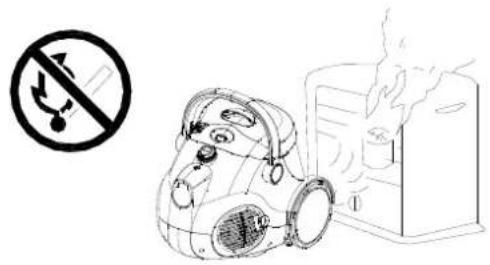
-
Before you start using the vacuum cleaner, please remove large or sharp objects from the floor in order to prevent the vacuum is damaged.
-
Before you insert the plug into the wall contact, make sure your hand is dry.

- When you want to pull the plug from the wall contact, please do this at the plug itself and not by means of the electrical cable.
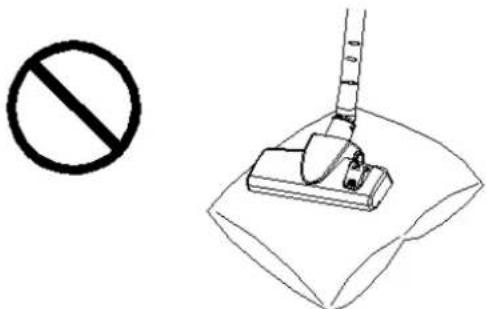

This vacuum cleaner is equipped with a plug and a cable which rolls up automatically. If anything gets damaged, both the plug and the cable must be repaired by a qualified repairman or electrician.
ASSEMBLING VACUUM CLEANER
Always remove the plug from the power socket before fitting or removing accessories!
- Equiping vacuum cleaner
- Fixing the flexible hose on vacuum machine:

natural_image
Technical line drawing of a vacuum cleaner with a mechanical component shown in its view (no text or symbols present)Insert hose joint into the air intake duct on the front of appliance. Press until it clicks into position.
**Removing the flexible hose from vacuum machine:
Removing the plug from the power socket. Press release button on hose joint to remove the flexible hose from the vacuum machine.
2.Fixing the extension tubes and accessories
a. Fixing the telescopic tube to the handle.

b. Fixing the brush to the extension tube.
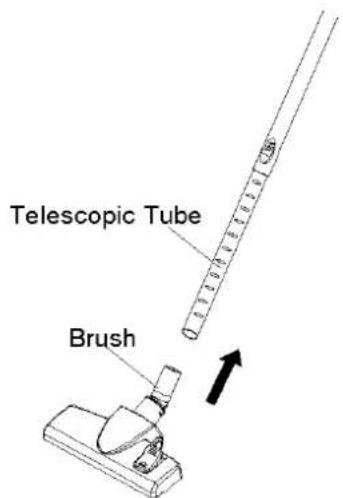
c. Fixing Floor brush
Ideal for the daily cleaning on carpets and hard floors.

natural_image
Line drawing of a measuring instrument placed on a woven mat (no text or symbols)2.Cleaning tools use
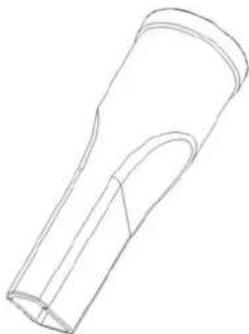
- Crevice tool:
For radiators, crevices, corners, baseboards and between cushions.
natural_image
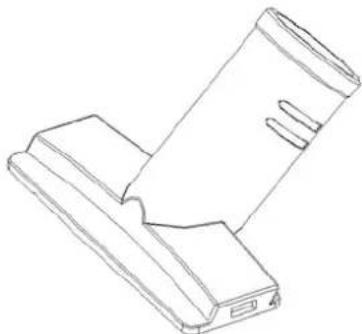
Line drawing of a cylindrical mechanical component with a flanged end (no text or symbols)- Sofa nozzle is used for the furniture, Sofa, and bed.
natural_image
Line drawing of two electronic components with no visible text or symbolsINSTRUCTIONS FOR USE
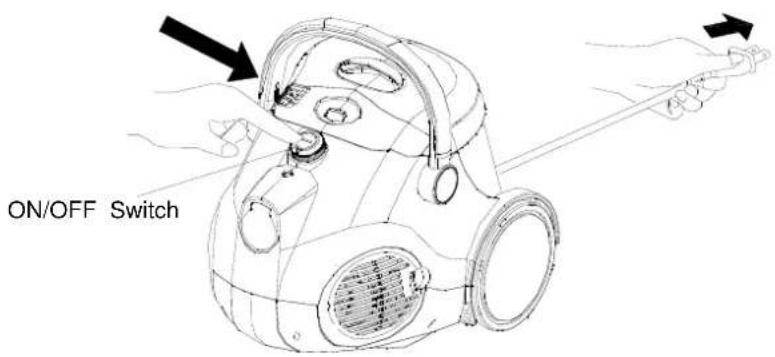
Before using appliance, pull out a sufficient length of cable and insert the plug into the power socket. A yellow mark on the power cable shows the ideal cable length. Don't expend the cable beyond the red mark.
1. ON/OFF Switch
Insert the power plug into the socket. Press the main ON/OFF Switch button on the vacuum body to
switch on the vacuum machine, then the machine will work at the max power.
2. Power Control Button
This vacuum machine is used a remote speed control device on the hose handle to control the power. You can use buttons on the hose handle to switch off or adjust the suction power of the machine.
- Standby Button
This button is used to switch between standby mode and operation mode. While the machine is operating, push this button returns the machine to the standby mode. And push again to re-start the machine. (within 10 seconds, the standby button has power memory. Namely, if you re-start the machine within 10 seconds, the machine will work at the same power as last time.)
- Suction Power Selection Button
Use (+) or (-) button on the hose handle to adjust the suction power of the machine.
Note:
** If the remote control function is unworkable, please check the battery and change the battery inside the handle. You can also work the vacuum machine without the remote control function, but power is at max power level, and can't adjust the power speed.

3. Auto Cord Rewind Button
To rewind the power cord, press the rewind button with step and it is better to guide the cable with a hand to ensure that it does not whip causing damage.

4. Parking the main floor brush on the vacuum machine:
There is a parking device on the dust tank handle, where can park the floor brush.

natural_image
Line drawing of a vacuum cleaner with a downward arrow indicating force or motion (no text or symbols present)5. Air-Blow Function :
- You may convert your machine to blow air out by attaching the Flexible Hose to the machine's air outlet socket (at right side of vacuum). ( See "Change the exhaust HEPA filter" on how to remove the Air Outlet Grill.).
● The Blower Function is recommended for use to gather scattered dry waste such as leaves and confetti.
CAUTION: This Blowing function is just an additional, substandard, unofficial function of this cleaner. So we recommend you to use this function quick and in a short time for each use. The flexible hose and handle may become very hot after a long time use, at that time, you should stop to use this function, after several minutes, when it becomes cool, then use again.

natural_image
Line drawing of a gasifier device with hose and tubing (no text or symbols)MAINTENANCE
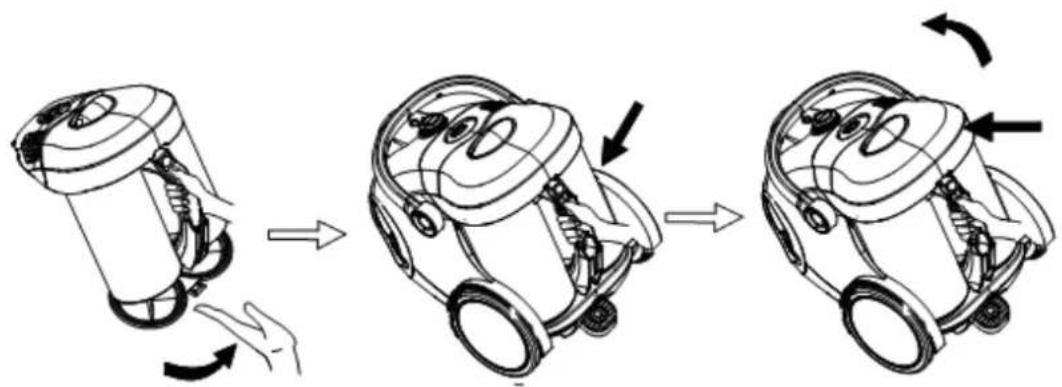
1. How to drop dust and clean the dust cup
Always operate the cleaner with dust cup installed.
- Push the dust cup release button, handing the dust cup handle to rear side, take off the dust cup from the vacuum cleaner.

- Press the dust cup bottom release button, then the dust will full down automatically. You may only do like this to drop the dust.
- If find the plastic centre system too dirty, please press the dust cup cover release button, take out the filter assembly out of the dust cup, then you can clean them with soft brush or wash them with water. You should dry them completely before you use again.

2. Install dust cup on the body:
- Pull the dust cup bottom back to the dust cup until the button be locked.
- Put the dust cup onto the body case properly.
- Push on the dust cup to fix with body.
natural_image
Three-step diagram showing a robotic device with hand and curved arrows indicating motion (no text or symbols)3. Change or cleaning the inlet and exhaust HEPA filter
- Push the dust cup release button, handing the dust cup handle to rear side, take off the dust cup from the vacuum cleaner. take out the inlet sponge and HEPA filter.

- Cleaning the Sponge and HEPA filter by soft brush or rinse it in lukewarm water and dry them completely before use again. Or replace the Sponge and HEPA filter with a new one.
- For exhaust HEPA filter, press the button on the grid, take out the grid out (at left side of vacuum.).
- Hand firmly and pull out the HEPA filter out.
- Cleaning the HEPA filter by soft brush or rinse it in lukewarm water and dry them completely before use again. Or replace the HEPA filter with a new one. (it is recommended to clean the exhaust HEPA filter at least one time every 3 months.)
- Assemble the grid back to the body.

Technical characteristics
| Model | ORION OVC-022 |
| Power | 2000-2400W |
| Voltage | 220/240V~50Hz |
| Twin dust bin system 5L | |
| Power cord length 5m | |
| Net weight 11kg | |
| Gross weight 12,5kg | |
| Unit box dimension | 50,8 x 36 x 38,5cm |
| Color | Red |
Completion
| Vacuum cleaner |
| Long flexible hose with handle |
| Telescopic stainless steel tube |
| Up-down adjustable plastic floor brush |
| Duster brush |
| Crevice nozzle |
| Air turbo rotating brush |
| User's guide |
| Warranty card |
Extra information on ORION company web-site www.orion.ua
We take your opinion and offers by E-mail support@orion.ua

- The Advantages:
- IMPORTANT SAFEGUARDS
- PRECAUTIONARY MEASURES
- ASSEMBLING VACUUM CLEANER
- 2.Fixing the extension tubes and accessories
- 2.Cleaning tools use
- INSTRUCTIONS FOR USE
- ON/OFF Switch
- Power Control Button
- - Standby Button
- - Suction Power Selection Button
- Note:
- Auto Cord Rewind Button
- Parking the main floor brush on the vacuum machine:
- Air-Blow Function :
- MAINTENANCE
- How to drop dust and clean the dust cup
- Install dust cup on the body:
- Change or cleaning the inlet and exhaust HEPA filter
- Technical characteristics
- Completion
Brand : ORION
Model : OVC-022
Category : Vacuum Cleaner