
98BDL4650D - Uncategorized PHILIPS - Free user manual and instructions
Find the device manual for free 98BDL4650D PHILIPS in PDF.


User questions about 98BDL4650D PHILIPS
0 question about this device. Answer the ones you know or ask your own.
Ask a new question about this device
Download the instructions for your Uncategorized in PDF format for free! Find your manual 98BDL4650D - PHILIPS and take your electronic device back in hand. On this page are published all the documents necessary for the use of your device. 98BDL4650D by PHILIPS.
USER MANUAL 98BDL4650D PHILIPS
使用手册(繁體中文)
目錄
連接插頭的方法
主電源的電線,皆依照下列規定標示顏色:
藍色 - 「中性」(N)
棕色 - 「通電」(L)
綠色與黃色 - 「接地」(E)
- 搬運時請保持顯示器直立。
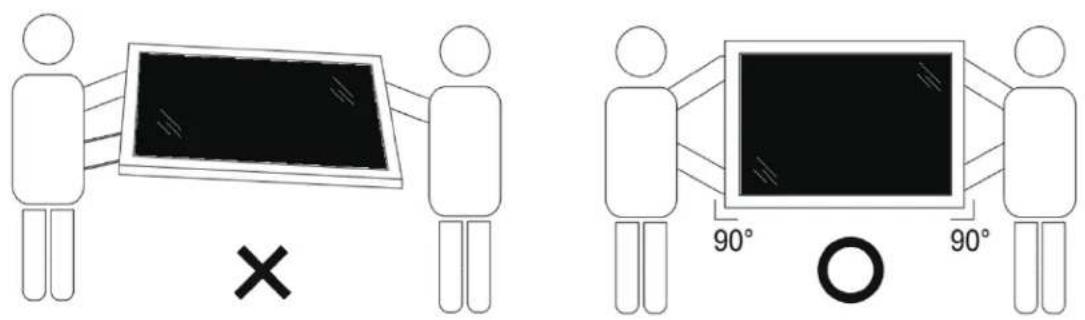
固定
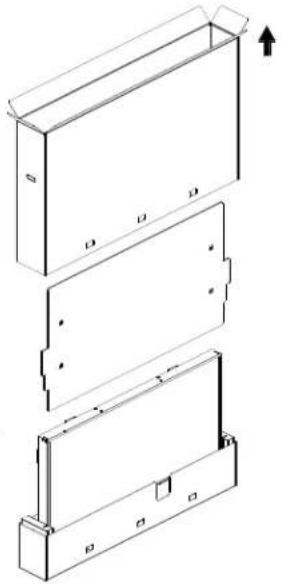
■ 拆封程序
1. 撕下膠帶。

3. 丟棄紙板並打開包裝袋。
2.2. 包装內容物
請核對包裝內是否有下列項目:
①[⏻] 按鈕
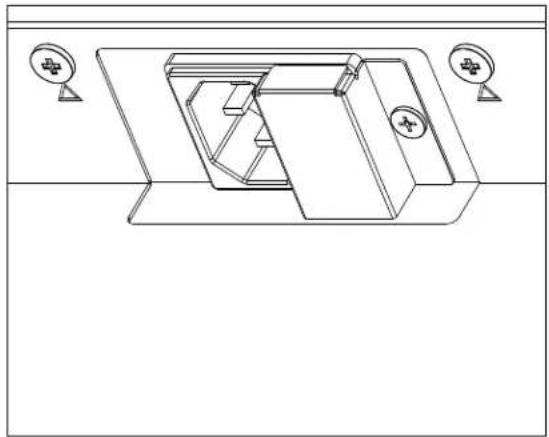
① AC 電源輸入
來自牆面插座的 AC 電源輸入。
② 主電源開關
開啟與關閉主電源。
⑦ [IR IN] (IR 輸入) / ⑧ [IR OUT] (IR 輸出)


- USB 隨身碟的最大適用尺寸:
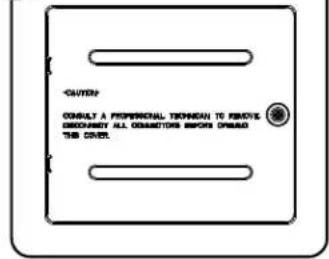
3.9. 4G 模組
1
2

3

4

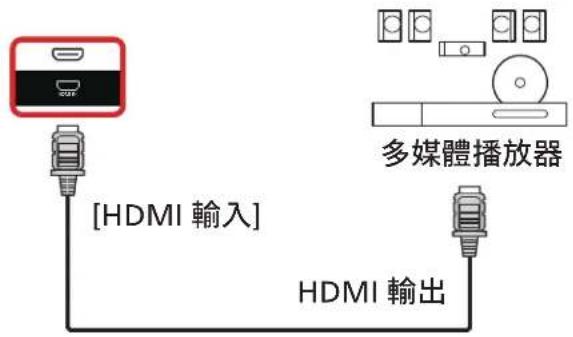
4. 連接外部設備
4.1. 連接外部設備(多媒體播放器)
4.1.1. 使用 HDMI 視訊輸入
1)「設定」頁面:

2)「應用程式」頁面:
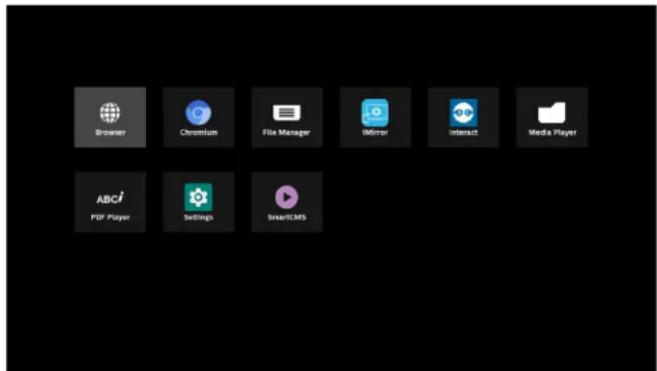
3)「網路」頁面
7-1 以下功能可從側選單列使用:
13. 媒體播放器匯入文字檔案
步驟 1. 建立媒體播放器文字檔。
- 按下「編輯」,然後進入下一個頁面。
使用者可在 1\~7 之間進行選擇。
選擇後會出現一個對話方塊。
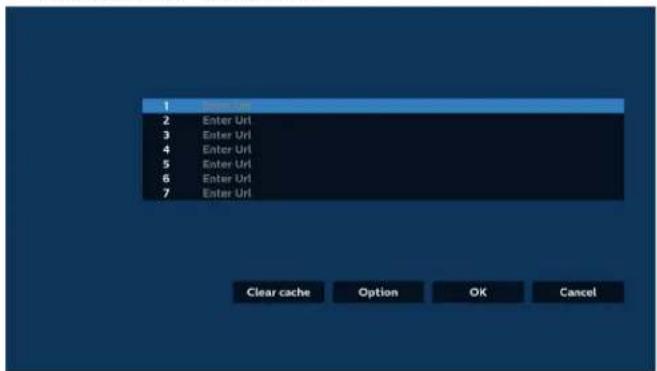
4.1 匯入
- 選擇匯入。

- 選擇要從中匯入檔案的儲存裝置。

- 選擇瀏覽器檔案。


- 按下「設定」,然後進入下一個頁面。


7.1 無痕
備註:
- 如何透過 FTP 編輯 PDF 清單:
儲存
按下「儲存」會執行儲存功能。
删除
設定選單包含下列項目:
6.1.1. 網路及網際網路
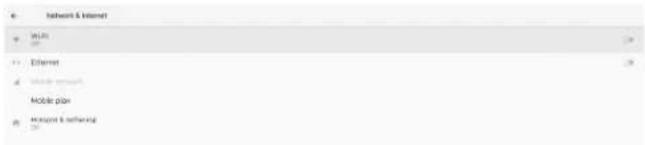
6.1.1.1. Wi-Fi
開啟 Wi-Fi

備註:
WPS Push Button
WPS Pin Entry
MAC address
7432 8106-85
IP address
Unavailable
使用 WPS
可使用 2 個選項啟用 WPS 網路:
MAC address
76-60232 96(36)5x
IP address
unavailable
備註:
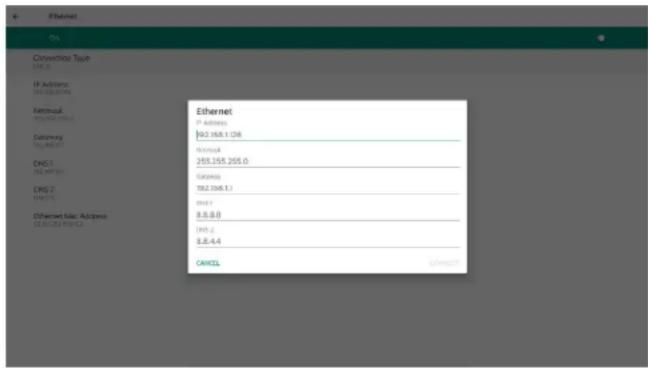
備註:
6.1.3. 看板顯示器
| General settings | |
| Signable toggle name | |
| 10.25% of 10.25% | |
| Base logo | |
| Screenshot |
看板顯示器名稱
開機商標
開機動畫檔案可使用「儲存」按鈕取代。
螢幕擷取畫面
(5). Save to (儲存至)
(7). Send screenshots via email (透過電子郵件傳送螢幕擷取畫面)
電子郵件通知
其他:

Gmail 安全性設定
步驟 1 - 選擇「兩步驟驗證」
步驟 2 - 設定兩步驟驗證
步驟 3 - 使用您的手機完成設定
Google Account
← 2-Step Verification

It worked! Turn on 2-Step Verification?
Now that you've seen how it works, do you want to turn on 2-Step Verification for your Google Account@gmail.com?
step 3 of 0

步驟 4 - 建立應用程式密碼
步驟 5 - 新增應用程式名稱
App passwords let you sign it to your Google Account from apps or devices that don't support 2-Stop verification. You'll only need to enter it once so you don't need to remember it. Learn more

App passwords let you sign in to your Google Account from apps on devices that don't support 2-Step verification. You'll only need to enter it once so you don't need to remember it. Learn more
You don't have any app passwords.
Select the app and device for which you want to generate the app password.
SignageDisplay

Google Account
← App passwords
App passwords let you sign in to your Google Account from apps on devices that don't support 2-Step Verification. You'll only need to enter it once so you don't need to remember it. Learn more
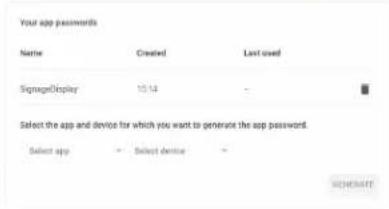
管理員電子郵件
指定接收電子郵件的目的地地址。

測試
| Source settings |
| Media player |
| Browser |
| PDF player |
| Custom app |
媒體播放器
| PDF player |
| Edit Play List |
| Edit Effect Settings |
自訂應用程式
備註:
| Network application |
| Proxy |
| TCP network port |
Proxy
SICP 網路連接埠
6.1.3.5. 系統工具
設定 -> 看板顯示器 -> 系統工具
看板顯示器系統工具共有六項主要功能:
清除儲存裝置
| System调试 |
| Clear storage |
| RR |
| Internal storage |
| USB storage |
匯入及匯出
複製
Structure External Storage Lock
備註:
啟用:
Admins powered Cable
(2).輸入新密碼。

(3). 再次輸入新密碼。

重設密碼:
6.1.5. 安全性
設定 -> 安全性

6.1.5.1. 未知來源
6.1.7.1. 鍵盤
設定 -> 系統 -> 鍵盤
使用者可變更 IME 和鍵盤設定。

目前鍵盤
選擇輸入方法。
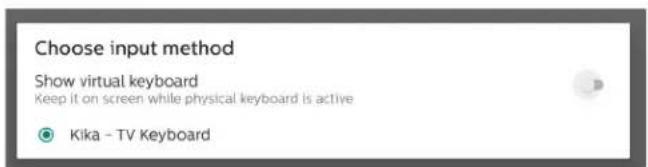
螢幕鍵盤
實體鍵盤
6.1.7.2. 日期與時間
設定 -> 系統 -> 日期與時間
使用者可以變更時區和 NTP 伺服器。

時區
可讓使用者選擇時區。
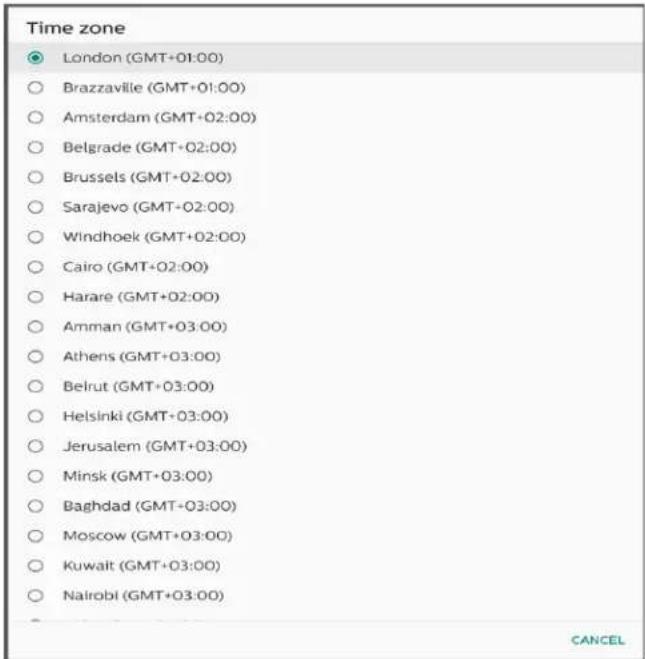
NTP 伺服器
6.1.8. 關於
設定 -> 關於
可檢視下列關於系統的資訊。
| Model |
| Legal Information |
| Model Model prePL setting |
| Analogd version 0 |
| Build number (week 10) |
6.1.8.1. 法律資訊
6.1.8.2. 型號

6.1.8.3. Android 版本

6.2. 補充内容
6.2.1. 快速資訊
三個相鄰且亮起的次像素(一個白色像素)
10.4. 暗點缺陷
一個暗點

兩個相鄰的暗點 = 1 對暗點
![graph TD A[" "] --> B[" "]](/content/2026/05/1098902/images/e9acc6a734f852dd299bea6c19fda2dd3a2c3c15f1bde4383bd35b2dd86097c6.jpg)
Top Victory Investments Ltd.


- 使用手册(繁體中文)
- 目錄
- 連接插頭的方法
- 拆封程序
- 撕下膠帶。
- 丟棄紙板並打開包裝袋。
- 包装內容物
- G 模組
- 連接外部設備
- 連接外部設備(多媒體播放器)
- 使用 HDMI 視訊輸入
- )「網路」頁面
- 媒體播放器匯入文字檔案
- 選擇瀏覽器檔案。
- 無痕
- 備註:
- 網路及網際網路
- WI-FI
- 使用 WPS
- 看板顯示器
- 看板顯示器名稱
- 開機商標
- TRANSCEM/FOOTANIMATION.ZIP
- 螢幕擷取畫面
- (5). SAVE TO (儲存至)
- (7). SEND SCREENSHOTS VIA EMAIL (透過電子郵件傳送螢幕擷取畫面)
- 電子郵件通知
- 其他:
- GMAIL 安全性設定
- 步驟 4 - 建立應用程式密碼
- 步驟 5 - 新增應用程式名稱
- 管理員電子郵件
- 測試
- 媒體播放器
- 自訂應用程式
- PROXY
- SICP 網路連接埠
- 系統工具
- 清除儲存裝置
- 匯入及匯出
- 複製
- (3). 再次輸入新密碼。
- 重設密碼:
- 安全性
- 未知來源
- 鍵盤
- 目前鍵盤
- 螢幕鍵盤
- 實體鍵盤
- 日期與時間
- 時區
- NTP 伺服器
- 關於
- 法律資訊
- 型號
- ANDROID 版本
- 補充内容
- 快速資訊
- 暗點缺陷
Brand : PHILIPS
Model : 98BDL4650D
Category : Uncategorized