EYE-02 - Surveillance Camera Jablotron - Free user manual and instructions
Find the device manual for free EYE-02 Jablotron in PDF.


| Product Type | Surveillance Camera |
| Brand | Joblotron |
| Model | EYE-02 |
| Dimensions (H x W x D) | 10 cm x 6 cm x 6 cm |
| Weight | 200 g |
| Power Supply | DC 5V, USB (cable included) |
| Power Consumption | 5 W |
| Resolution | Full HD 1080p (1920 x 1080) |
| Field of View | 120° wide angle |
| Night Vision | Yes, up to 10 m (infrared LEDs) |
| Motion Detection | Yes, with push notifications |
| Audio | Two-way audio (built-in microphone and speaker) |
| Storage | microSD card up to 128 GB (not included) |
| Connectivity | Wi-Fi 802.11 b/g/n, 2.4 GHz |
| App Support | Compatible with iOS and Android |
| Mounting Options | Desktop stand or wall mount (hardware included) |
| Operating Temperature | -10 °C to 40 °C |
| Certifications | CE, FCC |
| Includes | Camera, USB cable, power adapter, mounting kit, user manual |
Frequently Asked Questions - EYE-02 Jablotron
User questions about EYE-02 Jablotron
0 question about this device. Answer the ones you know or ask your own.
Ask a new question about this device
Download the instructions for your Surveillance Camera in PDF format for free! Find your manual EYE-02 - Jablotron and take your electronic device back in hand. On this page are published all the documents necessary for the use of your device. EYE-02 by Jablotron.
USER MANUAL EYE-02 Jablotron
GSM Security Camera EYE-02
Application Note
EYE-02 Outdoor Installation
INSTALLATION WITHOUT AN EXTERNAL HOUSING
EYE-02 covering allows installation outside the building under condition the camera is not exposed to rain or snow, for example under the roof. Also the recommended temperature range from -20^ to +55^ should not be exceeded. An example is shown on the following pictures including a screenshot from the camera.

natural_image
Interior wall of a wooden structure with exposed wooden beams and insulation material (no text or symbols visible)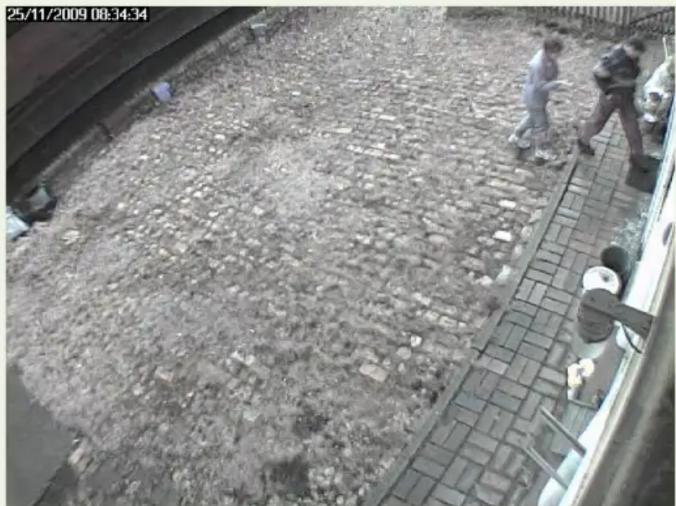
natural_image
Aerial view of a paved outdoor area with people walking and sitting on a sidewalk, no visible text or symbols.PIR detector as well as the internal IR illumination can be switched on.
INSTALLATION WITH AN EXTERNAL HOUSING
If you need to install your EYE-02 on the place exposed to rain or snow, you have to use an external housing.
JABLOCOM is going to prepare a complex solution for such installations during following months. If you need an external housing right now, you can find a suitable housing in your local market.
Please be aware of two basic restrictions while using an external housing:
- Antenna shielding
- Use a housing made from plastic only
- Connect an external antenna outside the housing
- Front glass make using the internal PIR detector and the internal IR illumination impossible
Use an external outdoor PIR and an external outdoor IR lamp as accessories and disable the internal ones
- Remove the front glass if it is possible for the installation

Using an external PIR and IR lamp


Using an external IR lamp removes the reflection of IR beams from the front glass.
We suggest using the JA-89P wireless outdoor PIR detector as an external PIR detector for EYE-02 outdoor installations.

Removing the front glass
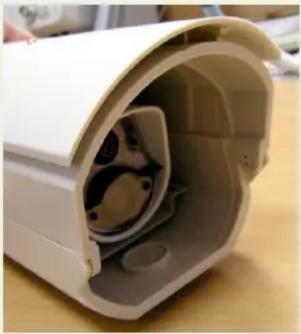
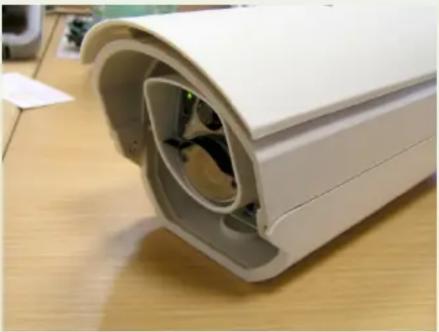
An example of mounting EYE-02 into an external housing from Zoomtech without the front glass you can see on the following pictures - removing the front glass, mounting the camera body on the holder, adjusting the camera position within the housing and closing the housing.

natural_image
Exterior view of a white plastic enclosure with internal slots and a metallic mounting bracket on a wooden surface (no text or symbols visible)
natural_image
White cylindrical security camera mounted on a base with mounting feet (no visible text or symbols)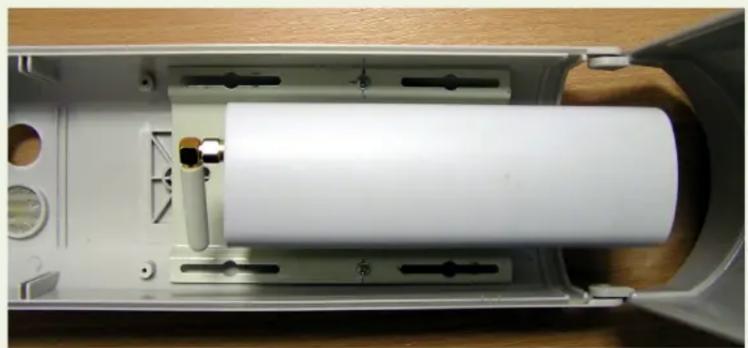
natural_image
Interior view of a mechanical device showing a white cylindrical component mounted on a metal frame, with no visible text or symbols.
natural_image
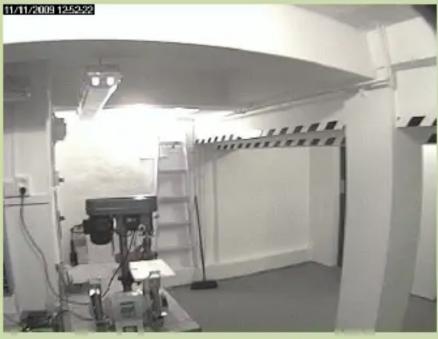
Interior view of a white plastic enclosure with internal components and a green indicator light (no text or symbols visible)You have to find a compromise between the camera coverage, viewing angle and IR illumination angle. If you place it too deep, you may have problems with the internal IR illumination as shown on the following pictures.
Contrary, if you would install the camera in front of the housing, it may not cover it sufficiently.
 |  |  |
 |  |  |
 |  |  |
| Optimum | ||
 |  |  |
 |  |  |
 |  |  |
 |  |  |
Based on results of our testing we strongly recommend using the external IR illumination for all outdoor installations where IR illumination is required.
Brand : Jablotron
Model : EYE-02
Category : Surveillance Camera