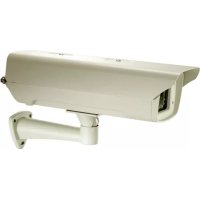
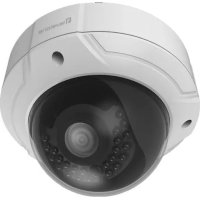
FCS-5041 - Surveillance Camera LEVELONE - Free user manual and instructions
Find the device manual for free FCS-5041 LEVELONE in PDF.


Pick your language and provide your email: we'll send you a specifically translated version.
| Product Type | IP Surveillance Camera |
| Model | FCS-5041 |
| Brand | LevelOne |
| Dimensions (approx.) | 120 mm x 70 mm x 60 mm |
| Weight (approx.) | 350 g |
| Power Supply | 12V DC, 1A (PoE optional via adapter) |
| Image Sensor | 1/3" Progressive Scan CMOS |
| Resolution | 1280x720 (HD) at 30 fps |
| Lens | Fixed focal, 3.6mm, F2.0 |
| Field of View | Horizontal: 70°, Vertical: 50° |
| Night Vision | IR LEDs, up to 20 meters |
| Network Interface | 10/100 Ethernet RJ-45 |
| Wireless | None (wired only) |
| Audio | Built-in microphone, 1-way audio |
| Storage | MicroSD card slot (up to 128GB), NAS, NVR |
| Main Functions | Motion detection, email alert, FTP upload, remote viewing |
| Security | Password protection, IP address filter, HTTPS encryption |
| Maintenance | Clean lens with soft cloth; avoid moisture and dust |
| Spare Parts & Repairability | Power adapter and mounting kit available; repair by authorized service |
| General Information | Indoor/outdoor use with weatherproof housing (IP66) |
Frequently Asked Questions - FCS-5041 LEVELONE
How do I reset the LevelOne FCS-5041 to factory defaults?
Press and hold the reset button on the camera for 10 seconds using a paperclip. The camera will reboot and restore default settings.
Can I access the camera remotely from my smartphone?
Yes, download the LevelOne IP Cam Viewer app for iOS or Android. Add the camera by scanning its QR code or entering the IP address.
Does the camera support Power over Ethernet (PoE)?
The FCS-5041 does not have built-in PoE. Use a PoE splitter or connect the provided 12V power adapter.
What is the maximum MicroSD card size supported?
The camera supports MicroSD cards up to 128GB (Class 10 or higher recommended).
How do I change the camera's IP address?
Use the LevelOne Device Search Tool on a Windows PC to find the camera on your network. Then modify the IP settings via the web interface.
Why is the night vision not working?
Check that the IR LEDs are enabled in the camera settings. Also ensure there is no bright light near the camera that may override the IR cutoff filter.
Can I record video directly to a NAS?
Yes, the camera supports NAS storage via SMB/CIFS. Configure the NAS path in the recording settings of the web interface.
How do I set up motion detection email alerts?
Go to the Events > Motion Detection page in the web interface. Enable motion detection, set sensitivity, and configure SMTP email settings to receive alerts.
What browser is recommended for accessing the camera?
Use the latest version of Google Chrome or Mozilla Firefox. Internet Explorer may require an additional plug-in.
Is the camera weatherproof for outdoor use?
Yes, the FCS-5041 has an IP66 rating, making it suitable for outdoor use in rain and dust. Ensure the cable connections are sealed.
User questions about FCS-5041 LEVELONE
0 question about this device. Answer the ones you know or ask your own.
Ask a new question about this device
No questions yet. Be the first to ask one.
Download the instructions for your Surveillance Camera in PDF format for free! Find your manual FCS-5041 - LEVELONE and take your electronic device back in hand. On this page are published all the documents necessary for the use of your device. FCS-5041 by LEVELONE.