
AR-A10 - Radio AIWA - Free user manual and instructions
Find the device manual for free AR-A10 AIWA in PDF.


Pick your language and provide your email: we'll send you a specifically translated version.
| Product Type | Portable Radio |
| Brand | Aiwa |
| Model | AR-A10 |
| Dimensions (W x H x D) | Approx. 240 x 140 x 70 mm |
| Weight | Approx. 0.5 kg |
| Power Supply | AC 220-240V 50/60Hz or 4 x AA batteries (not included) |
| Frequency Range FM | 87.5 - 108 MHz |
| Frequency Range AM | 530 - 1600 kHz |
| Speaker Output | 2 W RMS |
| Headphone Jack | 3.5 mm stereo |
| Antenna | Telescopic for FM; built-in ferrite for AM |
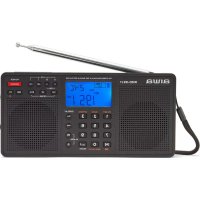
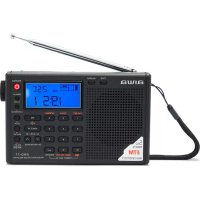
| Display | LCD with frequency and time |
| Clock Function | Yes, with sleep timer and alarm |
| Preset Stations | 20 (10 FM + 10 AM) |
| Color | Black / Silver |
| Indicators | Power, stereo indicator |
| Cleaning | Wipe with a dry cloth; do not use harsh chemicals |
| Safety | Place on stable surface; keep away from moisture and heat |
| Spare Parts & Repairability | Contact authorized service center or online parts retailer |
Frequently Asked Questions - AR-A10 AIWA
How do I set the clock on the Aiwa AR-A10?
Press the Clock button until the hour flashes, then use the Tuning +/- buttons to adjust the hour. Press Clock again to set minutes, then press Clock once more to confirm.
How do I set the alarm?
Press and hold the Alarm button until the alarm time flashes. Use Tuning +/- to set hour and minutes. Press Alarm to confirm. Ensure alarm is activated by pressing Alarm once to see the alarm icon on display.
Can I use rechargeable batteries?
Yes, you can use 4 AA rechargeable batteries, but note that the radio does not charge them. Use an external charger.
How do I improve FM reception?
Extend the telescopic antenna fully and adjust its position. If reception is still poor, try moving the radio closer to a window or away from large metal objects.
The radio doesn't turn on. What should I do?
First, check if the power cord is securely plugged in or if batteries are installed correctly and fresh. Ensure the power switch is set to On. If using batteries, try replacing them.
How do I store preset stations?
Tune to the desired station, then press and hold one of the Preset buttons (1-5) until you hear a beep. To recall a preset, simply press the corresponding button.
What does the 'Stereo' indicator mean?
When listening to a strong FM signal broadcast in stereo, the Stereo indicator lights up. If the signal is weak, the radio may switch to mono automatically.
Can I connect headphones?
Yes, plug a 3.5mm headphone jack into the Headphone socket on the side of the radio. The built-in speaker will mute automatically.
How do I use the sleep timer?
Press the Sleep button repeatedly to choose a timer duration (e.g., 15, 30, 45, 60 minutes). The radio will automatically turn off after that time.
The display shows nothing. Is it broken?
Check if the radio is powered on. If using batteries, ensure they are fresh and installed correctly. If using AC, verify the outlet works. A blank display may also indicate the unit is in energy-saving mode; try pressing any button.
User questions about AR-A10 AIWA
0 question about this device. Answer the ones you know or ask your own.
Ask a new question about this device
No questions yet. Be the first to ask one.
Download the instructions for your Radio in PDF format for free! Find your manual AR-A10 - AIWA and take your electronic device back in hand. On this page are published all the documents necessary for the use of your device. AR-A10 by AIWA.
USER MANUAL AR-A10 AIWA
natural_image
Technical line drawing of a device casing with internal components and mounting holes (no text or symbols)natural_image
Technical line drawing of a door handle with mounting holes and a numbered connection point (no text or symbols)

Manual assistant
Powered by Anthropic
Waiting for your message
Product information
Brand : AIWA
Model : AR-A10
Category : Radio