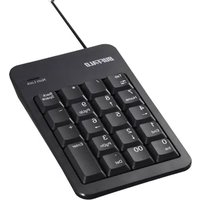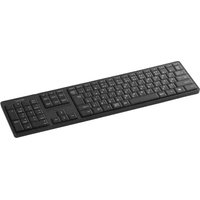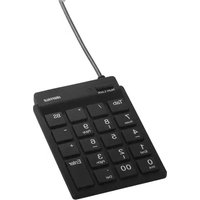
BUFFALO BSTK11BK - Keyboard

BSTK11BK - Keyboard BUFFALO - Free user manual and instructions

Find the device manual for free BSTK11BK BUFFALO in PDF.

📄 1 pages English EN Download 💬 AI Question 10 questions ⚙️ Specs
Notice BUFFALO BSTK11BK - page 1
Pick your language and provide your email: we'll send you a specifically translated version.
Product Type Keyboard
Model BSTK11BK
Brand Buffalo
Color Black
Connection Type Wired USB
Interface USB-A
Layout Full-size QWERTY
Numeric Keypad Yes
Key Technology Membrane
Multimedia Keys Yes (shortcut via Fn)
Cable Length 1.5 m (approx.)
Dimensions (L x W x H) 440 x 140 x 25 mm (approx.)
Weight 500 g (approx.)
Power Source USB bus power
Compatible Operating Systems Windows, macOS, Linux
Material Plastic
Spill Resistance No (avoid liquids)
Maintenance Clean with soft, dry cloth
Safety Do not expose to moisture or extreme temperatures
Repairability Not user-serviceable; no spare parts available
Warranty Refer to manufacturer

Frequently Asked Questions - BSTK11BK BUFFALO

How do I connect the Buffalo BSTK11BK keyboard to my computer?
Simply plug the USB cable into an available USB port on your computer. The keyboard should be recognized automatically without additional drivers.
The keyboard is not working. What should I do?
First, ensure the USB cable is securely connected. Try a different USB port. Restart your computer. If the issue persists, test the keyboard on another computer to rule out hardware failure.
How do I clean my Buffalo keyboard?
Unplug the keyboard. Use a soft, slightly damp cloth to wipe the surface. Avoid using harsh chemicals or excessive moisture. Do not submerge in water.
Does the keyboard have multimedia keys?
Yes, it includes multimedia shortcuts accessible via the Fn key combined with function keys (F1-F12). Refer to the user manual for specific functions.
What operating systems are supported?
The keyboard supports Windows, macOS, and Linux. Plug-and-play functionality works without additional drivers.
Can I lock the Windows key to prevent accidental presses?
This model does not have a dedicated Windows lock key. To disable the Windows key, you may need to use third-party software or system settings.
What is the cable length?
The USB cable is approximately 1.5 meters long, providing flexibility for desk placement.
Is the keyboard water or spill resistant?
No, the Buffalo BSTK11BK is not spill-resistant. Avoid exposure to liquids to prevent damage.
What are the dimensions and weight of the keyboard?
The approximate dimensions are 440 x 140 x 25 mm and it weighs about 500 grams.
Does the keyboard have a warranty?
Warranty terms vary by region. Contact Buffalo customer support or refer to the packaging for warranty information.

User questions about BSTK11BK BUFFALO

0 question about this device. Answer the ones you know or ask your own.

Ask a new question about this device

The email remains private: it is only used to notify you if someone responds to your question.

No questions yet. Be the first to ask one.

Download the instructions for your Keyboard in PDF format for free! Find your manual BSTK11BK - BUFFALO and take your electronic device back in hand. On this page are published all the documents necessary for the use of your device. BSTK11BK by BUFFALO.

USER MANUAL BSTK11BK BUFFALO

⚠️ 2.1.1.1.1.1.1.1.1.1.1.1.1.1.1.1.1.1.1.1.1.1.1.1.1.1.1.1.1.1.1.1.1.1.1.1.1.1.1.1.1.1.1.

Manual assistant
Powered by Anthropic
Waiting for your message
Product information

Brand : BUFFALO

Model : BSTK11BK

Category : Keyboard