
H-MW2417 - Microwave HYUNDAI - Free user manual and instructions
Find the device manual for free H-MW2417 HYUNDAI in PDF.


| Product Type | Microwave Oven |
| Model | H-MW2417 |
| Brand | Hyundai |
| Capacity | 17 liters |
| Dimensions (W x D x H) | 440 x 340 x 260 mm |
| Weight | 10.5 kg |
| Power Supply | 230V ~ 50Hz |
| Power Consumption (Microwave) | 700 W |
| Output Power | 700 W |
| Frequency | 2.45 GHz |
| Control Type | Rotary dial and push buttons |
| Display | LED digital display |
| Functions | Microwave, defrost, quick cook, timer, clock |
| Number of Power Levels | 5 |
| Defrost Function | Yes, by weight or time |
| Interior Light | Yes |
| Turntable | Yes, 245 mm diameter |
| Child Lock | Yes |
| Door Type | Side-opening with push-button release |
| Material | Stainless steel cavity, plastic exterior |
| Cleaning | Wipe interior with damp cloth; do not use abrasives |
| Safety Features | Child lock, automatic shut-off, door interlock |
| Spare Parts | Turntable, glass plate, fuse, bulb available from Hyundai service centers |
| Repairability Index | 7.6 / 10 (estimated) |
Frequently Asked Questions - H-MW2417 HYUNDAI
User questions about H-MW2417 HYUNDAI
0 question about this device. Answer the ones you know or ask your own.
Ask a new question about this device
Download the instructions for your Microwave in PDF format for free! Find your manual H-MW2417 - HYUNDAI and take your electronic device back in hand. On this page are published all the documents necessary for the use of your device. H-MW2417 by HYUNDAI.
USER MANUAL H-MW2417 HYUNDAI
MICROWAVE OVEN
Instruction manual
МИКРОВОЛНОВАЯ ПЕЧЬ
Important safeguards
WARNING: To reduce the risk of burns, electric shock, fire, injury to persons:
- Read all instructions before using microwave oven.
• The microwave oven is for household use only. Do not use for industrial purposes. - Some products such as whole eggs and sealed containers (for example, close glass jars and sealed baby bottles with teat) may explode and should not be heated in microwave oven.
• Use this microwave oven only for its intended use as described in this manual. - Close supervision is necessary, when used by children.
- Do not operate this microwave oven, if it doesn't work properly.
• To reduce the risk of fire in the oven cavity it is necessary to follow the bellow rules: - Do not overcook food. Carefully attend microwave oven if paper, plastic or other combustible materials are placed inside the oven.
- Remove wire twist-ties from bags before placing food into the oven.
- If materials inside the oven should ignite, keep oven door closed, turn oven off at the wall switch or shut off power at the fuse of circuit breaker panel.
• Always have the glass tray, roller arms, coupling and roller track in place when operating the oven. - Do not use the oven for any reason other than food cooking. Never use it for drying clothes, paper or any other nonfood items or for sterilizing purposes.
- Do not operate the oven when empty. Do not keep any foreign object inside.
- Do not use the oven for home canning. Microwave ovens are not designed to permit proper canning.
- Do not cook eggs in the shell, as they will burst. Puncture eggs before cooking to prevent “explosion”, occasionally a poached egg may burst during cooking. Be sure to cook covered and let stand one minute after cooking before removing the cover.
- Do not cook any food surrounded by a membrane, such as potatoes, chicken livers, etc without first piercing several times with a fork.
- Do not cook foods directly on the glass tray. Place food in/on proper cooking utensil before placing in the oven.
• Cookware not to use in your microwave oven:
- Do not use metal pans or dishes with metal handles.
- Do not use anything with metal trim.
- Do not use paper covered with twist – ties on plastic bags.
- Do not use melamine dishes as they contain a material, which will absorb microwave energy. This way cause the dishes to crack or char and will slow down the cooking speed.
- Do not use burnable container such as paper, wooden, bamboo willow container.
- The glaze is not suitable for microwave use.
- Do not cook in a container with a restricted opening, such as a soft drink bottle or salad oil bottle, as they may explode if heating in microwave oven.
- Do not use conventional meat or candy thermometers. These are thermometers available specifically for microwave cooking. These may be used.
- Microwave utensils should be used only in accordance with manufacturer's instructions.
- Please remember that a microwave oven heats the liquid in the container quicker that the container itself. Therefore, though the lid of a container is not hot to touch when removed from the oven please remember that the food/liquid inside will be hot.
- Always test the temperature of cooked food yourself especially if you are heating or cooking food/liquid for babies. It is advisable never to consume food/liquid straight from the oven, but allow it to stand for a few minutes and stir food/liquid to distribute heat evenly.
- Food containing a mixture of fat or water, e.g. should stand for 30-60 seconds in the oven after it has been turned off. This is to allow the mixture to settle and to prevent bubbling when a spoon is placed in the food/liquid or a stock cube is added.
- Always follow the cooking instructions, when preparing/cooking food/liquid and remember that there are certain food, e.g. Christmas puddings, jam and mincemeat, which heat up very quickly.
- The contents of feeding bottles and baby food jars are to be stirred and shaken and the temperature is to be checked before consumption, in order to avoid burns.
WARNING:
- If the door or door seals are damaged, the oven must not be operated, until, it is repaired by a trained person.
- It is hazardous for anyone other than a trained person to carry out any service or repair operation. Repair the unit only by qualified specialists.
Before you call for service
- If there is no light in the cavity:
- the bulb blown out;
- the door of the oven is not closed.
- If the oven fails to operate:
- check to ensure that the control panel is programmed correctly and the timer is set.
- check to ensure that the door is securely closed engaging the door safety lock system. Otherwise, the microwave energy will not flow into the oven.
IF NONE OF THE ABOVE RECTIFY THE SITUATION, THEN CONTACT A QUALIFIED TECHNICIAN. DO NOT TRY TO ADJUST OR REPAIR THE OVEN YOURSELF.
Radio interference
• Operation of the microwave oven can cause interference to your radio, TV or similar equipment.
- When there is interference, it may be reduced or eliminated by taking the following measures:
- clean door and sealing surface of the oven.
- reorient the receiving antenna of radio or television.
- relocate the microwave oven with respect to the receiver.
- move the microwave oven away from the receiver.
- plug the microwave oven into a different outlet so that microwave oven and receiver are on different branch circuits.
Installation
• Make sure that all the packing materials are removed from the inside of the door.
- Check the oven for any damage, such as misaligned or bent door, damaged door seals and sealing surface, broken or loose door hinges and latches and dents inside the cavity or on the door. If there is any damage, do not operate the oven and contact qualified service personnel.
- This microwave oven must be placed on a flat, stable surface to hold its weight and the heaviest food likely to be cooked in the oven.
- Do not place the oven where heat, moisture or high humidity are generated, or near combustible materials.
- For correct operation, the oven must have sufficient airflow. Keep the oven at least 8cm away from both side walls and 10cm away from rear wall to ensure the correct ventilation.
- Do not cover or block any openings on the appliance. Do not remove feet.
How to choose your microwave cookware
| Applicable | |||
| SORTS | INSTRUCTIONS | SORTS | INSTRUCTIONS |
Heat-proof glassware | It most suitable for microwave cooking. | Heat-resistant plastic container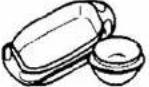 | Tightly closed containers are forbidden. Cannot be used for packing or containing foods with high fat or sugar contents. |
Earthenware or chinaware | Conventional utensils of these materials allowed unless firmed with gold, silver. | Film for freshment preservation and heat-resistant | Only suitable for packing vegetable or being used as a lid. Never apply to packing meat or frying foods. |
Inapplicable
| SORTS | INSTRUCTIONS | SORTS | |
Metal wares (e.g. aluminum, stainless steel, etc.)  | May spark or ignite while touching the cavity wall during cooking. | Combustible plastic wares  | Inapplicable. |
Lacquer ware 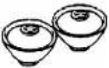 | May flaw or peel off. Non-heat-proof glassware | 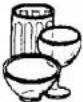 | May deform or flaw in a highly hot circumstance. Curved or strengthened glassware are not applicable. |
Paper, bamboo or wooden ware 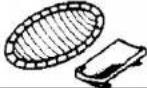 | May be burnt in a while of (cooking) heating. | Aluminum foil  | May spark or ignite while touching the cavity wall during cooking. |
How to identify if certain cookware is suitable for microwave cooking purpose?
Put the intended cookware together with a glass of water (300 ml) inside the oven cavity, and then set the oven at the “HIGH” stage for one minute. Applicable microwave cookware will be as cool as ever, while the water will absorb the energy and become warmer.
Some features of your oven
Child lock function
To lock the control panel when you are cleaning or so that children cannot use the oven unsupervised. All the buttons are rendered inoperable in this mode. To set child lock, depress and hold C6poc button about 3 seconds until LED appears OFF.
- To cancel child lock, depress and hold Cópoc button about 3 seconds until LED appears colon
Using the keys
Allow you to reheat or cook food automatically without entering power level or time.
- Микро
Use to set power level.
- Время
You can use the timer function independently, even while a cooking program is going on in the oven.
- Микро 2
Cook at one power level for a period of time, and then the oven automatically switches to another power level for the rest of cooking time.
- ABTO
Touch to enter weight of meat accurately. The oven automatically sets the cooking time and power level.
- Разморозка по весу
Touch to set the weight of the food to be defrosted; the oven automatically sets the defrosting time and power level.
Touch to set defrosting time; the oven automatically divides the defrosting time into periods of alternating defrost and stand times by cycling on and off.
- Number keys (0-9)
Touch to set times or amounts.
- Часы
Touch to set the clock.
- Сёрос
Clear all previous settings if touched before cooking starts.
- СТАРТ/СТОП
Touch to start or stop cooking.
Operation
Beeps during oven setting
ONE BEEP: Oven accepts the entry.
TWO BEEPS: Oven does not accept the entry, check and try again.
Setting clock state and standby state
After plugging power outlet, the LED will display "ENTER, TIME, CLOCK:", ":" is flashing, the system will enter state of setting clock. Touch the C6poc key or waiting for 30 seconds, the "ENTER, TIME" will disappear "CLOCK" and ":" will rest, the appliance will enter standby state.
Setting the clock
1) In standby state, touch Часы key.
Note: on the state of setting clock the step can be omitted.
2) Use the number keys to enter the correct time. You must touch at least three numbers to set the clock (one for hour and two for minutes).
3) Touch Часы key again. The system will enter clock state.
Note: This is a 12 hour clock. When the oven is first plugged in or when power resumes after a power interruption, the display will show ENTER,CLOCK, TIME, if you prefer to not have the clock displayed, touch Сброс key. You can check the clock time while cooking is in progress by touching Часы key.
Setting the oven timer
1) Touch Время key.
2) Enter the amount of time you want to count down by touching the number keys. Digit time is in minutes and seconds and set left to right. Set one digit (a 5 for 5 seconds) or up to four digits (2405 for 24 minutes, 5 seconds). The maximum number can be entered is 99min, 99sec.
3) Touch CTAPT/CTOII key confirm it
Note:
1) Time countdown can be seen in display for 3 seconds before clock or cooking time is returned to display.
2) Touch Время and then touch Сброс to cancel timer during timing process.
Microwave cooking
A. One-stage Cooking
1) In standby state or clock state, use the number keys to set a cooking time. You can set a cooking time from one second to 99 minutes and 99 seconds. If you are setting a time greater than one minute, you must enter numbers for both minutes and seconds. For example: to set 20 minutes, enter 2, 0, 0, 0.
2) If you want to set a power level other than 100% power, touch Mikro key and then use the number keys to enter the power level. You can set the power level from 1 to 9.
3) Touch CTAPT/CTOII key to start cooking. Use these single digits to represent power levels:
| Number key % of power Display/Microwave instruction | ||
| Tap Mikro once 100 | P100 and P90/ High (100% and 90%) microwave power. Applicable for quick and thorough cooking such as meat, vegetable | |
| 9 | 90 | |
| 8 | 80 | P80 and P70/Medium High (80% and 70%) microwave power. Applicable for medium express cooking, such as eggs, fish, congee, rice, soup |
| 7 | 70 | |
| 6 | 60 | P60 and P50/ Medium (60% and 50%) microwave power. Applicable for steaming food |
| 5 | 50 | |
| 4 | 40 | P40 and P30/Medium Low (40% and 30%) microwave power. Applicable for defrosting food |
| 3 | 30 | |
| 2 | 20 | P20 and P10/Low (20% and 10%) microwave power. Applicable for keeping warm |
| 1 | 10 | |
Example: To cook at 80P for 10 and half minutes.
- After power-up, the colon flashes then touch C6poc key once or wait for 30sec.
- Set cooking time by pressing the number Key of "1", "0", "3", "0", the display will indicate 10:30
- Touch Mikro key once then select the desired microwave power by depressing number "8", the display will indicate P80
- Touch CTAPT/CTOPI key to start, and LED will count down to show left time.
NOTE:
1) Never operate the oven empty.
2) If you turn the food during operation, close the door and then touch CTAPT/CTOII key once and the preset cooking procedure will continue.
3) If you intend to remove the food before the preset time, you must touch C6poc key once to clear the preset procedure to avoid unintended operation of next time use.
B. Two-stage Cooking
Some recipes require different stages of cooking at different temperatures.
1) SET STAGE 1:
Follow steps 1 and 2 in "One-stage Cooking".
DO NOT TOUCH CTAPT/CTOP KEY
2) SET STAGE 2:
Touch Микро 2 key then enter proper cooking time and (lower) power level. (Most 2-stage recipes use lower power for second stage.)
3) Touch CTAPT/CTOII key.
For example: You want to cook food with 100P microwave for 3 minutes then 20P microwave for 9 minutes, You may program your personalized menu as follow:
STAGE 1:
1) After power-up, the colon flashes, , then touch C6poc once or wait for 30sec.
2) Touch number keys "3", "0" in turn to set cooking time, display will indicate "3:00"
3) Touch Микро key once., display will indicate 100P
STAGE 2:
1) Touch Микро 2 key.
2) Touch number keys "9", "0", "0" in turn to set cooking time, display will indicate "9:00"
3) Touch Микро key once, then touch the number key "2" to select power level, display will indicate P20
4) Touch CTAPT/CTOII key to start cooking.
Note: After total time has elapsed, 4 beeps sound and "END" appears in display. Touch C6poc key or open the oven door to clear "END" before starting another cooking function.
Defrost by time.
In this mode the oven automatically divides the defrosting time into periods of alternating defrost and stand times by cycling on and off.
1) In standby state or clock state, touch Разморозка по времени key.
2) Enter desired defrosting time by touching correct number keys. Digital timer sets minutes and seconds from left to right so a single digit can be set (5 for 5 seconds) or up to 4 digits (2405 for 24 minutes 5 seconds).
3) Touch CTAPT/CTOII key.
Example: To speed defrost 0.2kg poultry With 2min50sec
-
After power-up, the colon flashes. Then touch C6poc key once or wait for 30sec
-
Touch Разморозка по времени key
-
Set defrost time by touching key numbers "2,"5", 0" in turn, display will indicate "2:50"
-
Start cooking by touching CTAPT/CTOII key and LED will count down to show running time.
Note:
After time has elapsed four beeps sound and "END" appears in display. Touch C6poc key or open the door to clear "END" before starting another cooking function.
After setting Defrost by time, oven can be programmed to automatically switch to one or two-Stage cooking.
For defrost by time and one stage cooking, follow steps above. Before touching CTAPT/CTOII key, touch Микро 2 key, and enter time and power level. Then touch START/STOP key.
For defrost by time and two stage cooking, follow steps above. Before touching CTAPT/CTOII key, enter two-stage cooking programs.
Defrost By Weight
1) In standby state or clock state, touch Разморозка по весу key.
2) Enter weight by touching number keys
3) Touch CTAPT/CTOP key.
Note: weight must be in Kg, you can set the Food weight from 0.1 to 3.0Kg. Turn food over, when oven beep twice. Then close the door and touch CTAPT/CTOII key to resume defrosting. After total defrosting time, 4 beeps sound and "END" appears in display. Touch C6poc key or open oven door to clear "END" before starting another
Example: To defrost 1.15Kg beef
-
After power-up, the colon flashes, then touch C6poc key once or wait for 30sec.
-
Touch Разморозка по весу Key.
-
Set defrosting weight by touching key numbers "1", "1"."5" in turn, after that the programmed cook time will appear automatically.
-
Start cooking by touching CTAPT/CTOII key, and LED will count down to show running time.
-
during cooking two beeps will be sound, it reminds you to turn over the Food, after finishing turning over food, touch CTAPT/CTOII key to resume cooking.
Auto Menu.
This function has several modes. Each of them allows one to cook depending on the kind of product.
1. Auto menu cooking mode for meat
1) In standby state or clock state, touch ABTO key.
2) Enter the one-digit code by touching the correct number key.
3) Enter weight.
4) Touch CTAPT/CTOP key.
Example: To cook 1.2Kg beef
-
After power-up, the colon flashes, then press Reset button once or wait for 30sec.
-
Touch ABTO button once.
-
Select the food kind by entering Code"1".
-
Set food weight by touching key numbers "1" "2", "0" in turn, after that the programmed cook time will appear automatically.
-
Start cooking by touching CTAPT/CTOII key.
During cooking, two beeps will sound, it reminds you to turn over the food, after finishing turning over food, touch CTAPT/CTOP key to resume cooking. Please see below the Automenu chart for meat.
| Code/number key Kind of meat Weight range | |
| 1 Beef From 100g to 3 kg in 5 g intervals | |
| 2 Mutton From 100g to 3 kg in 5 g intervals | |
| 3 Pork From 100g to 3 kg in 5 g intervals |
Note:
Your microwave oven makes cooking easy. Once you set the type and weight of food, the oven automatically sets the cooking time and power level. Meat must be defrosted and at refrigerated temperature.
2. Auto menu cooking mode for other kinds of food.
1. "Popcorn"
1) In standby state or clock state, touch Попкорн key. Попкорн automatically sets the cooking time for a 85 to 100g bag of microwave popcorn.
2) Touch CTAPT/CTOP key.
Note:
To reset "Popcorn time": tap Попкорн key twice. ENTER TIME appears in display. Touch number keys to enter minutes and seconds. Touch START/STOP key. This new cooking time will remain whenever you touch the Popcorn key until you reset it.
2. "Baked Potato"
For potatoes (115 to 170g per entries):
1) In standby state or clock state, touch Картофель key once.
2) Enter number or potatoes by touching number keys from 1 to 4, the corresponding cooking time will appear at display.
3) Touch CTAPT/CTOII key.
3. "Pizza"
Reheating a slice (or two thin ones) of leftover pizza:
1) In standby state or clock state, touch Пнша key once, the corresponding cooking time will appear at display
2) Touch CTAPT/CTOP key.
4. "Beverage"
For coffee cups (140 to 200g per share):
1) In standby state or clock state, touch Напитки key once.
2) Enter number of cups by touching number keys from 1 to 4, the corresponding cooking time will appear at display
3) Touch CTAPT/CTOII key.
5. "Frozen Dinner"
Microwaving one or two small (200-250g per share) frozen dinner:
1) In standby state or clock state, touch Полуфабрикаты key once.
2) Touch 1 or 2 key to select 1 entree or 2 entrees, the corresponding cooking time will appear at display
3) Touch CTAPT/CTOII key.
6. Setting "Reheat"
1) In standby state or clock state, touch Подогрев key, the corresponding cooking time will appear at display
2) Touch CTAPT/CTOII key.
Note: this setting lets you reheat a dinner plate of chilled leftovers with good results.
Microwave cooking tips.
1) Arranging food
Place thicker areas toward outside of dish and the thinner meat in the center and spread them evenly. Do not overlap if possible.
2) Cooking time
Start cooking with the shorter period of time and extend it according to the actual need. Overcooking may result in smoking and burning.
3) Cover foods before cooking refer to the recipe
Use paper towels, microwave plastic wrap or a cover to cover food so that prevent spattering and help foods to cook evenly. (Helps keep oven clean).
4) Partial shielding of food
Use small pieces of aluminum foil to cover thin areas of meats or poultry to avoid overcooking.
5) Stir foods
From outside to center of dish once or twice during cooking, if possible.
6) Turn foods
Foods such as chicken, hamburgers or steaks should be turned over once during cooking.
7) Rearrange foods
Please change the positions of food in half way during cooking such as: from top to bottom and from the center of the dish to the outside.
8) Allow standing time
After cooking ensure adequate standing time. Remove food from oven and stir if possible. Cover for standing time which allows the food to finish cooking without overcooking.
9) Check for doneness
Observe the food color and hardness to determine whether the food is cooked. Doneness signs include:
-Steams throughout food, not just at edge part.
- Joints of Poultry move easily.
- Pork and poultry show no evidence of blood.
- Fish is opaque and flakes easily with a fork.
10) Condensation
It is a normal case of microwave cooking. The humidity and moisture of food will influence the amount of moisture in the oven. Generally, covered foods will not cause as much condensation as uncovered foods. Ensure that the ventilation openings are not blocked.
Care and cleaning
- Always turn timer to «0» position then unplug oven and be sure oven is cool before cleaning.
- To maintain the appearance of your oven, never use abrasive cleaning agents (such as cleaning powders, scouring pads or steel wool pads), spray. Also, never use commercial oven cleaners on any part or your microwave oven.
- If the microwave is very dirty, otherwise, use a damp cloth.
Outside surfaces
Cover
- Clean the outside of the oven with a glass-cleaning agent, a liquid cleaner or mild detergent and water. Use a damp cloth or sponge, rinse and dry.
Plastic
- Use a liquid or glass-cleaning agent and a sponge or cloth. To prevent scratching the plastic surface, do not use paper toweling.
Door and control panel
- Clean with a damp cloth or sponge. Use dishwashing detergent and water or liquid glass-cleaning agent to remove soil. Rinse with a damp cloth and dry with a soft cloth to prevent scratching the plastic outer door panel. Some paper towels can scratch the plastic door panel, therefore, use a soft cloth to dry the door. When cleaning the control panel, keep oven door open to prevent oven from accidentally turning on.
Power cord
Be sure oven is unplugged. Wipe cord with a damp sudsy cloth, rinse and dry thoroughly before plugging cord back into outlet.
Interior surfaces
- Wash with hot sudsy water, rinse and dry. Do not use excessive amounts of water when cleaning the oven.
- Never use abrasive cleaner on any part of your microwave oven.
Oven walls
- Use a mild liquid dishwashing detergent and water, rinse and dry. To loosen microwave on HIGH for 3 minutes. Leave hot water in the oven and allow the steam to soften the soil. Then, wash with hot sudsy water, rinse and dry.
• To keep oven clean and odor free, open oven door for a few minutes after cooking. Allow moisture to evaporate or wipe interior with dry clothes.
- Occasionally, wipe walls with a solution of baking soda and water to keep interior fresh.
Oven floor and turntable
- Especially around turntable. Do not allow water or cleaning agents to seep into turntable gears located underneath.
- If a stain should still remain, remove stain with a paste of two parts braking soda and three parts water. Apply paste to stain, let stand one or two hours, then wipe with a clean damp cloth, rinse and dry.
Specification
| Power source 230 V, 50 Hz | |
| Input power 1150W | |
| Microwave power 700 W | |
| Net/ Gross Weight 10.8 kg / 12 kg | |
| Inner volume 17 litres | |
| Unit dimension (L x W x H) 424 mm x 342.3 mm x 262.8 mm | |
| Gift box dimension (L x W x H) | 448 mm x 374 mm x 289 mm |
Specifications are subject to change without notice. Mass and dimension are approximate.

АИ49
Описание

Корпус

- IMPORTANT SAFEGUARDS
- WARNING
- BEFORE YOU CALL FOR SERVICE
- RADIO INTERFERENCE
- INSTALLATION
- SOME FEATURES OF YOUR OVEN
- CHILD LOCK FUNCTION
- USING THE KEYS
- OPERATION
- SETTING CLOCK STATE AND STANDBY STATE
- SETTING THE CLOCK
- SETTING THE OVEN TIMER
- NOTE
- MICROWAVE COOKING
- ONE-STAGE COOKING
- TWO-STAGE COOKING
- DEFROST BY TIME
- DEFROST BY WEIGHT
- AUTO MENU
- AUTO MENU COOKING MODE FOR MEAT
- AUTO MENU COOKING MODE FOR OTHER KINDS OF FOOD
- POPCORN
- BAKED POTATO
- PIZZA
- BEVERAGE
- FROZEN DINNER
- SETTING "REHEAT
- MICROWAVE COOKING TIPS
- CARE AND CLEANING
- OUTSIDE SURFACES
- COVER
- PLASTIC
- DOOR AND CONTROL PANEL
- POWER CORD
- INTERIOR SURFACES
- OVEN WALLS
- OVEN FLOOR AND TURNTABLE
- SPECIFICATION
- ОПИСАНИЕ
- КОРПУС
Brand : HYUNDAI
Model : H-MW2417
Category : Microwave