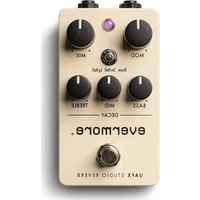
Evermore - Audio effect pedal Universal Audio - Free user manual and instructions
Find the device manual for free Evermore Universal Audio in PDF.


| Product Type | Audio Processor / Effects Pedal |
| Brand | Universal Audio |
| Model | Evermore |
| Power Supply | 9V DC, 200 mA (center negative) |
| Dimensions | 4.5 x 2.5 x 2 inches (11.4 x 6.4 x 5.1 cm) |
| Weight | 0.6 lb (272 g) |
| Audio Inputs | 1 x 1/4" TS instrument input |
| Audio Outputs | 1 x 1/4" TS output |
| Sample Rate | Up to 96 kHz |
| Bit Depth | 24-bit |
| Frequency Response | 20 Hz - 20 kHz ±0.5 dB |
| Dynamic Range | 110 dB |
| THD+N | <0.01% |
| Connectivity | USB-C for firmware updates and control |
| Controls | Knobs for Mix, Time, Feedback; Switch for mode selection |
| Display | LED indicators for power and bypass |
| Software Compatibility | UAFX Control app (iOS/Android) |
| Construction | Aluminum chassis with matte finish |
| Warranty | 1 year limited |
| Included Accessories | Quick start guide, USB-C cable |
| Cleaning | Wipe with dry cloth; avoid solvents |
| Safety | Use only specified power supply; do not expose to moisture |
Frequently Asked Questions - Evermore Universal Audio
User questions about Evermore Universal Audio
0 question about this device. Answer the ones you know or ask your own.
Ask a new question about this device
Download the instructions for your Audio effect pedal in PDF format for free! Find your manual Evermore - Universal Audio and take your electronic device back in hand. On this page are published all the documents necessary for the use of your device. Evermore by Universal Audio.
USER MANUAL Evermore Universal Audio


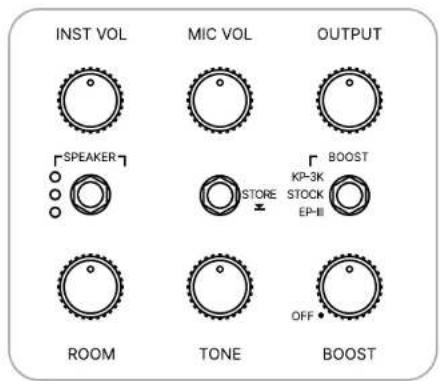


WOODROW
55 Instrument Amplifier
EFFECT RECALL SHEET
NOTES
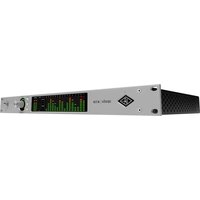

Brand : Universal Audio
Model : Evermore
Category : Audio effect pedal