
Bolt - Headphones Sunstech - Free user manual and instructions
Find the device manual for free Bolt Sunstech in PDF.


| Brand | Sunstech |
| Model | Bolt |
| Product type | Bluetooth audio headset |
| Weight | 12 g |
| Bluetooth version | 4.1 with APT-X, HFP 1.6, HSP 1.2, A2DP 1.2, AVRCP 1.4 |
| Bluetooth range | Up to 10 meters |
| Talk time | 5-6 hours |
| Music playback time | 5-6 hours |
| Standby time | 120 hours |
| Charging time | Approximately 2 hours |
| Protection rating | IPX5 (splash resistant) |
| Main features | Dual pairing, voice guidance, volume and track control, call answering |
| Package contents | Bolt earbuds, ear tips (sizes L, M, S, XS), sport ear tips, USB charging cable, travel case, user manual |
| Care and cleaning | Clean with a slightly damp soft cloth. Do not use abrasives. Always close the USB cover after charging to ensure waterproofing. |
| Safety | Do not use while driving. Do not expose to temperatures above 40°C. Do not disassemble. Follow WEEE recycling instructions. |
| Spare parts and repairability | Repairs must be carried out by a certified technician. Only use accessories specified by the manufacturer. |
| General information | Made in China. Rated voltage: see rating label. |
Frequently Asked Questions - Bolt Sunstech
User questions about Bolt Sunstech
0 question about this device. Answer the ones you know or ask your own.
Ask a new question about this device
Download the instructions for your Headphones in PDF format for free! Find your manual Bolt - Sunstech and take your electronic device back in hand. On this page are published all the documents necessary for the use of your device. Bolt by Sunstech.
USER MANUAL Bolt Sunstech
natural_image
Abstract illustration of a stylized white sphere above a gray book with crescent moon, set against a dark background (no text or symbols)BOLT
BT EARPHONES
USER GUIDE
ENGLISH
User Guide
BOLT
CONTENT
PACKING LIST 1
KEYS AND FUNCTIONS 2
OPERATING 3
LISTEN MUSIC 4
BLUETOOTH PAIRING 5
CHARGING 6
PRODUCT SPECIFICATION 6
FAQ 7
WARNINGS 8
ENGLISH
User Guide BOLT
PACKING LIST

natural_image
Line drawing of a pair of earbuds with earplands and clamps (no text or symbols)BT earphone

USB charging cable Earbuds

Travel box User Manual

Sport earbuds

For safety, please do not use the headset when you are driving a car, a motorcycle, a bike, or walking on the street. Please follow the local laws and regulations.
Please use the smaller size earplug than your normal size earplug when doing outdoor sport and make sure you can hear the outside sounds(The bass output will be influenced):
L Size → M Size
M Size → S Size
S Size → XS Size
ENGLISH
User Guide BOLT
KEYS AND FUNCTIONS


-
Multifunction key 4. Microphone
-
Volume up/track forward 5. USB cover
-
Volume down/track backward 6. Charge socket
-
LED indicator
ENGLISH
User Guide
BOLT
OPERATING
 | Volume upClick once |
 | Power onClick and hold 3 seconds, blue blinking Light indicates power on. |
| Power offClick and hold 3 seconds until red blinking light indicates power off | |
| Receiving and Ending a callClick once | |
| Redialing the last numberClick twice | |
| Rejecting a callClick twice |
 | Volume downClick once |
ENGLISH
User Guide
BOLT
LISTEN MUSIC
 | Volume upClick once |
| Track ForwardLong press |
 | Play/PauseClick once |
 | Volume downClick once |
| Track backwardLong press |
ENGLISH
User Guide BOLT
BLUETOOTH PAIRING

When power is off, press and hold for 3+ seconds. Voice prompt "Pairing" followed by blue and red blinking lights indicate BOLT is in pairing mode.
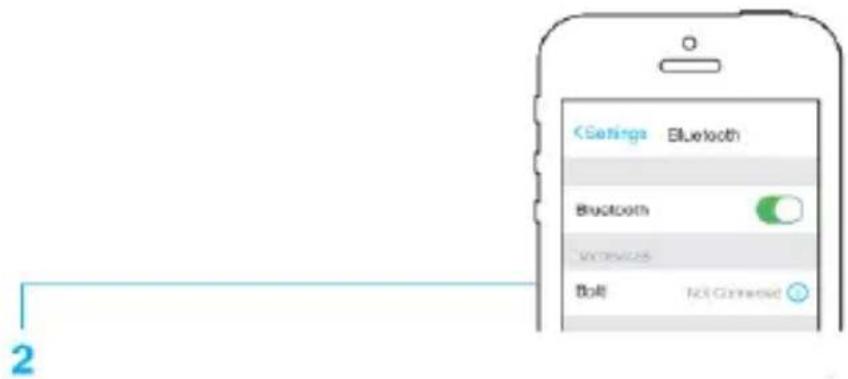
1-Turn on Bluetooth in the settings of your phone (for other electronic devices)
2- Look for "BOLT" and click it for pairing
Voice prompt "connected" followed by blue blinking light indicates connection
Dual Pairing Function: The Bluetooth headset has a unique dual pairing function. This allows you to pair 2 devices to the headset simultaneously. For example, you still can receive the coming calls from your phone when you are listening music from the ipad.

flowchart
graph TD
    A["Tablet with musical note"] -->|Wireless Device Link| B["Smartphone with earphone icon"]
    C["Smartphone with earphone icon"] -->|Wireless Device Link| B
BOLT will automatically pair with the last device connected to when turned on
ENGLISH
User Guide BOLT
CHARGING

natural_image
Diagram showing a USB cable connector with a circular dial and directional arrow, no text or symbols presentLocate the Micro USB door and plug in the cable and connect the USB to a computer or AC power source.
Red light indicates charging and will turn off, and blue light turn on once battery is fully charged. Full charge is approximately 2 hours.
If the earphones are not being used for a long period, recharge them at least once a month to preserve the battery life. DO NOT leave the battery uncharged for 6 months.
To ensure the water resistance of your BOLT, the USB cover must be firmly closed after charging
PRODUCT SPECIFICATION
- Bluetooth specification: Support Bluetooth V 4.1 with APT X HFP V1.6 HSP V1.2 A2DP V1.2 AVRCP V1.4
- Multipoint support for HFP connection to 2 handsets for voice
- Multipoint support for A2DP connection to 2 A2DP sources for music playback
Support voice guide
- Standby time: 120 hours
- Talking time: 5-6 hours
- Playing music time: 5-6 hours (Playing time depends on different volume and songs)
- Distance: up to 10 meters
- Weight: 12g
- Water Resistant: IPX5
- Certification: BQB; CE; FCC; ROHS; Reach
ENGLISH
User Guide
BOLT
FAQ
| Problem Resolution | |
| No response when press buttonRed lights flashing or shutdown automatically after starting up; | Please charging |
| Unable to hear any sound | Increase the volumeEnsure the headset is connected to the phone |
| Unable to connect with mobile phone or Bluetooth device | Ensure the headset is connected to the phone. If the headset is not connected to the phone, refer to the part “Bluetooth Pairing” in this manual |
| There is a noise and sound is not stable when playing music | Ensure the headset is in the effective working range, trying to avoid obstaclesTo obtain best signal for headset, put phone on the right side of body (the headset antenna is in the right). |
ENGLISH
User Guide
BOLT
WARNINGS
 | Correct disposal of this Product(Waste Electrical & Electronic Equipment)(WEEE)Your product is designed and manufactured with high quality materials and components which can be recycled and reused.This symbol means that electrical and electronic equipment, at their end of life should be disposed of separately from your household waste.Please dispose of this equipment at your local community waste collection/recycling centre.In the European Union there are separate collection systems for used electrical and electronic products. Please help us to conserve the environment we live in! |
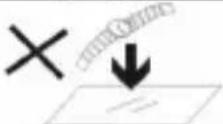 | DO NOT place objects on top of the device, as objects may scratch the device. |
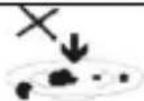 | DO NOT expose the device to dirty or dusty environments. |
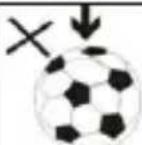 | DO NOT place the device on an uneven or unstable surface. |
 | DO NOT insert any foreign objects into the device. |
 | DO NOT expose the device to strong magnetic or electrical field. |
 | DO NOT expose the device to direct sunlight as itcan damage the device. Keep it away from heat sources. |
 | DO NOT store your device in temperatures higher than 40°C(104°F). The internal operating temperature for this device is from 20°C(68°F) to 60°C(140°F). |
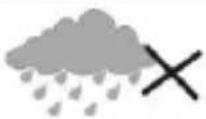 | DO NOT use the device in the rain. |
 | Please check with your Local Authority or retailer for proper disposal of electronic products. |
ENGLISH
User Guide
BOLT
 | The device and adaptor may product some heat during normal operation of charging. To prevent discomfort or injury from heat exposure, DO NOT leave the device on your lap. |
 | POWER INPUT RATING: Refer to the rating label on the device and be sure that the power adaptor complies with the rating. Only use accessories specified by the manufacturer. |
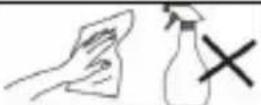 | Clean the device with a soft cloth. If needed, dampen the cloth slightly before cleaning. Never use abrasives or cleaning solutions. |
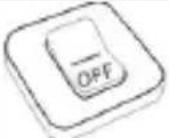 | Always power off the device to install or remove external devices that do not support hot-plug. |
 | Disconnect the device from an electrical outlet and power off before cleaning the device. |
 | DO NOT disassemble the device. Only a certified service technician should perform repair. |
 | The device has apertures to disperse heat. DO NOT block the device ventilation, the device may become hot and malfunction as a result. |
 | Risk of explosion if battery replaced by an incorrect type. Dispose of used batteries according to the instruction. |
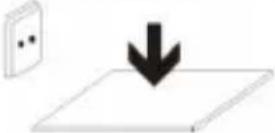 | PLUGGABLE EQUIPMENT: the socket -outlet shall be installed near the equipment and shall be easily accessible. |
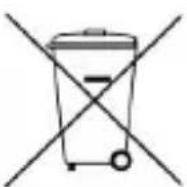 | European Union: Disposal Information.This symbol means that according to local laws and regulations your product and/or its battery shall be disposed of separately from household waste. When this product reaches its end of life, take it to a collection point designated by local authorities. The separate collection and recycling of your product and/or its battery at the time of disposal will help conserve natural resources and ensure that it is recycled in a manner that protects human health and the environment. |
| MADE IN CHINA | |
natural_image
Abstract illustration of a white sphere above a gray book with partial moon and curved lines, set against a dark background (no text or symbols)BOLT
AURICULARES BT
GUÍA DE USUARIO
ESPAÑOL
Guía de usuario
BOLT
CONTENIDO
LISTA DE PIEZAS 1
TECLAS Y FUNCIONES 2
natural_image
Line drawing of a pair of earbuds with straps and earplands (no text or symbols)
Auricular BT Auriculares deportivos


natural_image
Simple black silhouette of a lamp with a triangular base (no text or symbols)Aumentar el volumen
Haciendo un clic

Encendido
natural_image
Simple black icon of a vertical rectangle with a downward-pointing triangle inside, no text or symbols present.flowchart
graph TD
    A["Table with musical note"] --> B["Smartphone with earphones"]
    C["Smartphone with signal icon"] --> B
natural_image
Diagram showing a USB cable connector connected to a circular component with a switch, indicating data transfer or connection (no text or symbols present)natural_image
Abstract illustration of a stylized white sphere above a gray book with partial crescent shapes, set against a dark background (no text or symbols)BOLT
Écouteurs BT
GUIDE DE L'UTILISATEUR
FRANÇAIS
SPÉCIFICATIONS DU PRODUIT 6
FAQ 7
AVERTISSEMENTS 8
FRANÇAIS
natural_image
Line drawing of a pair of earbuds with black plastic bands (no text or symbols)Écouteurs BT

natural_image
Simple black silhouette of a vertical object with a triangular base (no text or symbols)flowchart
graph TD
    A["Table with musical note"] --> B["Handbag with phone icon"]
    C["Smartphone with phone icon"] --> B
natural_image
Diagram showing a USB cable connector with a circular connector and directional arrow (no text or symbols)SPÉCIFICATIONS DU PRODUIT
- Certifications : BQB; CE; FCC; ROHS; Reach
FRANÇAIS
natural_image
Abstract illustration of a white sphere above a gray book with two small semicircles, set against a dark background with a bright sun (no text or symbols)BOLT
AUSCULTADORES BT
GUIA DO UTILIZADOR
PORTUGUÊS
natural_image
Line drawing of a pair of earbuds with straps and earplands (no text or symbols)Auscultador BT

Auriculares desportivos

Auriculares
Manual do utilizador
natural_image
Diagram showing a USB cable connector with a circular connector and a blue arrow indicating rotation (no text or symbols)For you. For everyone.

Brand : Sunstech
Model : Bolt
Category : Headphones