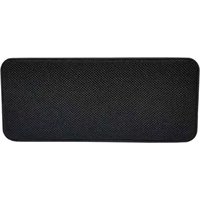
SPUBT705 - Loudspeaker Sunstech - Free user manual and instructions
Find the device manual for free SPUBT705 Sunstech in PDF.


Pick your language and provide your email: we'll send you a specifically translated version.
| Product Type | Portable Bluetooth Speaker |
| Brand | Sunstech |
| Model | SPUBT705 |
| Dimensions (L x W x H) | 200 x 100 x 100 mm |
| Weight | 500 g |
| Power Supply | Rechargeable lithium-ion battery 2000 mAh via USB-C port |
| Battery Life | Up to 10 hours |
| Connectivity | Bluetooth 5.0, AUX 3.5 mm input, USB port for file playback |
| Main Functions | microSD player, FM radio, hands-free, equalizer |
| Output Power | 10 W RMS |
| Frequency Response | 100 Hz - 20 kHz |
| Maintenance and Cleaning | Use a soft, dry cloth. Do not use chemical products. |
| Safety | Do not expose to water, shocks, or extreme temperatures. |
| Spare Parts | USB-C charging cable, AUX cable, user manual |
| Repairability | Battery replaceable by a professional |
| Box Contents | Speaker, USB cable, AUX cable, user manual |
Frequently Asked Questions - SPUBT705 Sunstech
How to turn on and off the Sunstech SPUBT705 speaker?
Press and hold the Power button until a sound or light appears. To turn off, hold the same button.
How to pair the speaker via Bluetooth?
Turn on the speaker, enable Bluetooth on your device and select SPUBT705 from the list. A sound confirms the connection.
How to charge the speaker?
Use the provided USB-C cable and plug it into a charger (not included). The red LED indicates charging, it turns off when fully charged.
The speaker won't turn on, what should I do?
Check the battery by charging it for at least 2 hours. If the problem persists, perform a reset by inserting a paperclip into the Reset hole.
How to use the FM radio?
Press the Mode button until FM is selected. Then, hold the Play/Pause button to start automatic station search.
The sound is low or distorted, how to improve?
Check the volume of the speaker and source device. Move the speaker away from walls or obstructing objects. Try the equalizer via the remote control or app.
How to play music from a microSD card?
Insert a microSD card (up to 32 GB) into the dedicated slot. The speaker will automatically switch to microSD mode and play MP3 files.
Can I connect the speaker to a TV?
Yes, via an AUX cable (not provided) by connecting the TV's headphone output to the speaker's AUX input.
How to clean the speaker?
Use a soft, slightly damp cloth. Avoid any contact with water and abrasive products. Dry immediately.
What to do if the speaker becomes unresponsive?
Perform a reset by inserting a pointed object into the Reset hole on the back. If this does not work, contact customer service.
User questions about SPUBT705 Sunstech
0 question about this device. Answer the ones you know or ask your own.
Ask a new question about this device
No questions yet. Be the first to ask one.
Download the instructions for your Loudspeaker in PDF format for free! Find your manual SPUBT705 - Sunstech and take your electronic device back in hand. On this page are published all the documents necessary for the use of your device. SPUBT705 by Sunstech.
USER MANUAL SPUBT705 Sunstech


Manual assistant
Powered by Anthropic
Waiting for your message
Product information
Brand : Sunstech
Model : SPUBT705
Category : Loudspeaker