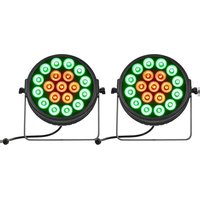
Versa Flex Par QUAD19 - Effects machine JMAZ Lighting - Free user manual and instructions
Find the device manual for free Versa Flex Par QUAD19 JMAZ Lighting in PDF.


| Product Type | LED Par Can (Effect Lighting) |
| Model | Versa Flex Par QUAD19 |
| Brand | JMAZ Lighting |
| LED Configuration | 19 x Quad-Color LEDs (RGBA or RGBW) |
| Power Consumption | 120W |
| Power Input | AC 100-240V, 50/60Hz |
| Dimensions (L x W x H) | 10.2 x 10.2 x 12.0 inches (260 x 260 x 305 mm) |
| Weight | 5.5 lbs (2.5 kg) |
| Control Modes | DMX512, Sound Active, Auto, Master/Slave |
| DMX Channels | 4/9/11-channel modes |
| Strobe Rate | 0-20 Hz |
| Beam Angle | 25 degrees |
| Cooling | Passive convection (no fan) |
| Housing Material | Aluminum alloy, black finish |
| Mounting | Floor stand or truss via bracket |
| IP Rating | IP20 (indoor use only) |
| Safety Features | Overheat protection, fuse protection |
| Maintenance | Clean lens with dry cloth; avoid solvents |
| Spare Parts / Repairability | Replaceable LEDs and power supply; serviceable by qualified technician |
| Included Accessories | Power cord, mounting bracket, user manual |
Frequently Asked Questions - Versa Flex Par QUAD19 JMAZ Lighting
User questions about Versa Flex Par QUAD19 JMAZ Lighting
0 question about this device. Answer the ones you know or ask your own.
Ask a new question about this device
Download the instructions for your Effects machine in PDF format for free! Find your manual Versa Flex Par QUAD19 - JMAZ Lighting and take your electronic device back in hand. On this page are published all the documents necessary for the use of your device. Versa Flex Par QUAD19 by JMAZ Lighting.
USER MANUAL Versa Flex Par QUAD19 JMAZ Lighting
VERSA FLEX PAR QUAD19

natural_image
Technical line drawing of a circular mechanical component with multiple holes and mounting brackets (no text or symbols)JMAZ®
JMAZ LIGHTING
Address: 2422 Lee Ave, South El Monte, CA 91733
Phone:1-626-380-0883 www.jmazlighting.com support@jmazlighting.com
Version 1.0
USER MANUAL
- Be sure to read the USER MANUAL carefully before using this product.
- Be sure to keep the USER MANUAL properly for future needs.
- Use this product correctly when you can fully understand the User Manual
10. Maintenance and cleaning
It is absolutely essential that the fixture is kept clean and that dust, dirt and smoke-fluid residues must not build up on or within the fixture. Otherwise, the fixture's light-output will be significantly reduced. Regular cleaning will not only ensure the maximum light-output, but will also allow the fixture to function reliably throughout its life. A soft t-free cloth moistened with any good glass cleaning fluid is recommended, under no circumstances should alcohol or solvents be used!
DANGER!
Disconnect from the mains before starting a y
maintenance work
The front objecti e lens will require weekly cleaning as smoke-fluid tends to building up residues, reducing the light-output very quickly. The cooling-fans should be cleaned monthly.
The interior of the fixture should be cleaned at least annually using a vacuum-cleaner or an air-jet. Remove dust and dirt from the fans and cooling vents using a soft brush and vacuum-cleaner.
Important! Check the air filters periodically and clean before they become clogged!
Clean two air filters placed in the fixture's covers and two in the fixture base. Use a vacuum cleaner, compressed air or you can wash them and put back dry.
Afer replacing the air filters, reseset the elapsed time c ter in the menu "Informarmation" ormaormation-->Air Filters-->Elapsed Time).
Replacing the fuse. Before replacing the fuse, unplug mains lead.
1) Remove the fuse holder on the rear panel of the base with a fitting ewdriver from the housing (an(anti-clockwise).
2) Remove the old fuse from the fuse holder.
3) Install the new fuse in the fuse holder (only the same type and rating).
4) Replace the fuseholder in the housing and fix it.
1. Safety instructions
Thank you for choosing our VERSA FLEX PAR QUAD19 with mover. FOR YOUR OWN SAFETY, PLEASE READ THIS USER MANUAL CAREFULLY
BEFORE YOU INITIAL START - UPI
CAUTION!
Be careful with your operations.
With a high voltage you can suffer a dangerous electric shock when touching the wires!
This device has left our pemises in absolutely perfect condition. In der to maintain this condition and ensure a safe operation, it is absolutely necessary for the user to follow the safety instructions and arning notes written in this manual.
CAUTION!
Keep this device away from rain and moisture!
Unplug mains lead before opening the housing!
Important:
The manufacturer will not accept liability for any resulting dams caused by the non-observance of this manual or any unauthorized modification the device.
Please consider that damages caused by manual modifications so the device are not subject to warranty.
During the operation the housing becomes hot). Allow the fixt e to cool approximately 20 minutes prior to manipulate with it.
Make sure that the available voltage is not higher than stated on the rear panel.
WARNING! This unit does not contain an ON/OFF switch. Always disconnect power input cable to completely remove power from unit when not in use or before cleaning or servicing the fixture.
Make sure that the power-cord is never crimped or damaged by sharp edges. Check the device and the power-cord from time to time.
Always disconnect from the mains, when the device is not in use or before cleaning it. Only handle the power-cord by the plug. Never pull out the plug by tugging the power cord.
This device falls under protection class I. Therefore it is essential to connect the yellow/green conductor to earth.
The electric connection, epairs and servicing must be carried out by a qualified employee.
Do not connect this device to a dimmer pack.
Do not switch the fixture on and o ffin short intervals as this would reduce the lamp's life.
During the initial tart-up some smoke or smell may arise. This is a normal process and does not necessarily mean that the device is defective.
Do not touch the device's housing bare hands during its operation (housing becomes hot)!
For replacement use lamps and fuses of same type and rating onl .
CAUTION! EYE DAMAGES!
Avoid looking directly into the light source
(meant especially for epileptics) !
2.UNPACKING

VERSA FLEX PAR QUAD19 is made of a new type of high temperature strength of engineering plastics and cast aluminum casing with nice outlook. The fixture is designed and manufactured strictly following CE standards, complying with international standard DMX512 protocol. It's available independently controlled and linkable with each other for operation. And it is appli able for large-scale live per formances, theater, studio, nightclubs and discos.
This manual covers the important information on intallaation and applications. Meanwhile, please keep this manual well for future needs.

(35+AA+BB)CH/(25+AA+BB)CH/(83+AA+BB)CH; AA=Unit1 parcan Channel; BB=Unit2 Parcan Channel
| 19 | 9 | 31 | Head2 Macro RUN | |
| 0..15 | No function | |||
| 16..31 | MacroRun 1 | |||
| 32..47 | MacroRun 2 | |||
| 48..63 | MacroRun 3 | |||
| 64..79 | MacroRun 4 | |||
| 80..95 | MacroRun 5 | |||
| 96..111 | MacroRun 6 | |||
| 112..127 | MacroRun 7 | |||
| 128..143 | MacroRun 8 | |||
| 144..159 | MacroSound 1 | |||
| 160..175 | MacroSound 2 | |||
| 176..191 | MacroSound 3 | |||
| 192..207 | MacroSound 4 | |||
| 208..223 | MacroSound 5 | |||
| 224..239 | MacroSound 6 | |||
| 240..255 | MacroSound 7 | |||
| 20 | 10 | 32 | Head2 Macro Speed | |
| 0..255 | MacroSpeedfromSlow To Fast | |||
| 33 | Head2 Red1 | |||
| 0..255 | 0-100%Red1 dimmer from dark to bright | |||
| 34 | Head2 Green1 | |||
| 0..255 | 0-100%Green1dimmer from dark to bright | |||
| 35 | Head2 Blue1 | |||
| 0..255 | 0-100%Blue1dimmer from dark to bright | |||
| 36 | Head2 White1 | |||
| 0..255 | 0-100%White1dimmer from dark to bright | |||
| 37 | Head2 Red2 | |||
| 0..255 | 0-100%Red2 dimmer from dark to bright | |||
| 38 | Head2 Green2 | |||
| 0..255 | 0-100%Green2dimmer from dark to bright | |||
| 39 | Head2 Blue2 | |||
| 0..255 | 0-100% Blue2 dimmer from dark to bright | |||
| 40 | Head2 White2 | |||
| 0..255 | 0-100%White2dimmer from dark to bright | |||
| 41 | Head2 Red3 | |||
| 0..255 | 0-100%Red3dimmer from dark to bright | |||
| 42 | Head2 Green3 | |||
| 0..255 | 0-100%Green3dimmer from dark to bright | |||
| 43 | Head2 Blue3 | |||
| 0..255 | 0-100%Blue3dimmer from dark to bright | |||
| 44 | Head2 White3 | |||
| 0..255 | 0-100% White3 dimmer from dark to bright |
3.TECHNICAL INFORMATION
Specifications
■ Led quantity :12*05w warm white led,96*0.2RGB outer SMDs,156*0.5 ultra white inner
■ SMDs;7*10w RGBW,60*0.2 RGB;19*10w RGBW ;220*0.2w 5050 RGB SMD led;324*0.5w cool warm white SMD led;2*30w white led
■ Control signal:DMX512, master – slave and sound acti ated or auto
■ Control channel:(35+AA+BB)CH/[25+AA+BB]CH/(83+AA+BB)CH
■ Dimensions: 1010*149*589mm
■ Net weight:18.7kgs
■ Gross weight:21kgs
■ 26 degree beam angle
■ Bulit -in running programs
■ 1 Statc gobo wheel with 7 gobos plus open
■ 1 Color wheel with 7 colors plus open
■ There is Unit 1 and Unit 2 DMX mode option: Control channel is changeable, based on different parcan.
■ Led strip effect
■ Each pixel is controllable individually
■ 0-100% linear LED dimmer
■ 1.8' TFT LCD display (160*128pix)
■ 1-25T/sec high speed LED shutter/strobe effect with variable speed
-35\~45°C max ambient temperature
■ Display reversible for up side down application
■ IP20 protection aatg
■ Preset variable/randin strobe and dimming pulse effect
■ Powercon IN/OUT

4. OPERATION INSTRUCTIONS
- VERSA FLEX PAR QUAD19 is for wash effect for on-site decoration purpose.
- Do not immediately operate the fixture if it has been through severe temperature changes during storage or transportation as this may damage the unit. Please allow the fixture to return to normal temperature.
● The fixture should be stored properly when in transportaationo avoid violent shaking or movement. - Do not expose the fixture to elements that include high heat, moisture, or an environment with too much dust when in operation.
- Do not place any power cables exposed on the ground as it may cause electronic shock.
● Make sure the fixture is securely installed in a safe location when i talling.
● Use safety chain or safety cable when installing and ensure bolts or screws are securely fastened.
● Make sure the lens is in good condition. It is recommended to replace the fixture if there is any damages or severe scratches.
● Make sure the fixture is operated by qualified personnel who has read this user manual in its enenety. - Do not attempt to repair the fixture without consulting with JMAZ Lighting or one of its authed repair facilities.
- JMAZ Lighting has the right to void any warranty or service to the fixture if there are an any malfunctions caused by disregard of this user manual.
| 12 | 2 | 24 | Head2 Shutter | |
| 0..31 | Shutter closed | |||
| 32..63 | shutter open | |||
| 64..95 | Strobe effects slow to fast | |||
| 96..127 | shutter open | |||
| 128..159 | Pulse-effectinsequencesslow to fast | |||
| 160..191 | shutter open | |||
| 192..223 | Random strobe effect slow to fast | |||
| 224..255 | shutter open | |||
| 13 | 3 | 25 | Head2 Red | |
| 0..255 | 0-100%Reddimmer from dark to bright | |||
| 14 | 4 | 26 | Head2 Green | |
| 0..255 | 0-100%Greendimmer from dark to bright | |||
| 15 | 5 | 27 | Head2 Blue | |
| 0..255 | 0-100%Blue dimmer from dark to bright | |||
| 16 | 6 | 28 | Head2 White | |
| 0..255 | 0-100%White dimmer from dark to bright | |||
| 17 | 7 | 29 | Head2 Macro Color | |
| 0..15 | No Function | |||
| 16..31 | Red | |||
| 32..47 | Green | |||
| 48..63 | Blue | |||
| 64..79 | White | |||
| 80..95 | Red+Green | |||
| 96..111 | Red+Blue | |||
| 112..127 | Red+White | |||
| 128..143 | Green+Blue | |||
| 144..159 | Green+White | |||
| 160..175 | Blue+Wtihe | |||
| 176..191 | R+G+B | |||
| 192..207 | R+G+B+W | |||
| 208..212 | 2700K | |||
| 213..217 | 3200K | |||
| 218..222 | 3500K | |||
| 223..227 | 5000K | |||
| 228..232 | 5500K | |||
| 233..237 | 6000K | |||
| 238..242 | 6500K | |||
| 243..247 | 7000K | |||
| 248..255 | 8000K | |||
| 18 | 8 | 30 | Head2 Color Temp | |
| 0..15 | No Function | |||
| 16..45 | Below3200K | |||
| 46..75 | 3200K-3500K | |||
| 76..105 | 3500K-5000K | |||
| 106..135 | 5000K-5500K | |||
| 136..165 | 5500K-6000K | |||
| 166..195 | 6000K-6500K | |||
| 196..225 | 6500K-7000K | |||
| 226..255 | 7000K-8000K | |||
| 8 | 8 | 8 | Head 1 Color Temp | |
| 0..15 | No Function | |||
| 16..45 | Below3200K | |||
| 46..75 | 3200K-3500K | |||
| 76..105 | 3500K-5000K | |||
| 106..135 | 5000K-5500K | |||
| 136..165 | 5500K-6000K | |||
| 166..195 | 6000K-6500K | |||
| 196..225 | 6500K-7000K | |||
| 226..255 | 7000K-8000K | |||
| 9 | 9 | 9 | Head 1 Macro RUN | |
| 0..15 | No function | |||
| 16..31 | MacroRun 1 | |||
| 32..47 | MacroRun 2 | |||
| 48..63 | MacroRun 3 | |||
| 64..79 | MacroRun 4 | |||
| 80..95 | MacroRun 5 | |||
| 96..111 | MacroRun 6 | |||
| 112..127 | MacroRun 7 | |||
| 128..143 | MacroRun 8 | |||
| 144..159 | MacroSound1 | |||
| 160..175 | MacroSound2 | |||
| 176..191 | MacroSound3 | |||
| 192..207 | MacroSound4 | |||
| 208..223 | MacroSound5 | |||
| 224..239 | MacroSound6 | |||
| 240..255 | MacroSound7 | |||
| 10 | 10 | 10 | Head 1 Macro Speed | |
| 0..255 | Macro Speed from Slow To Fast | |||
| 11 | Head 1 Red1 | |||
| 0..255 | 0-100%Red1dimmer fromdark tobright | |||
| 12 | Head 1 Green1 | |||
| 0..255 | 0-100%Green1dimmerfromdark tobright | |||
| 13 | Head 1 Blue1 | |||
| 0..255 | 0-100%Blue1dimmer fromdark tobright | |||
| 14 | Head 1 White1 | |||
| 0..255 | 0-100%White1dimmer fromdark tobright | |||
| 15 | Head 1 Red2 | |||
| 0..255 | 0-100%Red2dimmer fromdark tobright | |||
| 16 | Head 1 Green2 | |||
| 0..255 | 0-100%Green2dimmerfromdark tobright | |||
| 17 | Head 1 Blue2 | |||
| 0..255 | 0-100%Blue2dimmer fromdark tobright | |||
| 18 | Head 1 White2 | |||
| 0..255 | 0-100%White2dimmer fromdark tobright | |||
| 19 | Head 1 Red3 | |||
| 0..255 | 0-100%Red3 dimmer fromdark tobright | |||
| 20 | Head 1 Green3 | |||
| 0..255 | 0-100%Green3 dimmer fromdark tobright | |||
| 21 | Head 1 Blue3 | |||
| 0..255 | 0-100%Blue3 dimmer fromdark tobright | |||
| 22 | Head 1 White3 | |||
| 0..255 | 0-100%White3dimmer fromdark tobright | |||
| 11 | 1 | 23 | Head 2 Dimmer | |
| 0..255 | Dimmer0%...100% |
- MENU OPERATIONS

| MENU | Description | |||
| Dmx Addr | A001~AXXX | Dmx Address Setting | ||
| Auto Play | Auto Program | Internal Program1~12 | Master/Alone | Auto Program |
| Music Control | Internal Program1~12 | Master/Alone | Music Control | |
| Slave Mode | On/Off | Slave Mode | ||
| Speed Set | Speed 1 ~10 | Speed Set | ||
| Reset | ALL Reset | On/Off | ALL Reset | |
| Scan Reset | On/Off | Scan Reset | ||
| Color Reset | On/Off | Color Reset | ||
| Gobo Reset | On/Off | Gobo Reset | ||
| Reverse Pan | Head Pan1 | On/Off | Reverse Pan1 | |
| Head Pan2 | On/Off | Reverse Pan2 | ||
| Reverse Tilt | Head Tilt1 | On/Off | Reverse Tilt1 | |
| Head Tilt2 | On/Off | Reverse Tilt2 | ||
| Special | Reset Default | On/Off | Reset Default | |
| Calibration | Code (Password :088) | Calibration Code | ||
| PAN, TILT, Color... | Calibration of the channel | |||
| Temperature | XXX °C/F | Current Temperature | ||
| Manual Control | PAN=XXX ..... | Manual Control | ||
| Mic SET | 0~99% | Sensitivity of mic | ||
| RF Remote | On/Off | RF Remote | ||
| Signal Set | Wire | DMX512(Cable DMX512) | ||
| Wireless | only Wireless in | |||
| WMAZ&Out | Wireless In &Cable Out | |||
| Auto I&O | Automatic recognition: | |||
| 1. Cable in &Transmit wireless | ||||
| 2. No Cable To Wireless in | ||||
| RF ID | ID 1~12 | RF ID Set | ||
| DMXMode | Unit1 | Tron7 | XXX XXX_CH | Tron7(XXX_CH specified channel) |
| Reserve 1-4 | XXX XXX_CH | Reserve1-4(XXX_CH specified channel) | ||
| Quad19 | XXX XXX_CH | Quad19(XXX_CH specified channel) | ||
| Reserve 1-4 | XXX XXX_CH | Reserve1-4(XXX_CH specified channel) | ||
| Reserve 1-4 | XXX XXX_CH | Reserve1-4(XXX_CH specified channel) | ||
| Reserve 1-4 | XXX XXX_CH | Reserve1-4(XXX_CH specified channel) | ||
| Tri220 | XXX XXX_CH | Tri220(XXX_CH specified channel) | ||
| Duo324 | XXX XXX_CH | Duo324(XXX_CH specified channel) | ||
| Tri60 | XXX XXX_CH | Tri60(XXX_CH specified channel) | ||
JMAZ®
VERSA FLEX PAR QUAD19Product Datasheet
| DMXMode | Unit2 | Tron7 | XXX XXX_CH | Tron7(XXX_CH specified channel) |
| Reserve 1-4 | XXX XXX_CH | Reserve 1-4(XXX_CH specified channel) | ||
| Quad19 | XXX XXX_CH | Quad19(XXX_CH specified channel) | ||
| Reserve 1-4 | XXX XXX_CH | Reserve 1-4(XXX_CHspecified channel) | ||
| Reserve 1-4 | XXX XXX_CH | Reserve 1-4(XXX_Hspecified channel) | ||
| Reserve 1-4 | XXX XXX_CH | Reserve 1-4(XXX_CHspecified channel) | ||
| Tri220 | XXX XXX_CH | Tri220(XXX_CHspecified channel) | ||
| Duo324 | XXX XXX_CH | Duo324(XXX_CH specified channel) | ||
| Tri60 | XXX XXX_CH | Tri60(XXX_CH specified channel) | ||
| Set Mode | Simple Mode | XX_CH | Simplified channel mode(Occupy few channels;) | |
| Same Mode | XX_CH | Ultrasimplified channel mode(Occupy few channels) | ||
| Full Mode | XX_CH | Full channel mode(Occupy morechannels) | ||
| Scan Degree | PAN Degree | 540° | (Select Pan Degree, The default is 540 ) | |
| 360° | ||||
| TILT Degree | 270° | (Select Tilt Degree, The default is 270 ) | ||
| 380° | ||||
| 90° | ||||
| Version | V1.0—VXX | (software Version : V1.0 —VXX ) | ||
Precautions:
1: The type of Unit 1 and Unite 2 combination can not be the same, and all the detachable parcan can not be installed as the same, otherwise the set rated power may be exceeded, the total Versa flex bar will be damaged.
2: The type of Unit 1&Unit 2 combination option can not be set"Reset default". After replacement of the detachable parcan, you should select the corresponding the type of parcan, otherwise it will cause the fixture out of control
3: The start address and the end address of Unit1&Unit2 combination can be checked after selecting the right type of parcan, representing the current DMX address which is coresspond to the channel address for the parcan selected. The numbers of the total control channel can be checked by XXX Mode after setting Mode→Set Mode→XXX Mode.
4: When using the full mode, it will occupy more control channels of the controller. If there is no signal state after setting this mode (Connect the DMX cable, the screen keep flashing on the address page), you should check whether the DMX address of this fixture plus the total control channel numbers of this fixture has exceeded the numbers of the control channels controlled by the controller (The standard numbers of the controller controlled is 512)
5: When using master slave mode, the slave must to be set to the slave mode. In Auto Play→ Slave Mode→On mode, you need exist to the slave mode, you should doble-click the DMX address or Slave Mode or change the Slave Mode to be Off.
6: Since Versa flex bar is combinable, the control channel is changable, the order of the control channel is as follows:
Base control channel+ control channel of the selected parcan from Unit 1 + control channel of the selected parcan from Unit 2
JMAZ ^®
VERSA FLEX PAR QUAD19Product Datasheet
6.DMX PROTOCOL
| Mode/Channel | Value | Function | ||
| Simple 20CH | Same 10CH | Full 44CH | ||
| 1 | 1 | 1 | Head 1 Dimmer | |
| 0..255 | Dimmer0%...100% | |||
| 2 | 2 | 2 | Head 1 Shutter | |
| 0..31 | Shutterclosed | |||
| 32..63 | shutter open | |||
| 64..95 | Strobe effect slow to fast | |||
| 96..127 | shutter open | |||
| 128..159 | Pulse-effect in sequences slow to fast | |||
| 160..191 | shutter open | |||
| 192..223 | Random strobe effect slow to fast | |||
| 224..255 | shutter open | |||
| 3 | 3 | 3 | Head 1 Red | |
| 0..255 | 0-100% Red dimmer from dark to bright | |||
| 4 | 4 | 4 | Head 1 Green | |
| 0..255 | 0-100% Greendimmer from dark tobright | |||
| 5 | 5 | 5 | Head 1 Blue | |
| 0..255 | 0-100% Blue dimmer from dark tobright | |||
| 6 | 6 | 6 | Head 1 White | |
| 0..255 | 0-100% White dimmer from dark tobright | |||
| 7 | 7 | 7 | Head 1 Macro Color | |
| 0..15 | No Function | |||
| 16..31 | Red | |||
| 32..47 | Green | |||
| 48..63 | Blue | |||
| 64..79 | White | |||
| 80..95 | Red+Green | |||
| 96..111 | Red+Blue | |||
| 112..127 | Red+White | |||
| 128..143 | Green+Blue | |||
| 144..159 | Green+White | |||
| 160..175 | Blue+Wtihe | |||
| 176..191 | R+G+B | |||
| 192..207 | R+G+B+W | |||
| 208..212 | 2700K | |||
| 213..217 | 3200K | |||
| 218..222 | 3500K | |||
| 223..227 | 5000K | |||
| 228..232 | 5500K | |||
| 233..237 | 6000K | |||
| 238..242 | 6500K | |||
| 243..247 | 7000K | |||
| 248..255 | 8000K | |||

Brand : JMAZ Lighting
Model : Versa Flex Par QUAD19
Category : Effects machine