SANDBERG 134-15 - Webcam

134-15 - Webcam SANDBERG - Free user manual and instructions

Find the device manual for free 134-15 SANDBERG in PDF.

📄 4 pages English EN Download 💬 AI Question 10 questions ⚙️ Specs
Notice SANDBERG 134-15 - page 1
Pick your language and provide your email: we'll send you a specifically translated version.
Product Type Webcam
Brand Sandberg
Model 134-15
Connection USB, driverless plug-and-play
Compatibility Most chat applications (e.g., Skype, Zoom, Teams)
Mounting Options Desk, PC monitor, or tripod (tripod not included, e.g., Sandberg 134-11)
Warranty 5 years
Support Online helpdesk at helpdesk.sandberg.world
Additional Resources Webcam guide for video effects and image adjustments at www.sandberg.world/webcamguide
Power Source USB bus powered
Operating Systems Windows, macOS, Linux (driverless)
Installation Plug and play, no driver installation required
Environmental Compliance WEEE compliant; see www.sandberg.world/weee
Warranty Registration Register at www.sandberg.world/warranty
Manual Available for free download in PDF format
Package Contents Webcam, USB cable, mounting clip (typical; verify in manual)

Frequently Asked Questions - 134-15 SANDBERG

Is the Sandberg 134-15 webcam compatible with Windows 10?
Yes, the webcam is driverless and works with all major operating systems including Windows 10. Simply plug it into a USB port and it will be recognized automatically.
How do I mount the webcam on a monitor?
The webcam comes with a adjustable clip that fits onto the top of your PC monitor. Place the clip on the back of the monitor and adjust the angle to point the camera where you need it.
Can I use this webcam with a tripod?
Yes, the webcam has a standard tripod mount (1/4 inch thread) and is compatible with tripods such as the Sandberg 134-11 (sold separately).
Does the webcam have a built-in microphone?
The webcam includes a built-in microphone for audio capture. It is sufficient for most calls and video conferences, but external microphones can be used for better quality.
What video quality does the Sandberg 134-15 support?
The webcam supports HD video at 720p resolution (typical; exact specification not listed). It provides clear image quality for video calls and streaming.
Do I need to install software to use the webcam?
No, the webcam is driverless and works plug-and-play. No additional software is required for basic use. For advanced features like video effects, you can visit the webcam guide at www.sandberg.world/webcamguide.
How do I clean the webcam?
Use a soft, dry cloth to gently wipe the lens and body. Avoid using harsh chemicals or abrasive materials that could scratch the lens. For stubborn smudges, slightly dampen the cloth with water.
What is the warranty period for the Sandberg 134-15?
The product comes with a 5-year warranty. You need to register your product at www.sandberg.world/warranty to activate the warranty and get support.
Can I adjust the brightness or contrast?
Basic image adjustments are typically available through your chat application settings. For more advanced controls, download the software from the webcam guide at www.sandberg.world/webcamguide.
The webcam is not recognized by my computer. What should I do?
First, ensure it is plugged directly into a USB port (avoid hubs). Try a different port or computer. If still not recognized, restart your computer. The webcam is driverless, so no manual driver installation is needed. If the issue persists, contact Sandberg support via helpdesk.sandberg.world.

User questions about 134-15 SANDBERG

0 question about this device. Answer the ones you know or ask your own.

Ask a new question about this device

The email remains private: it is only used to notify you if someone responds to your question.

No questions yet. Be the first to ask one.

Download the instructions for your Webcam in PDF format for free! Find your manual 134-15 - SANDBERG and take your electronic device back in hand. On this page are published all the documents necessary for the use of your device. 134-15 by SANDBERG.

USER MANUAL 134-15 SANDBERG

Support

http://helpdesk.sandberg.world

5 Years Warranty

There is a five-year warranty on your Sandberg product. Please read the warranty terms and register your new Sandberg product at www.sandberg.world/warranty

Overview

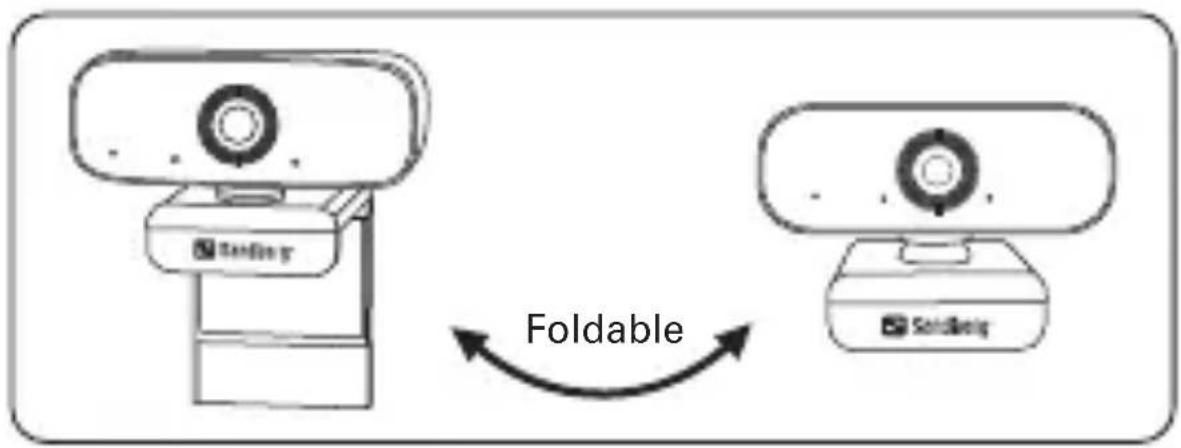
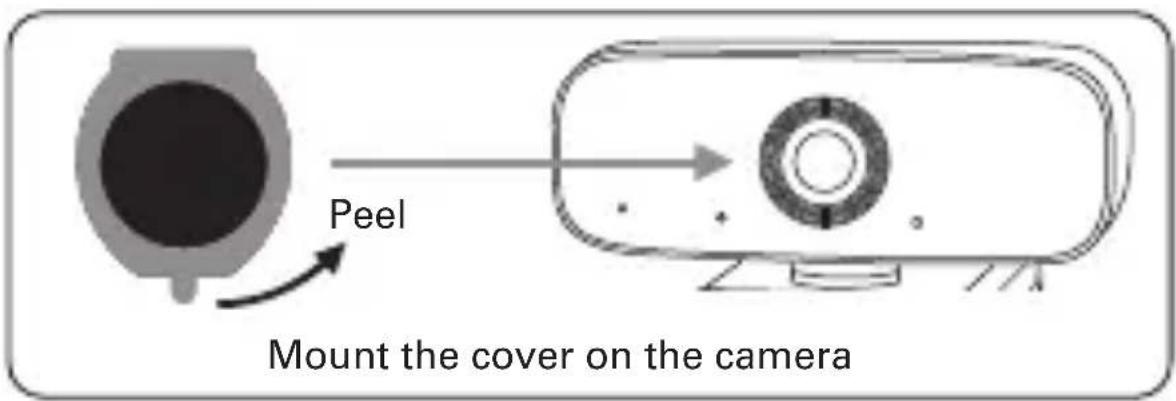
Focus ring 1080P Camera lens Microphone Flexible clip Spy protection cover (self adhesive) Sandberg®

Tandling Foldable Soribeng

Peel Mount the cover on the camera

Focus adjustment

Connection
USB Sendberg™

Mounting

SANDBERG 134-15 - Mounting - 1

natural_image Line drawing of a laptop and a webcam on a desk (no text or symbols)

On a Desk

SANDBERG 134-15 - Mounting - 2

natural_image Simple line drawing of a computer monitor with a webcam on top (no text or symbols)

On a PC Monitor

SANDBERG 134-15 - Mounting - 3

natural_image Simple line drawing of a tripod-mounted camera with a head-mounted screen (no text or symbols)

On a tripod, for example Sandberg item no. 134-11

The camera works driver-less and is compatible with most chat-applications.

If you want to get further options for video-effects and image adjustments, please follow this link: www.sandberg.world/webcamguide

SANDBERG 134-15 - Mounting - 4

For information on handling electronic waste, see www.sandberg.world/weee

Table of contents Click a title to access it
Manual assistant
Powered by Anthropic
Waiting for your message
Product information

Brand : SANDBERG

Model : 134-15

Category : Webcam