
NSW-15 - Smartwatch Naxa - Free user manual and instructions
Find the device manual for free NSW-15 Naxa in PDF.


| Product Type | Smartwatch |
| Brand | Naxa |
| Model | NSW-15 |
| Display | 1.4-inch TFT color touchscreen |
| Dimensions | Approx. 45 x 38 x 10 mm |
| Weight | Approx. 50 g (including strap) |
| Battery Capacity | 200 mAh lithium-ion |
| Charging Time | Approx. 2 hours |
| Standby Time | Up to 7 days |
| Connectivity | Bluetooth 5.0 |
| Compatibility | iOS 9.0+ and Android 5.0+ |
| Water Resistance | IP67 (splash and dust proof) |
| Heart Rate Monitor | Yes, optical sensor |
| Step Counter | Yes, with distance and calorie tracking |
| Sleep Monitor | Yes, automatic sleep tracking |
| Notifications | Call, SMS, and app alerts |
| Additional Sensors | Accelerometer, SpO2 sensor |
| Control Method | Touchscreen and side button |
| Strap Material | Silicone |
| Strap Size | 22 mm width, adjustable length |
| Cleaning | Wipe with a soft, dry cloth; avoid solvents |
| Maintenance | Keep away from extreme temperatures and magnets |
| Safety Warnings | Consult a physician if you have a pacemaker or medical device |
| Spare Parts | Charging cable and replacement straps available |
| Repairability | Battery replacement by authorized service only |
Frequently Asked Questions - NSW-15 Naxa
User questions about NSW-15 Naxa
0 question about this device. Answer the ones you know or ask your own.
Ask a new question about this device
Download the instructions for your Smartwatch in PDF format for free! Find your manual NSW-15 - Naxa and take your electronic device back in hand. On this page are published all the documents necessary for the use of your device. NSW-15 by Naxa.
USER MANUAL NSW-15 Naxa
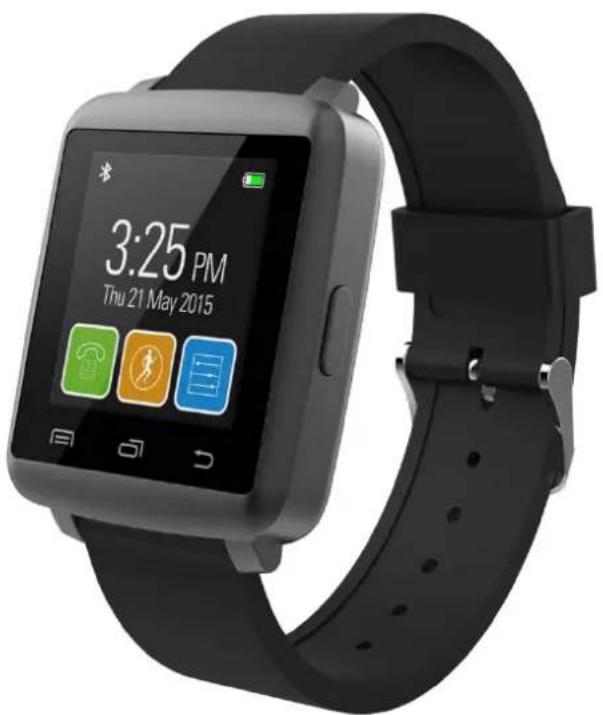
LifeForce+ Smart Watch
NSW-15
natural_image
Black smartwatch with app interface displaying 3:25 PM on Thursday 21, May 2015 (no text or symbols on device body)Instruction Manual
Please read carefully before use and keep for further reference.
Table of Contents
Features ......2
At a Glance 2
Charging the Smart Watch ....3
Smart Wake-Up Gestures ....3
Using the Watch ....4
Bluetooth 4
Changing the Watch Face ....10
Main Menu Watch Functions ....10
Troubleshooting ....14
Use & Care ....15
Specifications ....16
Support 18
1.1: Features
- Make and take calls on your wrist and get app notifications from your connected smartphone
- Step counter helps you improve your health with easy to reach goal and activity tracking
- Customize the watch face to fit your mood or style
- Downloadable companion app for your iPhone or Android smartphone
- Water resistant; wireless sync with Bluetooth®
• Power: Rechargeable battery, USB charge
1.2: At a Glance

1.Speaker
2. Micro USB port
3. MIC
- Menu/Confirm (touch key): Go to main menu,
or confirm the operation (enter).
-
Dialer/Page (touch key): Dialer or go to the next page (when available).
-
Back/End Call (touch): Return to the previous page in a menu or tap to end a phone call.
-
Power on/off: Press and hold to switch the device on or off.
Press to put the screen to sleep or to wake it.
Press and hold POWER ON/OFF for 10 seconds to reset the watch if it is behaving abnormally.
1.3: Charging the Smart watch
- Connect the included USB cable to charge the smart watch; it takes 2 hours to fully charge the smart watch.
- If you use an AC adapter (not included) make sure it is rated to output DC 5 V 0.5 A.
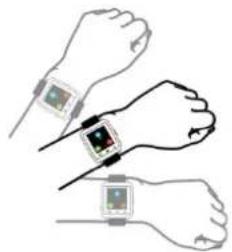
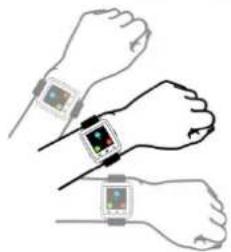
1.4: Smart Wake-Up Gestures
Settings→Motion→Smart wake-up"→ON (Attention!! Enabling Smart Wake-Up on will reduce battery life)
| Smart-Wake up | Shake once to go to Main Menu | Shake once to answer incoming call |
 |  |  |
1.5: Using the Watch

flowchart
graph TD
    A["User Handheld"] --> B["Device Display"]
    B --> C["Device Interaction"]
    C --> D["Device Display"]
    D --> E["Device Interaction"]
    E --> F["Device Display"]
1.6: Bluetooth
1.6.1: Connecting the Watch to an Android™ OS Smartphone or iPhone®
Step 1: Enable Bluetooth on your iPhone or Android phone and make it discoverable. (Refer to your phone's instructions for details.)
Step 2: Go to Shortcut interface to open Bluetooth.
Step 3: On the watch, tap "Search BT" to find your smartphone.

natural_image
Blue square icon with a white Bluetooth symbol on black background (no text or numbers)
 | ||
| Step 4: Find the name of your phone in the list and tap it. |  | |
| Step 5: If the connection is successful, a check mark will appear next to the name of your phone |  |
- Make sure your smart phone is set to be “Visible to all nearby Bluetooth device”.
- Accessibility setting: show applications
● The Smart watch will automatically pair with your Smartphone after the initial pairing is successful.
● The Smart watch will auto-sync the date and time with your smartphone.
1.6.2: Installing the App on an Android™ OS device This watch will work with Android devices running Android OS 4.2 or newer. The device must also support a minimum of Bluetooth® 4.0.
Note: Compatibility cannot be guaranteed with all devices due to the high number of different Android OS devices and manufacturers.
- Find and tap the Google Play store app on your device to launch it.

| 2. Tap the search box at the top of the screen. | 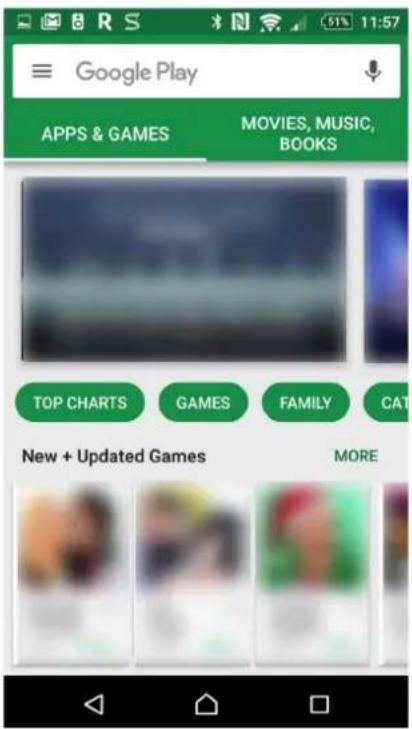 |
| 3. Type OWatch into the search box. In the list of search results below, tap “OWatch”. | 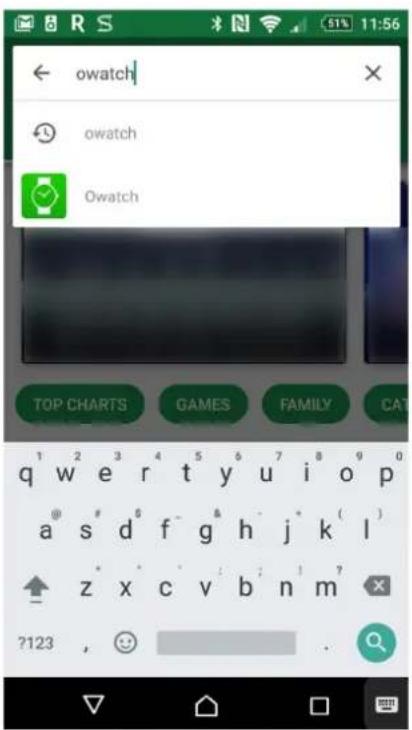 |
- Tap the green
Install button.
Follow the on- screen
instructions to
finish
downloading and installing the app.


Owatch
SYNERGY TECHNOLOGIES LIMITED
E Everyone
INSTALL

Downloads

5

Health & Fitness

Similar
Together with our Smartwatch, you can use your smartphone without taking it out.
READ MORE

1.6.3: Installing the App on an iPhone® or iOS device
This watch will work with iPhone and iOS devices running iOS 7 or newer. The device must also support a minimum of Bluetooth ^® 4.0.
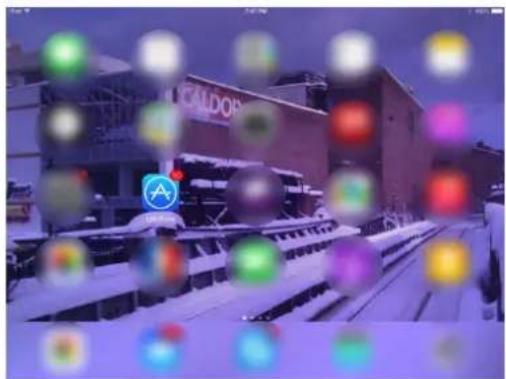
- Find and tap the App Store icon on your device to launch it.
| 2. Tap the magnifying glass at the top right corner. | 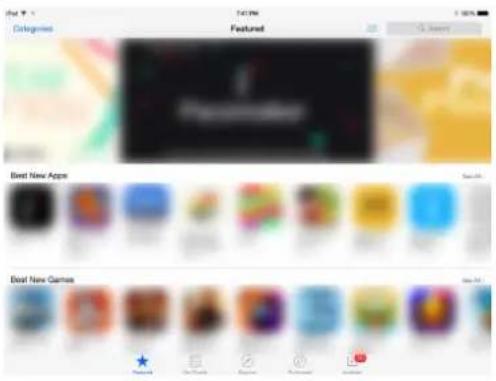 |
| 3. Type “OWatch” into the search box. Tap “OWatch” in the results panel. (Make sure you are searching for “iPhone only” apps.) |  |
| 4. Tap the “Get” button and then the “Install” button. Follow the on-screen instructions to finish downloading and installing the app. | 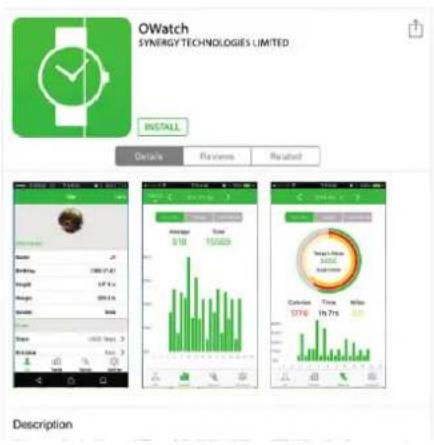 |
1.7: Changing the Watch Face
- The watch comes with 4 different watch faces. Choose from Setting Display


1.8: Main Menu Watch Functions
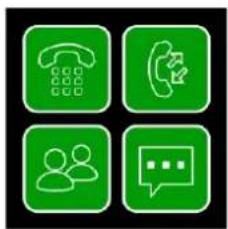
natural_image
Four green square icons representing communication and user profiles (no text or symbols)
natural_image
Four orange square icons representing different activities: running, sleeping, talking, and sitting (no text or symbols)
natural_image
Four blue square icons representing data, music, mobile app, and speech (no text or symbols)
natural_image
Four red square icons representing alarm, calendar, camera, and stopwatch (no text or symbols)1.8.1: shortcut
- Bluetooth Turn on/off
- Mute

1.8.2: Pedometer / SLEEP

natural_image
Four orange square icons representing physical activities: running, sleeping, talking, and sitting (no text or symbols)

- Enter “Pedometer” to track your fitness. It measures your steps, times etc. This function will keep running until you stop it. The count will be reset each day.
- Swipe up from the bottom to check the Options. Tap
weight, etc. Press to go to homepage of the pedometer.Please note the first several steps won't be counted until your steps are stable and constant; then those initial steps will be added to the total.Note: Please enter your personal information in the APP before using the Pedometer function. Your height, weight and step distance is used to properly calibrate the tracker. SLEEP:1. Smart watch will monitor your sleep quality from 10:00pm to 8:00am every day.2. After 8:00am you will be able to view your sleep status history.Sedentary Reminder: Detects when you've been sitting and reminds you to get up and walk around.VOICE SLEEP:1. Smart watch will monitor your sleep quality from 10:00pm to 8:00am every day.2. After 8:00am you will be able to view your sleep status history.Sedentary Reminder: Detects when you've been sitting and reminds you to get up and walk around.VOICE | |
| 1.8.3: Dialer Contacts Call Records |  |
Notification
Sync your phone's contacts. You can make and take phone calls on your watch. It will also, it also shows your incoming and outgoing call records.
Dialer: Make a call from a connected smartphone.
Contacts: View the contact entries of a connected smartphone.
Call Records: View your calling history.
Notifications: See app notifications from a connected smartphone.

- Swipe up and down to increase or decrease the volume.


- (For iPhone): Choose to answer the incoming call via your Smartphone or Smartwatch.
 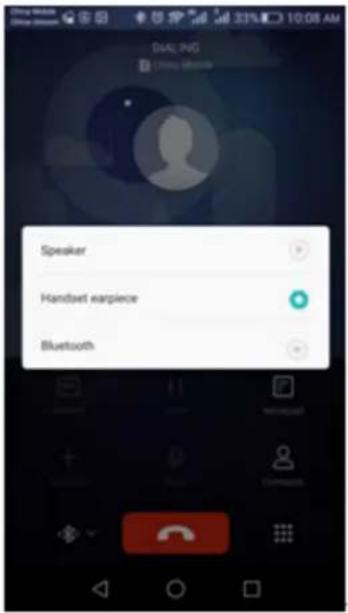 | ||
| (For Android Smartphones): tap 📋 to answer the incoming call via your Smartphone or Smartwatch. Speaker=smartphone; Bluetooth= smartwatch. | ||
 Notifications: See app notifications (such as from What's App, Facebook, etc.) from a connected smartphone. Notifications will be dismissed after it is read. Please delete notifications on your smartphone to avoid duplicate syncs to your Smartwatch. Notifications: See app notifications (such as from What's App, Facebook, etc.) from a connected smartphone. Notifications will be dismissed after it is read. Please delete notifications on your smartphone to avoid duplicate syncs to your Smartwatch. | ||
| 1.8.4: Others |  |  |
| Sedentary Reminder: Detects when you've been sitting and reminds you to get up and | ||
| walk around.Message: View SMS messages from a connected smartphone running Android^TM OS.Alarm: Set an alarm.BT Music: Control the music player app of a connected smartphone from your watch.Remote capture: Trigger your connected smartphone camera to take a picture from your watch. | ||
| 1.8.5: Settings | BT settings, Clock, Sound, Volume, Display, Motion, International, Apps, Reset, About. | |
1.9: Troubleshooting
| What do I do if the watch crashes, freezes, or behaves abnormally? | • Press and hold the POWER ON/OFF button for 10 seconds to reset the watch. |
| How do I exit to safe mode? | • Press and hold the POWER ON/OFF button for 10 seconds to turn the watch off, then press POWER ON/OFF to turn the watch back on again. |
| I cannot turn the watch on. | • Charge the smartwatch to make sure the battery has enough power.• Press and hold the POWER ON/OFF button for 10 seconds to turn the watch off, then press POWER ON/OFF to turn the watch back on again. |
| What do I do if the watch turns off | • The watch will turn itself off if the battery level drops too low. Charge |
| automatically? | the smartwatch. |
| No caller ID or name can be displayed. | Make sure your phonebook is synced to your Smartwatch. If Bluetooth is disconnected, try to sync the phonebook again when it is connected. |
| The sound quality is not good when making phone calls. | Try to keep the smartphone and smartwatch close to each other.Make sure that the smartphone cellular signal is strong. If it is weak, move it to a location that has a stronger signal. |
1.10: Use & Care
To care for your Smart watch, please observe the following:
- Liquids: Don’t expose your product to water, rain, extreme humidity, sweat, or other liquids.
- Drying: Don’t try to dry your product using a microwave oven, conventional oven, or dryer.
- Extreme heat or cold: Avoid temperatures below -10^ C (14°F) or above 60^ C (140°F).
- For battery powered accessories, do not recharge your accessory in temperatures below 0^ C ( 32^ F) or above 45^ C ( 113^ F).
- Dust and dirt: Don’t expose your product to dust, dirt, sand, food, or similar materials.
- Cleaning: To clean your product, use only a dry
soft cloth. Don't use alcohol or other cleaning solutions
- To help protect your product, always make sure that all connector and compartment covers are closed and secure, and avoid carrying it with hard objects such as keys or coins.
Specifications
| Display Type | TFT LCD touchscreen |
| Display Size | 1.44 in |
| Display Resolution | 128 x 128 |
| Touchscreen Layer | Capacitive |
| Storage Memory | -- |
| Wireless Connections | Bluetooth® 4.0 Low Energy |
| Pedometer | Yes |
| Sleep Monitoring | Yes |
| Calories Burned | Yes |
| Additional Features | Remote music controlRemote camera triggerSedentary reminderInterchangeable watch bands |
| Notifications | Call notificationsApp notifications |
| Notification modes | Ringer, vibrate |
| Speaker | Yes |
| Microphone | Yes |
| Connectors | USB (micro type B) |
| Power Source | Rechargeable battery (230 mAh)USB charge |
| Battery Life | Standby: 5 days |
| Water Resistance | Yes |
| Companion App | OWatch |
| Companion App OS | iOS 6 or newerAndroid 4.2 or newer |
| Accessories Included | Watch bandUSB charge cable |
Support
If you have problems with your device, please consult the instructions in this manual. Please also visit us on the web at www.naxa.com to get up to the minute news, alerts, and documentation for your device. For additional assistance, please contact Naxa Technical Support.
NAXA Technical Support
2320 East 49th St.
Vernon, CA 90058
http://www.naxa.com/supportcenter/

- LifeForce+ Smart Watch
- NSW-15
- Instruction Manual
- Table of Contents
- 1.1: Features
- 1.2: At a Glance
- 1.3: Charging the Smart watch
- 1.4: Smart Wake-Up Gestures
- 1.5: Using the Watch
- 1.6: Bluetooth
- 1.6.1: Connecting the Watch to an Android™ OS Smartphone or iPhone®
- 1.6.3: Installing the App on an iPhone® or iOS device
- 1.7: Changing the Watch Face
- 1.8: Main Menu Watch Functions
- Notification
- 1.9: Troubleshooting
- 1.10: Use & Care
- Support
- NAXA Technical Support
Brand : Naxa
Model : NSW-15
Category : Smartwatch