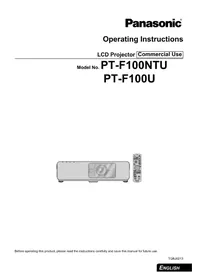
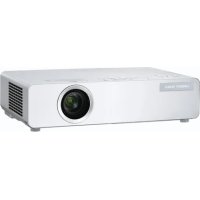
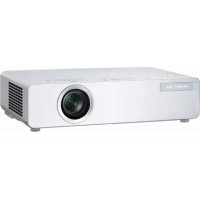
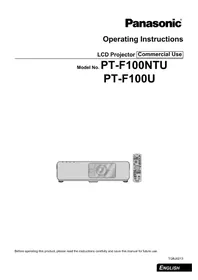
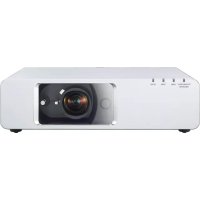
PT-TW231RU - Projector PANASONIC - Free user manual and instructions
Find the device manual for free PT-TW231RU PANASONIC in PDF.


Pick your language and provide your email: we'll send you a specifically translated version.
| Product Type | Portable DLP Projector |
| Brightness | 3200 ANSI Lumens |
| Resolution | WXGA (1280 x 800) |
| Contrast Ratio | 2000:1 |
| Throw Ratio | 0.5:1 (Short Throw) |
| Lamp Life | 5000 hours (Normal) / 10000 hours (Eco) |
| Inputs | HDMI, VGA, Composite, USB Type-A |
| Audio | Built-in 2W Speaker |
| Dimensions (W x H x D) | 307 x 69 x 210 mm |
| Weight | 2.9 kg |
| Power Consumption | 295W (Normal) / 0.5W (Standby) |
| Keystone Correction | Vertical ±30° |
| Projection Distance | 0.5 - 3.0 m |
| Screen Size | 50 - 300 inches |
| Lamp Type | 240W UHP |
| Noise Level | 37 dB (Normal) / 29 dB (Eco) |
| Safety Features | Auto shutdown, security slot |
| Cleaning | Clean air filter every 100 hours; lens with soft cloth |
| Spare Parts | Replacement lamp (ET-LAE110), air filter (ET-ACFE2) |
| Warranty | Standard 2 years (check local) |
| Wireless Support | Optional wireless adapter (ET-WM200) |
Frequently Asked Questions - PT-TW231RU PANASONIC
How do I connect my laptop to the PT-TW231RU?
Use the HDMI cable for best quality video. Alternatively, you can connect using VGA or USB. Press the INPUT button on the remote to select the correct source.
What is the recommended projection distance for a 100-inch screen?
With the short-throw ratio of 0.5:1, you need about 1.1 meters from lens to screen for a 100-inch diagonal image.
How do I replace the lamp in the PT-TW231RU?
Turn off and unplug the projector. Wait 30 minutes for cooling. Open the lamp cover on the side, remove the old lamp module, and insert the new one (ET-LAE110). Reset the lamp timer in the menu.
Can I use the projector for presentations in a lit room?
Yes, with 3200 ANSI lumens brightness, it is suitable for rooms with ambient light. For best contrast, dimming the lights is recommended.
How do I clean the air filter?
Turn off the projector and unplug it. Locate the air filter on the side, slide it out, and clean with a vacuum cleaner or replace if heavily soiled. Clean every 100 hours of use.
Does the PT-TW231RU support wireless projection?
It does not have built-in wireless, but you can add wireless connectivity with the optional ET-WM200 wireless module or use an external HDMI wireless adapter.
What is the keystone correction and how do I use it?
Keystone correction adjusts image distortion when the projector is not perpendicular to the screen. Use the KEYSTONE button on the remote or menu to adjust vertical up to ±30°.
How do I reset the lamp time counter?
After lamp replacement, press MENU, go to OPTIONS > LAMP TIME RESET and select YES. This ensures accurate lamp life monitoring.
Can I mount the projector on the ceiling?
Yes, the projector supports ceiling mounting. Use a standard mount compatible with the 3 screw holes (M4) on the bottom. Ensure proper ventilation.
Why is my image flickering?
Flickering may be due to a worn lamp, poor connection, or incorrect input signal. Try replacing the lamp, checking cables, and adjusting COLOR TEMP settings. Also clean the air filter to prevent overheating.
User questions about PT-TW231RU PANASONIC
0 question about this device. Answer the ones you know or ask your own.
Ask a new question about this device
No questions yet. Be the first to ask one.
Download the instructions for your Projector in PDF format for free! Find your manual PT-TW231RU - PANASONIC and take your electronic device back in hand. On this page are published all the documents necessary for the use of your device. PT-TW231RU by PANASONIC.