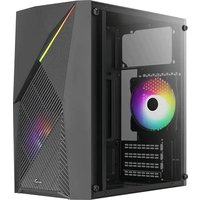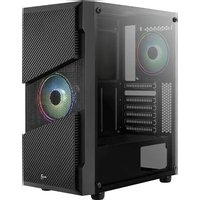
AeroCool Menace - Computer Case

Menace - Computer Case AeroCool - Free user manual and instructions

Find the device manual for free Menace AeroCool in PDF.

📄 2 pages English EN Download 💬 AI Question 10 questions ⚙️ Specs
Notice AeroCool Menace - page 1
Pick your language and provide your email: we'll send you a specifically translated version.
Product Type Computer Case
Brand AeroCool
Model Menace
Form Factor Mid Tower
Motherboard Support ATX, Micro-ATX, Mini-ITX
Drive Bays 2 x 3.5", 2 x 2.5"
Expansion Slots 7
Front I/O Ports USB 3.0 x 2, USB 2.0 x 2, Audio
LED Control Yes (hole switch, 2 sec hold to turn off)
Fan Support (Front) 2 x 120mm
Fan Support (Top) 2 x 120mm
Fan Support (Rear) 1 x 120mm
Radiator Support Front: up to 240mm, Rear: 120mm
GPU Clearance Up to 350mm
CPU Cooler Clearance Up to 160mm
Power Supply Type ATX (not included)
Material Steel, Plastic, Tempered Glass (side panel)
Dimensions (L x W x H) 410 x 200 x 450 mm
Weight 5 kg
Dust Filters Yes (removable for cleaning)
Cable Management Yes (routing holes and straps)
Warranty 1 year
Country of Origin China
Maintenance Clean dust filters monthly; wipe exterior with dry cloth
Safety Ensure proper grounding; keep away from liquids; do not block vents
Spare Parts & Repairability Replacement fans, filters, and screws available from AeroCool or retailers

Frequently Asked Questions - Menace AeroCool

How do I install the motherboard in the AeroCool Menace case?
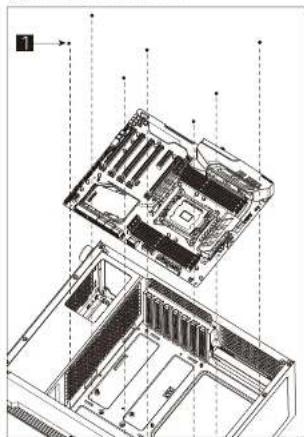
Place the motherboard on the standoffs inside the case, aligning it with the I/O shield. Secure it with screws provided. Refer to the motherboard manual for specific standoff positions.
How should I install the power supply (PSU)?
Install the PSU at the bottom of the case with the fan facing downward. Secure it with screws from the rear panel. Ensure the PSU is turned off before connecting cables.
How many and what size of fans are included with the case?
The case typically does not include fans unless specified. It supports up to two 120mm fans in the front, two on top, and one at the rear.
Can I install a liquid cooling system in this case?
Yes, you can mount a 240mm radiator in the front or a 120mm radiator in the rear. Ensure sufficient clearance for tubes and fittings.
How do I connect the front panel cables to the motherboard?
Connect the front panel header cables (Power SW, Reset SW, HDD LED, Power LED) to the corresponding pins on the motherboard. Refer to the motherboard manual for pin layout.
What is the maximum GPU length that fits in the Menace case?
The maximum GPU length is up to 350mm, accommodating most high-end graphics cards. Check your GPU dimensions against this limit.
Does the case have RGB lighting? How do I control it?
The case features an LED mode switch on the I/O panel. Press to cycle through lighting modes; hold for 2 seconds to turn off the LED.
How do I clean the dust filters?
Remove the dust filters from the front, bottom, and top panels. Rinse with water and let them dry completely before reinstalling. Clean monthly for optimal airflow.
Is the power supply included with the case?
No, the power supply is not included. You need to purchase a standard ATX PSU separately.
How do I install a 2.5 inch SSD in the Menace?
Mount the SSD in the dedicated 2.5 inch bay using screws. Alternatively, some cases allow installation on the motherboard tray. Refer to manual for exact positions.

User questions about Menace AeroCool

0 question about this device. Answer the ones you know or ask your own.

Ask a new question about this device

The email remains private: it is only used to notify you if someone responds to your question.

No questions yet. Be the first to ask one.

Download the instructions for your Computer Case in PDF format for free! Find your manual Menace - AeroCool and take your electronic device back in hand. On this page are published all the documents necessary for the use of your device. Menace by AeroCool.

USER MANUAL Menace AeroCool

natural_image Line drawing of a cabinet or rack unit with internal components and mounting feet (no text or symbols)

User's Partial

Front I/O Panel Cable Connection
Front Panel Connector
(Please refer to the mother board's manual for further instructions)
+ - POWER/SM + - HD/UE + - POWER/FL POWER/FL F-PANH

Accessory Bag Contents
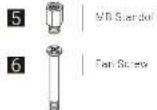
1 SSD Screw MB Screw 2 PSU Screw PCI Screw HDD Screw 3 8.5 HDD hump Screw 4 8.5 HDD hump Screw Cable Tie

Note: Specifications limits may vary depending on your regular contact your loss referler for more information.
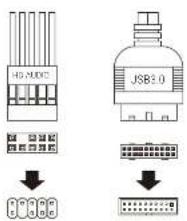
J52-MDC JSB3.0

AeroCool Menace - 4

How to install Guide
(1) Install Motherboard
AeroCool Menace - 5

natural_image Exploded view diagram of a computer motherboard showing internal components and mounting points (no text or labels)
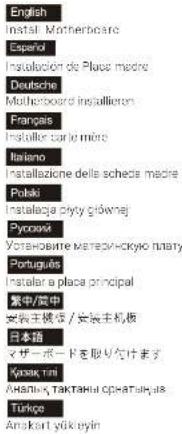
English Instal Motherboare Español Instalación de Place madre Deutsche Multi-Board Installaron Français Installe carlo miro Italiano Instalizazione della scheda madre Potaki Instalaza skycy gównej Pyronas Уставmente marecychkyo niatry Portugues Instalar a plaza principal 繁中/居中 安吉王機法 / 安吉主机板 日本語 マザーボードを取り付けます Kyapak tini Analiya, TAKTANH OPATALYURS Türkçe Anskart yukleyin

How to install Guide
(2) Install PSU
AeroCool Menace - 7

natural_image Technical diagram of a server rack with internal components and a labeled connection point (no text or symbols present)

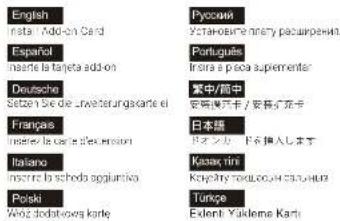
(3) Install Add-on Card
AeroCool Menace - 8

natural_image Technical line drawing of a computer tower with rack-mounted components and ventilation slots (no text or symbols)
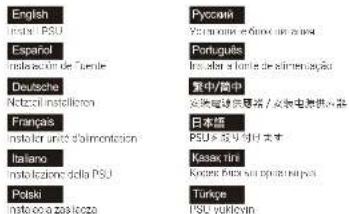
English märk PSU Español instalación de Turnde Deutsche Netzeln installoren Franças instalar unit d'almonetacion Italiano instalización della PSU Polski instalco a zasilicca Русский Espanola e finan la persona Portugues In el abel o l'arte de alimentación 繁中/简中 安電機器送電器 / 安電機器供電器 日本語 PSU キャリドオオ Kasek tini Kozane fata su prostrucción Turke PSU yurkyin

English Insta + Add-on Card Español mañte la taneta add-on Deutsche Setén Se die Uwesterungskarte ei Franças mañte la corte a'elecrosion Italiano mañte la scheda agglomiva Polski Woz dodatovka karte Pycowski Yctakosimnery paucipewski. Portugues Intra a poca suplementar 紫中/間中 安哥漢牙卡 / 安哥漢牙卡 日本語 ロマツカ ドス挿入します Kasak tini Khyatny naikouk / 柬音楽曲 Turcpe Exlenti: Yakilena Karte

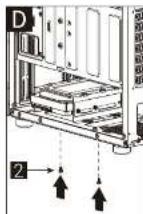
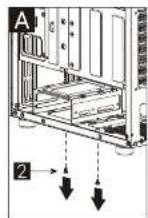
(4a) Install 3.5" HDD x 1
AeroCool Menace - 11

B 3 C 4

AeroCool Menace - 13

AeroCool Menace - 14

(4b) Install 3.5" HDD x 1
AeroCool Menace - 15

B 2

AeroCool Menace - 17

AeroCool Menace - 18

How to install Guide

A 2 B 1 C 2

(5b) Install 2.5" SSD x 2(5a) Install 2.5" SSD x 1
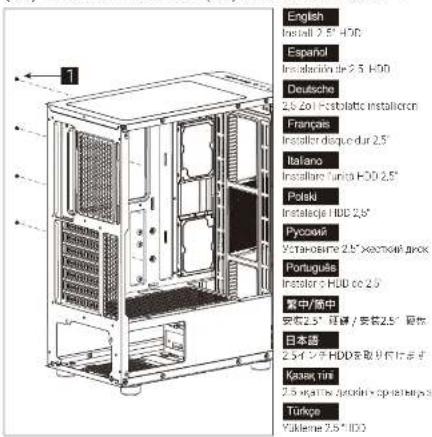
English Install 2.5" HDD Español Installable 2.5" HDD Deutsche 2.5" Zoll Restblatte installoren Français Installar disquer dur 2.5" Italiano Installar "lunch HDD 2.5" Poleki Instalacje HDD 2.5" Pyozani Устрование 2.5" xezmori anok Portugues Installor > HUB co 2.5" 常中/简中 安装2.5" 經音 / 安装2.5" 马伝 日本語 2.5"インテ HDDを取り付います Kyasek tini 2.5" yagi na zyodini sp inerihya s Türkopa Yukleme 2.5" HDD

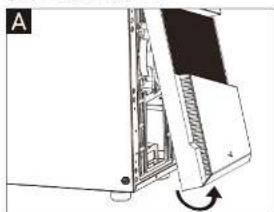
(7a) Install Front Fan
AeroCool Menace - 21

natural_image Diagram of a computer monitor with an open screen and scroll, showing internal components and a rotation arrow (no text or symbols)

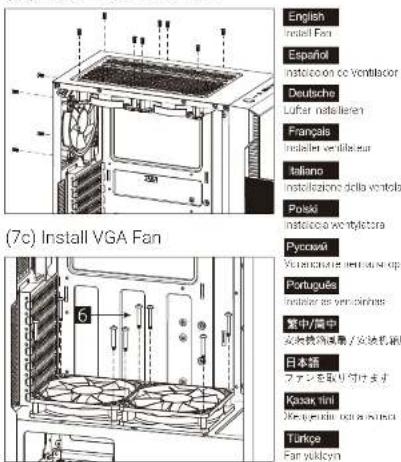
(7b) Install Top & Rear Fan
(7c) Install VGA Fan English install fan Español instalcoa cc Ventilacor Deutsche Lufrar installarien Français instalter ventilatur Italiano instalizazioni della ventola Ponski instalcoa wontyletora Pycesdi Vermichanica e rinnose cup Portugues instalze as vemphines 室内/窗中 安地换热减震 / 安装机箱 日本箱 ファミンを取り付けます Kasak tini 2000-2010, 2011-2012 Türkçe Fan vulkým

A B 6

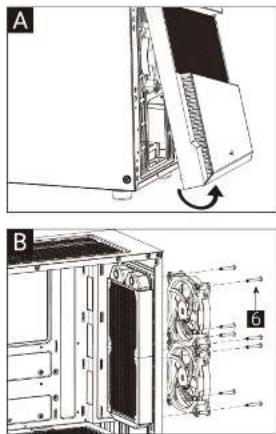
(6b) Install Rear Radiator x 1(6a) Install Front Radiator x 1
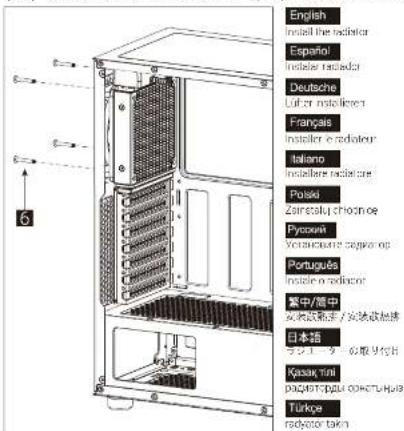
English Install the radiator Español Installar radiator Deutsche Lufter installers Français Installer e radiateur Italiano Installare radiator Polski Zaintool choonoe Pyssoni Yoristicate seguroe Portugues Install e radiator 菜中/腰中 女幼幼童主/安装幼幼童 日本語 ラスエーナーの版号代付 Kasak, tini p24317-026 cokutuhoi Türkoe radioker takn

I/O Panel
Power HD Audio & MHz/USB(2000/2001) Reset Note: Special conditions may vary depending on your region. Contact your box retailer for more information.

LED Mode Switch (Hole switch for 2 secs to turn off LED)

RGB1 — RGB2 — RGB3 — RGB4 — RGB5 — RGB6 Purple — Cyan — Yellow — White — Blue — Green — Red

Manual assistant
Powered by Anthropic
Waiting for your message
Product information

Brand : AeroCool

Model : Menace

Category : Computer Case