
PRO-LOCK-MIL - Access Control System AccessPRO - Free user manual and instructions
Find the device manual for free PRO-LOCK-MIL AccessPRO in PDF.


| Product Type | Access Control System (Electronic Door Lock) |
| Brand | AccessPRO |
| Model | PRO-LOCK-MIL |
| Dimensions (approx.) | 125 x 70 x 55 mm |
| Weight (approx.) | 1.2 kg |
| Power Supply | 4 x AA batteries (6V DC) or DC 9V adapter |
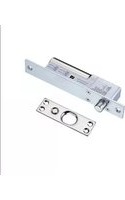
| Locking Mechanism | Motorized deadbolt with automatic and manual lock modes |
| User Capacity | Multiple user codes (up to 100) and remote fobs |
| Keypad | Touch-sensitive numeric keypad with backlight |
| Remote Control | Wireless remote (included or sold separately) |
| Video Intercom | Compatible with doorbell camera system (sold separately) |
| Auto-Lock Function | Enabled by default; can be disabled for manual locking |
| Manual Sensing Setting | Adjustable via keypad sequence (e.g., 2 beeps) |
| Security Features | Keypad code, remote control, auto-lock, anti-tamper alert |
| Installation | Professional installation recommended; fits standard door prep |
| Maintenance | Clean with soft dry cloth; avoid harsh chemicals |
| Spare Parts Available | Remote control, keypad cover, screws, battery tray |
| Repairability | Modular components; contact authorized service center |
| Included in Box | Main lock unit, strike plate, screws, user manual, quick-start guide |
| Compliance | CE, FCC, RoHS |
Frequently Asked Questions - PRO-LOCK-MIL AccessPRO
User questions about PRO-LOCK-MIL AccessPRO
0 question about this device. Answer the ones you know or ask your own.
Ask a new question about this device
Download the instructions for your Access Control System in PDF format for free! Find your manual PRO-LOCK-MIL - AccessPRO and take your electronic device back in hand. On this page are published all the documents necessary for the use of your device. PRO-LOCK-MIL by AccessPRO.
USER MANUAL PRO-LOCK-MIL AccessPRO
natural_image
Technical line drawing of a two-view door mechanism (no text or symbols)Vista exterior Vista interior
Venta por
separado
Control remoto
Video portero
How to deactivate the function
When it is set to the manual lock, the door will not be locked even when the door is closed. Either press "Open/Close" button on the body inside of the door or touch the number plate on the body outside of the door to lock. * The product is set at automatic lock when the product is purchased
Manual sensing setting
2 veces seguidas
Brand : AccessPRO
Model : PRO-LOCK-MIL
Category : Access Control System