CC240 - Calculator Elgin - Free user manual and instructions
Find the device manual for free CC240 Elgin in PDF.


Pick your language and provide your email: we'll send you a specifically translated version.
| Product Type | Basic Calculator |
| Brand | Elgin |
| Model | CC240 |
| Dimensions | Approx. 10 x 15 x 2 cm |
| Weight | Approx. 100 g (with batteries) |
| Power Source | 2 x LR44 button cell batteries |
| Display | 8-digit LCD |
| Main Functions | Basic arithmetic (+, -, ×, ÷), percentage, square root, memory, clear |
| Keyboard | Plastic keys with tactile feedback |
| Maintenance | Clean with a soft dry cloth; do not use liquids |
| Battery Replacement | Slide off battery cover, replace batteries, ensure correct polarity |
| Safety | Keep away from moisture and extreme temperatures; remove batteries if not used for long periods |
| Spare Parts | Batteries (LR44) are widely available |
| Repairability | Battery replacement only; no user-serviceable parts inside |
| General Information | User manual available for free download in PDF; intended for basic home or office use |
Frequently Asked Questions - CC240 Elgin
How do I turn on the Elgin CC240 calculator?
The calculator turns on automatically when you press any key. It may have an ON/C key; press it to clear and start.
How do I replace the batteries in the CC240?
Slide off the battery cover on the back. Replace the two LR44 batteries, ensuring the positive (+) side faces up. Close the cover.
What type of batteries does the Elgin CC240 use?
It uses two LR44 button cell batteries (also known as AG13 or 357).
How do I perform a percentage calculation?
Enter the number, press the % key, then enter the percentage value. For example, to find 10% of 200: press 200, then %, then 10, then =.
How do I clear the memory?
Use the MC (Memory Clear) key to erase stored memory. Some models may have a CM or CLR key.
Why is my calculator not responding?
Check if the batteries are correctly installed or need replacement. Also ensure the ON/C key is pressed. If still not working, remove and reinsert batteries.
How do I calculate a square root?
Enter the number, then press the √ key. The square root will appear on the display.
Can I use the calculator with solar power?
No, the Elgin CC240 is powered solely by batteries (LR44). There is no solar panel.
How do I clean the calculator?
Use a soft, dry cloth to wipe the exterior. Never use water, cleaning solvents, or abrasive materials.
Where can I download the user manual?
The manual is available for free download at notice-facile.com or similar sites. It is in PDF format and contains detailed instructions.
User questions about CC240 Elgin
0 question about this device. Answer the ones you know or ask your own.
Ask a new question about this device
No questions yet. Be the first to ask one.
Download the instructions for your Calculator in PDF format for free! Find your manual CC240 - Elgin and take your electronic device back in hand. On this page are published all the documents necessary for the use of your device. CC240 by Elgin.
USER MANUAL CC240 Elgin
- Pressionando as teclas SHIFT Arau tráz o cursor
4.25 SHIFT DGRH 2 (R) 4.25 r 243.5070629


[Non-Text]
![Elgin CC240 - [Non-Text] - 1](/content/2026/05/1076308/images/c7995906e952e29bd0d9e0c9b5cec222f3324bcb2abacd11422cf342d10ba0c4.jpg)
![Elgin CC240 - [Non-Text] - 2](/content/2026/05/1076308/images/61d130819fb41c451737d67c9b7e7e91b8194d4821077566794e9845fdd692da.jpg)
[Non-Text]
![Elgin CC240 - [Non-Text] - 1](/content/2026/05/1076308/images/bd6a04694bc49d77512c8a2428bf3a80d3c543a6b208cf19e3817dc4a61f2fa5.jpg)
![Elgin CC240 - [Non-Text] - 2](/content/2026/05/1076308/images/370e3d69b61bd6082099d228b4b04c8c1459dbd20cd9bc87061d60b787cdb05e.jpg)
[Non-Text]
![Elgin CC240 - [Non-Text] - 1](/content/2026/05/1076308/images/fdb4430af8ac428eef86135cdfaa5a3ca5d8faffa7b88c8aab4872e33dfa385a.jpg)
- Trocando as pilhas
- Para trocar as pilhas
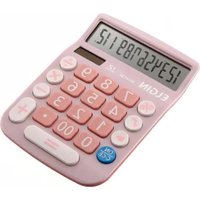
Table of contents
Click a title to access it
Manual assistant
Powered by Anthropic
Waiting for your message
Product information
Brand : Elgin
Model : CC240
Category : Calculator