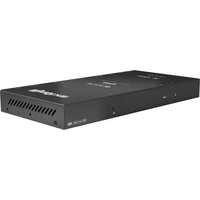
NHD-250-RX - AV Extender WyreStorm - Free user manual and instructions
Find the device manual for free NHD-250-RX WyreStorm in PDF.


| Product Type | AV Extender (HDMI over HDBaseT) |
| Brand | WyreStorm |
| Model | NHD-250-RX |
| Dimensions (W x D x H) | 160 x 100 x 25 mm |
| Weight | 0.5 kg |
| Power Supply | 5V DC, 2A |
| HDMI Version | HDMI 1.4 with 3D support |
| Maximum Resolution | 4K@30Hz (3840x2160) / 1080p@60Hz |
| Maximum Transmission Distance | 70m over Cat5e/6 cable |
| IR Pass-through | Yes, 20-60 kHz |
| EDID Support | Built-in EDID management |
| HDCP Support | HDCP 1.4 compliant |
| Bandwidth | 225 MHz / 6.75 Gbps |
| Input/Output Connectors | 1x HDMI input (RX), 1x HDMI output, 1x RJ45, 1x IR In, 1x IR Out, 1x DC jack |
| Enclosure Material | Metal |
| Operating Temperature | 0°C to 45°C |
| Storage Temperature | -20°C to 60°C |
| Relative Humidity | 10% to 90% (non-condensing) |
| Maintenance | Clean with a soft, dry cloth; do not use liquid cleaners |
| Safety | Keep away from liquids and extreme temperatures; unplug during storms |
| Spare Parts | Power adapter, IR emitter/receiver; other parts not user-serviceable |
| Repairability | Not repairable by user; contact support for issues |
| Warranty | 2 years limited warranty |
Frequently Asked Questions - NHD-250-RX WyreStorm
User questions about NHD-250-RX WyreStorm
0 question about this device. Answer the ones you know or ask your own.
Ask a new question about this device
Download the instructions for your AV Extender in PDF format for free! Find your manual NHD-250-RX - WyreStorm and take your electronic device back in hand. On this page are published all the documents necessary for the use of your device. NHD-250-RX by WyreStorm.
USER MANUAL NHD-250-RX WyreStorm
WyreStorm recommends reading through this document in its entirety to become familiar with the product's features prior to starting the callation process.

WORKHD HDMI ^ HDCP PoE

IMPORTANT! Installation Requirements
- Visit the NetworkHD product pages download section at wyrestorm.com to check for the latest firmware, document versions, and WyreStorm Management Suite configuration tools.
- Install the latest firmware onto all encoders and decoders using the Maintenance Tool found in the Management Suite and via the NHD-000-CTL web interface. Full firmware update instructions are included with the firmware download.
- NetworkHD requires a Layer 2+ or Layer 3 managed switch network with support for Multicast & IGMP snooping enabled.
-
WyreStorm highly recommends using network switches listed in the NetworkHD Switch Recommendation Guide. These switches have been verified by WyreStorm to meet the requirements of a NetworkHD system.
-
Configure all network switches to the exact specification of the guides at wyrestorm.com prior to connecting any NetworkHD devices.
- NetworkHD uses stateless address autoconfiguration (auto-IP) to assign link-local IP addresses in the range of 169.254.x.x to encoders and decoders out of the box. Your PC must be set to an address in this range in order to discover the encoders, decoders and NHD-000-CTL.
- WyreStorm recommends the use of the NHD-000-RACK4 for installations containing multiple NetworkHD devices. Use of this product provides an enclosure to mount and secure all NetworkHD devices in a standard 19-inch rack frame (EIA-310).
In the Box
1x NHD-250-RX Decoder
1x 12V DC Power Supply (US | UK | EU)
3x 3-pin Phoenix Connectors
2x Rack Mounting Brackets
2x Wall Mounting Brackets
1x Quick Start Guide (This Document)
Additional Information
More information and required software can be found within the Download section of the product page on wyrestorm.com.
• Management Suite v1.4 or Higher
• NetworkHD Switch Recommendations
• NetworkHD Switch Mapping Worksheet
• NetworkHD Switch Configuration Guides
• NetworkHD Touch Installation Guide
• NetworkHD Touch User Guide
- Drivers for Popular Control Systems
Basic Wiring Diagram

flowchart
graph TD
    A["Media Player"] -->|Digital Video Digital Video Digital Video| B["NHD-200-TX NHD-200-TX NHD-200-TX"]
    B --> C["Satellite Box 1"]
    B --> D["Satellite Box 2"]
    B --> E["Personal Computer"]
    B --> F["NHD-250-RX"]
    F --> G["NHD-000-CTL"]
    G --> H["Ethernet Ethernet"]
    H --> I["Network Switch"]
    I --> J["Analog Audio"]
    I --> K["Digital Video"]
    K --> L["RS-232"]
    L --> M["Satellite Box 1"]
    L --> N["Media Player"]
    L --> O["PC"]
    style A fill:#f9f,stroke:#333
    style B fill:#f9f,stroke:#333
    style C fill:#f9f,stroke:#333
    style D fill:#f9f,stroke:#333
    style E fill:#f9f,stroke:#333
    style F fill:#f9f,stroke:#333
    style G fill:#f9f,stroke:#333
    style H fill:#ccf,stroke:#333
    style I fill:#ccf,stroke:#333
    style J fill:#ccf,stroke:#333
    style K fill:#ccf,stroke:#333
    style L fill:#ccf,stroke:#333
    style M fill:#ccf,stroke:#333
    style N fill:#ccf,stroke:#333
    style O fill:#ccf,stroke:#333
Wiring and Connections
WyreStorm recommends that all wiring for the installation is run and terminated prior to making connections to the switcher. Read through this section in this entirety before running or terminating the wires to ensure proper operation and to avoid damaging equipment.

IMPORTANT! Wiring Guidelines
- The use of patch panels, wall plates, cable extenders, kinks in cables, and electrical or environmental interference will have an adverse effect on signal transmission which may limit performance. Steps should be taken to minimize or remove these factors completely during installation for best results.
- WyreStorm recommends using pre-terminated HDMI and DP cables due to the complexity of these connector types. Using pre-terminated cables will ensure that these connections are accurate and will not interfere with the performance of the product.
LAN Port Wiring
The NetworkHD 200 Series LAN port is a 1GbE link for connection to a 1000BASE-T Ethernet device port. Refer to IEEE 802.3ab for official guidance on the Ethernet link. Cables must be tested to 100MHz across the entire link. 1000BASE-T uses the IEC 60603-7 8P8C modular connector.
Setup and Configuration

IMPORTANT! Installation Guidelines
- Do not connect the power supply until all NetworkHD devices are connected to the network switch.
- NetworkHD 200 Series uses either DHCP (where a DHCP server is reachable) or stateless address autoconfiguration (auto-IP) to assign link-local IP addresses in the range of 169.254.x.x to encoders and decoders out of the box. Your PC must be set to an address in this range in order to discover the encoders, decoders and NHD-000-CTL.
- In order to configure the NetworkHD encoders and decoders, the "AV" port on the NHD-000-CTL MUST be connected to the same LAN/VLAN and Subnet as the NHD encoders and decoders.
- In order for the devices in the system to be controlled via a 3rd party controller on a different VLAN, the "CONTROL" port on the NHD-000-CTL MUST be connected to the same LAN/VLAN and Subnet as the control system.
- The NHD-000-CTL's two Ethernet ports are designed to be used in different Networks or VLANs. When using a single Network or VLAN for example when using NetworkHD Touch – do not connect both ports – only use the "AV" port of the CTL
Installation and Connections
- Install NHD devices to allow airflow through the product - WyreStorm recommend using the NHD-000-RACK4. The install location should be dry, well ventilated and guaranteed to maintain the mandatory operating temperature range of the product.
- Connect sources to the NetworkHD encoders using a HDMI cable from a quality brand such as WyreStorm Express ensuring a firm port connection.
- Connect the HDMI display to the NetworkHD decoders using an HDMI cable from a quality brand such as WyreStorm Express ensuring a firm port connection.
- Connect NetworkHD encoders, decoders, and CTL to the network switch using well terminated and tested category cable, whilst ensuring compliance with IEEE 802.3ab (for CTL, encoder, and decoder 1GbE ports).
- Optionally connect the decoder's RS-232 port to equipment following the RS-232 pinout section in the appropriate Quickstart Guide.

Download the NetworkHD Switch Mapping Worksheet from any NetworkHD product page to keep track of Mac addresses, device and alias themes for later reference. This will aid the setup process in NetworkHD Console and help with any reconfiguration or troubleshooting
NetworkHD Console Configuration
In addition to the steps below more information on configuration can be found in the NetworkHD Installation Guide.
- Connect a computer running Windows™ to the same LAN/VLAN as the NetworkHD components and ensure its IP is within the same subnet as the NetworkHD default 169.254.x.x IP addresses. The NHD-000-CTL AV port is set to a static address of 169.254.1.1 by default – do not choose this address for your PC.
- Power On the NHD devices by connecting the included power supplies to the Power Input.
- Open the WyreStorm Management Suite (Available from the WyreStorm website) and launch the NetworkHD Console software and press Search.
Note: If a no devices are discovered, verify that encoders/decoders, CTL and PC are within the same subnet scope and within the same range of the CTLs AV Port and disable or create an exception for the NetworkHD Console in the Windows Firewall.
- Configure the system as per the instructions in the NetworkHD Installation Guide. Right Click on the NHD-250-RX to see its available options, including setting the device's IP address and setting an Alias name. You will also find other configuration options under the Batch Settings window.
Note: If a 3rd Party control system with a WyreStorm driver for NetworkHD is going to be used, the encoders must use the Alias prefix IN1, IN2, etc. This also applies to decoders, OUT1, OUT2, etc. For example, IN1-Satellite Receiver 1
- Upload to the configuration to the NHD-000-CTL by right clicking the CTL in the Other Devices section and selecting Upload.
- Configure the scaling and HDCP values of each decoder based on the requirements of the content and display using the settings found in the Video tab in the Batch Settings screen.
Troubleshooting

Verify that all NHD devices contain the latest version of firmware. This will ensure that all devices are up to date and working at their highest performance
level.
NetworkHD Software fails to locate TX/RX/CTL Devices
- Verify that all NHD and Network devices are powered On.
- Adjust Windows Firewall Settings – Create an exception for NetworkHD Console.
- Verify that the PC, CTL AV Port, and NHD encoders and decoders are on the same LAN/VLAN/Subnet.
- Verify that all network switches share the same VLAN configuration.
- Reboot all system components including the NHD-000-CTL and the PC.
- Ensure that only one CTL port is connected per LAN/VLAN. If only one LAN/VLAN exists only use the AV port.
- Ensure the network switch is fully configured per the appropriate switch configuration guide.
Failure to Connect to CTL Controller
- Follow the previous steps for failing to connect to devices. If these are unsuccessful, press and Hold the reset button on the front of the CTL for 5 seconds.
• After a reboot the CTL will be returned to the default IP address of 192.168.11.243 for the control port and 169.254.1.1 for the AV port.
No Image Appearing on Displays
- Verify that all NHD, Network, Source, and Display devices are powered On.
- Verify that the configuration in NetworkHD Console is correct based on system layout and components used.
- Test sources and displays by connecting them directly together.
- Swap out the HDMI cable.
Specifications
| Audio and Video | |
| Inputs 1x 8-pin RJ-45 (Transmission from TX) | |
| Outputs | 1x HDMI Out: 19-pin HDMI Type A1x Audio Out: 3-pin Terminal Block (3.5mm) |
| Output Video Encoding H.264 | |
| Decoding Data Rate Max: 30Mb/s per stream | |
| End to End Latency (Max) ~80ms (low latency mode) | ~300ms (high quality mode) | |
| Audio Formats 2ch LPCM 48KHz | |
| Video Resolutions (Max) | All resolutions listed are 8bit RGB or 4:4:4 8bit:3840x2160p @24/30/60Hz (Tile mode only)1920x1080p @24/25/30/50/60Hz1280x720p @30/50/60Hz720x576p @50Hz720x480p @60Hz60fps Progressive: 640x480 | 800x600 | 1024x768 | 1280x800 | 1280x1024 | 1360x768 | 1366x768 | 1400x1050 | 1440x900 | 1600x1200 | 1680x1050 | 1920x1200 |
| Maximum Pixel Clock 594MHz | |
| 3D N/A | |
| Communication and Control | |
| HDMI HDCP 1.4 | CEC | |
| Ethernet 1x LAN (PoE): 8-pin RJ-45 ANSI/TIA-568 8P8C, 1000Base-T, PoE PD (IEEE 802.3af) | |
| RS-232 2x RS-232: 4-pin Terminal Block (3.5mm) | 2-Way | |
| Power | |
| Power Supply 12V DC | |
| PoE IEEE 802.3af (15.4W at PSE) | |
| Max Power Consumption 8.3W (with PSU) | |
| Environmental | |
| Operating Temperature 0 to +45°C (32 to +113 °F), 10% to 90%, non-condensing | |
| Storage Temperature | -20 to +70°C (-4 to +158 °F), 10% to 90%, non-condensing |
| Maximum BTU | 31 BTU/hr |
| Dimensions and Weight | |
| Rack Units/Wall Box | <1U flat on shelf | 6U in NHD-000-RACK4 |
| Height | 25mm/1in |
| Width | 220mm/8.67in |
| Depth | 130mm/5.12in |
| Weight | 0.78kg/1.72lbs |
| Regulatory | |
| Safety and Emission | CE | FCC | RCM | RoHS |
Note: WyreStorm reserves the right to change product specification, appearance or dimensions of this product at any time without prior notice.
Warranty Information
WyreStorm Technologies LLC warrants that its products to be free from defects in material and workmanship under normal use for a period of five (5) years from the date of purchase. Refer to the Product Warranty page on wyrestorm.com for more details on our limited product warranty.

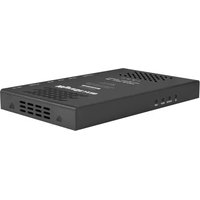
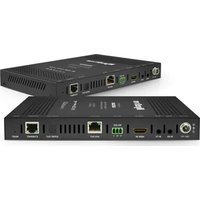


- WORKHD HDMI ^ HDCP PoE
- IMPORTANT! Installation Requirements
- In the Box
- Additional Information
- Wiring and Connections
- IMPORTANT! Wiring Guidelines
- LAN Port Wiring
- Setup and Configuration
- IMPORTANT! Installation Guidelines
- Installation and Connections
- NetworkHD Console Configuration
- Troubleshooting
- NetworkHD Software fails to locate TX/RX/CTL Devices
- Failure to Connect to CTL Controller
- No Image Appearing on Displays
- Warranty Information
Brand : WyreStorm
Model : NHD-250-RX
Category : AV Extender