
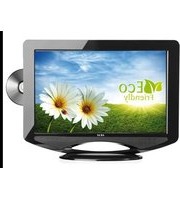
AKAI CT-S21MTD-E3 - Television

CT-S21MTD-E3 - Television AKAI - Free user manual and instructions

Find the device manual for free CT-S21MTD-E3 AKAI in PDF.

📄 20 pages English EN Download 💬 AI Question 10 questions ⚙️ Specs
Notice AKAI CT-S21MTD-E3 - page 1
Pick your language and provide your email: we'll send you a specifically translated version.
Product Type Television
Brand AKAI
Model CT-S21MTD-E3
Display Type CRT (Cathode Ray Tube)
Screen Size (diagonal) 21 inches (53 cm)
Resolution Standard Definition (approx. 640×480)
Dimensions (W×H×D) Approx. 49 × 45 × 46 cm (19.3 × 17.7 × 18.1 in)
Weight Approx. 18 kg (39.7 lbs)
Power Supply AC 220-240V, 50/60Hz
Power Consumption 75 W (typical)
Video Inputs RF antenna input, Composite AV (RCA) input
Audio Output Built-in speaker, 2× (mono or stereo)
Remote Control Included (infrared)
Channel Coverage Analog VHF/UHF/Cable
Color System PAL/SECAM
Safety Features Automatic degaussing, X-ray protection
Maintenance Clean with soft dry cloth; avoid liquids
Accessories Included Remote control, power cord, user manual
Spare Parts Availability Through authorized service centers
Reparability Serviceable by qualified technician

Frequently Asked Questions - CT-S21MTD-E3 AKAI

How do I connect an external device like a DVD player?
Use the AV input (RCA connectors) on the back of the TV. Connect the yellow video cable and red/white audio cables from your device to the corresponding inputs. Select AV mode using the Source button on the remote.
Why is the picture distorted or wavy?
This can be caused by interference from nearby magnetic sources (like speakers) or a weak signal. Try moving the TV away from other electronics, adjust the antenna, or use the Degauss function if available.
How do I clean the screen?
Turn off the TV and unplug it. Use a soft, dry microfiber cloth to gently wipe the screen. Do not use any liquids, abrasive cleaners, or paper towels.
What should I do if the TV won’t turn on?
Check the power cord connection and ensure the outlet works. Try a different power cord if possible. Also check the fuse in the plug. If still no power, the TV may need professional repair.
Can I use this TV as a computer monitor?
It is not recommended because CRT TVs have low resolution and may not have VGA input. However, you can use a converter to connect via AV, but quality will be poor.
Why does the TV make a high-pitched noise?
CRT TVs often produce a faint whine from the flyback transformer. This is normal. If it becomes very loud or changes pitch, it may indicate a fault.
How do I scan for channels?
Press the Menu button on the remote, navigate to Channel Setup or Auto Tuning, and select Auto Scan. The TV will search for available analog channels.
The picture is too dim. What can I do?
Adjust the Brightness and Contrast settings in the picture menu. Also check that the room lighting is not too bright. If still dim, the CRT tube may be aging.
Is it safe to leave the TV on standby?
Yes, standby mode consumes minimal power and is safe. However, for energy savings and to extend component life, it is better to turn off completely when not in use.
Where can I find spare parts or service?
Contact an authorized AKAI service center or a reputable TV repair shop. You can also search online for parts like remote controls, but ensure compatibility with model CT-S21MTD-E3.

User questions about CT-S21MTD-E3 AKAI

0 question about this device. Answer the ones you know or ask your own.

Ask a new question about this device

The email remains private: it is only used to notify you if someone responds to your question.

No questions yet. Be the first to ask one.

Download the instructions for your Television in PDF format for free! Find your manual CT-S21MTD-E3 - AKAI and take your electronic device back in hand. On this page are published all the documents necessary for the use of your device. CT-S21MTD-E3 by AKAI.

USER MANUAL CT-S21MTD-E3 AKAI

natural_image Front view of a vintage CRT television with control panel and speaker grille (no visible text or symbols)

Operator's manual (GB)1\~16

CT-S21MTD-E3: 21 inch (51 cm)

DE WERKING VAN MP3....15

FOTO-CD 15

Audio-output 2.5 W + 2.5 W

Afmetingen 521 x 482 x 524.5 (mm)

Netto gewicht 22.7 Kg
Manual assistant
Powered by Anthropic
Waiting for your message
Product information

Brand : AKAI

Model : CT-S21MTD-E3

Category : Television