GWHD-24 - Air-conditioner AIRLUX - Free user manual and instructions
Find the device manual for free GWHD-24 AIRLUX in PDF.


| Product Type | Split Air Conditioner (Wall-Mounted) |
| Model | GWHD-24 |
| Brand | Airlux |
| Cooling Capacity (BTU) | 24,000 BTU/h |
| Cooling Capacity (kW) | 7.03 kW |
| Heating Capacity (BTU) | 24,000 BTU/h |
| Heating Capacity (kW) | 7.03 kW |
| Power Supply | 220-240V / 50Hz / 1 Phase |
| Indoor Unit Dimensions (WxHxD) | 1070 x 310 x 240 mm |
| Outdoor Unit Dimensions (WxHxD) | 880 x 650 x 340 mm |
| Indoor Unit Weight | 12.5 kg |
| Outdoor Unit Weight | 35.0 kg |
| Refrigerant Type | R32 |
| Energy Efficiency Ratio (EER) | 3.6 (W/W) |
| Seasonal Energy Efficiency Ratio (SEER) | 6.1 |
| Noise Level Indoor (Low/High) | 28 / 42 dB(A) |
| Noise Level Outdoor | 56 dB(A) |
| Airflow Rate (High) | 1000 m³/h |
| Filter Type | Washable antibacterial filter |
| Control Type | Remote control + LCD display |
| Modes | Cool, Heat, Fan, Dry, Auto |
| Additional Features | Timer, Sleep mode, Turbo, Swing louver |
| Maintenance | Clean filter every 2 weeks; professional service annually |
| Safety Devices | Overload protection, compressor delay, anti-freeze |
Frequently Asked Questions - GWHD-24 AIRLUX
User questions about GWHD-24 AIRLUX
0 question about this device. Answer the ones you know or ask your own.
Ask a new question about this device
Download the instructions for your Air-conditioner in PDF format for free! Find your manual GWHD-24 - AIRLUX and take your electronic device back in hand. On this page are published all the documents necessary for the use of your device. GWHD-24 by AIRLUX.
USER MANUAL GWHD-24 AIRLUX
natural_image
Four squares arranged in a 2x2 grid with varying shades of gray (no text or symbols)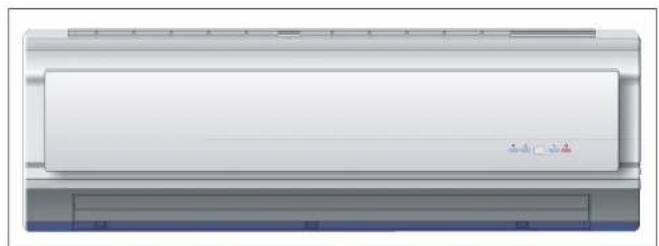
natural_image
Front view of a white air conditioner unit with blue and gray panels (no visible text or symbols)Thank you for choosing AIRLUX air conditioner, please read this owner's manual carefully before operating the unit and keep it carefully for consultation
Thank you for choosing AIRLUX air conditioner, please read this owner's manual carefully before operating the unit and keep it carefully for consultation.
CONTENTS
| Structure and operation | Name of each part | 1 |
| The instructions before use | 2 | |
| Working temperature range | 4 | |
| Remote control operation procedure | 5 | |
| Operation guided | 8 | |
| Installation | Installation location | 9 |
| Electric wiring | 10 | |
| Earth requirement | 10 | |
| Installation dimension diagram | 11 | |
| Install the indoor unit | 12 | |
| Install the outdoor unit | 15 | |
| Test operation and check after installation | 17 | |
| Care and Maintenance | Care and maintenance | 18 |
| Trouble shooting | 19 | |
| Installation and Maintenance of Healthy Filter | 22 |
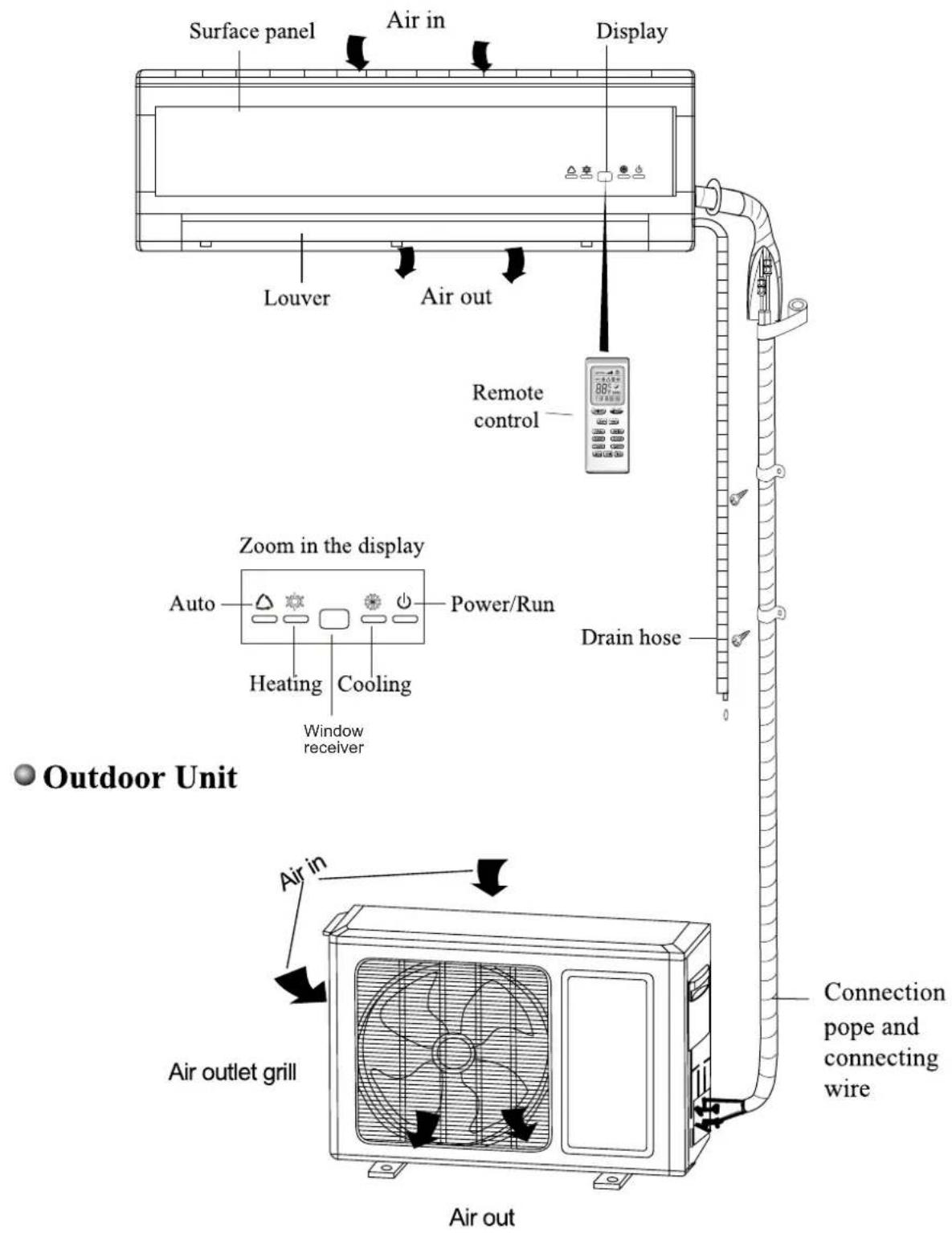
◆ Name of each part
- Indoor Unit
◆ Name of each part
- Indoor Unit
WARNING

★ Earth: The ground must be connected!
The earth wire should be connected to the special device.
If not, please ask the qualified personnel to install. Furthermore, don't connect earth wire to the gas pipe, water pipe, drainage pipe or any other improper places.
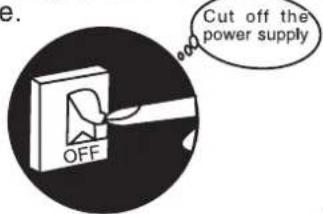
★ Be sure to cut off the power supple when not using the air conditioner for a long time.
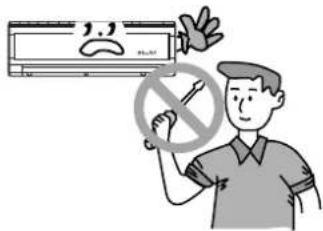
★ Don't attempt to repair the air conditioner by yourself.
The wrong repair will lead to an electric shock or fire, so you should contact the service center of AIRLUX to repair.
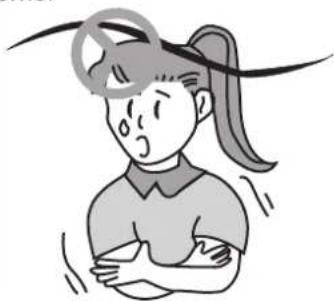
★ Don't apply the cold wind to the body for a long time.
It can cause the health problems.
natural_image
Illustration of a girl with pigtails and a headband, showing discomfort or shock (no text or symbols)★ If you find the abnormal phenomenon (such as a burning smell or smoke), please turn off the power supply and contact the service center of AIRLUX
If it continues, it can cause a damage, electric shock or fire. Cut off the
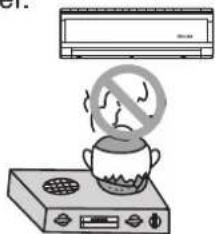
★ Don't place a space heater near the air conditioner.
Air flow from the air conditioner can cause incomplete combustion to the space heater.
★ Don't block the air intake or outlet vents of both the outdoor and indoor units.
It can decrease the air conditioning capacity or cause a malfunction.
natural_image
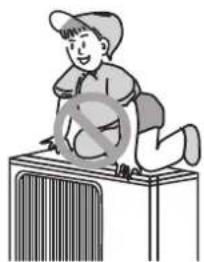
Illustration of a person washing clothes with steam rising (no text or symbols)★ Don't step on the top of the outdoor unit or place something on it.
As falling off the outdoor unit can be dangerous.
natural_image
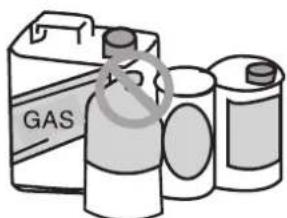
Illustration of a person sitting on a bench with a crossed-out symbol (no text or symbols present)★Keep combustible spray away from the units more than 1m.
It can cause a fire or explosion.
natural_image
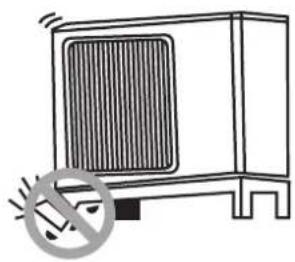
Illustration of three cylindrical batteries with a labeled box (no text or symbols on the devices themselves)★ Please note whether the installed stand is firm enough or not.
If it is damaged, it may lead to the fall of the unit and cause the injury.
natural_image
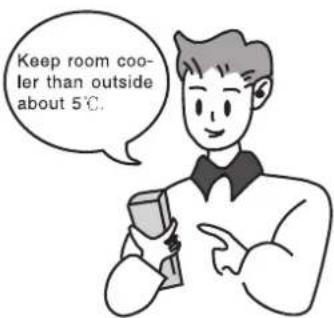
Simple line drawing of a cabinet with a heat sink and no text or symbolsSelect the most appropriate temperature.
It can preclude the electricity wasted.
The airflow direction can be adjusted appropriately.
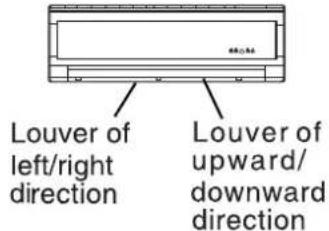
At operating, adjust the vertical airflow direction by adjusting the louvers of upward/downward direction. And then, hold two ends of left and right louver to adjust the horizontal airflow.
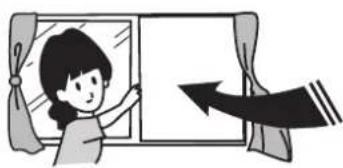
Don't leave windows and doors open for a long time while operating the air conditioner.
It can decrease the air con ditioning capacity.
natural_image
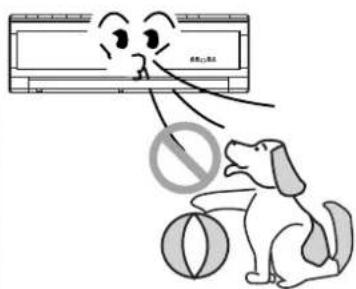
Illustration of a girl opening a window with an arrow indicating direction (no text or symbols)Don't blow the wind to animals and plants directly. It can cause a bad influence to them.
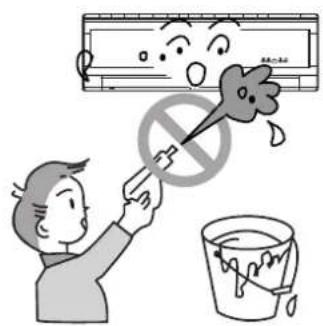
The power circles of this air conditioner adopt Y-type connection, please don't cut off or damage the power cords and control. If the supply cord is its service agent or similarly qualified persons inorder to avoid a hazard.
Splashing water on the air condi tioner can cause an electric shock and malfunction.
Air conditioner should be operated with stable voltage range of 208-230V1PH. Otherwise, compressor would vibrate terribly to damage refrigeration system.
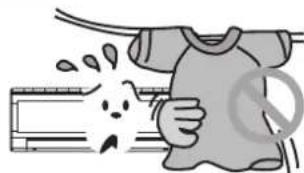
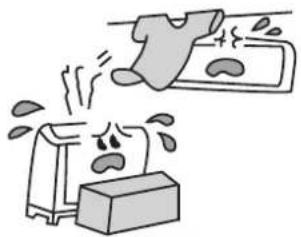
Don't use the air conditioner for other purposes, such as drying clothes, preserving foods, etc.
Working temperature range:
| Working temperature range | ||
| Indoor side DB/WB(°C) | Outdoor side DB/WB(°C) | |
| Maximum cooling | 32/23 | 43/26 |
| Minimum cooling | 21/15 | 21/- |
| Maximum heating | 27/- | 24/18 |
| Minimum heating | 20/- | -5/-6 |
- Name and Function-Remote conteol
Note:
- Be sure that there is on obstruction.
- Don't drop or throw the remote control.
- Don't place the remote control in a location exposed to direct sunlight.
- When the unit is restarted after stopped, it can automatically resume its most latest runningmode, and the outdoorunit starts a little bit later.
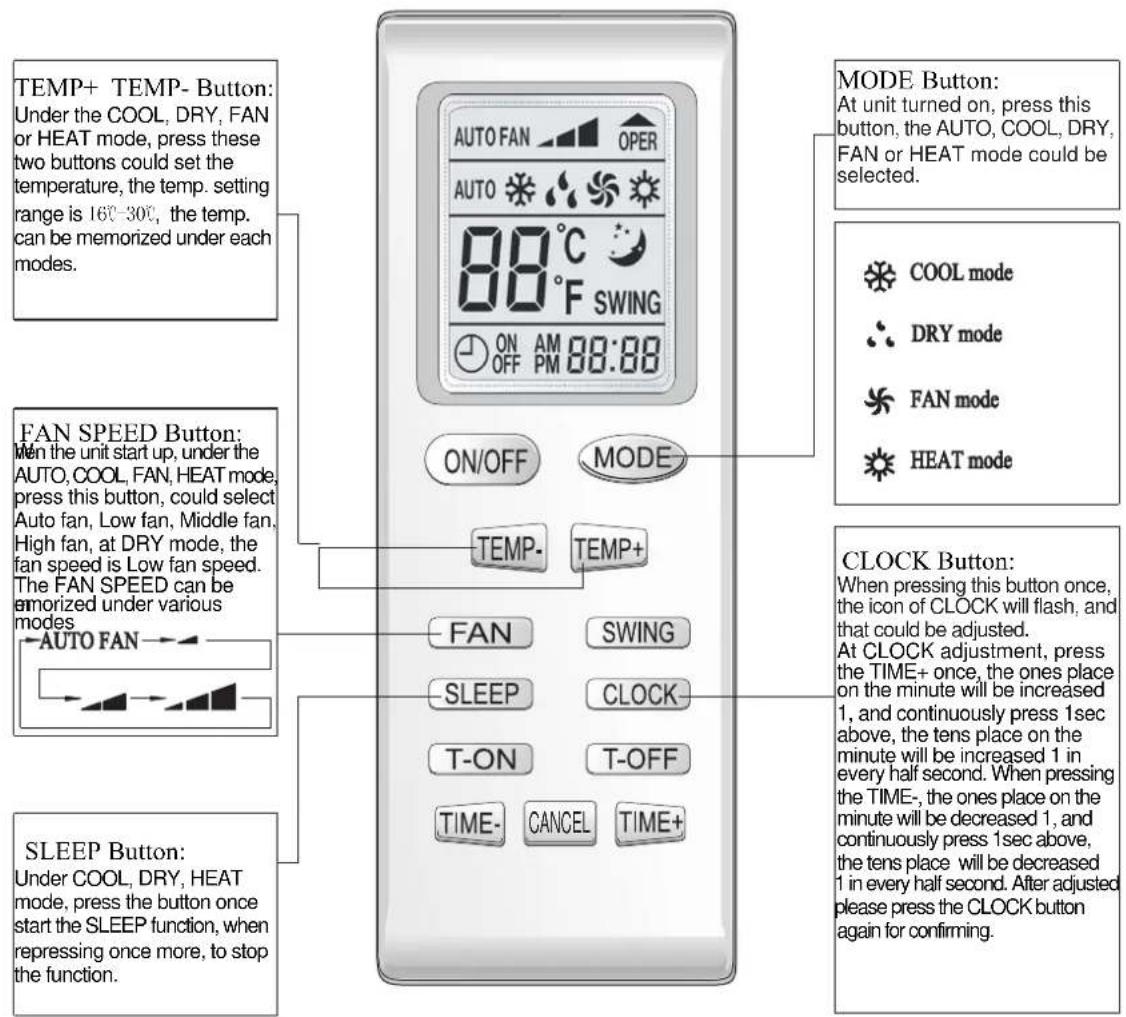
Note:
- This type of remote control is a kind of new current. Some buttons of the control which have extra function will be described below.
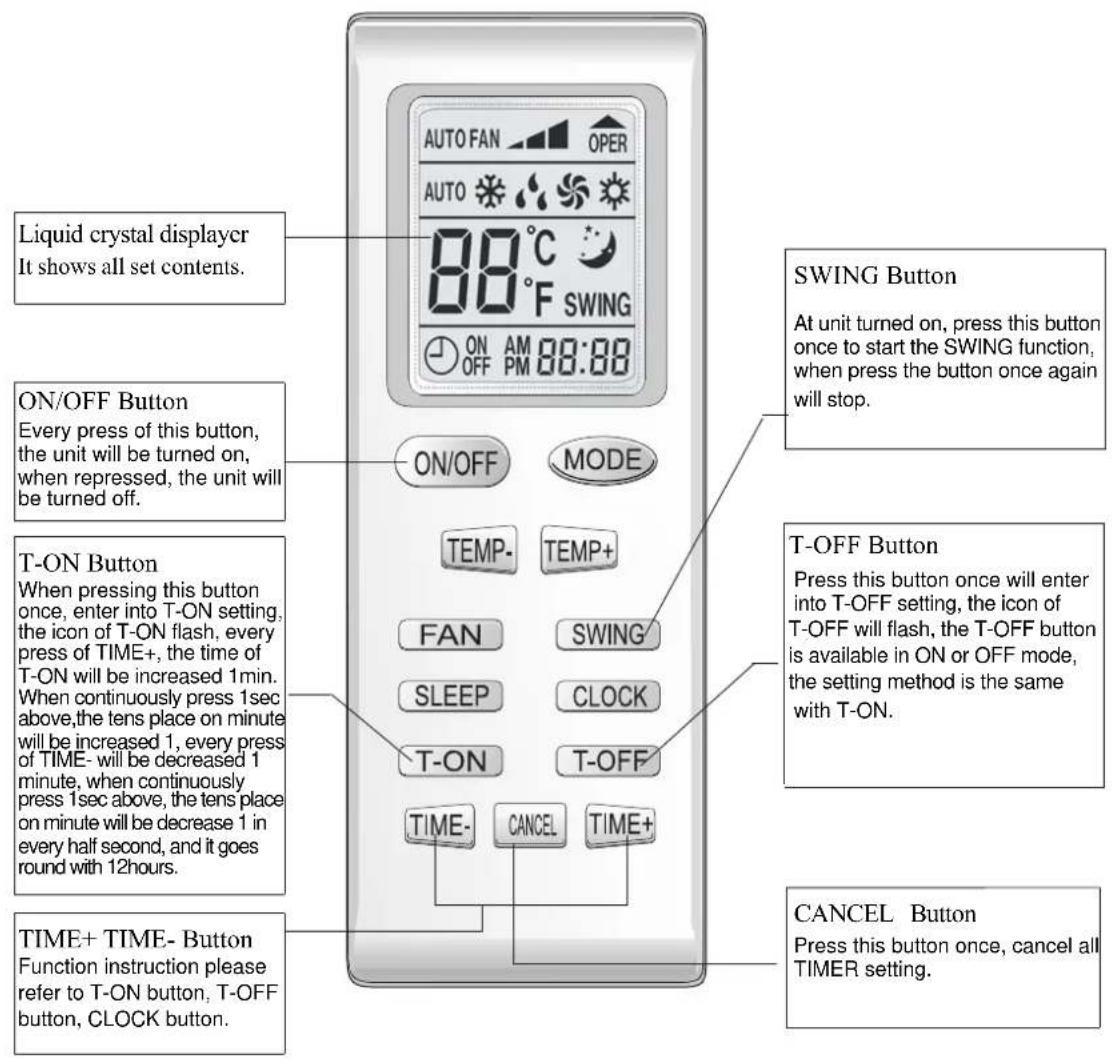
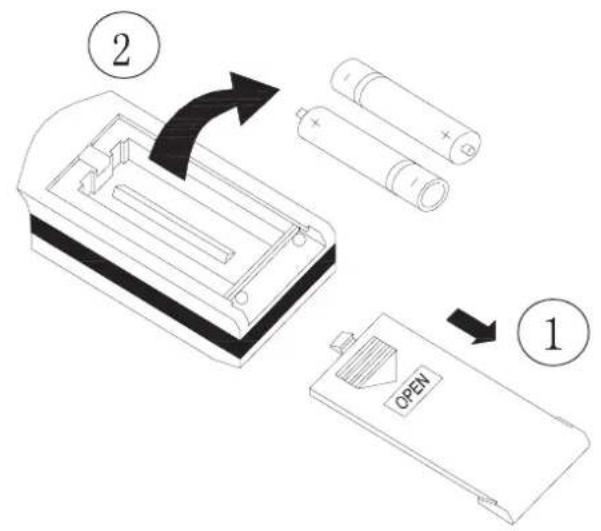
Howtoinsertbatteries
- Remove the cover from the back of the remote control.
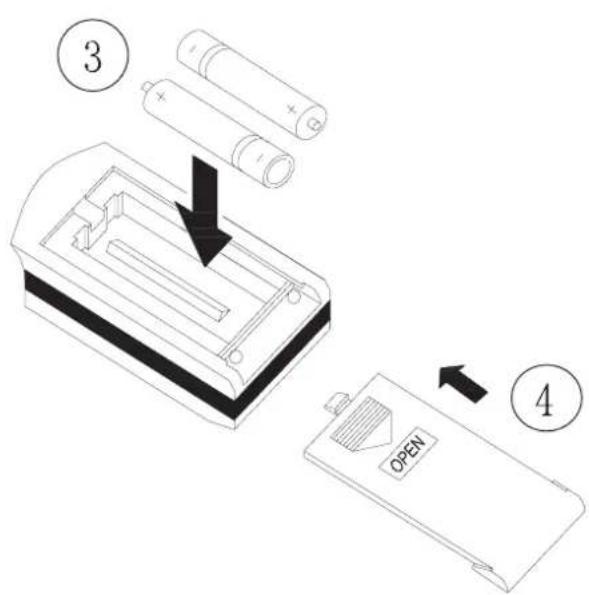
- Insert the two batteries (Two AAA dry-cell batteries).
- Re-attach the cover.
NOTE:
- Don't confuse the new and worn or different batteries.
- Remove batteries when not in use for a longtime.
● The batteries can be used for about one year.
● The remote control should be lm or more away from television or audio device.
● The general procedure:
- Plug to power supply and the buzzer will send out the desirable sound, In the meantime, Power/Run indication is red and the air conditioner is waiting to run.
(Note: Once the air conditioner plugs to power supply or receives the signal of remote control, the buzzer will send out the desirable sound.) - Press ON/OFF button, Power/Run indication is green and shows the running mode (Cooling, Heating, Auto), then the air conditioner starts running.
- Press MODE button to select desired running mode.
- Press SWING button to automatically swing and stop when repress it.
- Press FAN button to set desired fan speed.
- Press TEMP. button to set desired temperature.
● The selected Procedure:
- Press SLEEP button to set the sleep.
- Press TIMER button to set the preset ON TIME or OFF TIME.
Note:
In AUTO mode, the unit will automatically adjust its running modes according to the room temperature changes.
◆ Installation location
- Indoor Unit
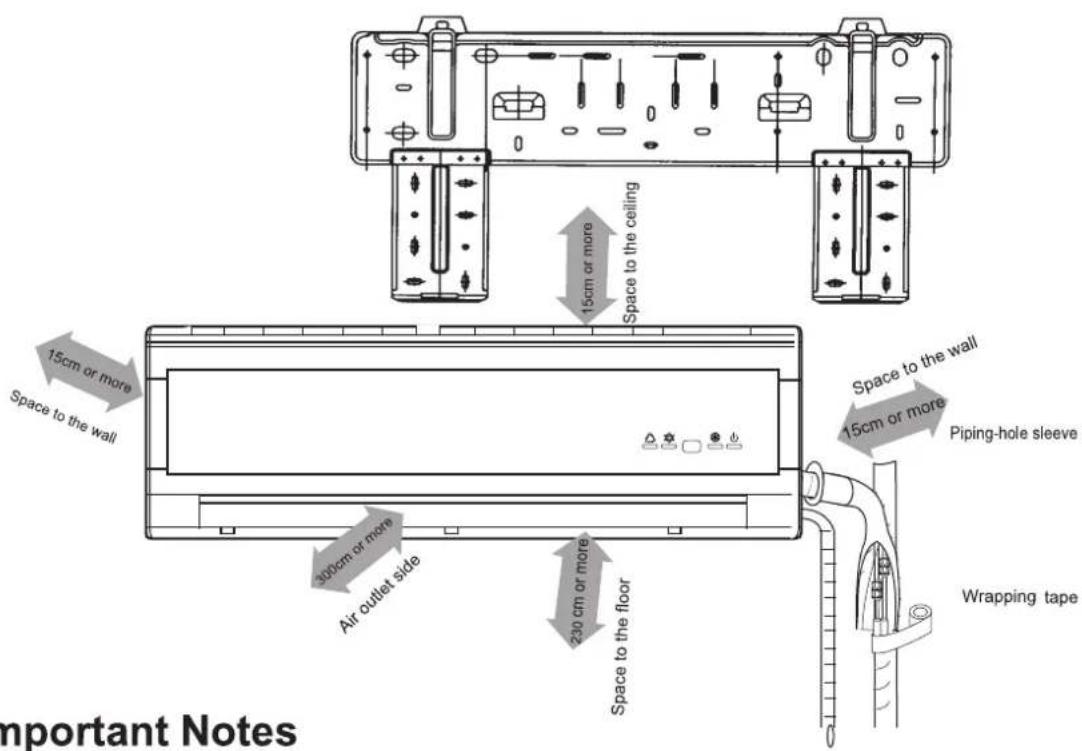
- The inlet and outlet should not be covered so that the outflow air can reach all parts of the room.
- Install in a location from which the condensation water can bed rained out conveniently and that is permitting easy connection with the outdoor unit.
- Avoid a location where there is heat source, steam or inflammable gas.
- Install in a location where is strong enough to withstand the full weight and vibration of the unit.
- Be sure to leave enough space to allow access for routine maintenance. The height of the installation should be 2.3 m or more away from the floor.
- Install in a location where is 1m or more away from other electric appliances such as television, audio devices, etc.
- Select a location where is easy to remove and clean the filter.
- Be sure that the installation conforms to the installation dimension diagram.
- Do not use the unit in the immediate surroundings of a laundry, a bath, a shower or a swimming pool.
- The plug should be accessible after the appliance is positioned.
- Outdoor unit
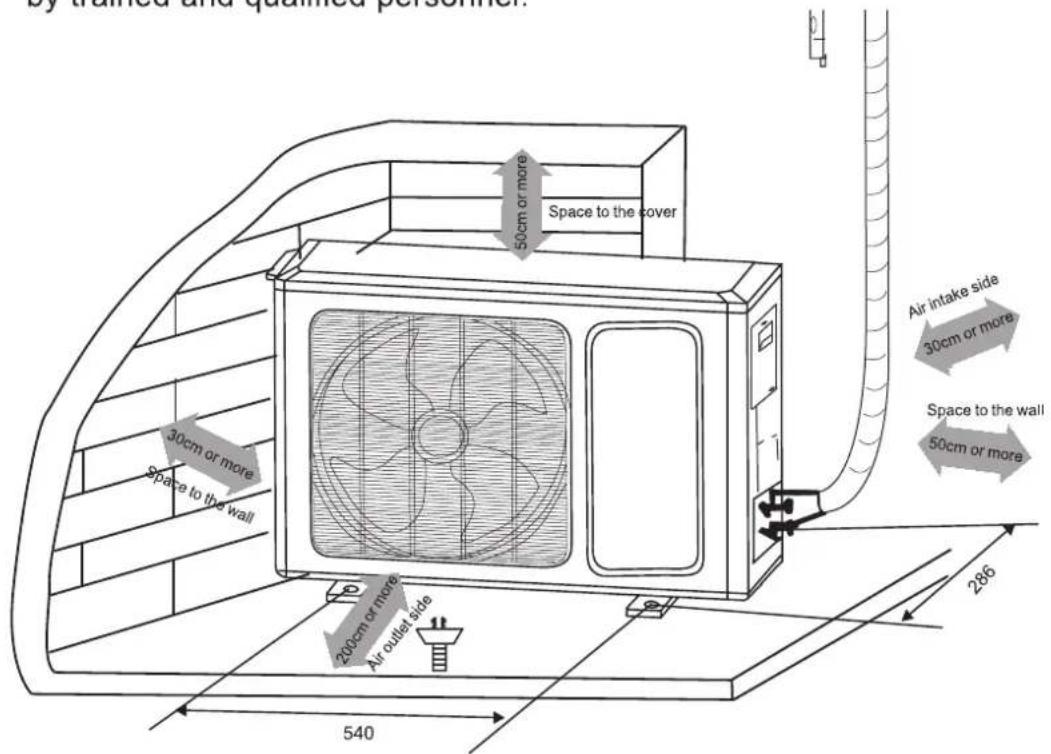
- Select a location from which noise and outflow air emitted by unit will not inconvenience neighbors.
- Select a location where there should be sufficient ventilation.
- The inlet and outlet should not be covered.
- The location should be able to withstand the full weight and vibration of the outdoor unit and permit safe installation.
- There should be no danger of flammable gas or corrosive gas leaks.
-
Be sure that the installation conforms to the installation dimension diagram.
-
All the electric work must be done according to relative wiring regulation.
- The rated voltage and exclusive circuit must be used. The radius of the power cord should be bigger enough.
- Don't pull the power cord strongly.
- The air conditioner must be safely earthed! Earth wire must be connected to the special device of the building and done by the qualified personnel. In fixed circuit, there must be electricity leakage protection switch of enough power capacity and air switch with enough space. Air switch (thermal-magnetic breaker) can protect the short circuit and over load.
◆ Earth requirement
- The air conditioner is class I appliance, so it must connect with ground reliably.
- The yellow-green wires in the air conditioner are earth wires and can't be used for other purposes. They cannot be cut off and fixed by the tapping screw otherwise it can cause an electric shock.
- The earth-resistance should conform to the requirement of IEC Standard.
- The user's power supply must have the earth end. Additionally, the earth wire can't be connected to the following places
Important Notes
★ The installation must be done by trained and qualified service personnel with reliability according to this manual.
★ Contact service center before installation to avoid the malfunction due to unprofessional installation.
When picking up and moving the units, you must be guided by trained and qualified personnel.
- Install the rear panel
- Always mount the rear panel horizontally. Because the mouth of drainage pipe is at the left side and the left side of the rear panel is better to adjust slightly lower.
- Fix the rear panel on the selected location with screws supplied with the unit.
- Be sure that the rear panel has been fixed firmly enough to withstand the weight of an adult of 60kg, furthermore, the weight should be evenly shared by each screw.
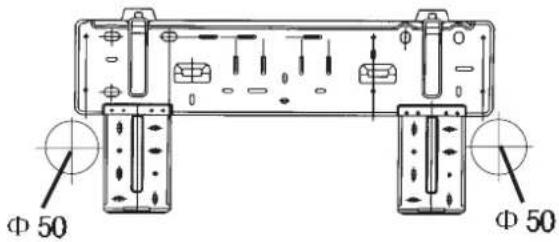
Fig. 1
- Install the piping hole
- Make the piping hole ( 50 ) in the wall at a slight downward slant to the out door side. (Shown in Fig. 1)
- Insert the piping-hole sleeve into the hole to prevent the connection piping and wiring from being damaged when passing through the hole.
• Install the drainage hose
- For well draining, the drain hose should be placed at a downward slant.
- Do not wrench or bend the drain hose or flood its end by water.
- The extended drainage pipe in the room should be wrapped with the insulating materials.
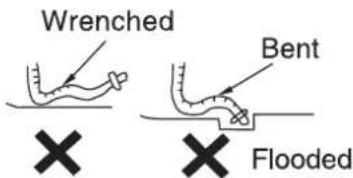
Fig. 2
• Install the connection pipes
Connect the connection pipes with the relevant union pipes of the indoor unit and tighten the flare nut of the connection pipes (Shown in P16 “ Install the connection pipes”).
NOTE:
➢ Connect the connection pipes with the indoor unit firstly and the outdoor unit secondly.
➢ Be careful in bending the connection pipes, or you will damage the pipes.
If the tightening torque is too great in tightening the flare nuts, leakage will happen.
Electric wiring
- Open the surface panel.
- Remove the fixed screw from the wiring cover as shown at the right side.
- Route the power connection cord from the back of the indoor unit and pull it toward the front through the wiring hole for connection.
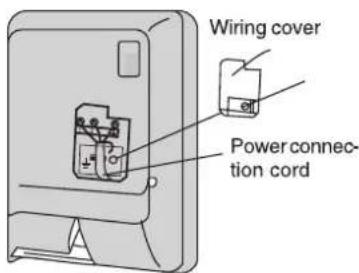
- Connect the Neutral wire of the power connection cables to the "N (1)" terminal of the terminal board, connect the Signal wire to the "2" terminal, and connect the live wire to the "3" terminal and connect the earthing wire to the "☐" terminal.
- Reassemble the wiring cover and tighten the screw.
- Recover the surface panel.
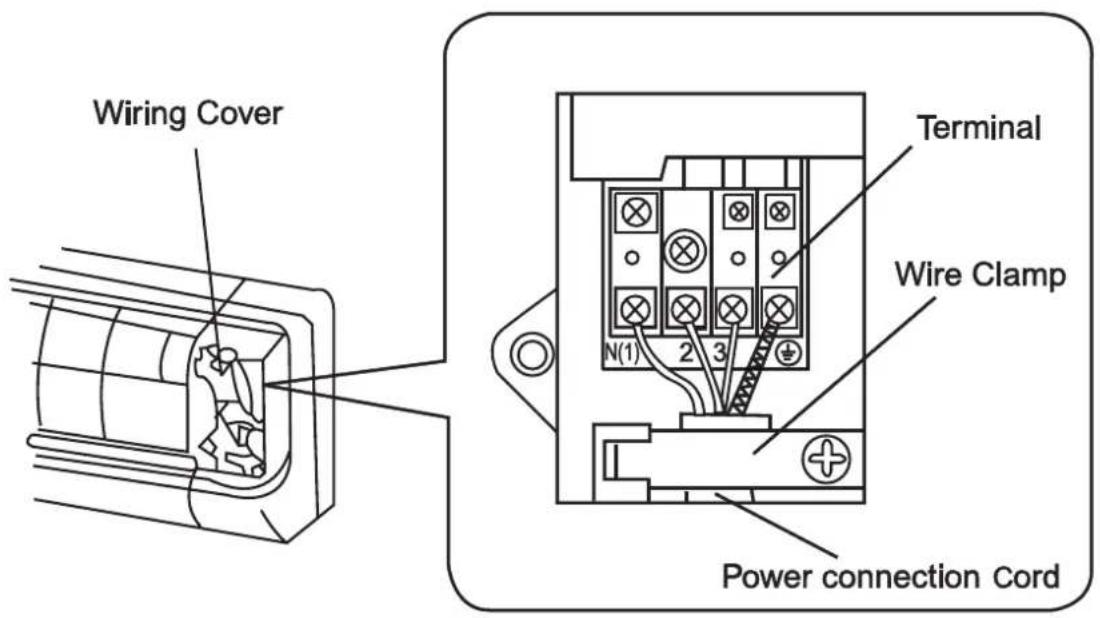
Fig.3
- When routing the piping and wiring from the left or right side of the indoor unit, cut off the tailings from the chassis in necessary (shown in Fig.4, (a), (b) and (c)).
(1) Cut off the tailings 1 when routing the wiring only.
(2) Cut off the tailings 1 and tailings 2 (or tailings 1, tailings 2 and tailings 3) when routing both the wiring and piping.
①, ② and ③ in Fig. 4 are the recommended piping.
- Wrap the piping and wiring and pull them through the cut-off-tailings hole (Shown in Fig.5).
- Hang the mounting slots of the indoor unit on the upper tabs of the rear panel and check if it is firm enough.
- The height of the installed location should be 2.3m or more from the floor.
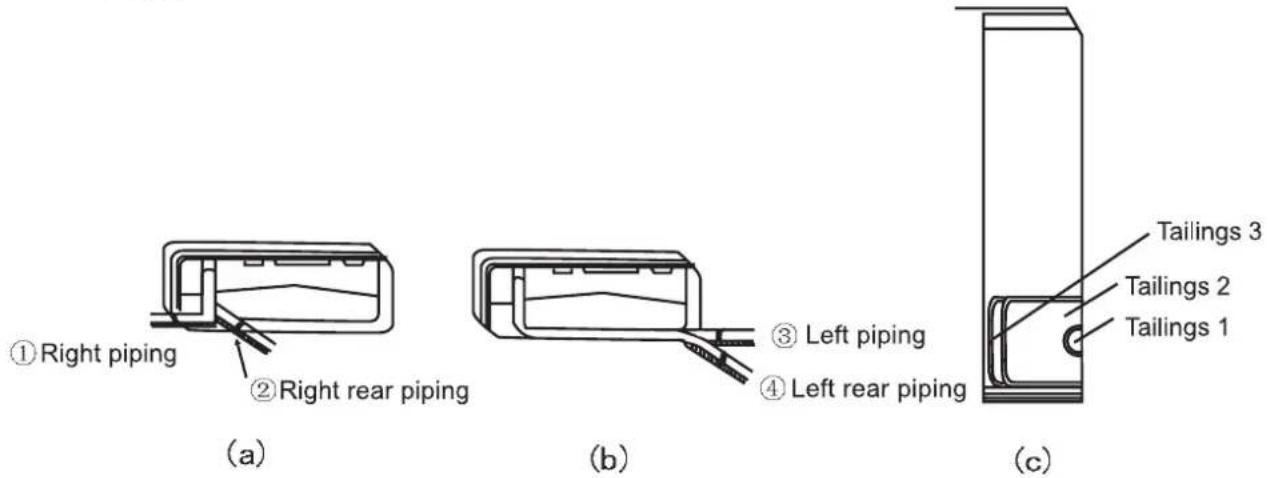
Fig. 4
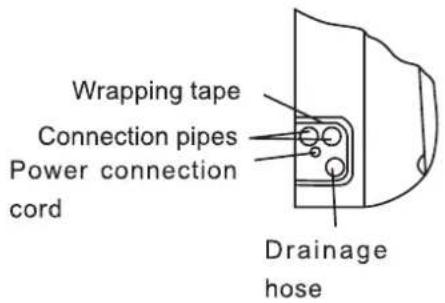
Fig. 5

natural_image
Pure technical line drawing of a structural grid with no text, numbers, or symbolsFig. 6
◆ Install the outdoor unit
- Install the connection pipe
- Align the center of the piping flare with the relevant valve.
- Screw in the flare nut by hand and then tighten the nut with spanner and torque wrench refer to right figure
Tightening torque table
| Hex nut diameter (mm) | Tightening torque (N·m) |
| ∅6 | 15~20 |
| ∅12 | 50~55 |
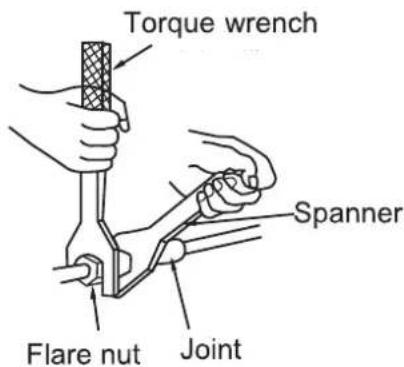
Note: Exceeding tightening torque will damage the flare nut.
Electric wiring connection
- Disassemble the big handle.
- Remove the wire clamp and connect the end of the power connection cord with screws to the wiring terminal board. Be sure that the wiring connection is in accordance with the indoor unit's.
- Fix the wiring with wire clamp. For the heat pump type, joint the relevant interfaces of two control cords.
- Make sure that the wiring has been connected securely.
- Reassemble the big handle.
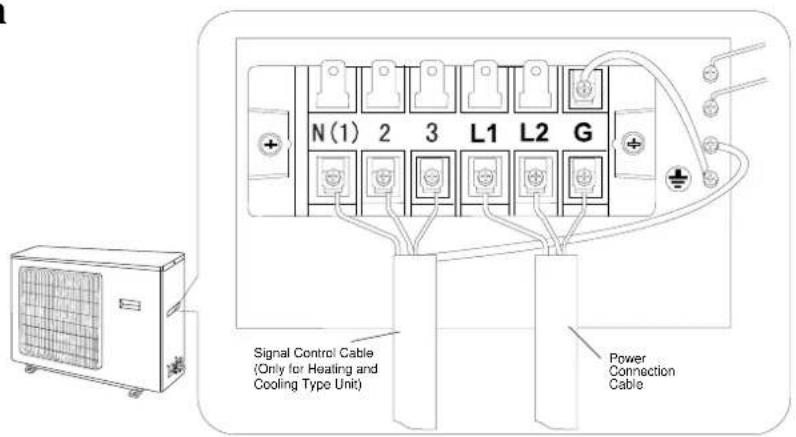
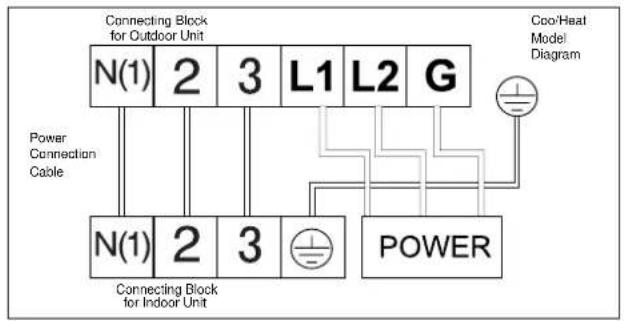
NOTE:
- Wrong wiring connection will cause electrical malfunction.
-
Do not pull the wire when fixing it with wire clamp.
-
Remove the flare nuts of charging end from gas valve.
- Connect the charging hose in the middle to the vacuum pump, then Low-pressure (Lo) end should be connected to charging end of gas valve. (Shown in Fig. 9)
- Open the vacuum pump to evacuate. When multi-meter indicates 1 bar, fully tighten Lo handle of manifold valve and stop evacuation. Keep it for over 15 minutes to ensure the pressure is constant.
- Remove bonnets of gas and liquid valve.
- Slightly loosen core of liquid valve with hexagon wrench until the pressure exceeds 0 bar.
- Remove charging hose from charging end of gas valve and screw the flare nuts of charging end.
- Open cores of gas and liquid valve entirely by hexagon wrench.
- Tighten the bonnets of gas and liquid valve, and then test whether there is any leakage or not.
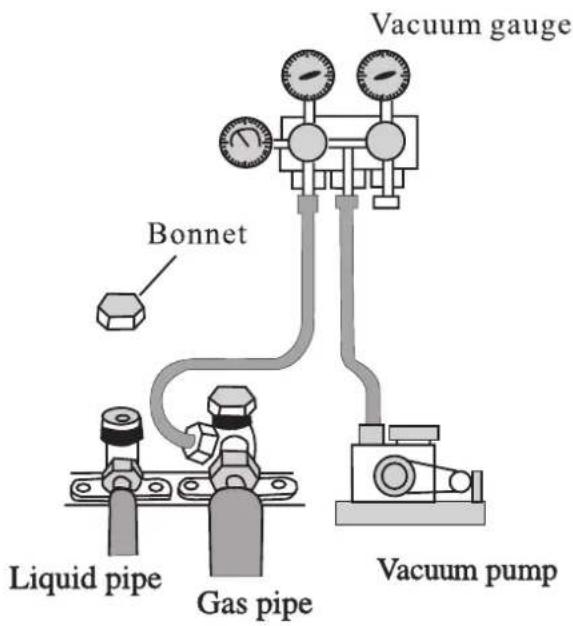
Fig.9
- Test operation
1. Before test operation
(1) Do not switch on power before installation is finished completely.
(2) Electric wiring must be connected correctly and securely.
(3) Cut-off valves of the connection pipes should be opened.
(4) All the impurities such as scraps and thrums must be cleared from the unit.
2. Test operation method
(1) Switch on power and press "ON/OFF" button on the remote control to run the air conditioner.
(2) Press "MODE" button and check the operation condition of COOL, HEAT, SWING mode and so on.
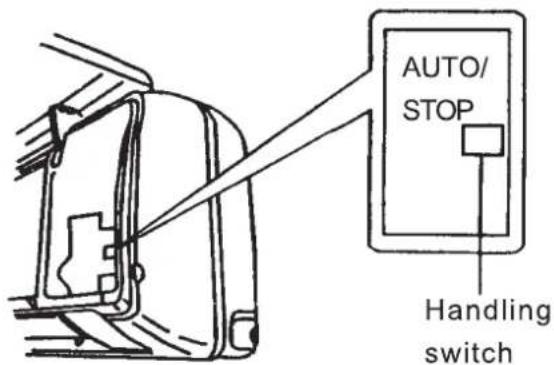
(3) When the remote control is lost, emergency run operation can be done as following by the ball pen or similar things:
(a) At stopping, set the handling switch to "AUTO" mode, then the unit will automatically run in the mode selected by the microcomputer system according to the surrounded temperature. If you want to stop running, you should repress the handling switch.
(b) At operation, set the handling switch to "STOP" mode to turn off the unit.
- Check after installation
| Items to be checked | Possible malfunction |
| Has it been fixed firmly? | The unit may drop, shake or emit noise. |
| Have you done the refrigerant leakage test? | It may cause insufficient cooling (heating) capacity. |
| Is heat insulation sufficient? | It may cause condensation and dripping. |
| Does the unit drain well? | It may cause condensation and dripping. |
| Is the voltage in accordance with the rated voltage marked on the nameplate? | It may cause electric malfunction or Damage the part. |
| Is the electric wiring and piping connection installed correctly and securely? | It may cause electric malfunction or Damage the part. |
| Has the unit been connected to a secure earth connection? | It may cause electrical leakage. |
| Is the power cord specified? | It may cause electric malfunction or damage the part. |
| Has the inlet and outlet been covered? | It may cause insufficient cooling (heating) capacity. |
| Has the length of connection pipes and refrigerant capacity been recorded? | The refrigerant capacity is not accurate. |
◆ Care and maintenance
CAUTION
▲ Turn power off and pull out the power plug before cleaning air conditioner.
▲ Never sprinkle water on the indoor unit and the outdoor unit for cleaning because it can cause an electric shock.
▲ Volatile liquid (e.g. thinner or gasoline) will damage the air conditioner. (So wipe the units with a dry soft cloth, or a cloth slightly moistened with water or cleanser.)
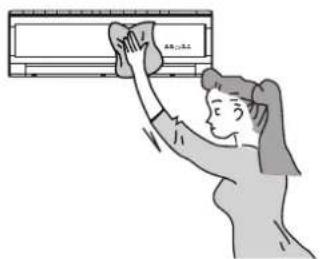
Clean the front panel ( When cleaning the front panel do not take it off)
When the indoor unit front panel is dirty, please use the cloth which is soaked in the warm water under 40 °C, then dry it and wipe the dirty places.
NOTE:
There are microcomputer components and circuit board on the displayer of the indoor unit front panel, never let it dip in the water.
Cleaning the Air Filters (Recommended once every three months) If dust is much more around the air conditioner, the air filters should be cleaned many times.
-
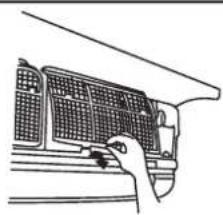
Take down the ail filter Open the surface panel, hold the tab of air filter and raise it slightly, and then take it out along the direction of arrows (See the right figure).
-
Cleaning To clear the dust adhering to the filters, you can either use a vacuum cleaner, or wash them with water and dry it in the shade (See the right figure).
NOTE: Never use water above 45°C to wash the filters, or it could cause deformation or discoloration. Never parch it by fire, or it could cause a fire or deformation.
natural_image
Line drawing of a hand inserting a grid into a vehicle air vent (no text or symbols)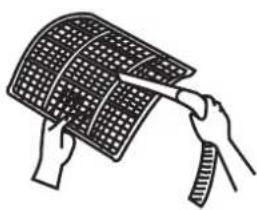
natural_image
Illustration of hands holding a curved grid-patterned object (no text or symbols)3. Reinsert the filters
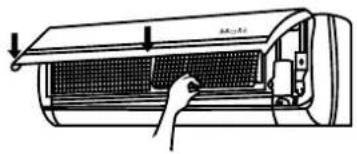
Reinsert the filters along the direction of arrow, then cover the surface panel and clasp it.
natural_image
Diagram of a car air conditioner unit with a hand inserting a grid into the chamber (no text or symbols visible)Check before use
- Be sure that nothing obstructs the air outlet and intake vents.
- Check that whether ground wire is properly connected or not.
- Check that whether the batteries of air conditioner are changed or not.
- Check that whether the installation stand of the outdoor unit is damaged or not. If damaged, please contact the service center of AIRLUX.
natural_image
Illustration of a steaming machine emitting exhaust smoke, with a distressed face emerging from its side (no text or symbols)Maintain after use
- Clean filters and other parts.
- Turn main power off.
- Clear dust from the outdoor unit.
- Repaint the rubiginous place on the outdoor unit to prevent it from spreading.
natural_image
Illustration of a person cleaning a wall-mounted air conditioner (no text or symbols)◆ Trouble shooting
Warning: Don't attempt to repair the air conditioner by yourself, it can cause an electric shock or fire. Please check the following items before asking for repair, it can save your time and money.
| Phenomenon | Trouble Shooting | |
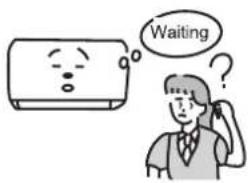 | Indoor unit does not operate immediately when the air conditioner is restarted. | Once the air conditioner is stopped, it will not operate in approximately 3 minutes to protect itself. |
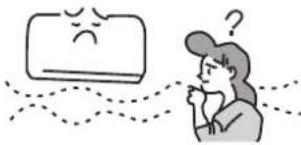 | There's unusual smell blowing from the outlet after operation is started. | This is caused by the odors in the room which have been breathed into the air conditioner. |
| Phenomenon | Trouble Shooting |
Sound of water flow can be heard during operation.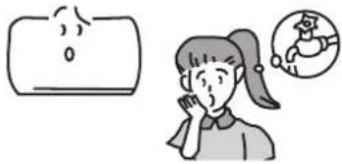 | This is caused by the refrigerant flowing inside the unit. |
Mist is emitted during cooling operation.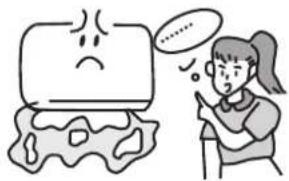 | Because the air of the room is cooled down rapidly by the cold wind and it looks like the fog. |
Creaking noise can be heard when start or stop the unit.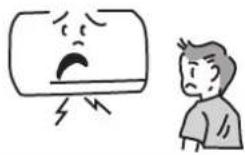 | This is caused by the deformation of plastic due to the change of temperature. |
Air conditioner does not operate at all.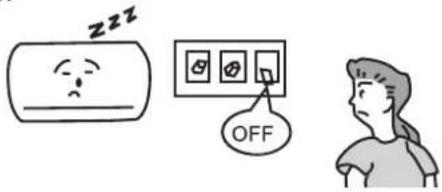 | Has the power been shut down?Is the wiring loose?Is the leakage protection switch in operation?Is voltage higher or lower?Is TIMER ON in operation? |
Cooling (Heating) efficiency is not good.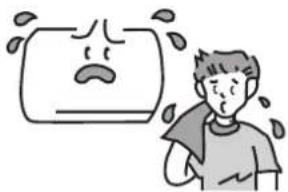 | Is SET TEMP. suitable?Is air inlet or outlet obstructed?Are air filters dirty?Are the windows and door closed?Is indoor fan speed set at low speed?Is there any other heat source in your room? |
Remote control is not available.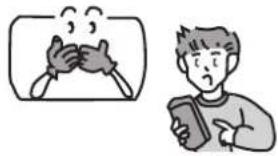 | Remote control can't be used occasionally when the air conditioner is disturbed or changing its functions frequently. At that time, pull out the power plug and insert it again to recover the operation.Is the remote control out of effective distance to the indoor unit? Are there any obstruction between the remote control and the signal receptor?Replace the worn batteries of remote control if the voltage of the batteries is not sufficient. |
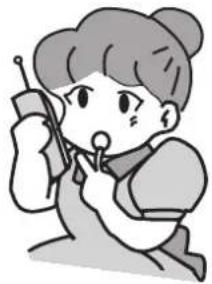
Immediately stop all operations and plug out, contact the service center in following situations.
▲ Unusual noise can be heard during operation.
▲ Air switch or leakage protection switch often breaks.
▲ Carelessly splash water or something into air conditioner.
▲ Water is leaked in the room.
▲ Electrical lines and power plug are very hot.
▲ Wind blowing from the outlet smells terrible during operation.
natural_image
Cartoon illustration of a girl holding a device, no text or symbols presentIf you have any question, please inform the service center.
Installation Instructions
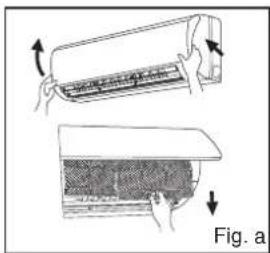
- Forcibly pull the panel for a specific angle from the two ends of the front panel according to the arrow direction. Then pull the air filter downwards to remove it. (See Fig.a)
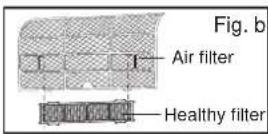
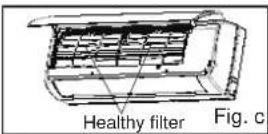
- Mount the healthy filter onto the air filter,(as shown in Fig.b). If the air filter cannot be installed, please mount the healthy filter on the front case. (as shown in Fig.c)
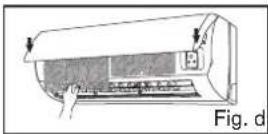
- Mount the air filter properly along the arrow direction in Fig.d, and then close the panel cover.
- Cleaning and Maintenance
Take out the healthy filter before cleaning and reinstall it after cleaning according to the installation instruction. Pay special attention to that silver ion filter can't be cleaned with water, while active carbon, photocatalyst, low temperature conversion (LTC) catalyst, formaldehyde eliminator, catechin or mite killing filter can, but can't with brush or hard things. Dry it in the shade or sun after cleaning, but not by wiping.
Service Life
The healthy filter commonly has its usage lifetime for one year under normal condition. As for silver ion filter, it is invalid when its surface becomes black (green).
- This supplementary instruction is provided for reference to the unit with healthy filter. If the graphics provided herein is different from the physical goods, the latter one shall prevail. The quantity of healthy filters shall be based on the actual delivery.
66129904265