SP 7535 - Dishwasher ORANIER - Free user manual and instructions
Find the device manual for free SP 7535 ORANIER in PDF.


Pick your language and provide your email: we'll send you a specifically translated version.
| Product Type | Freestanding Dishwasher |
| Brand | Oranier |
| Model | SP 7535 |
| Energy Efficiency Class | A+ |
| Capacity (Place Settings) | 14 |
| Noise Level | 44 dB(A) |
| Dimensions (H x W x D) | 845 x 600 x 600 mm |
| Weight | 45 kg |
| Power Consumption per Cycle | 1.05 kWh |
| Water Consumption per Cycle | 10 L |
| Number of Programs | 6 |
| Programs | Eco, Intensive, Normal, Quick, Glass, Pre-rinse |
| Adjustable Upper Basket | Yes |
| Removable Cutlery Basket | Yes |
| Delayed Start | Up to 24 hours |
| Salt and Rinse Aid Indicators | Yes |
| Child Lock | Yes |
| Anti-Flood System | Yes |
| Color | White |
| Voltage / Frequency | 220-240 V / 50 Hz |
| Drying Class | A |
Frequently Asked Questions - SP 7535 ORANIER
How do I install the Oranier SP 7535 dishwasher?
Ensure the appliance is placed on a stable floor. Connect the water inlet hose to a cold water supply (max 60°C) and the drain hose to a suitable drain. Plug into a grounded outlet with 220-240V. Level the dishwasher using the adjustable feet. See the installation manual for detailed steps.
How do I set the water softener on this dishwasher?
The water softener should be adjusted according to your water hardness level. Refer to the water hardness table in the manual. Turn the program dial to the 'Salt Setting' position, then press and hold the Start button to enter the setting mode. Use the program buttons to select the appropriate hardness level and confirm.
What is the proper way to load the baskets?
Place larger items like pots and pans in the lower basket. Put plates and bowls in the upper basket. Utensils go in the cutlery basket with handles down. Ensure nothing blocks the spray arms. Do not overload to allow proper water circulation.
Which detergent should I use?
Use a dishwasher-specific detergent (powder, gel, or tablets). For best results, add detergent to the dispenser compartment before starting the cycle. Use rinse aid for better drying and salt for water softening if your water is hard.
How do I clean the filter?
Turn off the dishwasher and remove the lower basket. Unscrew the cylindrical filter and lift out the flat filter. Rinse both under running water. Use a soft brush if necessary. Reassemble in reverse order. Clean the filter every 1-3 months to maintain performance.
Why are my dishes still wet after a cycle?
Ensure rinse aid is filled and the dosage is set correctly. Use a higher temperature program like Intensive or Eco depending on load. Open the door slightly after the cycle for faster drying. Check that the drying option is enabled if available.
What should I do if the dishwasher is leaking?
First, check the water inlet hose and drain hose connections for tightness. Inspect the door seal for damage or debris. Ensure the dishwasher is level. If the leak persists, contact a qualified technician. Do not use the appliance until the leak is fixed.
How do I activate the child lock?
Press and hold the Child Lock button (usually marked with a key icon) for 3-5 seconds until the indicator lights up. To deactivate, repeat the same process. When child lock is active, buttons are disabled to prevent accidental presses.
How do I use the delayed start function?
Load the dishwasher and add detergent. Press the Delay Start button repeatedly to select the number of hours (up to 24). Then press Start. The appliance will begin the cycle after the set delay. You can adjust or cancel the delay before it starts.
What do the error codes mean?
Error codes appear on the display. Common codes: E1 (water intake problem), E4 (overflow), E9 (heater fault). Refer to the troubleshooting section of the manual for specific meanings. If the problem persists, note the code and contact customer support.
User questions about SP 7535 ORANIER
0 question about this device. Answer the ones you know or ask your own.
Ask a new question about this device
No questions yet. Be the first to ask one.
Download the instructions for your Dishwasher in PDF format for free! Find your manual SP 7535 - ORANIER and take your electronic device back in hand. On this page are published all the documents necessary for the use of your device. SP 7535 by ORANIER.
USER MANUAL SP 7535 ORANIER
text_image
88G*S Eco 1/2SP 7535
LAVASTOVIGLIE
DISHWASHER
LAVE-VAISSELLE
GESCHIRRSPÜLER
LAVAVAJILLAS
ORANIER - Kundendienst
text_image
Technical diagram showing mechanical assembly steps with labeled component A and directional arrowtext_image
88⑦*S 1/2 P ① E X 1/2 ⑦ ② ③ ④ ⑤ ⑥ 88⑦*S 1/2 P ⑦ E 1/2 ①natural_image
Simple line drawing of a mechanical component with no text or symbolsnatural_image
Illustration of a grid with scattered oval shapes and circular elements (no text or symbols)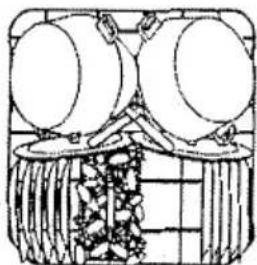
natural_image
Line drawing of a traditional Chinese decorative object with two large round objects and a central basket (no text or symbols)text_image
Diagram showing two identical electronic device layouts with labeled components and connection pointsnatural_image
Diagram of a washing machine interior showing a tray with a tool and a circular component inserted into the door (no text or labels)WASSERHÄRTE-TABELLE
natural_image
Diagram of a container with two stacked plates and arrows indicating upward movement (no text or symbols)OBERKORB
natural_image
Hand-drawn sketch of a mountainous landscape with a flag on top, no text or symbols presentnatural_image
Diagram of a mechanical assembly with rotating components and directional arrows (no text or symbols)natural_image
Isometric line drawing of a multi-layered structural framework with no text or symbolsnatural_image
Diagram of mechanical components arranged in a grid, including rollers and flanges (no text or labels)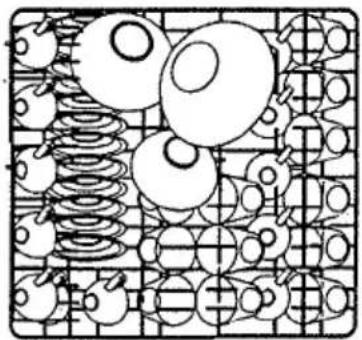
natural_image
Abstract geometric pattern with overlapping circles and springs on a grid background (no text or symbols)natural_image
Technical line drawing of a mechanical assembly with two views showing internal components and directional arrows (no text or symbols)text_image
Diagram illustrating a laboratory procedure with labeled steps and components, including test tube insertion and tool positioning.
text_image
Diagram showing a mechanical or electrical component with labeled point A and directional arrownatural_image
Diagram of a structural framework with a tool and labeled component R, no readable text or symbols present.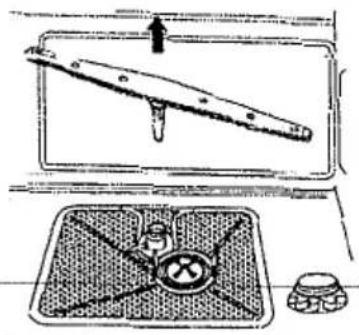
natural_image
Diagram showing a mechanical device with a lever and a tray, no text or symbols presentVersion mit Taste:
natural_image
Technical line drawing showing two mechanical assembly steps with arrows indicating motion (no text or symbols)natural_image
Isometric line drawing of a mechanical cage or frame structure with no text or symbolsnatural_image
Isometric line drawing of a mechanical assembly with no visible text or symbolsnatural_image
Technical line drawing of two mechanical components with coiled springs and gears (no text or symbols)
text_image
Technical diagram of a vehicle air intake system with labeled components and directional indicators
text_image
G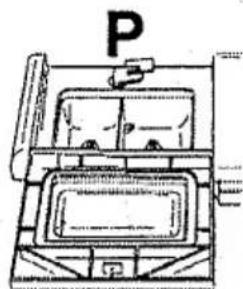
natural_image
Simple line drawing of a parking garage with a parking sign above (no text or symbols on the diagram itself)
natural_image
Line drawing of a vintage kitchen appliance with front panel and side door (no text or symbols)