CWM-480 - Radio SANYO - Free user manual and instructions
Find the device manual for free CWM-480 SANYO in PDF.


User questions about CWM-480 SANYO
0 question about this device. Answer the ones you know or ask your own.
Ask a new question about this device
Download the instructions for your Radio in PDF format for free! Find your manual CWM-480 - SANYO and take your electronic device back in hand. On this page are published all the documents necessary for the use of your device. CWM-480 by SANYO.
USER MANUAL CWM-480 SANYO
natural_image
Line drawing of a vintage audio workstation with three speakers and a central control unit (no text or symbols)For assistance in obtaining repairs and operational information, please contact the following Toll Free Number:
DIAL TOLL FREE: 1-800-813-3435
Weekdays: 7:30 AM - 4:00 PM Central Time
Also, you may write to SANYO Manufacturing Corporation, 3333 Sanyo Road, Forrest City, Arkansas 72335.
Limited Warranty
| LABOR 90 DAYS | PARTS 1 YEAR | CARRY-IN ONLY |
| THIS WARRANTY IS VALID ONLY ON SANYO PRODUCTS PURCHASED FROM A WAL-MART STORE AND USED IN THE UNITED STATES OF AMERICA, EXCLUDING HAWAII AND ALL U.S. TERRITORIES AND PROTECTORATES. THIS WARRANTY APPLIES ONLY TO THE ORIGINAL RETAIL PURCHASER AND DOES NOT APPLY TO PRODUCTS USED FOR ANY INDUSTRIAL, PROFESSIONAL OR COMMERCIAL PURPOSE.Subject to the OBLIGATIONS and EXCLUSIONS below, SANYO Manufacturing Corporation. ("SANYO") warrants this SANYO product against defects in materials and workmanship for the periods of LABOR and PARTS specified above. SANYO will repair or replace (at its option) the product and any of its parts which fail to conform to this warranty with new or refurbished products or parts. The warranty period commences on the date the product was first purchased at retail from a Wal-Mart Store. | ||
| OBLIGATIONSIn order to obtain warranty service, the product must be delivered to and picked up from a Wal-Mart Store at the original retail purchaser's expense. The original dated bill of sale, or sales slip from a Wal-Mart Store must be submitted to a Wal-Mart Store at the time warranty service is requested.EXCLUSIONSThis warranty does not cover (A) the adjustment of customer-operated controls as explained in the appropriate model's instruction manual, or (B) the repair of any product whose serial number has been altered, defaced or removed.This warranty shall not apply to the cabinet or cosmetic parts, broken or damaged video heads, batteries or routine maintenance.This warranty does not apply to uncrating, setup, installation, removal of the product for repair or reinstallation of the product after repair.This warranty does not apply to repairs or replacements necessitated by any cause beyond the control of SANYO including, but not limited to, any malfunction, defect or failure caused by or resulting from unauthorized service or parts, improper maintenance, operation contrary to furnished instructions, shipping or transit accidents, modification or repair by user or any third party, abuse, misuse, neglect, accident, incorrect line voltage, fire, flood or other Acts of God, or normal wear and tear.The foregoing is in lieu of all other express warranties and SANYO does not assume or authorize any party to assume for it any other obligation or liability.THE DURATION OF ANY WARRANTIES WHICH MAY BE IMPLIED BY LAW (INCLUDING THE WARRANTIES OF MERCHANTABILITY AND FITNESS) IS LIMITED TO THE TERM OF THIS WARRANTY. IN NO EVENT SHALL SANYO OR THE MANUFACTURER OF THE PRODUCT BE LIABLE FOR SPECIAL, INCIDENTAL OR CONSEQUENTIAL DAMAGES ARISING FROM OWNERSHIP OR USE OF THIS PRODUCT, OR FOR ANY DELAY IN THE PERFORMANCE OF ITS OBLIGATIONS UNDER THIS WARRANTY DUE TO CAUSES BEYOND ITS CONTROL.SOME STATES DO NOT ALLOW LIMITATIONS ON HOW LONG AN IMPLIED WARRANTY LASTS AND/OR DO NOT ALLOW THE EXCLUSION OR LIMITATION OF CONSEQUENTIAL DAMAGES, SO THE ABOVE LIMITATIONS AND EXCLUSIONS MAY NOT APPLY TO YOU.THIS WARRANTY GIVES YOU SPECIAL LEGAL RIGHTS. YOU MAY HAVE OTHER RIGHTS, WHICH VARY FROM STATE TO STATE.R97/10/20(M) | ||
For your protection in the event of theft or loss of this product, please keep the following information with a sales receipt in a safe place.
Model No. ____ Serial No. ____ Date of Purchase ____
Purchase Price ____ Where Purchased ____

CAUTION
RISK OF ELECTRIC SHOCK DO NOT OPEN
CAUTION: TO PREVENT THE RISK OF ELECTRIC SHOCK, DO NOT REMOVE COVER (OR BACK). NO USER-SERVICEABLE PARTS INSIDE. REFER SERVICING TO QUALIFIED SERVICE PERSONNEL.
This symbol indicates that dangerous voltage constituting a risk of electric shock is present within this unit.

This symbol indicates that there are important operating and maintenance instructions in the literature accompanying this unit.
WARNING: TO PREVENT FIRE OR SHOCK HAZARD, DO NOT EXPOSE THIS APPLIANCE TO RAIN OR MOISTURE.
WARNING:
UNAUTHORIZED RECORDING OF COPYRIGHTED MATERIAL MAY VIO- LATE APPLICABLE COPYRIGHT LAWS, THE MANUFACTURER ASSUMES NO RESPONSIBILITY FOR UNAUTHORIZED DUPLICATION, USE OR OTHER ACTS WHICH INFRINGE UPON THE RIGHT OF COPYRIGHT OWNERS.
SAFETY CERTIFICATION
This unit is made and tested to meet exacting safety standards. It meets UL, CSA and FCC requirements and complies with safety performance standards of the U.S. Department of Health and Human Services.
CAUTION - USE OF CONTROLS OR ADJUSTMENTS OR PERFORMANCE OF PROCEDURES OTHER THAN THOSE SPECIFIED HEREIN MAY RESULT IN HAZ-ARDOUS RADIATION EXPOSURE.
THIS UNIT SHOULD NOT BE ADJUSTED OR REPAIRED BY ANYONE EXCEPT PROPERLY QUALIFIED SERVICE PERSONNEL.

FCC INFORMATION
This device complies with Part 15 of the FCC Rules.
Operation is subject to the following two conditions:
(1) This device may not cause harmful interference, and (2) this device must accept any interference received, including interference that may cause undesired operation.
CAUTION:
Changes or modifications not expressly approved by Sanyo may void the user's authority to operate this equipment.
NOTE:
This equipment has been tested and found to comply with the limits for a Class B digital device, pursuant to Part 15 of the FCC Rules. These limits are designed to provide reasonable protection against harmful interference in a residential installation. This equipment generates, uses and can radiate radio frequency energy and, if not installed and used in accordance with the instructions, may cause harmful interference to radio communications. However, there is no guarantee that interference will not occur in a particular installation. If this equipment does cause harmful interference to radio or television reception, which can be determined by turning the equipment off and on, the user is encouraged to try to correct the interference by one or more of the following measures:
• Reorient or relocate the receiving antenna.
- Increase the separation between the equipment and receiver.
- Connect the equipment into an outlet on a circuit different from that to which the receiver is connected.
- Consult the dealer or an experienced radio/TV technician for help.
• Do not damage the power cord.
- When not in use, disconnect the power cord from the outlet. Grasp the plug, not the cord, when disconnecting the unit.
- If water should enter the unit, electrical shock or a malfunction may result. Use in an area where there is low humidity and little dust.
- Do not disassemble or alter the unit in any way.
- Do not use the unit in areas where extremes in temperature occur (below 40°F or exceeding 95°F), or where it may be exposed to direct sunlight.
- Because of the CD player's extremely low noise and wide dynamic range, there is a tendency to turn the volume on the amplifier higher than necessary. Doing so may produce an excessively high output from the amplifier which can cause damage to your speakers. Please be careful in this regard.
- Sudden changes in the surrounding temperature can cause dew to form on the optical pickup lens inside the unit. Under this condition the unit may be unable to operate properly. If this should occur, remove the disc and allow the player to adjust to the surrounding temperature.
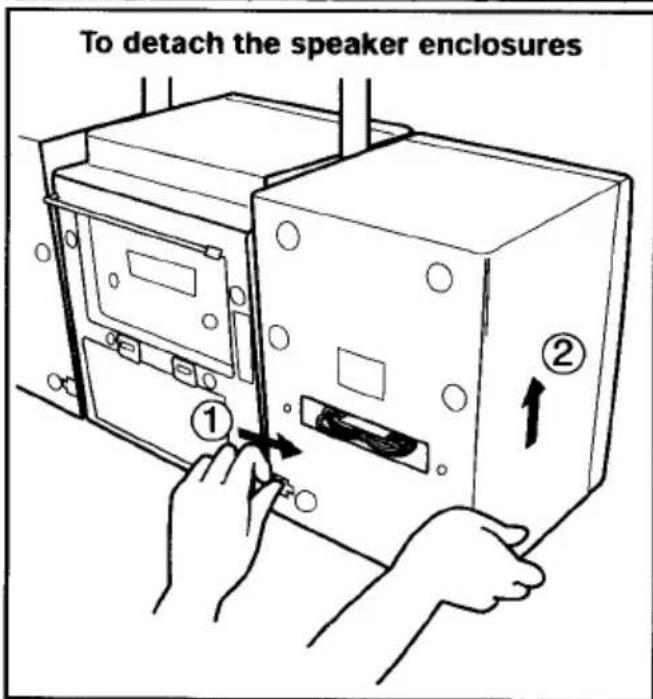
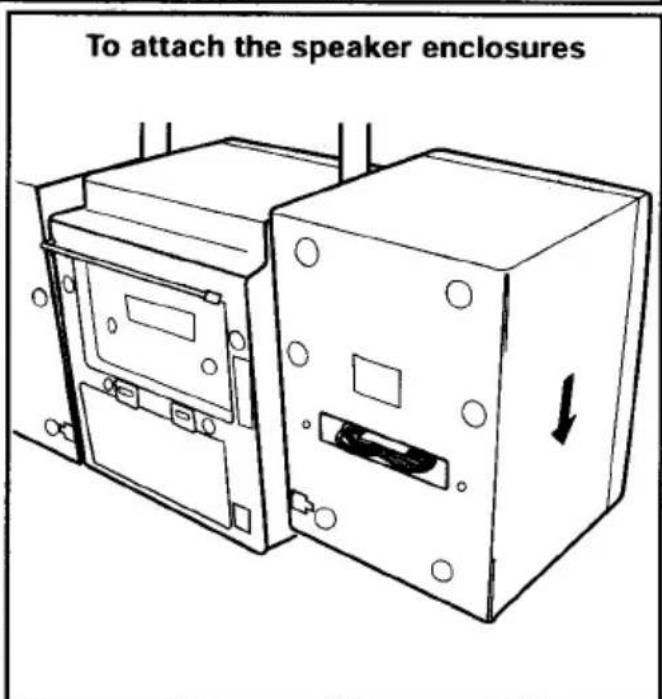
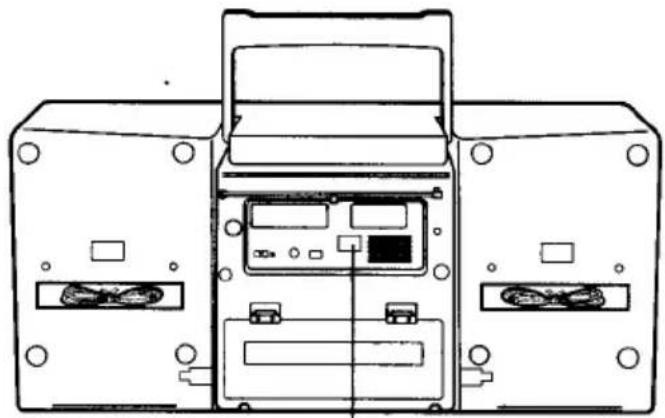
natural_image
Technical line drawing of a device rear panel with internal components and connectors (no text or symbols)AC power operation
Take out the cord and connect it.
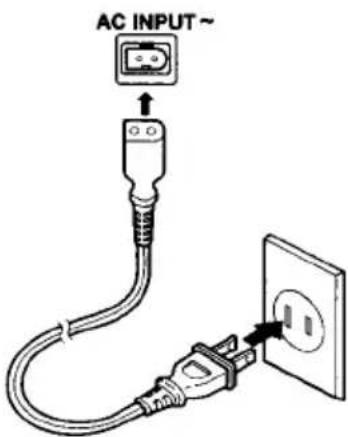
120V AC, 60Hz
NOTE:
- This unit is equipped with a polarized plug. If you have difficulty in inserting the plug, turn it over and reinsert it.
- When the AC power cord is connected to the unit, the installed batteries will be automatically disconnected.
CAUTION:
TO PREVENT ELECTRIC SHOCK, MATCH WIDE BLADE OF PLUG TO WIDE SLOT, FULLY INSERT.
ATTENTION:
POUR VITER LES CHOC LECTRIQUES, INTRODUIRE LA LAME LA PLUS LARGE DE LA FICHE DANS LA BORNE CORRESPONDANTE DE LA PRISE ET POUSSER JUSQU AU FOND.
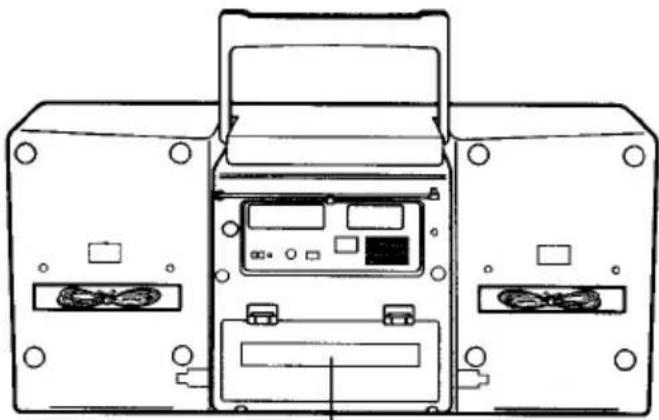
natural_image
Line drawing of a computer case with two main modules and a central display unit (no text or symbols)Battery power operation
Install batteries.
Observe + and - signs.
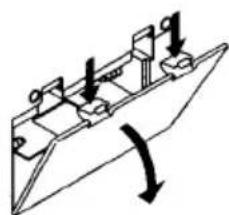
natural_image
Pure mechanical diagram showing a lever mechanism with no text or symbols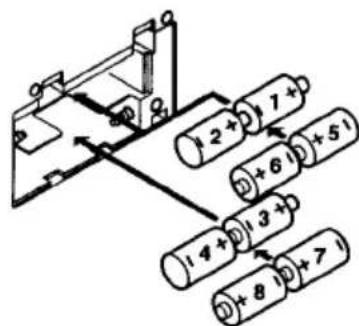
8 "D" size batteries (not supplied)
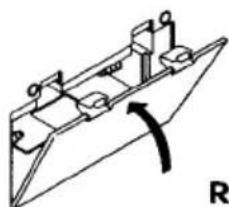
natural_image
Pure mechanical diagram of a boat hull with no text or symbolsReplace lid.
CAUTION:
WHEN INSTALLING THE BATTERIES
To prevent leakage from the batteries, which is corrosive and can cause personal injury and damage to the unit, observe the following precautions:
- The batteries must be installed correctly. Match the polarities (+ and - signs) on the batteries to the polarities shown on the back of the unit.
- Do not mix new batteries with old or used batteries.
- Only use batteries of the same type and brand.
- If the unit will not be used for an extended period of time, remove the batteries and store them in a cool place.
- Carefully follow the battery manufacturer's instructions for proper use and disposal.
- DO NOT ALLOW YOUNG CHILDREN TO HANDLE BATTERIES.
IMPORTANT NOTE:
SPENT OR DISCHARGED BATTERIES MUST BE RECYCLED OR DISPOSED OF PROPERLY IN COMPLIANCE WITH ALL APPLICABLE LAWS.
FOR DETAILED INFORMATION, CONTACT YOUR LOCAL COUNTY SOLID WASTE AUTHORITY.
NOTE:
The buttons on the remote control perform similar functions to similarly marked buttons on the front of the unit.
Controls
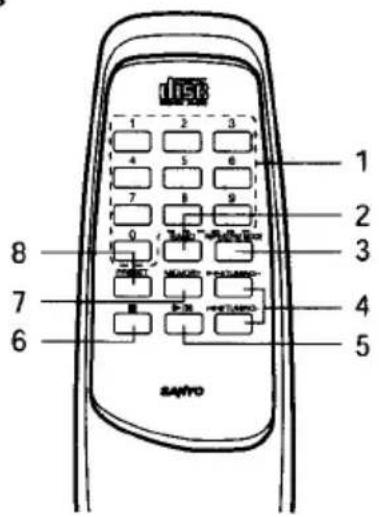
- Number buttons (1-9, 0)
- Radio band button (BAND)
- Repeat/FM mode button (REPEAT/FM MODE)
- Tuning/Skip/Search buttons (▶▶/TUNING +, ◀◀/TUNING -)
- Play/Pause button (▶/II)
- Stop/Clear button (■)
- Memory button (MEMORY)
- Preset button (PRESET)
Number buttons (1-9, 0)
If the function is "CD", the buttons select the track numbers on a disc.
If the function is "TUNER", the buttons select preset radio stations.
With any other function, the buttons will not function.
• Two buttons must always be pressed.
Example:
To select No. 3, press 0, then 3.
To select No. 10, press 1, then 0.
To select No. 25, press 2, then 5.
Inserting batteries
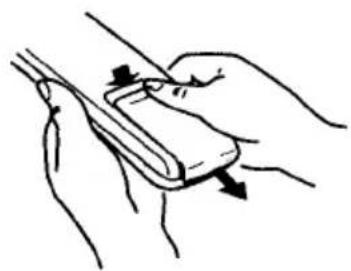
natural_image
Illustration of a hand holding a tool or device with directional arrows indicating movement (no text or symbols)2.
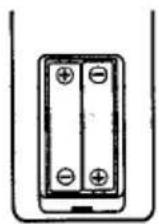
Two "AA" batteries (not supplied)
Remote control range
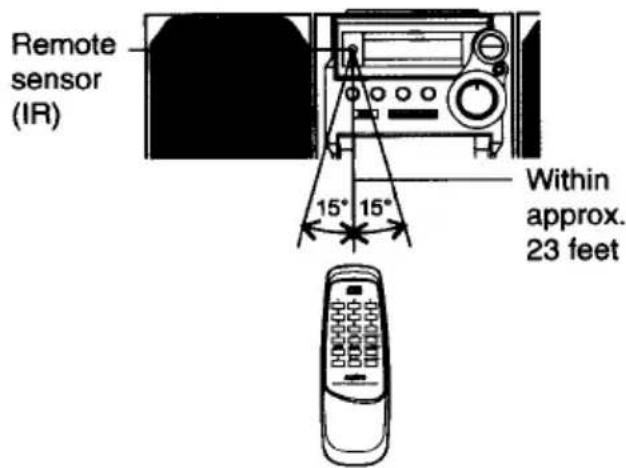
GENERAL OPERATION
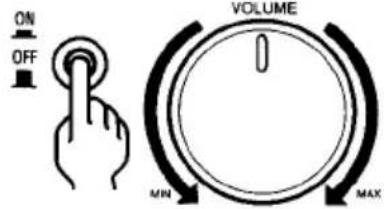
Turning the power on and off
- Set to the desired function, and the power turns on.
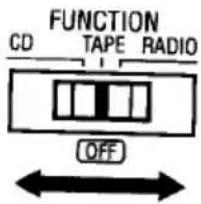
- To turn the power off. Set [FUNCTION] to OFF.
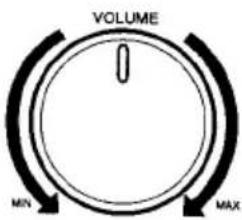
Adjusting the volume
WHAT TO DO IF ...
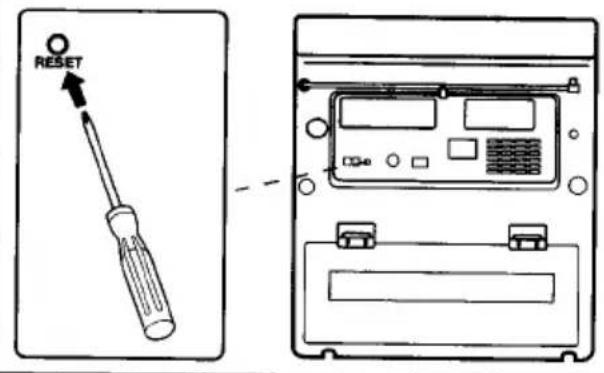
If the operation of the unit or display is not normal, or you wish to clear the contents of the memory, disconnect the power cord from the AC outlet and remove all batteries, then press [RESET] (rear of the unit) for at least 20 seconds.
Bass expander system
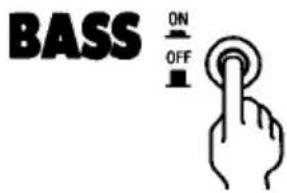
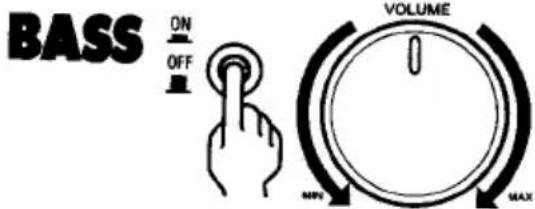
Press [BASSXPANDER] to enhance the bass sound.
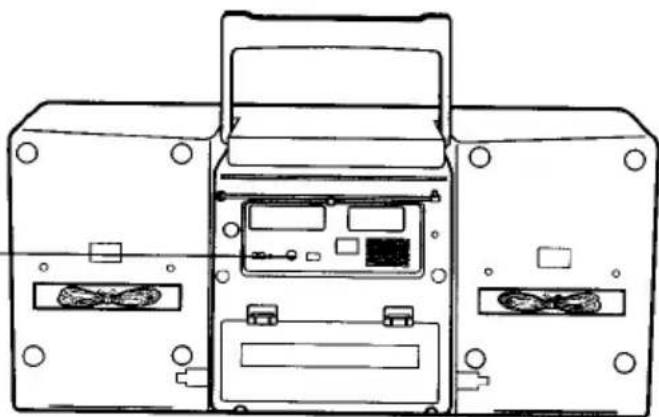
Using headphones
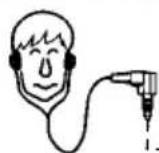
Stereo headphone (not supplied)
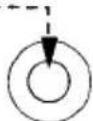
PHONES
natural_image
Technical line drawing of a device rear panel with internal components (no text or symbols)CD PLAY
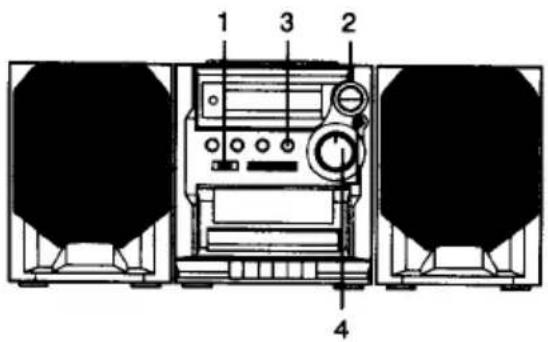
1 Set to [CD].
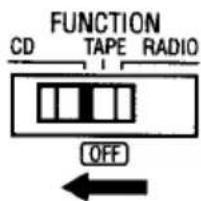
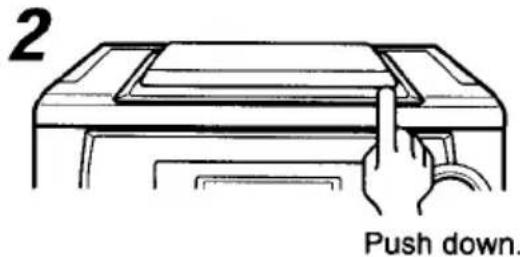
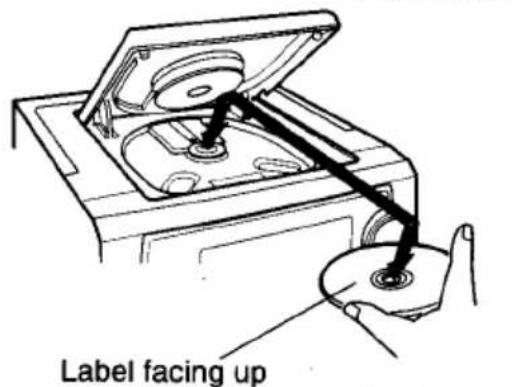
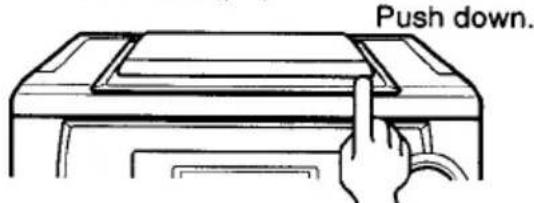
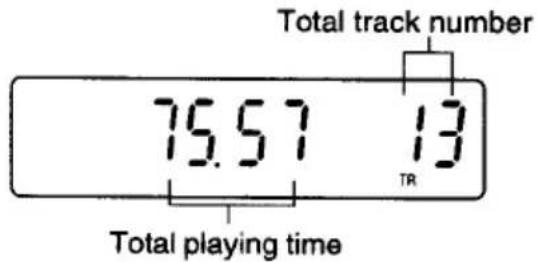
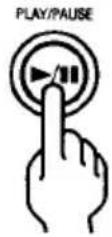
3 Press [PLAY/PAUSE].
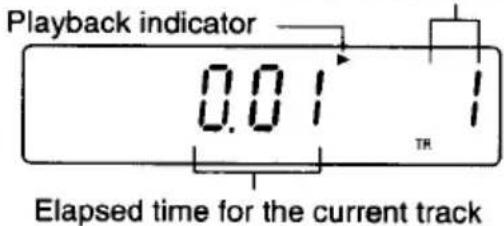
The current track number
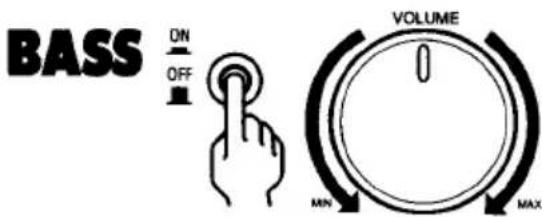
4 To control the sound.
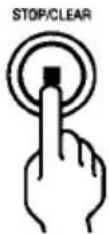
Press [STOP/CLEAR].
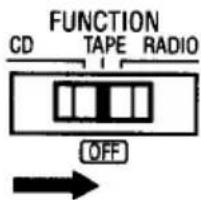
Set to [OFF] (TAPE).
PLAY/PAUSE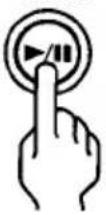 | PAUSE MODE1. Press [PLAY/PAUSE] during play.Play will temporarily stop. “▶” blinks.2. Press [PLAY/PAUSE] again to resume play. |
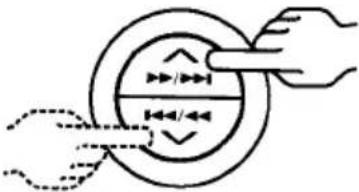 Press and hold down during playback. Press and hold down during playback. | Search (forward/reverse)1. If [SKIP/SEARCH] ◀◀/◀◀ or ▶▶/▶▶I is pressed during play, the player search at high speed in the forward or reverse direction while the button is being pressed. When the button is released, normal play will continue.NOTE:If [SKIP/SEARCH] ◀◀/◀◀ or ▶▶/▶▶I is pressed during the PAUSE mode, no sound will be heard, and the PAUSE mode will continue when the button is released. |
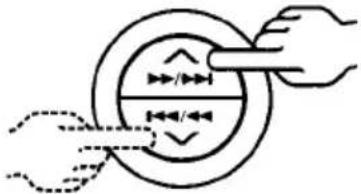 Press and release repeatedly. Press and release repeatedly. | Skip play1. To skip to track 6 while track 3 is playing, press [SKIP/SEARCH] ▶▶/▶▶I repeatedly until “6” appears in the track section on the display. To skip back to track 3 while track 6 is playing, press [SKIP/SEARCH] ◀◀/◀◀ repeatedly until “3” appears.NOTE:If [SKIP/SEARCH] ◀◀/◀◀ or ▶▶/▶▶I is pressed while the unit is in the PAUSE mode, the unit will remain in the PAUSE mode when the button is released. |
| PROGRAMMED PLAYWith programmed play, up to 20 tracks on a disc can be memorized and played in any order. | |
| TO PROGRAM | 5 Repeat 3 and 4 to memorize additional tracks.Checking the programPress [MEMORY] repeatedly in the stop mode.The programmed details sequentially appear on the display.Changing a programTo add a new selection to a program:In the stop mode, press [MEMORY] repeatedly until “-- -- --” appears.Select the track number as explained above.Press [MEMORY].To change a selection:In the stop mode, press [MEMORY] repeatedly until the selection to be replaced is displayed.Select the track number as explained above.Press [MEMORY]. |
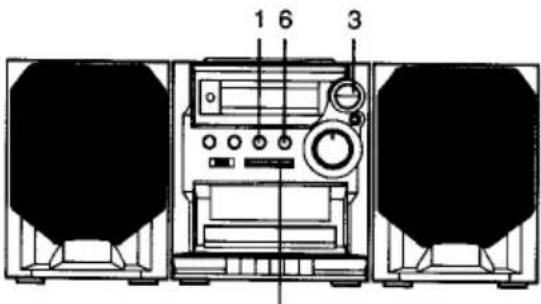 2,4 2,4 | |
1 Press [STOP/CLEAR].STOP/CLEAR 2 Press [MEMORY].REPEAT/FM MODE MEMORY 2 Press [MEMORY].REPEAT/FM MODE MEMORY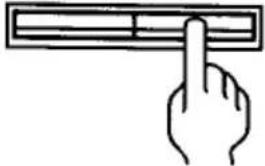 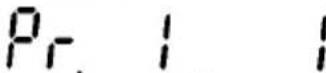 3 Press [SKIP/SEARCH]▶▶/▶▶| or |◀◀/◀◀. 3 Press [SKIP/SEARCH]▶▶/▶▶| or |◀◀/◀◀.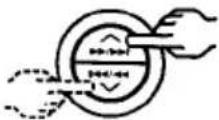 4 Press [MEMORY].REPEAT/FM MODE MEMORY 4 Press [MEMORY].REPEAT/FM MODE MEMORY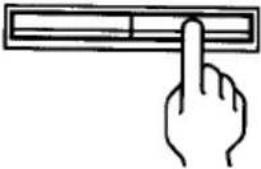 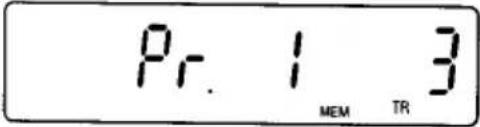 "MEM" remains lit. "MEM" remains lit. | |
| TO BEGIN PROGRAM PLAY6 Press [PLAY/PAUSE].Programmed play will begin."MEM" remains lit.Press [STOP/CLEAR] to stop play at any time. | |
| CLEARING THE PROGRAMTo cancel programmed play, press [STOP/CLEAR] twice. | |
REPEAT PLAY
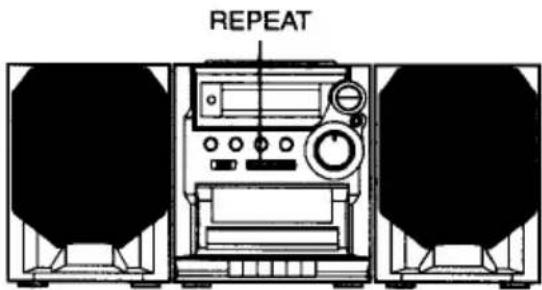
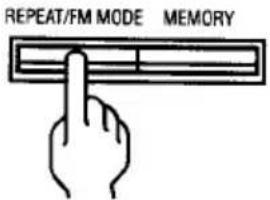
Press [REPEAT/FM MODE] before or during play.
The player will play all the tracks or all the programmed tracks repeatedly. "REP" appears.
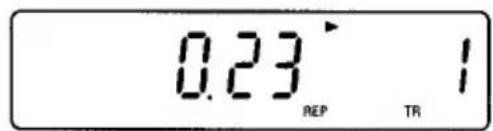
- "REP" appears.
TO CANCEL REPEAT PLAY
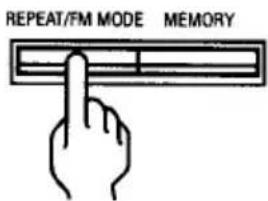
To cancel repeat play, press [REPEAT/FM MODE] again. "REP" disappears.
FRQUENCY UP/DOWN TUNING
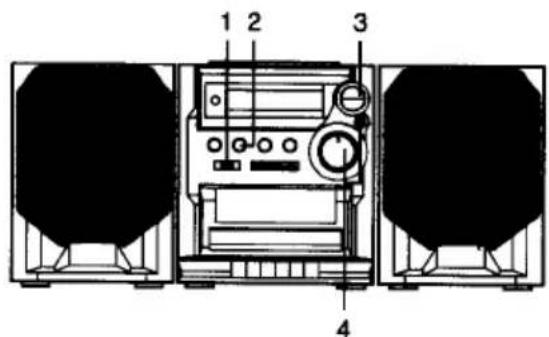
4 To control the sound.
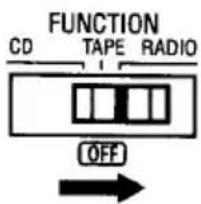
1 Set to [RADIO].
Selecting FM MODE
To receive an FM stereo broadcast, make sure that "MONO" is not displayed. If "MONO" appears, press [REPEAT/FM MODE] to turn the "MONO" indication off. "ST" appears when an FM stereo broadcast is received.
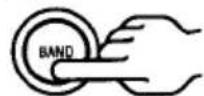
2 Press [BAND] to select
AM or FM.
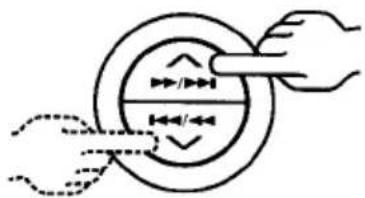
3 Tune in a station.
natural_image
Diagram showing two hands interacting with a circular object, no text or symbols present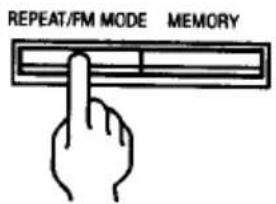
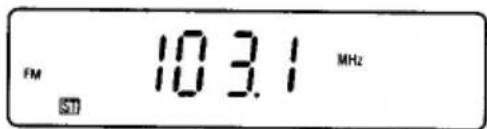
If the signal from an FM stereo station is weak and reception is poor, press [REPEAT/FM MODE] to change to monaural reception. ("ST" is replaced by "MONO" in the display.)
Automatic tuning
Press [TUNING] ∧ or ∨ for at least 1 second to tune in a station. The unit will scan up or down the band and select the next receivable station.
Manual tuning
Press and release [TUNING] ∧ or ∨ repeatedly to tune in a station.
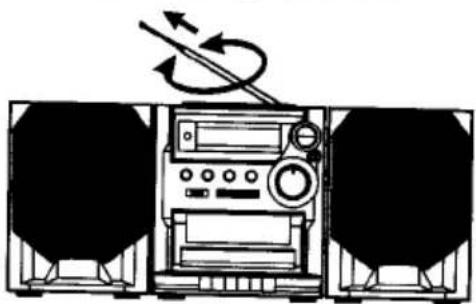
To improve reception
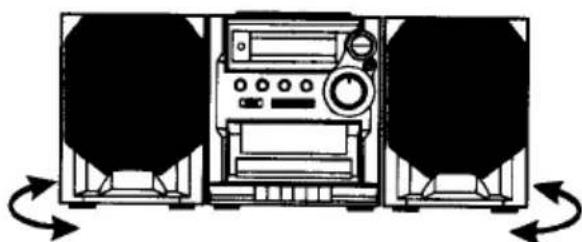
FM - Extend and change position.
natural_image
Diagram of a portable radio with two speakers and a digital instrument, showing sound waves (no text or symbols)AM - Rotate unit.
natural_image
Diagram of a vintage radio receiver with two side panels and bidirectional arrows indicating signal flow (no text or symbols)MANUAL PRESET TUNING
Up to 12 AM and 20 FM stations can be preset.
TO PROGRAM
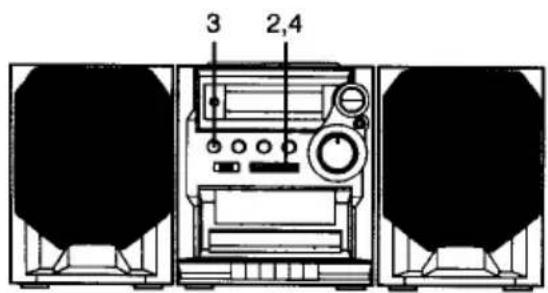
1 Tune in a station.
See "FREQUENCY UP/DOWN TUNING".
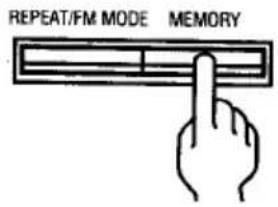
2 Press [MEMORY].
REPEAT/FM MODE MEMORY
![SANYO CWM-480 - Press [MEMORY]. - 1](/content/2026/05/1069943/images/bb0f2d04448decaa1d1c2bea7dcb2fc2f72607ddde2d7ed371d27c6320c0354e.jpg)
natural_image
Simple line drawing of a hand pointing at a horizontal bar (no text or symbols)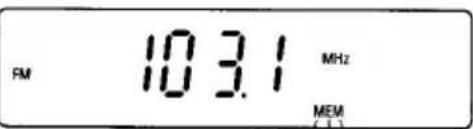
3 While "MEM" is blinking, press [PRESET] to select the channel number.
![SANYO CWM-480 - While "MEM" is blinking, press [PRESET] to select the channel number. - 1](/content/2026/05/1069943/images/75f0c7cb599f4ac7a738d0d005a47c6e1d069fd3527ed9afde9c1d10e8a80899.jpg)
4 Press [MEMORY].
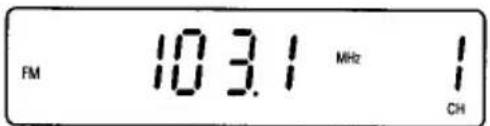
5 Repeat the steps above to add more preset stations.
| LISTENING TO PRESET STATIONS | |
| USING [PRESET] | PRESET SCAN TUNING |
1 Press [BAND] to select AM or FM.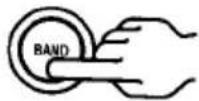 2 Press [PRESET] briefly.The number buttons on the remote control can also be used. 2 Press [PRESET] briefly.The number buttons on the remote control can also be used.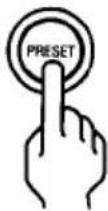 | 1 Press [BAND] to select AM or FM.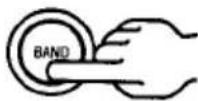 2 Press and hold down [PRESET] for at least 1 second."PS" blinks.The preset station are selected in sequenced for approximately five seconds each. 2 Press and hold down [PRESET] for at least 1 second."PS" blinks.The preset station are selected in sequenced for approximately five seconds each.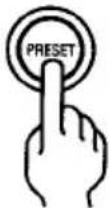 3 Press [PRESET] when the desired station has been selected. Preset scanning will stop. 3 Press [PRESET] when the desired station has been selected. Preset scanning will stop.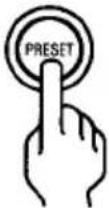 |
PLAYBACK
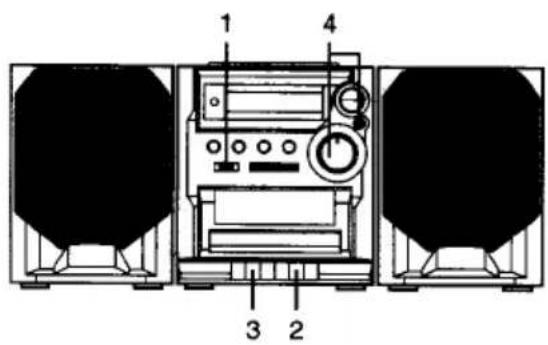
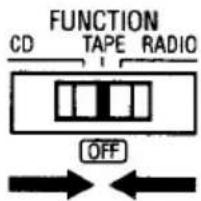
1 Set to [TAPE].
2 Press [STOP/EJECT]. Insert a cassette.
![SANYO CWM-480 - Press [STOP/EJECT]. Insert a cassette. - 1](/content/2026/05/1069943/images/f55401404dda4da309eb7db9b4e2bcf4b00772422c974de37fd45f4cc930cf20.jpg)
![SANYO CWM-480 - Press [STOP/EJECT]. Insert a cassette. - 2](/content/2026/05/1069943/images/6a2a82d1b24d873e3bf73cd6ee2565773b5b7a1d5042b78b70ac51d807f19215.jpg)
natural_image
Simple line drawing of a mechanical device with a roller and lever, showing a downward arrow (no text or symbols)3 Press [PLAY] to begin playback.
- “TAPE” appears.
![SANYO CWM-480 - Press [PLAY] to begin playback. - 1](/content/2026/05/1069943/images/973a90e26c9f39fcaca790f1ba1e5c56daafa863fd54668559a11ba0b2bb57d8.jpg)
4 To control the sound.
BASS
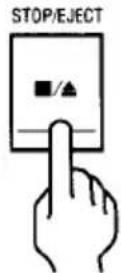
Press [STOP/EJECT] once to stop the tape. Press again to remove the cassette.
Pause
Press [PAUSE] to temporarily stop playback or recording. Press it again to resume operation.
Fast forward and rewind
Press [FFWD] or [REW].
When the desired location or the end of the tape is reached, press [STOP/EJECT].
Automatic stop
When the end of the tape is reached during playback or recording, the tape will stop automatically.
NOTES:
• Use normal tape only.
• Do not use endless tape.
- Do not use C-100 (or longer) tapes. They may jam in the mechanism.
RECORDING
natural_image
Simple line drawing of a mechanical component with a downward arrow indicating motion (no text or symbols)2 Select "RADIO" function. FUNCTION CD TAPE RADIO
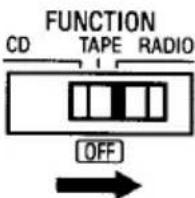
Press [BAND] to select AM or FM.
![SANYO CWM-480 - Press [BAND] to select AM or FM. - 1](/content/2026/05/1069943/images/8a76fee90360b388cdd46e7aa5e4b3d32992503e7297405b329d1eff1fd9dd7f.jpg)
Tune in a station.
![SANYO CWM-480 - Press [BAND] to select AM or FM. - 2](/content/2026/05/1069943/images/8983d2abf8b1627c9e0dd2047c866a81c9bf40a03fa2aa1b98eb9d191d4c1179.jpg)
natural_image
Illustration of two hands adjusting a circular object with arrows indicating direction (no text or symbols)3 Press [REC].
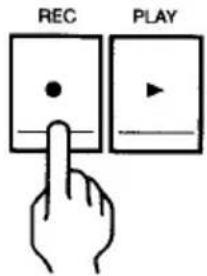
Automatic Level Control (ALC) recording The ALC circuit adjusts the recording input level automatically. No adjustments are required.
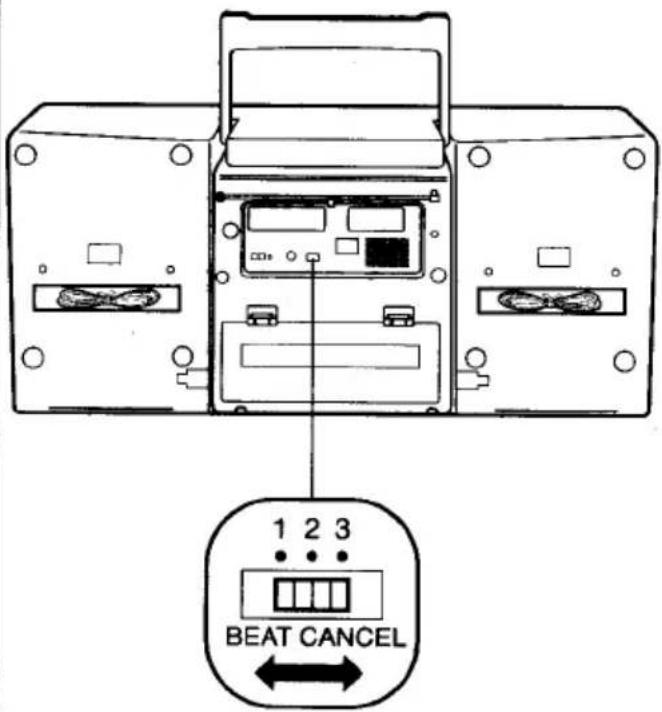
BEAT CANCEL switch
When recording a radio program, an irritating "whistling" sound may sometimes be heard. If this occurs, select position 1, 2 or 3. Leave the switch in the position that gives the best results.
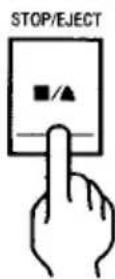
Press [STOP/EJECT] once to stop the tape. Press again to remove the cassette.
natural_image
Simple line drawing of a mechanical component with a circular head and curved arm, showing a downward arrow (no text or symbols)2 Set to [CD].
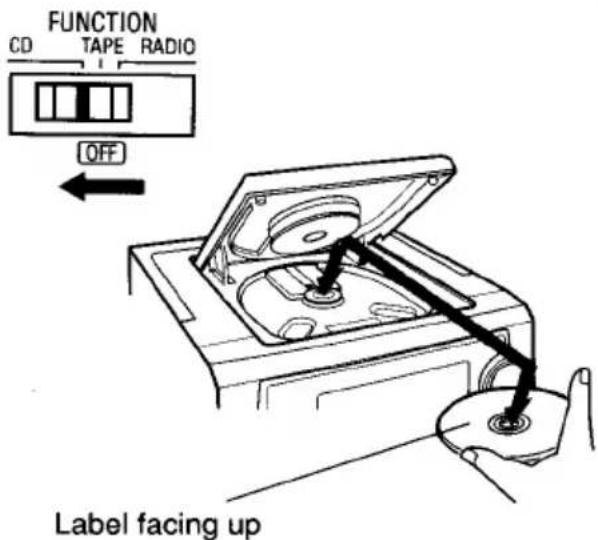
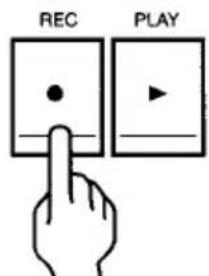
3 Press [REC].
Safeguards against accidental erasure
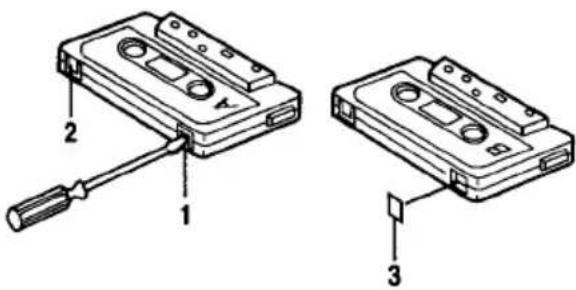
To protect side A, break out tab (1). To protect side B, break out tab (2).
NOTE:
A cassette with erase guard tabs removed cannot be erased or used for recording and [REC] cannot be depressed. To record or erase a protected cassette, cover the tab openings with adhesive tape (3).
Synchronous recording (CD-TAPE SYNCHRO DUBBING)
This recording system starts disc play and cassette recording at the same time.
- When [REC] is pressed, recording will start at the beginning of track number 1 of the disc.
- If a program has been entered, recording will start from the beginning of the first programmed track.
- When you want to record music as you listen, press [REC]. Recording automatically starts from the beginning of the track.
NOTE:
The buttons on the remote control perform similar functions to similarly marked buttons on the front panel.
CD player section (In CD function mode)
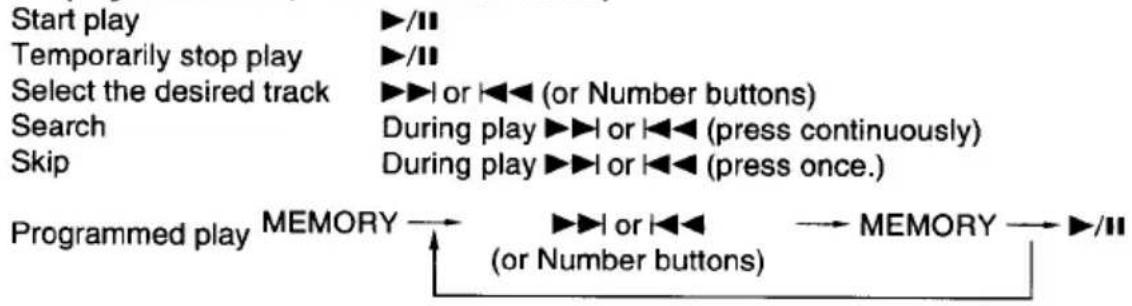
flowchart
graph LR
    A["Start play"] --> B["Temporarily stop play"]
    B --> C["Select the desired track"]
    C --> D["Search"]
    D --> E["Skip"]
    E --> F["Programmed play"]
    F --> G["MEMORY"]
    G --> H["(or Number buttons)"]
    H --> I["MEMORY"]
    I --> J["/II"]
    G --> K["▶/II or ◀◀ (or Number buttons)"]
    K --> L["During play ▶▶I or ◀◀ (press continuously)"]
    L --> M["During play ▶▶I or ◀◀ (press once.)"]
    M --> N["→ MEMORY"]

Tuner section (In RADIO function mode)


flowchart
graph LR
    A["Station tuning"] --> B["MEMORY"]
    B --> C["PRESET (or Number buttons)"]
    C --> D["MEMORY"]

Cleaning the unit
Clean the outside of the unit with a clean soft cloth, moistened with lukewarm water. Do not use solvents such as benzene or thinner. These will permanently damage the units finish.
Cleaning the tape heads
When dust or reddish-brown oxide builds up on the tape deck heads, pinch roller and capstan, the following problems may result:
Poor sound quality during playback.
Distorted, poor quality recordings or playback.
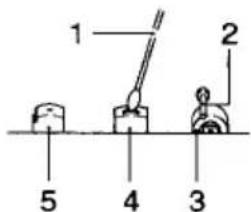
- Press [STOP/EJECT] to open the cassette compartment lid.
- Moisten a cotton swab (1) with isopropyl alcohol or special head cleaning fluid. Gently rub the face of each head (4,5) with alcohol. Also clean the capstan (2) and pinch roller (3).
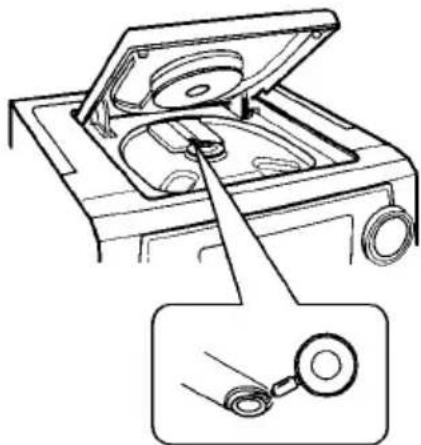
Cleaning the CD player lens
The lens should never be touched. If dust is on the lens, blow it off using a camera lens blower. (Please consult your dealer.)
natural_image
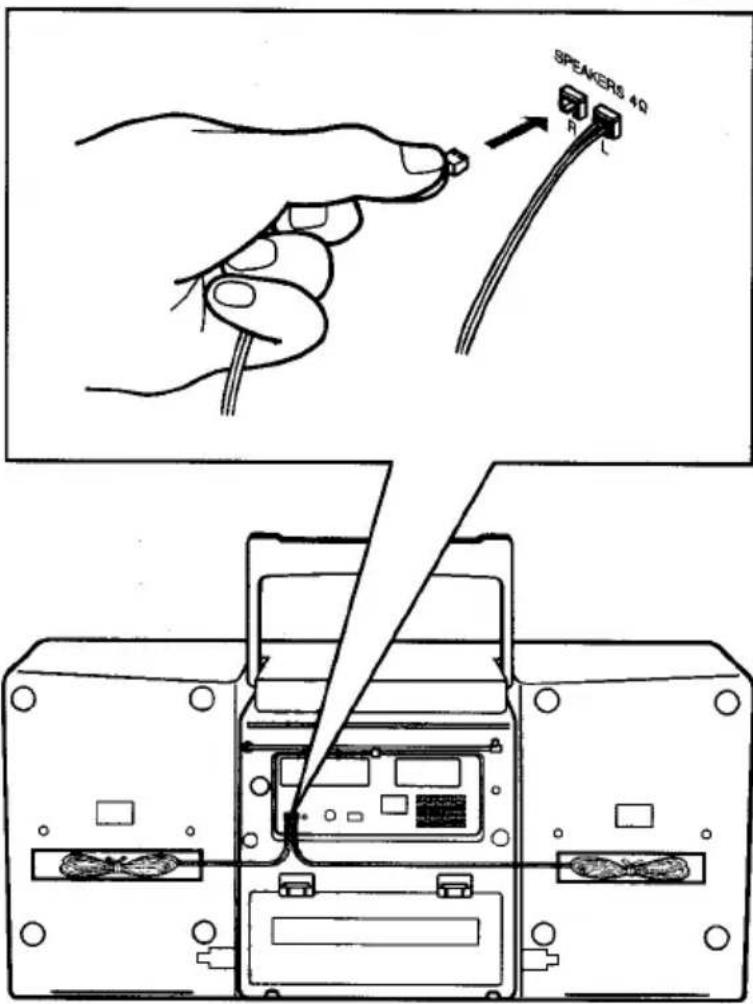
Diagram of a car interior showing an open lid and a magnified inset showing a coiled cable (no text or symbols present)If trouble occurs ...
To avoid the hazard of electric shock and damage to the unit, have the unit bench tested by an authorized SANYO service station. Do not remove the unit from its cabinet to attempt repairs yourself.
TROUBLESHOOTING GUIDE
If you have followed the instructions and are having difficulty operating the unit, locate the SYMPTOM in the left column below. Check the corresponding POSSIBLE CAUSE and CORRECTIVE ACTION columns to locate and remedy the problem.
| SYMPTOM | POSSIBLE CAUSE | CORRECTIVE ACTION |
| No power. | No power plug connection at the AC outlet. | Insert the power plug into the AC outlet. (See page E5.) |
| If you operate the unit on battery power,1. The battery may be old.2. The polarity of batteries may be wrong. | Replace them with new batteries.(See page E6.)Check the polarity. | |
| No sound. | Volume control is set to minimum. | Turn up the volume.(See page E8.) |
| The wrong function is selected. | Select the correct function. | |
| The CD player does not operate and "Cd" appears. | There is no disc in the CD player. | Load a disc. |
| The disc is loaded with the label side down. | Load the disc with the label facing up. (See page E9.) | |
| The sound from the CD player skips. | The disc is dirty. | Clean the disc. |
| The disc is scratched. | Replace the disc.(See page E9.) | |
| Abnormal CD or display operation with the correct button settings. | Must be reset. | Disconnect the power cord, then press [RESET] (rear of the unit) for at least 20 seconds. Connect the power cord and resume operation. (See page E8) |
| Poor sound quality during play-back. | Dirty heads, pinch rollers or capstans. | Clean the tape path.(See page E21.) |
| Record mode does not operate. | The guard tabs have been removed from the cassette. | Place tape over the guard tabs.(See page E19.) |
| Flickering "ST". | Weak signal. | Press [REPEAT/FM MODE] to display "MONO". |
SERVICING:
Should this product require service, refer to the SANYO audio limited warranty.